-
-

Make the next take possible.
-

-

-
-


LilyCue
An AI production coordinator for small film and video teams.
Inspiration
If you've ever worked on a small film set, you know production often runs on a mix of WhatsApp groups, spreadsheets, Google Docs, and a call sheet that is already out of date.
The actual filmmaking is only part of the job. Someone still has to figure out who's available, confirm locations, chase people for answers, organize scenes, update the schedule, and make sure everyone knows where they need to be tomorrow.
For a small production team, that coordination can take a huge amount of time.
We wanted to build something that could handle that work in the background — an assistant that understands the production and helps keep everyone on the same page.
That's LilyCue.
What LilyCue does
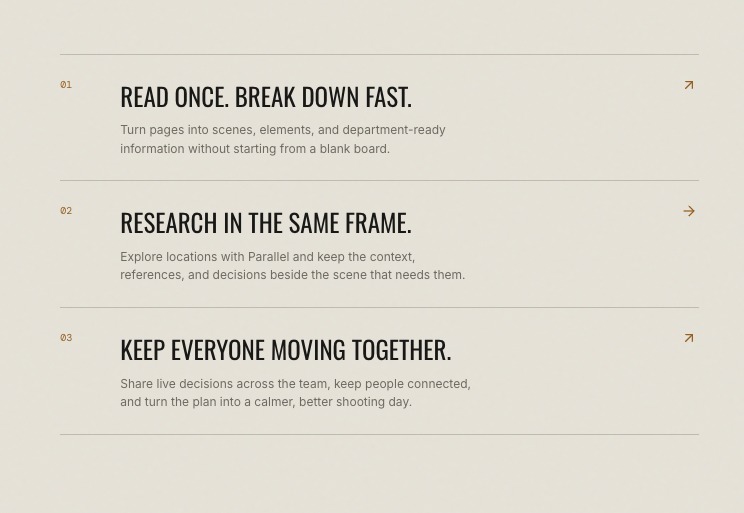
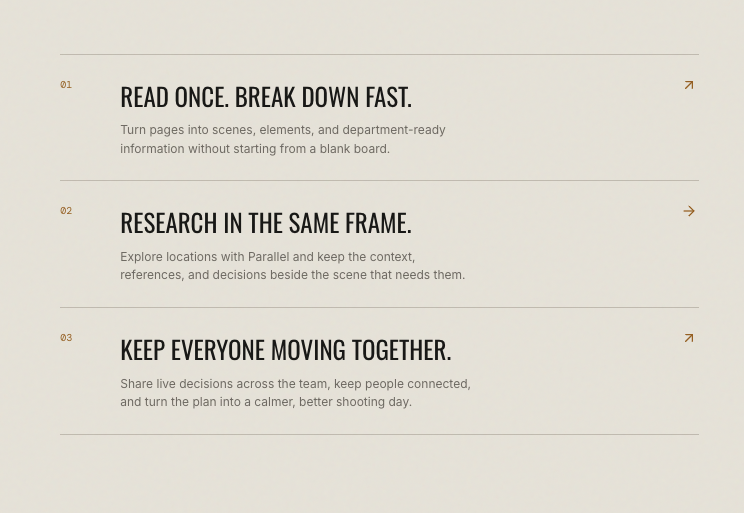
LilyCue takes a script or production spreadsheet and turns it into a structured production plan.
Upload your files and LilyCue automatically identifies things like:
- 🎬 Scenes
- 👥 Cast
- 🎥 Crew
- 📍 Locations
- 🎭 Props
- 📅 Shooting days
There's no fixed spreadsheet template to learn. The goal was to work with the messy spreadsheets that real production teams already use.
From there, LilyCue helps coordinate the shoot:
- Location research — research locations and pull together useful information.
- Availability — collect availability from cast and crew.
- Scheduling — compare availability and suggest which shooting dates make the most sense.
- Call sheets — generate and organize call sheets from the production data.
- Shoot-day coordination — keep track of the day with a live running clock.
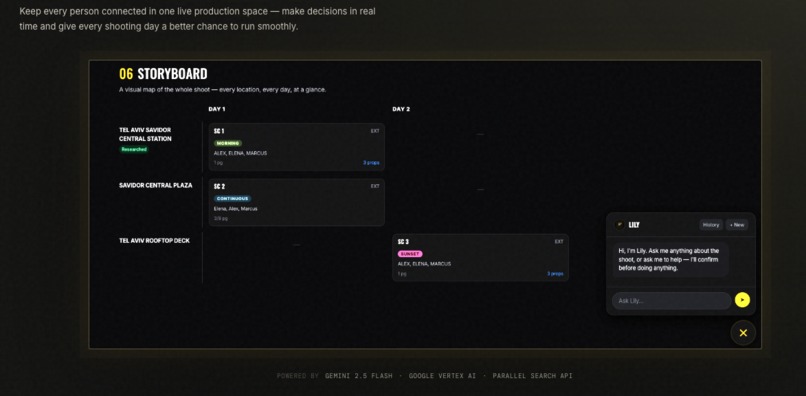
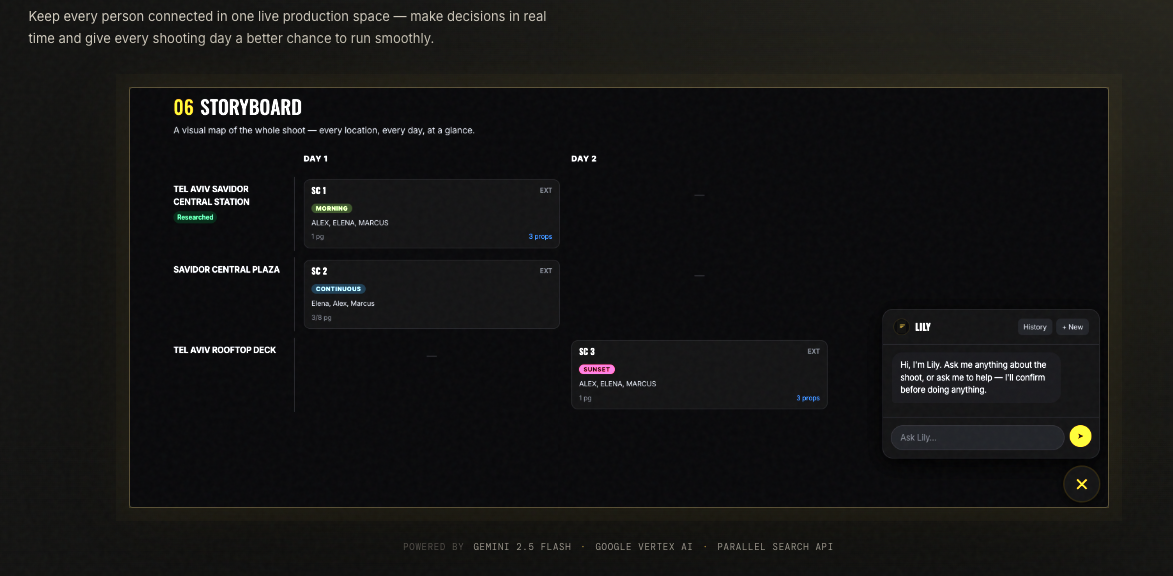
- Production overview — see the entire shoot on one visual board.
- Cast & crew pages — people can submit availability and notes without creating an account.
Meet Lily
At the center of LilyCue is Lily, the AI production assistant.
You can ask things like:
"What's happening with tomorrow's shoot?"
"Who hasn't confirmed their availability?"
"What locations are still missing?"
"What should I take care of today?"
Lily can also suggest actions, but she doesn't silently make changes.
Before doing something that affects the production, Lily explains what she wants to do and asks for confirmation.
We wanted the AI to feel useful without feeling like it was taking control away from the production team.
AI insights, everywhere
We also added small AI summaries throughout the app.
Instead of making the user search through every tab to figure out what's happening, each section gives a quick summary of the current situation and highlights things that may need attention.
The idea is simple: don't make the producer go looking for problems.
How we built it
LilyCue is built around Google Gemini.
Gemini is used to:
- Understand scripts and production spreadsheets
- Extract structured production information
- Power Lily, the AI assistant
- Generate contextual insights across the application
We also use web research to gather real information about filming locations.
The rest of LilyCue is built as a production management interface around that AI layer, with a dark, film-set-inspired design that stays consistent throughout the app.
Challenges we ran into
Making AI understand real-world spreadsheets
This was probably one of the hardest parts.
Production spreadsheets don't follow a standard format. One person might have a column called Cast, another might call it Talent, and someone else might structure the entire sheet differently.
We had to make the import process flexible enough to understand different structures rather than relying on one predefined template.
The scene-number problem
We also discovered a particularly annoying bug.
Scene numbers aren't necessarily unique across a production. The same scene can appear on different shooting days.
At one point, this caused cast and prop information to get associated with the wrong shooting day.
The interesting part was that we didn't find this with our clean test data.
We found it when we tested LilyCue with a real, messy production spreadsheet.
That changed how we tested the rest of the application. Real-world data is much better at finding problems than a perfectly formatted demo file.
What we're proud of
An AI that asks before it acts
We didn't want Lily to be an AI that quietly changes the production in the background.
Lily explains what she wants to do and waits for confirmation before making changes.
That small interaction became an important part of how we think about AI in a production environment.
No rigid spreadsheet format
LilyCue can take a messy production spreadsheet and turn it into structured production data without forcing the production team to completely change the way they work.
AI without making the app dependent on AI
The AI insights are an additional layer on top of the application.
If an AI summary fails to load, the underlying production tools still work.
That was important to us: AI should make the product better, not make the product fragile.
What we learned
Our biggest lesson was that one giant AI assistant isn't necessarily the best approach.
Our first instinct was to have one assistant understand the entire production and handle everything.
In practice, smaller and more focused AI calls worked much better.
Giving each section of LilyCue its own specific AI task produced sharper and more useful results than asking one model to reason about the entire production at once.
We also learned that testing with realistic, messy data is essential. A system can look perfect with a clean spreadsheet and fall apart as soon as someone uploads the kind of file they actually use.
What's next
LilyCue is still a starting point.
The next steps are:
- Real user accounts and team management
- More robust project and production storage
- Better support for larger production teams
- More automated day-to-day coordination
- More AI insights across the rest of the application
- More actions Lily can handle on behalf of the production team
The long-term idea is for LilyCue to become the place where a small production team can see what's happening, what's missing, and what needs to happen next — without having to manage five different spreadsheets and a dozen group chats to figure it out.
Built With
- fastapi
- gemini
- google-cloud
- google-cloud-run
- google-genai
- javascript
- parallel-api
- python
- react
- rest-api
- sqlite
- sqlmodel
- tailwindcss
- vertex-ai
- vite

Log in or sign up for Devpost to join the conversation.