-
-
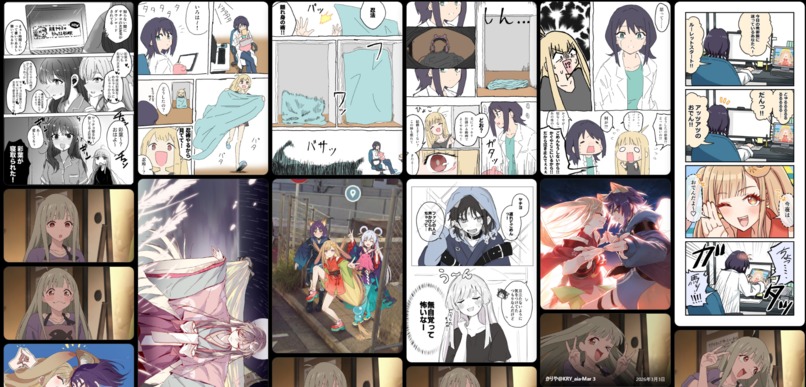
Looks like Pinterst
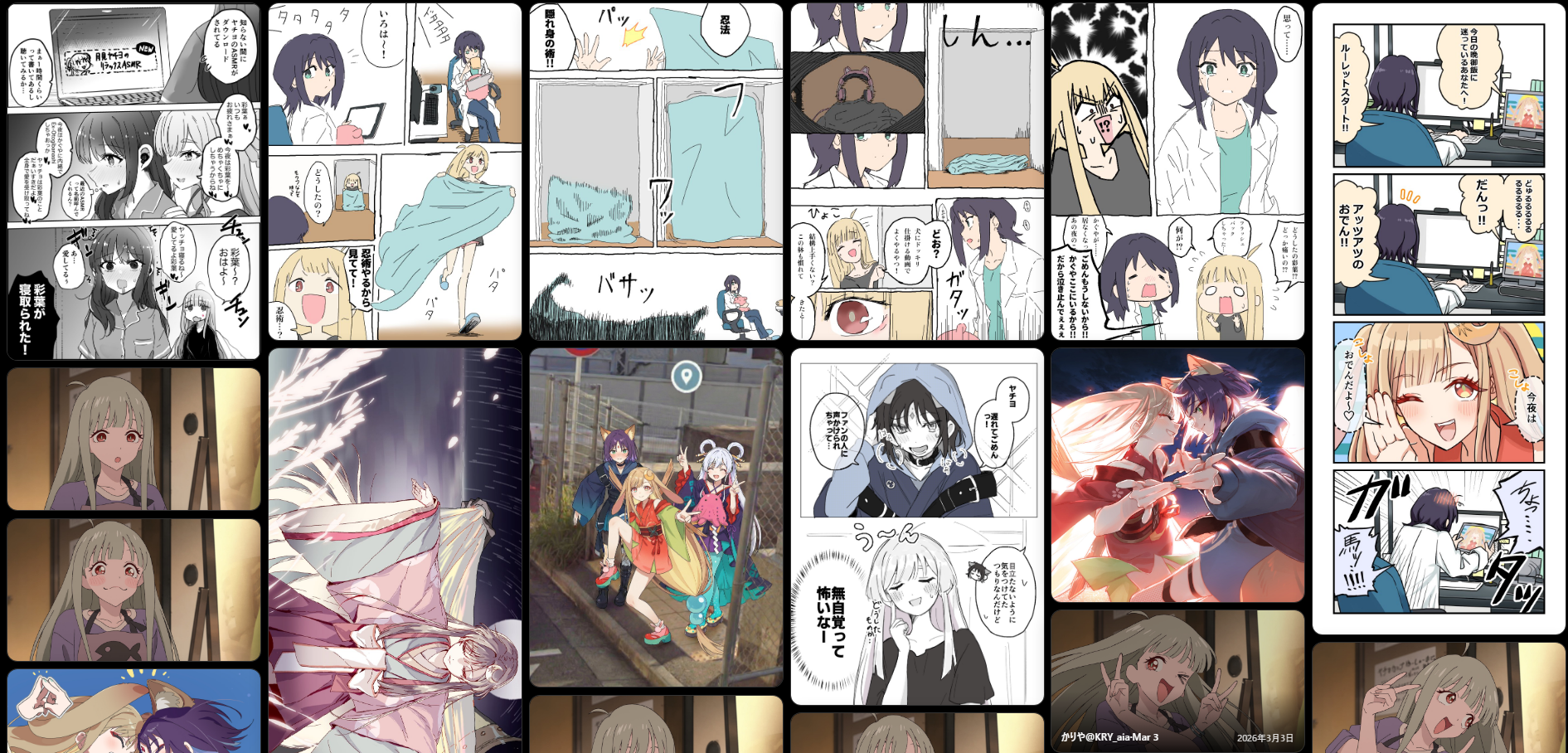
Inspiration
X’s Likes tab is useful for saving posts, but not very useful for browsing the images, videos, and GIFs you saved later.
I wanted something closer to a visual board: media arranged in a masonry layout, tall images shown at their natural aspect ratio, and everything viewable without opening a new tab.
I do not have a traditional programming background, so this project also became an experiment in AI-assisted development. I wanted to see whether a non-engineer could turn a small personal frustration into a working browser extension by describing the desired behavior, testing the results, and repeatedly correcting what went wrong.
What it does
Liked Media Masonry is a Chrome extension that turns the media in an X Likes timeline into a masonry-style board.
It can:
- Display images, videos, and GIFs in a variable-height layout
- Preserve the original aspect ratio of tall images
- Hide post text so the board stays focused on media
- Show author and post information only when a card is hovered
- Open media in an on-page lightbox instead of a new tab
- Navigate through images, videos, and GIFs with buttons or arrow keys
- Scroll the board behind the lightbox with the mouse wheel
- Load more liked media when the user reaches the bottom
- Remember settings such as card width, video inclusion, and closing behavior
The extension does not send liked posts, media URLs, account information, or browsing data to external services.
How we built it
The project was developed as a Manifest V3 Chrome extension using JavaScript, HTML, CSS, and the Chrome Extensions APIs.
The development process was heavily assisted by AI, but the work was divided into separate roles.
ChatGPT was used to organize the product requirements, interaction design, constraints, regression conditions, and completion criteria. Codex was used to inspect the repository, implement changes, run available tests, and review code differences.
The extension reads the existing X page structure instead of using a private API. It identifies posts and media from elements such as articles, links, status URLs, images, and video elements.
Settings are stored with chrome.storage.local. Mutation observers and intersection observers are used to detect newly loaded posts and avoid loading every media element at once.
As the project grew, development moved away from one large prompt and toward smaller, documented stages. Requirements and decisions were recorded in repository files so the codebase, rather than a long chat history, could remain the source of truth.
Challenges we ran into
The first working version appeared quickly. Making it consistently usable took much longer.
One early version displayed images correctly, but videos appeared as black rectangles. Tall images were compressed. The page also had two scrollbars: one from X and another from the extension.
Infinite loading worked once and then stopped responding. Fixing video playback sometimes broke loading. Fixing loading sometimes changed the lightbox position or returned the board to the top.
The most difficult problems were often caused by unclear requirements rather than individual lines of code.
For example, the request “allow scrolling while the lightbox is open” was initially interpreted as moving between media items. What I actually wanted was for the mouse wheel to scroll the board behind the lightbox.
That requirement eventually became much more precise:
- The wheel should scroll the background board
- It should not move to the previous or next media item
- Browser shortcuts such as Ctrl + wheel should still work
- Closing the lightbox should either preserve the new board position or restore the original position, depending on the user’s setting
- Loading more posts must not close or reset the currently displayed media
X’s changing and partially obfuscated DOM was another major challenge. The extension cannot depend on one fragile CSS class, so media detection needs several fallback strategies.
Video handling was especially complicated because a video may use a normal URL, a blob URL, a poster image, or an existing video element borrowed from the X page.
Accomplishments that we're proud of
The project grew from a small personal idea into a functional Chrome extension with a clearly defined user experience.
Some of the accomplishments I am most proud of are:
- Preserving tall images instead of cropping them into uniform cards
- Including videos and GIFs in lightbox navigation instead of skipping them
- Allowing the board to scroll behind an open lightbox
- Supporting automatic loading without resetting the current media
- Providing understandable settings for what happens after the lightbox closes
- Avoiding external analytics, advertising, and tracking
- Establishing a structured AI-assisted development workflow
- Turning repeated bugs into documented regression requirements
The most important accomplishment was not a single feature. It was learning how to translate “this feels wrong” into behavior that another person—or an AI system—could reproduce and verify.
What we learned
AI can produce working code very quickly, but “the code was changed” and “the product works correctly” are not the same thing.
The most useful way to report a problem was to provide four pieces of information:
- Action: What did I do?
- Expected result: What should have happened?
- Actual result: What happened instead?
- Preservation requirement: What must not break during the fix?
For example:
- Action: Scroll to the bottom of the media board
- Expected result: More liked media should load
- Actual result: It works once, but nothing happens the second time
- Preservation requirement: Do not close the lightbox, reset the scroll position, or stop the current video
This method was useful beyond programming. It also applies to writing, planning, design, spreadsheets, and other tasks where an AI-generated result feels incorrect but the reason is not immediately obvious.
We also learned that AI-assisted development does not remove the human role. It changes it.
The human still has to decide what should happen, notice when reality differs from the specification, choose what matters most, and determine when the work is actually complete.
What's next for liked-media-masonry
The next priority is stability rather than adding a large number of new features.
Planned work includes:
- Improving resilience to future X DOM changes
- Reducing memory usage when browsing a large number of posts
- Adding stronger media virtualization so off-screen cards can be removed safely
- Expanding regression tests for loading, video playback, navigation, and scroll restoration
- Improving user-facing loading and error messages
- Refining accessibility and keyboard navigation
- Completing Chrome Web Store release preparation
- Keeping the README, privacy documentation, and implementation behavior synchronized
The long-term goal is simple: make browsing liked media feel fast, predictable, and pleasant, even when the collection becomes very large.
Built With
- chatgpt
- codex
- css
- html
- javascript
- python

Log in or sign up for Devpost to join the conversation.