-
-
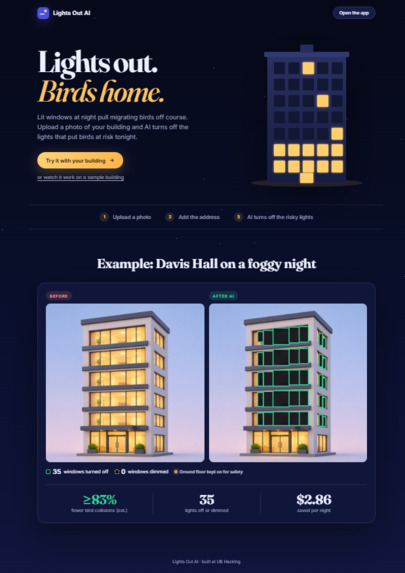
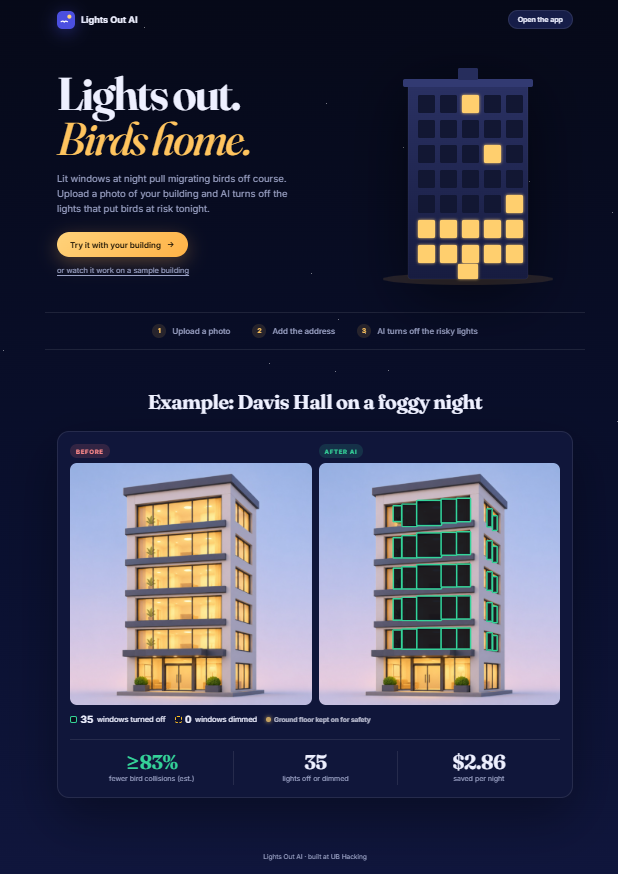
Lights Out AI home page, with a Davis Hall before/after example on a foggy night.
-
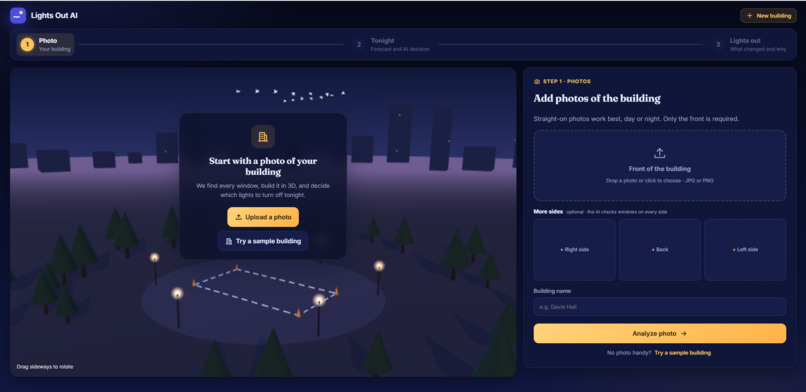
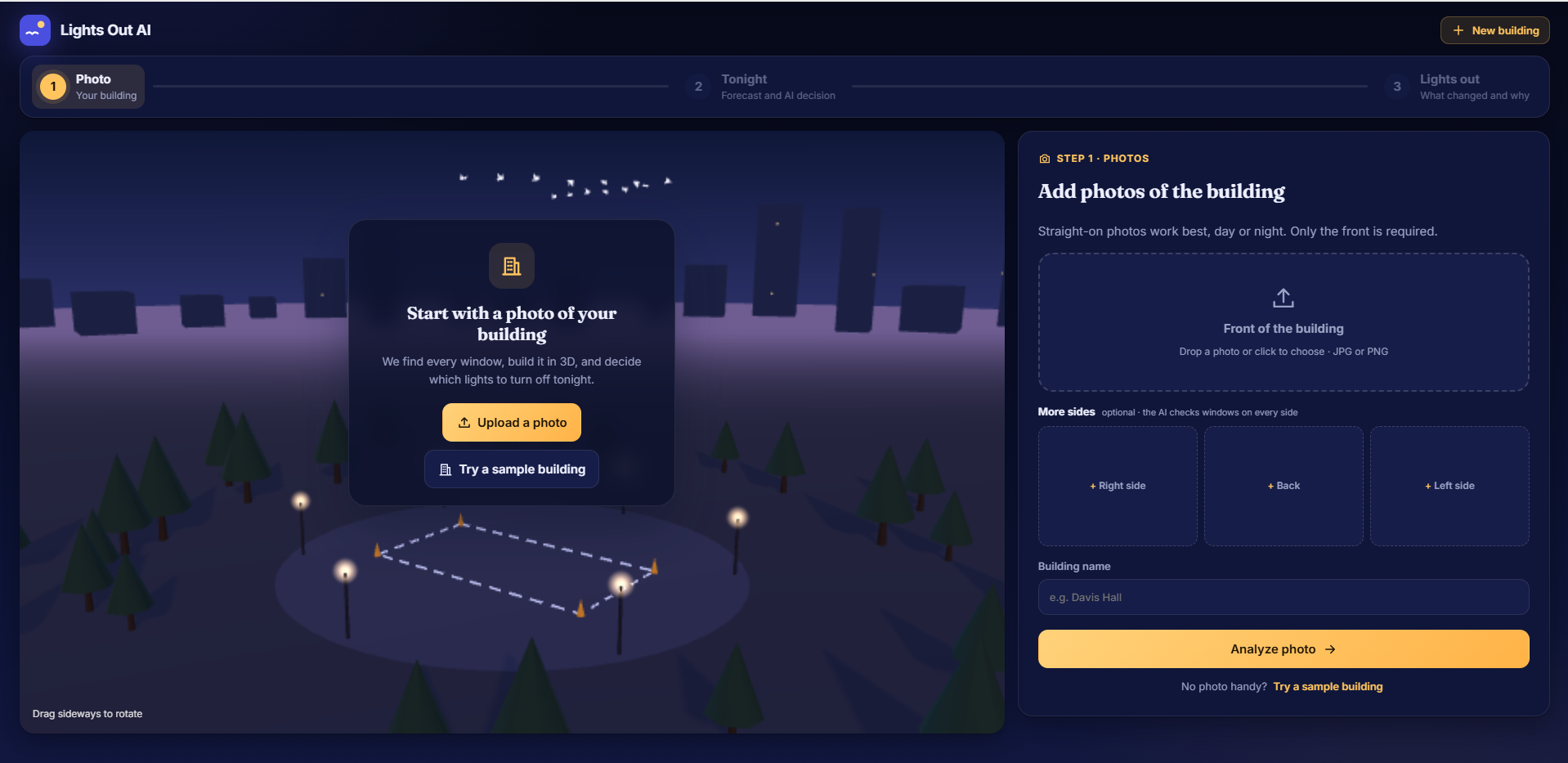
Upload a front photo of any building, day or night. The other sides are optional.
-
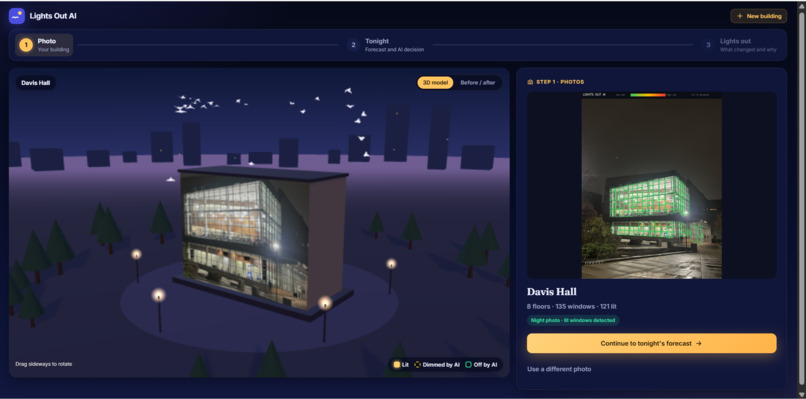
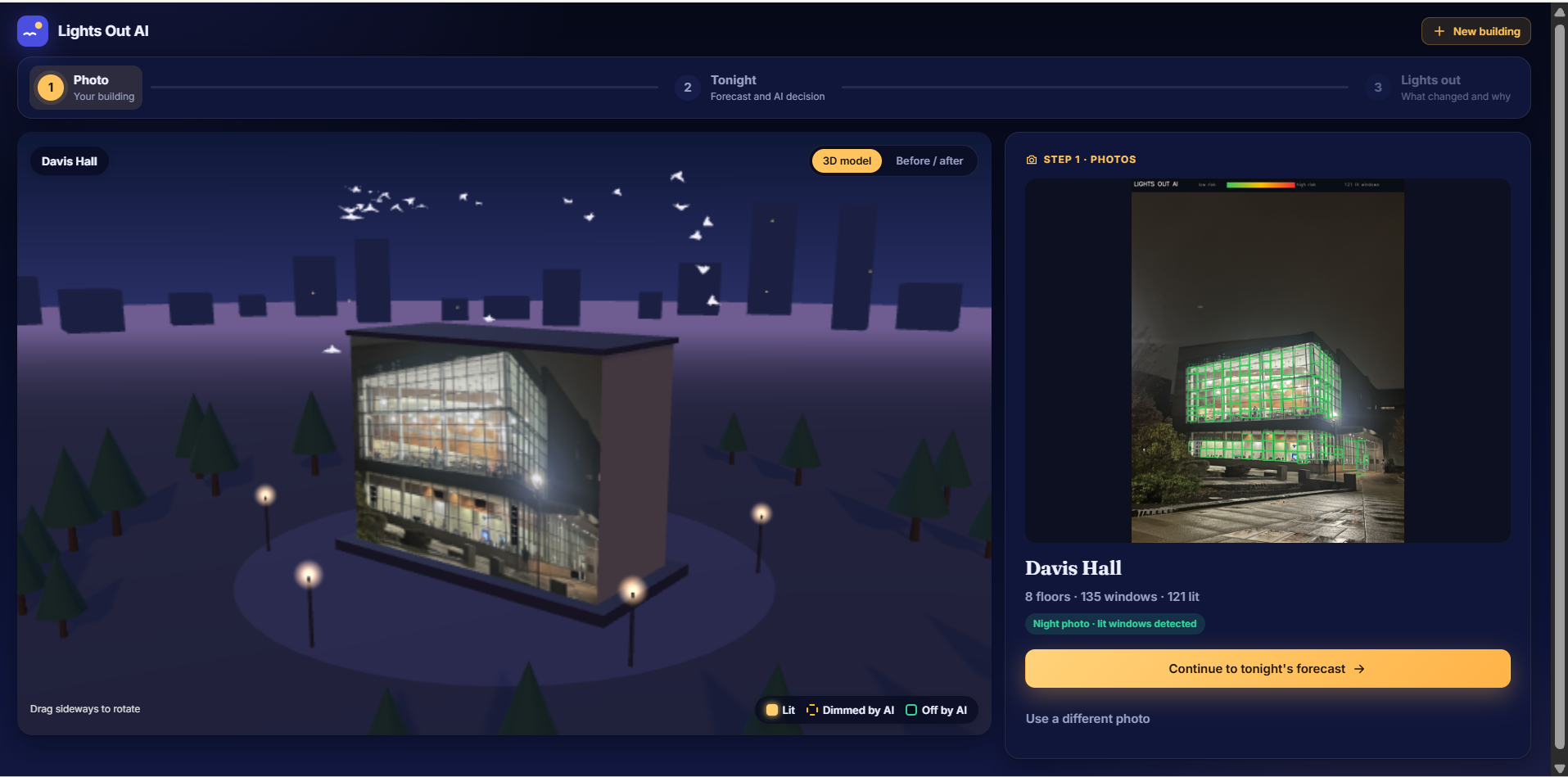
Davis Hall from our night shoot. The app finds 8 floors and 121 lit windows and turns the photo into a 3D model.
-
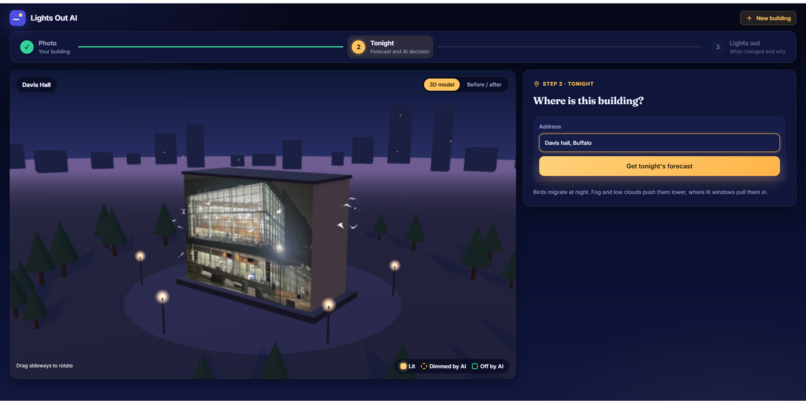
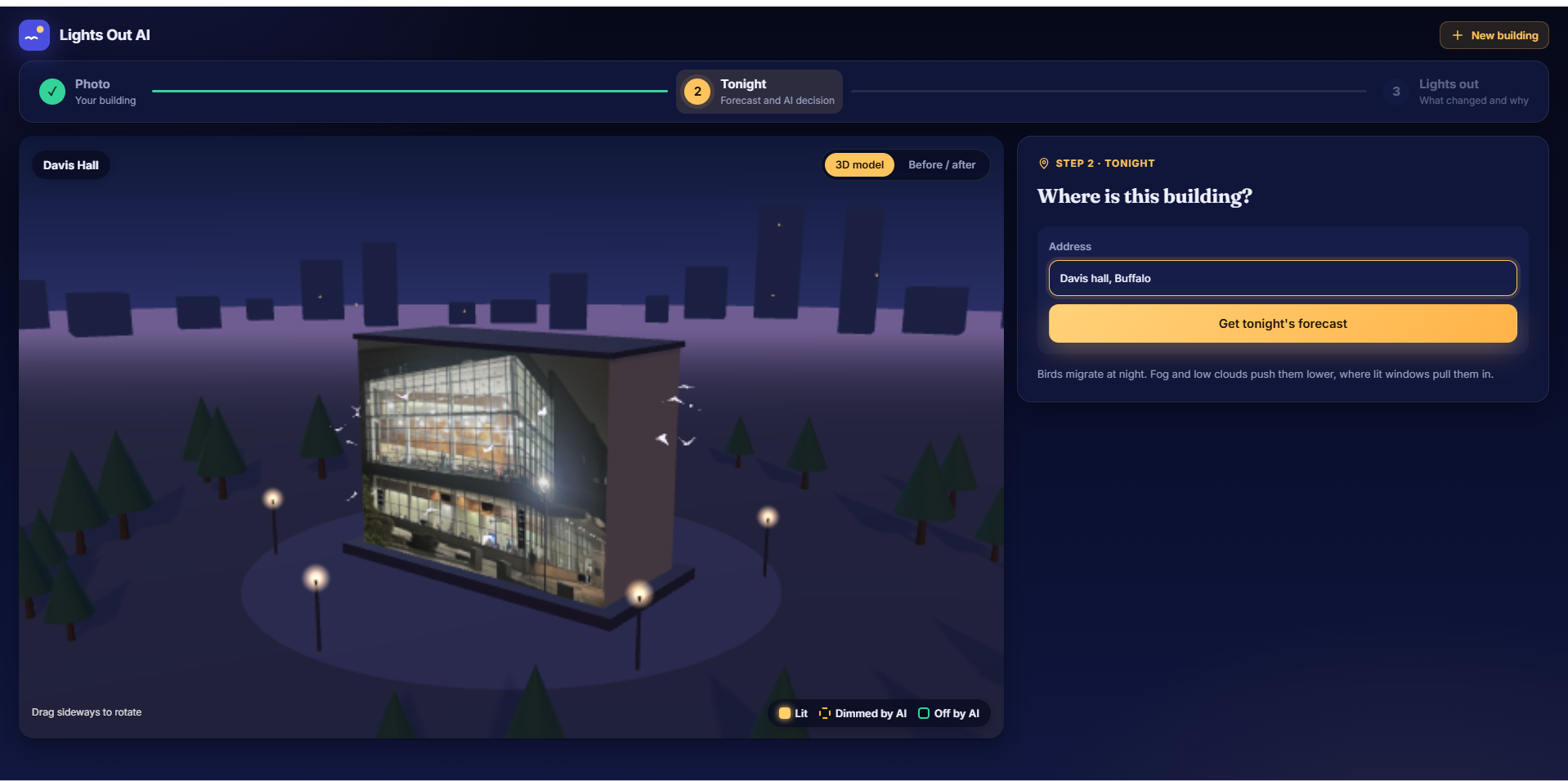
Enter the building’s address so the app can pull that night’s local forecast.
-
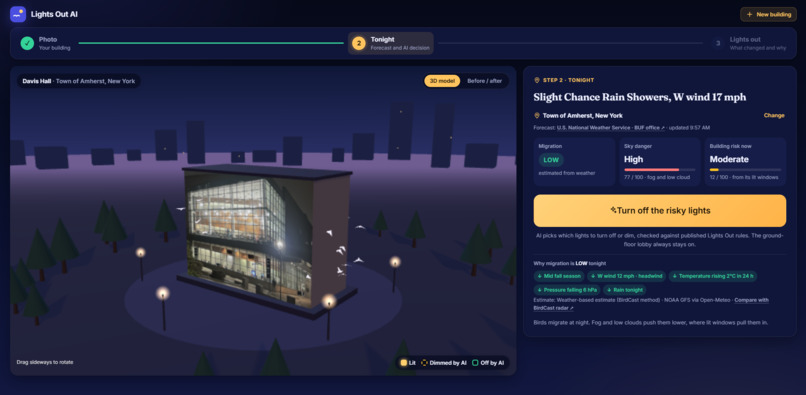
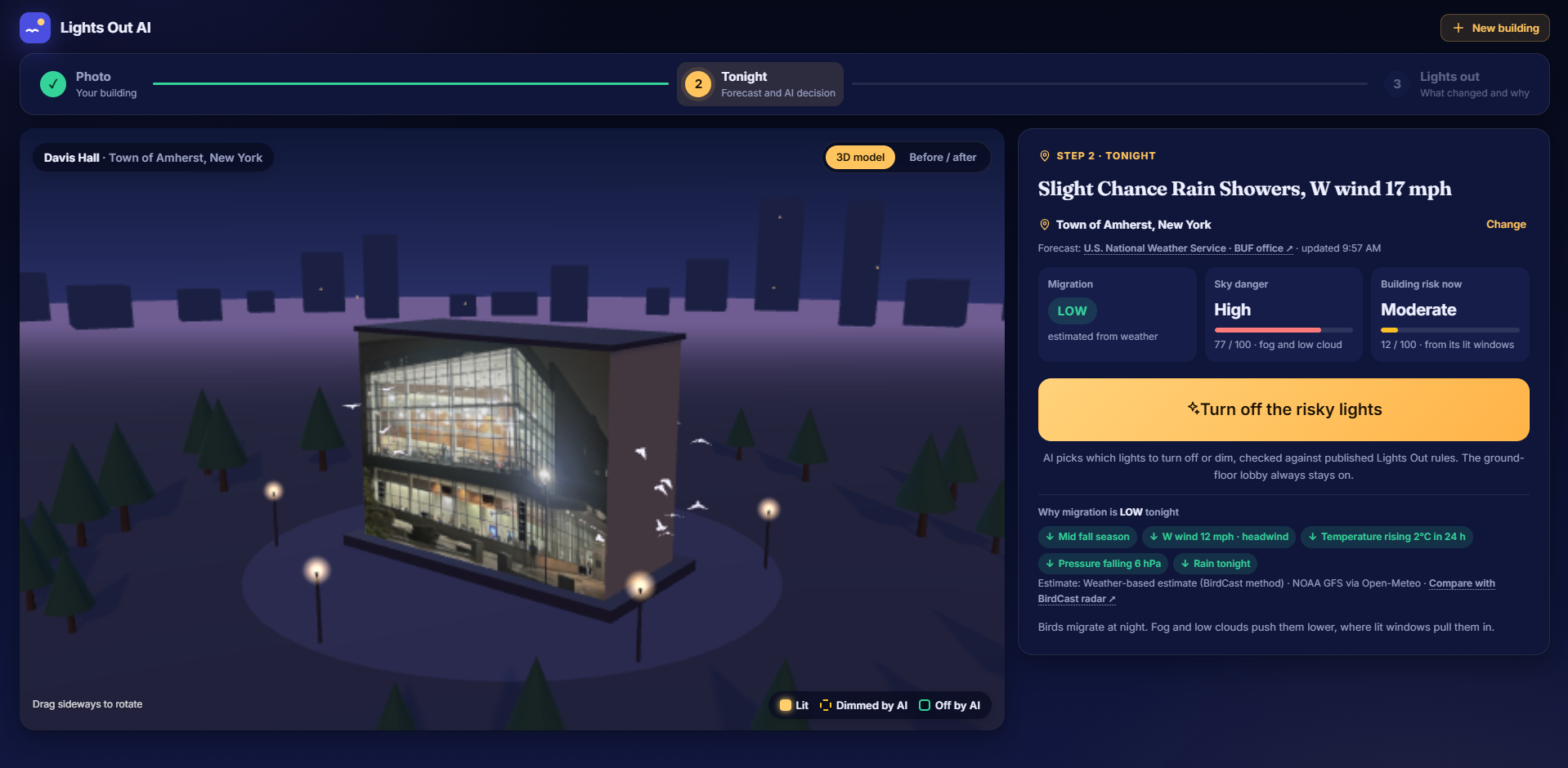
Live National Weather Service data for Amherst, NY, with estimated migration level, sky danger, and the building’s current risk.
-
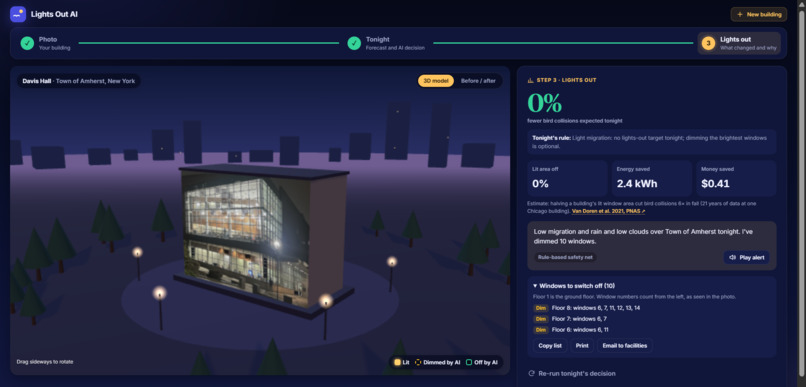
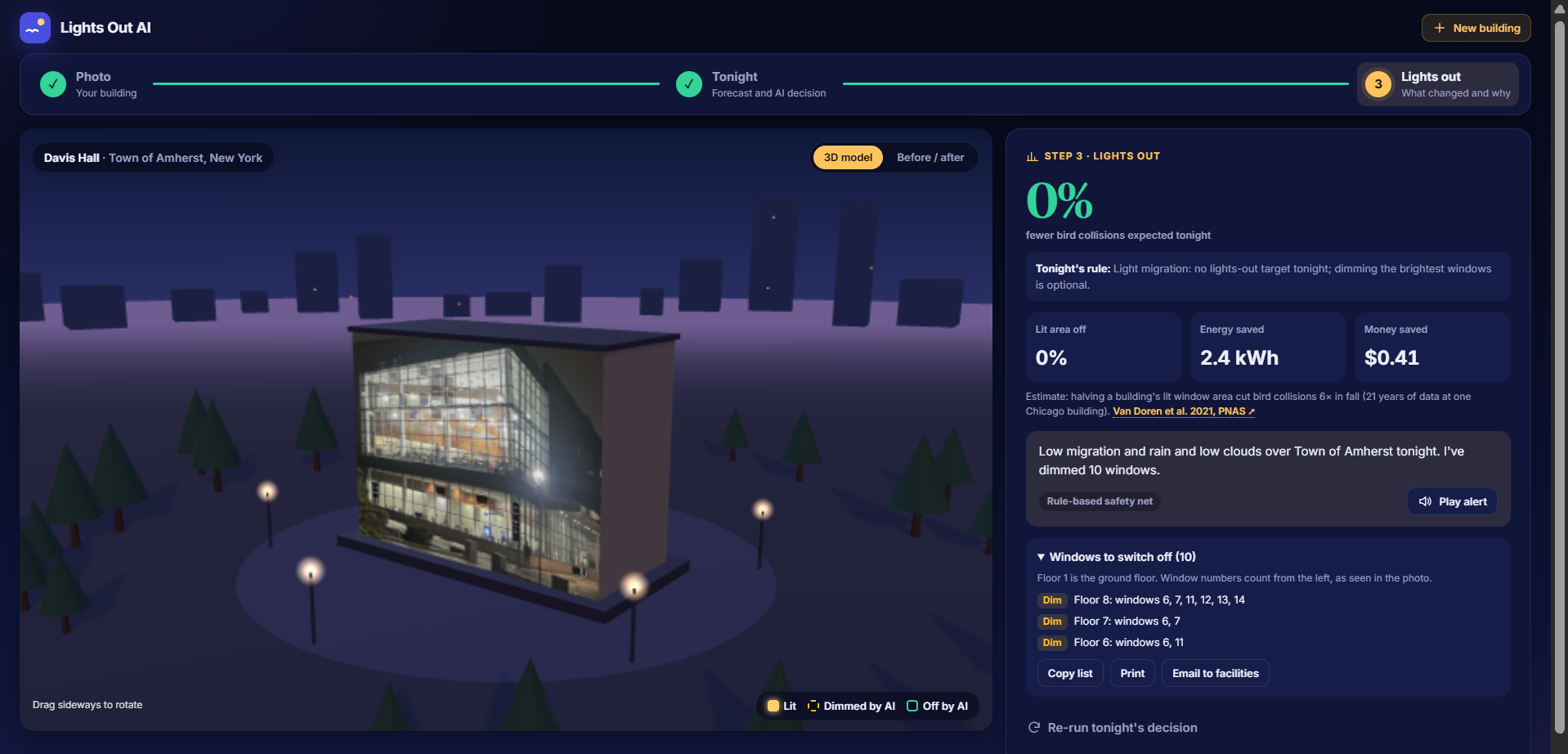
The AI dims 10 upper-floor windows and keeps the lobby lit.
LightsOut AI
Inspiration
Up to 1 billion birds die hitting U.S. buildings every year. They migrate at night, and lit windows pull them off course. "Lights Out" programs ask buildings to turn lights off, but someone has to remember every night.
Then we saw Photometrics AI's work with the Cornell Lab: their platform uses Cornell's BirdCast forecasts to dim streetlights automatically on big migration nights. We asked: why not do the same for buildings, window by window? Because:
- Birds die at buildings. Streetlights draw them into the city, but the deaths happen at lit windows. The more lit window area, the more collisions (Van Doren et al. 2021).
- Buildings have no automatic system. Lights Out still depends on someone remembering, on the right nights.
- Not every light can go off. People study and work inside at night. Choosing the riskiest windows protects birds while keeping the rooms people use lit.
What it does
- Upload a photo of a building (and other sides, if you like) and type its address.
- The app finds every lit window in the photo.
- It checks tonight's weather, bird migration and nearby eBird sightings for that address.
- AI picks which lights to turn off, highest-risk first, and explains why. Lobby lights stay on.
- The lights go off on a 3D model of the building made from your photo, and on a small LED building (ESP32).
- It shows the impact: fewer bird collisions (estimate), energy and money saved, before/after photos.
How many lights go off
We follow published rules, not our own guesses:
- Heavy migration: turn off all non-essential lights (Audubon, BirdCast, NY DEC guidance).
- Medium migration: turn off at least half of the lit window area (Van Doren et al. 2021, PNAS: this cut collisions 6× in fall and 11× in spring).
- Light migration: no target.
The AI chooses the windows; its answer is then checked against tonight's rule.
How we built it
- Backend: Python, FastAPI, WebSockets
- Window detection: OpenCV. On glass buildings it finds the window frames; on other buildings, the bright windows. Street lamps and puddles are ignored. Day photos work too.
- Weather and birds: National Weather Service, NOAA GFS (via Open-Meteo), eBird. Migration is estimated with BirdCast's forecast method.
- AI: Gemini, with UB's BullsAI and a rule-based backup if it fails (details below)
- Voice: ElevenLabs (details below)
- Extras: Tiger Data logging, ESP32 LED board (simulated in Wokwi)
- Hosting: our laptop, shared through a Cloudflare Tunnel
How we used Gemini
Gemini does two jobs:
- Picks the windows. We send the building photo, a list of every lit window (floor, brightness, color, risk score) and tonight's weather and migration. Gemini replies in JSON: which windows to turn off or dim, and a one-to-two sentence reason for building staff.
- Reads day photos. When a photo has no lit windows to detect, Gemini counts the floors and windows per floor and finds the building's corners, so we can still build the window grid.
To make it safe to trust:
- Checked against tonight's rule. If Gemini turns off too few windows, the highest-risk ones are added. Lobby floors and made-up window ids are removed.
- Same question, same answer. Temperature 0, a fixed seed, and answers cached for 30 minutes.
- Never stuck. 12-second timeout; if Gemini fails, UB's BullsAI gets the same prompt, then a rule-based backup.
How we used ElevenLabs
We used ElevenLabs in two places: inside the app, and to make our demo video.
In the app: a spoken alert
- When the AI decides, ElevenLabs reads its reason out loud: tonight's weather and migration, how many windows went off, and on which floors.
- It's for a security guard or building manager who isn't looking at a screen.
- Calm voice (Rachel,
eleven_multilingual_v2), capped at 400 characters.
For our demo video
- Narration: the whole voice-over is ElevenLabs (voice: Roger, Eleven v3).
- Animated scenes: the bird's journey, the foggy city and the ending were made as images, then turned into short clips with image-to-video.
- Editing: we put the screen recordings, animations and narration together and trimmed them in ElevenLabs.
Challenges
- Glass buildings: our first detector put windows on trees and puddles. We switched to finding window frames.
- Made-up numbers: we replaced our own percentages with published rules.
- AI too cautious: it turned off only 4 windows. Now its answer is checked against tonight's rule.
- Gemini quota ran out: backups kept the app working.
- No cloud server: a credits issue kept us off Vultr (see below).
What we're proud of
- Photo to lights off in about 2 seconds.
- Davis Hall: 133 windows found; on a medium night, 57 turned off, an estimated 83%+ fewer collisions.
- Every number on screen links to its source.
Real vs estimated
- Real: the photos, the weather forecast, eBird sightings.
- Estimated: tonight's migration (from weather, not radar), the collision drop (from one Chicago study), energy saved (about 60 W per window).
- Simulated: lights switch on a 3D model and LED board, not real building controls.
What we could have done with Vultr
We planned to run on Vultr but couldn't because of a credits issue. With it we would have had:
- A fixed address: our tunnel link changes on every restart, so the LED board and shared links break.
- Always on: today the app stops when the laptop sleeps. A tool for every night needs a 24/7 server.
- Nightly alerts: a server could check migration at sunset and alert building managers by itself.
- Many buildings at once: one server for a whole campus, with judges, staff and LED boards connected together.
What's next
- BirdCast (Cornell) data access: real radar counts of birds tonight instead of our estimate.
- Collision counts at the building: to check our impact estimate.
- Real building controls or smart plugs: to switch actual lights.
- A campus map: every building's risk tonight, in one place.
Built With
- bullsai
- cloudflare-tunnel
- css
- ebird
- elevenlabs
- esp32
- fastapi
- gemini
- html
- javascript
- national-weather-service
- numpy
- open-meteo
- opencv
- postgresql
- python
- three.js
- tiger-data
- timescaledb
- websockets
- wokwi
