-
-
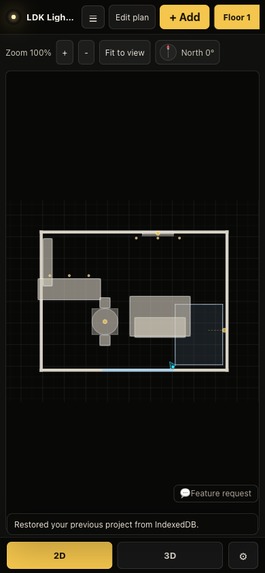
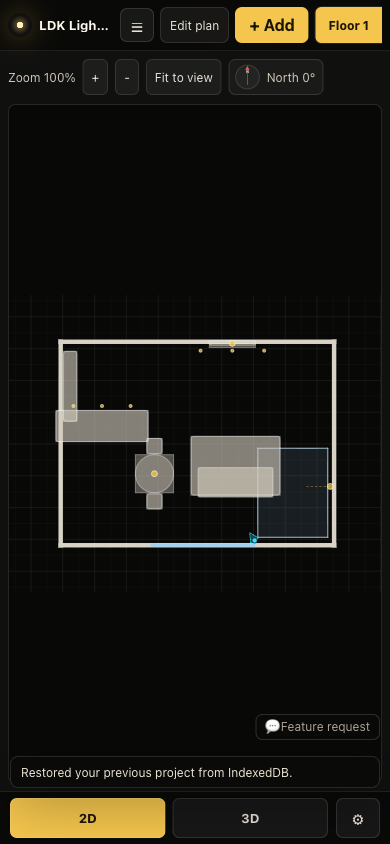
Fully usable on a phone — no install, no account.
-
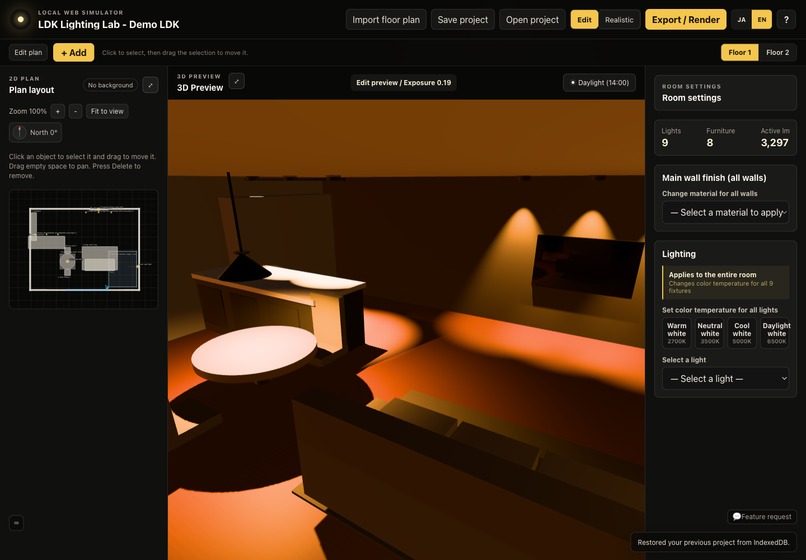
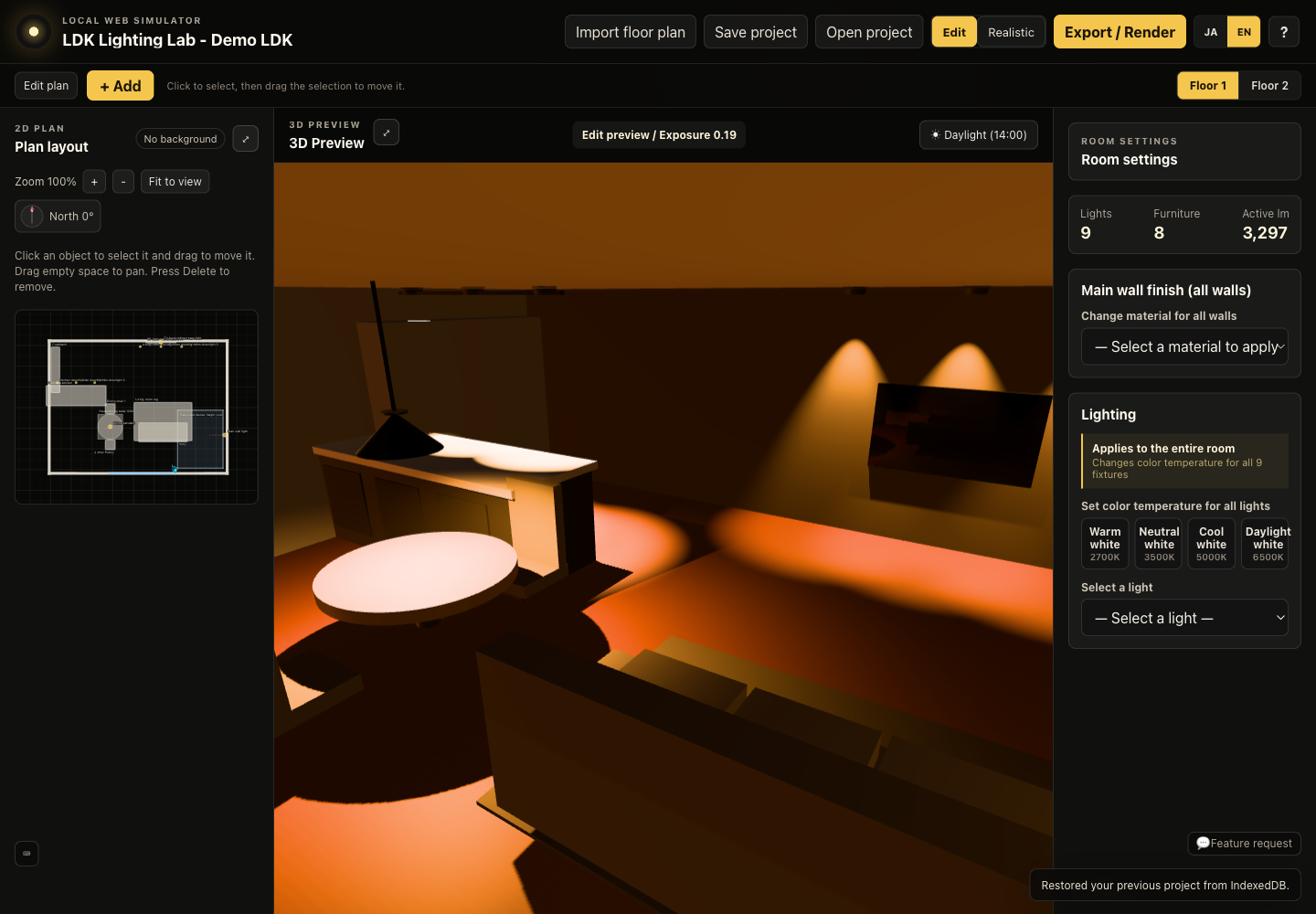
2D floor plan and 3D preview stay in sync — edit fixtures on the left, see the result on the right.
-
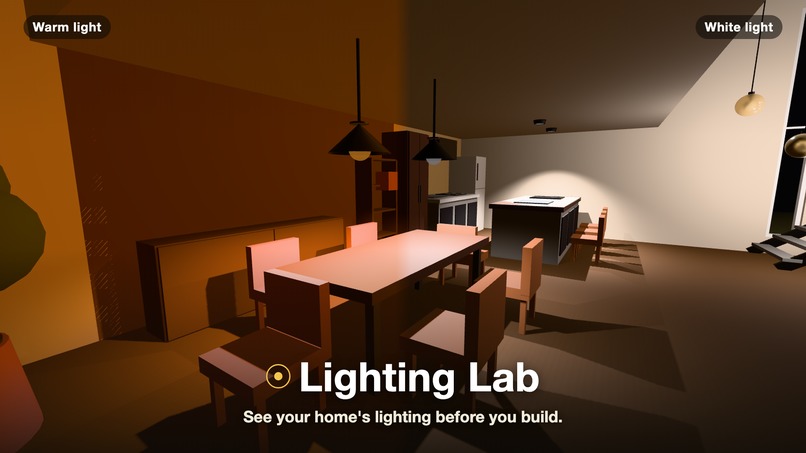
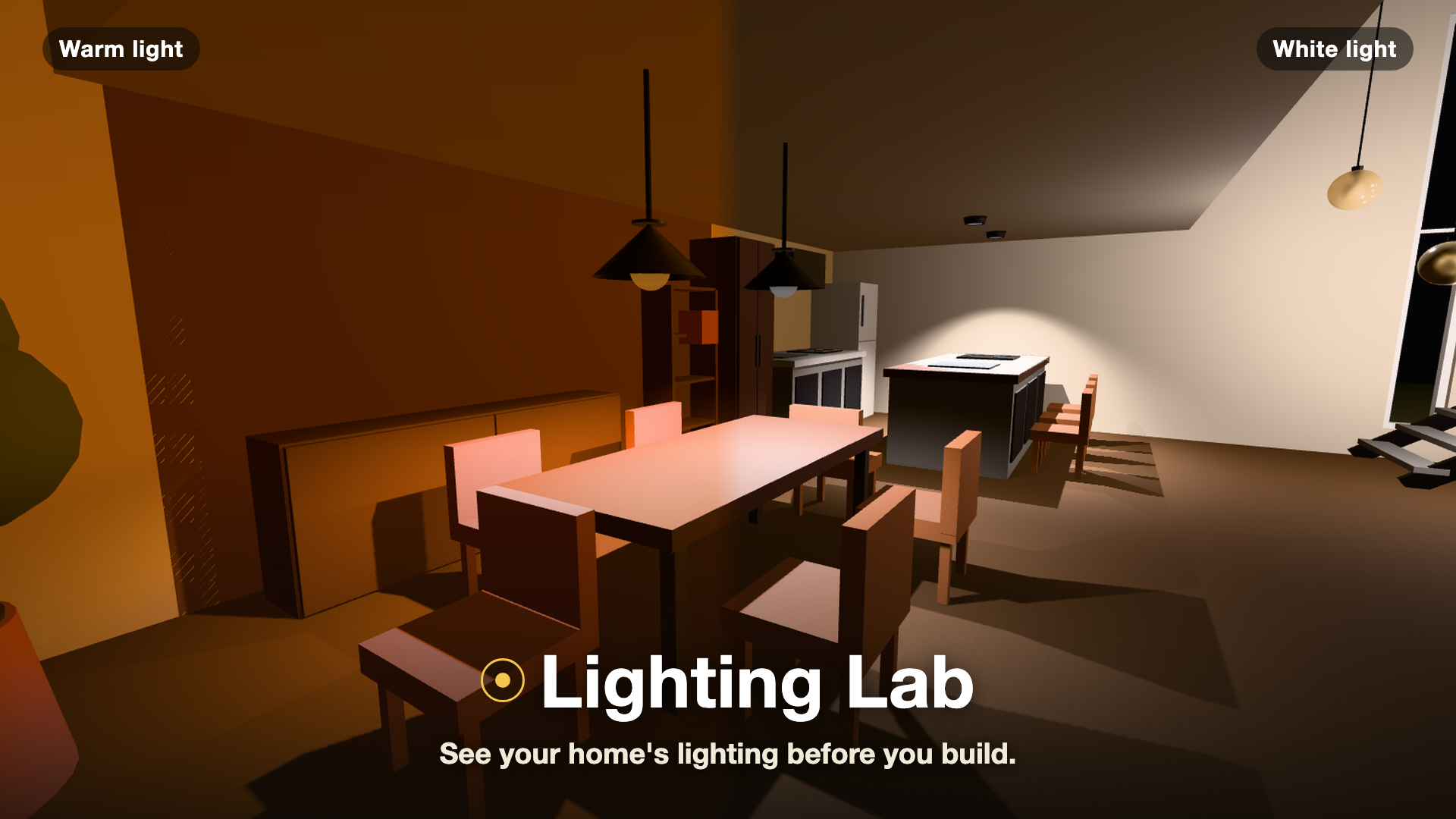
Same room, same furniture — warm 2700K vs. daylight 6500K, side by side.
Inspiration
We are planning the lighting for our own home. Like most people, we had to choose every fixture from a floor plan and a catalog — before a single wall existed. Will 2700K feel cozy over the dining table, or just dim? Will one pendant be enough, or will the kitchen counter end up in shadow? Once construction starts, changing your mind gets expensive fast.
Professional photometric software answers these questions for engineers. We wanted something a homeowner could open in a browser, load their own floor plan into, and simply see the difference — warm vs. white, one light vs. three — before committing.
What it does
Lighting Lab is a browser-based visual simulator for comparing residential lighting ideas on a real floor plan.
- Start from a sample LDK layout, or import your own plan as PNG, JPG, or PDF
- In the 2D editor, place lights, windows, furniture, stairs, and double-height zones
- Adjust each fixture's position, brightness, color temperature, dimming, and beam spread
- The 3D view stays in sync: a fast raster mode for editing, plus an optional progressive path-traced "Finished Look" on WebGL2-capable hardware
- Save projects locally (IndexedDB, no account), capture comparison shots, and export PNG renders
- Full Japanese and English UI, with mobile-friendly controls
It is intentionally not a certified photometric tool — it doesn't promise lux values or compliance. It's for comparing the character and atmosphere of lighting options while they're still cheap to change.
How we built it
React, TypeScript, Vite, Three.js, React Three Fiber, Zustand, IndexedDB, PDF.js, and three-gpu-pathtracer, deployed on Cloudflare Pages.
The core 2D/3D editor and rendering architecture existed before Build Week. During Build Week we used Codex with GPT-5.6 to finalize it for a public, English-first audience: it inspected the existing architecture, hardened the feedback pipeline, implemented the bilingual UI layer with a small typed dictionary (no i18n dependency), fixed the final path-traced PNG export, improved test reliability, and prepared the release documentation. We deliberately did not let it rewrite the renderer near the deadline — the regression risk wasn't worth it.
Challenges we ran into
Path tracing in a browser is unforgiving. GPU capability varies wildly, so we kept two renderers with distinct jobs: a raster mode that always works for editing, and a progressive path-traced mode that is strictly optional. The path-traced view renders the same scene as the editor — no hidden helper lights or fake shadows — so what you compose is what you get.
The black-image bug. On some WebGL2 contexts, the final 512-sample render exported as a solid black PNG. The fix was encoding the floating-point render target into an opaque PNG correctly — verified with a real completed render in a real browser, not just a passing unit test.
Honesty is a design constraint. A lighting simulator invites people to trust its brightness. We calibrated perceived brightness against path-traced output, but drew a hard line in the UI: visual comparison yes, guaranteed illuminance no. Keeping that disclaimer true shaped many implementation decisions.
Bilingual without breaking saved data. Fixture and material names live inside users' saved project JSON. We translate at display time instead of rewriting stored values, so switching JA ↔ EN never corrupts a project.
Headless WebGL testing. Playwright's Headless Shell froze during 3D initialization on macOS, so we moved runtime checks to CI on Linux + Xvfb and verified locally in a headed browser — and documented exactly which checks passed where, rather than claiming green across the board.
Accomplishments that we're proud of
- A genuinely WYSIWYG path-traced lighting preview that runs in a browser tab — no install, no account, no upload of your floor plan to a server
- A graceful capability ladder: the app is fully usable on hardware that can't path-trace at all
- A working end-to-end homeowner flow: import a PDF plan → place a pendant → compare 2700K vs. 3500K → export a finished render
- Shipping bilingual (JA/EN) and mobile-friendly without adding a single i18n dependency
- Staying honest: every screen that could over-promise carries an accurate disclaimer
What we learned
- Two renderers with different contracts beat one renderer trying to do everything. The boring raster baseline is what makes the fancy path tracer shippable.
- Scoping against a claim ("this is not photometry") is as much a feature as any button — it decided our copy, our UI labels, and what we refused to build.
- AI assistance works best on a mature codebase when it's pointed at finalization work — auditing, localization, test hardening, documentation — and explicitly kept away from deadline-week rewrites.
- "Verified in a real browser" and "tests pass" are different statements, and a submission should say which one is true.
What's next for Lighting Lab
- Multi-floor 3D: floor data for two stories already exists; next is stacking them in 3D with the double-height void connecting them
- Richer catalogs: more fixture and furniture presets tuned for common Japanese LDK layouts
- Smoother onboarding: an in-app shortcut guide and better first-run experience
- Easier sharing: sending a comparison set to a partner or builder as a single link
Try it: lighting-lab-46l.pages.dev/ · Source · Video
Built With
- cloudflare-pages
- codex
- gpt-5.6
- indexeddb
- pdf.js
- react
- react-three-fiber
- three-gpu-pathtracer
- three.js
- typescript
- vite
- webgl2
- zustand

Log in or sign up for Devpost to join the conversation.