-
-
mockup, 1
-

Track: Automating for Meaning
Challenge: Domain.com/ Domain Name
Inspiration
For students, navigating across campus can be a challenge when facing unexpected delays or compromises to safety. The lack of updates in navigation tools to real-time events such as recent crimes, campus threats, and other concerns warrants a solution for mapping more well lit and secure routes for travel.
What it does
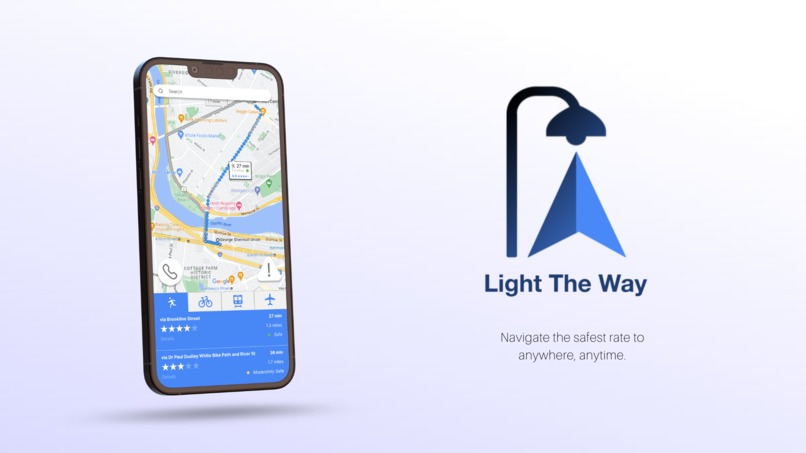
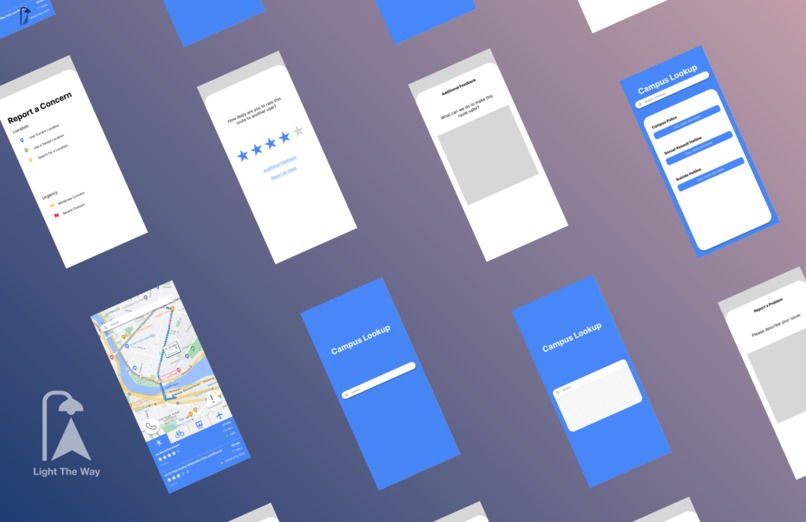
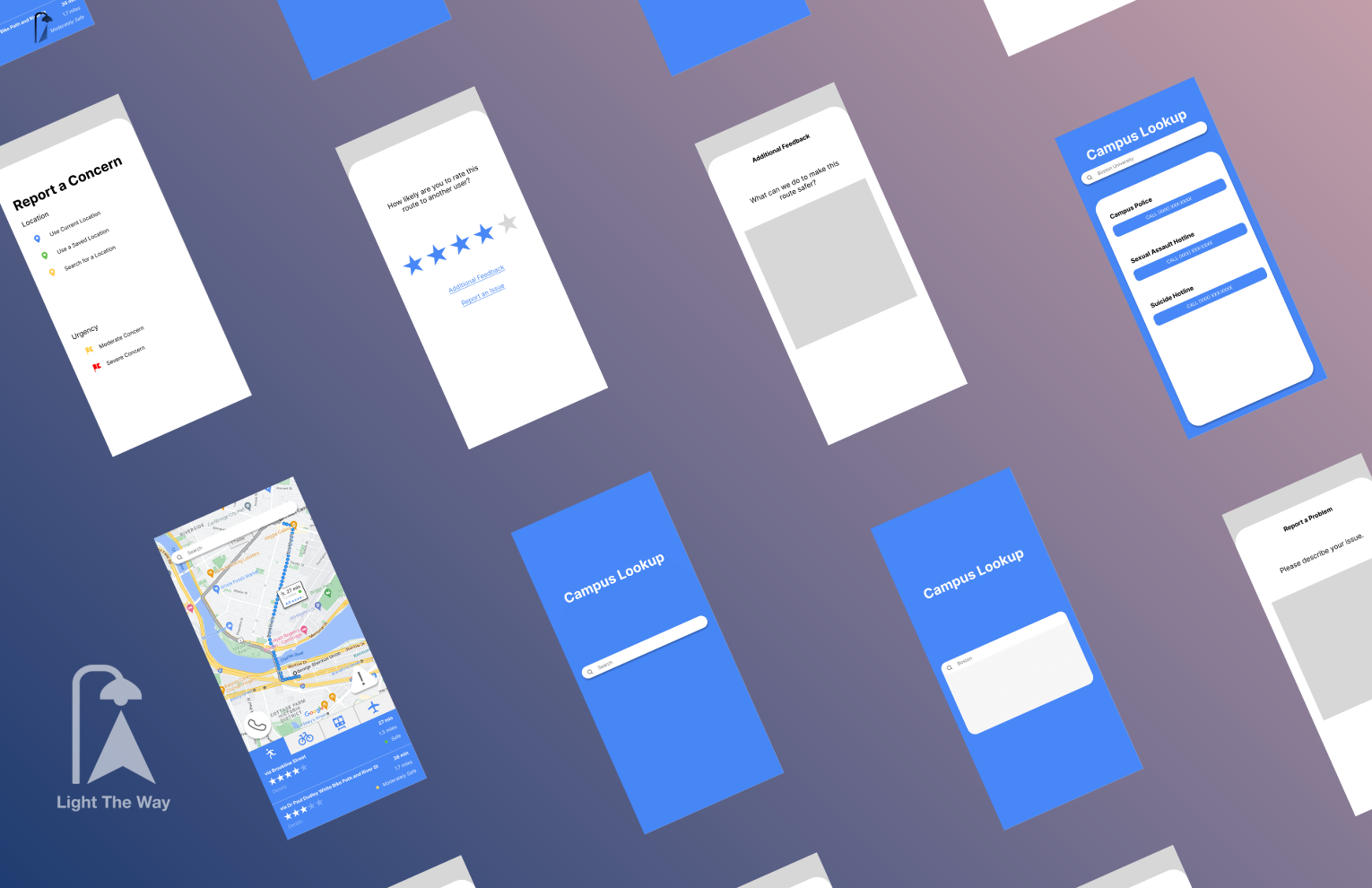
Light The Way is a navigation app made specifically for user safety. It has 4 key functions. 1). Made especially for college students, this app allows students to search for their college/ university in “Campus Lookup,” indicated by the phone icon, which opens a page with the contact information of each campus police’s emergency and non-emergency numbers.
2). After traveling on a recommended route, a user can rate how likely they would recommend their route to another user. This rating is out of five stars and is compiled on the map navigation page so that a user can easily determine the credibility or popularity of any given route. To improve the results of this action, users can submit their feedback or report any technical issues in the provided forms.
3). To report any changes in real-time, users can submit a report attaching their current location, recent or saved locations, or select from a particular location to the specific concern; this action is shown on the main map navigation page with the icon containing an exclamation mark inside a triangle. The number of user reports is displayed for any route from one place to another to recommend alternative, safer routes of travel.
4). Recommending a path that is not only efficient, but also well lit and safe. Light The Way allows users to see the popularity of a route on a 5-star rating basis, the number of user reports of compromised safety on/ nearby the route, and a measurement of light (specifically to aid night-time travel given by number of street lamps per every unit of distance for your route).
How we built it
Currently, Light The Way’s prototype has built with HTML, JavaScript, CSS (minimal), and the Mapbox API. Its general workflow consists of having a user input their starting location and destination in terms of street address or name. After receiving these inputs, the app seeks to call the geocode API (in Mapbox) for a destination’s latitude and longitude variables. Once these have been received, the directions API (in Mapbox) will provide recommended routes from one location to another. In Javascript, we then get the attributes necessary to determine the coordinates of every street. This is necessary as the coordinates of every street will need to match up with the coordinate values of every street light/ public light source (in a query created from a database) so that the number of street lights at or near a route can be counted over an area unit of distance to determine how well lit a route is. This value is then displayed to the user, displaying a recommendation for one of the provided API routes over the other.
Other functionality including user feedback, user input, and contact information is built through various HTML pages and given simple format in a CSS style sheet.
Challenges we ran into
Keeping track of time throughout this project was one of the main challenges that we faced in this Hackathon. Time management, especially at the beginning of the project, definitely could have used more improvement. We were attempting to configure the api to plot a map onto our website, however we focused too much on getting this one step finished before continuing on with the rest of the project. Another challenge that we faced would definitely be our lack of knowledge in backend development; it was only after we began our coding process that we realized that plotting possible walking routes maps would involve a lot of our time learning.
Accomplishments that we're proud of
One accomplishment that we’re proud of is being able to get a map of boston to plot out different routes that a pedestrian could face. This is arguably one of the more important aspects of the project we were designing, so this was definitely a big step towards our goal. A second accomplishment was designing a user interface that could be easy to follow and utilize whenever necessary. Because we were creating a web-app, or a website that could also be formatted onto a handheld electronic device, it was necessary to keep the small details minimal and focus on readability and large buttons.
What we learned
While coding and designing this project, we learned much more about coding languages that we would have never used otherwise. For example, because of our reliance on javascript when utilizing apis for our map and route directing, the members without much experience with it were compelled to understand the cause-and-effect relationship between the code and functionality. Additionally, we have understood that a solid plan not only for the project itself but also for time management in the future would help each member work more efficiently.
What's next for Light The Way
After prototyping what Light The Way is going to look like during this hackathon, we plan on deepening our understanding of geocoding and routing algorithms to create the safest walking routes based on not only streetlight placement but also past crime scenes ranked by danger level. Although this prototype only encompasses colleges located in Boston, Massachusetts, we plan on extending our radius to large city-campus colleges where students readily access dimly-lit pathways to reach their destination as fast as possible such as New York City and Chicago.


Log in or sign up for Devpost to join the conversation.