-
-
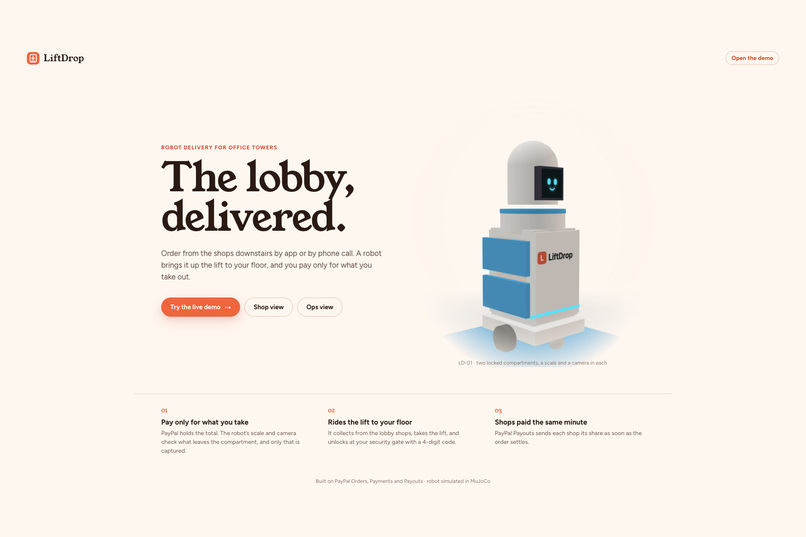
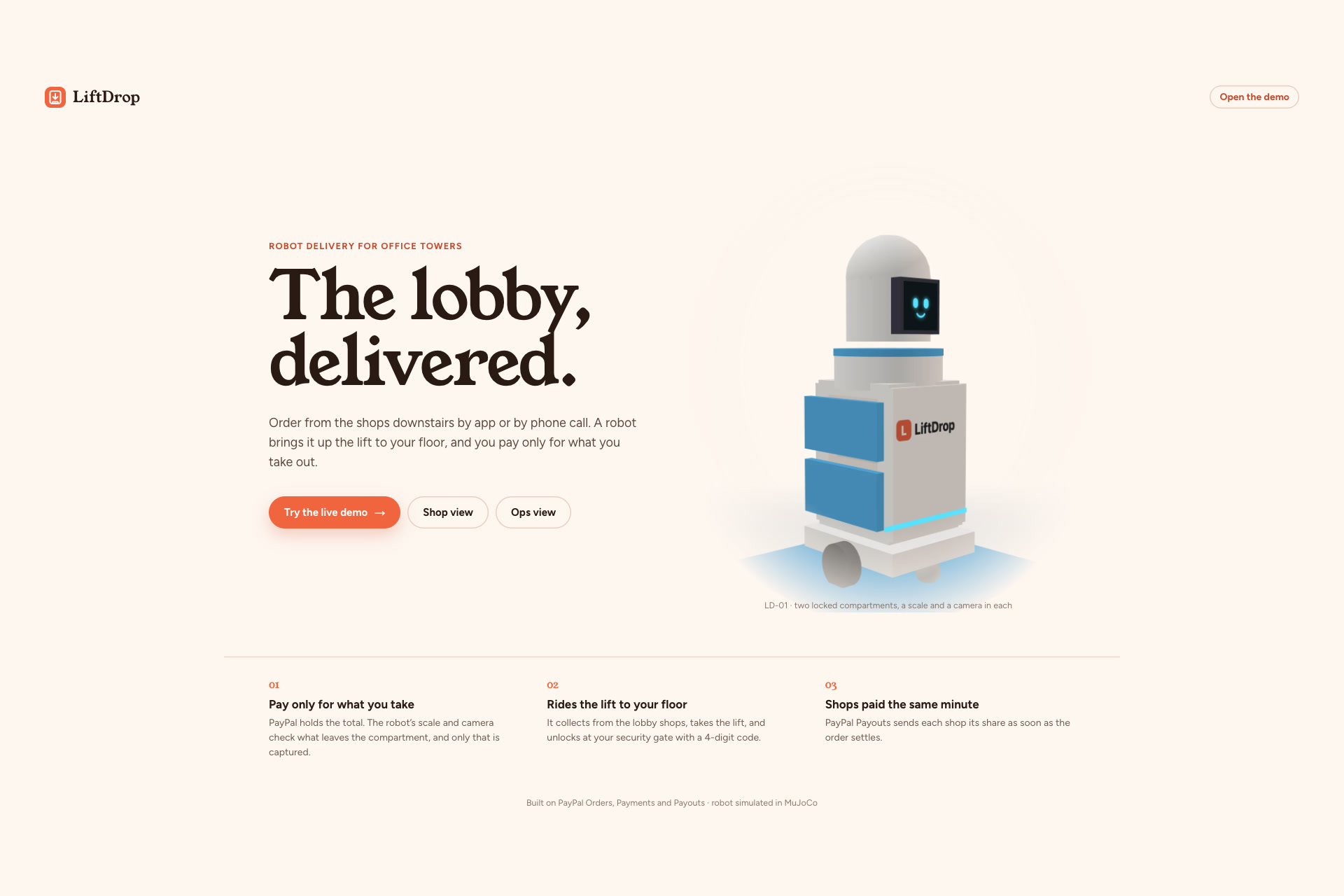
Landing Page
-
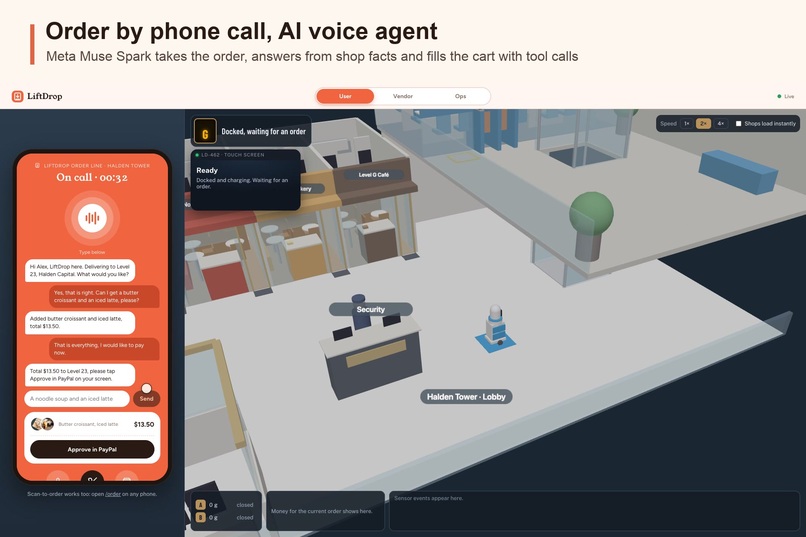
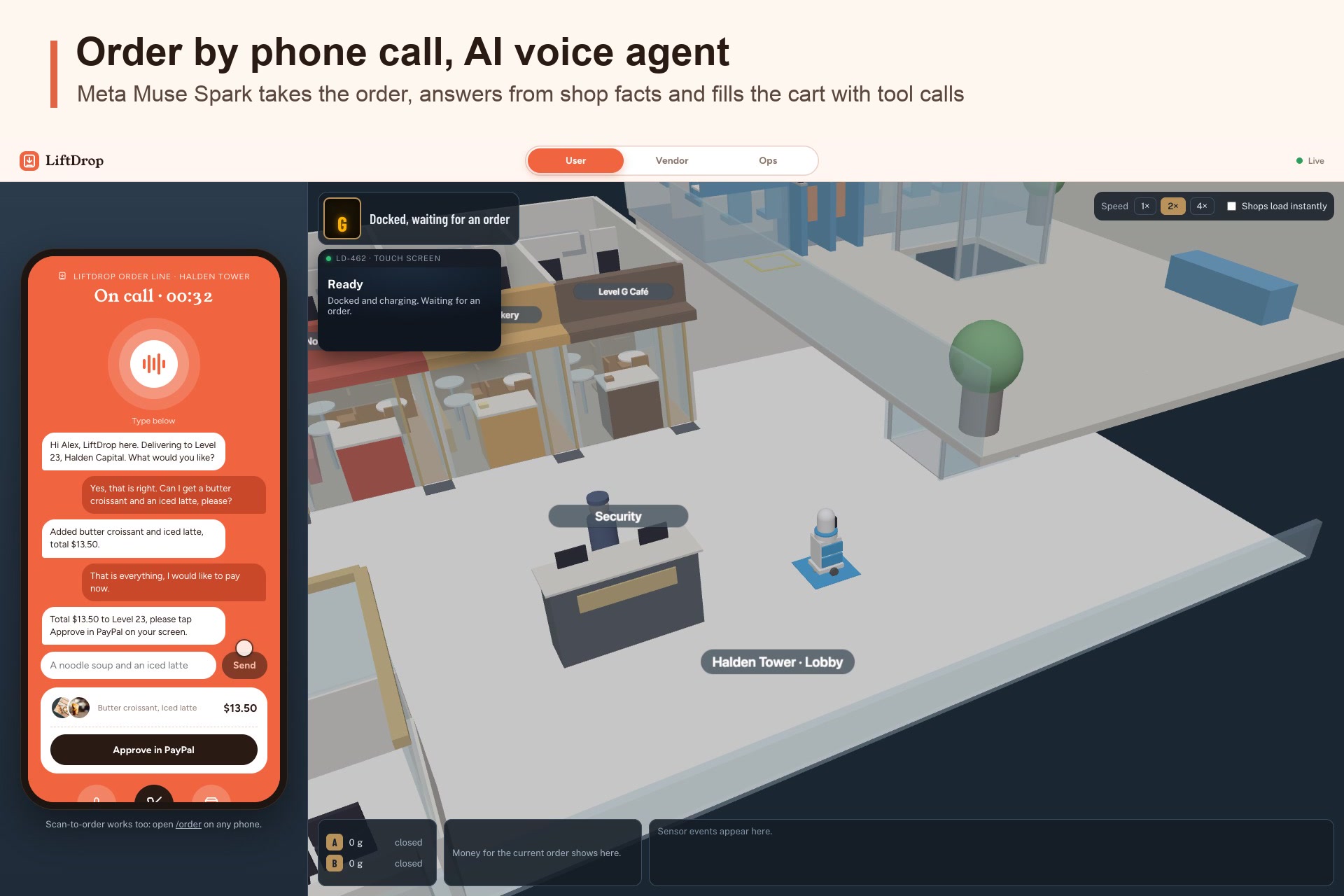
Voice Ordering
-
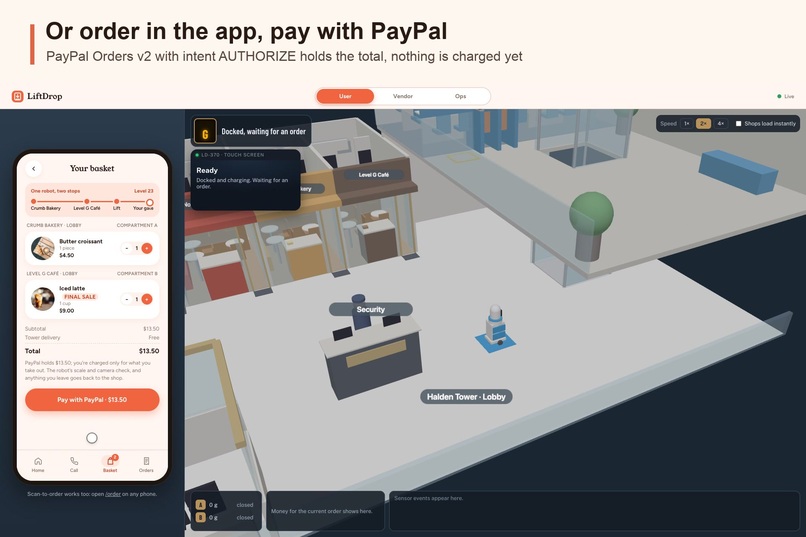
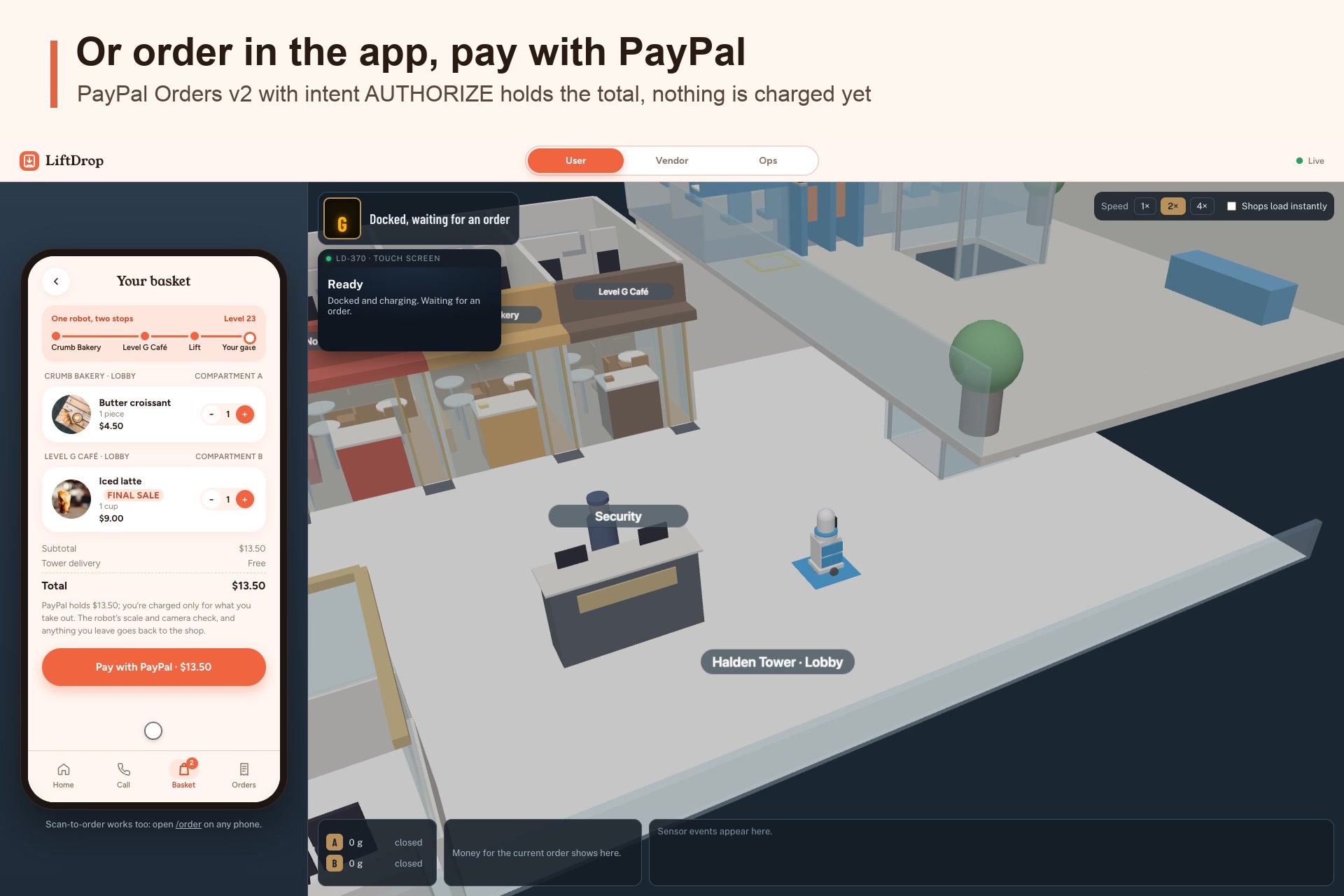
Order in the app, PayPal holds the total
-
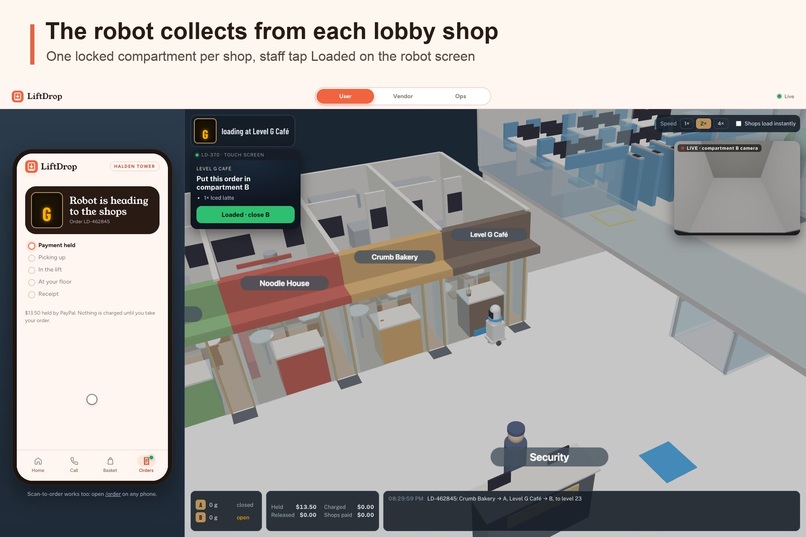
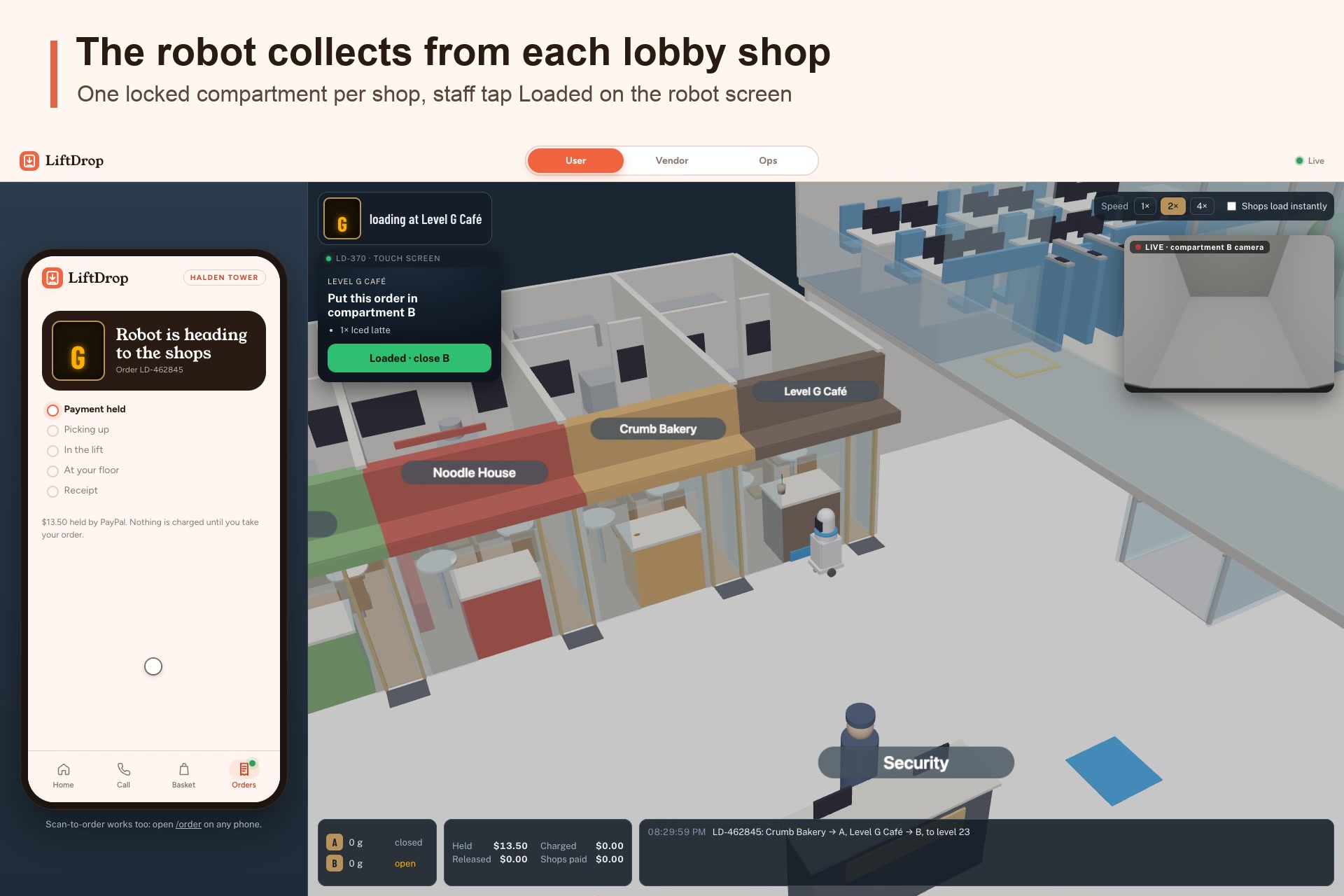
Shops loading food into delivery robot
-
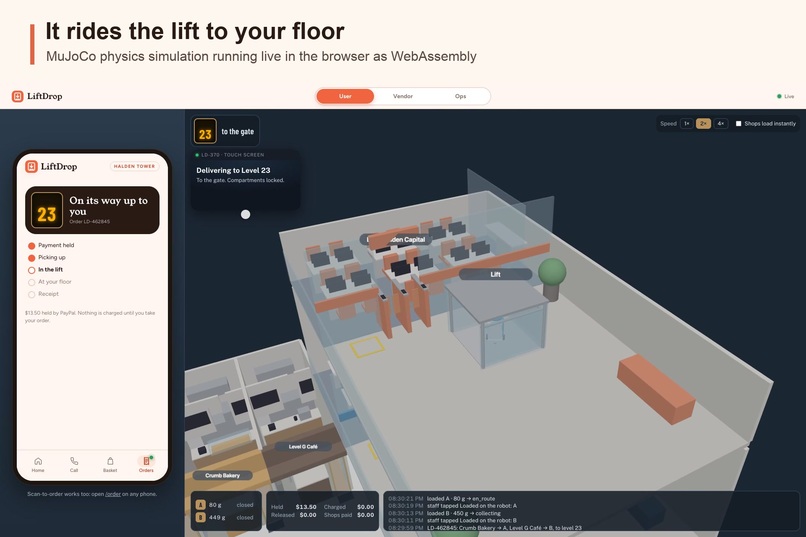
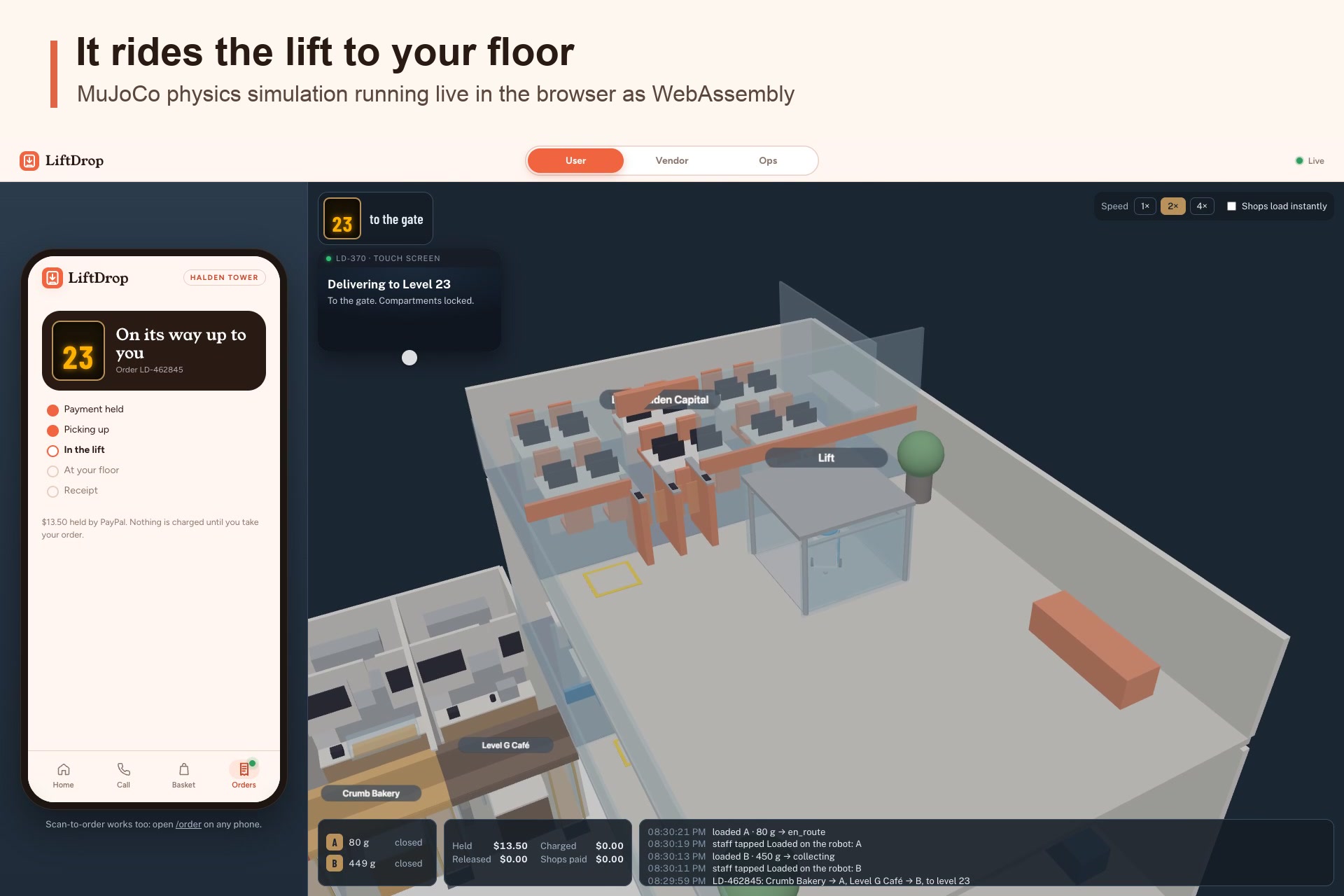
Delivery robot rides lift to your floor
-
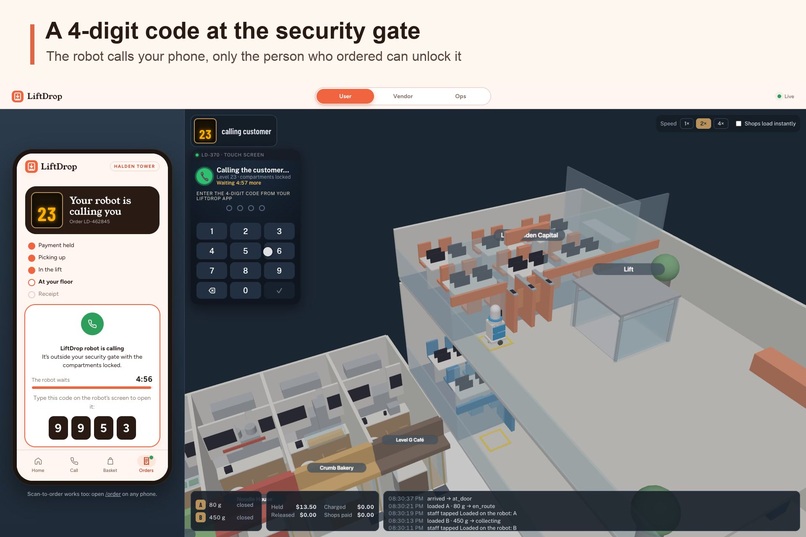
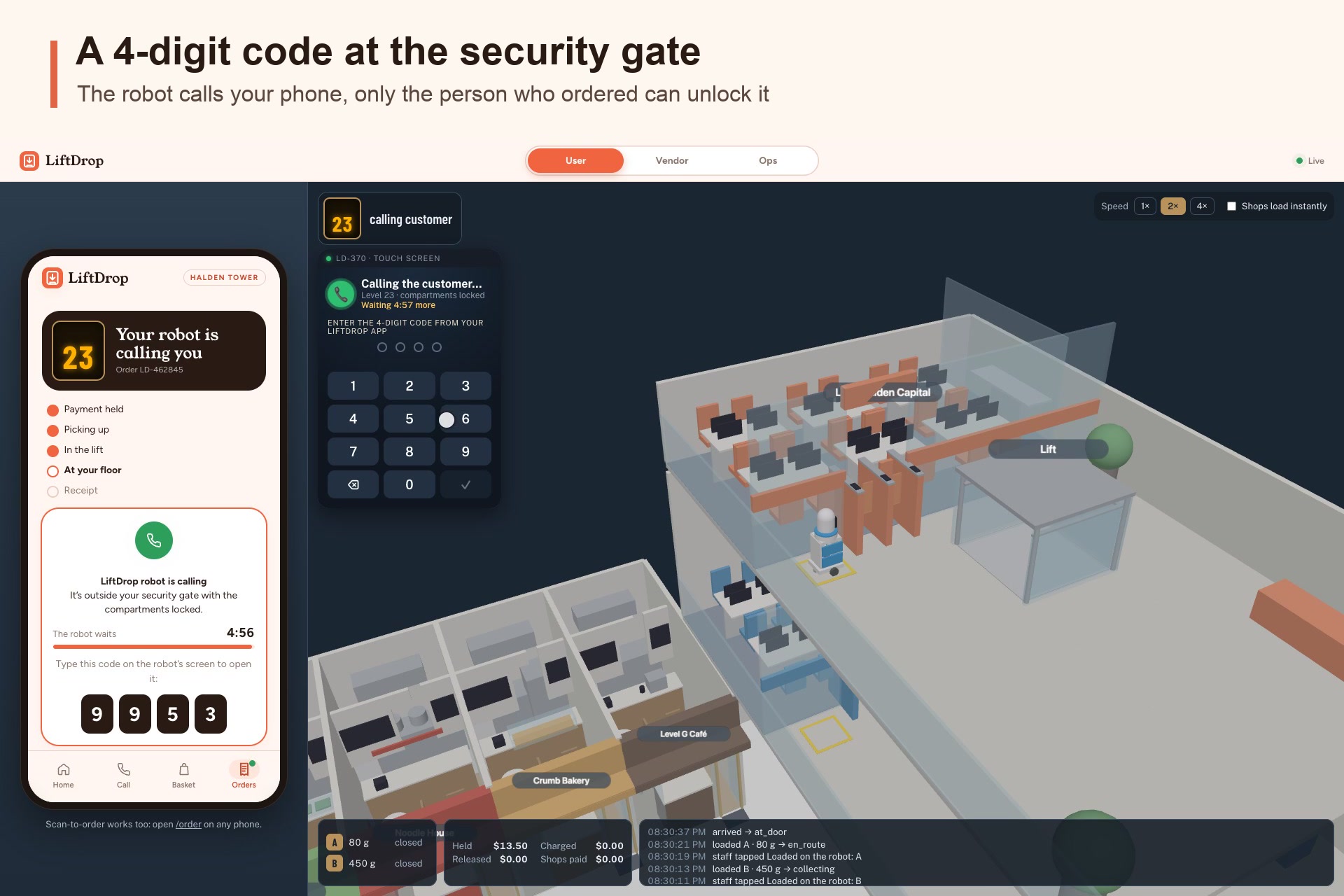
Delivery robot opens when delivery code is entered
-
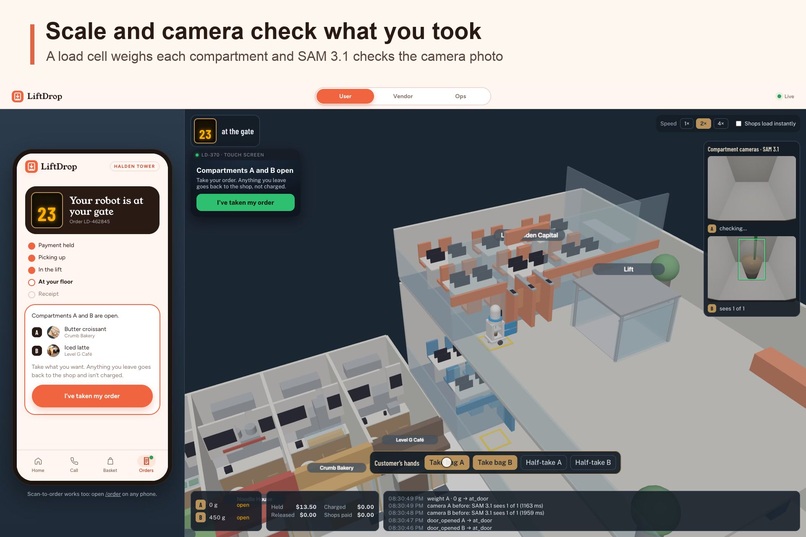
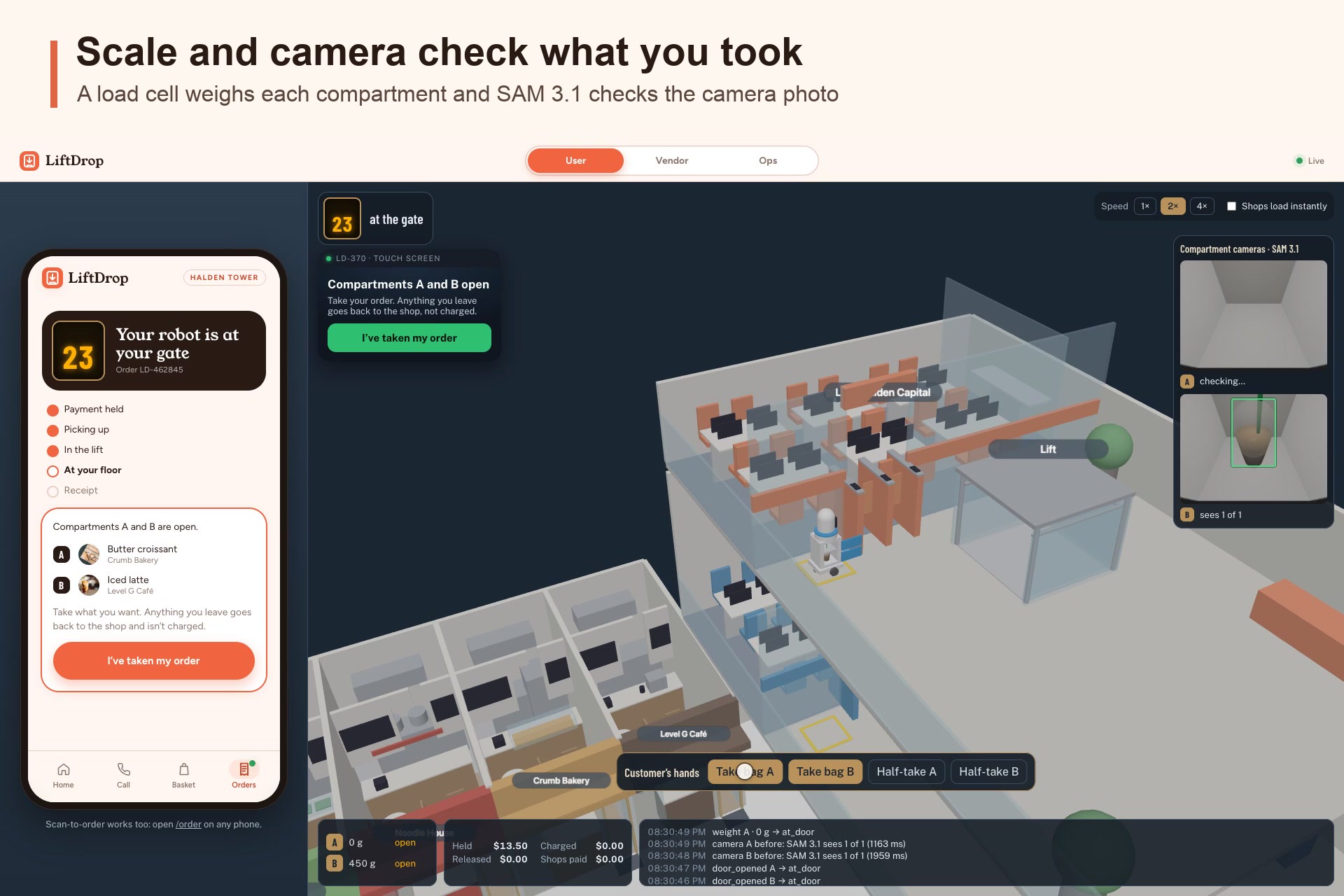
Delivery robot uses AI vision and weighing to check item collection
-
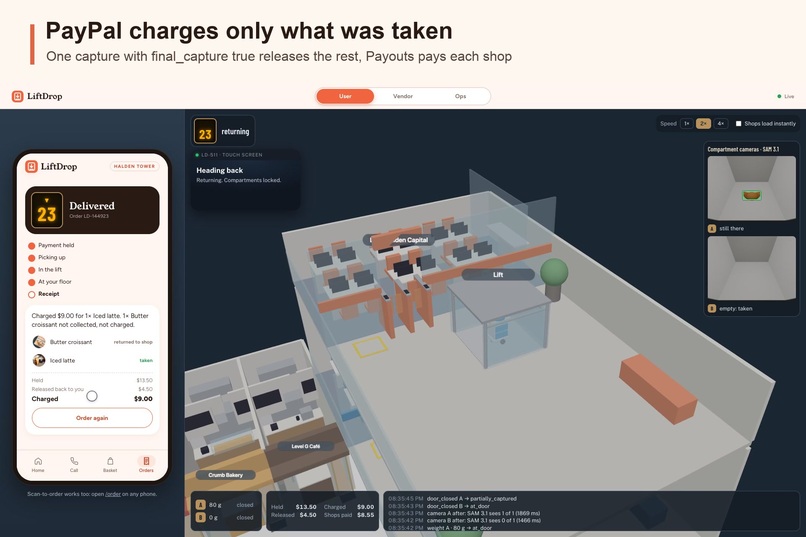
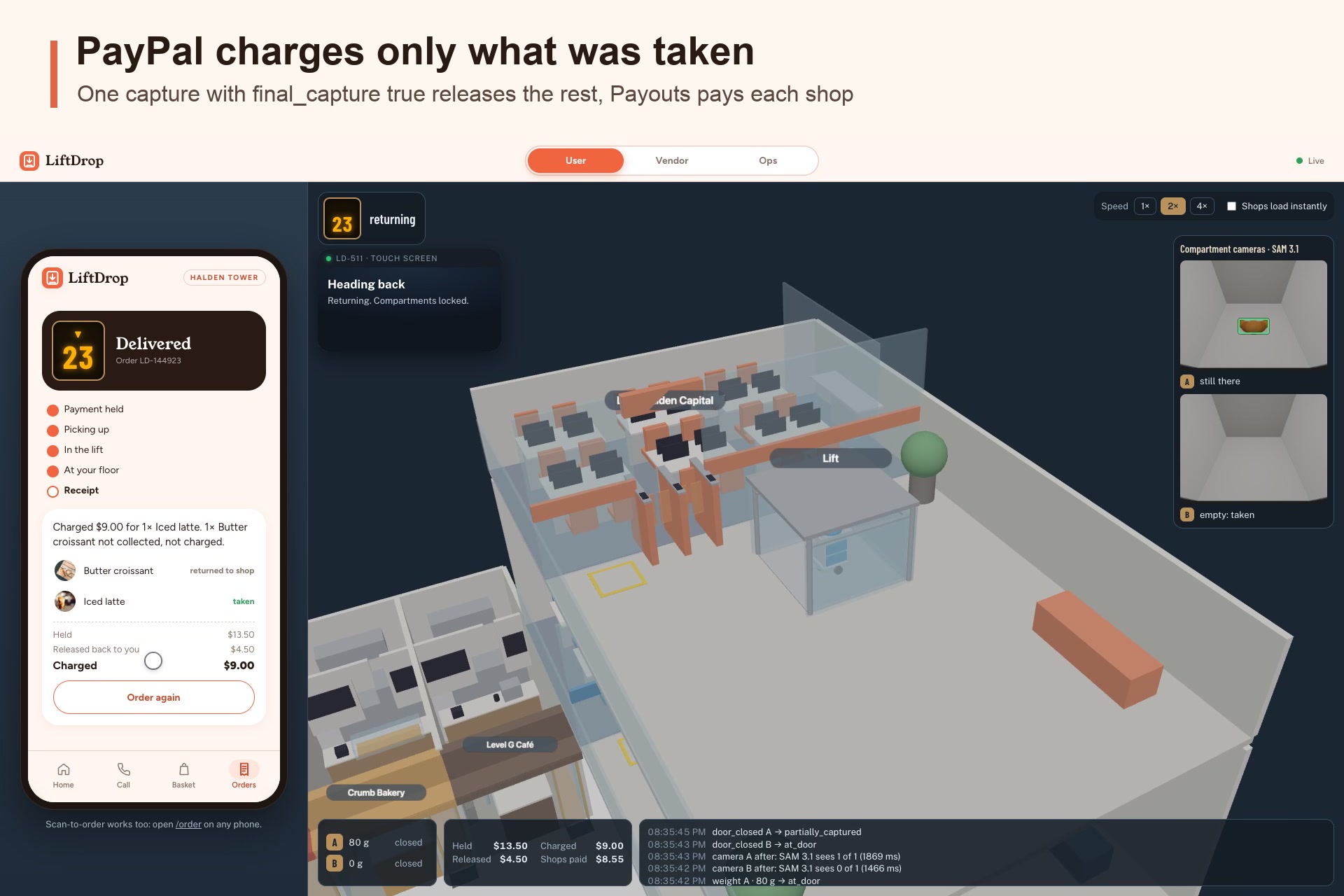
Receipt: charged only for what was taken
-
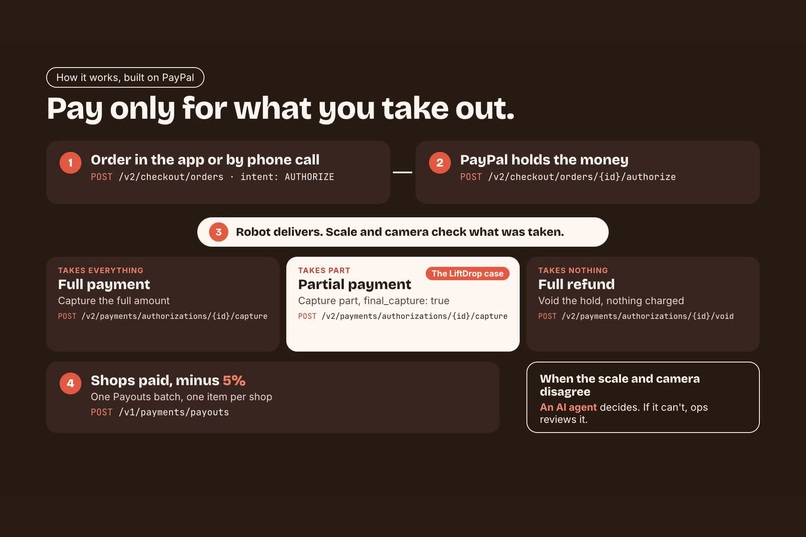
Payment flow
-
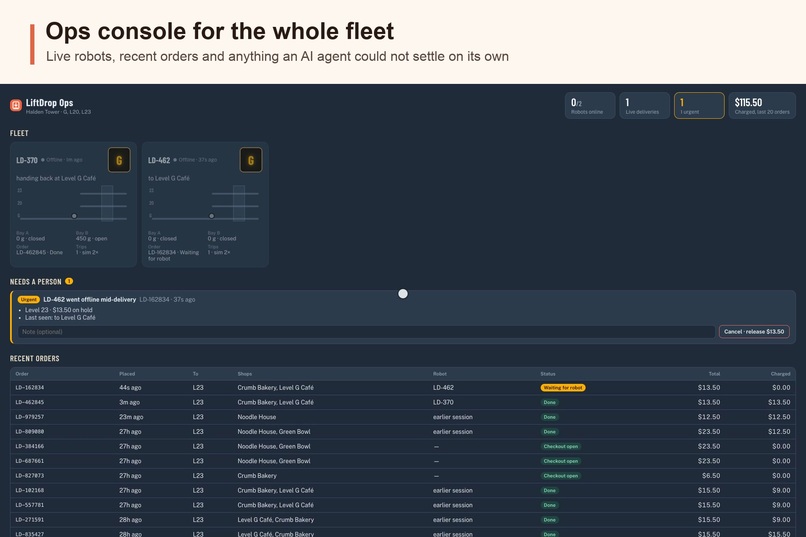
Ops dashboard
-
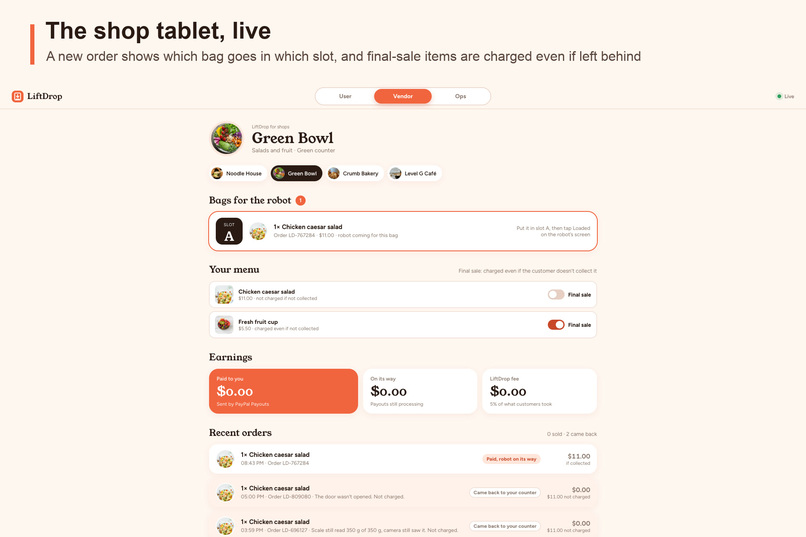
Live shop tablet for new order notification
-
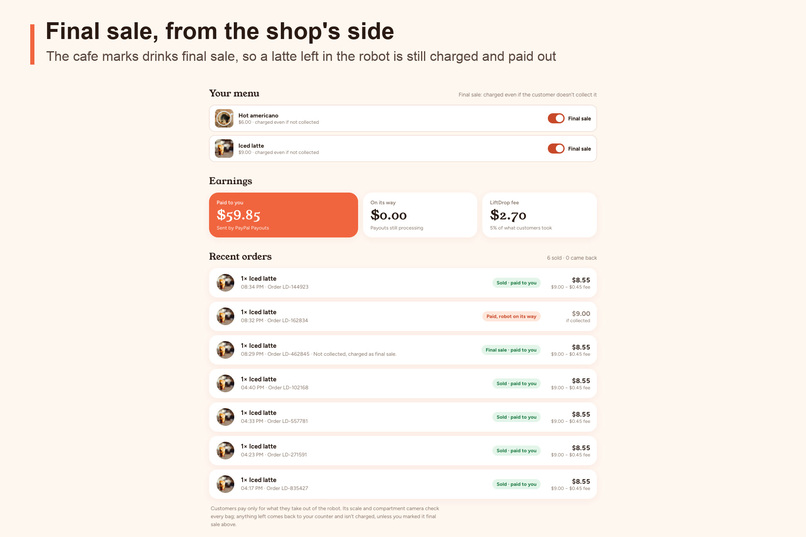
Final sale configurations
Inspiration
I work in an office tower myself. Every day at lunch I face the same choice: go down to the lobby during the peak hour, wait for a packed lift both ways and queue at the counter, or skip it and eat at my desk. The shops are only a few floors away, but at noon they might as well be across town. And even ordering takes me away from work: open an app, scroll a menu, fill in a form. I wanted to just say what I want, without stopping what I was doing.
It turns out I'm not alone: about 1 in 3 U.S. workers eat lunch at their desk. On the other side, lobby shops depend on that lunch rush, and 1 in 4 New York shopfronts sit empty. Fewer people come down, the shops sell less, and some of them leave.
So LiftDrop started as a problem of my own: what if lunch came up the lift instead of me going down?
What it does
LiftDrop is one AI system that connects lobby shops to every floor:
- Order hands-free by voice, or by tapping. In the app, you can just talk to an AI voice agent instead of browsing. It answers questions from the shops' own information (allergens, sizes, house rules, the live menu) and builds the basket itself, so you can order lunch while you keep working: no menus to scroll and no forms to fill, just one tap at the end to approve in PayPal.
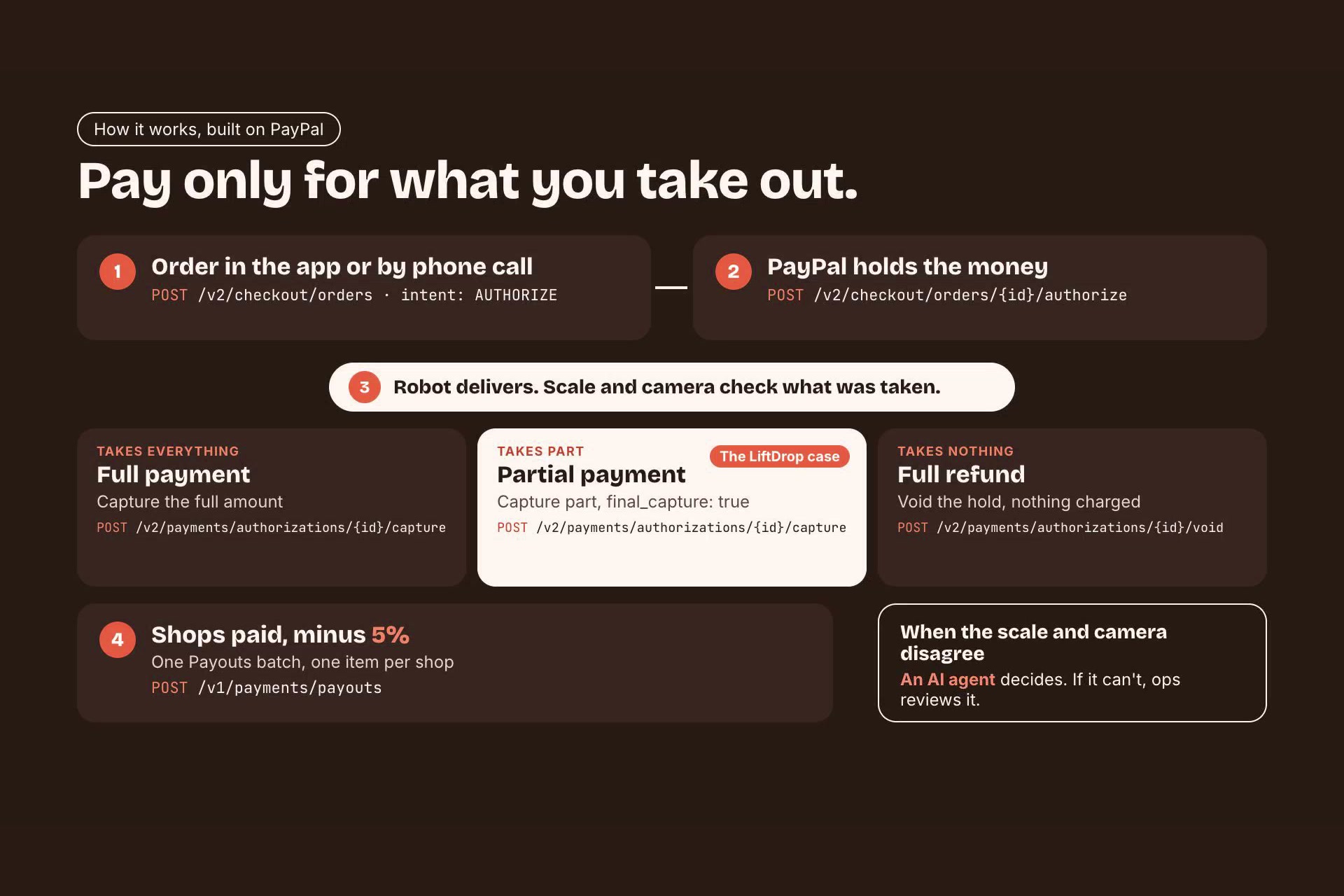
- PayPal holds the money. The customer approves in PayPal, and the order is authorized, not charged.
- A robot rides the lift. It collects from each shop (one compartment per shop) and goes up to the customer's floor, where a 4-digit code on the customer's phone unlocks it at the security gate.
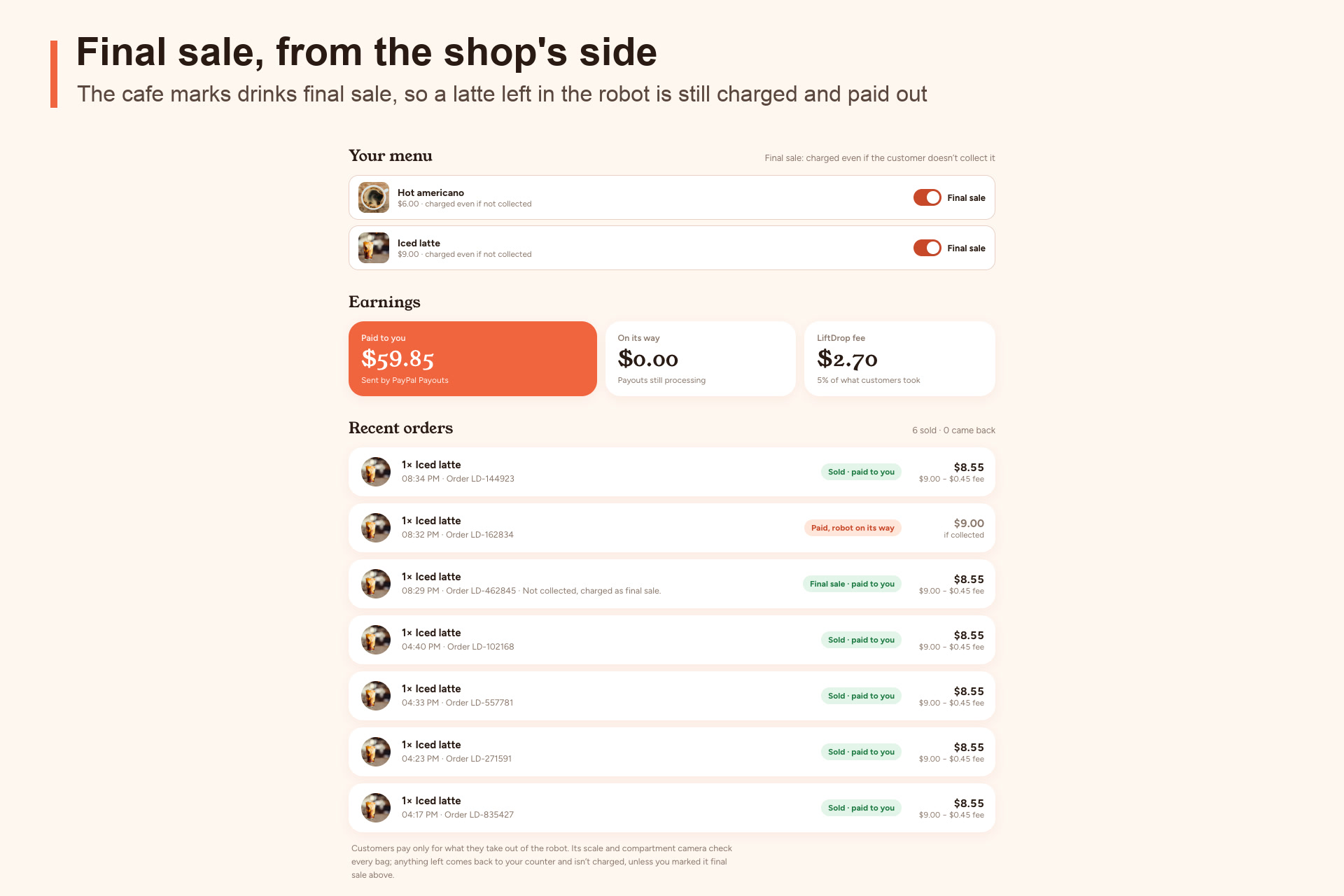
- AI checks what you took. When the doors close, a load cell weighs each compartment and SAM 3.1 looks at a camera photo of it. A compartment is charged only when both agree it was emptied.
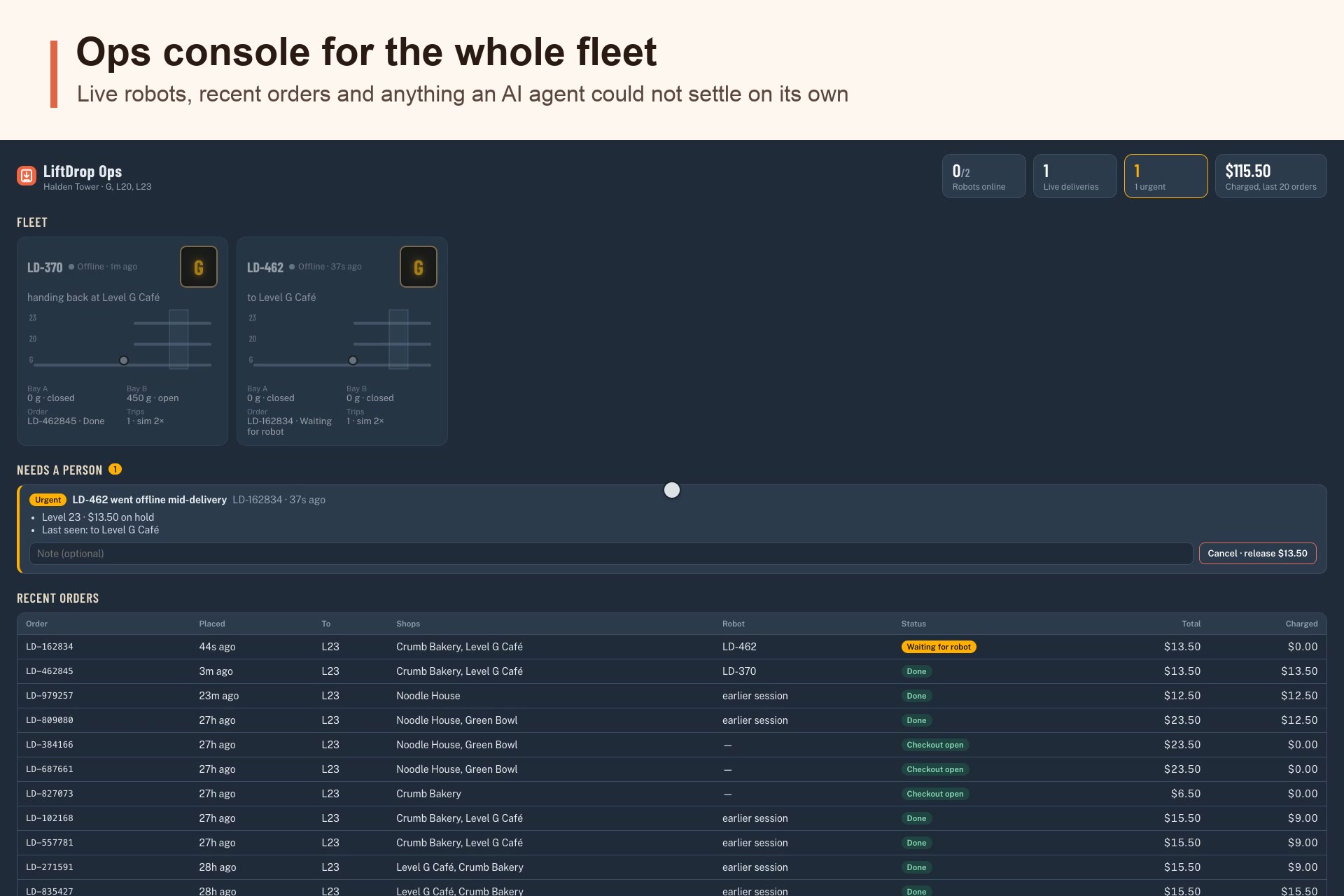
- PayPal settles on its own. One capture charges exactly what was taken and releases the rest; Payouts pays each shop its share. If the scale and camera disagree, an AI agent decides, and if it can't, the order goes to an ops console for a person.
How I built it
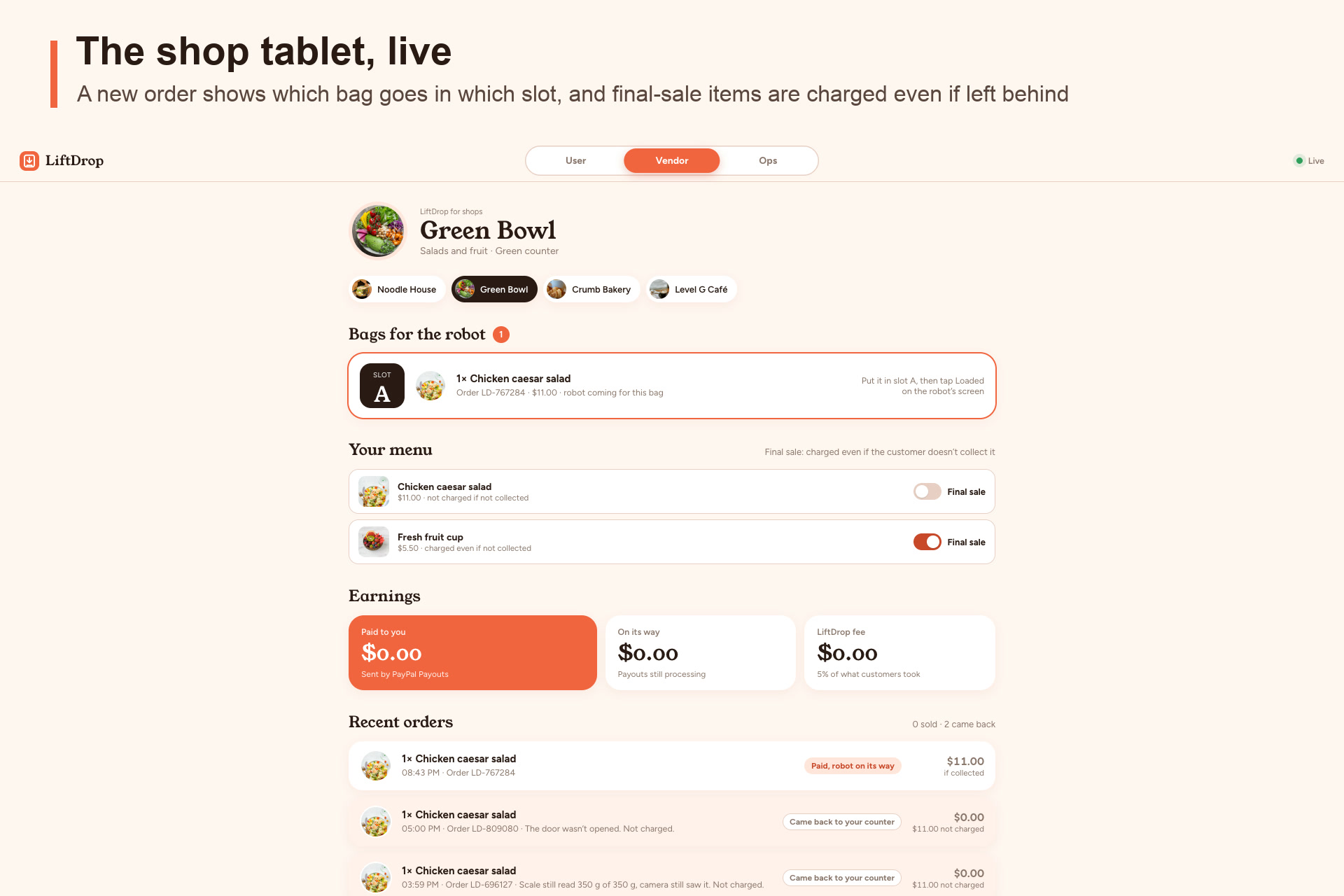
- App: Next.js 16 (App Router) with a phone app for customers, a tablet for shops and an ops console, all running together in one demo page with a User / Vendor / Ops toggle. This is a functional prototype built for easy navigation. In the real world, customers and shops would each have their own dedicated mobile app, and operators their own web console.
- PayPal (sandbox): JavaScript SDK buttons with
intent=authorize; Orders v2 to create and authorize; Payments v2 to capture (final_capture: truereleases the rest of the hold in the same call) or void; Payouts v1 to pay the shops in one batch. Every call carries aPayPal-Request-Id, so a retry can never charge twice. - AI: Meta's Muse Spark runs the voice agent (with tools such as
update_basketandcheckout) and the handoff agent; Meta's SAM 3.1 segments the compartment photos; AssemblyAI handles real-time speech-to-text and text-to-speech for the call. - Robot and building: the tower, lift and robot are simulated in MuJoCo, running in the browser as WebAssembly and drawn with three.js. The compartment cameras render real frames from the simulation, and those frames are what SAM 3.1 sees.
- Data: Supabase (Postgres) for orders, the money ledger, decisions and the live robot fleet.
What I learned
- MuJoCo. I had never built a physics simulation before. I learned to model a robot, a building and a working lift in MuJoCo's XML, and to drive it from a controller that reads the same kind of sensors a real robot would have.
- Building a robot, even a virtual one. Compartments with doors, a scale in each, cameras, a touch screen and a route through security: every piece the customer never thinks about had to be designed.
- Working with the newest models. Integrating a segmentation model like SAM 3.1 into a real decision taught me to treat a model's answer as evidence, not a verdict, and to pair it with a second sensor.
- PayPal's authorization model fits "pay only for what you take" exactly: hold the full amount, then capture part of it.
Challenges
- Physics that wouldn't behave. Early versions of the simulation failed in very physical ways, and getting the robot, the lift and the building to behave reliably took many rounds of tuning.
- API calls that failed. Timeouts, rejected requests and model endpoints that didn't accept the options I expected. For example, the handoff agent on Muse Spark only worked once I stopped forcing a named tool choice and gave it a larger token budget. Every external call now has a timeout and a fallback, so the demo keeps working when one service doesn't.
- API calls that "worked" but didn't do what I wanted. The hardest bugs returned success. An agent could reply confidently and still propose charging for something nobody took. So code checks every AI decision: it can never charge more than both sensors confirm. In the PayPal sandbox, checkout only offered card funding for my test buyers, not PayPal balance, and payout batches take a while to settle, so the app polls PayPal until each shop is actually paid.
- One person, every role. Product, robotics, payments, AI and the demo video, all within the hackathon window.
What's next
Pilot it in a real tower with a real delivery robot. The control code and the money flow are already written against the robot's sensors, so the simulation can be swapped for hardware.
Built With
- assemblyai
- meta-muse-spark
- mujoco
- next.js
- paypal
- paypal-javascript-sdk
- paypal-orders-api
- paypal-payments-api
- paypal-payouts-api
- react
- sam-3.1
- supabase
- three.js
- typescript
- vercel
- webassembly
