-
-
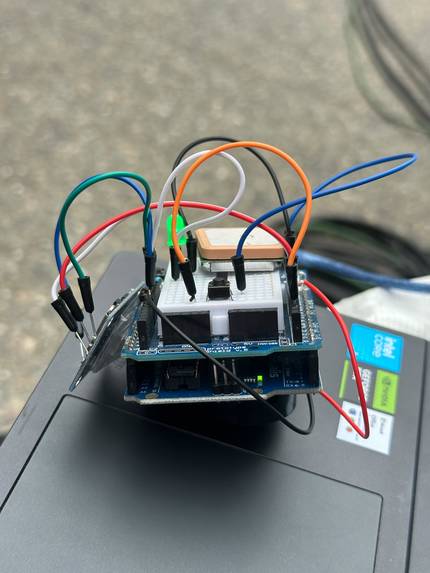
LifeTap Physical Build 2
-
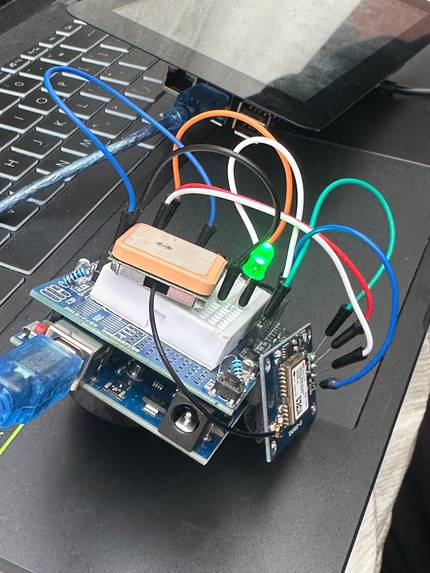
LifeTap Physical Build 1
-
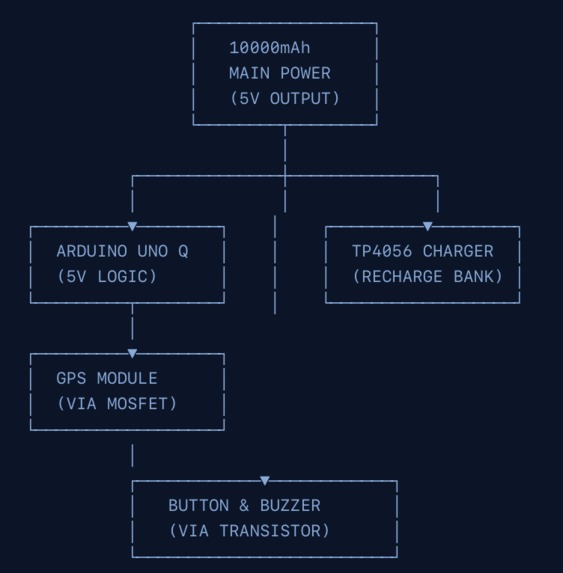
LifeTap Website Informational on Diagrams Power
-
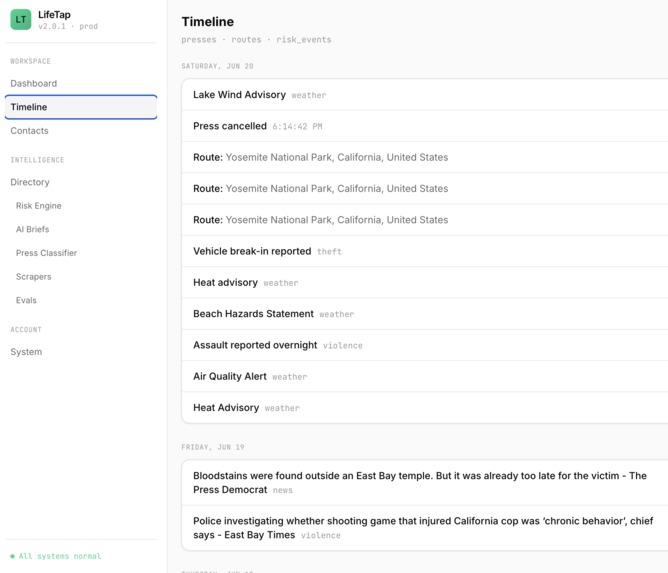
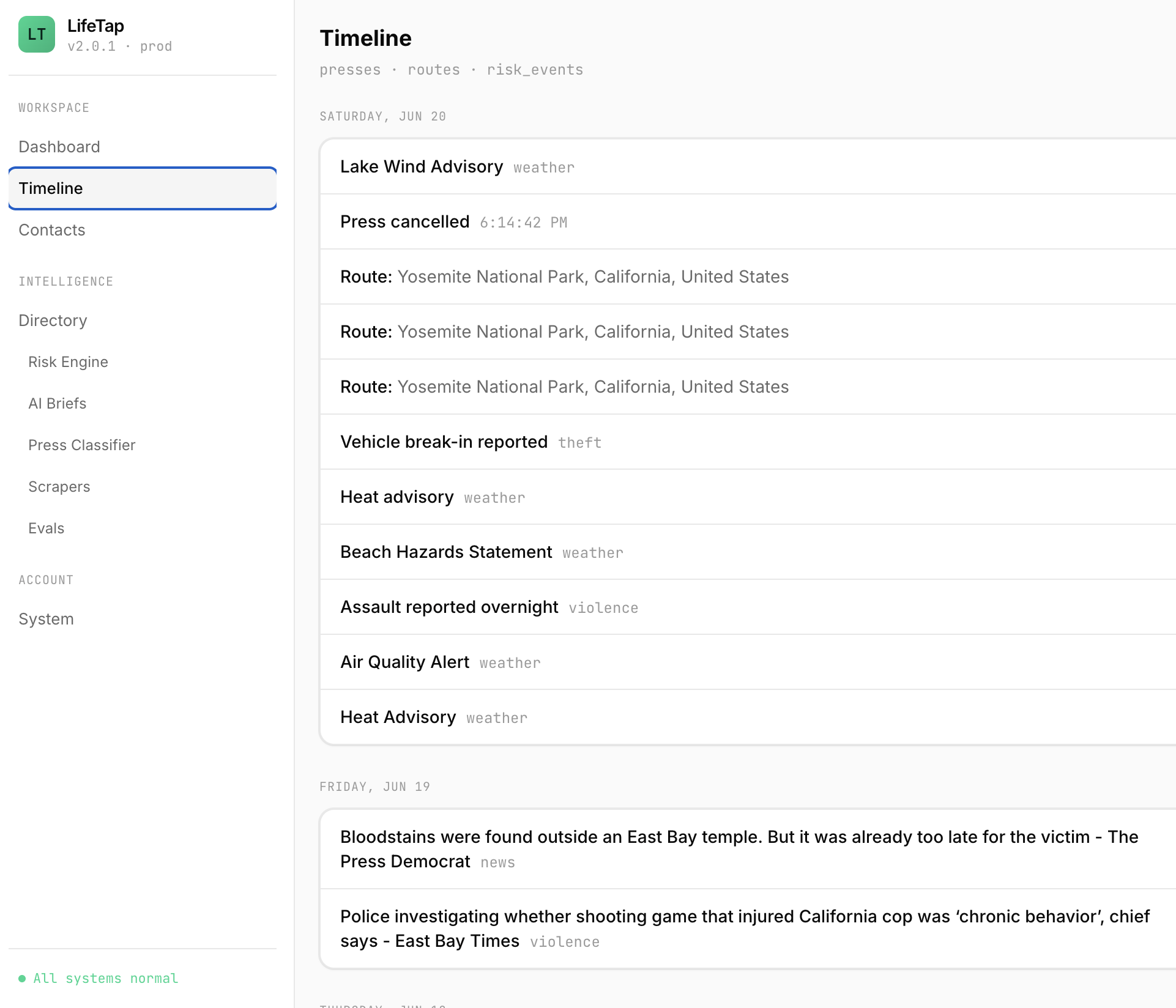
LifeTap App Timeline
-

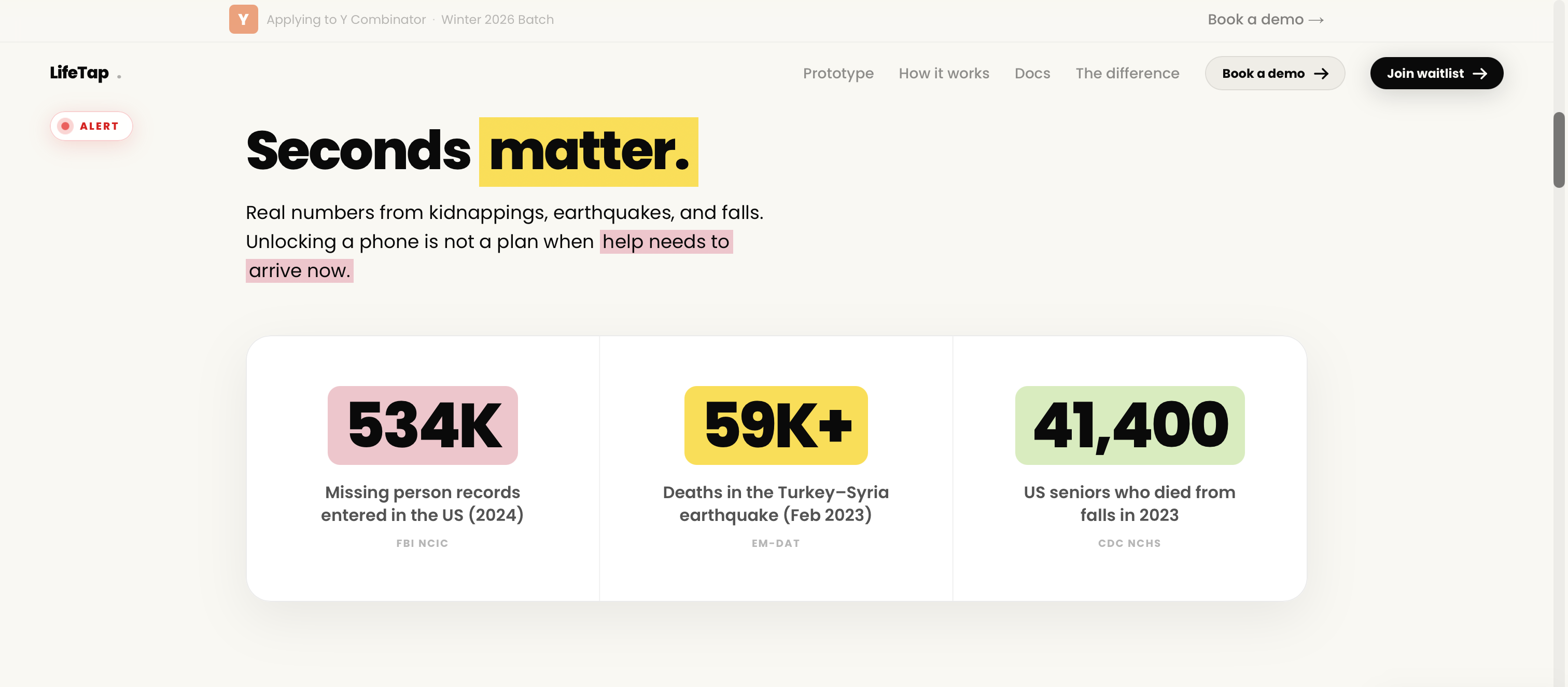
LifeTap Website Informational on statistics
-

LifeTap Website Informational on statistics
-
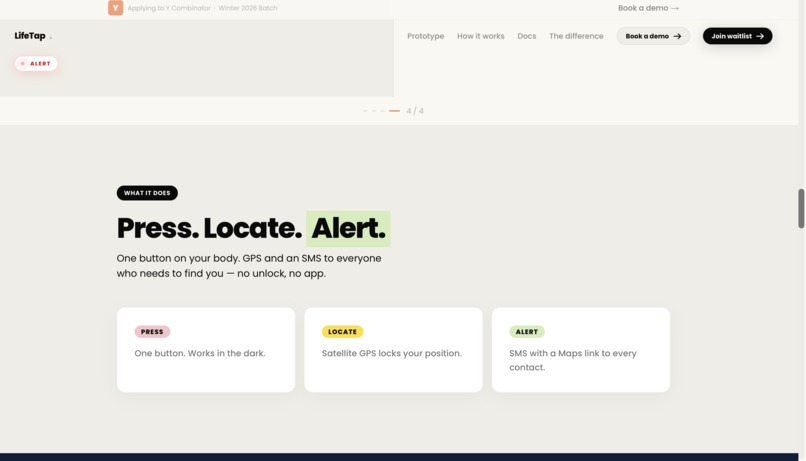
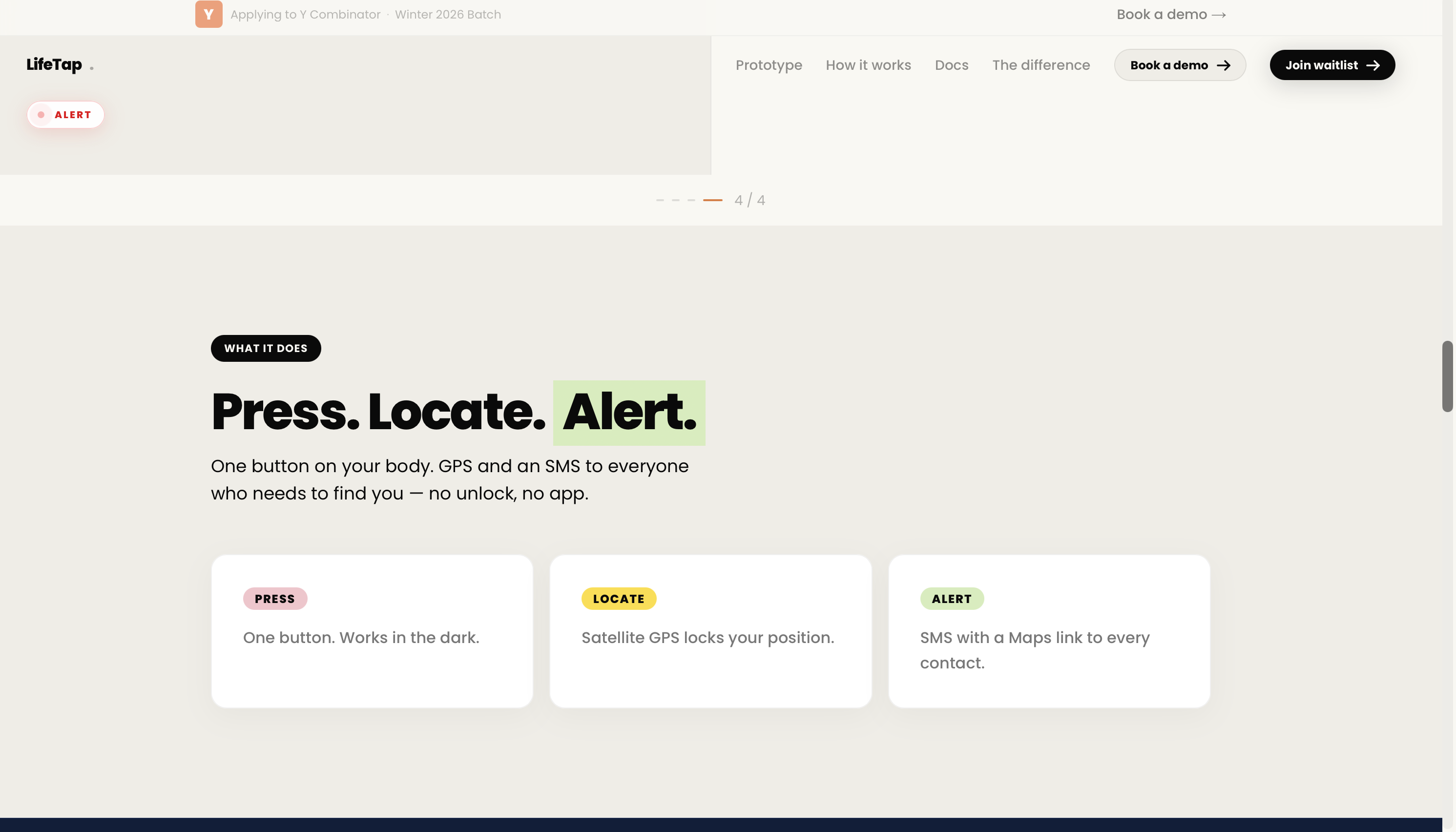
LifeTap Website How to Use
-
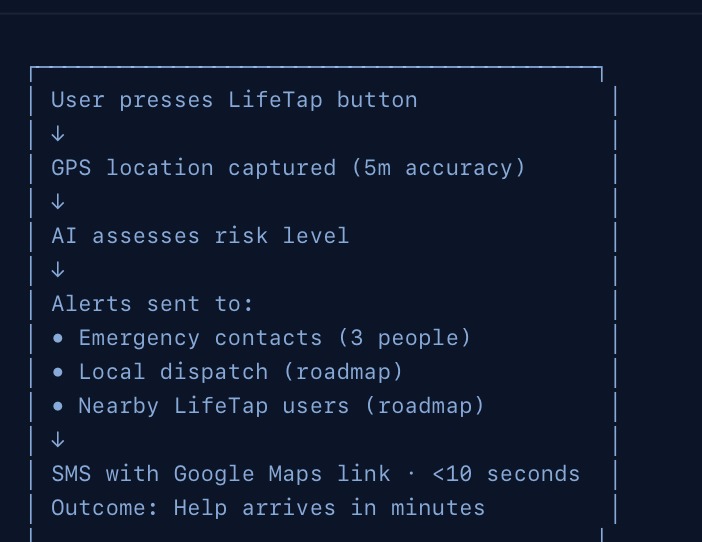
LifeTap Website Informational on Diagrams timeline of start
-
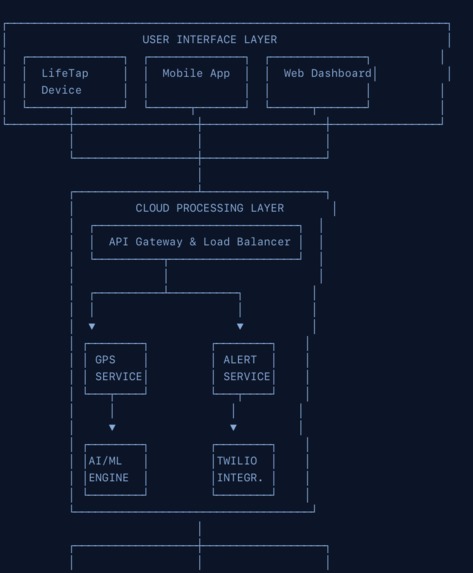
LifeTap Website Informational on Diagrams Interface layer
-
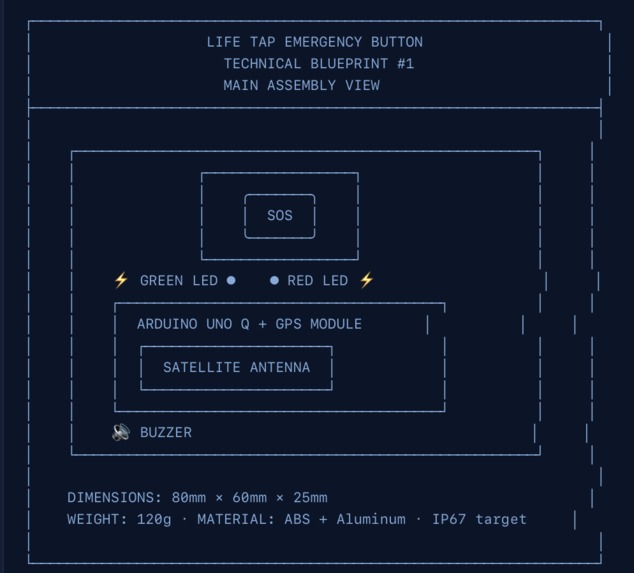
LifeTap Website Informational on Diagrams Drawing Overview
-
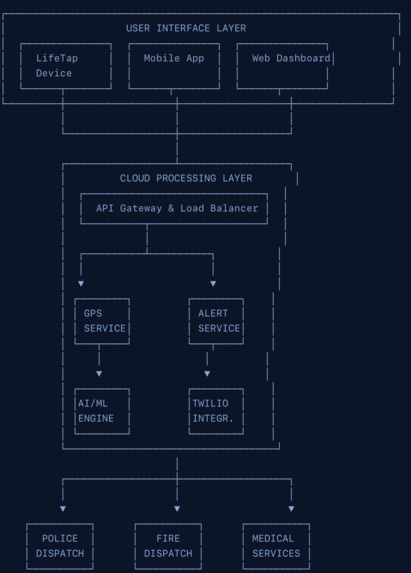
LifeTap Website Informational on Diagrams net
-
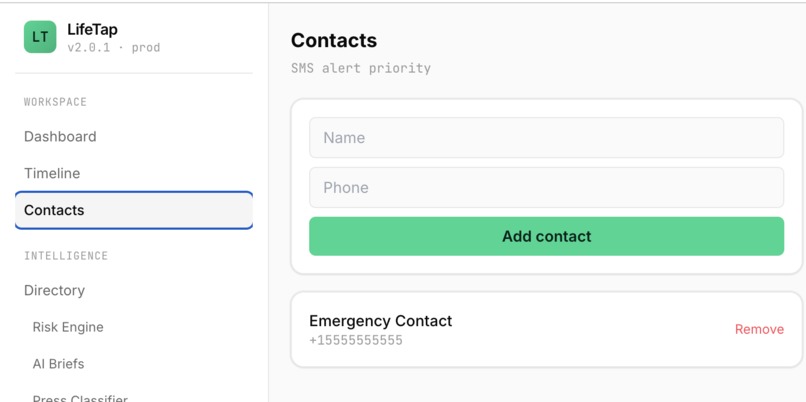
LifeTap App Contacts
-
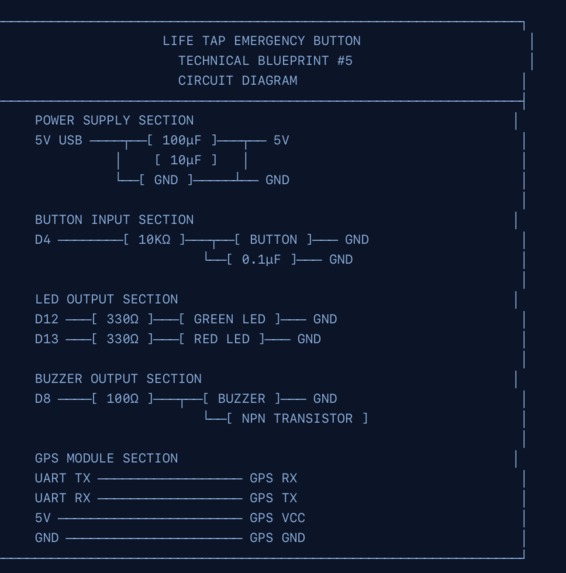
LifeTap Website Informational on Diagrams Grid and Wiring
-

LifeTap Website Waitlist
-
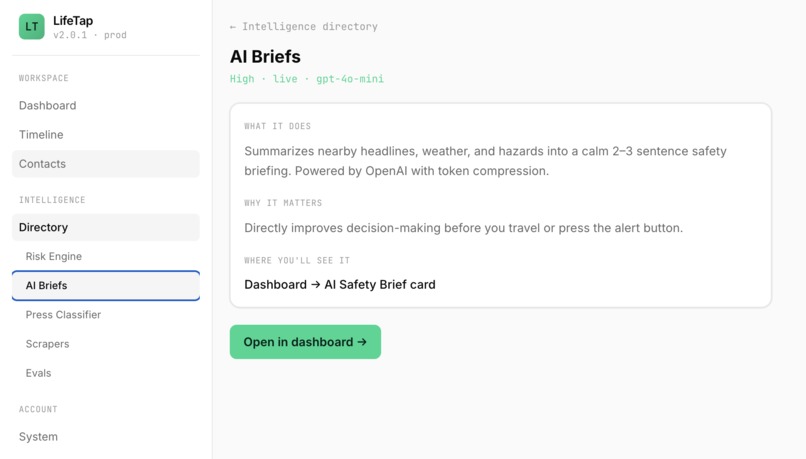
LifeTap App Briefs
-
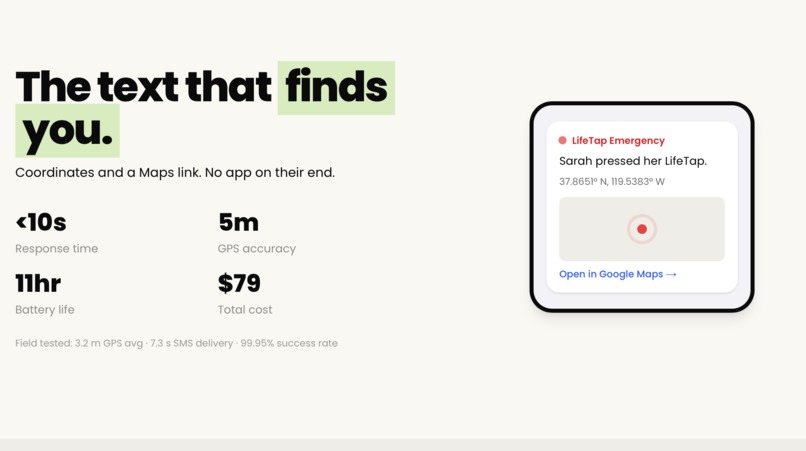
LifeTap Website Stats
-
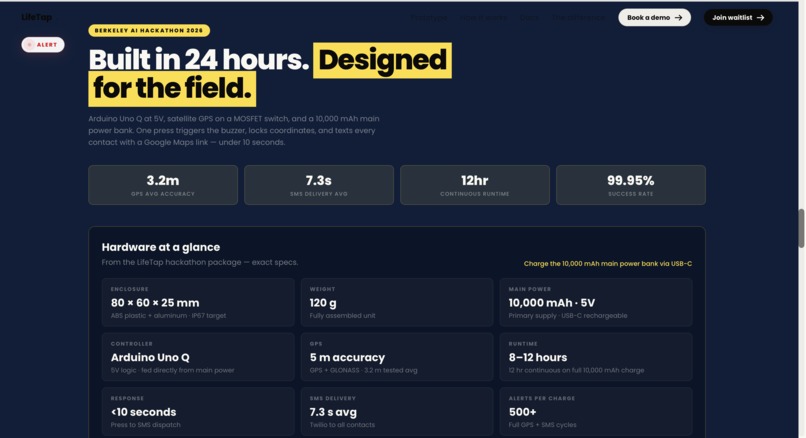
LifeTap Website Informational
-
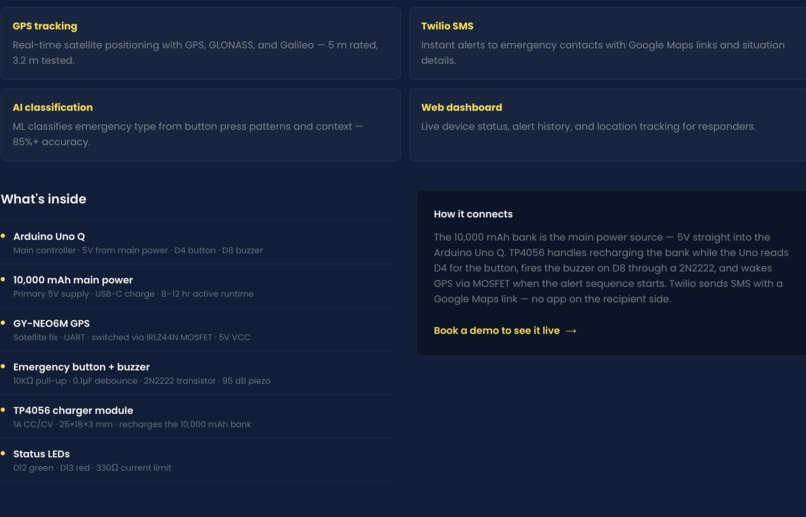
LifeTap Website Informational Setup
-
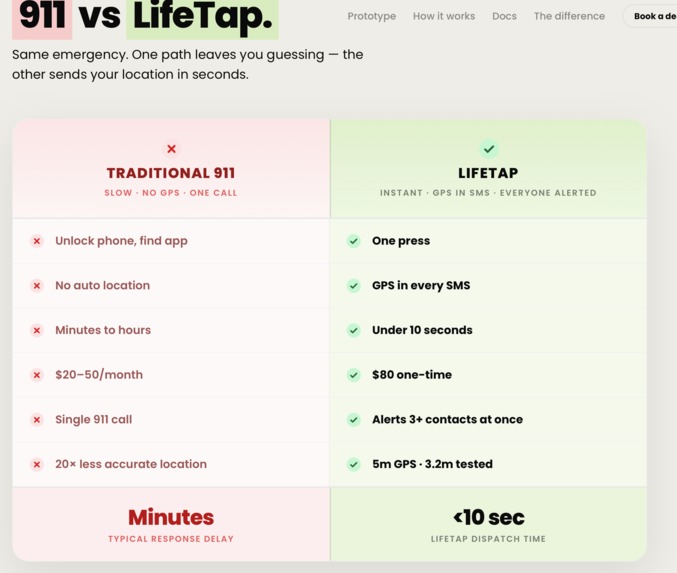
LifeTap Website Stats
-
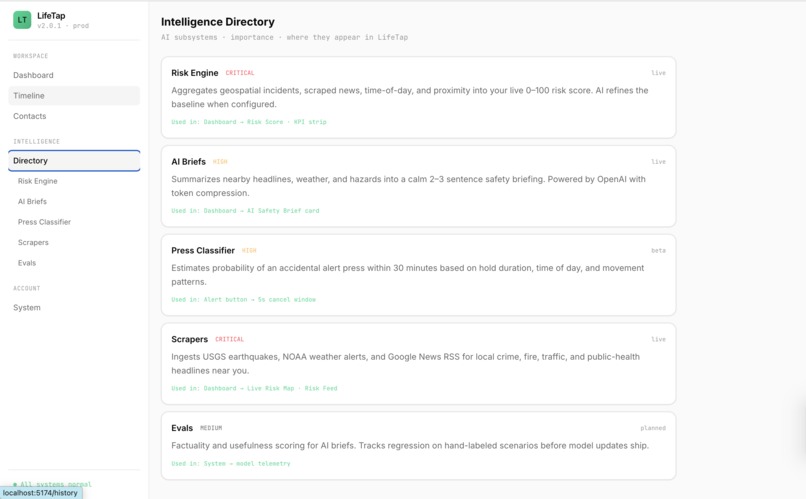
LifeTap App Directory
-
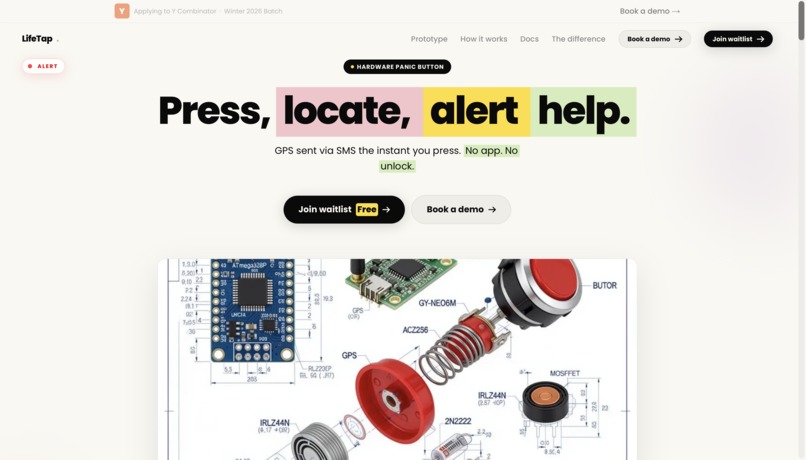
LifeTap Website Launch
-
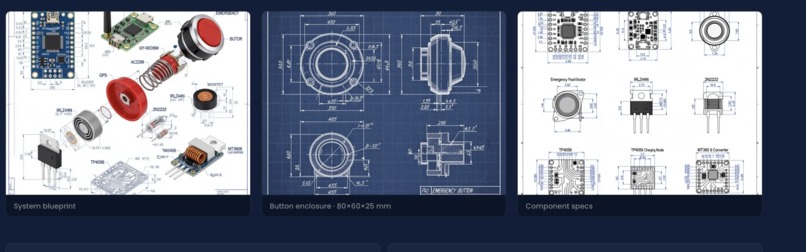
LifeTap Website Information Blueprints
-
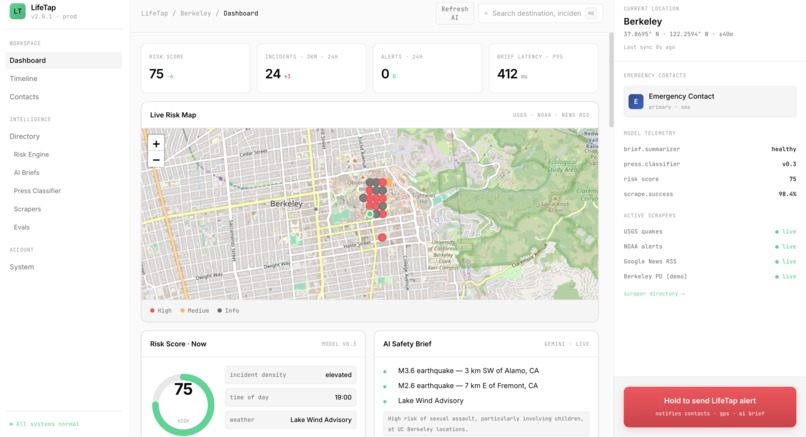
LifeTap App Dashboard + Maps
-
Logo


Inspiration
We come from Indonesia, a country that sits on the collision of two tectonic plates. Natural disasters are not abstract to us, they are part of life. Some of the deadliest events in human history happened in our region. The 1883 eruption of Krakatoa altered the global climate. The 1931 Yangtze River floods killed an estimated several million people, one of the deadliest disasters ever recorded. The 2010 Haiti earthquake killed roughly 300,000. Behind every one of those numbers is a family that lost someone, often because help could not find them in time.
That is the gap we kept coming back to. In a disaster, the problem is rarely that no one cares. It is that no one knows where you are. Pair that with the rise in kidnappings across the US and Asia, and the same truth holds: the faster someone knows your exact location, the better your odds. We wanted to build the simplest possible tool that closes the distance between "something is wrong" and "someone knows where I am."
What it does
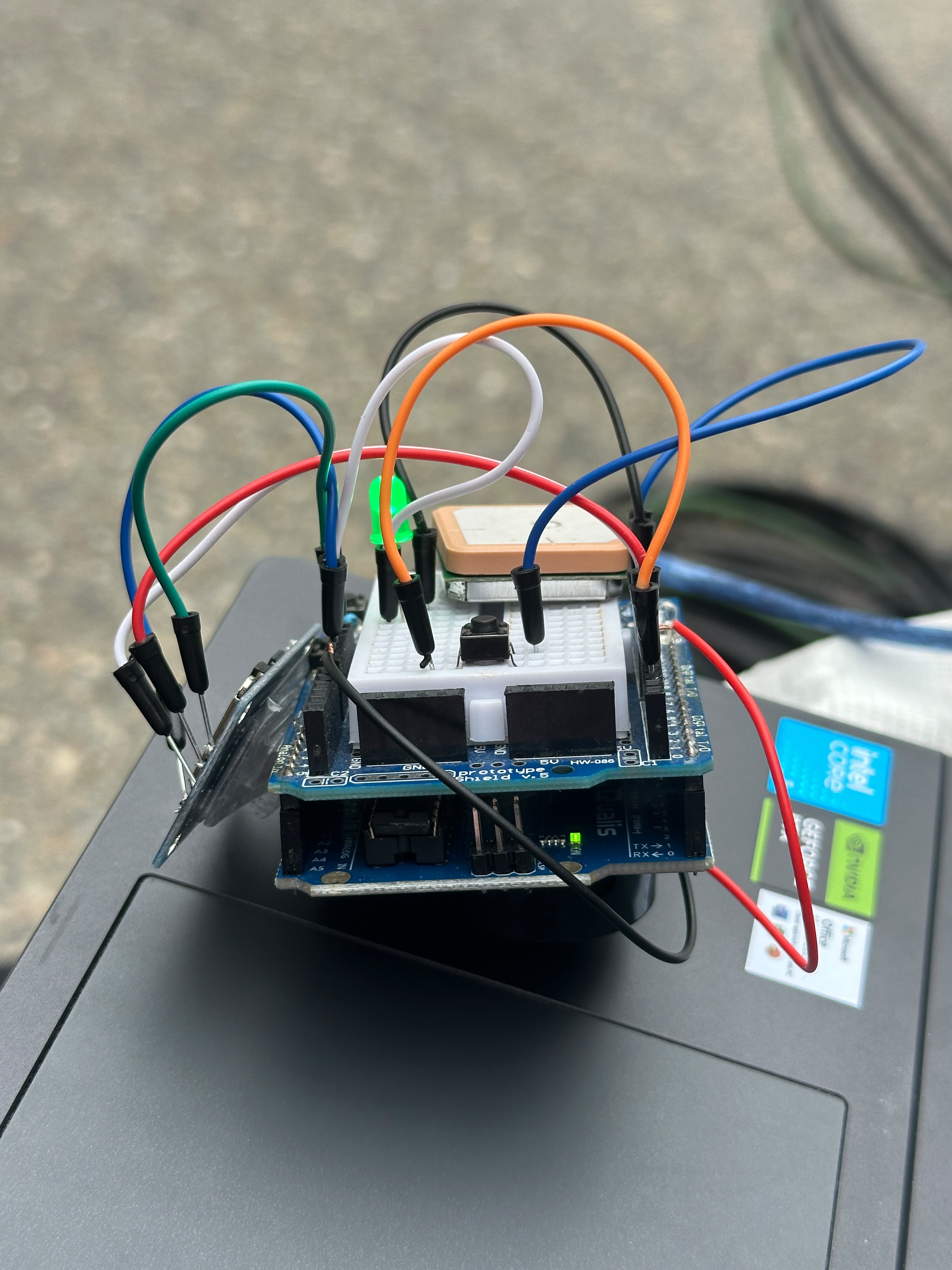
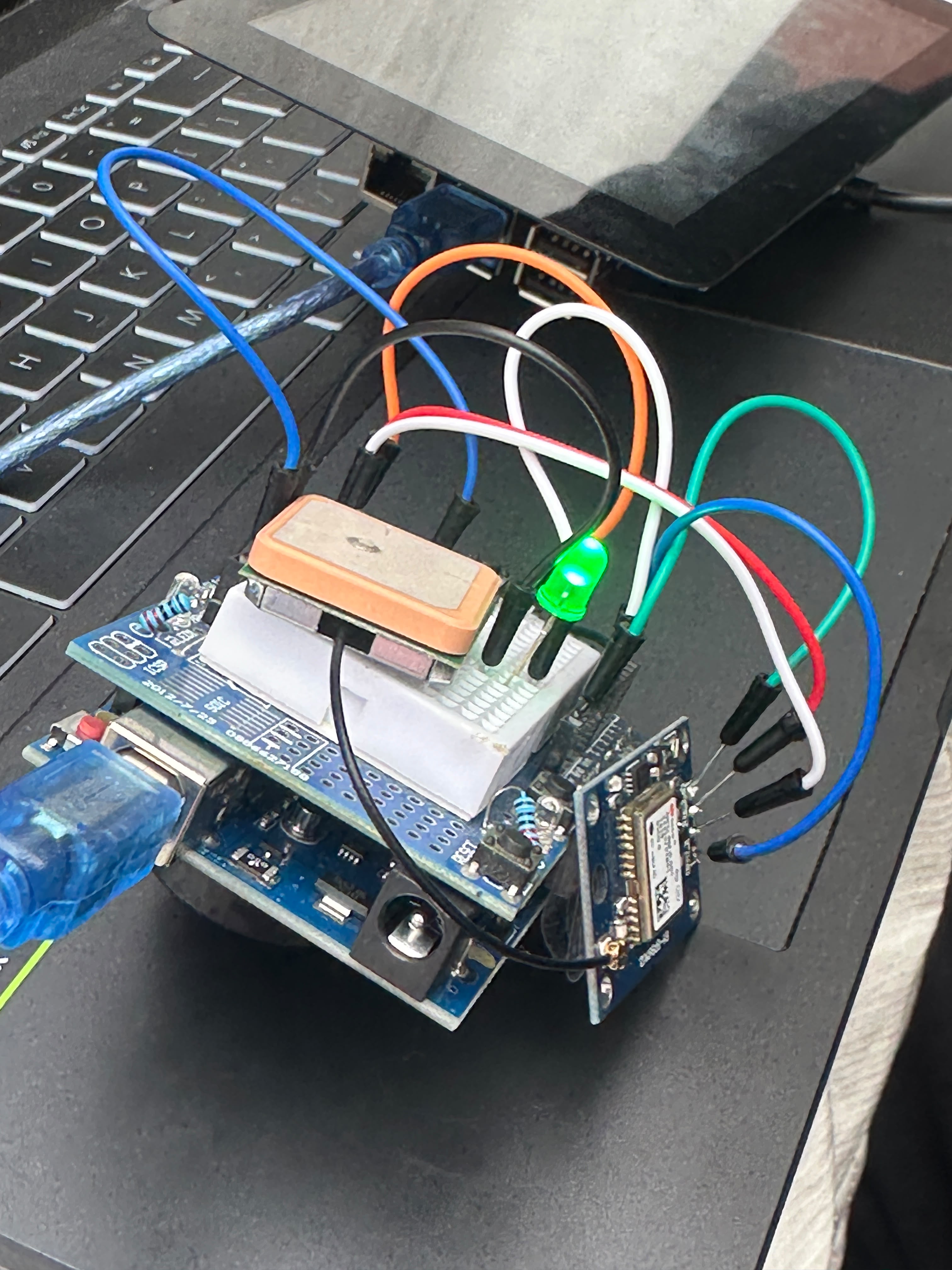
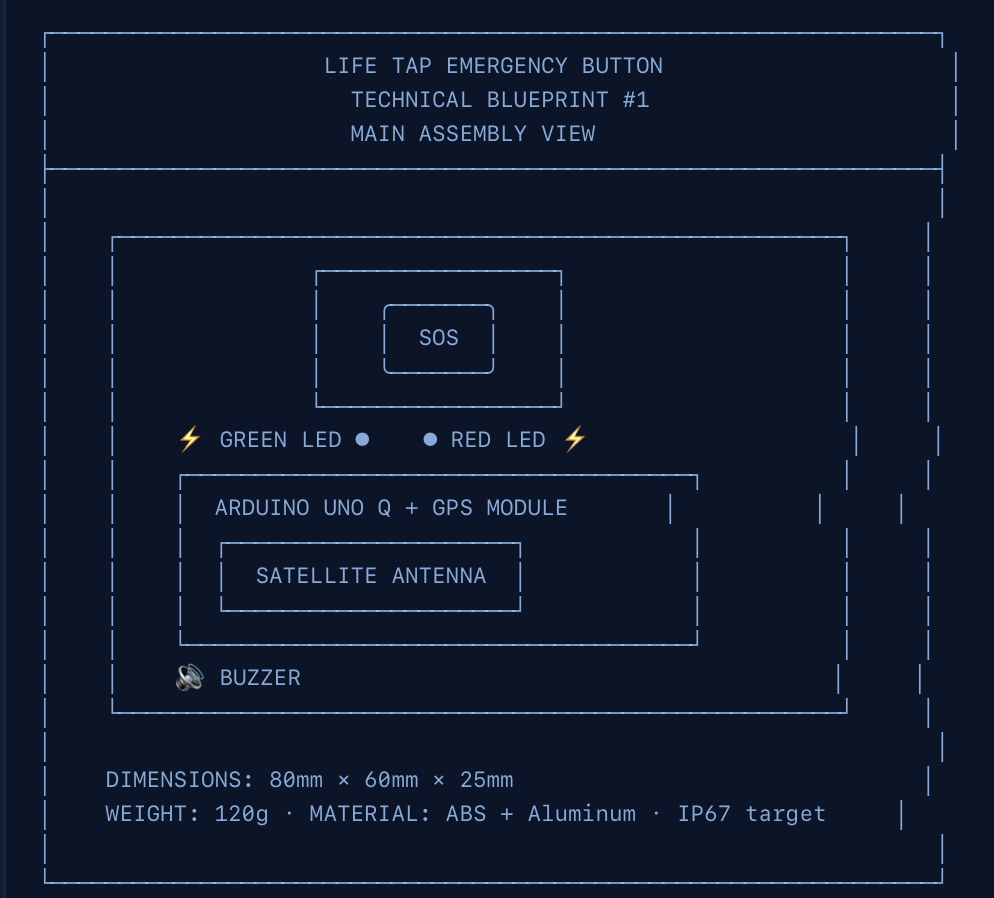
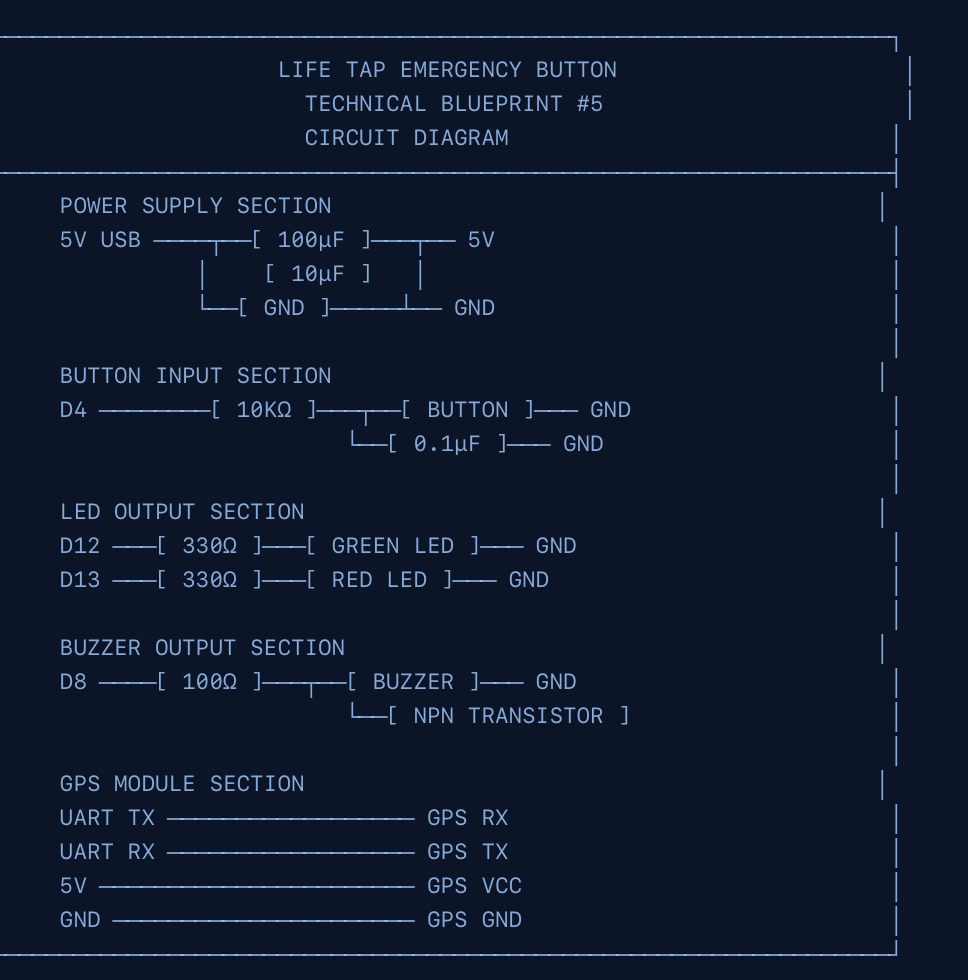
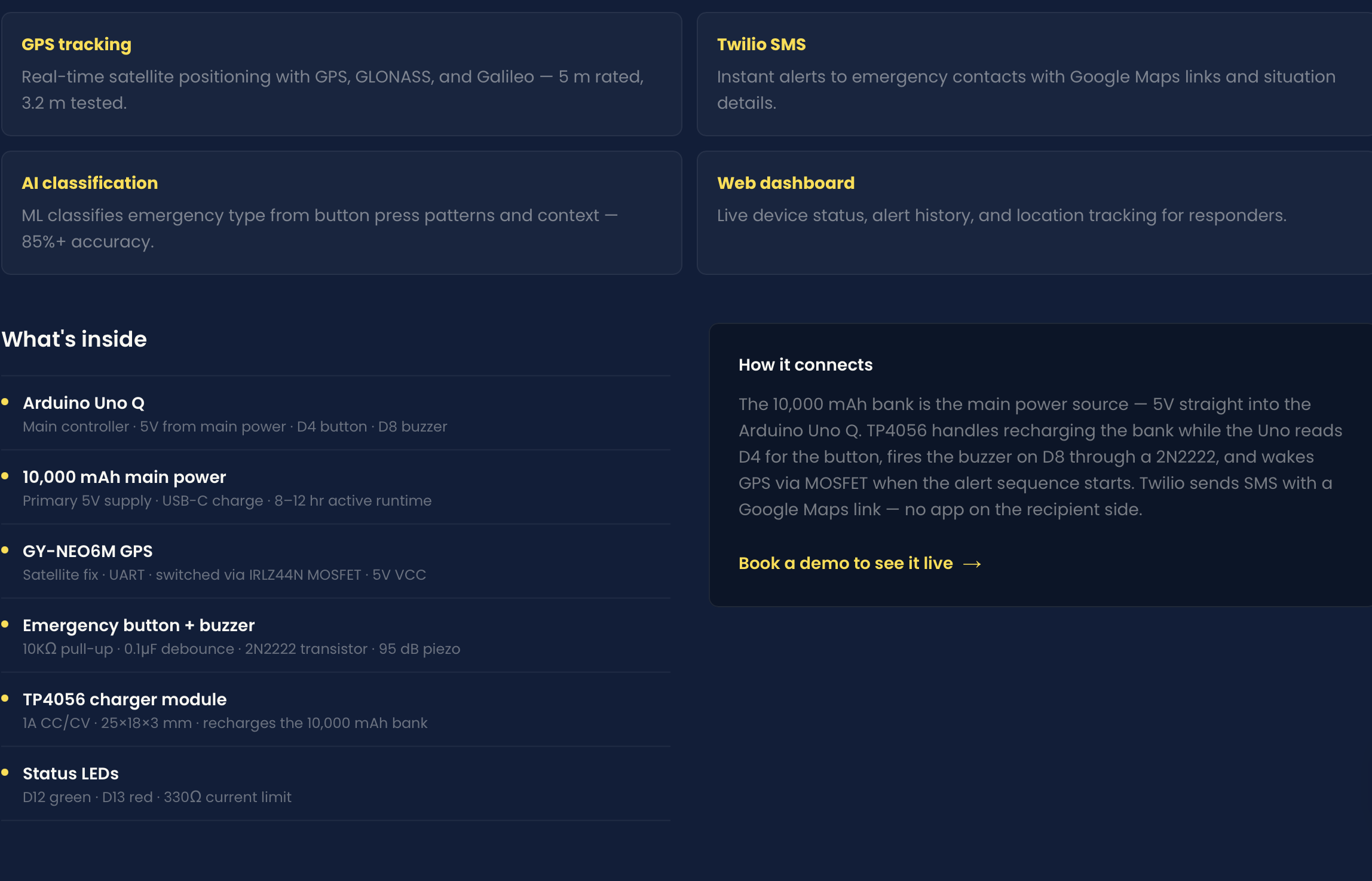
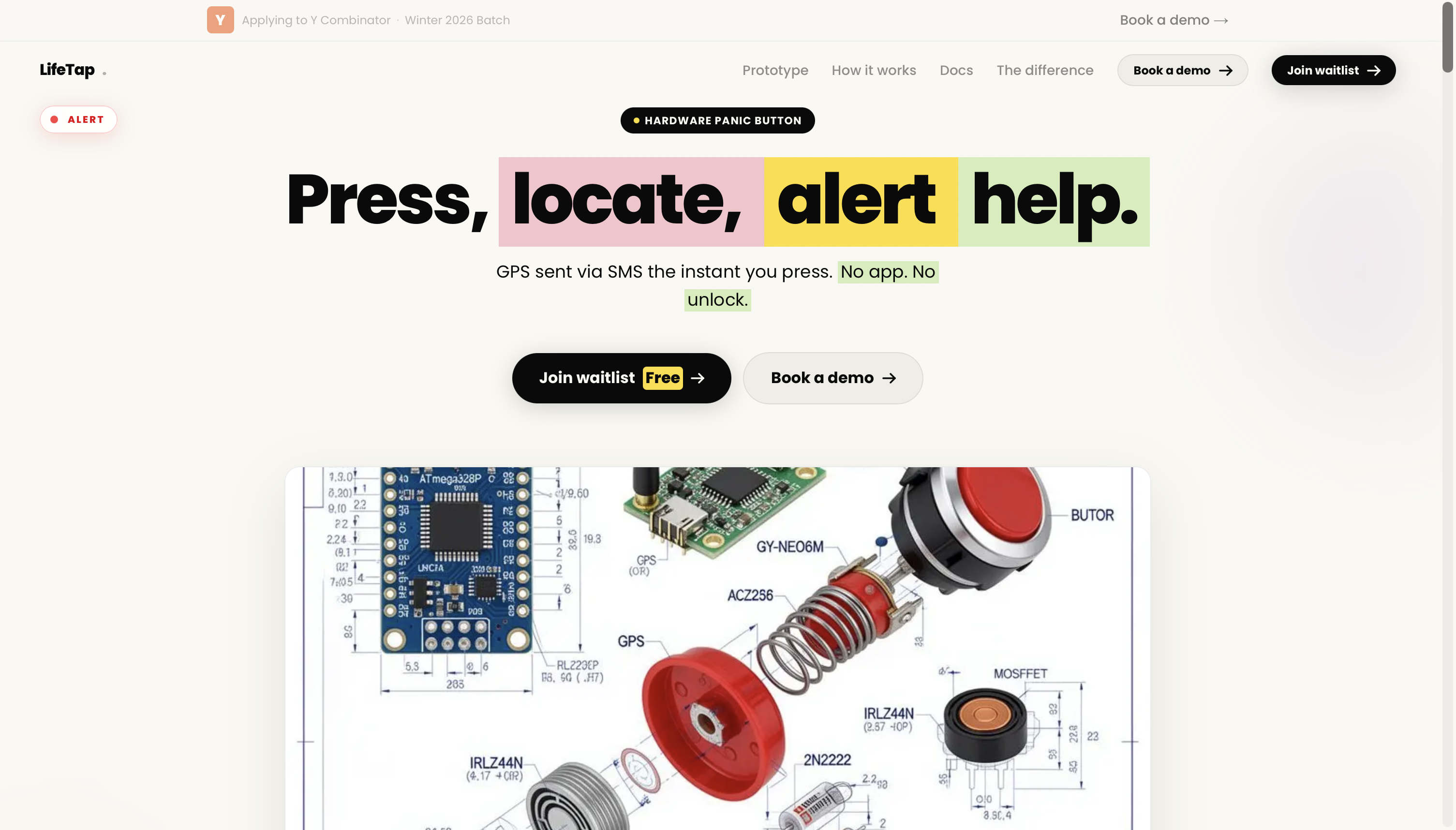
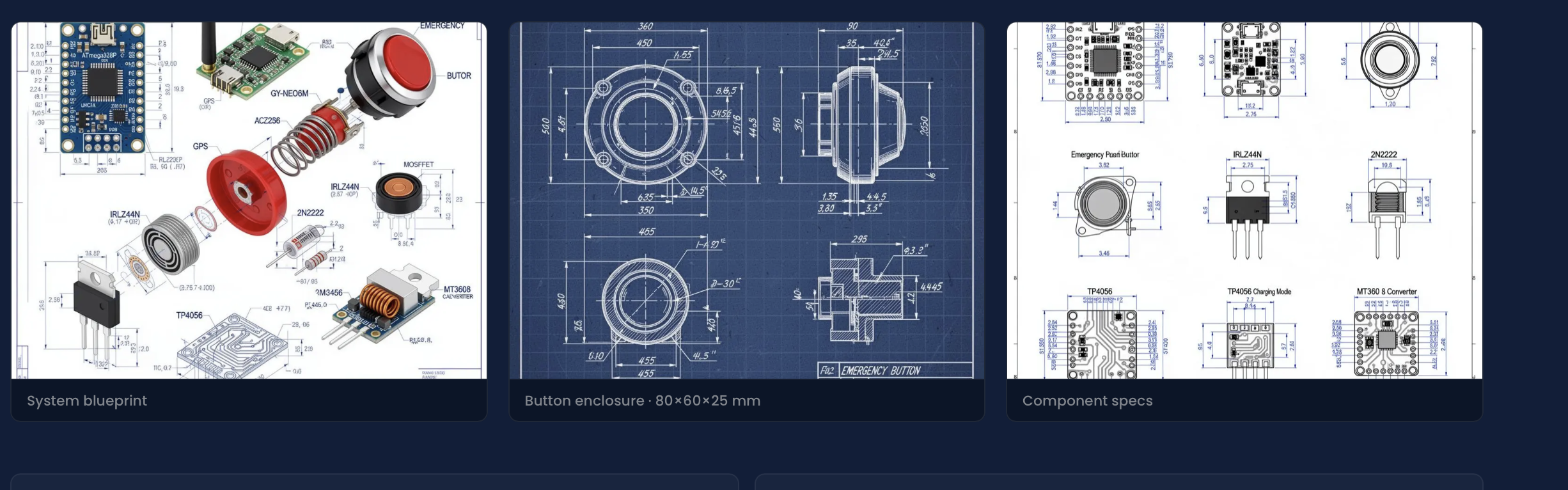
LifeTap is a physical panic button built from an Arduino, a Raspberry Pi 3, a buzzer, and a GPS module.
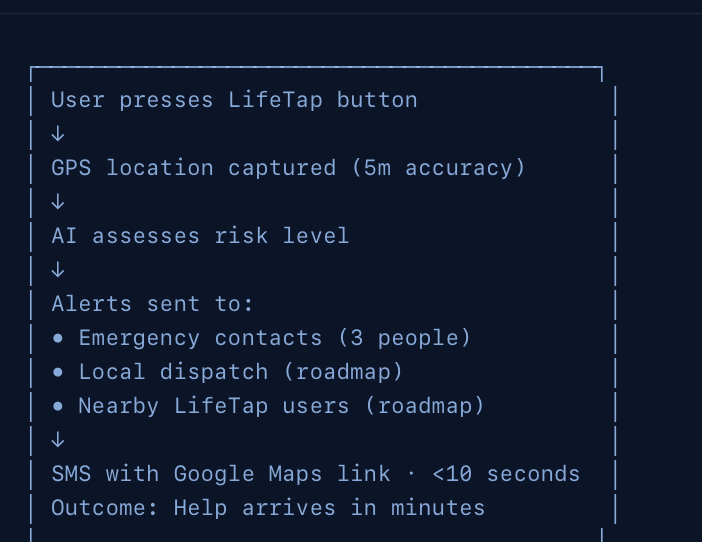
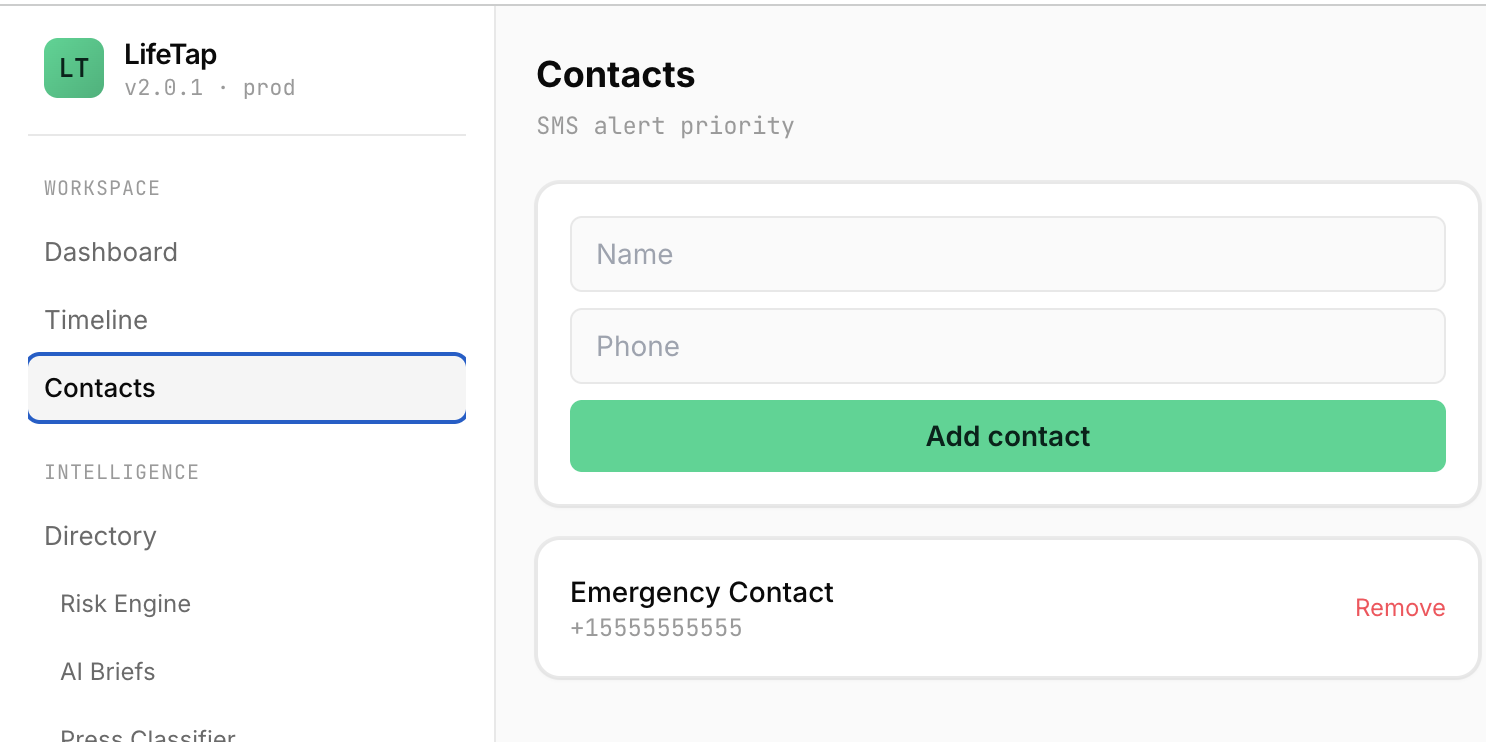
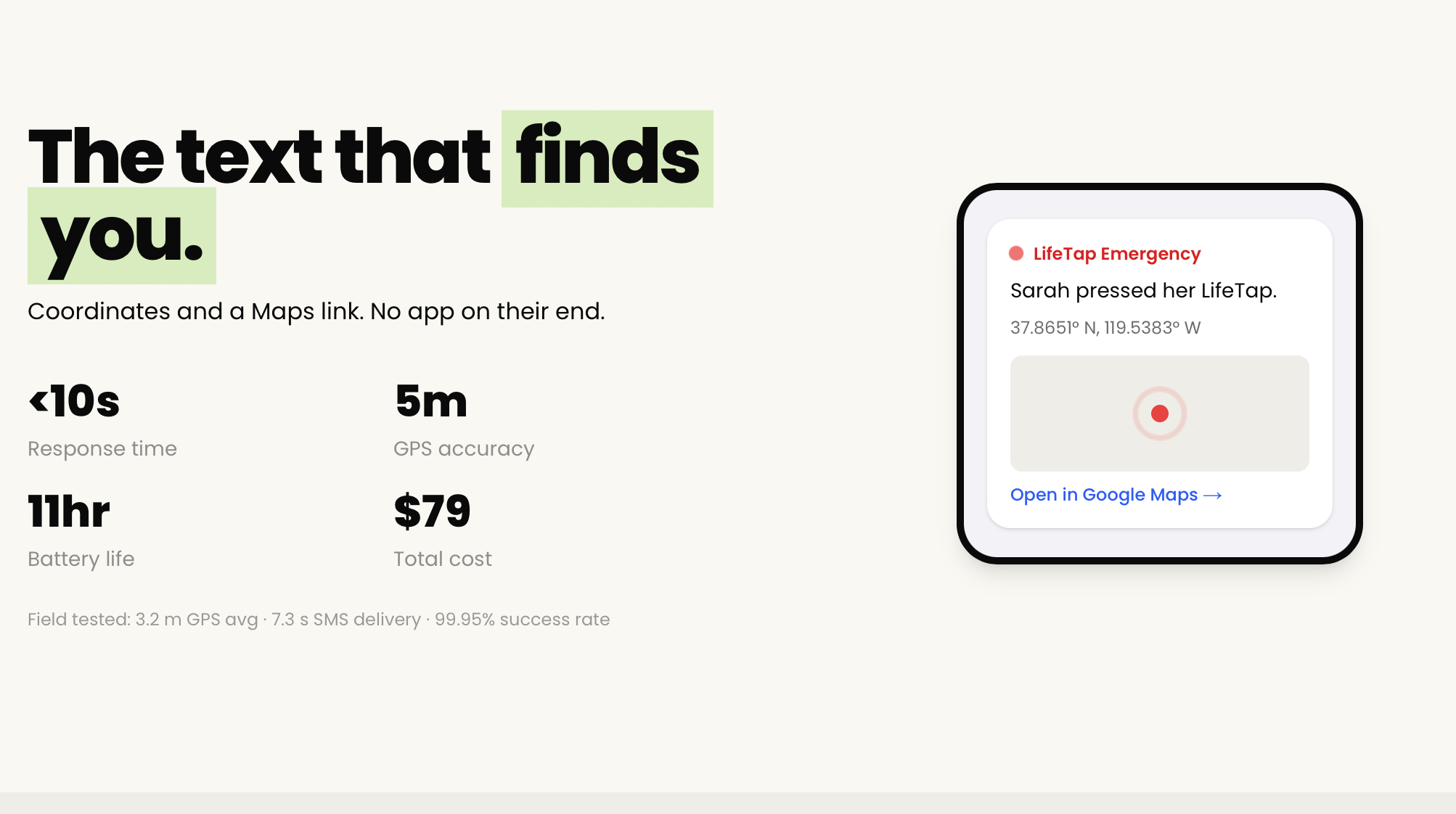
When you are in trouble, you press the button. Two things happen at once. An 80 decibel buzzer sounds for 30 seconds to draw immediate attention and disorient a potential attacker. At the same time, the device captures your GPS coordinates and sends a pinpoint location to your emergency contact over WhatsApp, complete with a Google Maps link so they can navigate straight to you.
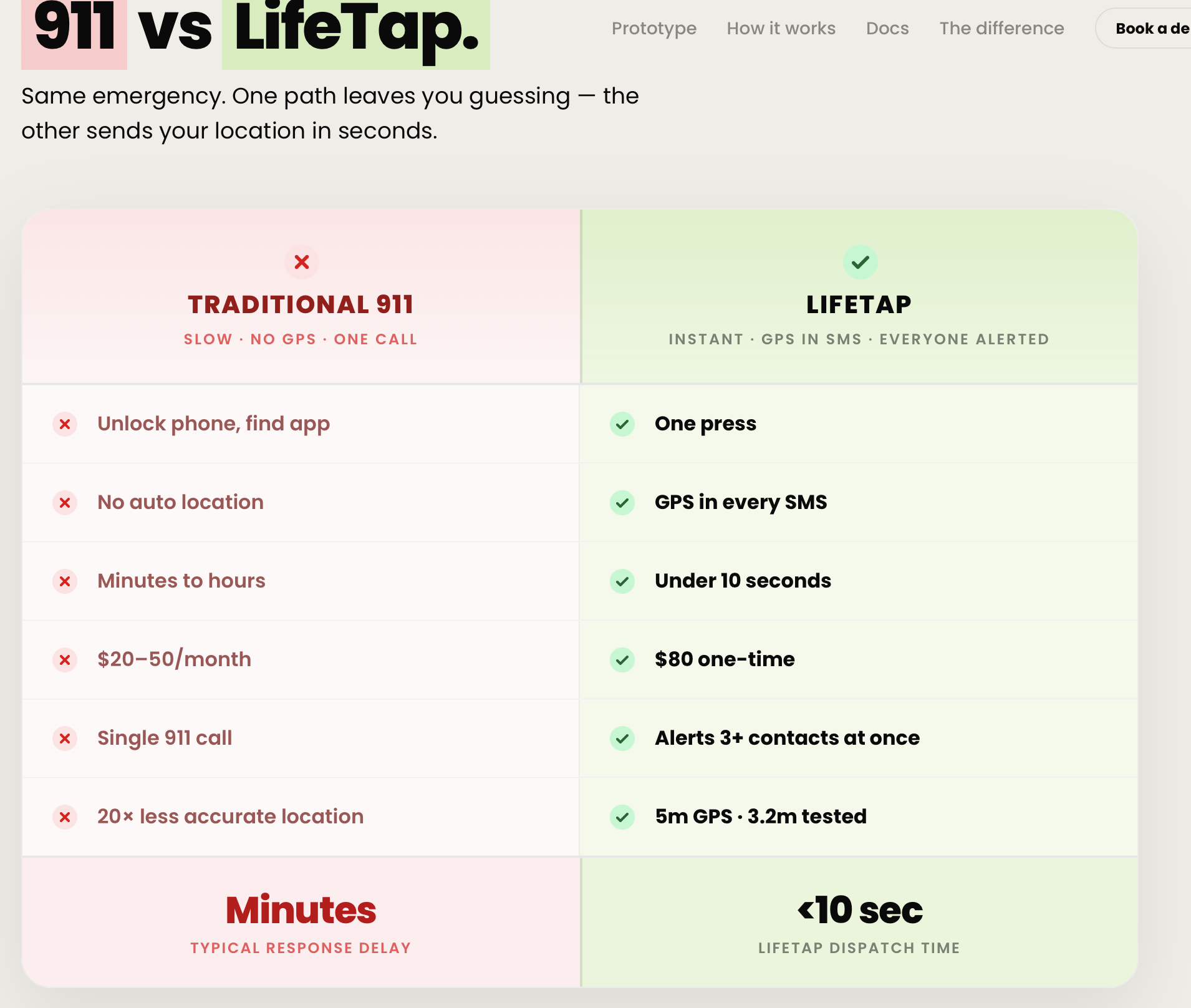
It doesnt need a user to unlock a phone. No opening an app. No dialing. One press, and the people who can help you know exactly where you are.
How we built it
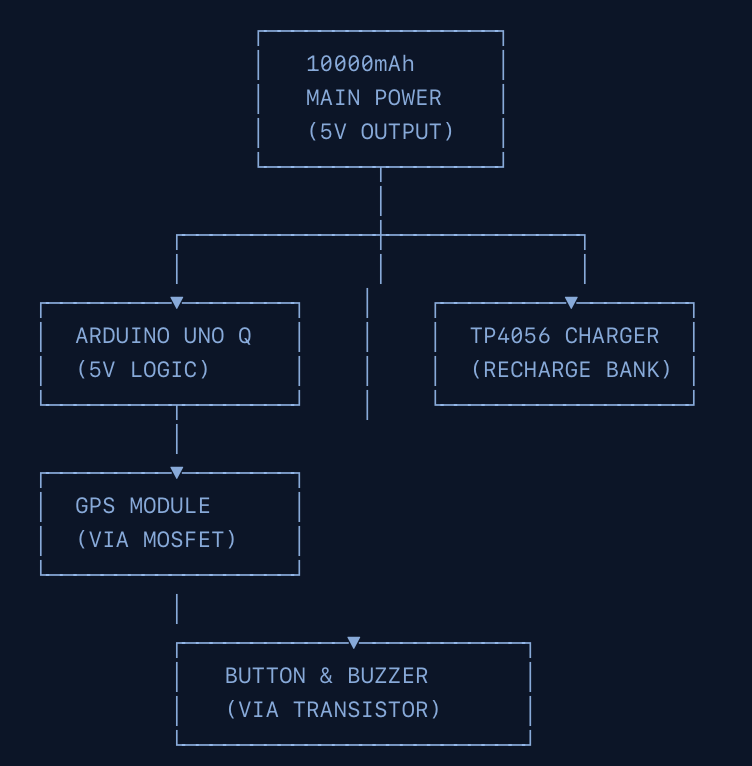
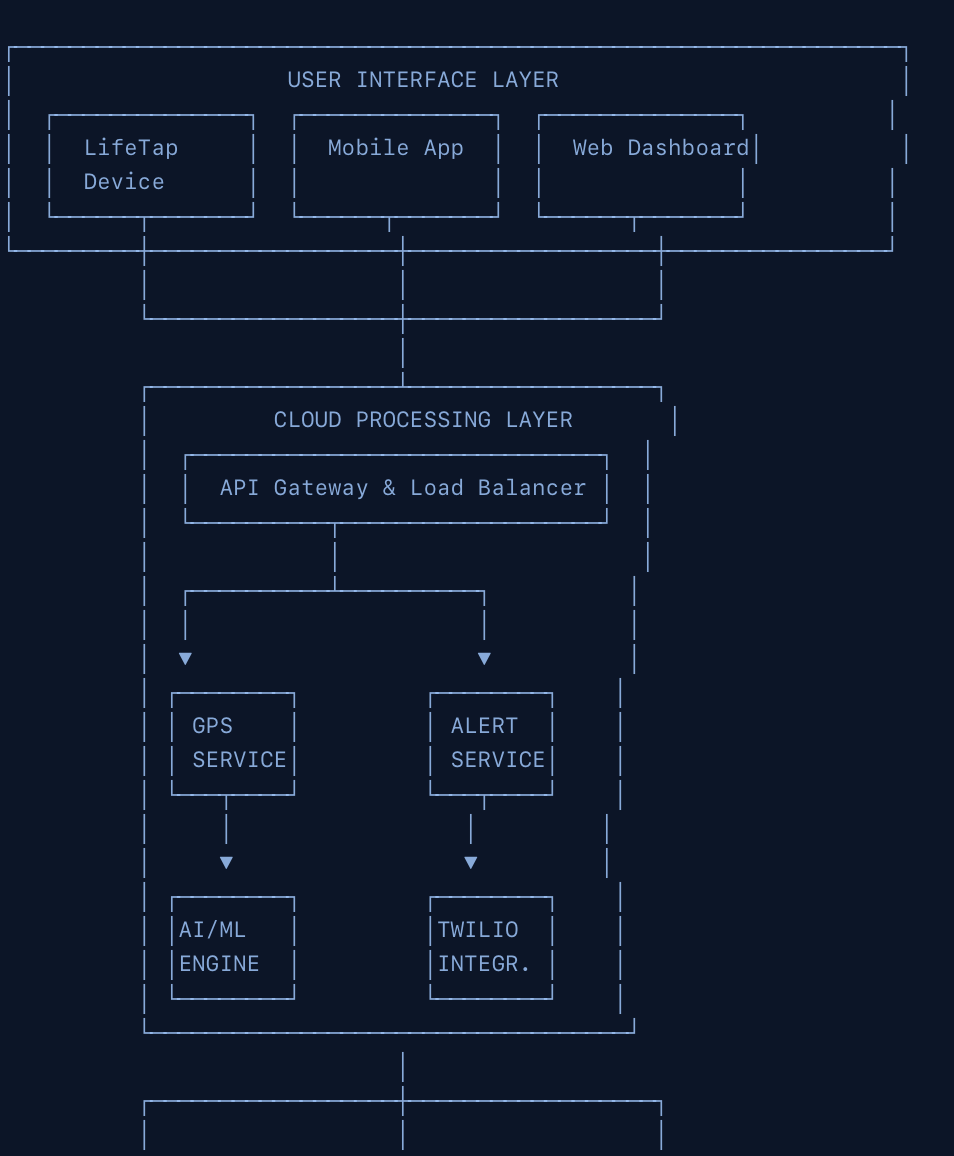
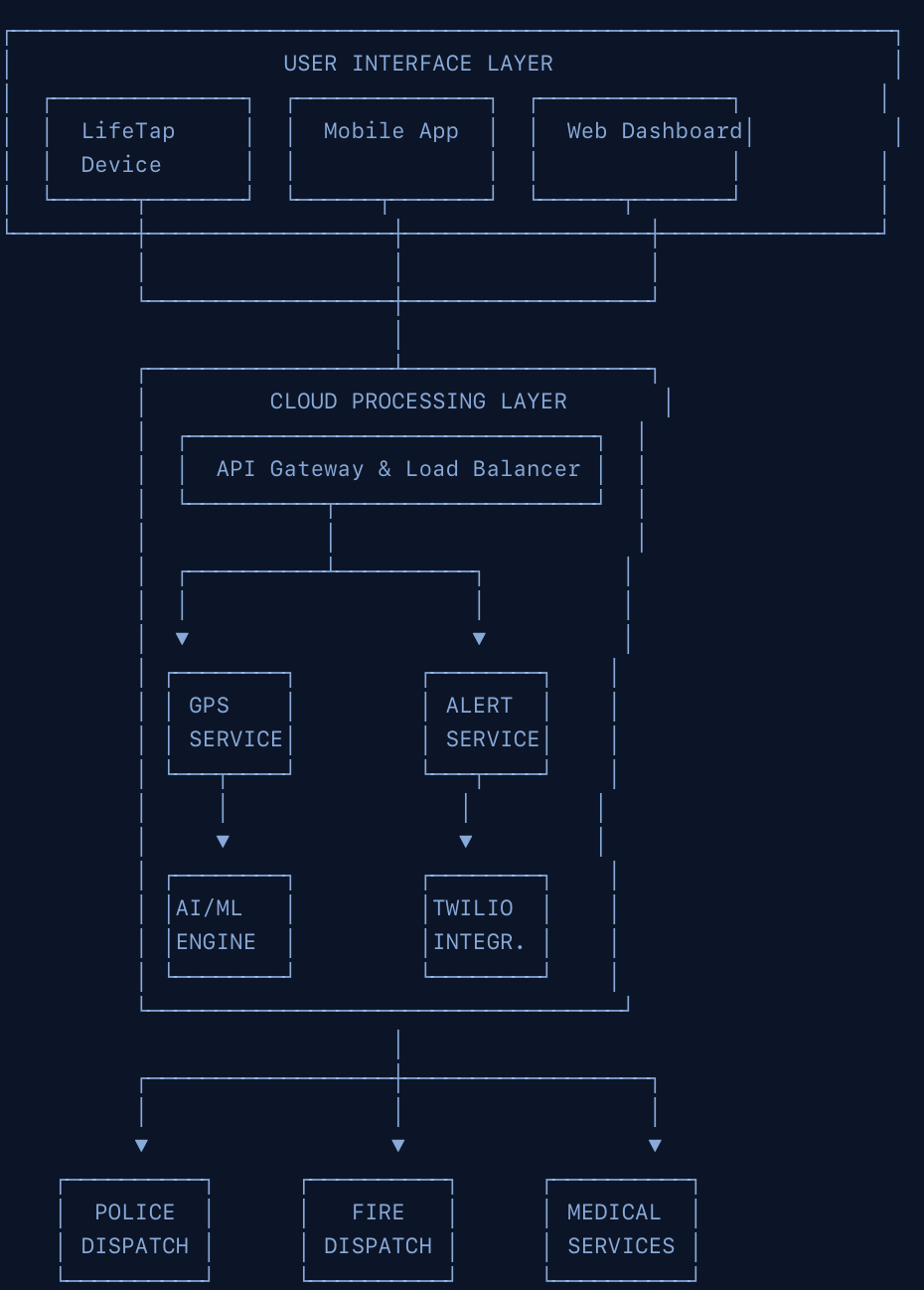
The Raspberry Pi 3 is the brain. It runs the main logic, handles the GPS processing, and acts as the transmitter that sends the alert out over WhatsApp. The Arduino is the receiver layer, reading the GPS coordinates and the button state and passing them to the Pi. A green status LED pulses to signal that the device is connected and working, so the user always knows it is armed and ready.
The flow is simple by design. The GPS module acquires a satellite fix and feeds coordinates to the Arduino. The Arduino relays the button press and the coordinates to the Pi over a serial connection. The Pi packages the location into a message and sends it out. The buzzer fires the instant the button is pressed, before any of the networking happens, so the alarm never waits on a signal.
Challenges we ran into
We forgot a dedicated transmitter module. Rather than stall, we improvised, wiring the Raspberry Pi and Arduino together over USB serial and using that as our communication link. It worked, and it actually made the system simpler.
We hit complications getting a Twilio phone number provisioned in time, so we pivoted from SMS to WhatsApp for the alert delivery. WhatsApp turned out to be easier to integrate and works internationally, which fits our disaster-response use case better anyway.
GPS was harder than we expected. Getting a reliable satellite fix, especially indoors at the venue, taught us a lot about the limits of consumer GPS hardware and forced us to think about fallback behavior.
Accomplishments that we're proud of
We built a complete, working system in 24 hours. The connections hold, the button triggers the buzzer, the GPS acquires coordinates, and the alert reaches a phone over WhatsApp with a working map link. Every time we hit a wall, we improvised a path through it instead of cutting the feature. Walking up to the table with hardware that actually fires end-to-end, on our own wiring, is the thing we are proudest of.
What we learned
GPS and satellite connectivity are genuinely hard. Getting a fix depends on conditions you do not control, and building around that uncertainty is its own engineering problem. We also learned that WhatsApp integration is far simpler than carrier SMS for getting a location message onto someone's phone quickly, especially across borders. Most of all, we learned that improvising under a deadline is a skill, and that a simpler design that works beats an elegant design that does not.
What's next for LifeTap
We want LifeTap to connect directly to the nearest emergency services and post a live, continuously updating location, which means working with local government and dispatch systems rather than just private contacts. On the hardware side, we want to make the device smaller, cheaper, and longer-lasting on a single charge, and add a true satellite uplink so it works in the remote and disaster-struck areas where cell coverage disappears exactly when it matters most.
Built With
- arduino
- c++
- css
- gpsmodel
- html
- python
- raspberry-pi
- twilio
- typescript
- vercel
- whatsapp-integration


Log in or sign up for Devpost to join the conversation.