Inspiration
"According to WHO, 1 in 3 elderly people fall every year, and many can't get help in time. For visually impaired people, it's even harder to seek assistance alone."
What it does
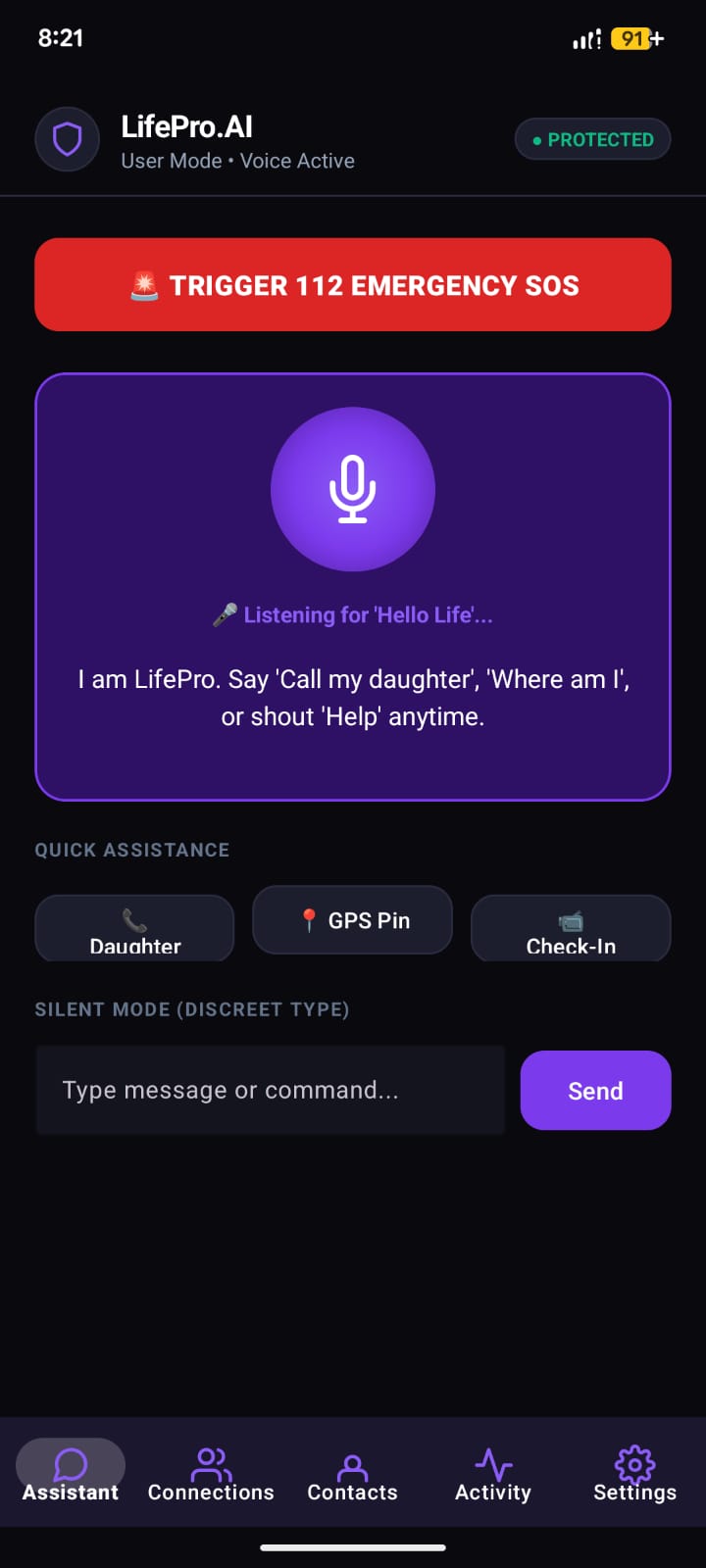
LifePro-AI aims to address this problem through conversational AI, voice recognition, background monitoring, and automated SOS alerts. Users can interact with the assistant using natural voice commands instead of navigating complicated menus.
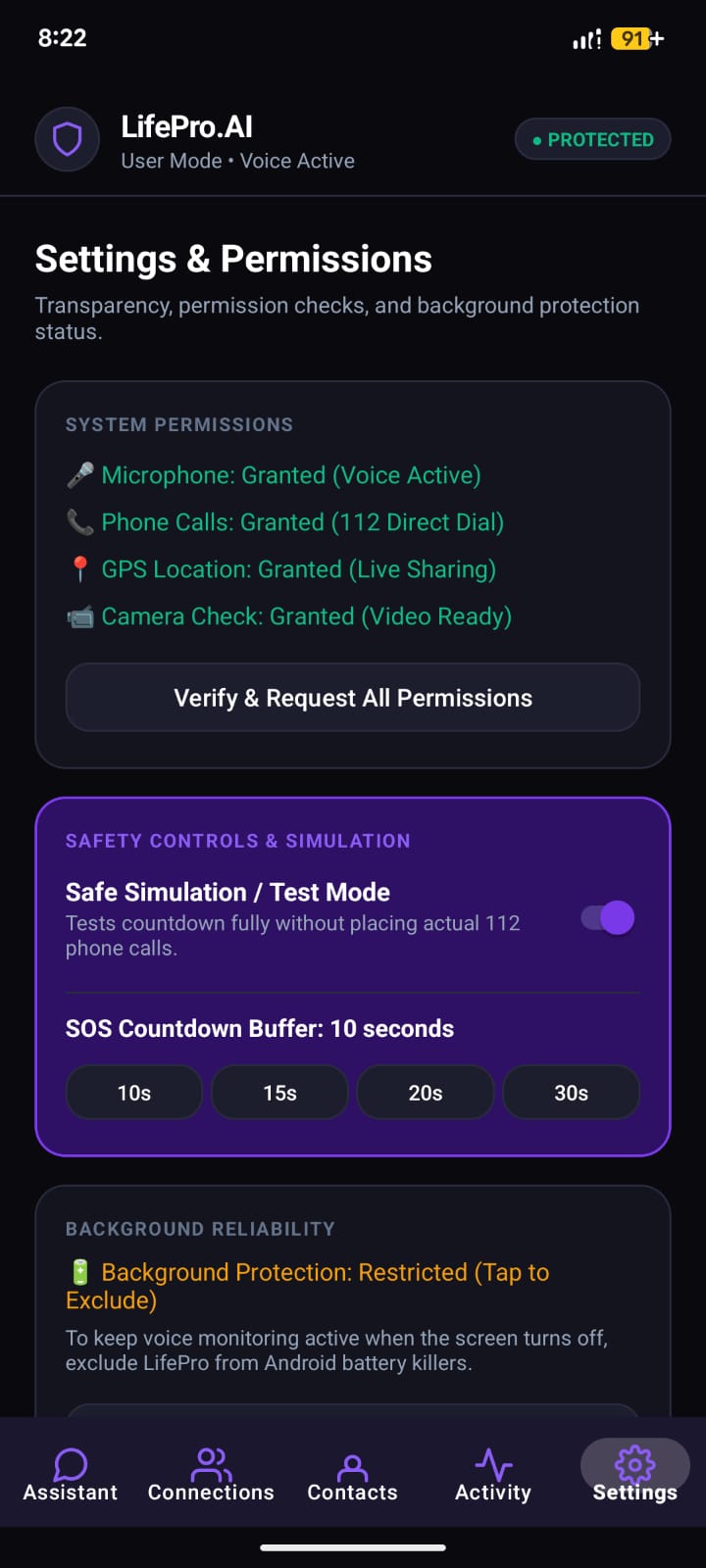
One of its key features is emergency detection. When the system detects potential distress signals, such as a call for help or a possible fall-related incident, it can ask the user if they need assistance. If an emergency is confirmed, it can initiate an SOS process with a cancellation countdown to help prevent false alarms.
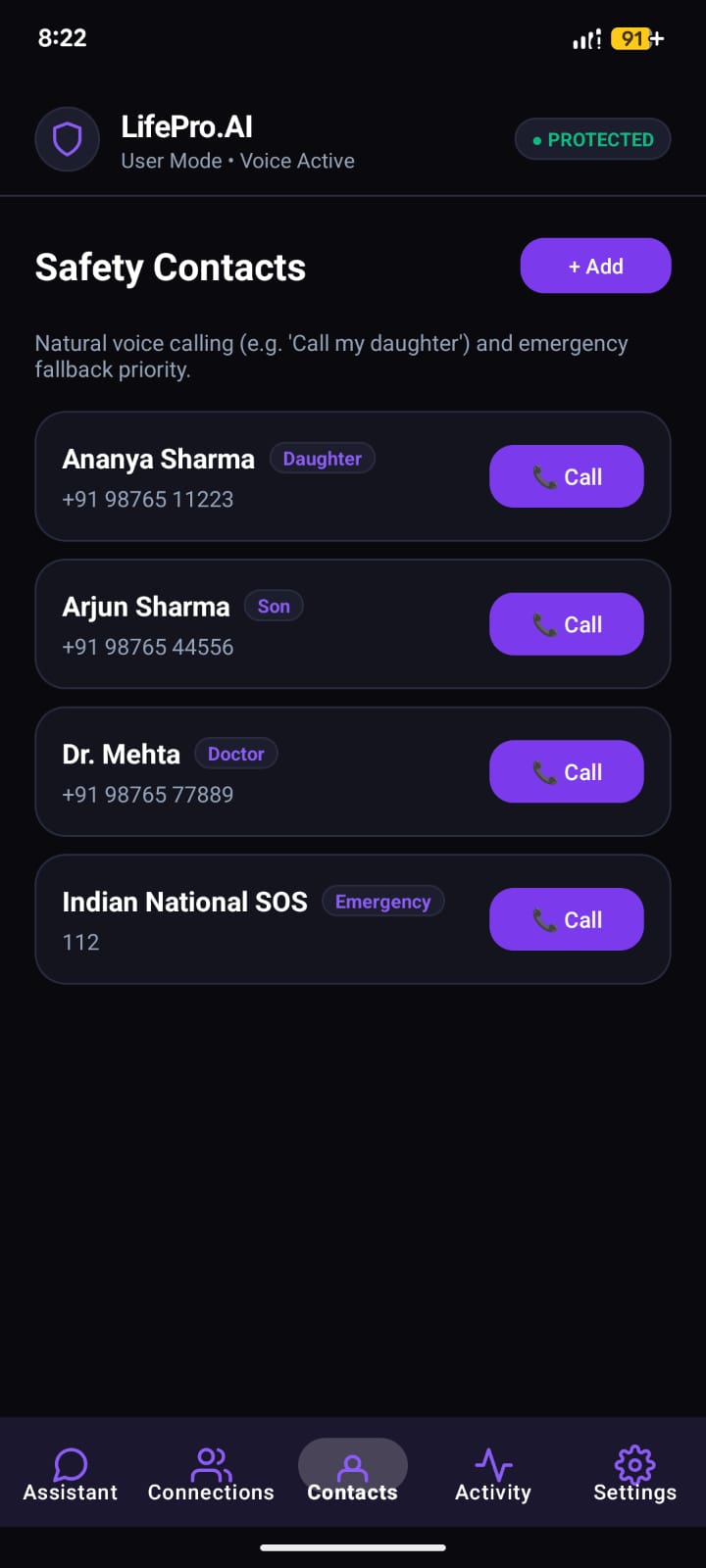
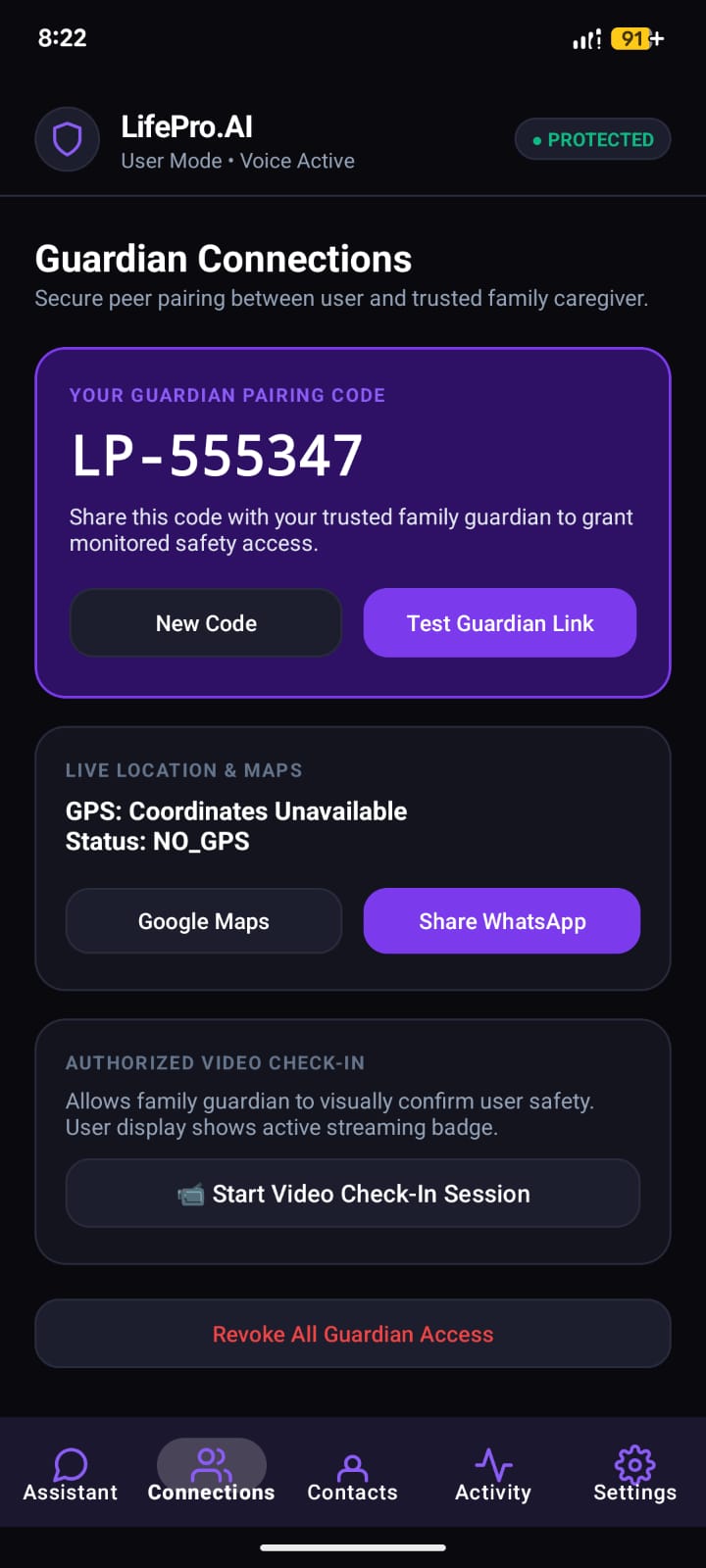
Another important feature is GPS-based live location tracking. With the user's consent, trusted family members or guardians can access location updates and receive emergency notifications. The application can also help users call saved contacts through voice commands.
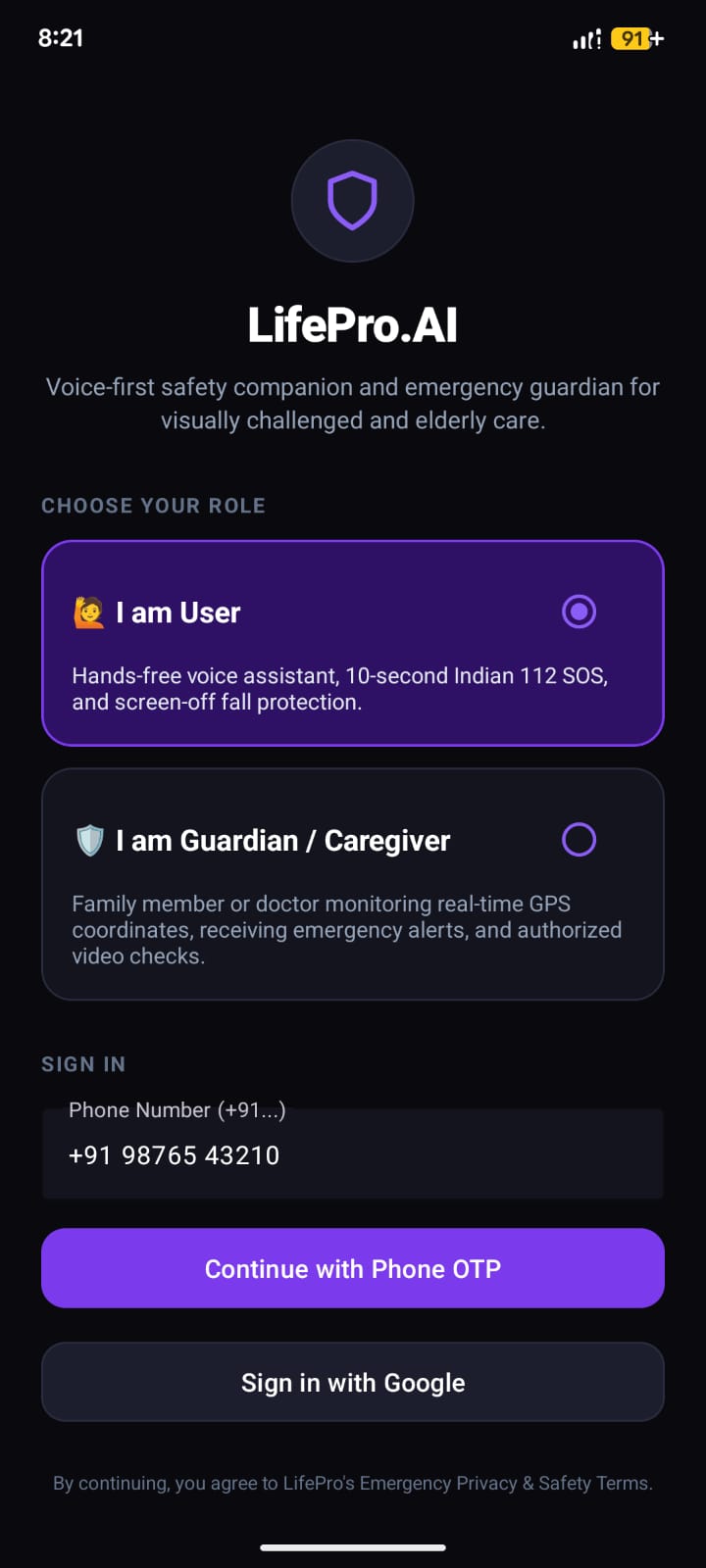
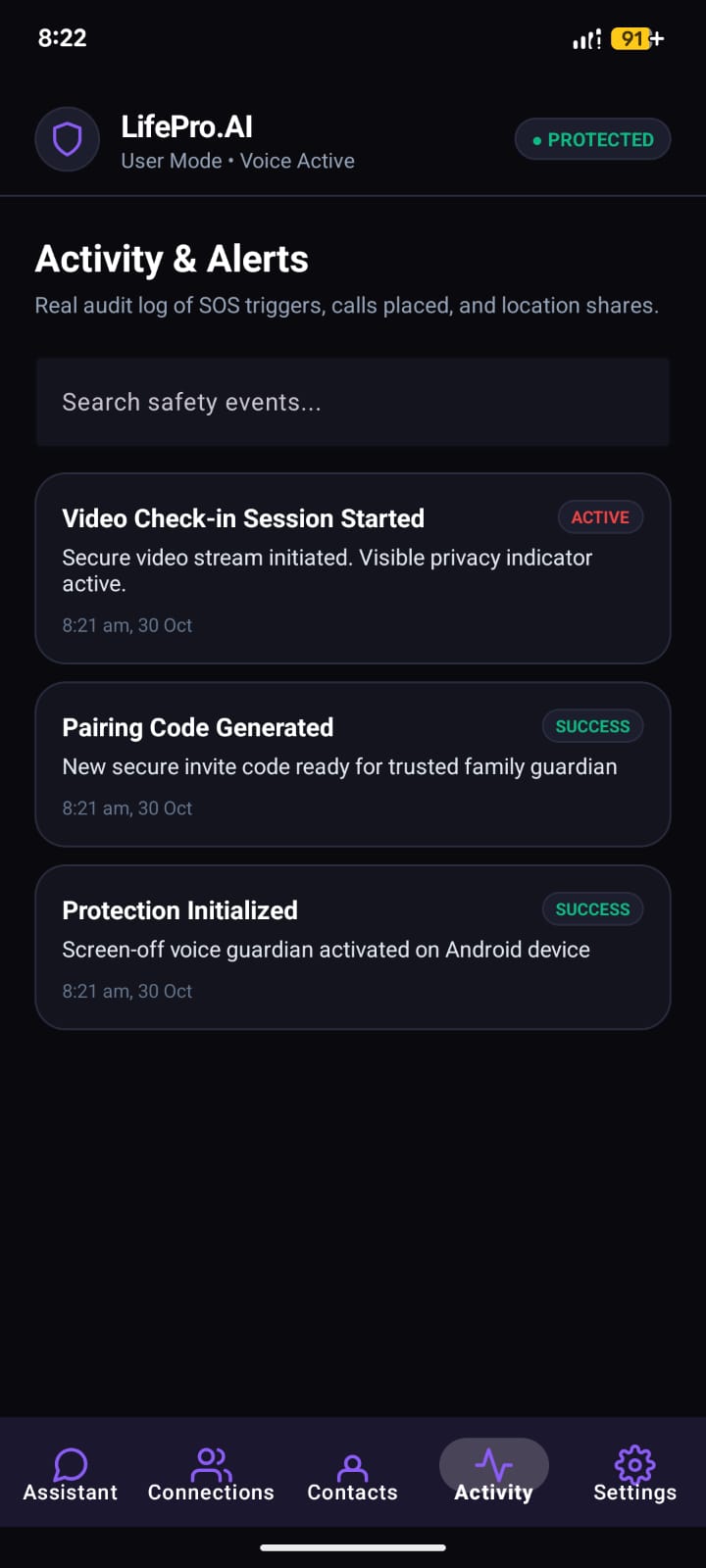
LifePro-AI will include separate User and Guardian dashboards, secure account pairing, an activity log, and consent-based remote camera access. These features are designed to improve communication between users and their loved ones while protecting personal privacy.
How we built it
From a technical perspective, I am developing the application using Android Studio, with backend services, secure API integration, and AI-powered conversational processing. I want to focus on real functionality, accessibility, and a smooth, user-friendly interface rather than simply creating a visual prototype.
Challenges we ran into
Voice Recognition Accuracy Making voice commands work for elderly users with different accents, slow speech, and background noise was hard. Normal speech-to-text fails with low volume or unclear words.
False Alarms in Emergency Detection Biggest challenge was differentiating a real "help!" from normal conversation or TV sound. We had to add a confirmation prompt + cancellation countdown to avoid unnecessary SOS alerts.
Background Monitoring & Battery Optimization Android kills background services to save battery. Keeping listening, location tracking, and fall detection running continuously without draining battery was tricky.
Privacy vs Safety Balance We wanted GPS tracking and camera access for safety, but also had to ensure consent-based access. Designing secure pairing between User and Guardian dashboards with proper permissions took time.
Accessibility-First UI Design Designing for visually impaired users means you can't rely on visual cues. We had to rethink everything - larger touch targets, voice feedback, minimal navigation, and testing without looking at the screen.
Android Permissions & Real-time APIs Handling real-time location, microphone, and calling permissions in Android 13+ is complex. Users often deny permissions, so we had to create a smooth permission-flow.
Accomplishments that we're proud of
Built a working Android prototype, not just a mockup End-to-end app in Android Studio with User and Guardian login, secure pairing via unique code, and real-time backend.
Implemented voice-first interaction Users can call saved contacts, ask for help, and navigate the app entirely through voice commands - no complex menus needed.
Created a smart SOS system with anti-false-alarm Emergency detection triggers a confirmation prompt + 10-second cancellation countdown before sending alerts to guardians with GPS location.
Added consent-based safety features Live location tracking, activity logs, and remote camera access - all work only after explicit user consent, protecting privacy.
Designed separate dashboards Clean User dashboard for elderly/visually impaired and detailed Guardian dashboard for family to monitor alerts, location, and activity.
What we learned
Accessibility is not a feature, it's the foundation. Designing for elderly and visually impaired users taught us that simplicity, large text, and voice feedback matter more than fancy animations.
Handling edge cases is harder than building features. 90% of our time went into handling false SOS, denied permissions, no internet, and battery optimization - not the main SOS button.
Privacy and safety must coexist. We learned to implement secure APIs, consent flows, and encrypted pairing, so safety features don't become surveillance.
Real users behave differently than we expect. Voice commands fail with accents and background noise, so we had to test repeatedly and keep fallbacks.
Technology is most meaningful when it gives independence. This project showed us that AI is valuable not just for automation, but for giving confidence and peace of mind to families.
What's next for Lifepro Ai
We will build more reliable accessible features for elder people

Log in or sign up for Devpost to join the conversation.