-
-
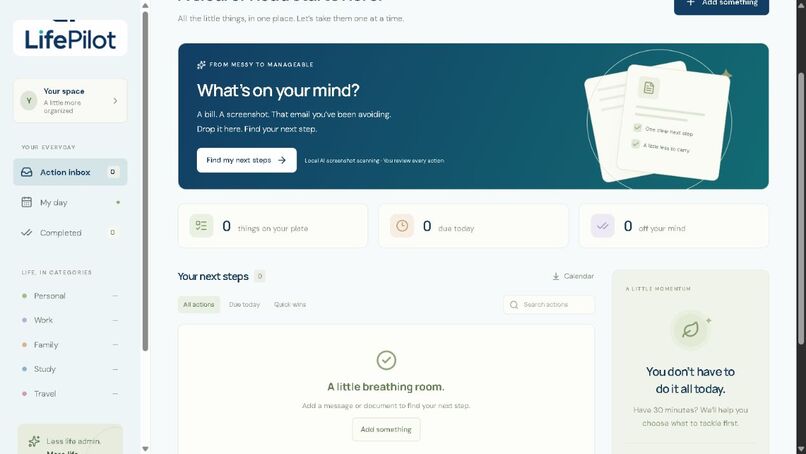
LifePilot: one inbox for scattered responsibilities. Fictional example data.
-
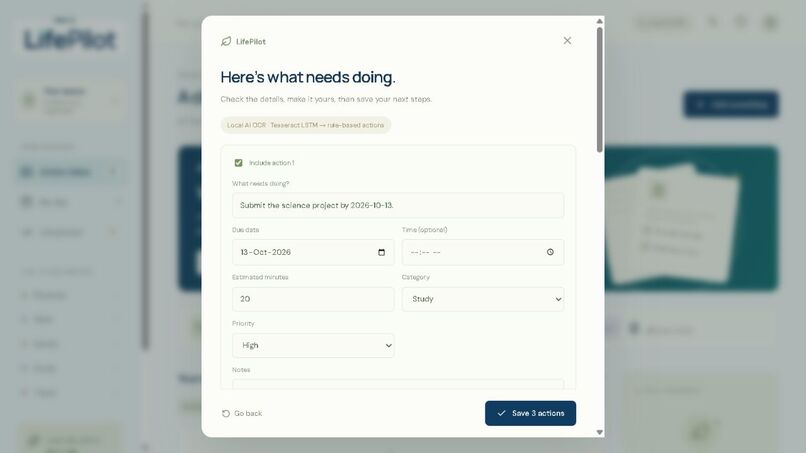
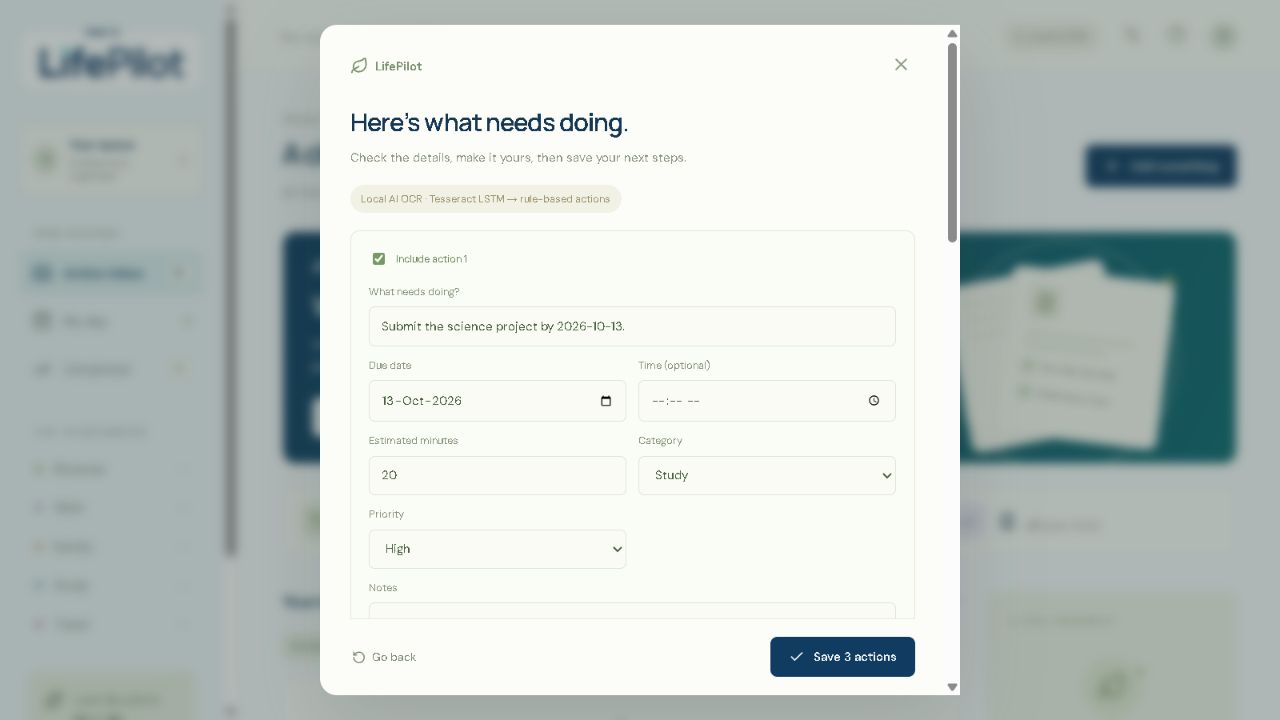
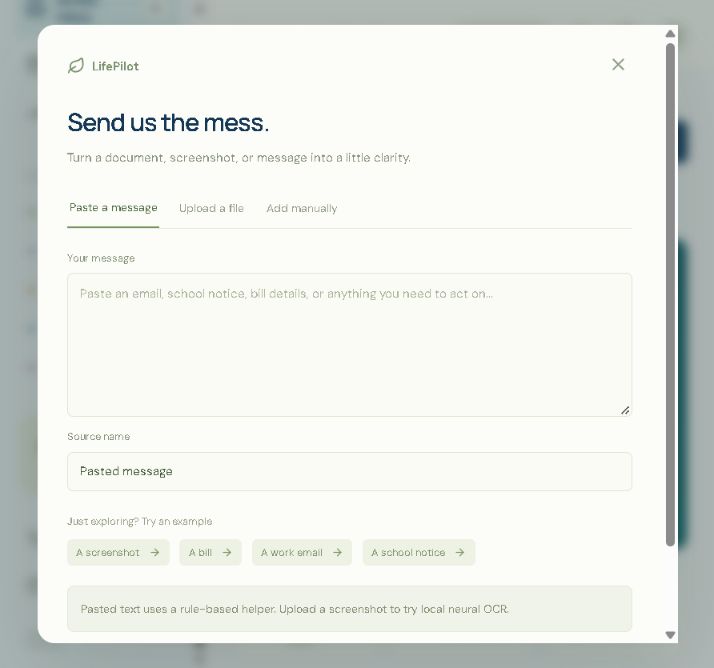
Check and edit every task, deadline, category and time estimate.
-
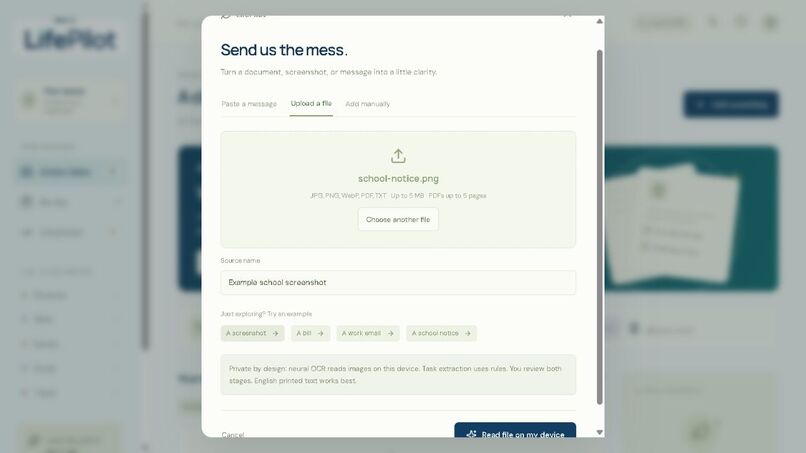
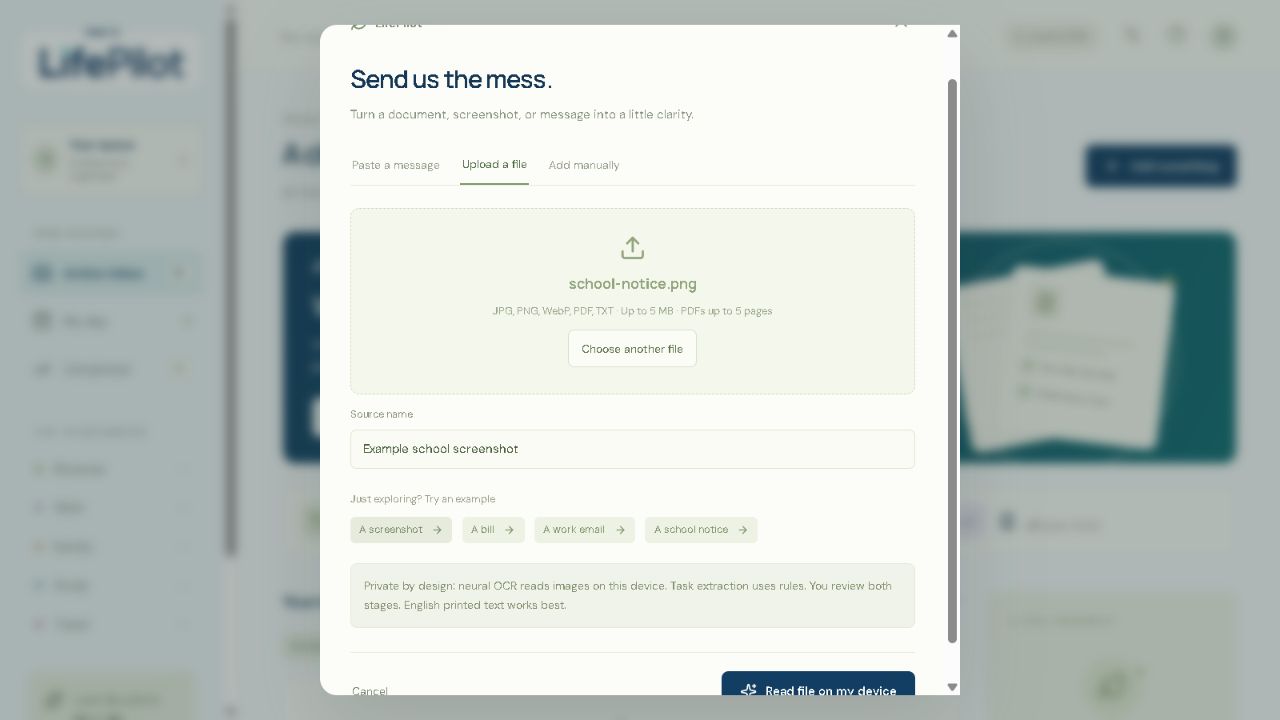
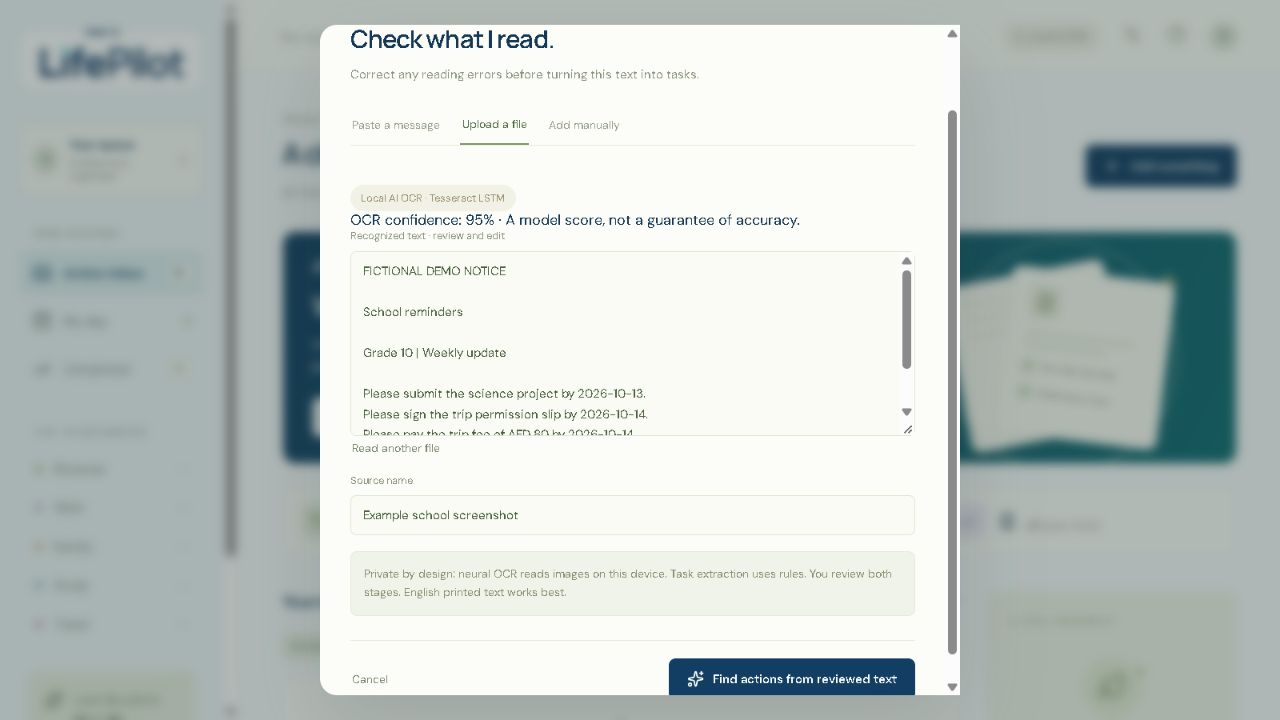
Read a school screenshot locally, without an API key.
-
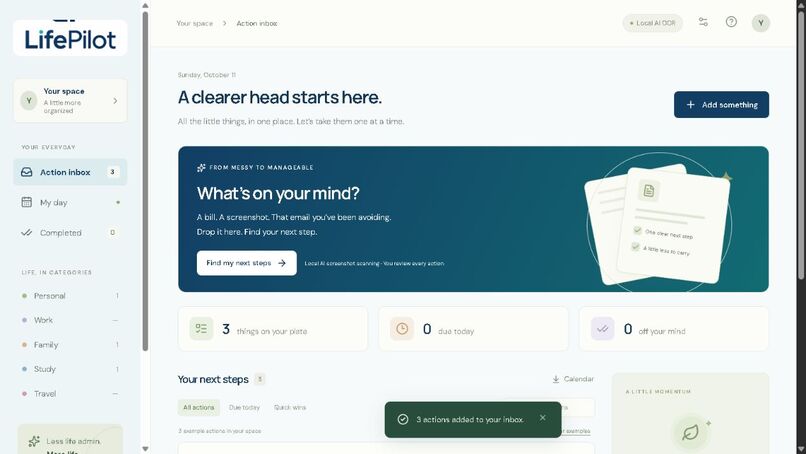
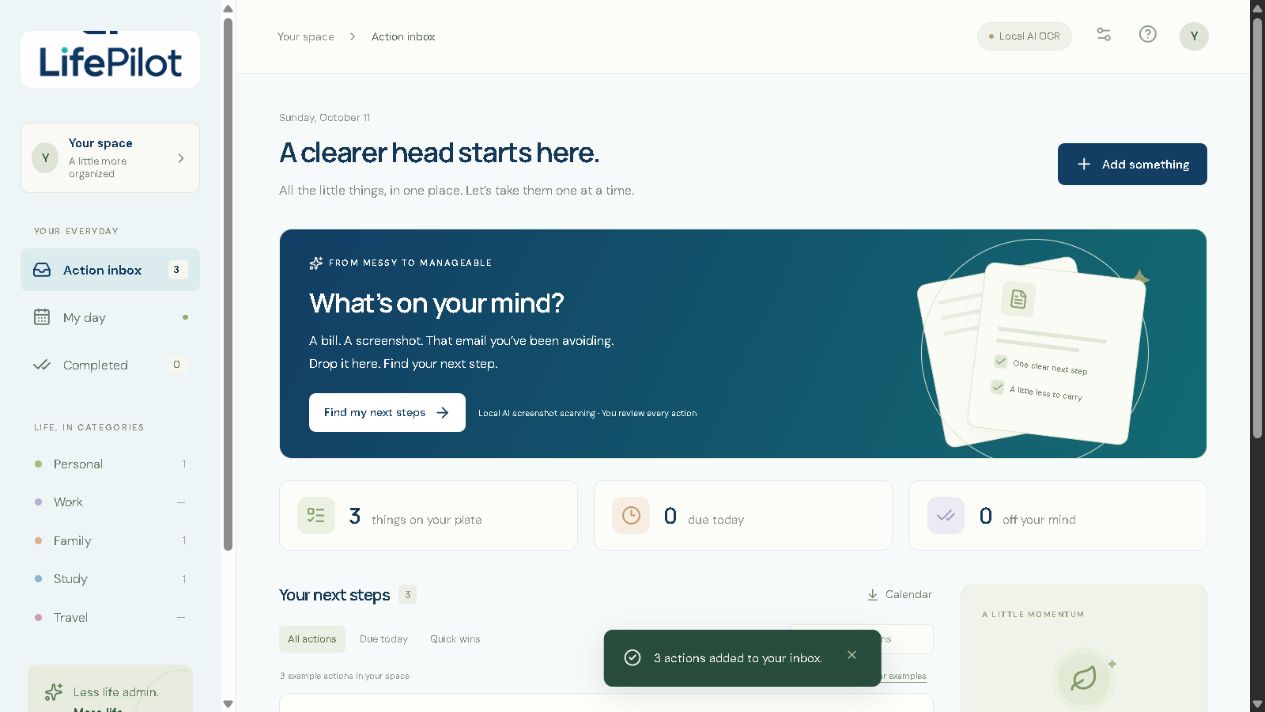
Three school requests reviewed and saved to the action inbox.
-
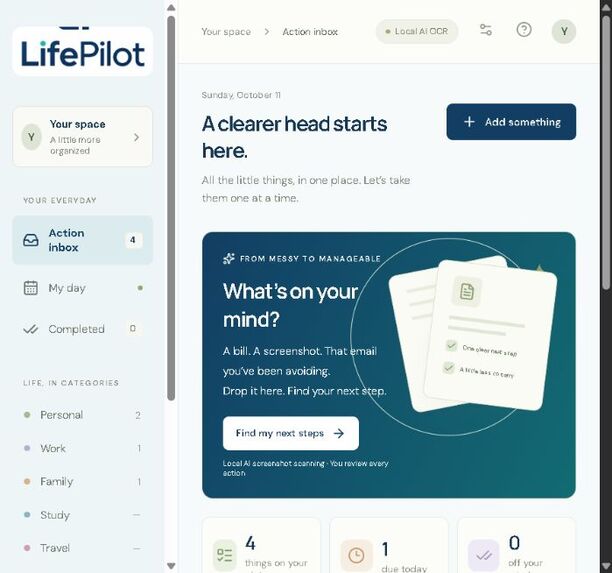
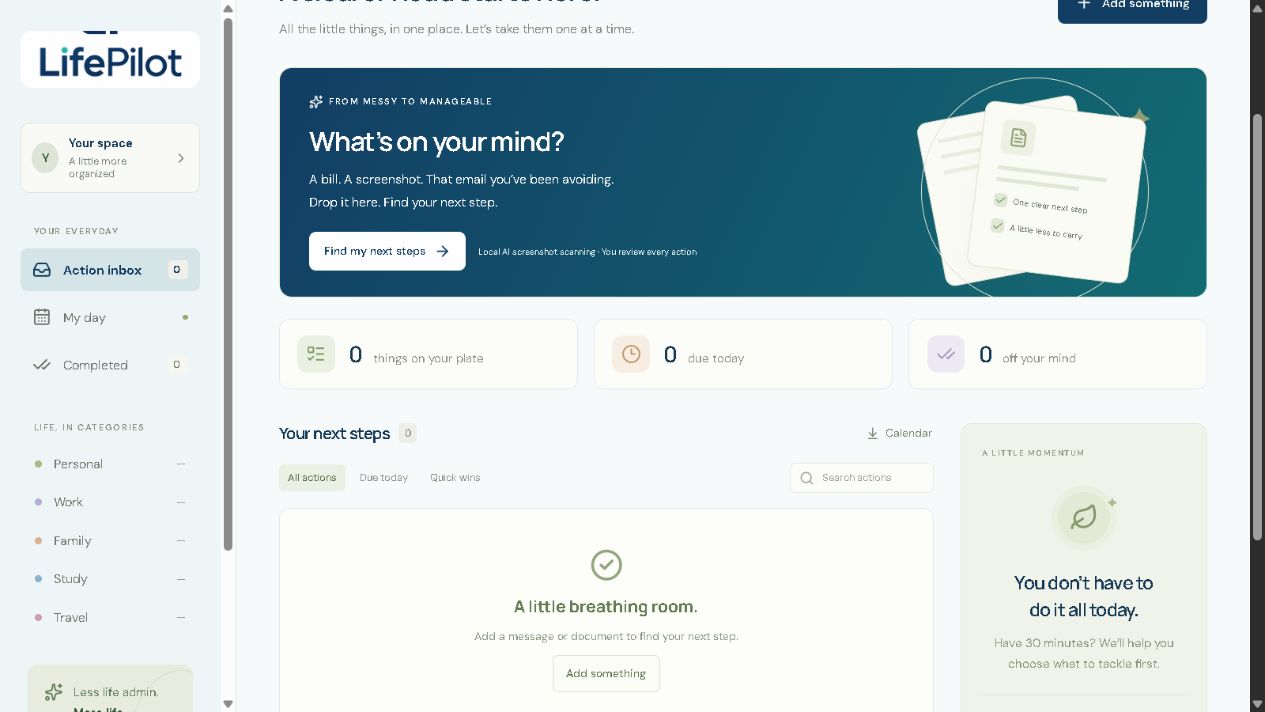
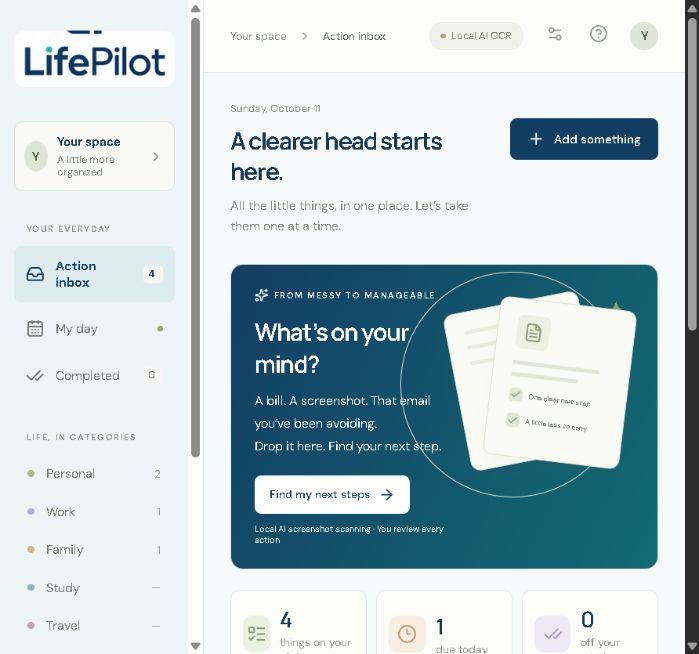
Live private app: the action inbox with fictional built-in examples.
-
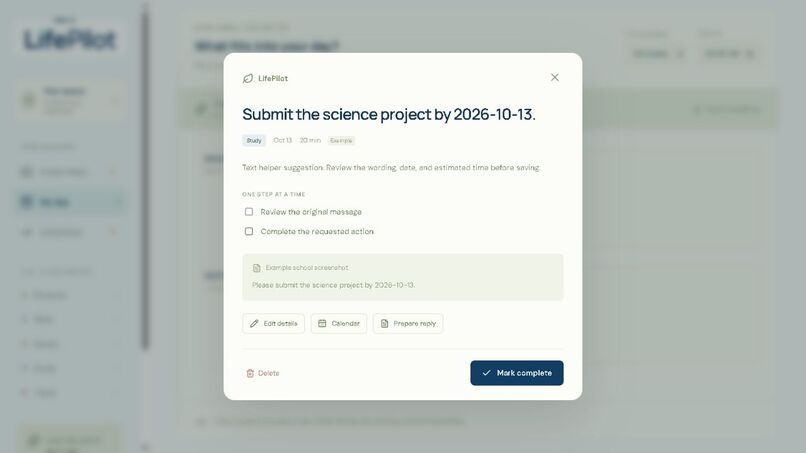
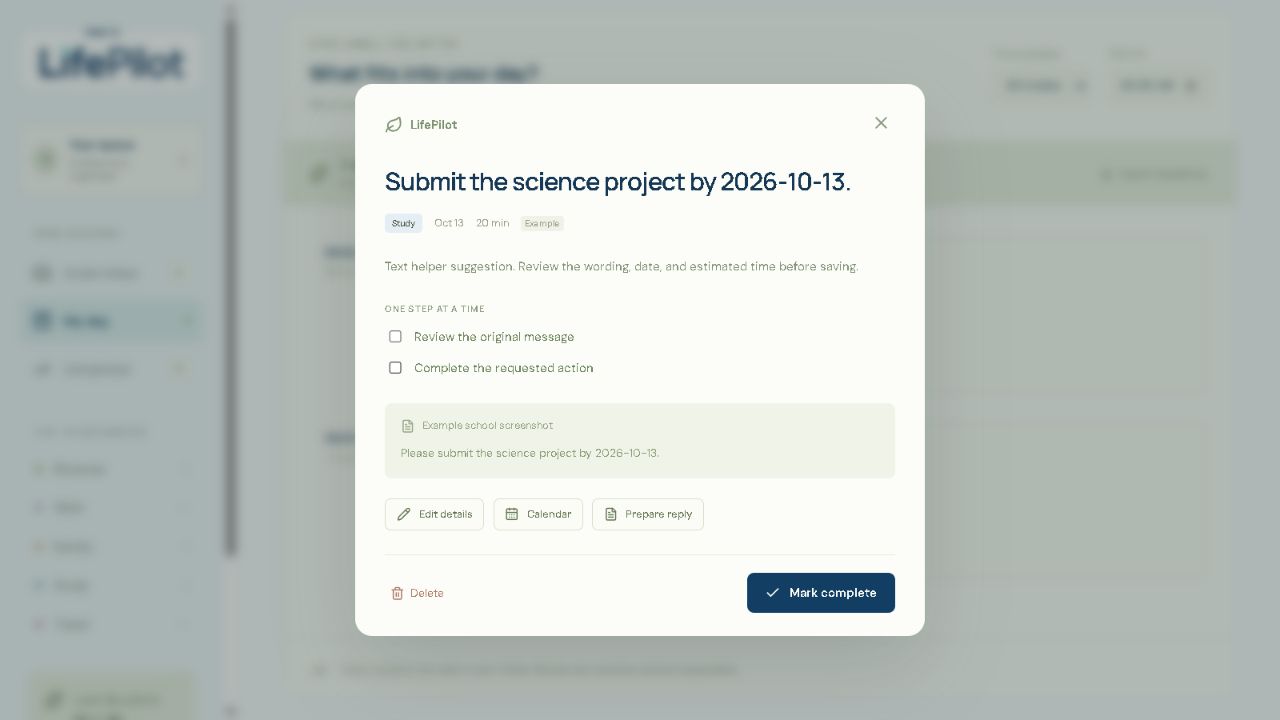
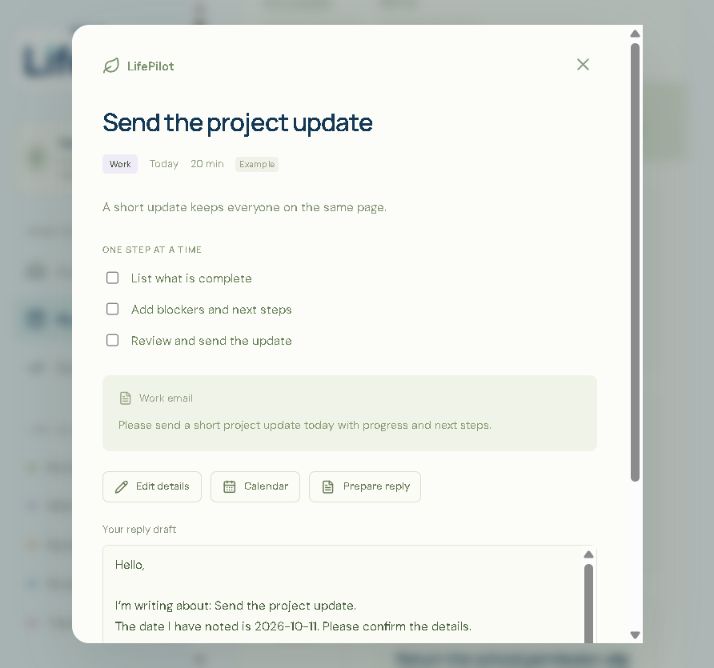
Follow a checklist while keeping the original source visible.
-
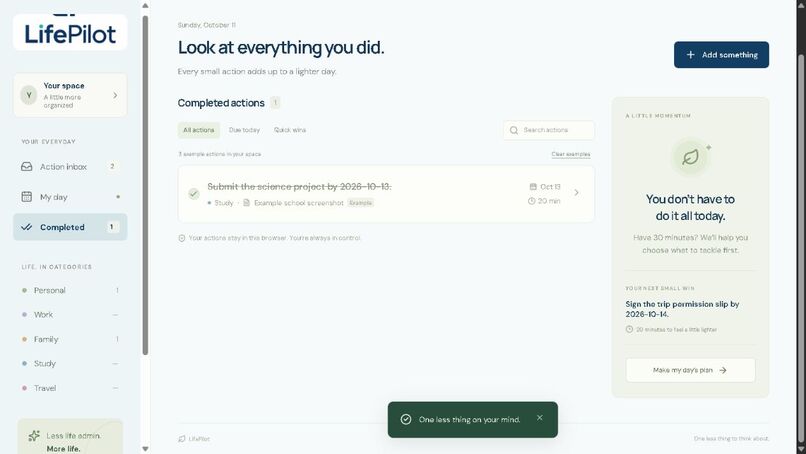
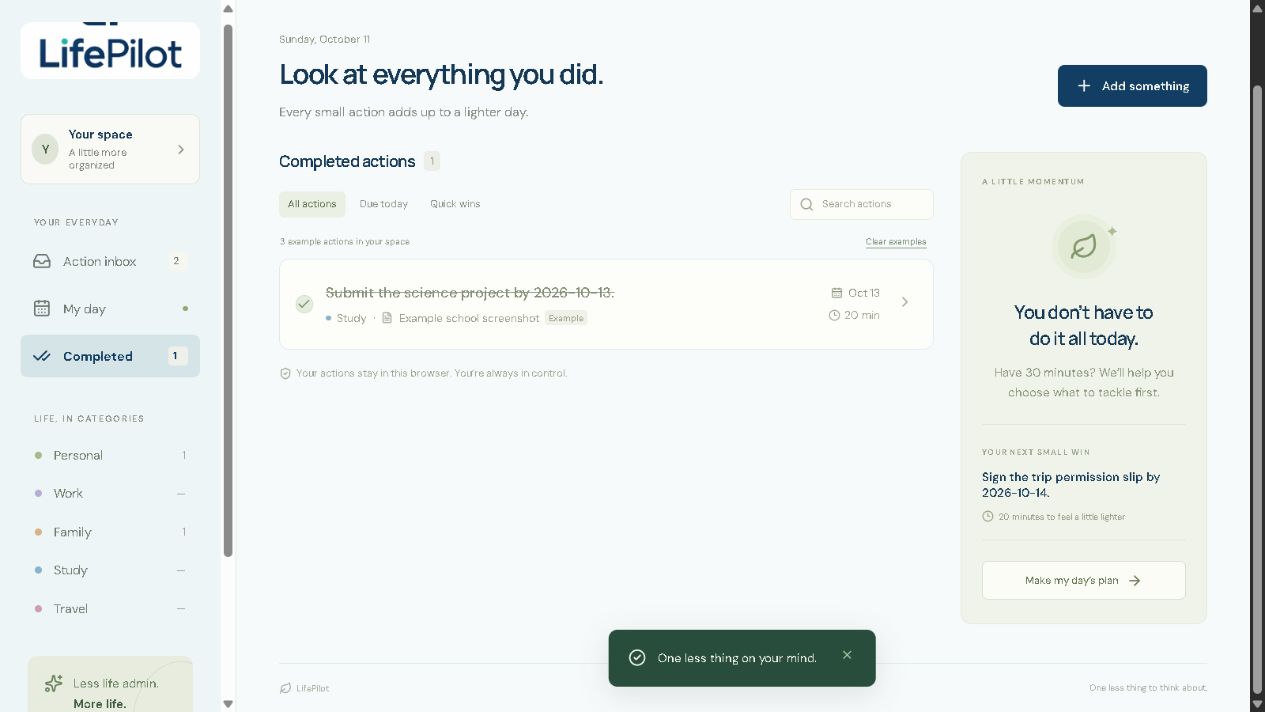
Completed tasks leave the daily plan and stay available to review.
-
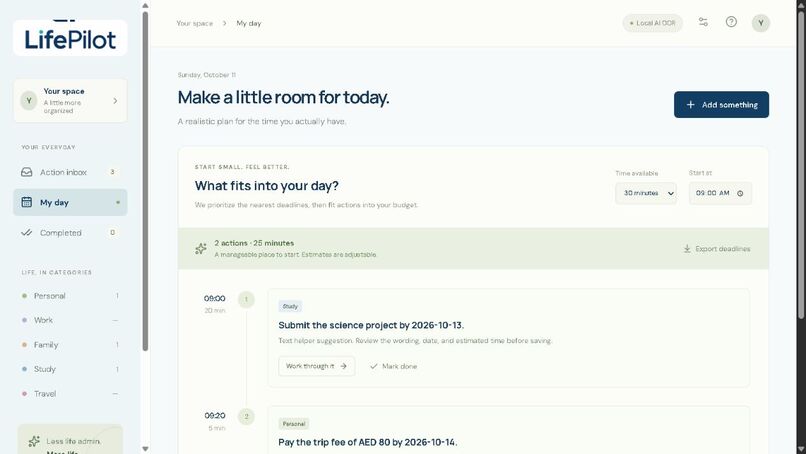
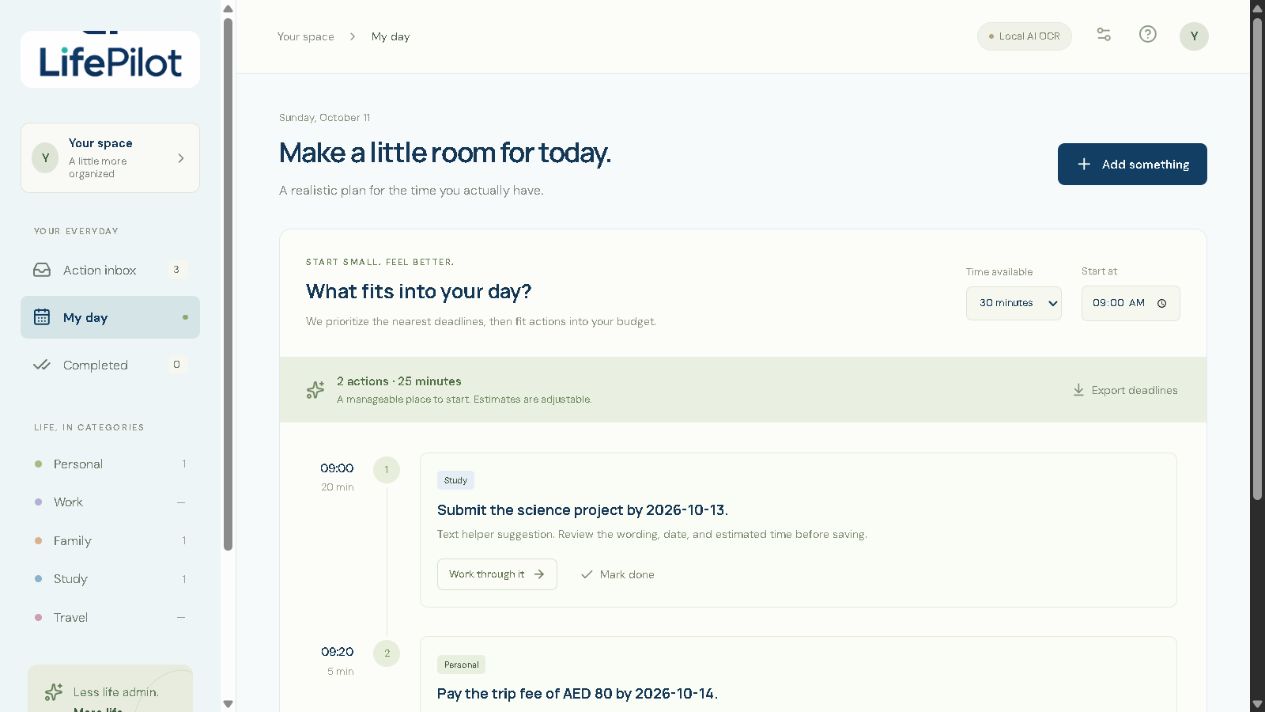
A 30-minute budget produces two actions totaling 25 minutes.
-
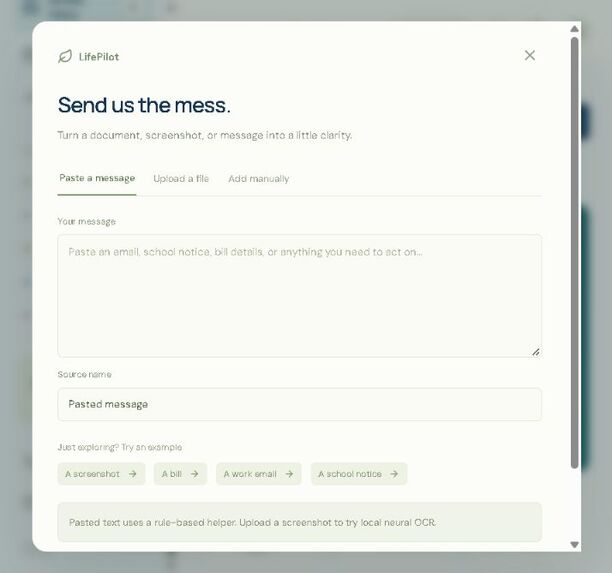
How it works: add, review, plan and export.
-
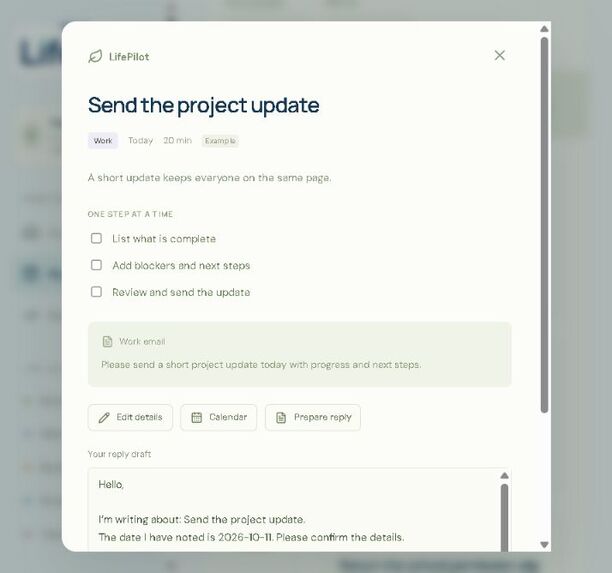
Editable reply template: review and send it yourself.
-
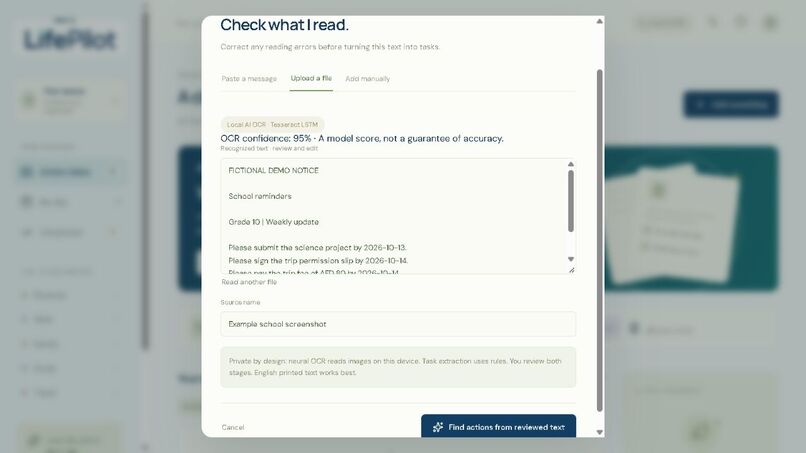
Review OCR text and confidence before extracting actions.
-
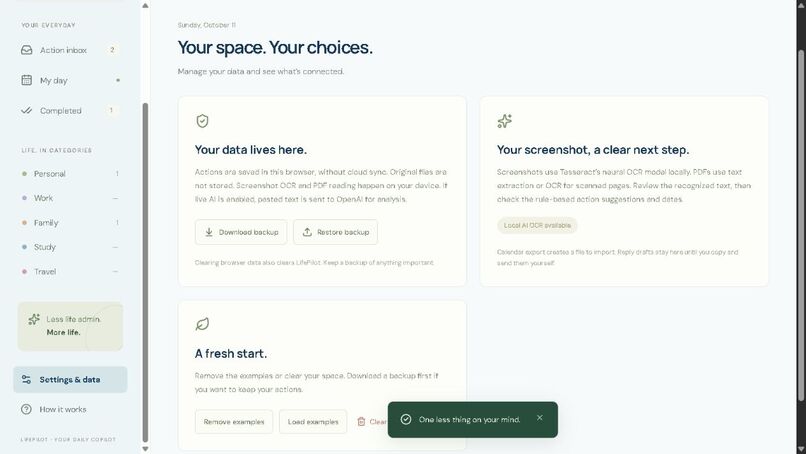
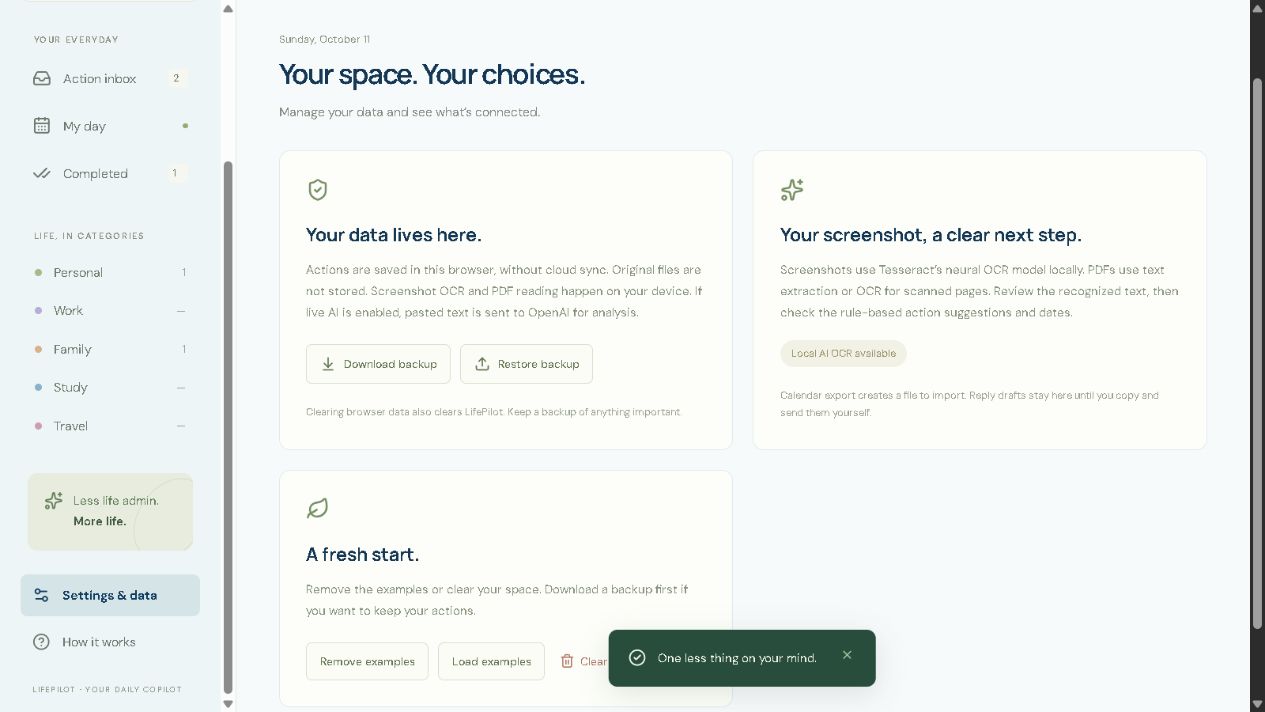
Browser storage, calendar export and backup/restore controls.
-
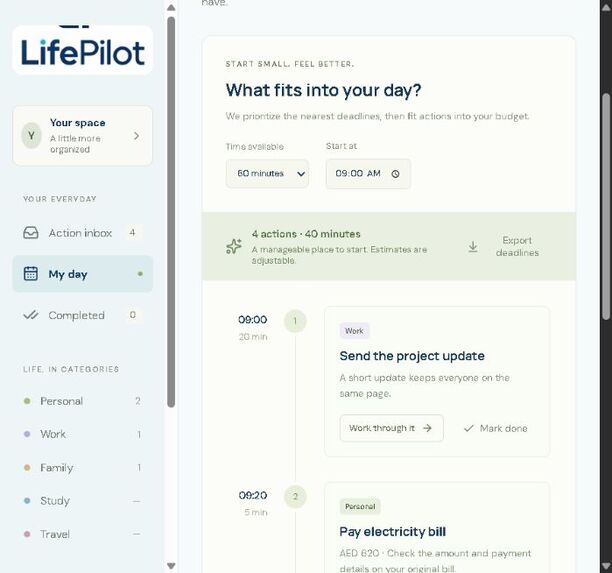
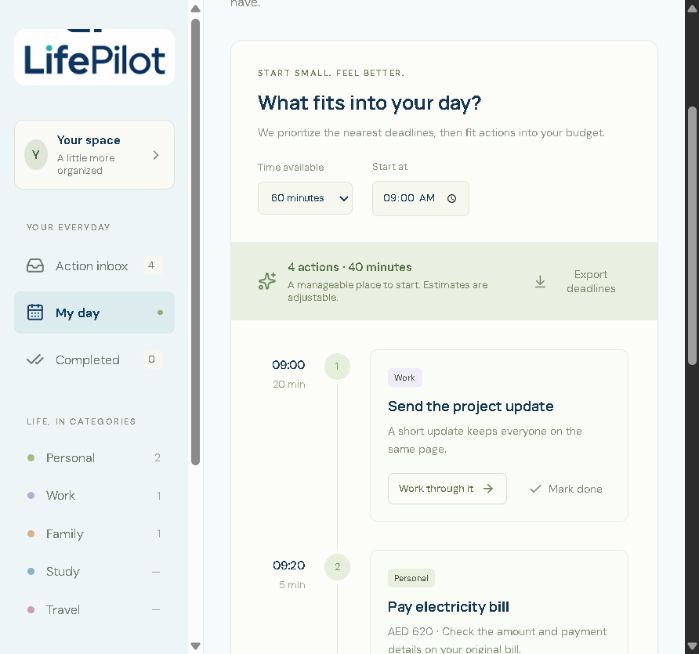
Live daily plan: four example tasks fit within a 60-minute budget.
-
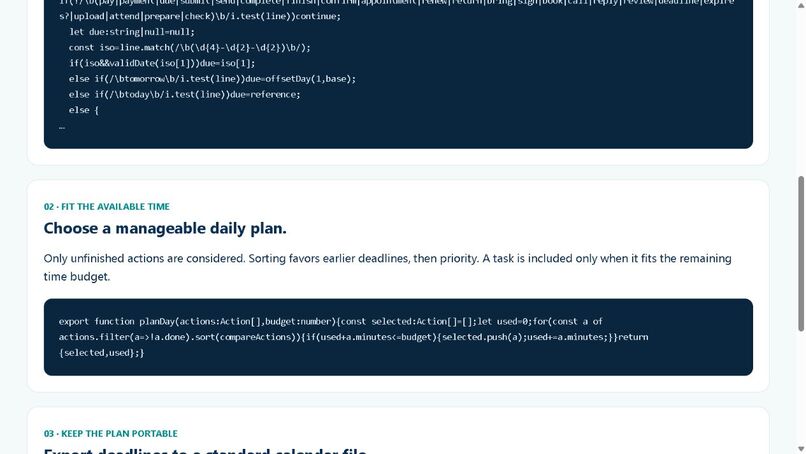
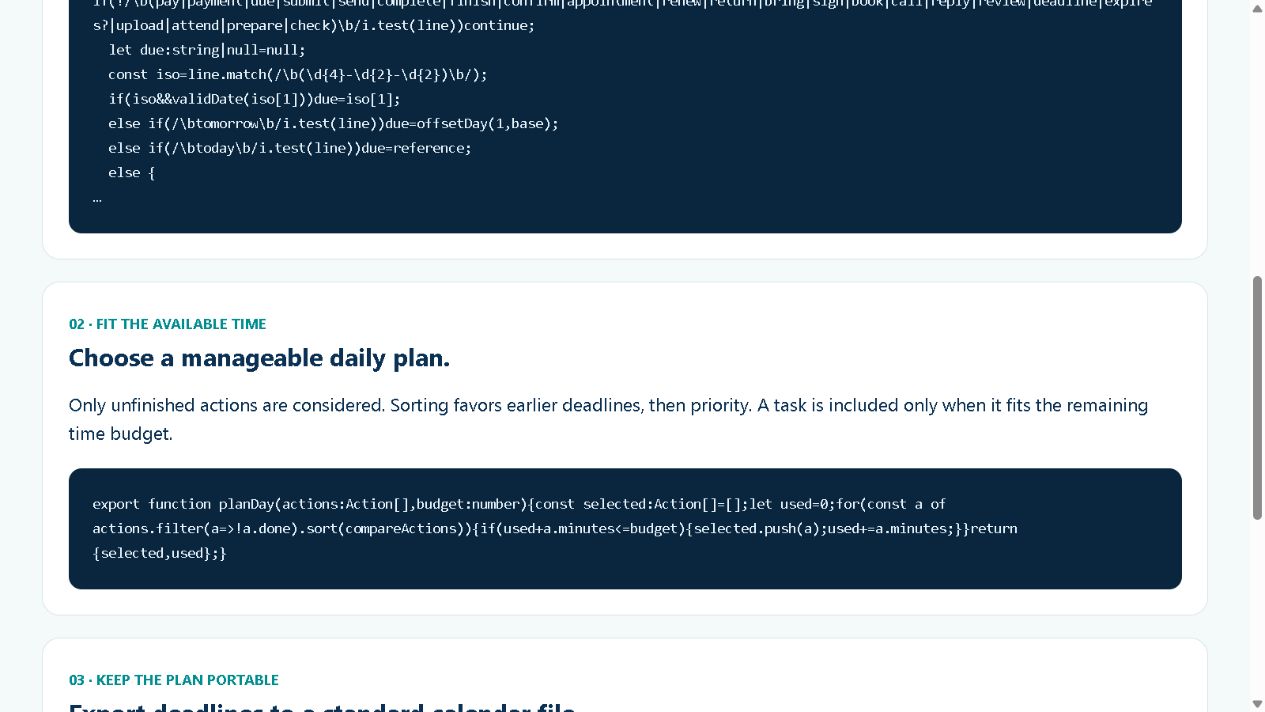
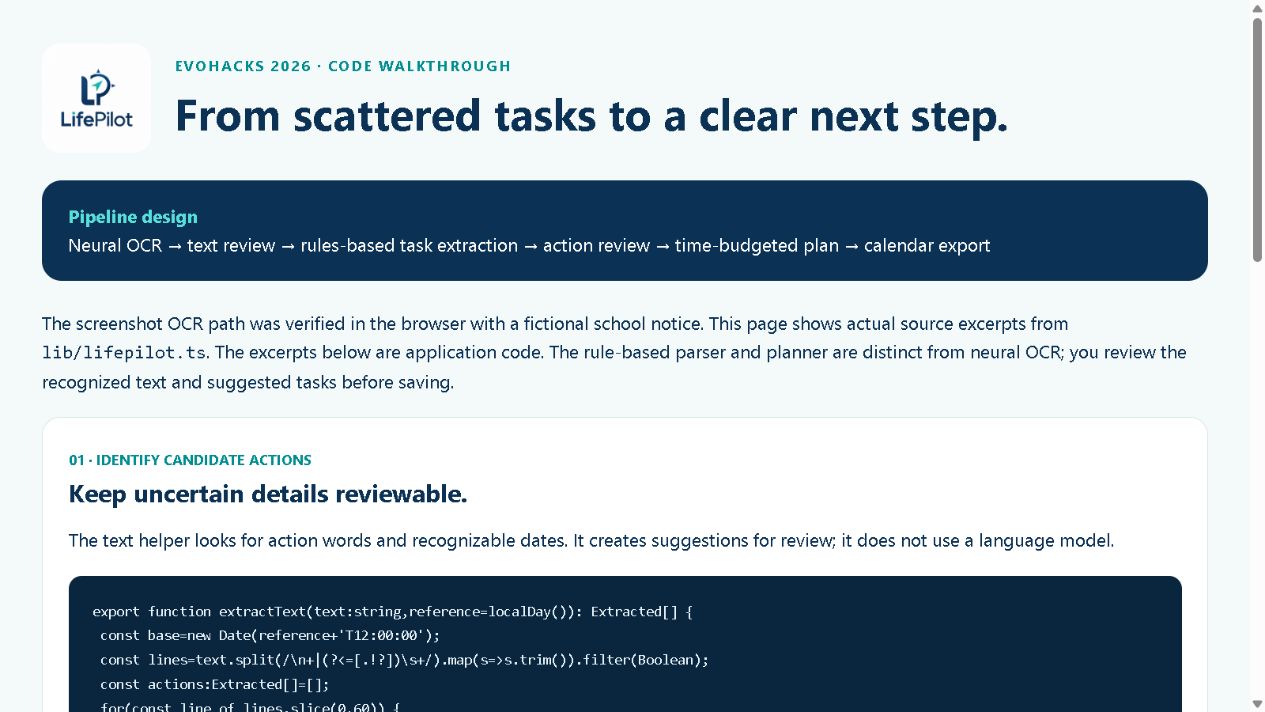
Code walkthrough: deadline ordering, time budgets and ICS export.
-
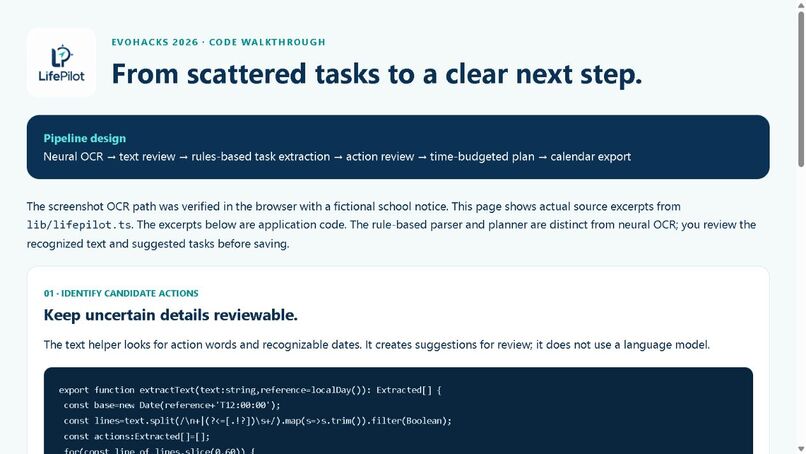
Code walkthrough: local pretrained neural OCR and reviewed extraction.
Inspiration
My school life was getting harder to manage. Homework, projects, permission slips, reminders and payments were coming from different places, and I kept switching between messages and notices just to work out what I needed to do. I had plenty of information, but no clear direction.
Then the idea clicked: what if I could drop those scattered requests into one place and get a clear next step? That became LifePilot.
What it does
LifePilot turns scattered school requests into reviewed actions and a realistic daily plan. I can paste a message or read a screenshot with local AI OCR, review the recognized text, and turn it into editable tasks. Before anything is saved, I can check deadlines, categories and estimated time.
I can then choose how much time I have, get a plan that fits that budget, follow a checklist, mark tasks complete, export a calendar file, and back up or restore my tasks. The local scanner runs in the browser; it does not upload my screenshot to an AI service.
How I built it
I built LifePilot with React and TypeScript on the supplied Sites/Vinext/Cloudflare starter, with ChatGPT/Codex assistance. Tesseract.js uses an existing English LSTM neural model for screenshot OCR. I did not train that model. PDF.js supports reading PDF text and rendering scanned pages for OCR.
After I review the text, rules extract requests and dates. The daily planner also uses rules to fit tasks within my available time. I keep the AI OCR and the rule-based planning separate and show a review step before saving. Tasks are stored in the browser. No API key is needed for the demonstrated flow; an optional OpenAI endpoint is not part of the verified demo.
The hosted app is private. Judges can run the complete project locally using the setup instructions and source here: https://github.com/gggauransh/lifepilot-evohacks-2026
Challenges I ran into
The biggest challenge was turning messy information into something useful without pretending it was always correct. OCR can misread text, and messages can contain unclear dates. I added a text review stage and an action review stage so I stay in control.
Another challenge was making a daily plan feel achievable. I needed it to respect the time I actually have, instead of producing another overwhelming list. I also made the core demo work with local OCR and no API key.
Accomplishments that I'm proud of
I built a working path from a school screenshot to a usable daily plan. In the tested example, OCR read three fictional requests and their deadlines: a science project, a permission slip and a trip payment. I reviewed and saved them, generated a plan within my chosen time budget, completed a checklist and marked a task done.
I also verified calendar export and backup/restore. I'm proud that LifePilot gives me direction while still letting me check and edit its suggestions.
What I learned
I learned that useful automation needs both intelligence and clear limits. Reading text is only the first step; the important part is helping someone decide what to do next. I also learned to distinguish pretrained AI from ordinary rules, test the full flow, and make privacy and review part of the experience.
What's next for LifePilot
I want to improve handling of unclear deadlines, test more document formats and mobile devices, and get feedback from students. Later, I would like to add optional synchronization and school-platform integrations, while keeping the review process and privacy choices clear. For now, LifePilot is a focused prototype that helps turn school overload into a manageable next step.
Built With
- cloudflare
- pdf.js
- react
- tesseract.js
- typescript


Log in or sign up for Devpost to join the conversation.