Inspiration
LifePilot began with two experiences where understanding information helped me advocate for myself.
During a difficult period following surgery, I requested my medical records and found a screening score I did not understand. AI helped explain the terminology and prepare me to ask more informed questions and seek support.
Later, when a mechanic told me I needed a new transmission, AI helped me understand a diagnostic trouble code and investigate what questions to ask before agreeing to an expensive repair.
Those experiences inspired LifePilot: a tool designed to help people make sense of confusing situations, understand their options, and turn overwhelming problems into manageable next steps. My goal was to make it different from other AI apps by helping solve your issue and creating tasks to assist us who need help managing a difficult situation one step at a time.
What it does
LifePilot turns complicated real-world situations into practical, structured plans.
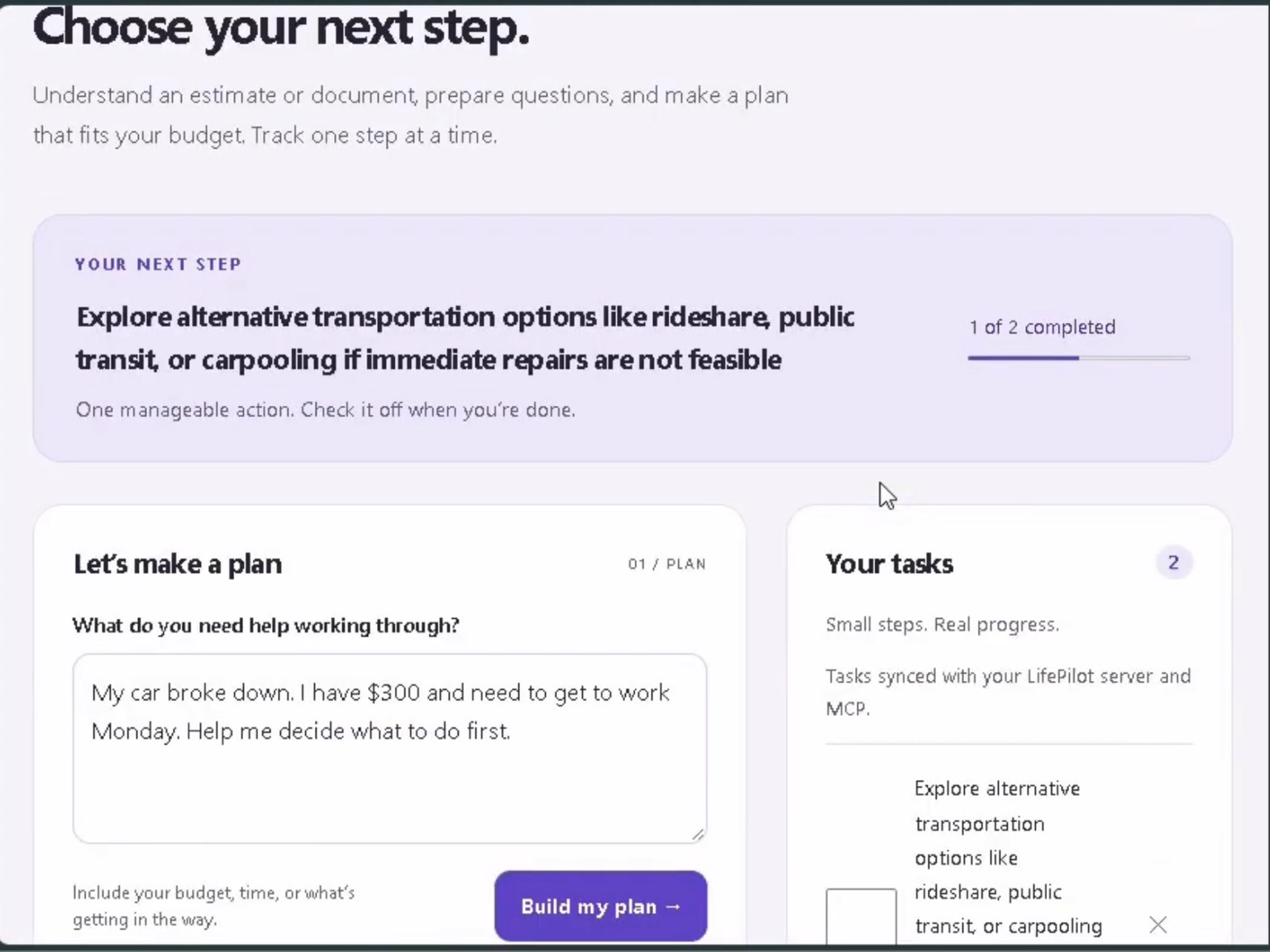
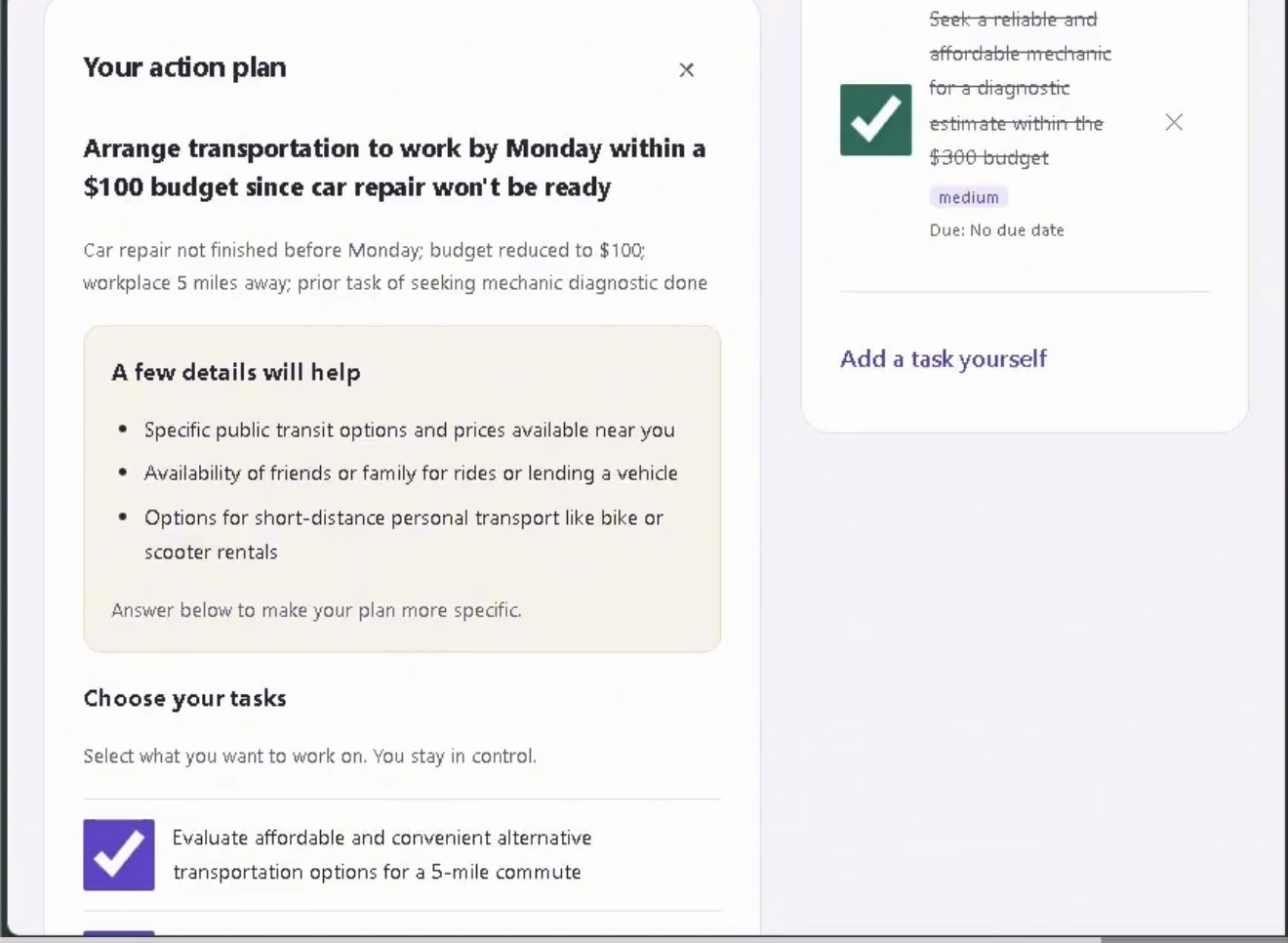
Users can describe a problem and include constraints such as their budget, available time, responsibilities, or changing circumstances. LifePilot analyzes the situation, identifies information that could improve the plan, recommends actionable next steps, and lets the user decide which actions should become tasks.
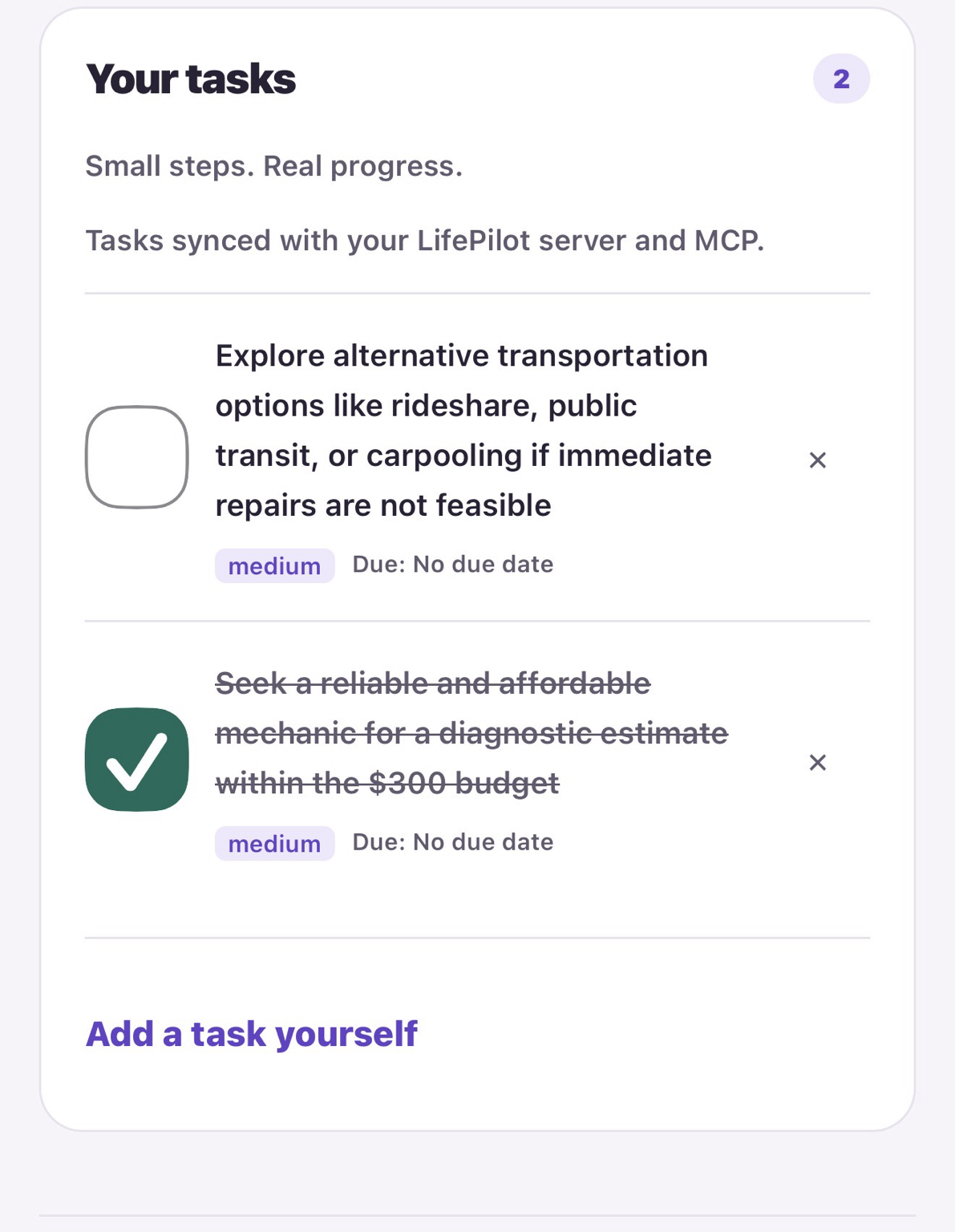
Users can track those tasks through the planner and revise a plan when circumstances change while preserving the original goal and relevant context. LifePilot is designed to keep the person in control: it provides explanations and suggested actions rather than making important decisions for them.
LifePilot also includes a self-hosted Model Context Protocol (MCP) server developed for the Alexa+ track. Its MCP tools expose LifePilot's planning and task-management capabilities, including generating plans, adding and listing tasks, identifying the next task, and completing tasks.
The browser experience includes an Alexa-style simulation that calls the real MCP tools, demonstrating how LifePilot's workflow can work through a conversational MCP experience.
LifePilot supports understanding, planning, and organization. It does not diagnose medical conditions, perform repairs, book appointments, make purchases, or independently take real-world actions on the user's behalf.
How I built it
LifePilot was built with TypeScript, JavaScript, HTML, CSS, Node.js, Express, Vite, Zod, and the Model Context Protocol SDK.
A server-side AI layer connects LifePilot's planning and question-answering functionality to the OpenAI API while keeping the API key on the server. Structured response schemas help keep results consistent, and provider failures are surfaced as errors rather than replaced with fabricated AI responses.
For the Alexa+ track, LifePilot implements a self-hosted MCP server using Streamable HTTP. Automated testing verifies negotiation of MCP protocol version 2025-11-25. LifePilot exposes its planning and task-management functionality as MCP tools, and the project also includes an MCP App visual interface for compatible hosts.
The browser experience includes an Alexa-style MCP demonstration that calls the actual Streamable HTTP tools. This lets the project demonstrate the MCP workflow without pretending that a visual mockup is a real Alexa response.
Tasks persist in a server-side store and are shared between the browser experience and MCP tools, allowing actions performed through the MCP workflow to affect the same task list visible in LifePilot.
The current hackathon demonstration runs through LifePilot's browser experience and MCP implementation. I am not claiming that LifePilot has been registered, certified, or deployed directly to production Alexa+.
Challenges I ran into
One of the biggest challenges was turning a broad personal-assistant idea into a focused workflow that could actually help someone take action.
I had to move beyond simply generating an AI answer and build a system where information could become tasks, progress could be tracked, and plans could adapt when circumstances changed.
Another challenge was implementing the MCP architecture for the Alexa+ track. I worked through Streamable HTTP communication, MCP tools, shared task state, protocol-version testing, and a browser simulation capable of demonstrating those tools.
I also had to distinguish between functionality that genuinely works today and features I would like LifePilot to support in the future. That became especially important for reminders, automation, external actions, and Alexa+ deployment.
Accomplishments that I'm proud of
LifePilot now supports a complete planning journey: describe a difficult situation, receive a structured plan, choose actionable tasks, track progress, and revise the plan when circumstances change.
I am especially proud that the Alexa-style demonstration is connected to real MCP functionality rather than being only a visual mockup. LifePilot's MCP server exposes planning and task-management capabilities through Streamable HTTP, and automated testing verifies MCP 2025-11-25 protocol negotiation.
I also built the project so the user remains in control. LifePilot can recommend actions, but the user chooses what becomes a task and what they actually do.
Most importantly, I turned experiences from my own life into a project intended to help other people feel more informed and less overwhelmed when they do not know what to do next.
What I learned
I learned that a useful AI product needs more than a good answer. It needs context, reliable state, clear boundaries, and a practical way for the user to act on the information.
I learned how an MCP server can expose an application's capabilities as tools rather than limiting AI to a traditional chat interface. Building LifePilot also taught me about Streamable HTTP, structured AI responses, server-side API integration, persistent state, automated testing, and designing an interface around an AI workflow.
I also learned the importance of honest error handling and testing. When people may use an explanation to prepare for an important conversation or decision, the system should clearly communicate its limitations rather than pretending to know something it does not.
What's next for LifePilot
Next, I plan to continue improving LifePilot's conversational MCP workflow, accessibility, multimodal capabilities, and overall user experience.
Before broader deployment, LifePilot needs authentication, separate user accounts, additional security hardening, and usage controls.
Longer term, I want to explore reminders, additional integrations, and more proactive assistance while preserving LifePilot's core purpose: helping people understand their situation, stay in control of their choices, and take an informed next step.
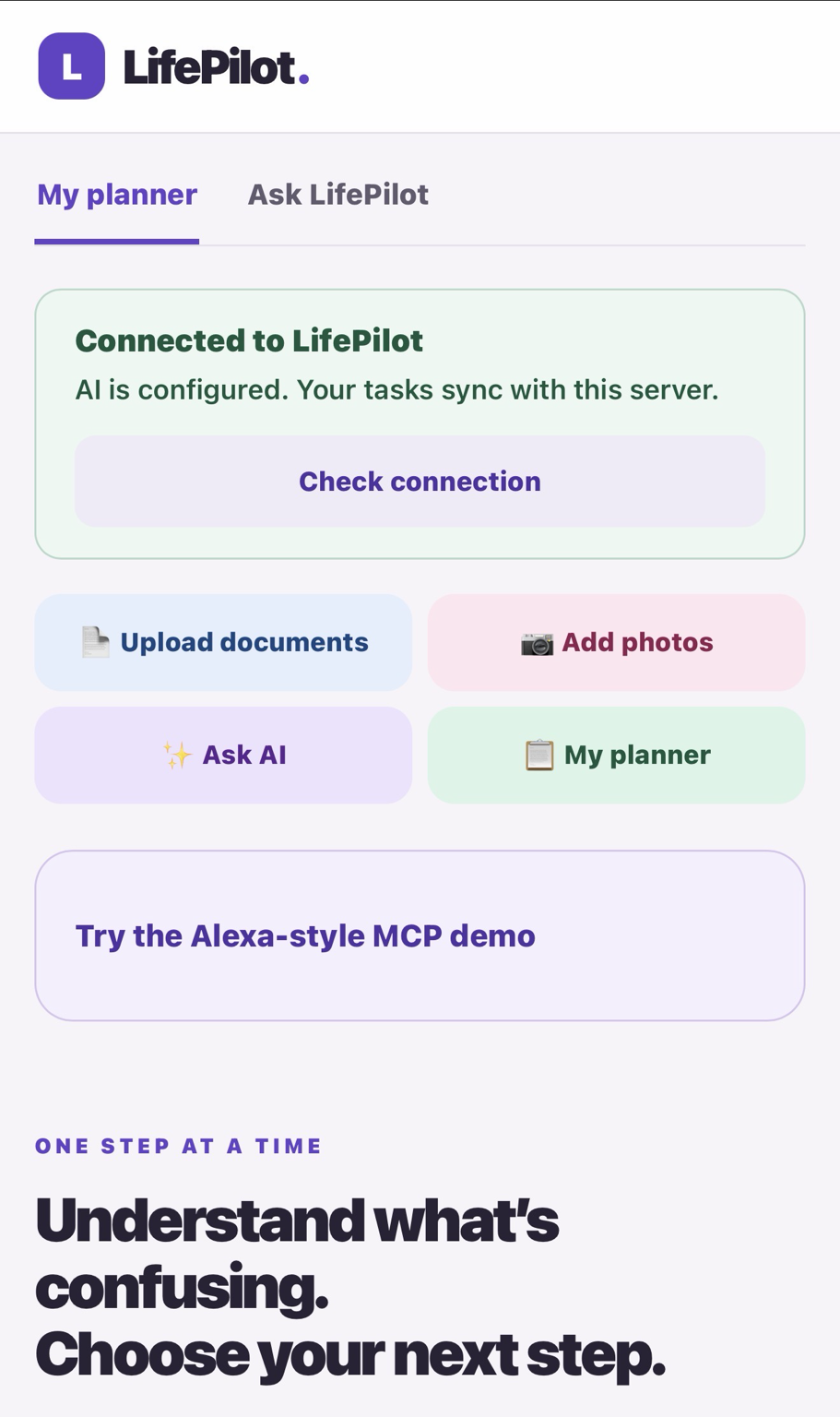
LifePilot’s main dashboard gives users quick access to core planning tools, including document uploads, photo uploads, the AI assistant, and the personal planner. It also includes a connection check and an Alexa-style MCP demo to show how LifePilot’s tools can be accessed through a conversational interface.
Screenshots
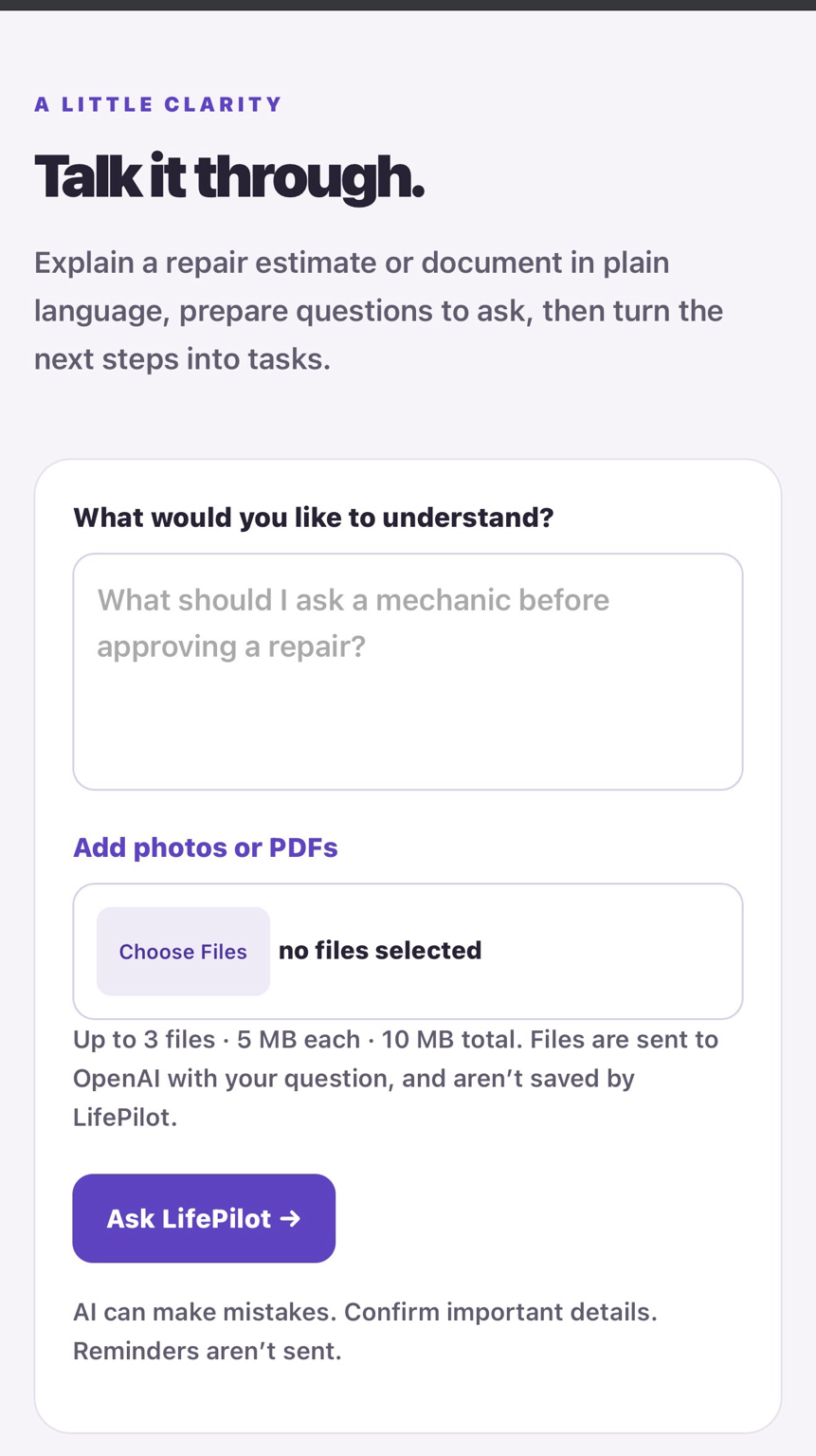
The screenshots highlight LifePilot’s core experience, including the main dashboard, personal planner, AI assistant, document and photo tools, connection testing, and the Alexa-style MCP demo. Together, they show how users can organize tasks, work with uploaded information, and interact with LifePilot through both a visual interface and conversational tools.
Built With
- css
- express.js
- github-codespaces
- html
- javascript
- json
- markdown
- mcp-apps
- model-context-protocol
- node.js
- openai
- playwright
- typescript
- vite
- zod

Log in or sign up for Devpost to join the conversation.