-
-
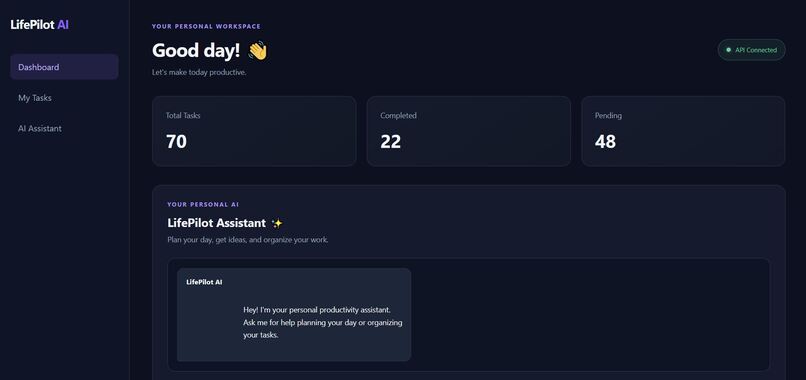
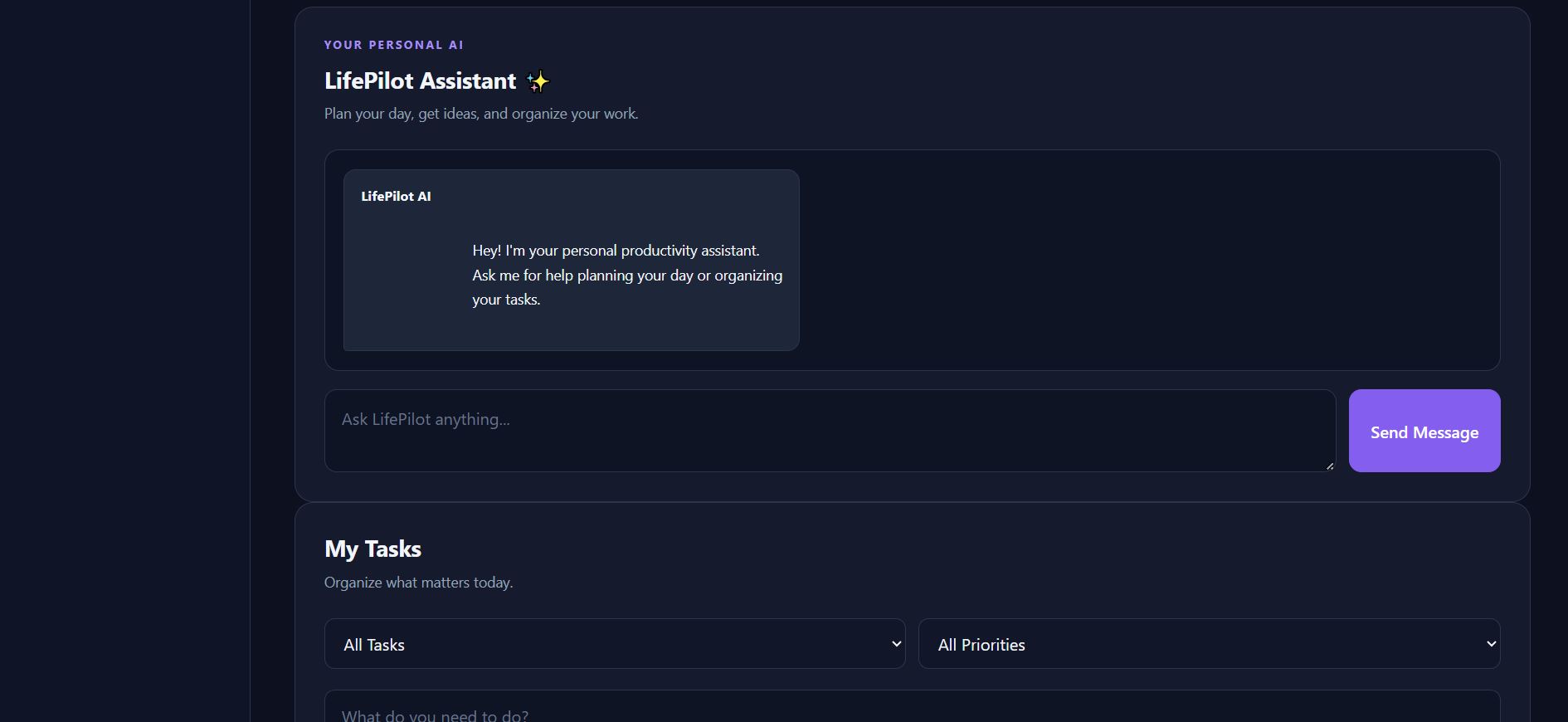
LifePilot AI dashboard displaying tasks and productivity overview.
-
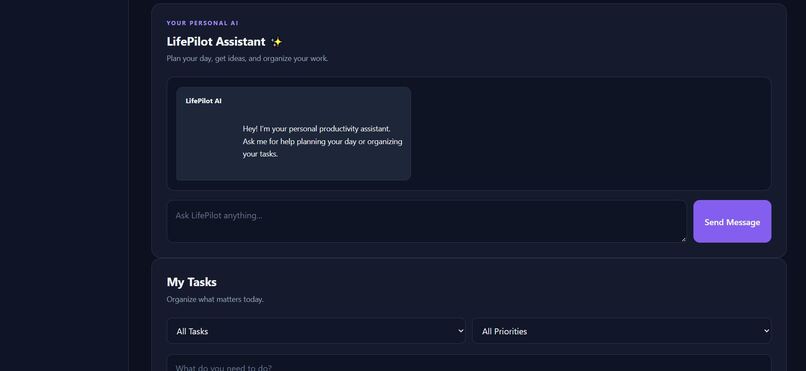
AI-powered task prioritization with recommendations and actionable next steps.
-
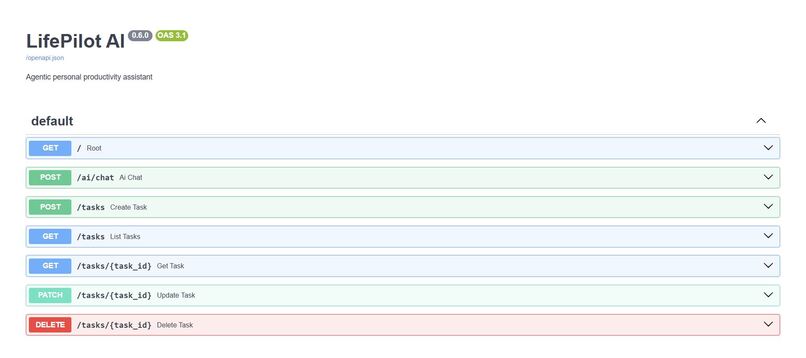
Task management interface for organizing tasks, priorities, and deadlines.
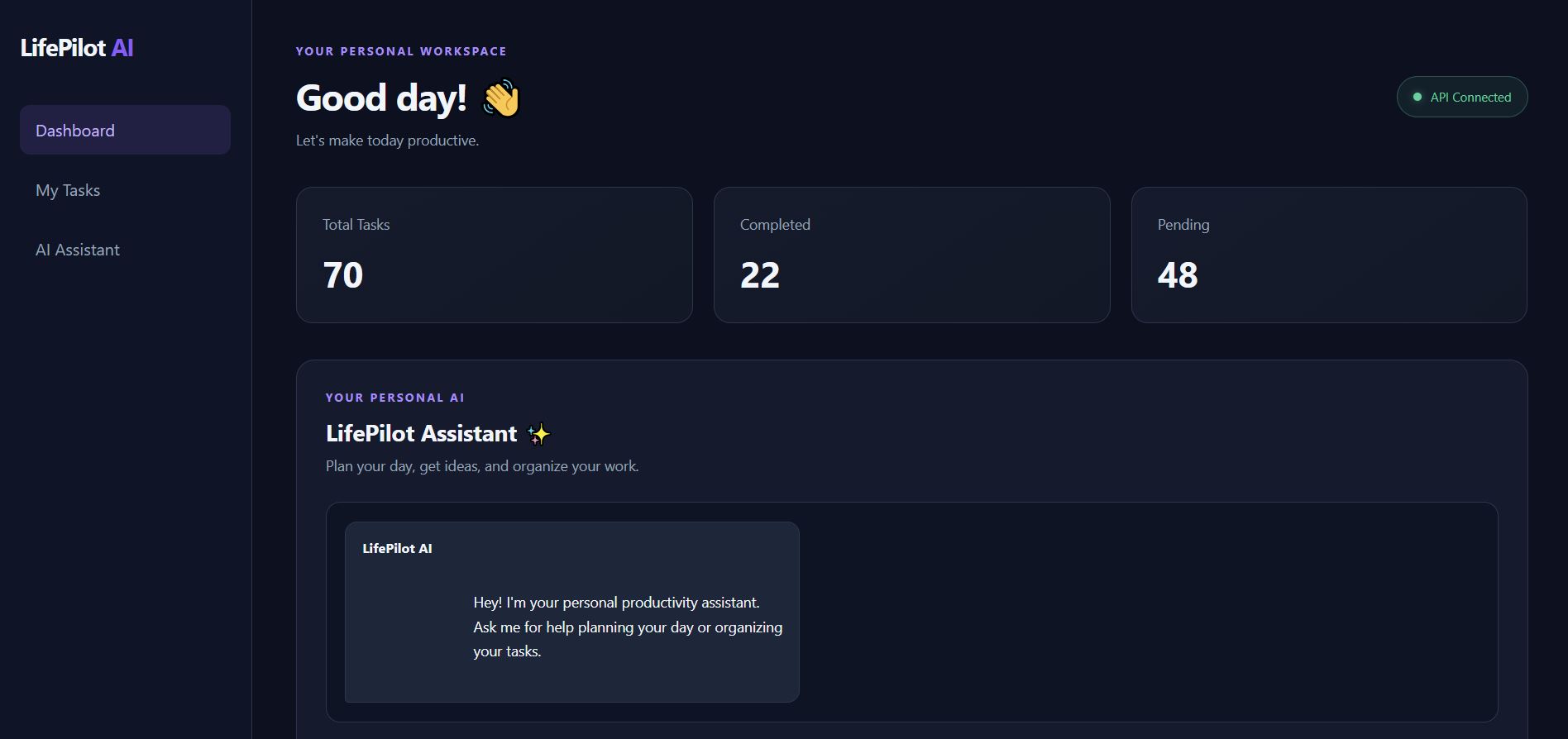
LifePilot AI — Your AI-Powered Personal Productivity Assistant
Inspiration
Managing tasks isn't just about maintaining a to-do list. It's about knowing what to work on first, understanding what needs immediate attention, and turning a long list of responsibilities into a practical plan.
I built LifePilot AI to explore how AI can make everyday productivity more intelligent and actionable. Instead of simply displaying tasks, LifePilot AI helps users prioritize their work, identify overdue deadlines, understand why certain tasks deserve attention, and determine the next steps they should take.
The goal was to build a productivity assistant that goes beyond task storage and helps users make better decisions about their time.
What it does
LifePilot AI combines task management with AI-powered planning to help users organize their work and decide what to focus on next.
Key features include:
- Task Management: Create, view, update, complete, and delete tasks.
- AI-Powered Recommendations: Receive recommendations about which tasks deserve attention.
- Priority and Deadline Awareness: Use task priorities and due dates to highlight overdue work and upcoming deadlines.
- Actionable Guidance: Get explanations for recommendations and practical next steps for individual tasks.
- Local AI Inference: Use the Qwen 2.5 3B model through Ollama to generate recommendations locally.
- MCP Tool Integration: Expose task-management operations through Model Context Protocol tools, allowing compatible clients to discover and invoke task operations.
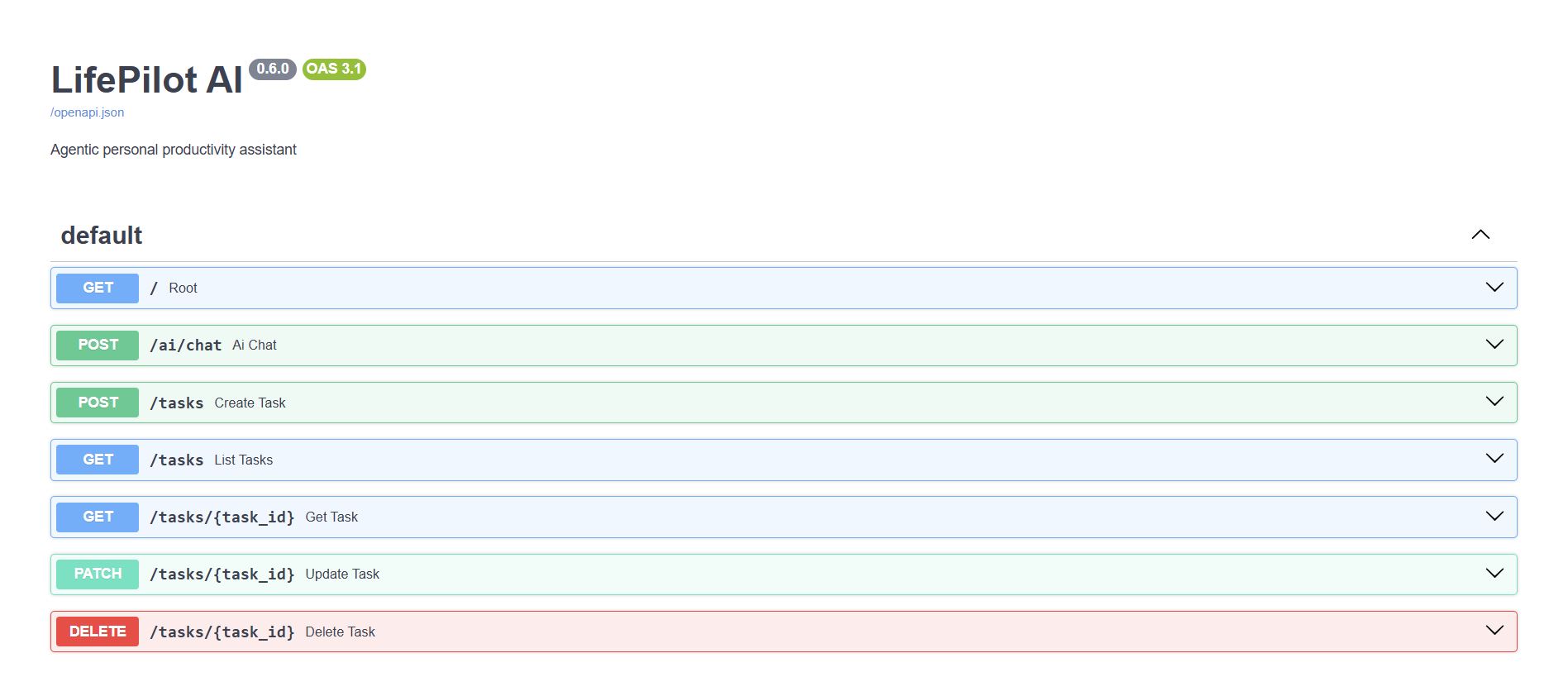
- REST API: Use a FastAPI backend to handle task operations and AI requests.
How we built it
LifePilot AI was built using Python, FastAPI, JavaScript, HTML, and CSS.
The backend provides REST API endpoints for managing tasks and communicating with the AI service. The frontend provides an interactive interface for managing tasks and viewing AI-generated recommendations.
For AI capabilities, I integrated Qwen 2.5 3B through Ollama, enabling local model inference without depending on a hosted LLM API for generation.
I also implemented an MCP server that exposes task operations as tools, including retrieving tasks, retrieving an individual task, creating tasks, updating tasks, completing tasks, and deleting tasks.
Python handles application logic, while the AI model interprets the supplied task information and generates readable recommendations. This separation helps keep application data and task operations under backend control.
Challenges we faced
One of the main challenges was getting the AI output to be useful, consistent, and easy to read. A recommendation is only valuable when it refers to the correct task, respects its priority and deadline, and suggests a relevant next action.
Another challenge was integrating a local language model with the FastAPI application while handling connection errors, timeouts, and response cleanup.
I also worked on connecting task-management functionality through MCP tools and testing the operations independently. This helped me understand how AI applications can combine language models with structured application capabilities.
What I learned
Building LifePilot AI helped me understand how to bring together a frontend, REST API, local language model, and MCP tools in one application.
I learned more about designing API endpoints, handling asynchronous HTTP requests, integrating Ollama, exposing application functionality through MCP, and writing automated tests for backend behavior.
Most importantly, I learned that building a useful AI application requires more than connecting a model. It also requires reliable application logic, structured data, validation, clear output, and careful testing.
What's next
Future improvements could include persistent database storage, calendar integration, smarter scheduling, recurring tasks, reminders, secure user accounts, and deployment as a publicly accessible application.
My vision is to evolve LifePilot AI into a personal productivity assistant that helps people spend less time deciding what to do and more time getting meaningful work done.

Log in or sign up for Devpost to join the conversation.