-
-
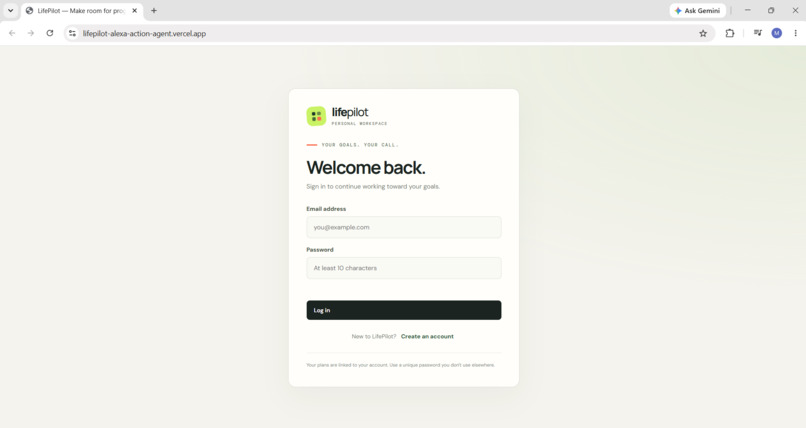
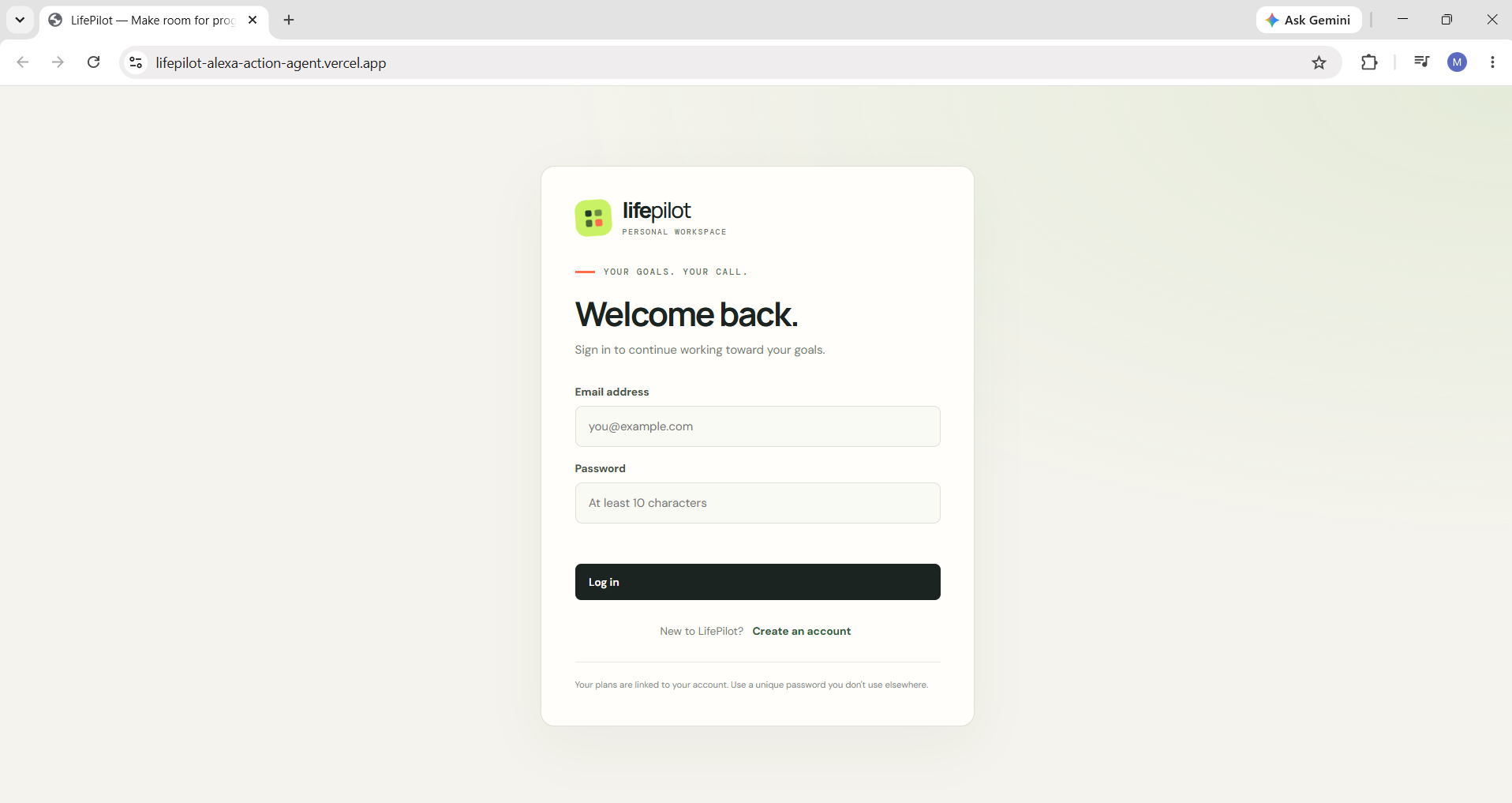
1. Login & Signup — Secure account access to a personalized planning workspace
-
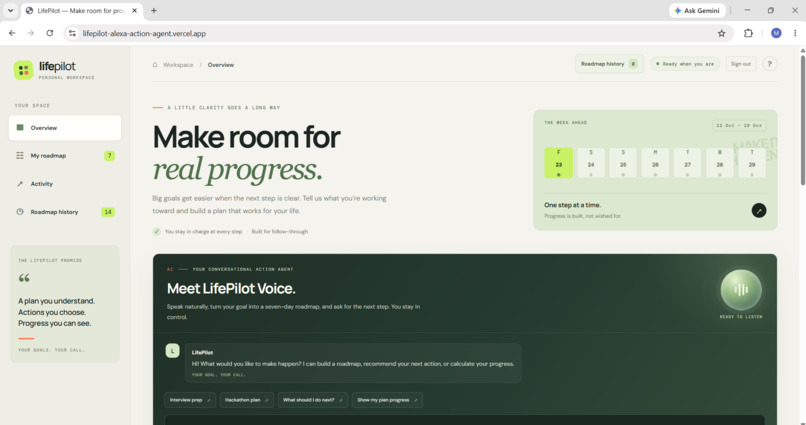
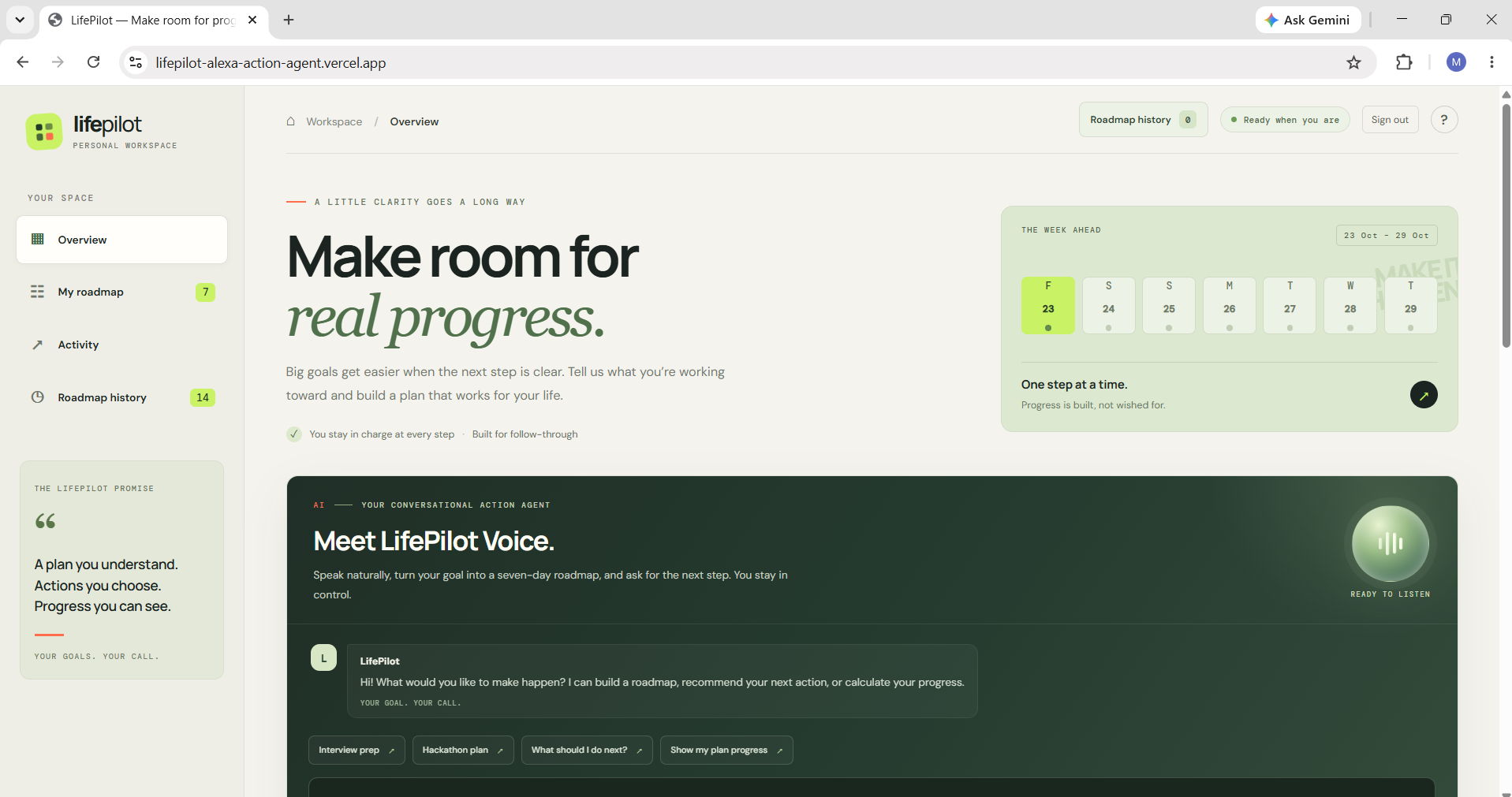
2. Main Dashboard — A central space to manage goals, tasks, and progress.
-
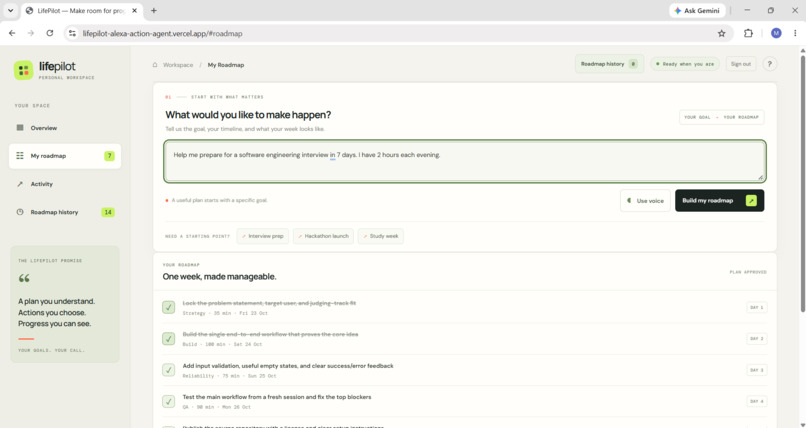
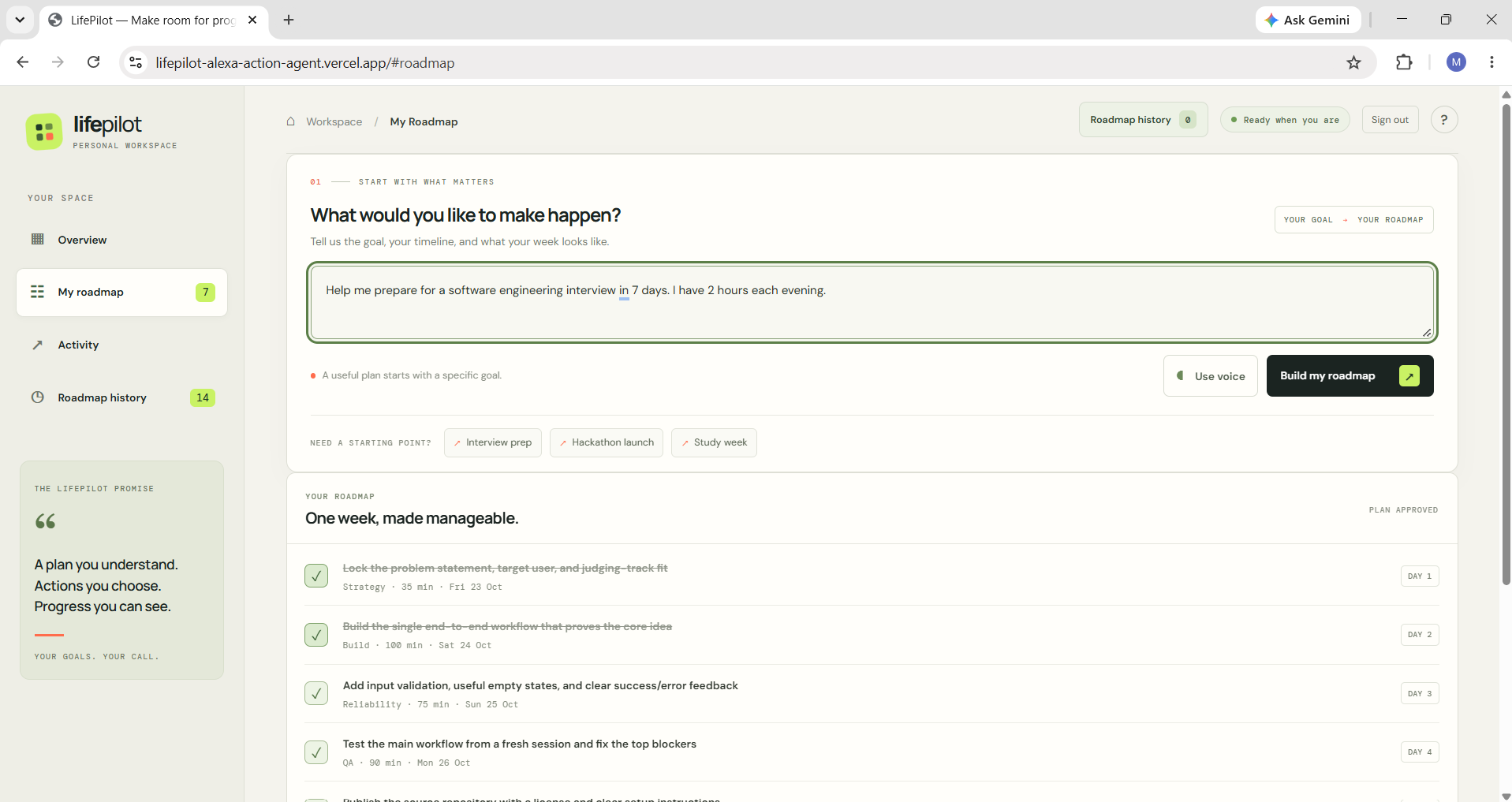
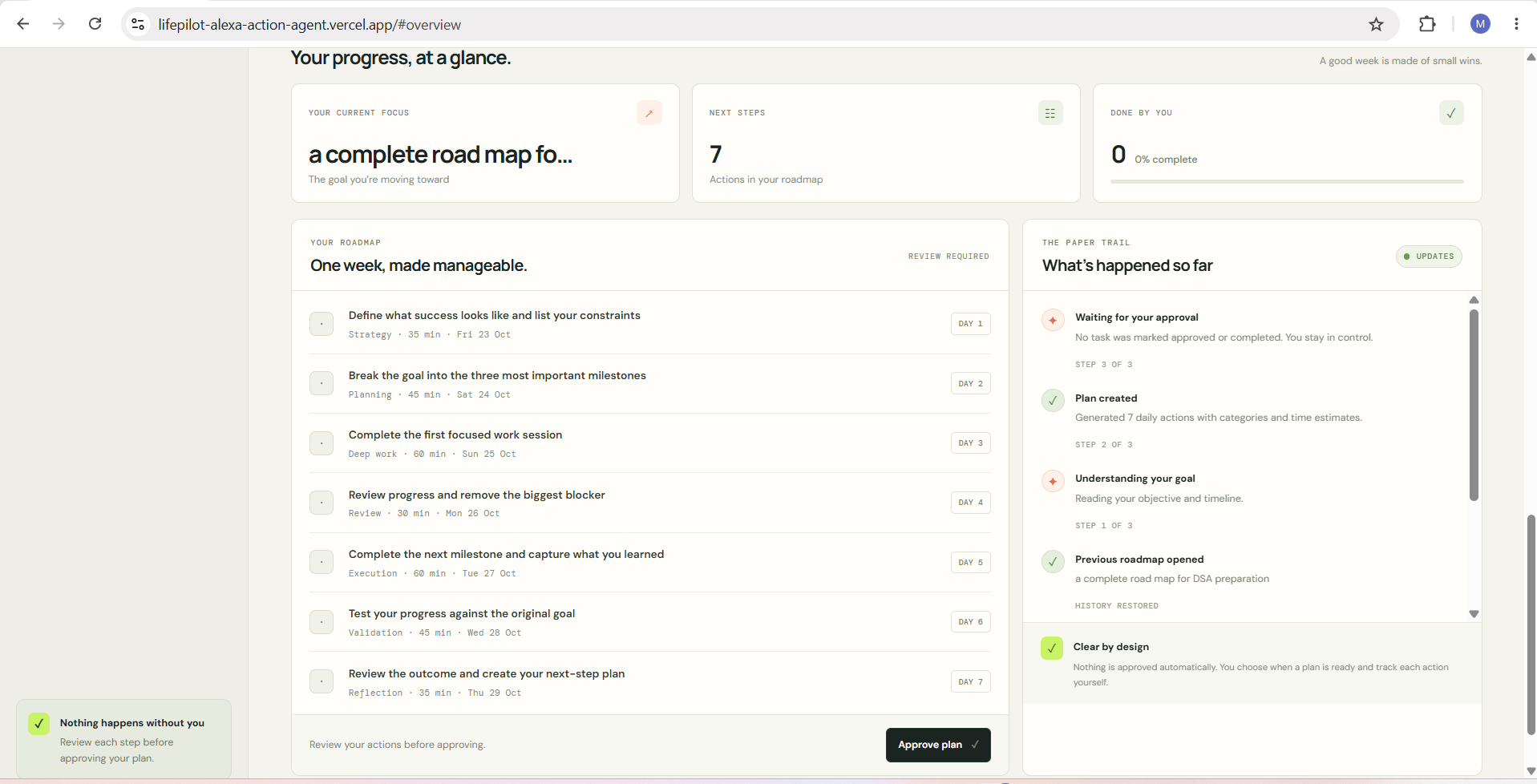
3. My Roadmap — View your daily plan and actionable tasks.
-
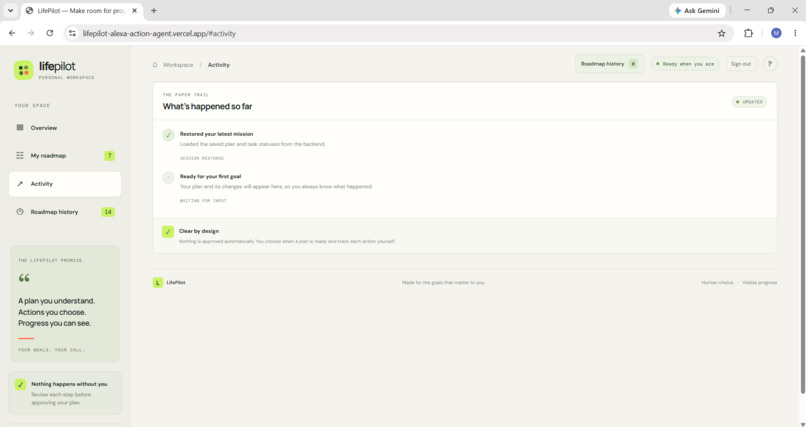
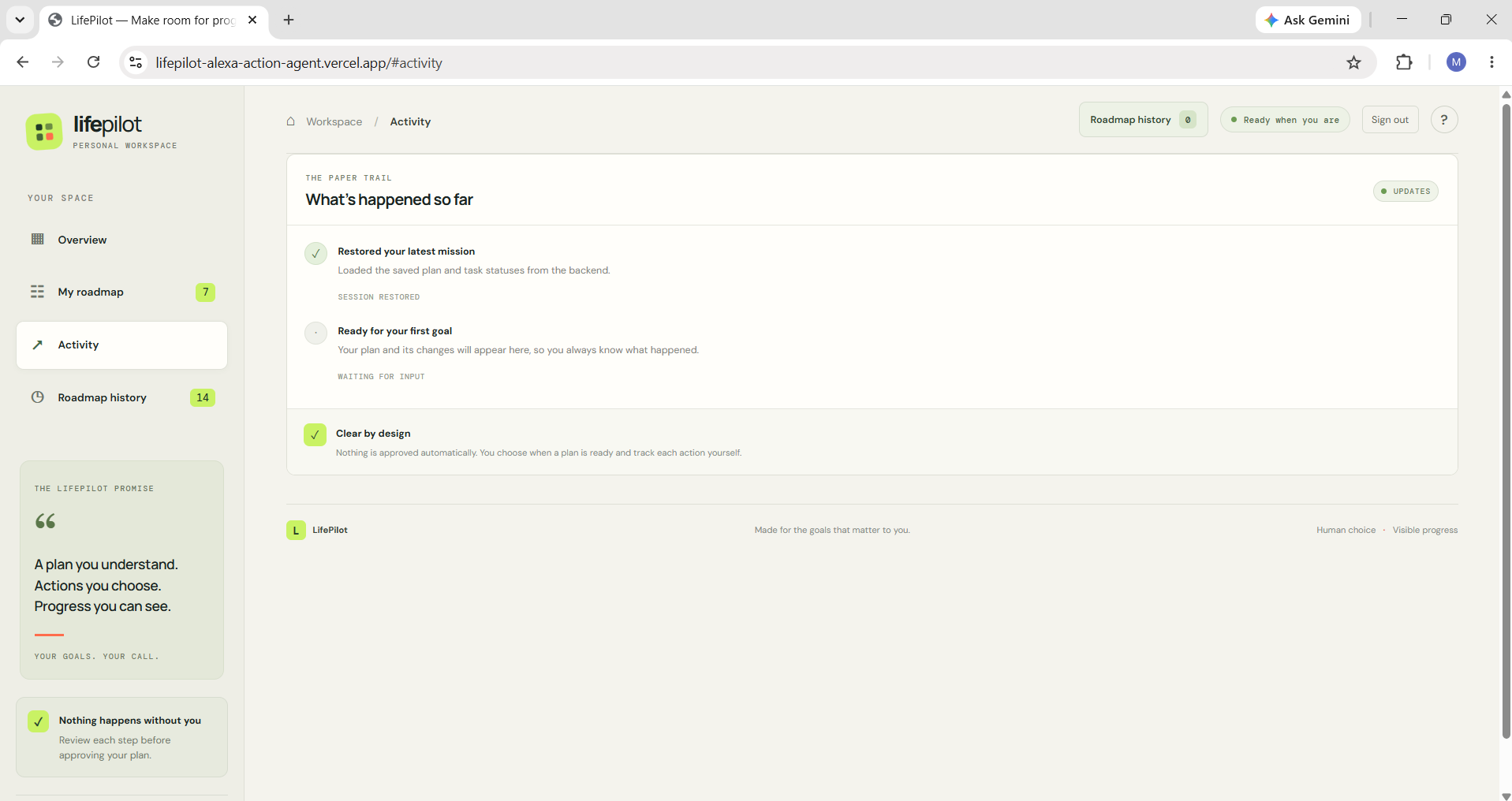
4. Activity — Review your planning activity and recent updates.
-
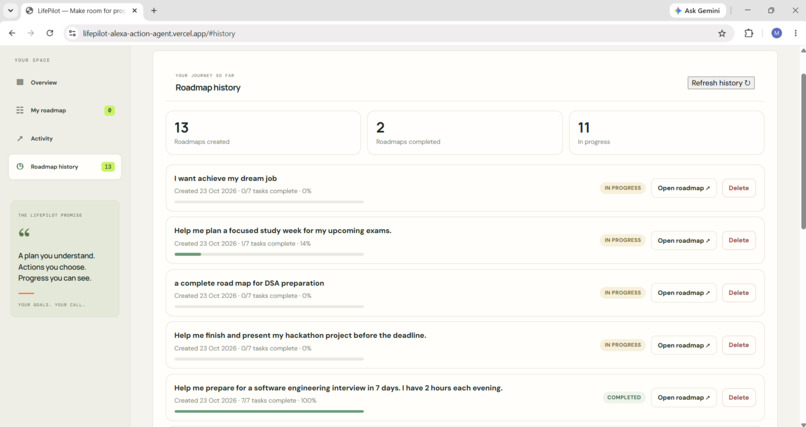
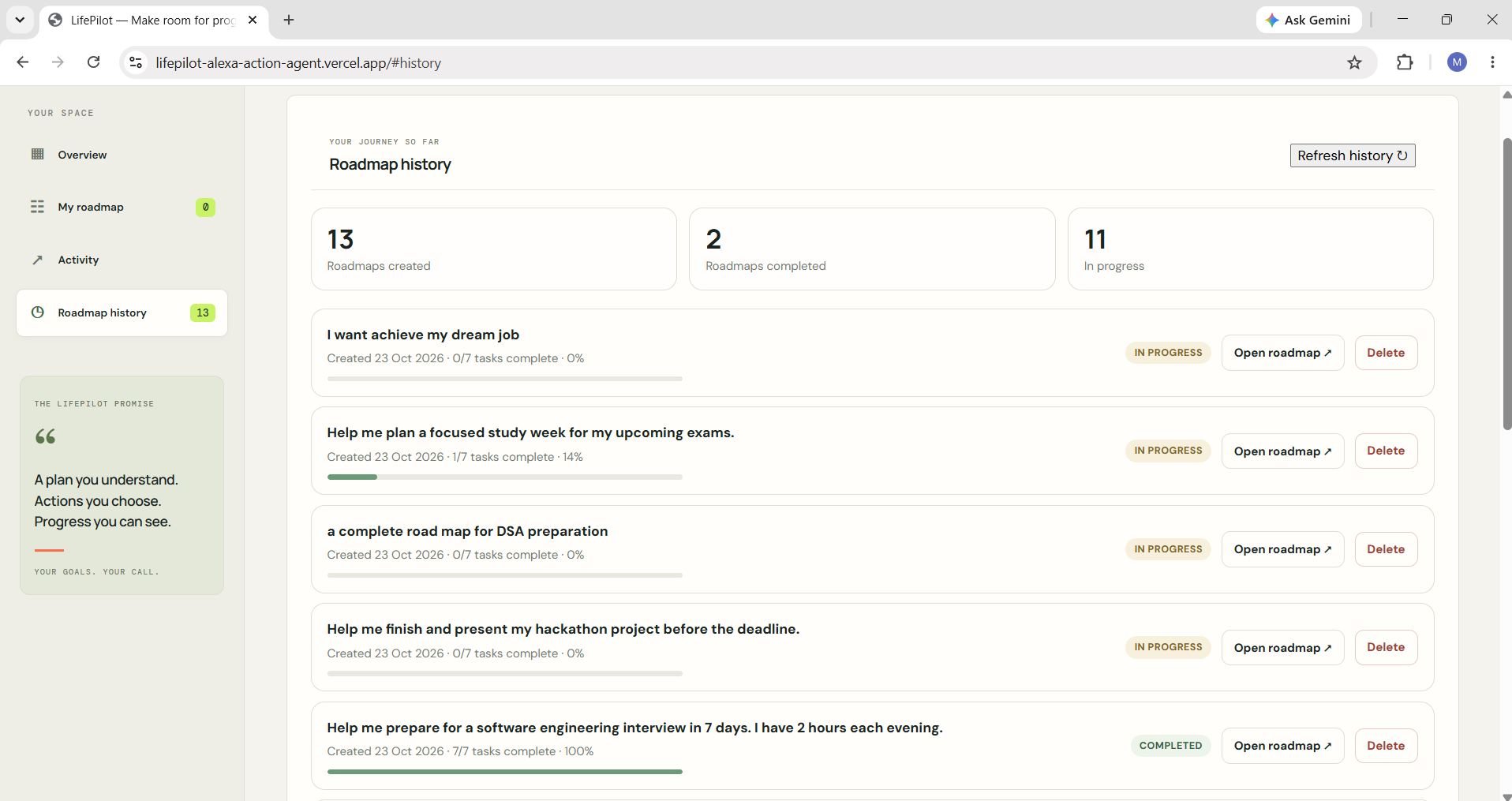
5. Roadmap History — Revisit saved plans or delete roadmaps you no longer need.
-
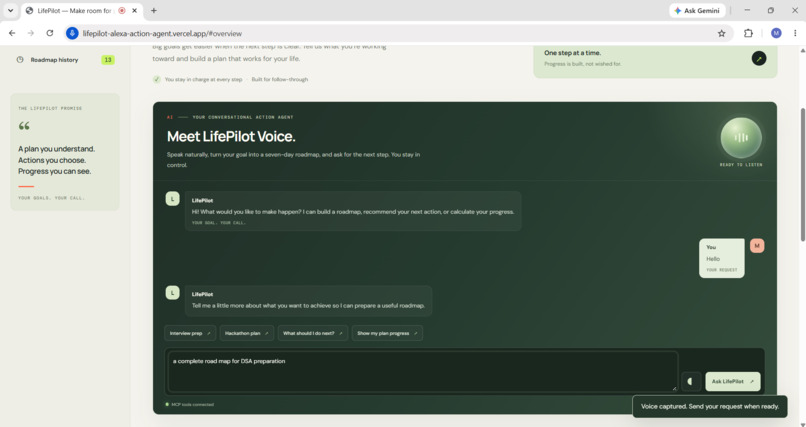
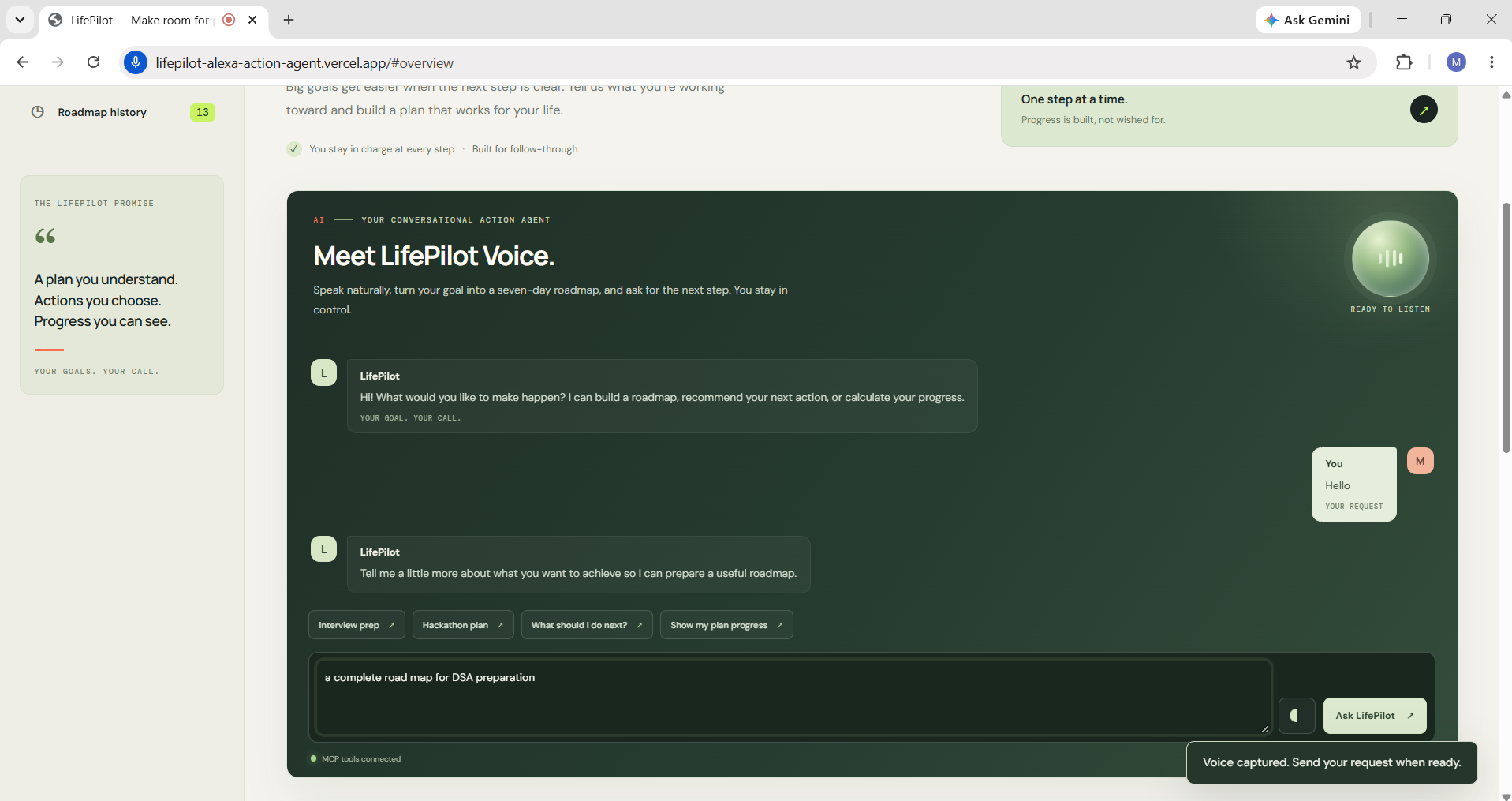
6. LifePilot Voice — Interact through a conversational voice interface
-
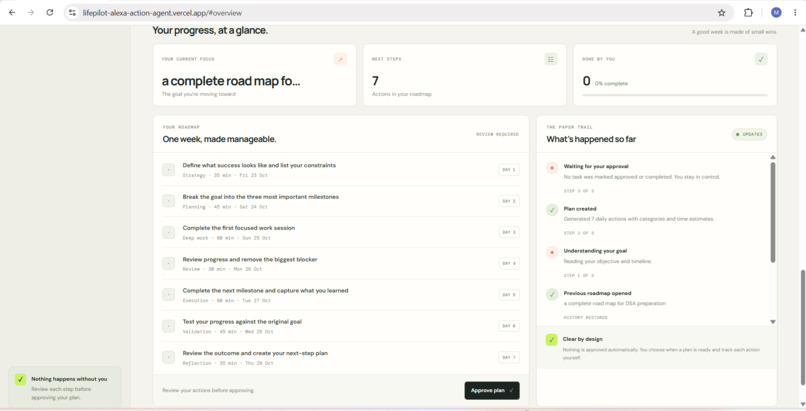
7. Roadmap Approval — Review your generated plan before proceeding.
-
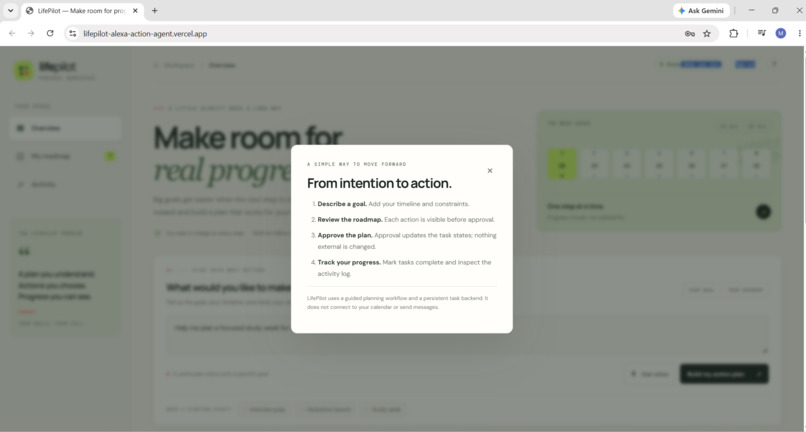
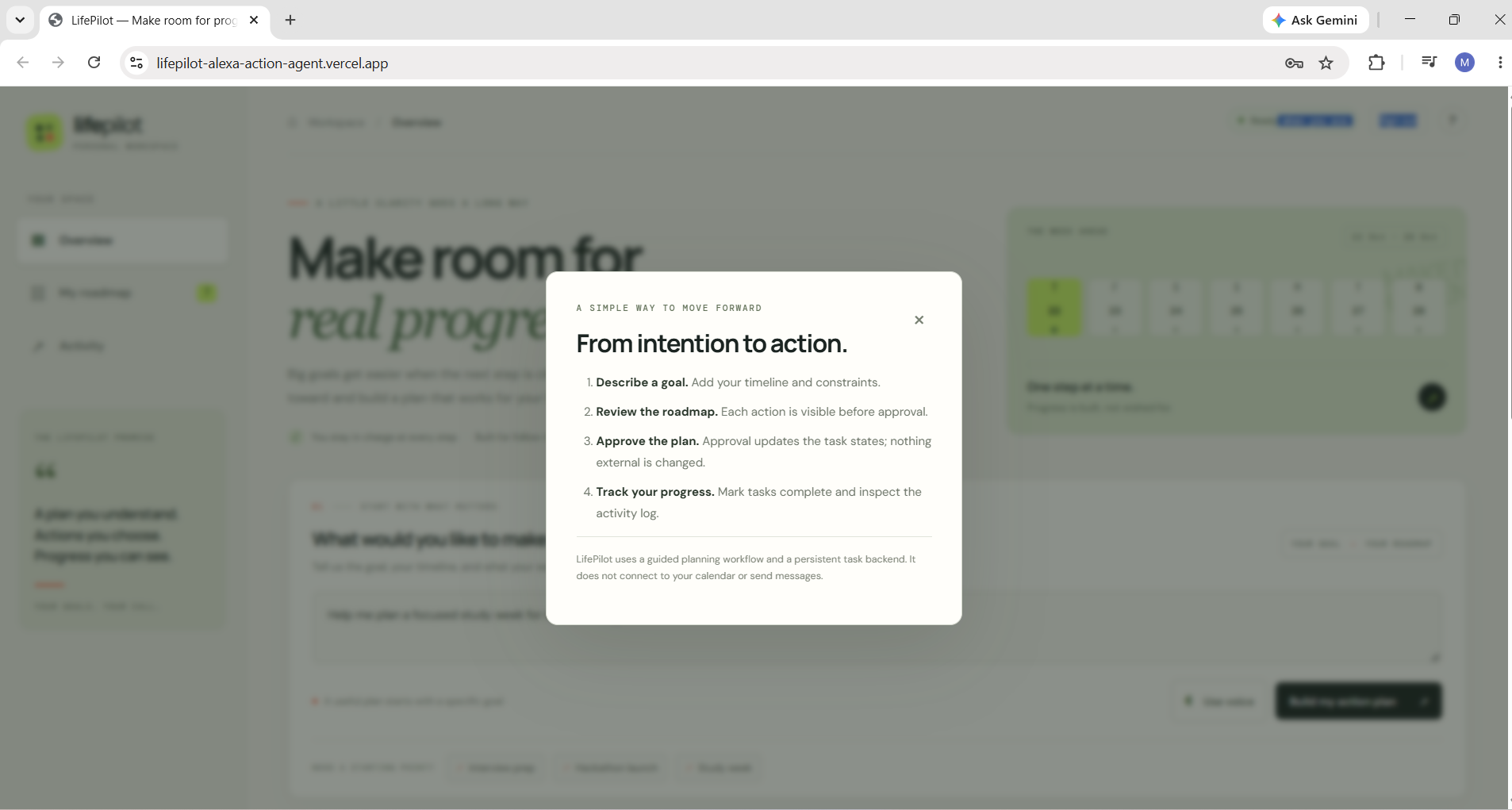
8. Intention to Action — Transform your goals into structured 7-day roadmaps with clear, actionable steps.
-
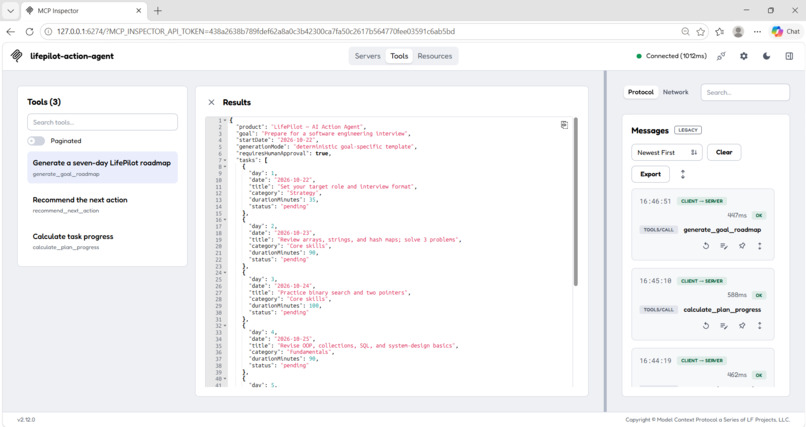
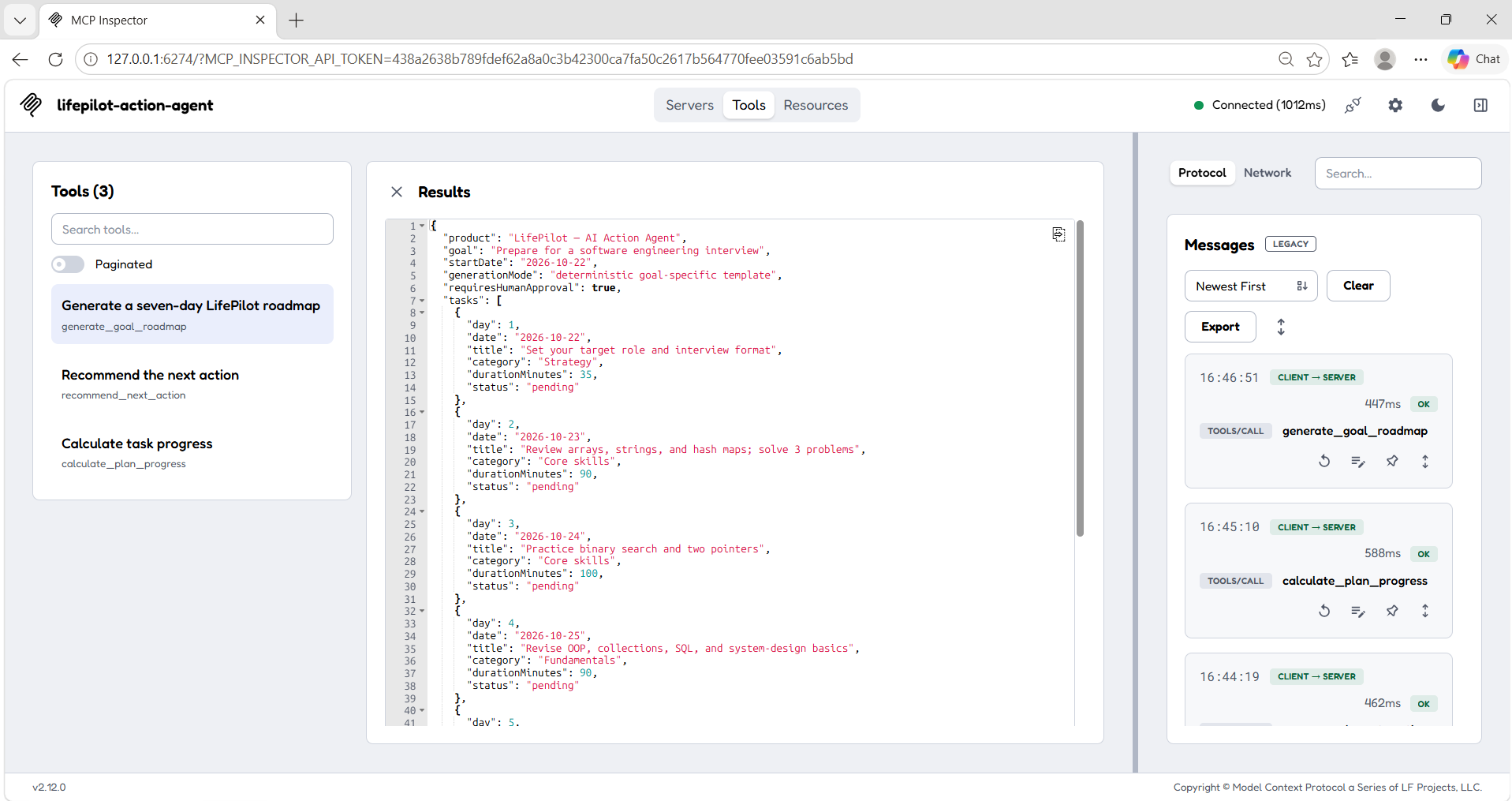
9. Goal Roadmap Generation — Generate structured 7-day action plans from user-defined goals using LifePilot’s MCP tool.
-
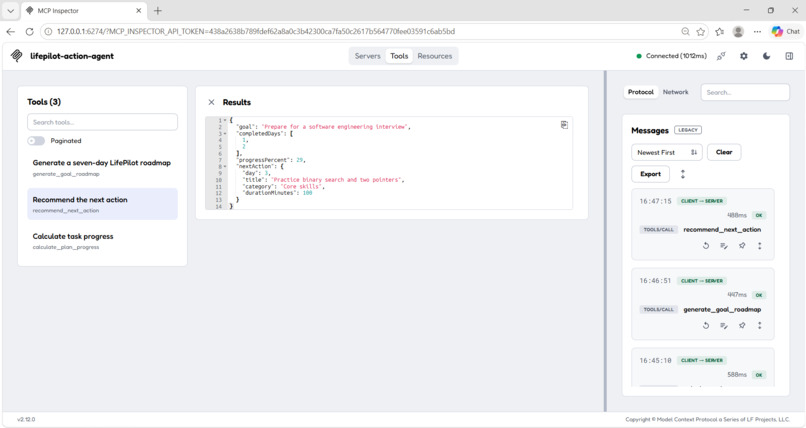
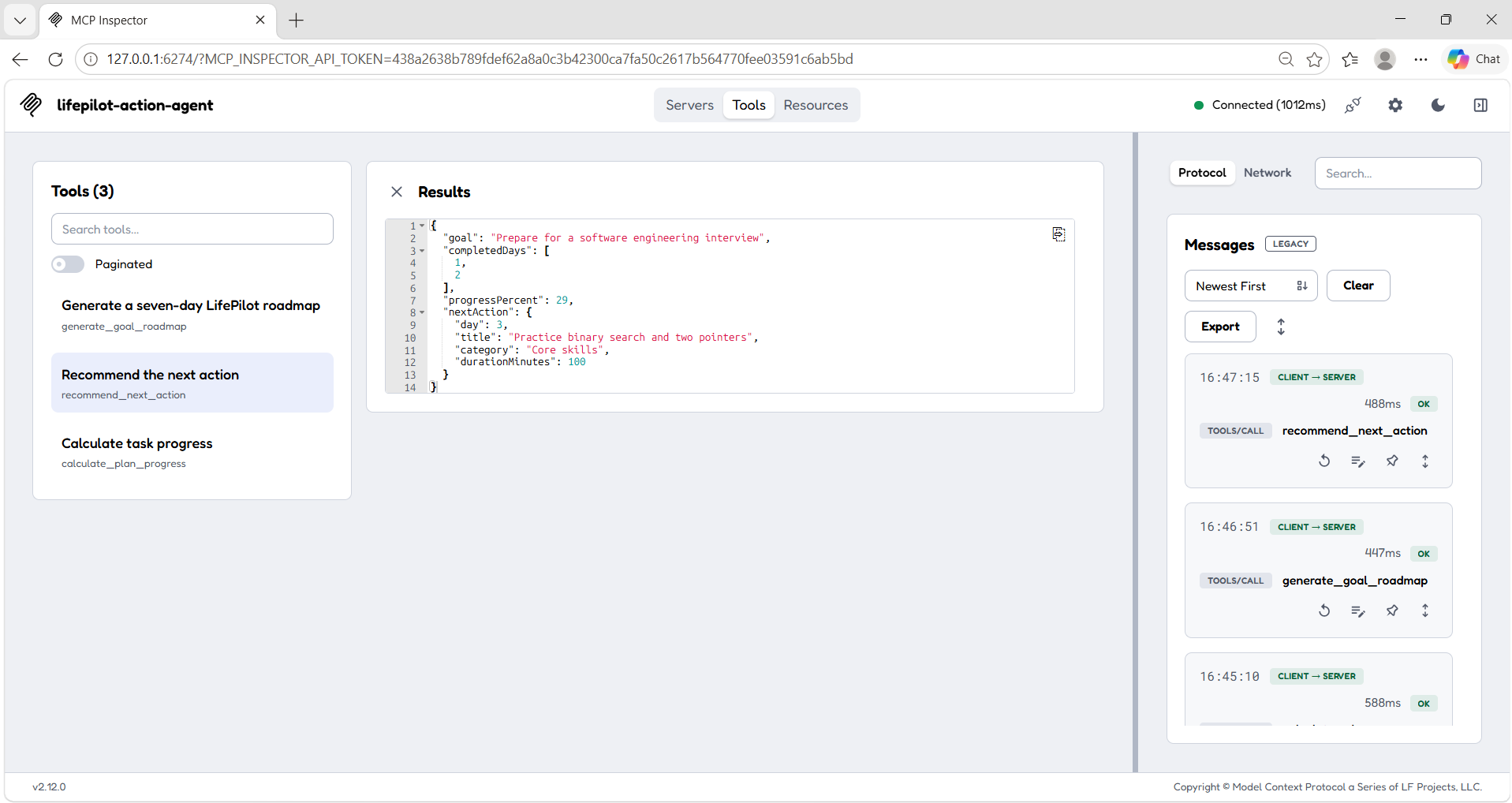
10. Next Action Recommendation — Identify a relevant next step to help users keep moving toward their goals.
-
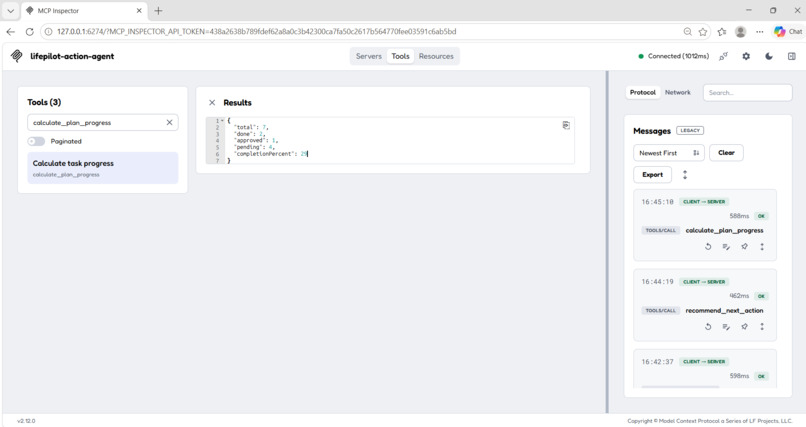
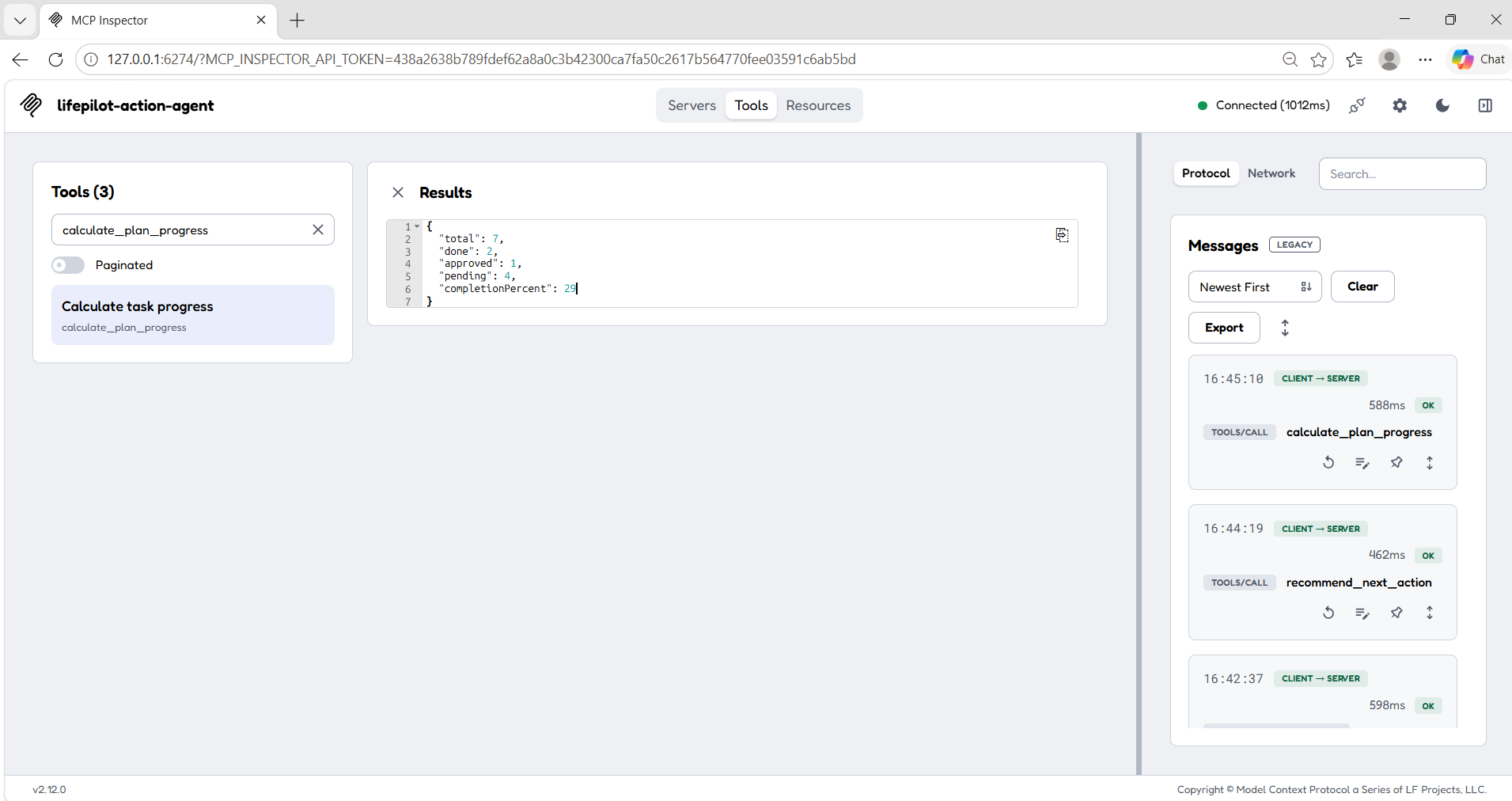
11. Plan Progress Calculation — Calculate roadmap progress based on task completion and track progress toward goals.
Inspiration
Big goals can feel overwhelming when we don't know where to start or how to break them into manageable steps. Whether it's preparing for a software engineering interview, building a hackathon project, searching for a job, or studying for exams, staying organized and tracking progress can be challenging.
I built LifePilot — AI Action Agent to explore how a personal assistant inspired by Alexa+ could help people turn their goals into clear daily actions. My vision was to combine structured goal planning, conversational guidance, and a persistent workspace while keeping users in control of their decisions.
What it does
LifePilot is a goal-planning and productivity web application that transforms a user's goal into a structured seven-day roadmap and helps them manage progress from one place.
- Goal-based planning: Creates structured seven-day roadmaps using goal-specific templates for interview preparation, hackathons, exams, job searches, software projects, and other goals.
- LifePilot Voice: Provides an assistant-style conversational interface for requesting roadmaps, getting next-action recommendations, and calculating progress.
- Human approval: Allows users to review and approve a proposed roadmap before tracking tasks.
- Task management: Lets users mark tasks as complete or reopen them as their plans evolve.
- Persistent personal workspace: Supports signup and login, with saved roadmaps and task updates stored in PostgreSQL and associated with individual accounts.
- Roadmap history: Displays previously saved roadmaps, task counts, and completion progress, allowing users to reopen a plan and continue working on it.
- History management: Allows users to delete a selected roadmap along with its associated saved tasks.
- Progress tracking: Calculates and displays task completion and roadmap progress to make the next steps easier to understand.
- Voice interaction: Supports browser-based speech recognition and speech synthesis on compatible browsers and devices.
- Self-hosted MCP server: Exposes reusable planning and progress tools through a Model Context Protocol (MCP) endpoint for compatible MCP clients.
How we built it
I built LifePilot using HTML, CSS, and vanilla JavaScript for the frontend, Node.js and Vercel serverless functions for backend operations, and Neon PostgreSQL for persistent data storage.
The application includes APIs for authentication, roadmap management, task updates, and roadmap history. I implemented the complete goal-to-progress workflow, including plan creation, review and approval, task completion, progress calculation, reopening saved roadmaps, and deleting a roadmap with its associated tasks.
For conversational functionality and interoperability, I implemented a self-hosted MCP server using the official TypeScript MCP SDK and Streamable HTTP transport. It provides three tools:
generate_goal_roadmap— generates a proposed seven-day roadmap from a supplied goal.recommend_next_action— recommends the next unfinished action based on the supplied goal and completed days.calculate_plan_progress— calculates task-status totals and completion percentage from supplied statuses.
The server also exposes a lifepilot://capabilities resource describing its available capabilities. LifePilot Voice connects to the deployed MCP endpoint to present planning guidance through a conversational interface.
The web workspace manages persistent, account-specific plans, while the MCP tools provide reusable planning and progress calculations using the input supplied by the caller. I deployed the application on Vercel to make it accessible through a live web experience.
Challenges we ran into
One of the main challenges was connecting the frontend, backend APIs, and database so that roadmaps, task updates, and progress remained consistent across page refreshes and user sessions.
Authentication and account-specific data access required careful coordination between the signup and login interface, serverless API routes, database schema, and session handling. I worked on keeping saved roadmaps and task operations associated with the authenticated user.
As the project evolved, roadmap history became another important part of the experience. Supporting reopening and deleting saved roadmaps required handling related task records and ensuring that history actions worked with the backend API.
Another challenge was integrating MCP as a separate interface while maintaining a clear distinction between conversational recommendations and persistent workspace operations. This helped me design reusable planning tools without confusing their behavior with the user's saved application data.
Accomplishments that we're proud of
I'm proud to have built and deployed a full-stack goal-planning application that brings together a complete planning workflow, conversational guidance, and reusable MCP tools.
Key accomplishments include:
- Building a structured seven-day roadmap experience for different goal categories.
- Implementing a review-and-approve workflow that keeps users involved in decisions.
- Creating account-based workspaces with persistent roadmaps and task updates.
- Adding task completion, reopening, and progress tracking.
- Building roadmap history with the ability to reopen or delete saved plans.
- Developing LifePilot Voice with MCP-backed planning and next-action guidance.
- Implementing a self-hosted MCP server with three tools and a capabilities resource.
- Deploying the application on Vercel and making both the web app and MCP endpoint accessible online.
What we learned
Building LifePilot strengthened my understanding of full-stack development, serverless APIs, PostgreSQL, authentication, session management, and deployment.
I learned that a useful planning assistant needs more than generating a list of tasks. It needs a reliable workflow for reviewing plans, updating task states, preserving progress, managing history, and helping users understand what to do next.
Implementing MCP also helped me understand how applications can expose reusable capabilities through a standardized protocol for compatible AI clients. I learned the importance of clearly defining tool inputs and outputs and distinguishing between recommending an action and actually changing persistent application data.
Most importantly, I learned to approach product development from the user's perspective: make the workflow understandable, keep progress visible, and give users control over their own goals.
What's next for LifePilot — AI Action Agent
I plan to continue improving LifePilot with more personalized goal understanding, dynamic roadmap generation using a suitable AI model, stronger automated integration tests, expanded accessibility, and further conversational capabilities.
Future improvements may also include password recovery, enhanced account security, and additional supported assistant-platform integrations as access and requirements permit.
LifePilot currently uses deterministic, goal-specific templates for roadmap generation and provides an Alexa+-inspired web experience alongside a self-hosted MCP server. It is an independent web prototype rather than an official Alexa+ integration.
Live demo: https://lifepilot-alexa-action-agent.vercel.app/
MCP endpoint: https://lifepilot-alexa-action-agent.vercel.app/api/mcp
Source code: https://github.com/madupojumounika/lifepilot-alexa-action-agent
Built With
- artificial-intelligence
- authentication
- css
- html
- javascript
- model-context-protocol-(mcp)
- neon
- node.js
- postgresql
- productivity
- rest-api
- task-management
- vercel
- voice-user-interface
- web-development


Log in or sign up for Devpost to join the conversation.