-
-
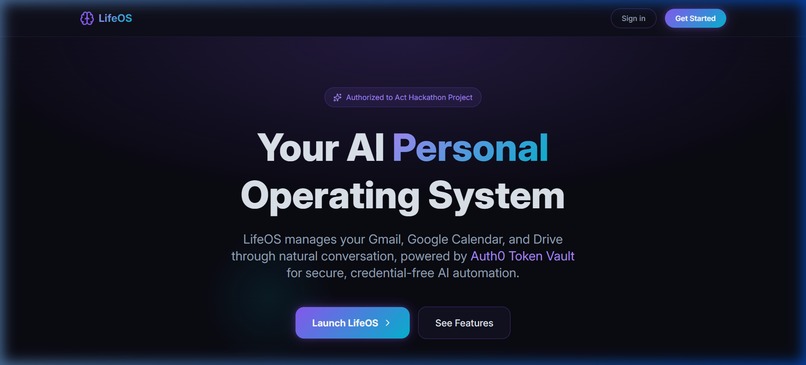
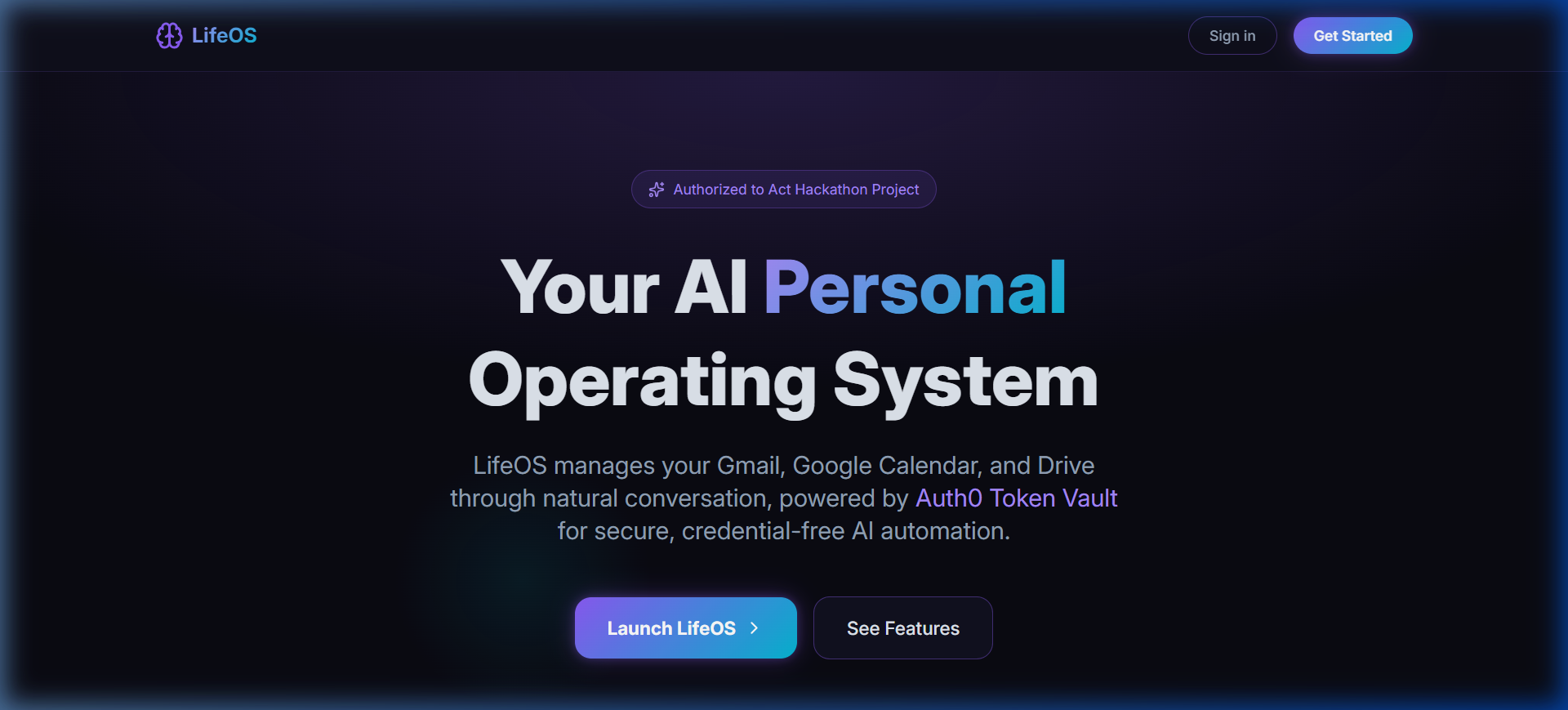
Landing Page
-
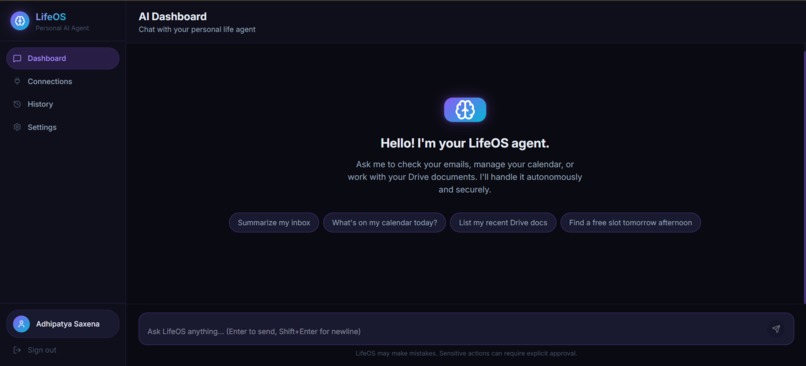
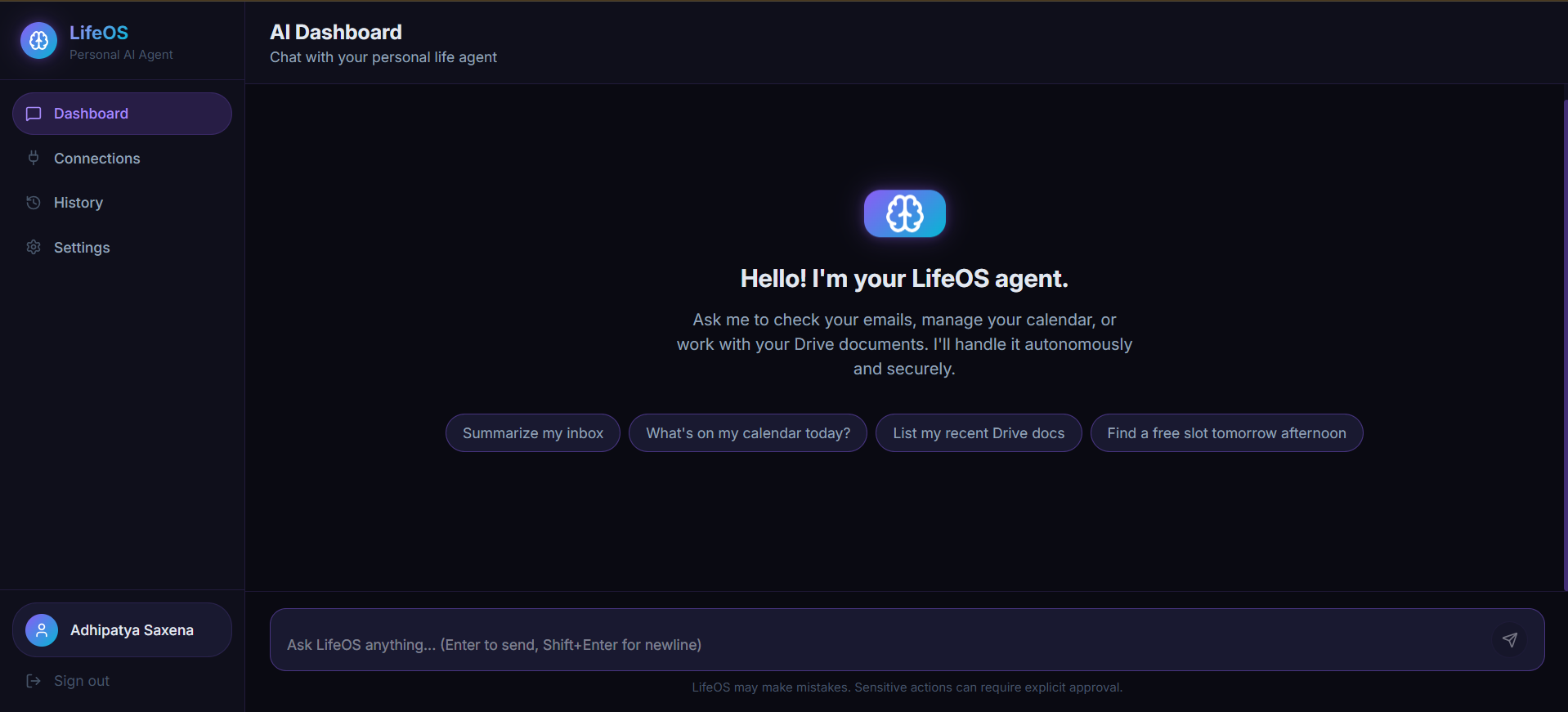
Dashboard Page
-
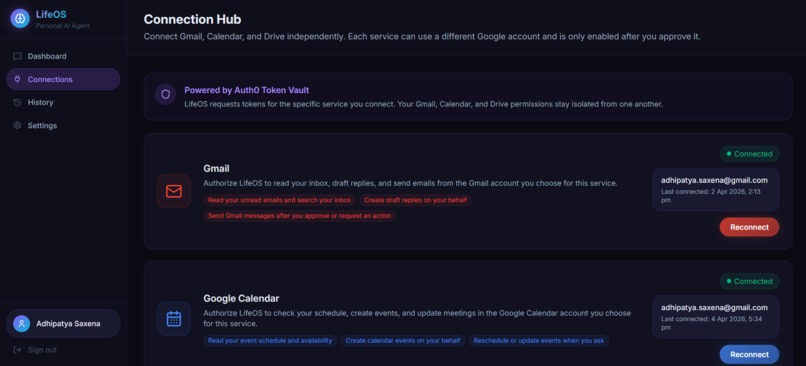
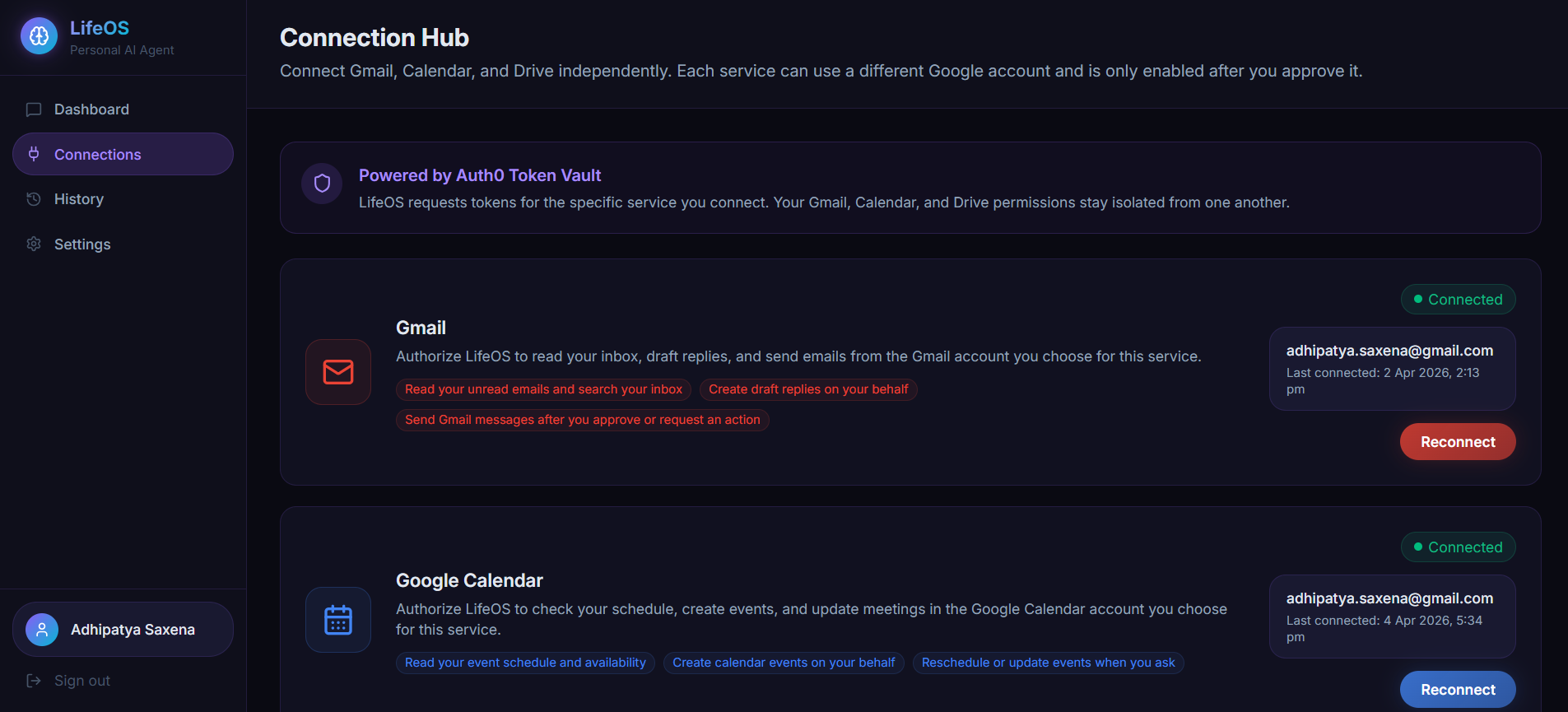
Connections Page
-
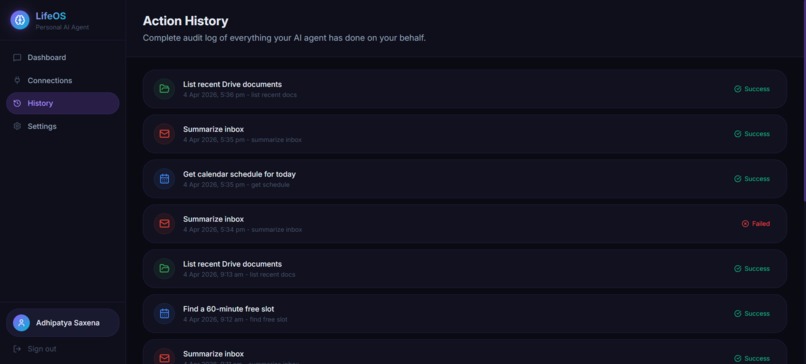
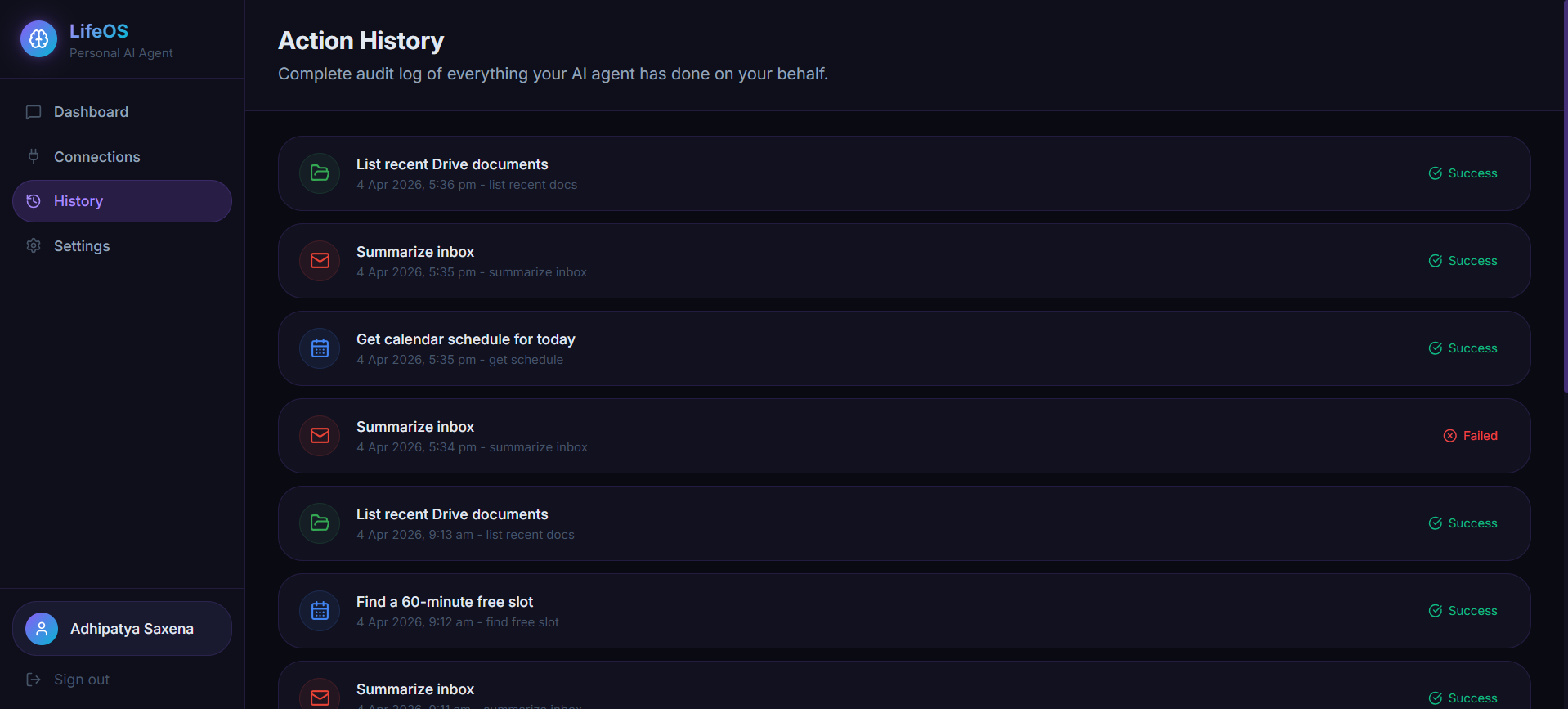
Chat History Page
Inspiration
Every day starts the same way: open Gmail to check emails, switch to Google Calendar to see the schedule, jump to Google Drive to find a document someone shared, then repeat. By mid-morning you have already spent significant time just navigating between apps rather than actually getting things done.
The idea behind LifeOS came from one simple frustration — why do I need to manage my own tools when I have the most capable AI models in history available to me? A truly personal agent should sit between you and your digital life, understand what you need in plain English, and take care of it directly. No switching tabs. No copying and pasting. Just type what you want, and it is done.
What it does
LifeOS is a personal AI agent you interact with through a chat interface in your browser. You type a message in plain English — "what did I miss in my inbox today?", "block an hour for deep work tomorrow at 10 AM", "create a meeting notes doc for my 3 PM call" — and the agent connects to your real Gmail, Google Calendar, and Google Drive accounts to do exactly that.
It has 11 built-in tools across the three services:
- Gmail — summarise your inbox, search emails, draft replies, send messages
- Google Calendar — check your schedule, create events, reschedule meetings, find free time slots
- Google Drive — list recent documents, read and summarise a doc, create new Google Docs
Every action the agent takes is logged in a History page, so you always know what it did and when. A Settings page lets you configure whether the agent acts immediately or waits for your approval before doing anything that modifies data — such as sending an email or creating a calendar event.
Responses stream in real time so you never stare at a loading spinner. A soft two-note chime plays when the agent finishes, so you can look away and come back to a completed task.
How we built it
Frontend and routing: Next.js 16 with the App Router and Turbopack for fast local development. Pages are structured around a protected shell that requires Auth0 authentication before any agent features are accessible.
Authentication: Auth0 v4 handles sign-in via Google OAuth. The @auth0/nextjs-auth0 SDK manages session cookies, token cleanup, and the middleware-based route protection.
Database: Convex provides a real-time serverless database. All user records, service connections, OAuth tokens, conversations, messages, agent action logs, and user settings are stored in Convex tables with indexed queries for efficient lookups.
Google service connections: We bypassed Auth0's paid Token Vault feature and implemented a direct Google OAuth 2.0 flow. When a user connects Gmail, Calendar, or Drive, the app builds a Google authorization URL, redirects through the consent screen, and exchanges the authorization code for access and refresh tokens, which are saved directly into the user's Convex table. Automatic token refresh happens server-side whenever a token is close to expiry.
AI layer: The Vercel AI SDK v6 powers the streaming chat. OpenRouter routes requests to GPT-4.1 Mini (via the Chat Completions API rather than the newer Responses API, which matters for token budget control on free-tier accounts). The system prompt gives the model its tool manifest, today's date, and clear behavioral guidelines.
Google API calls: The googleapis Node.js client library executes the actual Gmail, Calendar, and Drive API requests server-side using the stored access tokens.
Styling and animations: Vanilla CSS with CSS custom properties for the design system, Tailwind v4 utilities for layout helpers, and Framer Motion for the animated sidebar navigation indicator and message entrance transitions.
Challenges we ran into
Auth0 Token Vault is a paid feature. The original design relied on Auth0's Token Vault to store Google OAuth tokens. Mid-build we discovered it is locked behind the Professional plan. We rebuilt the entire Google connection flow from scratch — direct OAuth 2.0, custom callback handler, token storage in Convex, refresh logic — in a single session without removing any existing functionality.
The AI SDK Responses API silently drops maxTokens. The @ai-sdk/openai v3 package defaults to OpenAI's newer Responses API endpoint (/v1/responses) instead of Chat Completions (/v1/chat/completions). The Responses API accepted our requests but quietly ignored the maxOutputTokens parameter, causing every request to ask OpenRouter for the model's full 65,536-token context window. On a free-tier account this consistently hit a 402 credit error. The fix was a single method change — openrouter(model) to openrouter.chat(model) — but finding it required reading through SDK source files.
Google Cloud Console redirect_uri_mismatch. Configuring two separate redirect URIs on the same OAuth client — one for Auth0 sign-in (/login/callback) and one for our direct service connection flow (/api/auth/google/callback) — caused the sign-in flow to break whenever only one URI was registered. Getting both flows working simultaneously required careful coordination between the Auth0 dashboard, Google Cloud Console, and the application code.
Vercel build failure from a missing committed file. A prebuild script (scripts/ensure-convex-codegen.js) was created locally but never staged with git add, so it did not exist in the GitHub repository. The script was referenced in package.json, so every Vercel deployment immediately crashed before Next.js even started. Local builds passed because the file existed on disk.
Accomplishments that we're proud of
A complete, working Google OAuth 2.0 integration from scratch. No paid service. No shortcut library. Direct authorization URL construction, CSRF state verification, code exchange, token storage, and automatic refresh — all built and working.
Eleven real AI tools calling live Google APIs. Not mocked. Not simulated. When you ask LifeOS to summarise your inbox, it reads your actual Gmail. When you ask it to create an event, it appears in your real Google Calendar.
Streaming responses with accurate token budget control. The chat feels instant because responses stream token by token. And the agent stays within OpenRouter's free-tier token limits without cutting off responses mid-sentence.
Persistent settings that actually change agent behavior. The "Require approval for all write actions" toggle in Settings is wired all the way through to the API route. When it is on, the agent queues write actions instead of executing them — a real human-in-the-loop control, not just a UI decoration.
A notification sound synthesised entirely in the browser. No audio file. No external dependency. A two-note chime (C5 → E5) generated by the Web Audio API, respecting the user's preference stored in Convex.
What we learned
Read the SDK source when something behaves unexpectedly. The maxTokens bug was invisible from error messages and documentation. The answer was in the SDK's compiled JavaScript — two API modes, one invoked by openrouter() and the other by openrouter.chat(). Reading source files saved hours of guessing.
Auth0 is powerful but its paid features are easy to accidentally depend on. Token Vault, Connected Accounts, and the My Account API are well-documented but quietly gated. Checking feature availability against your plan before building on top of a third-party service is worth the five minutes it takes.
Convex makes real-time persistence surprisingly straightforward. Wiring a settings toggle to a database field and having it propagate across sessions involved writing one mutation, one query, and two useQuery/useMutation calls in the component. The schema validation, indexing, and real-time sync came for free.
Small untracked files can silently break production. One missing git add before a push caused a complete production outage on Vercel. Adding pre-commit hooks or at minimum running git status before every push is worth the habit.
What's next for LifeOS
More Google services. Google Tasks, Google Meet (joining and creating meeting links), Google Contacts for context-aware email drafting, and YouTube for managing subscriptions or watch history through the same chat interface.
Multi-turn memory. The agent currently treats each session independently. Adding a lightweight memory layer — key facts the user has told the agent, recurring preferences, frequently asked questions — would make conversations feel genuinely personal over time.
Scheduled and proactive actions. Instead of only responding to messages, LifeOS could run on a schedule: send a daily inbox briefing each morning, alert you when a calendar conflict is detected, or remind you about unanswered emails after 48 hours.
Mobile-first PWA. The current UI works on mobile but is optimised for desktop. A progressive web app build with home screen install, push notifications for completed agent actions, and a thumb-friendly chat layout would make LifeOS genuinely useful on the go.
Support for more AI providers. The OpenRouter integration already supports any model available on the platform. Exposing a model picker in Settings — GPT-4o, Claude 3.5, Gemini 2.0 Flash — would let users choose the right balance of speed, capability, and cost for their workload.
Built With
- convex
- nextjs
- openrouter
- tailwindcss
- typescript
- vercel


Log in or sign up for Devpost to join the conversation.