-
-
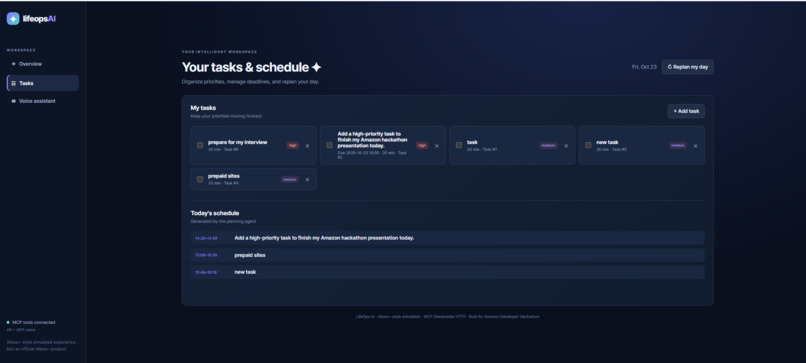
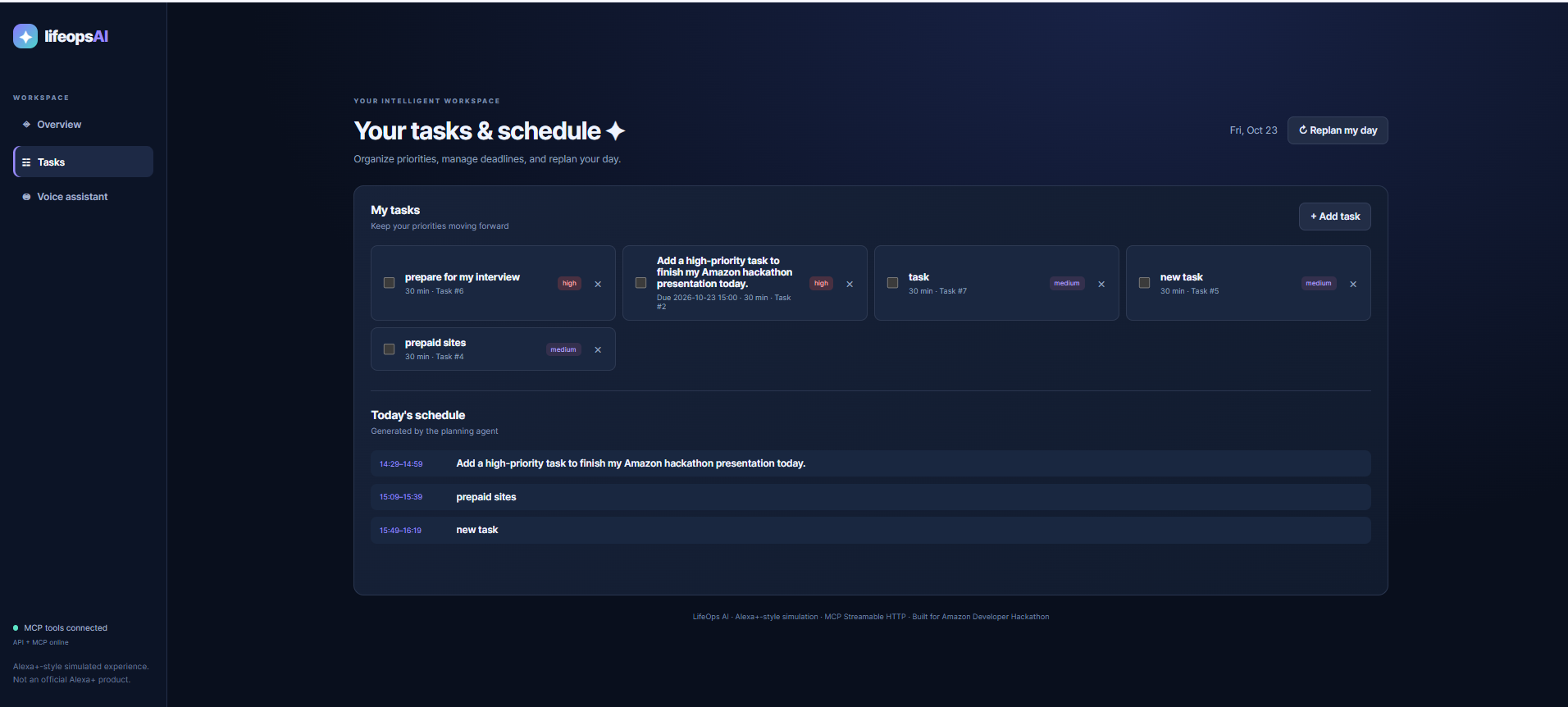
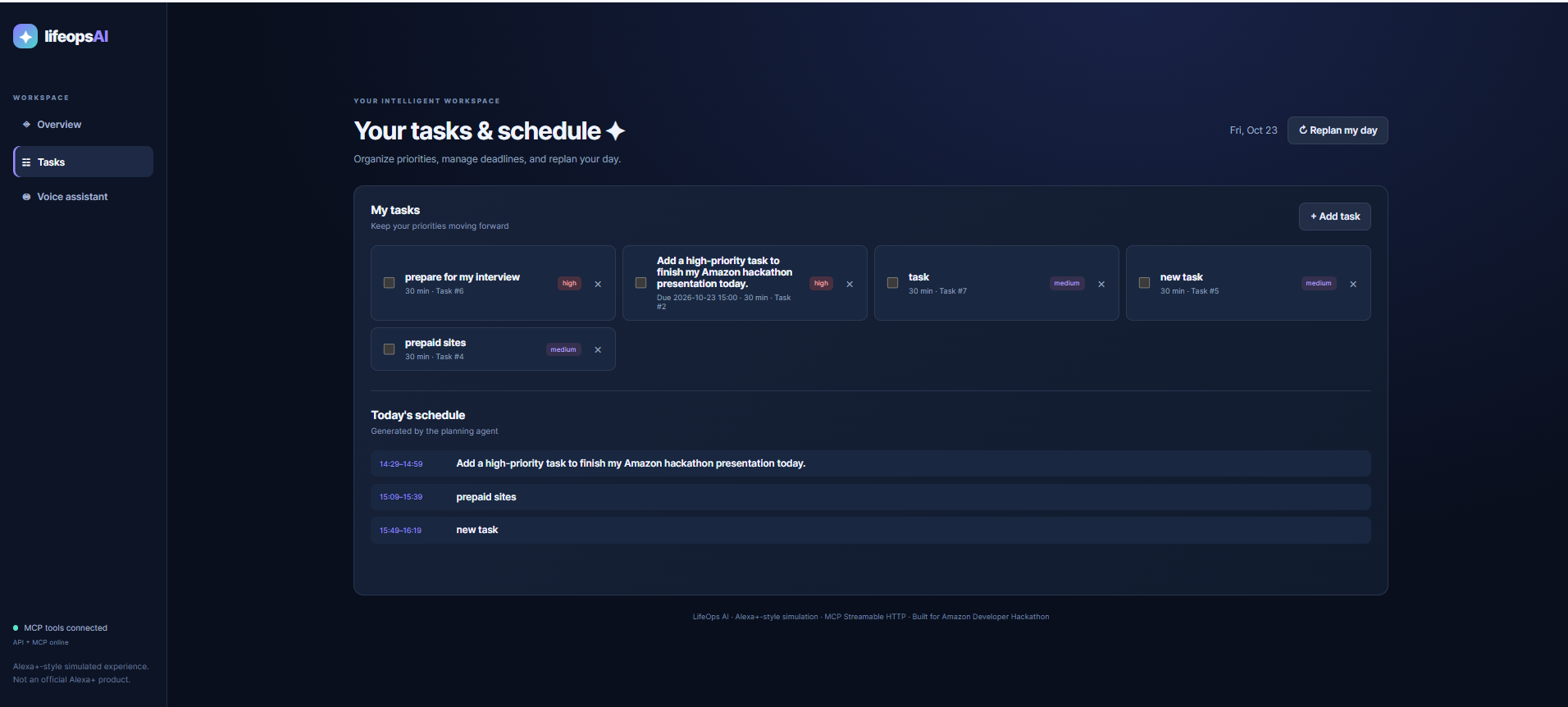
It shows the Task bar and all the scheduled task in the website
-
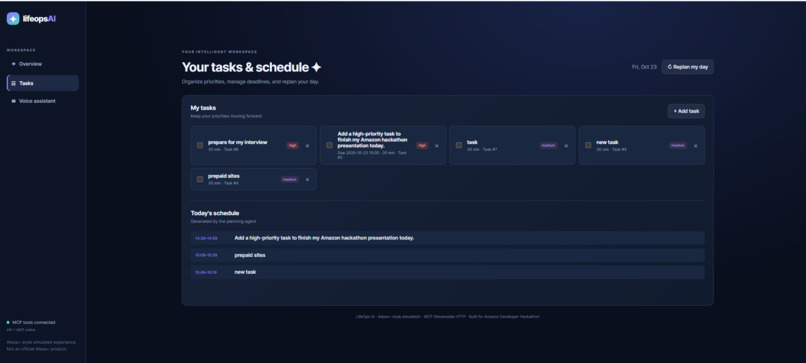
It is an voice assistant where I can iterate my tasks and it will schedule my day based on that
-
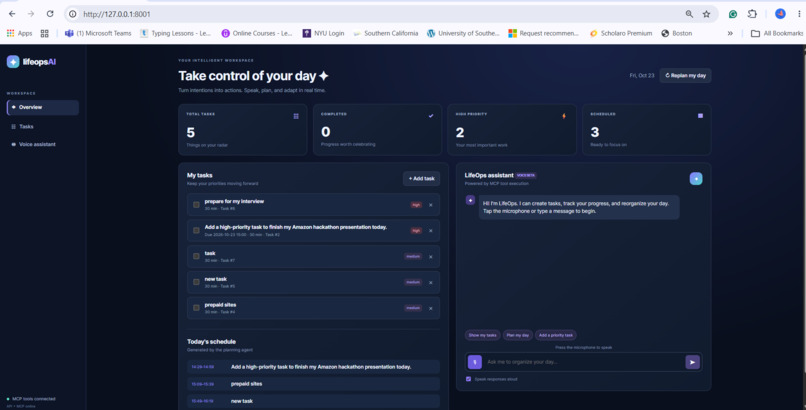
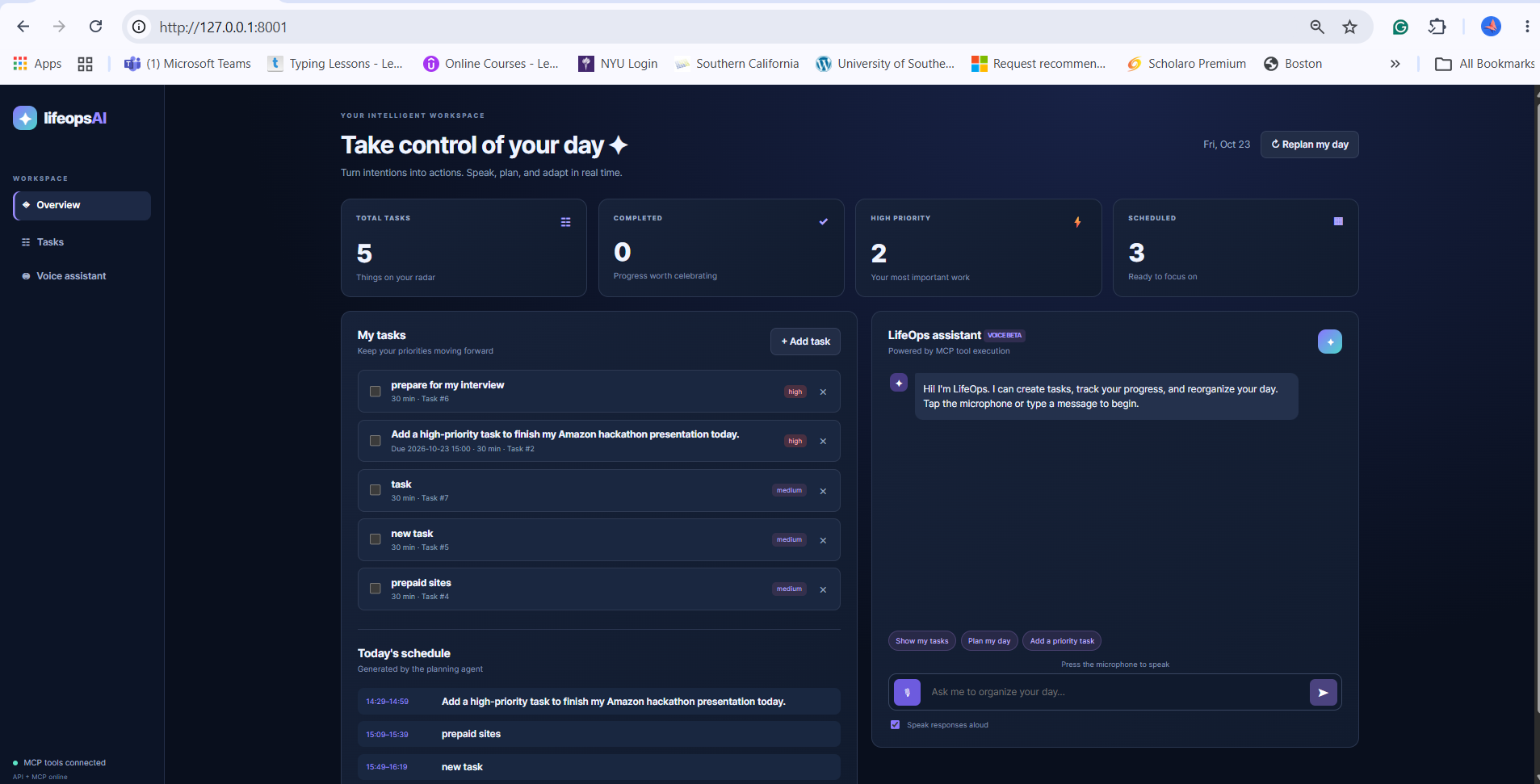
It shows the dashboard to oversee everything
Inspiration
Every day, we juggle assignments, meetings, deadlines, personal responsibilities, and constantly changing priorities. Although traditional productivity applications help us organize tasks, they often require too much manual effort to create, update, and rearrange schedules.
I wanted to explore a simpler idea: What if managing your daily life were as easy as having a conversation?
Inspired by the possibilities of conversational AI and voice assistants such as Amazon Alexa, I created LifeOps AI — Your Voice-Powered Productivity Assistant.
My goal was to build an intelligent assistant that goes beyond answering questions and helps users take meaningful action through natural-language commands.
What it does
LifeOps AI is a voice-first productivity assistant designed to help users manage tasks, organize schedules, and interact with their daily responsibilities through natural conversations.
The application brings together a conversational assistant, task management, and productivity planning in a single web-based experience.
Its main features include:
- Voice and text interaction: Users can communicate with the assistant by speaking or typing commands.
- Natural-language task creation: Users can describe tasks conversationally instead of filling out forms.
- Task management: Users can create, view, update, complete, and delete tasks.
- Daily planning: The application includes scheduling functionality to help organize daily activities.
- Schedule adjustments: Users can reorganize tasks when plans or priorities change.
- Productivity dashboard: A web interface brings task information and assistant interactions together.
- AI-powered assistance: Conversational AI interprets requests and helps connect user intentions with application actions.
For example, a user might say:
"Add a task to finish my assignment tomorrow."
Or:
"Help me plan my day."
LifeOps AI is designed to make these interactions more intuitive and reduce the effort involved in everyday planning.
How I built it
I developed LifeOps AI using a modular architecture that separates the frontend interface, backend application logic, AI reasoning, and task-management tools.
Frontend: I used HTML, CSS, and JavaScript to build a browser-based interface with a dashboard, task-management features, and a conversational assistant. The Web Speech API supports browser-based speech recognition and spoken responses.
Backend: I used Python and FastAPI to implement application endpoints and coordinate communication between the frontend, AI assistant, and task-management functionality.
AI integration: I integrated OpenRouter to support natural-language understanding and conversational responses.
Model Context Protocol (MCP): I incorporated MCP to provide a structured interface between the AI assistant and application tools. This architecture demonstrates how an AI-powered assistant can connect conversational requests with practical software operations.
Data storage: I used SQLite for persistent task information.
Scheduling logic: Python-based scheduling functionality supports daily planning and task organization.
Technologies used
- Python
- FastAPI
- Model Context Protocol (MCP)
- OpenRouter
- SQLite
- JavaScript
- HTML5
- CSS3
- Web Speech API
- REST APIs
The project is an Alexa+-inspired productivity assistant prototype, demonstrating conversational and MCP-based interactions rather than claiming to be an officially deployed Alexa+ integration.
Challenges I ran into
One of the biggest challenges was connecting natural-language interaction with reliable task execution.
Understanding a user's request is only one part of an AI assistant. The application must also determine which operation to perform, pass the correct information to the appropriate tool, and return a useful response.
Another challenge was integrating several technologies into a single application. The frontend, FastAPI backend, MCP server, AI integration, and database needed to work together while maintaining a clear separation of responsibilities.
I also encountered challenges involving environment configuration, API key management, browser-based voice recognition, and coordinating the services required to run the application locally.
These challenges helped me better understand the practical engineering work behind building an AI-powered application.
Accomplishments that I'm proud of
My biggest accomplishment is developing an end-to-end prototype that combines conversational AI with productivity-management functionality.
I'm particularly proud of:
- Building a unified interface for voice interaction and task management.
- Developing a Python and FastAPI backend for application functionality.
- Incorporating MCP as a structured connection between AI reasoning and software tools.
- Integrating conversational AI through OpenRouter.
- Using SQLite to maintain task information.
- Creating scheduling functionality for organizing daily activities.
- Designing the application with a modular architecture that can support future improvements.
More importantly, LifeOps AI represents an effort to turn AI from a conversational interface into an assistant that can help users accomplish real tasks.
What I learned
Building LifeOps AI taught me that creating an effective AI assistant involves much more than connecting an application to a language model.
I learned how to design an application where AI reasoning, backend services, structured tool interfaces, and persistent data work together.
I gained practical experience with FastAPI, MCP, REST APIs, SQLite, browser speech technologies, and frontend-backend integration.
I also learned the importance of handling configuration securely, organizing code into maintainable components, and designing clear interactions between different services.
Most importantly, I developed a deeper understanding of how conversational AI can be connected to real application functionality.
What's next for LifeOps AI — Your Voice-Powered Productivity Assistant
My long-term vision is to transform LifeOps AI into a proactive, personalized assistant that helps people manage their responsibilities with less effort.
Planned improvements include:
- Calendar integration: Connect with calendar services to coordinate tasks and appointments.
- Smart reminders: Notify users about upcoming deadlines and important activities.
- Personalized scheduling: Adapt recommendations based on user preferences and routines.
- Conversational memory: Improve the assistant's ability to understand context across interactions.
- More advanced scheduling: Support dependencies, priorities, and unexpected changes.
- Cross-device accessibility: Make the assistant easier to use across different devices.
- Amazon ecosystem integration: Explore deeper compatibility with Alexa-related technologies and supported Amazon services.
- Deployment and reliability: Improve testing, error handling, and hosted accessibility.
Ultimately, I want LifeOps AI to become an assistant that helps users spend less time organizing their responsibilities and more time accomplishing their goals.
LifeOps AI — Speak naturally. Plan intelligently. Get things done.
Built With
- css3
- fastapi
- html5
- javascript
- mcp
- openrouter
- python
- rest
- sqlite
- web-speech-api

Log in or sign up for Devpost to join the conversation.