
Inspiration
Important schedules rarely arrive in a calendar-ready format. They come as school handouts, screenshots, chat messages, shift tables, travel confirmations, and photos. Manually copying dates, times, locations, and reminders into a calendar is repetitive and easy to get wrong. I built Lifelio to make that process almost disappear: give it the information you already have, let AI understand the schedule, review the result, and save it to your calendar.
What it does
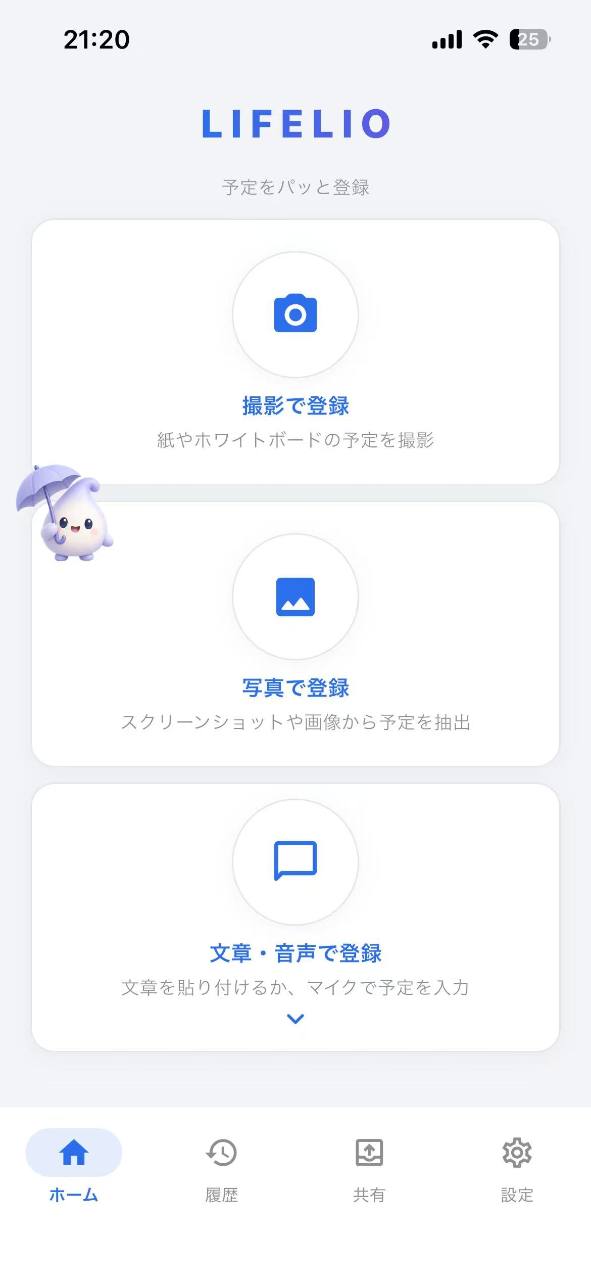
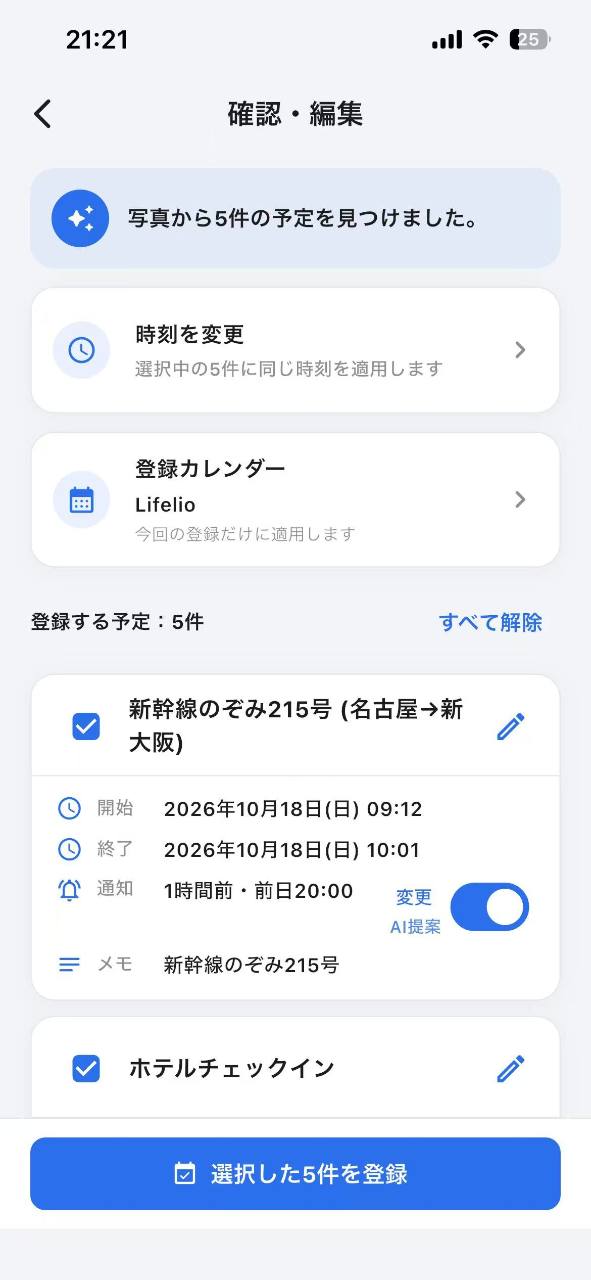
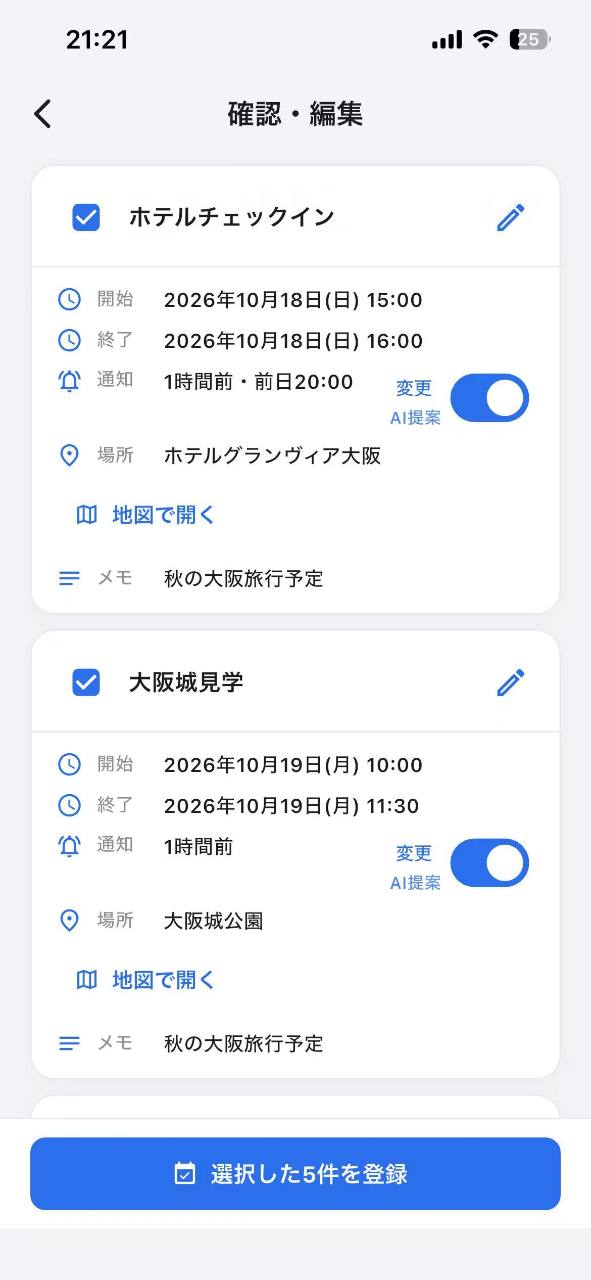
Lifelio converts unstructured information into structured calendar events. Users can import a photo or screenshot, enter text, or use voice input. Lifelio analyzes the content and extracts dates, times, titles, locations, and multiple events from a single source. Before anything is saved, users can review and edit the extracted information. Lifelio also adds practical intelligence around the event: Multiple events can be extracted from one school notice or schedule. Reminder suggestions adapt to the type of event. Locations can be connected to map searches. Calendar history makes previously registered events easy to review. A monthly calendar view helps users understand what they have already captured. Apple Watch support makes quick schedule entry possible away from the phone. Lio, Lifelio's companion character, combines upcoming schedules and weather information to make the app useful even after an event has been registered. The goal is not to replace the user's calendar. Lifelio is the intelligent input layer that makes an existing calendar much easier to maintain.
How we built it
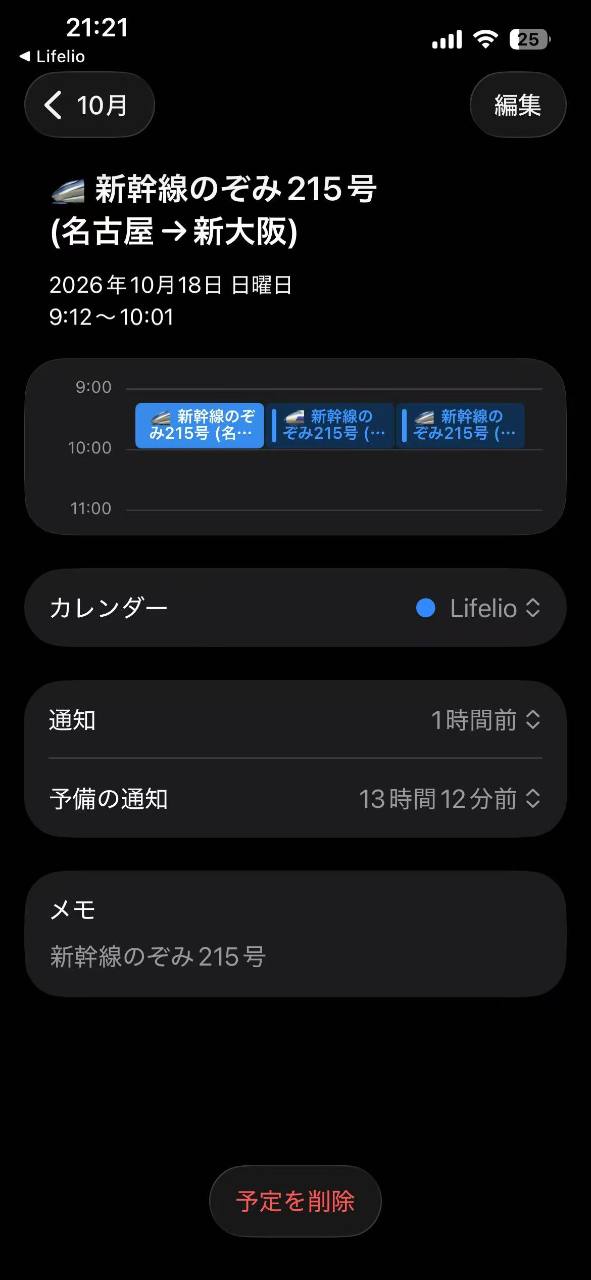
Lifelio is built with Flutter for iOS. AI-based schedule extraction processes unstructured text and images and converts them into structured event information. Calendar registration is integrated with the native iOS calendar system, while the app keeps its own history and calendar views for reviewing previously captured schedules. RevenueCat manages Lifelio Pro subscriptions and entitlement state. The app offers monthly, quarterly, and yearly subscription options, with RevenueCat handling purchase and restore flows. Firebase is used for backend functionality, while Lifelio's architecture keeps calendar confirmation and user-facing scheduling workflows inside the app.
Challenges we ran into
One of the hardest problems was not extracting a single date, but correctly understanding real-world documents containing several events. School notices, shift schedules, and travel information all have very different structures. A useful result also requires more than a date: title, start time, location, reminder timing, and relationships between multiple events all matter. Another challenge was making AI feel safe enough for calendar use. Lifelio therefore keeps a confirmation step before events are written to the calendar instead of automatically saving everything the model detects. We also iterated heavily on photo access, calendar integration, timezone handling, subscription state, Apple Watch communication, and making the interface usable with one hand.
Accomplishments that we're proud of
Lifelio went from a focused idea to a publicly available App Store product during Shipaton. The first public version launched on August 20, 2026. Instead of stopping after launch, I continued shipping improvements based on real usage and testing: Better multi-event extraction Smarter reminder suggestions Location and map support Improved history and monthly calendar views Voice input Apple Watch functionality Lio companion experience Weather-aware schedule context Multiple Pro subscription options The most important accomplishment is that Lifelio became a real product used outside the development environment rather than remaining a prototype.
What we learned
Shipping early changed how I developed Lifelio. Features that seemed important during development were not always the features that communicated the product's value most clearly to users. I learned that the strongest use cases are concrete: a parent photographing a school notice, a worker importing a shift schedule, or a traveler saving an itinerary. I also learned that AI accuracy alone is not enough. Trust, confirmation, editing, speed, and clear feedback are just as important when AI is creating information that will affect a user's real schedule. Building in public also pushed me to improve how Lifelio explains itself. App Store screenshots, short-form videos, landing pages, and social posts became experiments for understanding which problems resonate with users.
What's next
The next step is to make Lifelio useful throughout the full lifecycle of a schedule, not only at the moment it is created. Planned directions include: Expanding Android support Deeper Apple Watch workflows Better recurring and multi-event schedule understanding Shared Lifelio schedule cards for schools, lessons, and shift management More personalized reminders Improving Lio as a lightweight daily schedule companion Continuing conversion and pricing experiments with RevenueCat The long-term vision is simple: wherever schedule information appears, Lifelio should be the fastest path from that information to an organized calendar.


Log in or sign up for Devpost to join the conversation.