-
-
Thumbnail
-
Architecture
Inspiration
Around late September of this year, the UN reported that around 352,000 people had been affected by the devastating floods in Nepal. More than 1,450 had died, and over 5,000 remained unaccounted for. Those numbers made us ask: when so many people need help at once, how can emergency teams keep track of where people are and what they need? That question inspired Lifeline.
This is especially relevant this year, when the 2026 El Niño could become one of the strongest ever recorded. That’s happening on top of long-term global warming, raising concerns about extreme weather, including heavy rain and flooding in some regions. We wanted to help teams prepare for these incoming emergency requests.
What it does
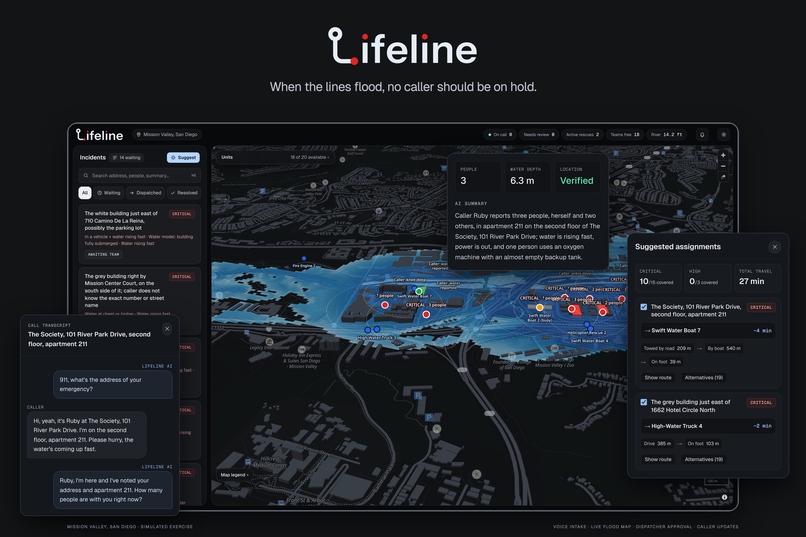
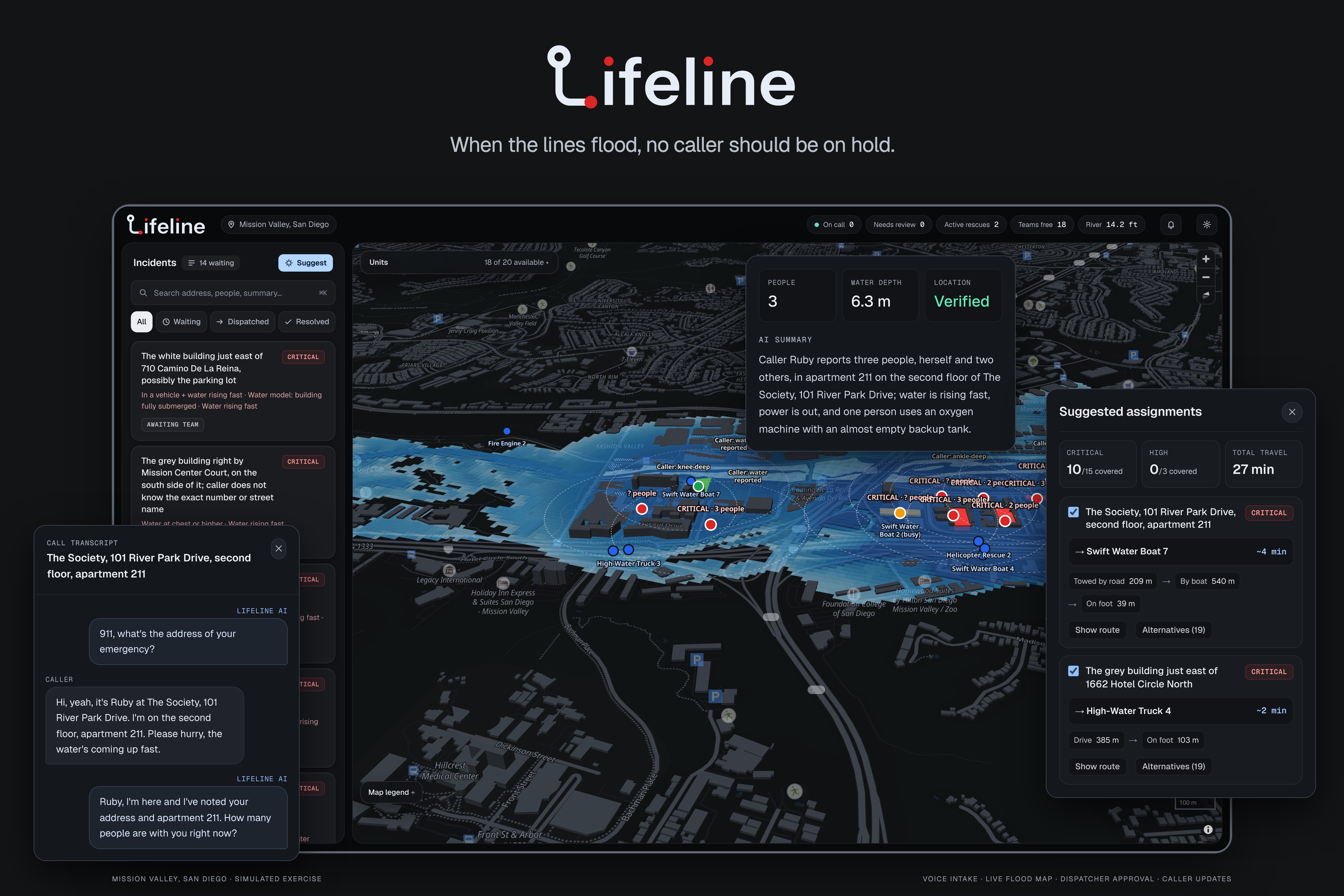
Lifeline is essentially an AI voice assistant that helps emergency teams handle calls during floods. It talks with callers and gathers important details and confirms their location. That information then appears on a live map dashboard, where responders can see who needs help, where they are, and what’s happening.
How we built it
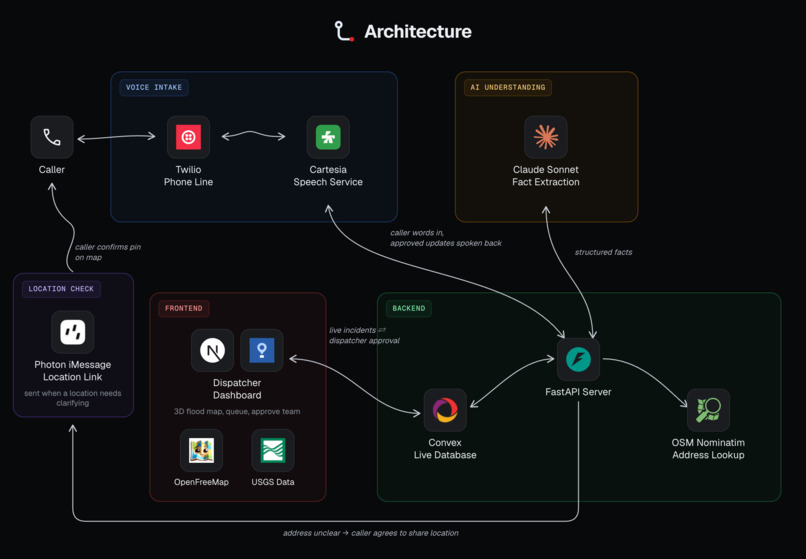
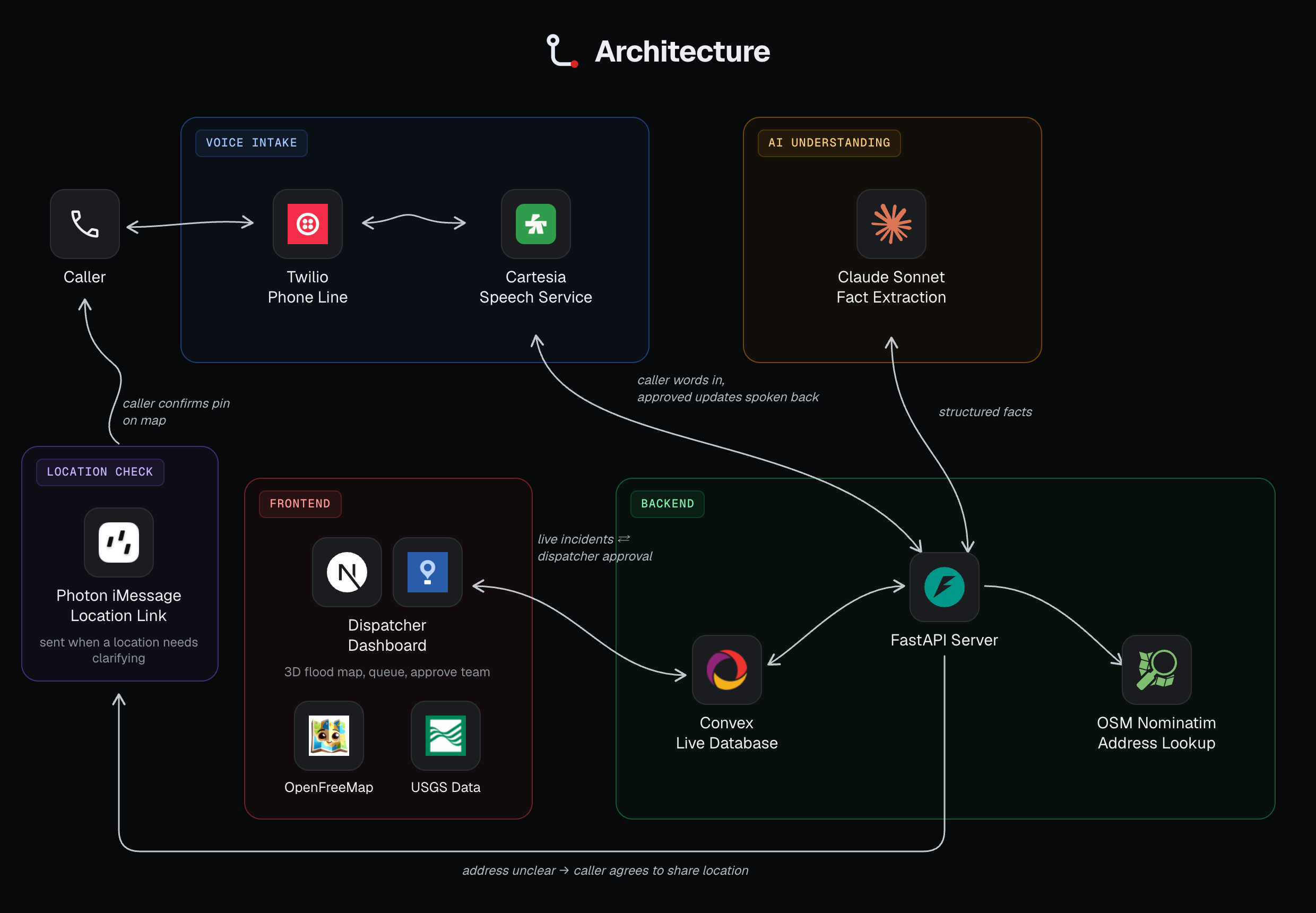
Lifeline is a flood-response prototype built with Next.js, React, TypeScript, Tailwind CSS, and a Python FastAPI backend. Twilio connects phone calls, Cartesia handles speech recognition and synthesis, and Claude extracts incident details and guides follow-up questions. Photon enables callers to share their confirmed device location through an iMessage link, while Convex synchronizes incidents, rescue teams, and dispatcher decisions in real time. MapLibre powers an interactive map combining terrain elevation, OpenStreetMap roads, historical USGS river readings, and caller-reported water conditions to simulate flooding. The dashboard prioritizes incidents, groups duplicate reports, calculates flood-aware routes, and suggests rescue assignments for dispatcher approval. Confirmed decisions are then spoken back to callers.
Challenges we ran into
- Confirming locations accurately: The AI sometimes misheard addresses, so we needed it to read the location back and get explicit confirmation from the caller.
- Handling interruptions: If the caller interrupts the address read-back, Lifeline shouldn’t assume they heard and confirmed it.
- Routing around buildings: Our flood map initially used only ground elevation data, causing rescue routes to pass through buildings. We added about 6,700 OpenStreetMap building outlines so routes account for buildings and water depth.
- Creating a natural dispatcher voice: Getting our voice AI to sound calm, clear, and natural like a dispatcher took time and repeated adjustments.
Accomplishments that we're proud of
- Bringing the full rescue workflow to life: We simulated an emergency from the initial call through incident review, dispatch, and team movement, and saw the pieces work together.
- Building an AI agent that can follow a changing conversation: Watching the agent extract critical details, handle interruptions, and update information when a caller corrected themselves was a major milestone.
- Making rescue routes respond to flood conditions: Rescue teams avoid flooded roads, using a flood map that replays a real river-gauge flood.
- Connecting callers’ observations to the map: Reports about water depth update our flood estimates while preserving whether a caller provided an approximate depth or a minimum depth.
- Making rescue coordination visible: Animated trips and smooth team movement help dispatchers follow how a response is progressing.
What we learned
- How to connect a full stack in real time: Bringing together a Next.js dashboard, FastAPI backend, and Convex taught us how much coordination it takes to keep calls, incidents, maps, and team statuses in sync.
- How to build AI for live conversations: Integrating Twilio, Cartesia, and Claude meant handling interruptions, corrections, and incomplete information while turning spoken reports into structured incident details.
- How to design around a dispatcher’s decisions: Interactive maps and clear incident statuses help dispatchers review locations, understand the situation, and coordinate a response.
- How to represent uncertainty responsibly: We learned to preserve unknown details, distinguish estimates from confirmed information, and require dispatcher confirmation before communicating rescue assignments.
What's next for Lifeline
We want to test Lifeline with emergency responders and use their feedback to improve our call flow, dashboard, and rescue routing. We also plan to add multilingual support and SMS reporting so more people can communicate their needs when voice calls are difficult.
Another priority is incorporating updated flood conditions and road closures into our maps. Alongside these improvements, we’ll evaluate location accuracy, report quality, and performance during simulated call surges to understand how reliably Lifeline can support response teams.
Built With
- cartesia
- claude
- convex
- fastapi
- maplibre
- next.js
- photon
- python
- react
- tailwind
- twilio
- typescript
- websockets


Log in or sign up for Devpost to join the conversation.