Inspiration
At the beginning of this hackathon, I had two ideas.
One was an automated AI assistant, my own personal Jarvis. It would have been useful, interesting, and honestly, really cool to build.
The other was LifeLine.
I couldn't decide at first. Then I thought about what each project could actually mean.
If I built Jarvis, it would mostly help me.
If I built LifeLine, it could help save someone's life.
That made the decision simple.
If even one life is saved because LifeLine helped someone communicate during an emergency, then building it was worth it.
When disaster strikes, the communication infrastructure people normally depend on can disappear when they need it most.
That led to one question:
What if your phone could communicate even when the network is gone?
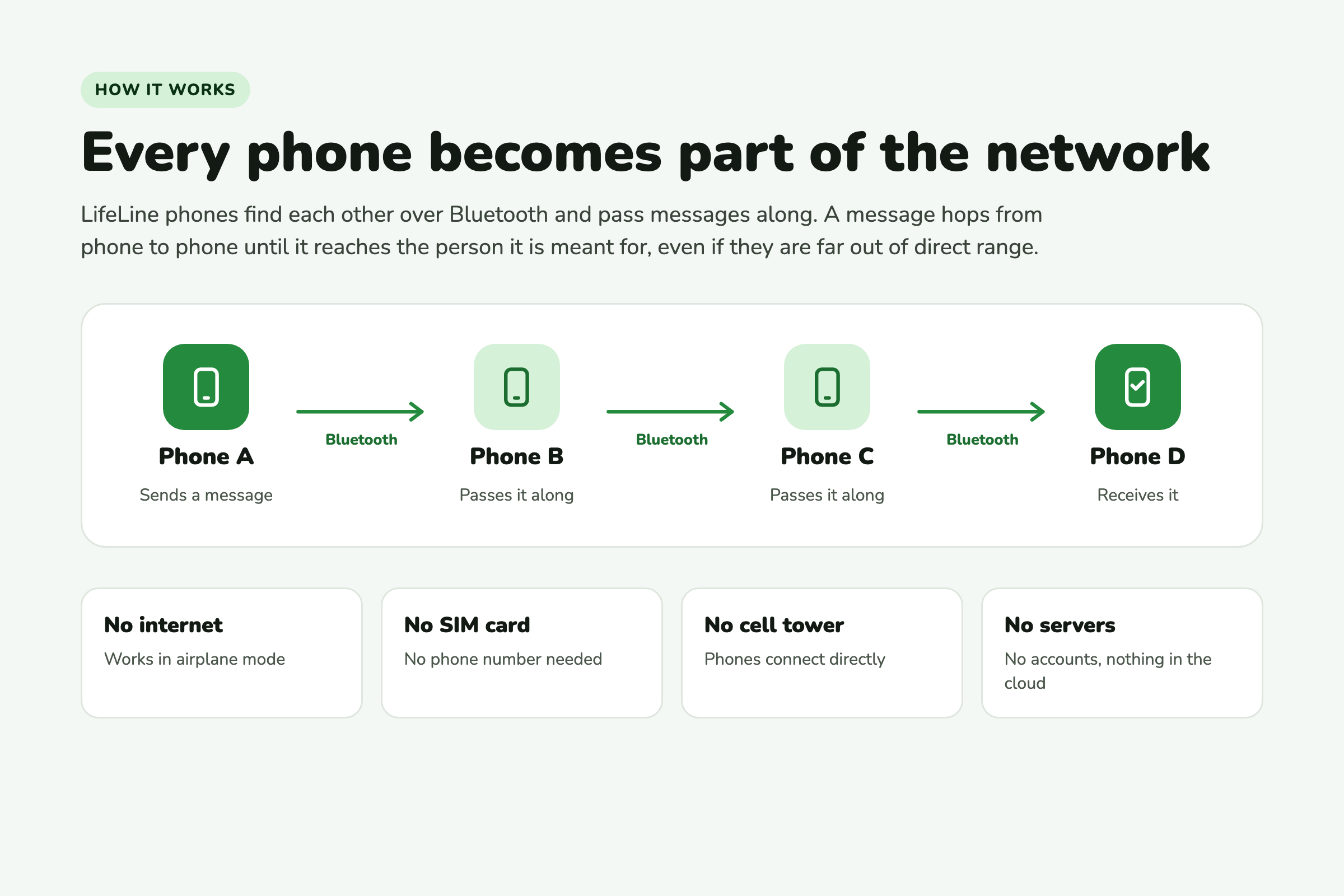
No internet. No SIM card. No cell tower. Just the phones people already carry.
What it does
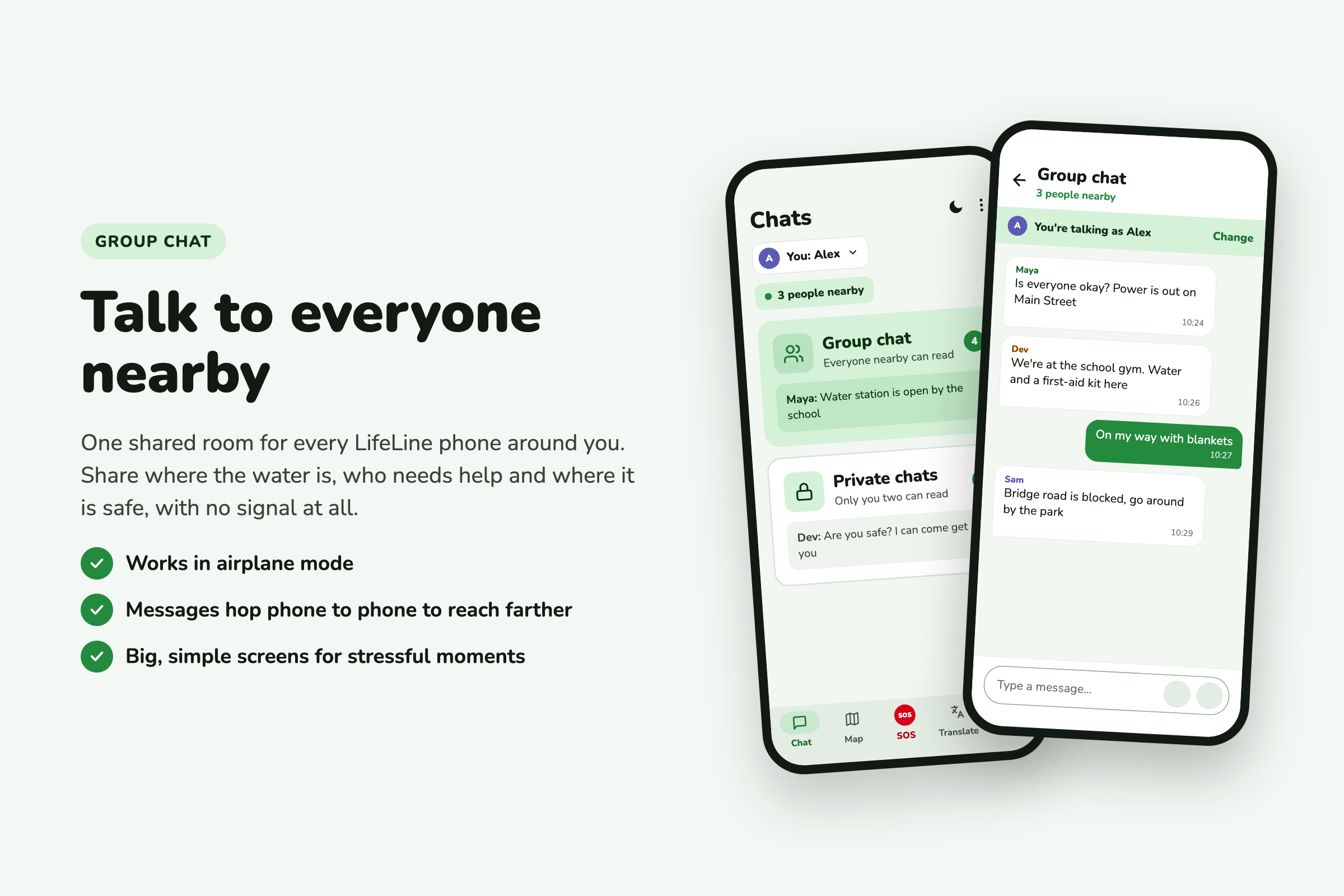
LifeLine turns nearby phones into a communication network using Bluetooth Low Energy.
Phones can communicate directly with each other and relay messages onward. For example, a message can travel from Phone A to Phone B and then Phone C, allowing it to reach beyond the range of a single connection.
Every phone can become part of the network, allowing information to travel farther as more devices join.
What you can do with it
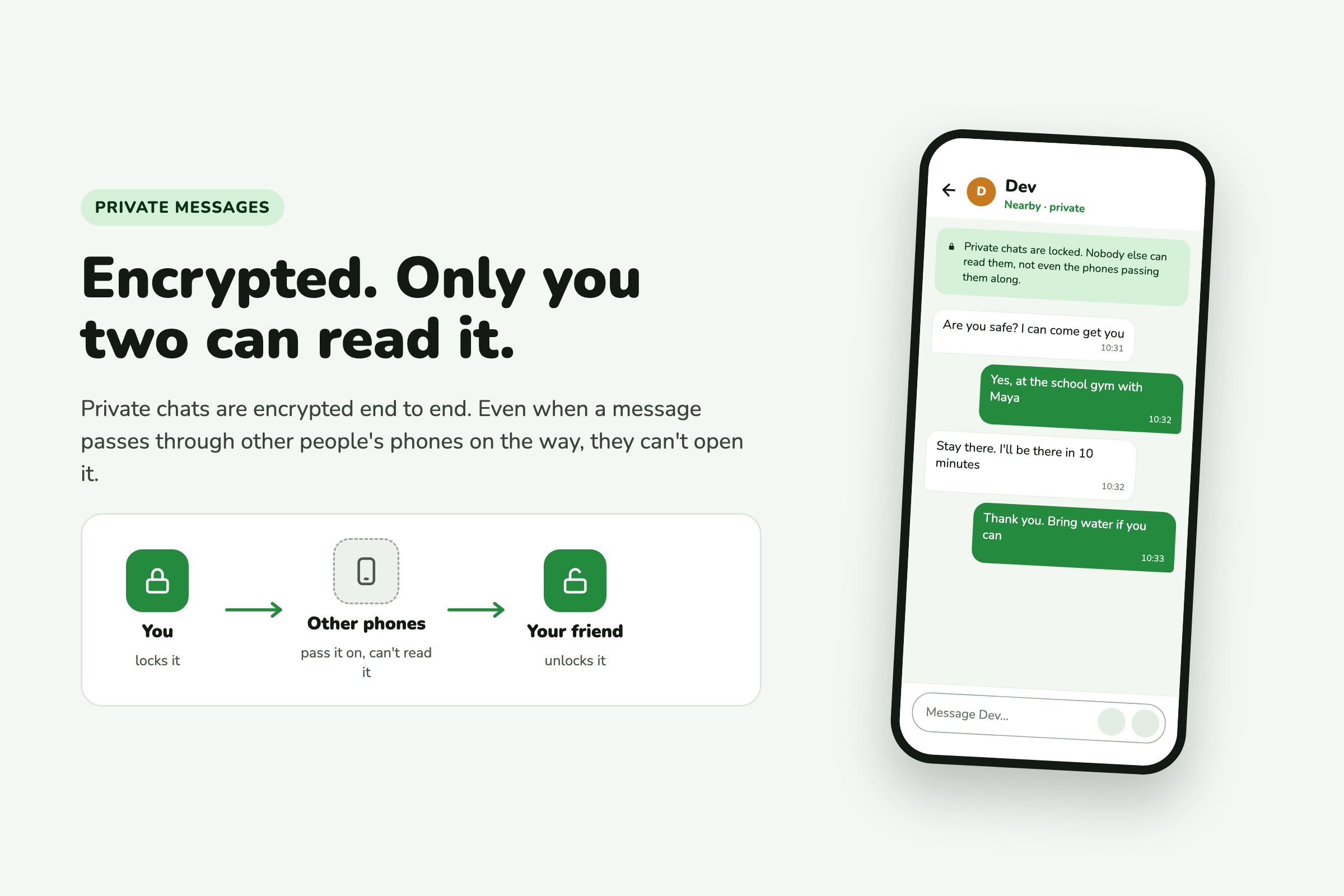
- Send messages through the offline network, including private encrypted conversations
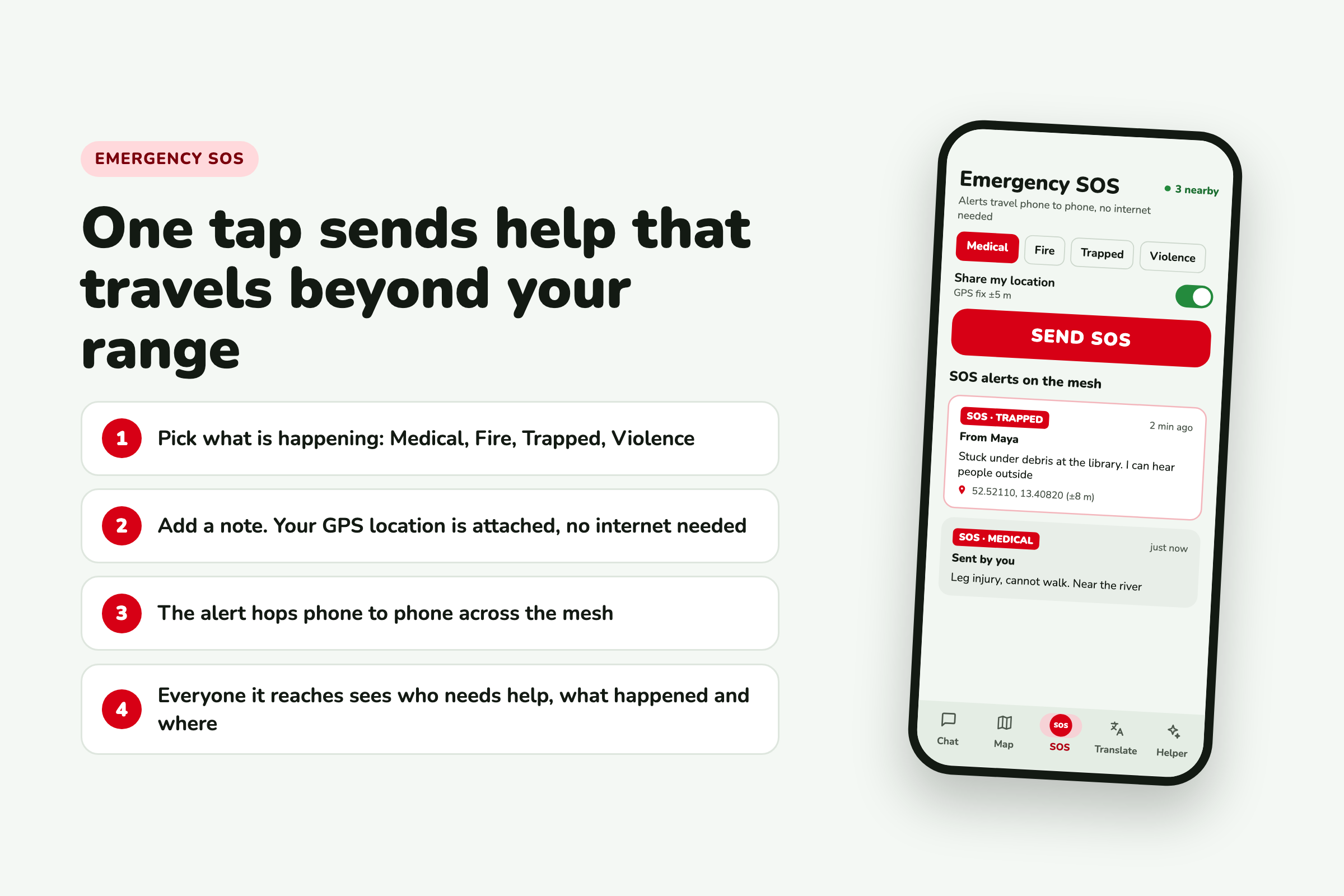
- Send an SOS that can propagate through connected devices
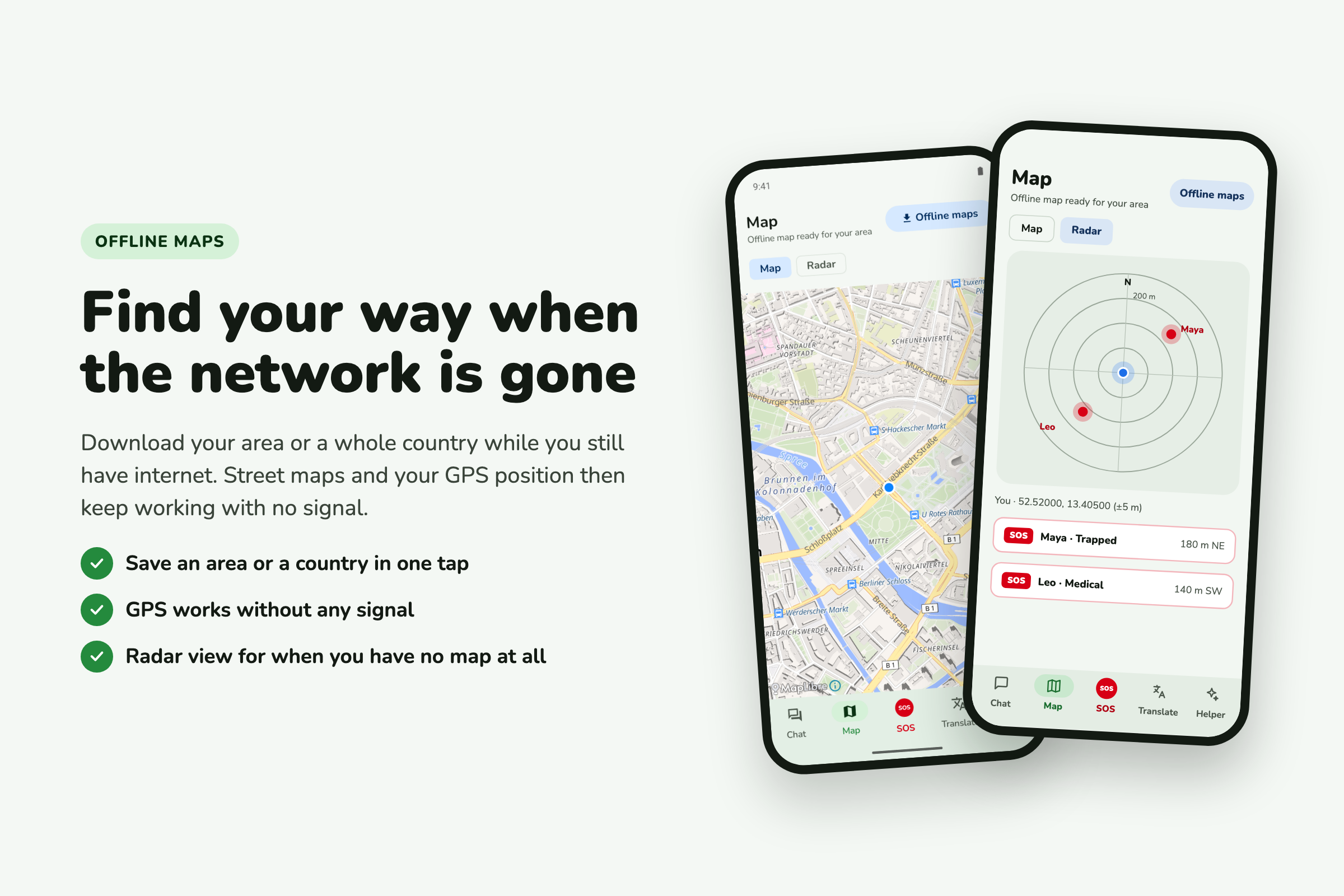
- Navigate with offline maps when there is no data connection
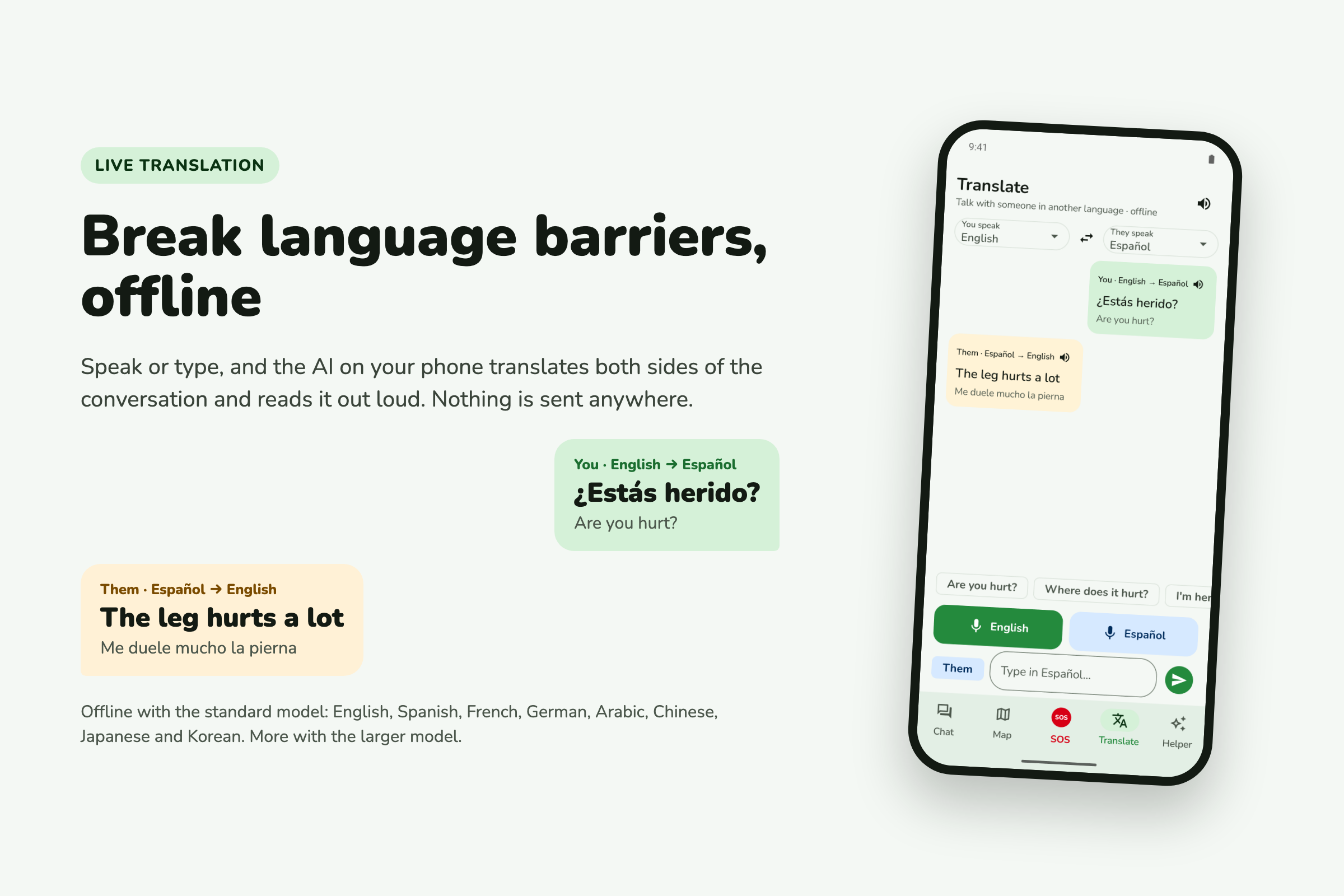
- Translate between languages without relying on an internet connection
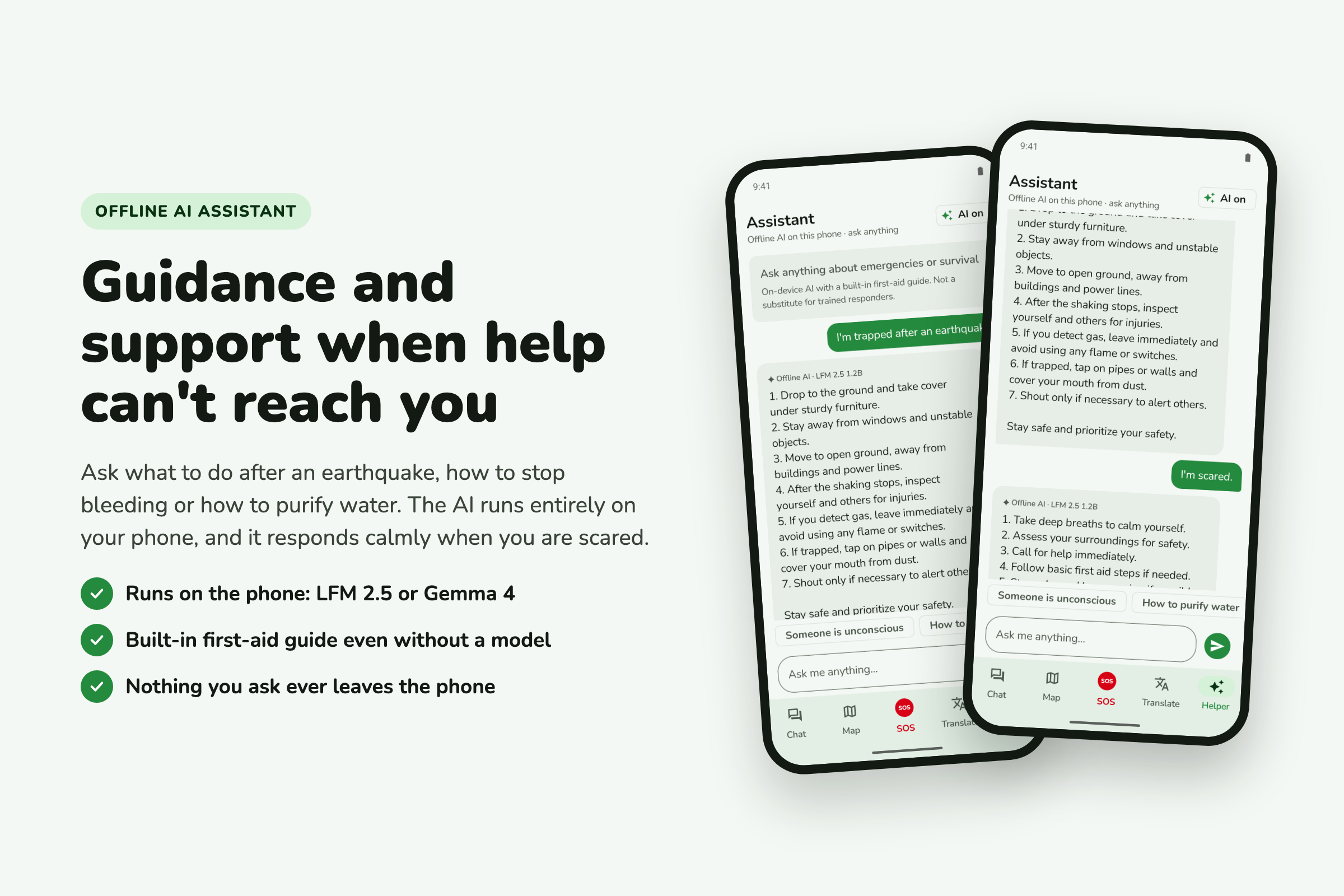
- Ask an offline AI assistant for emergency guidance when online services are unavailable
Everything is designed around the same principle: communication should not depend entirely on infrastructure that may disappear.
How we built it
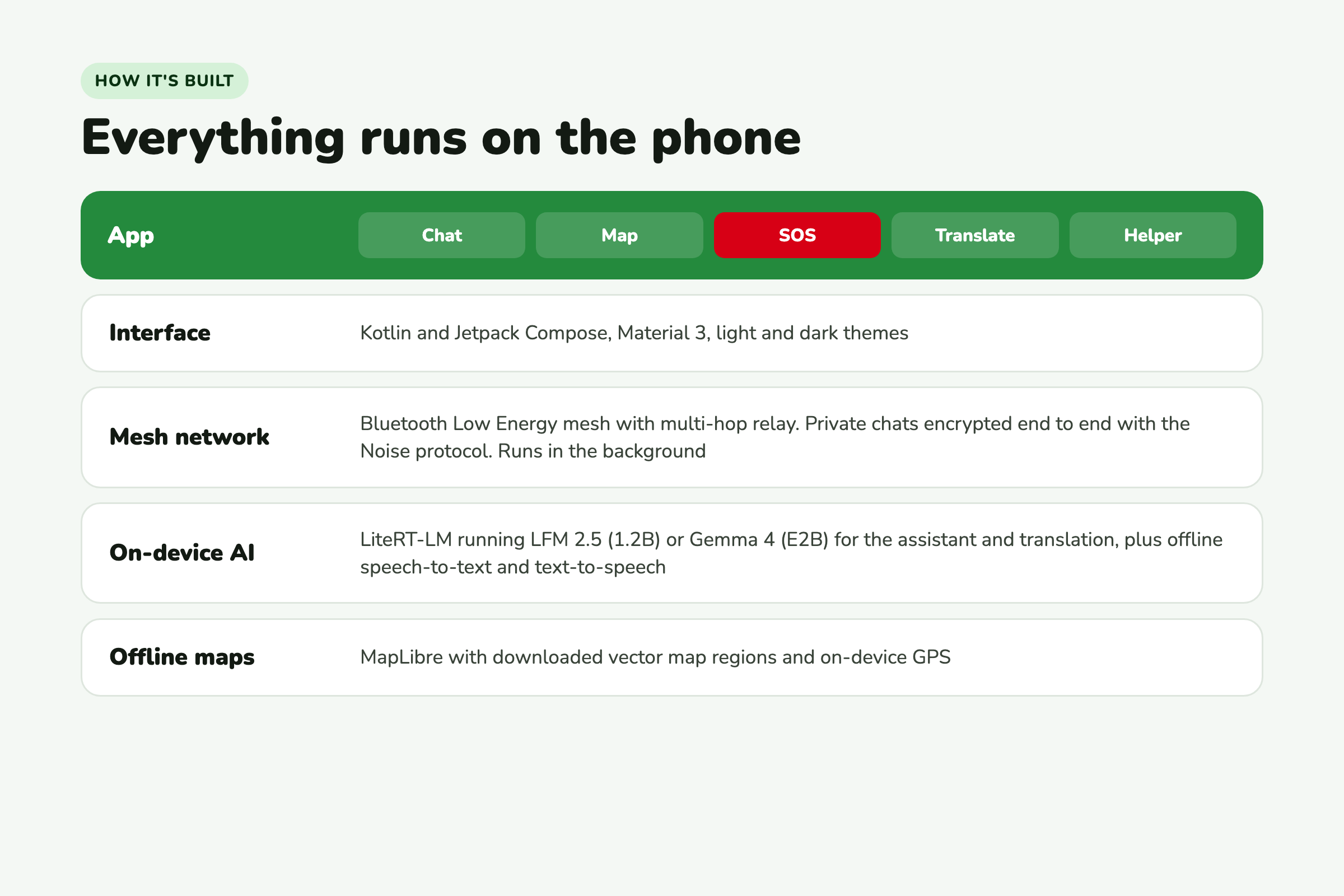
LifeLine is a native Android app built with Kotlin and Jetpack Compose.
The communication layer uses Bluetooth Low Energy. Phones discover nearby devices, establish connections, and relay data between them.
The system is designed to handle messages moving across multiple devices rather than relying on a central server.
The entire application follows an offline-first approach. The goal is to assume the internet does not exist and build the important parts of the experience around that assumption.
Challenges we ran into
The hardest part was building communication without the infrastructure that normally makes communication easy.
There are no servers or cellular networks to rely on. Devices move in and out of range, connections can disappear, and messages may need to pass through multiple phones.
Making that communication reliable across real Android devices was one of the biggest challenges of the project.
What we are proud of
We built a working offline communication network where devices can discover each other and relay messages across multiple hops.
We also brought several emergency-focused features into the same offline-first experience, including messaging, SOS, offline maps, translation, and an AI assistant.
The most important part is that these features are built around one system rather than being separate tools. The same network that carries a normal message can also carry an emergency alert.
What we learned
Building a decentralized system is very different from building a normal application.
Without a central server, devices have to discover each other, handle changing connections, and decide how information should move through the network.
We also learned how much can now run directly on a phone without relying on cloud services. On-device AI and offline language tools make it possible to build experiences that would have required an internet connection in the past.
Why LifeLine matters
LifeLine is designed for situations such as natural disasters, search and rescue, remote expeditions, communications blackouts, humanitarian operations, and other situations where conventional communication infrastructure may be damaged or unavailable.
The situation can change, but the problem stays the same:
People need to communicate, and the systems they normally depend on may not be there.
What's next for LifeLine
- iOS support — more phones on the network means messages can travel further
- Wi-Fi Direct alongside Bluetooth for greater range and bandwidth
- Voice and image relay across the network
- Emergency service integration — when a device reconnects to the internet, queued SOS alerts could be forwarded to emergency services
- Play Store and App Store — publishing LifeLine so anyone can download it
- A dedicated website for documentation, guides, and community coordination
LifeLine will be free and open source. No paywalls. No subscriptions. No premium tiers. Emergency communication should be accessible to everyone.
The full source code is publicly available so that people can use it, audit it, improve it, and build on it.
The goal was never to replace the internet.
It was to make sure that when the internet disappears, people aren't left silent.
And if LifeLine ever helps even one person get the help they need, then this was the right project to build.

Log in or sign up for Devpost to join the conversation.