-
-
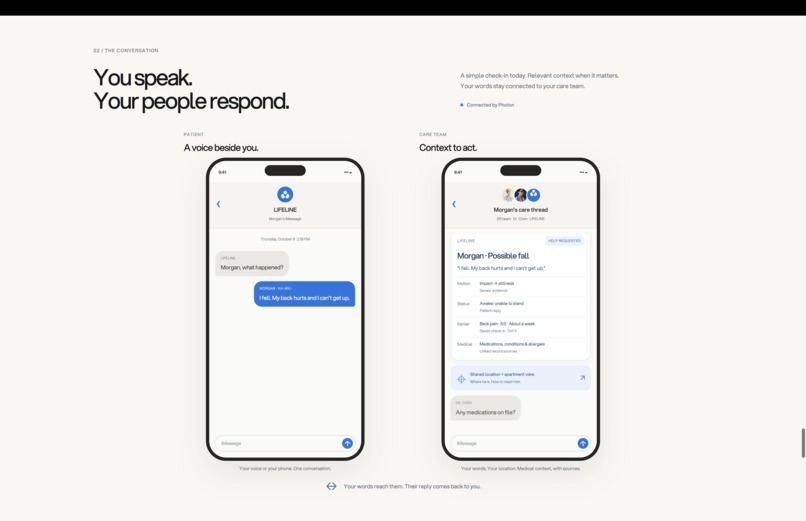
Collaborate between patient and caregiver
-
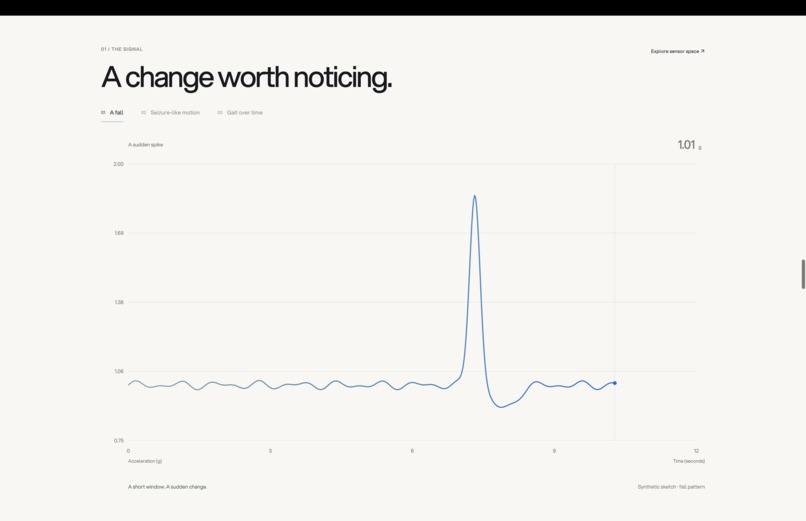
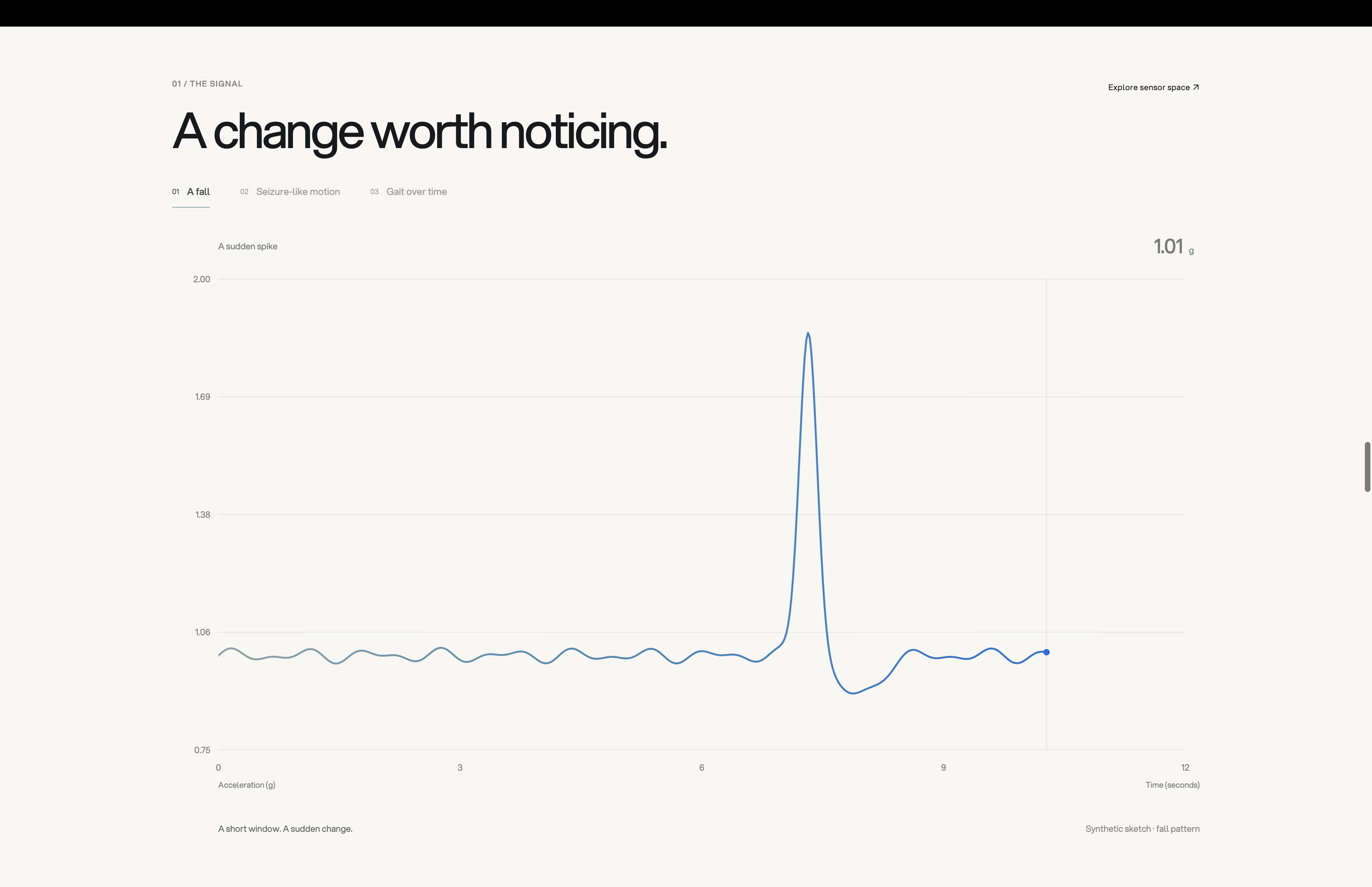
Tracking falls, seizures, and gait using IMU data
-
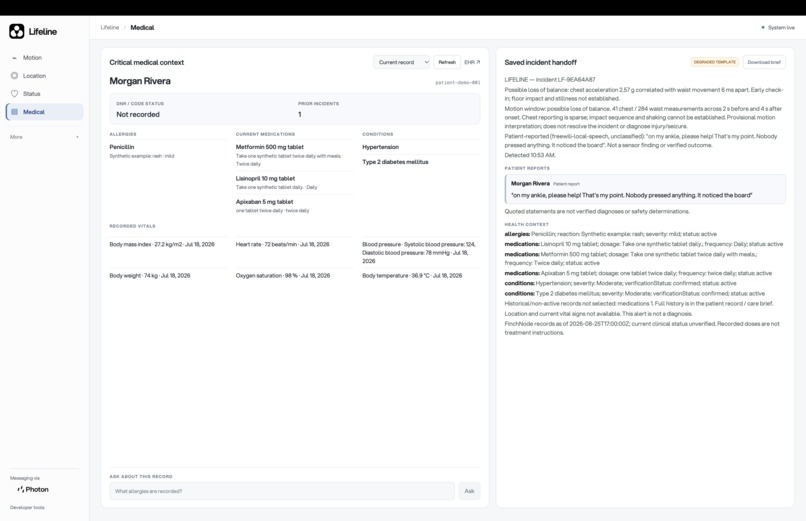
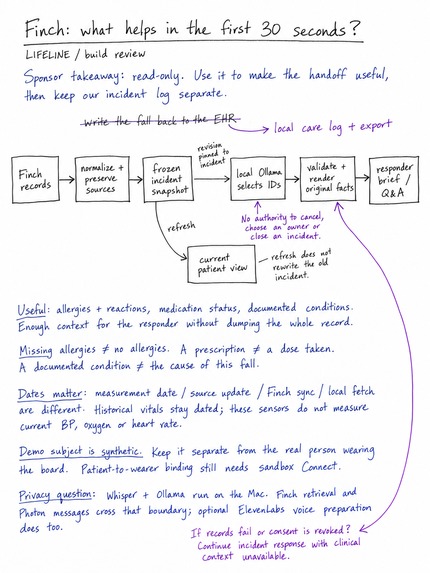
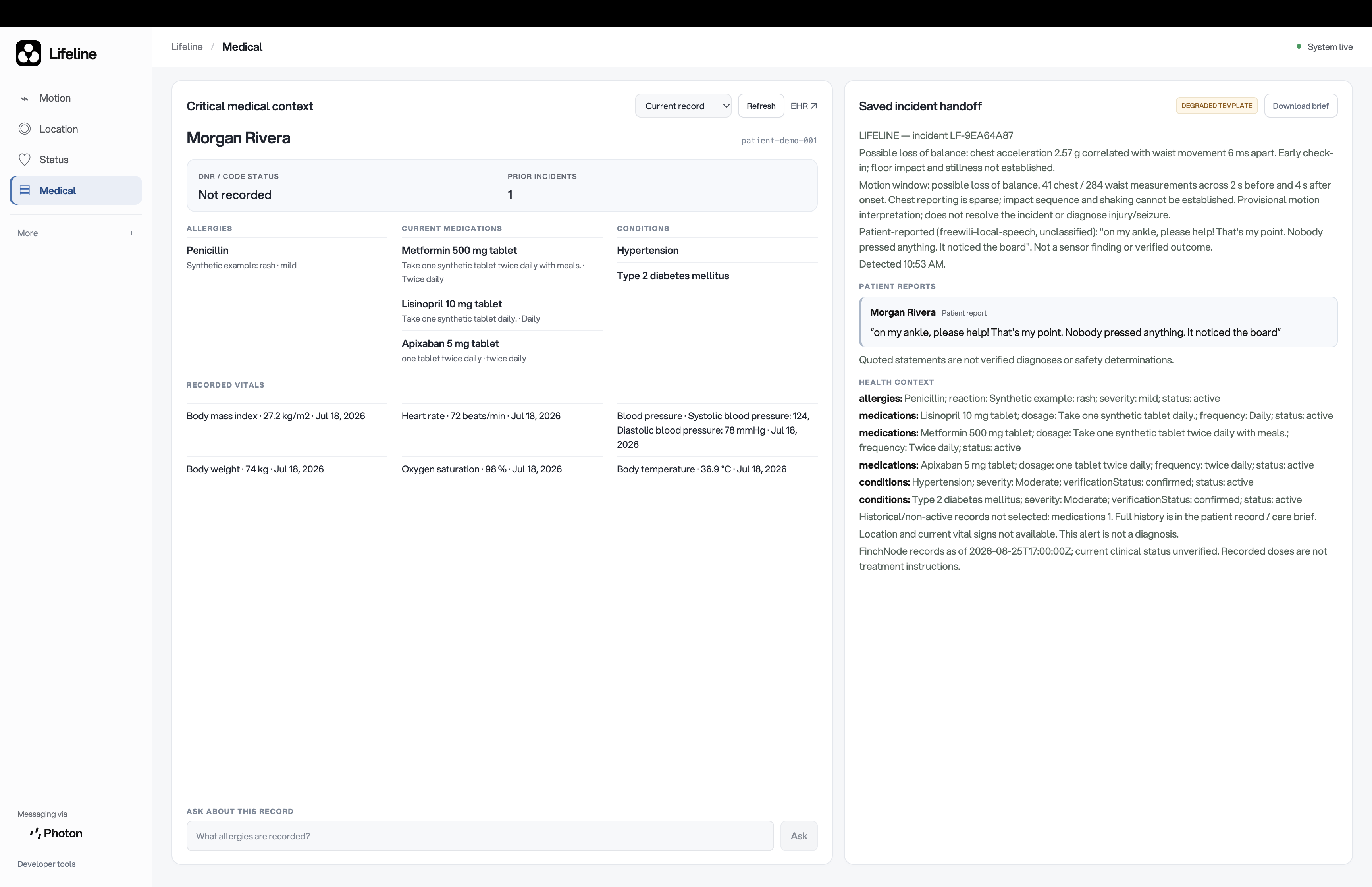
Track patient details via EHR via
-
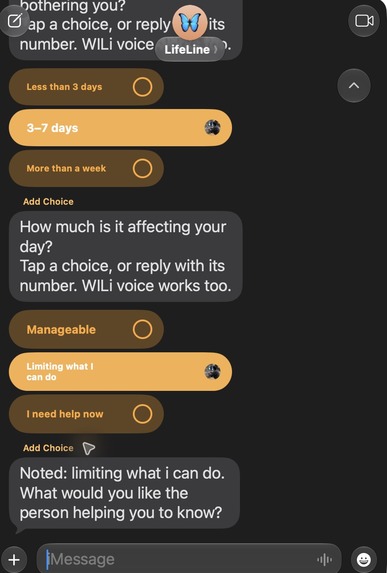
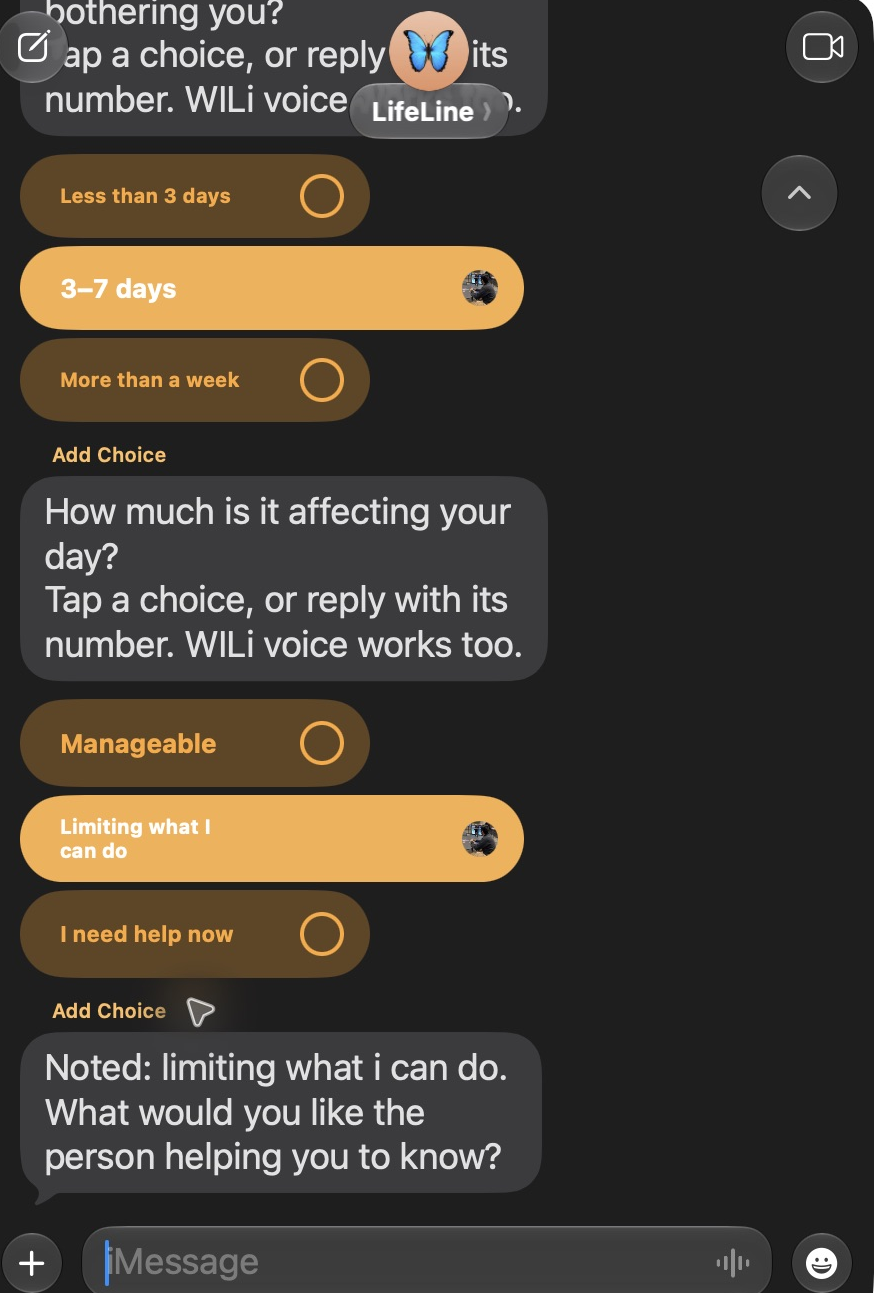
iMessage patient polls
-
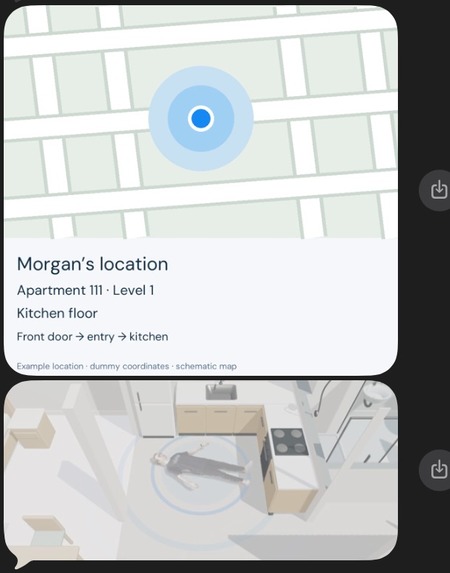
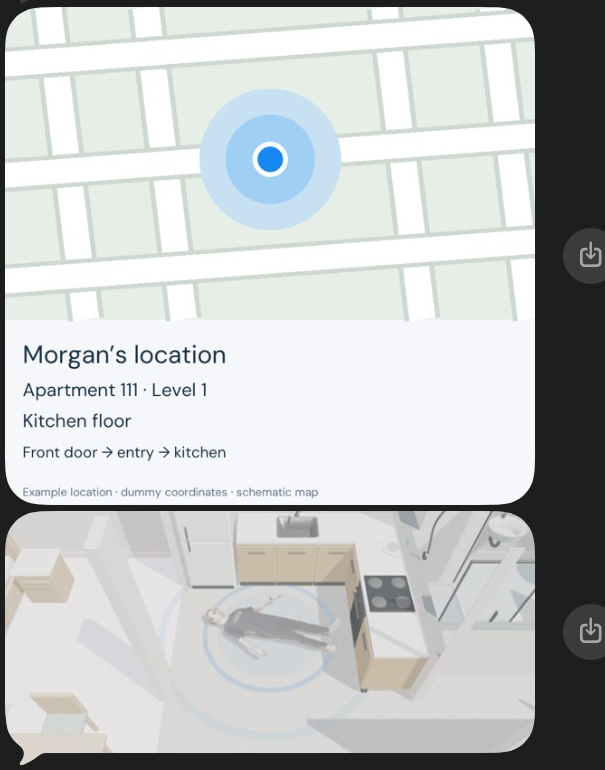
iMessage FindMy, Locator
-
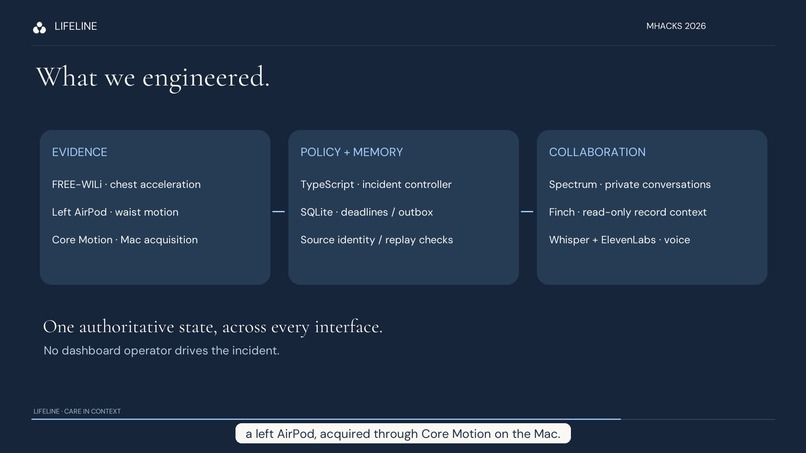
Architecture
-
-
-
-
-
Inspiration
My uncle is a senior citizen who lives alone. When he fell in his room, he came frighteningly close to losing his life. He managed to reach for his phone and call 911. That call helped him make it out alive.
Many people aren’t as lucky. What happens when the phone is out of reach? When someone can’t speak? When nobody knows they’ve fallen?
After his experience, living independently felt different to me. It shouldn’t mean that, in the worst moment of your life, getting help depends entirely on what you can still do for yourself.
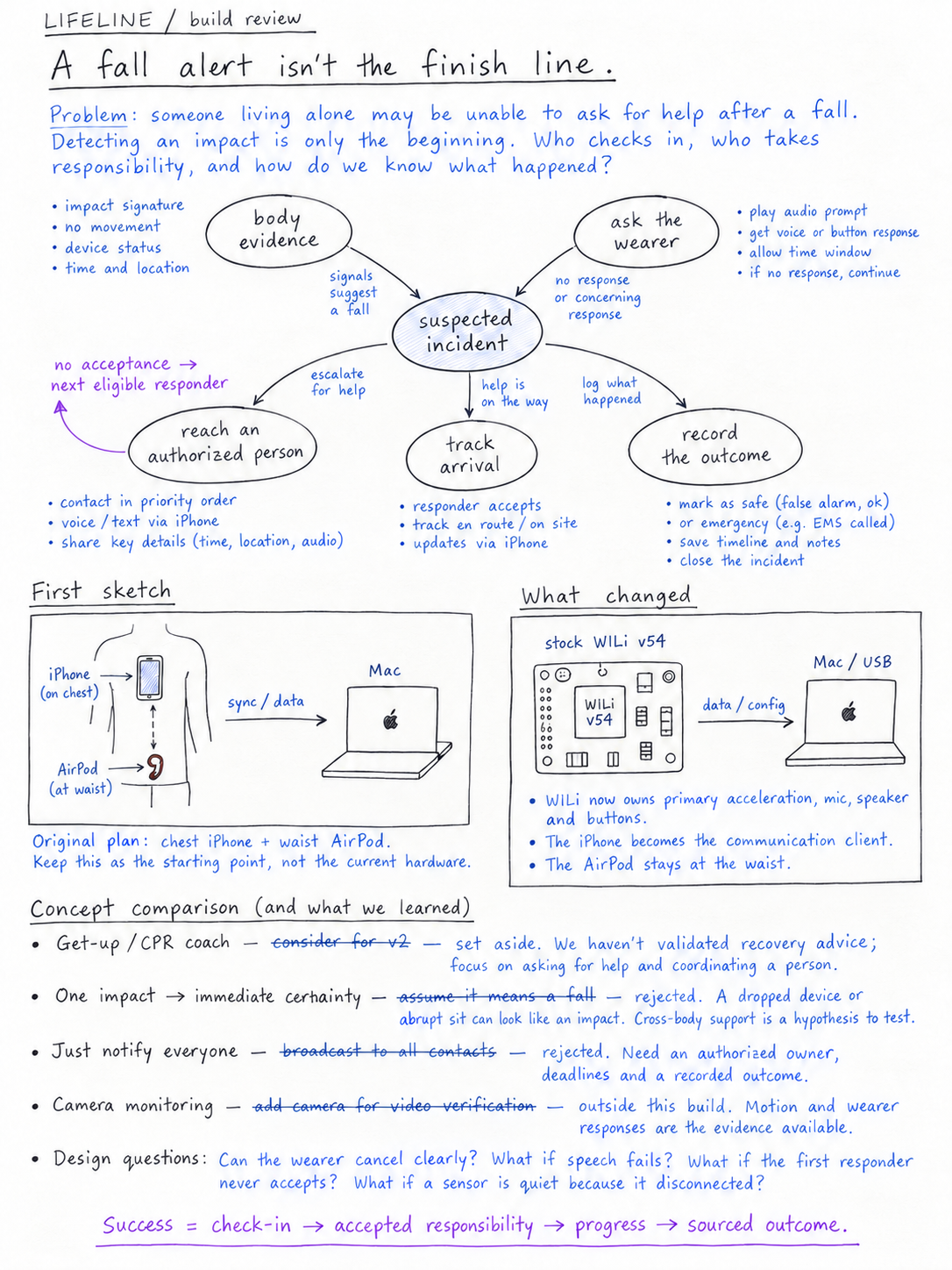
That’s why we built LIFELINE: to notice when something may be wrong, speak to the person, and connect them with someone who can help—and follow through until the outcome is known.
What it does
LIFELINE is a wearable AI care agent connecting older adults, loved ones, and care teams through voice and messaging.
Morgan loses her balance. Chest and waist sensors provide evidence of a possible incident. The wearable asks:
“Morgan, are you okay?”
She answers:
“I fell pretty hard. My ankle hurts, and I can’t stand up.”
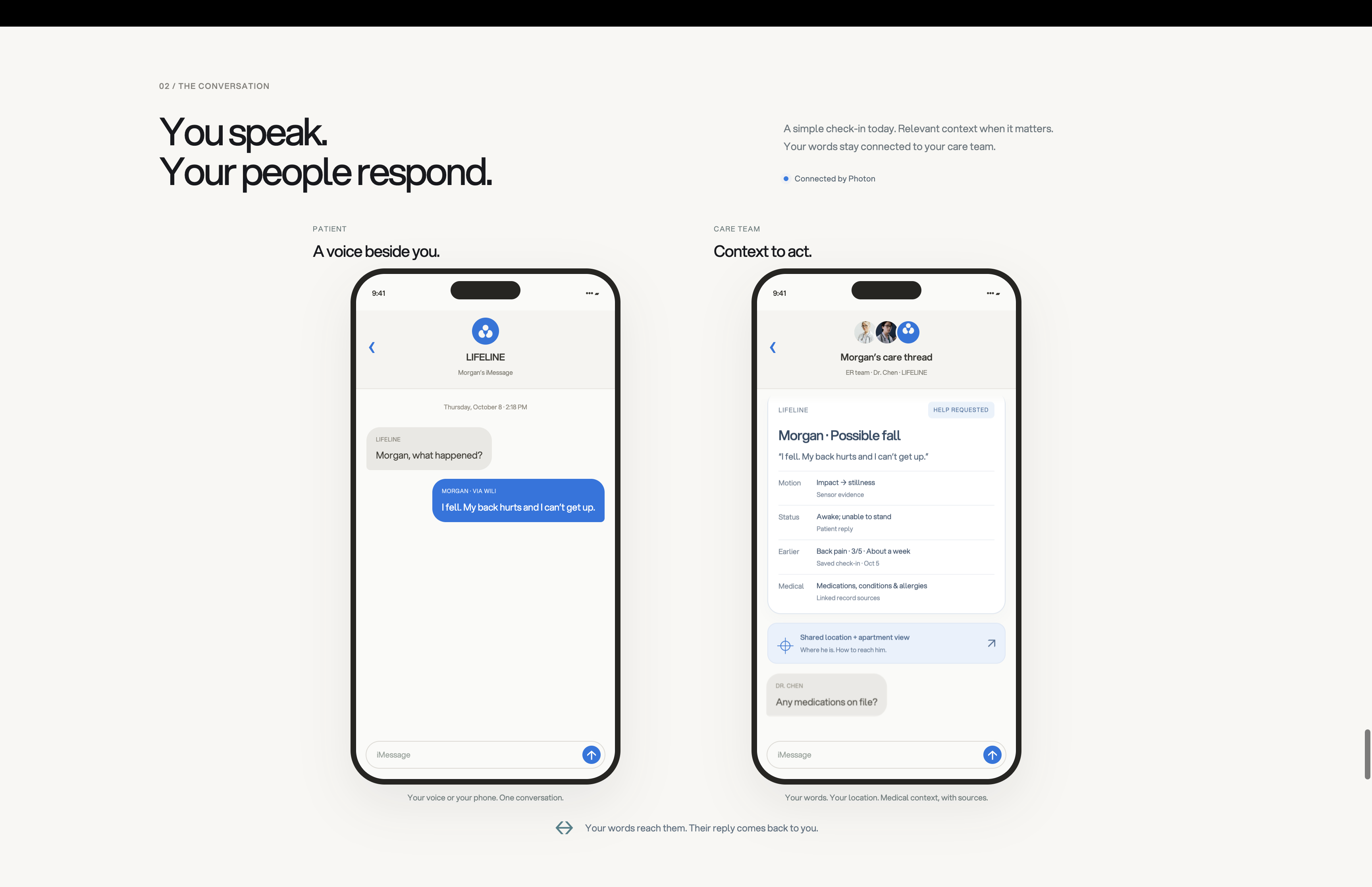
Maya receives Morgan’s words and relevant health context on her phone. She can ask about medications, allergies, or reported symptoms without leaving the conversation. When Maya accepts responsibility, LIFELINE records it. When she writes:
“Morgan, I’m coming. Stay where you are.”
The wearable speaks her message to Morgan.
Two real phones. A patient and a responder. One agent maintaining context across both conversations.
Clinical information stays in the care-team conversation. The patient hears the questions, reassurance, and messages intended for them.
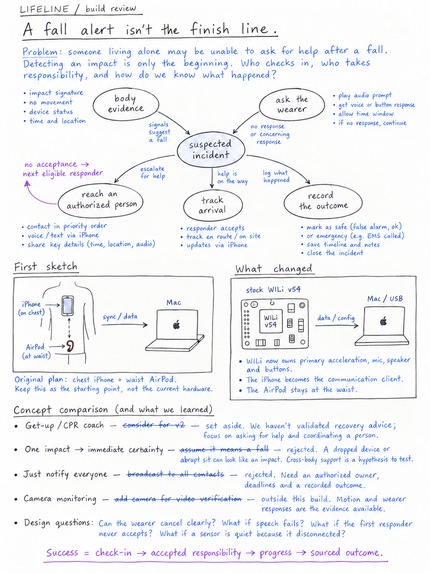
LIFELINE follows the incident through acknowledgement, responder ownership, arrival, and a recorded outcome. The dashboard shows the activity; nobody needs to click through its stages behind the scenes.
Care continues between emergencies. Daily check-ins let Morgan share how she feels through simple choices in iMessage or by holding a button on the wearable and speaking. Her answers become timestamped patient reports in the care workspace, where the care team can review them and ask follow-up questions.
How we built it
Physical sensing and interaction
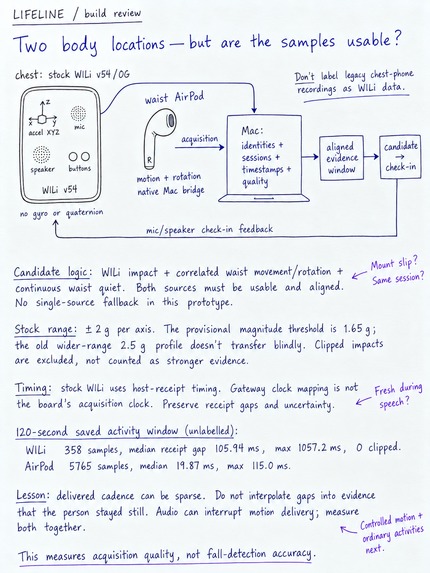
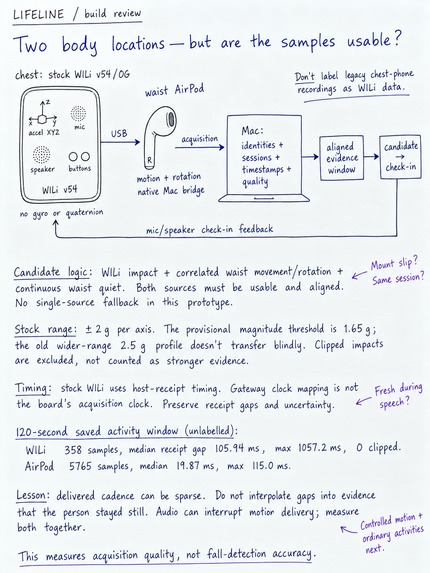
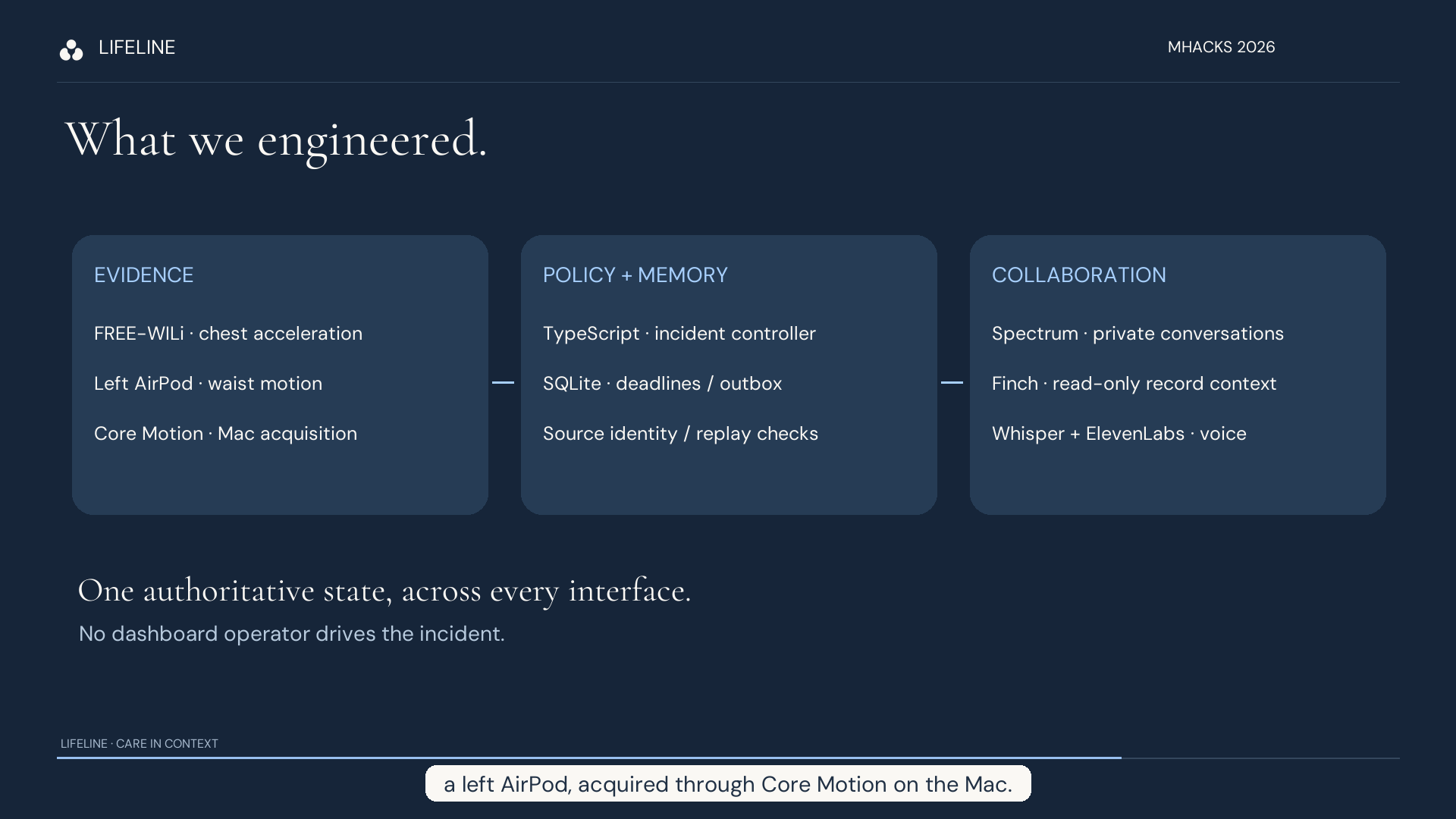
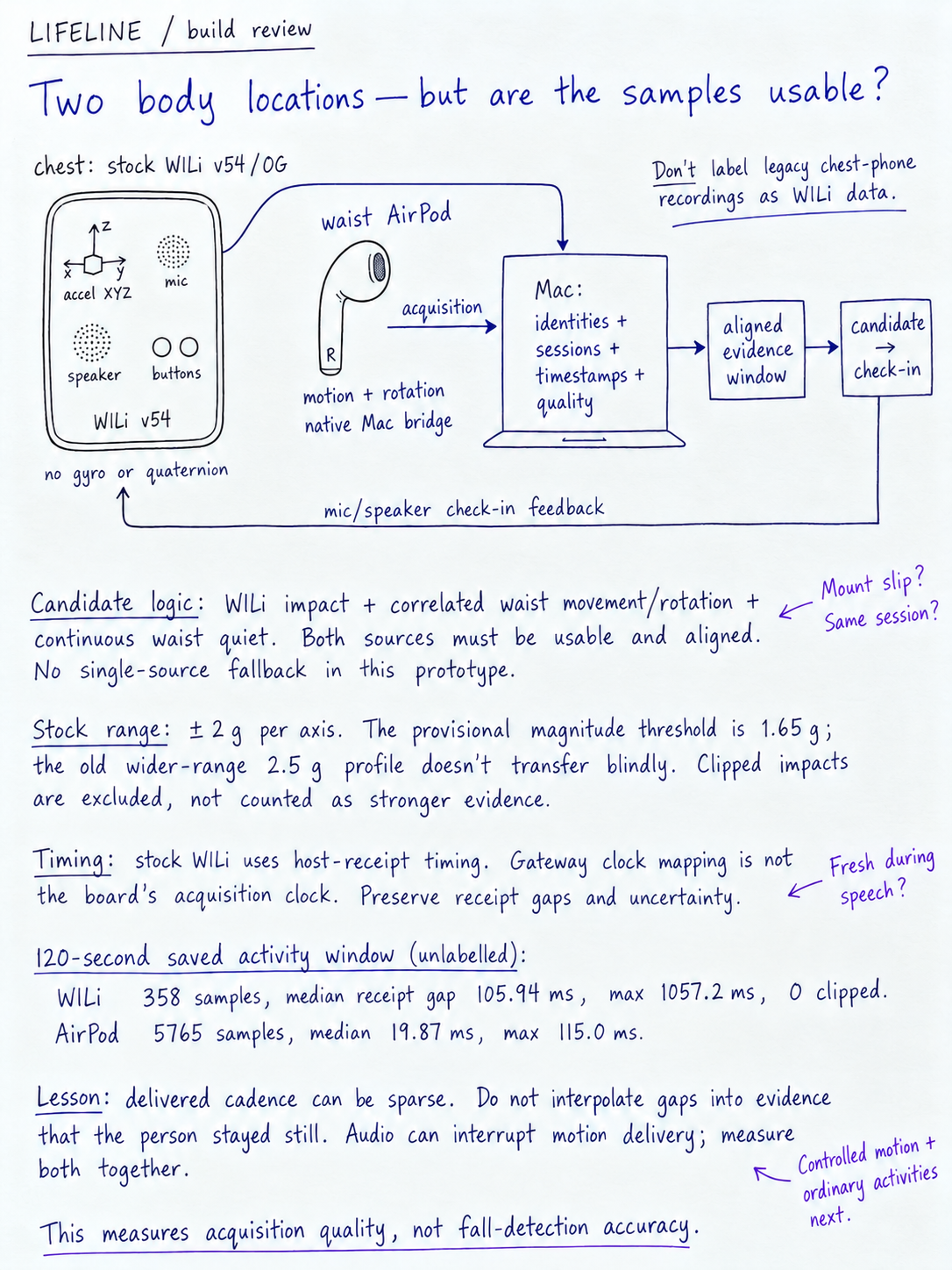
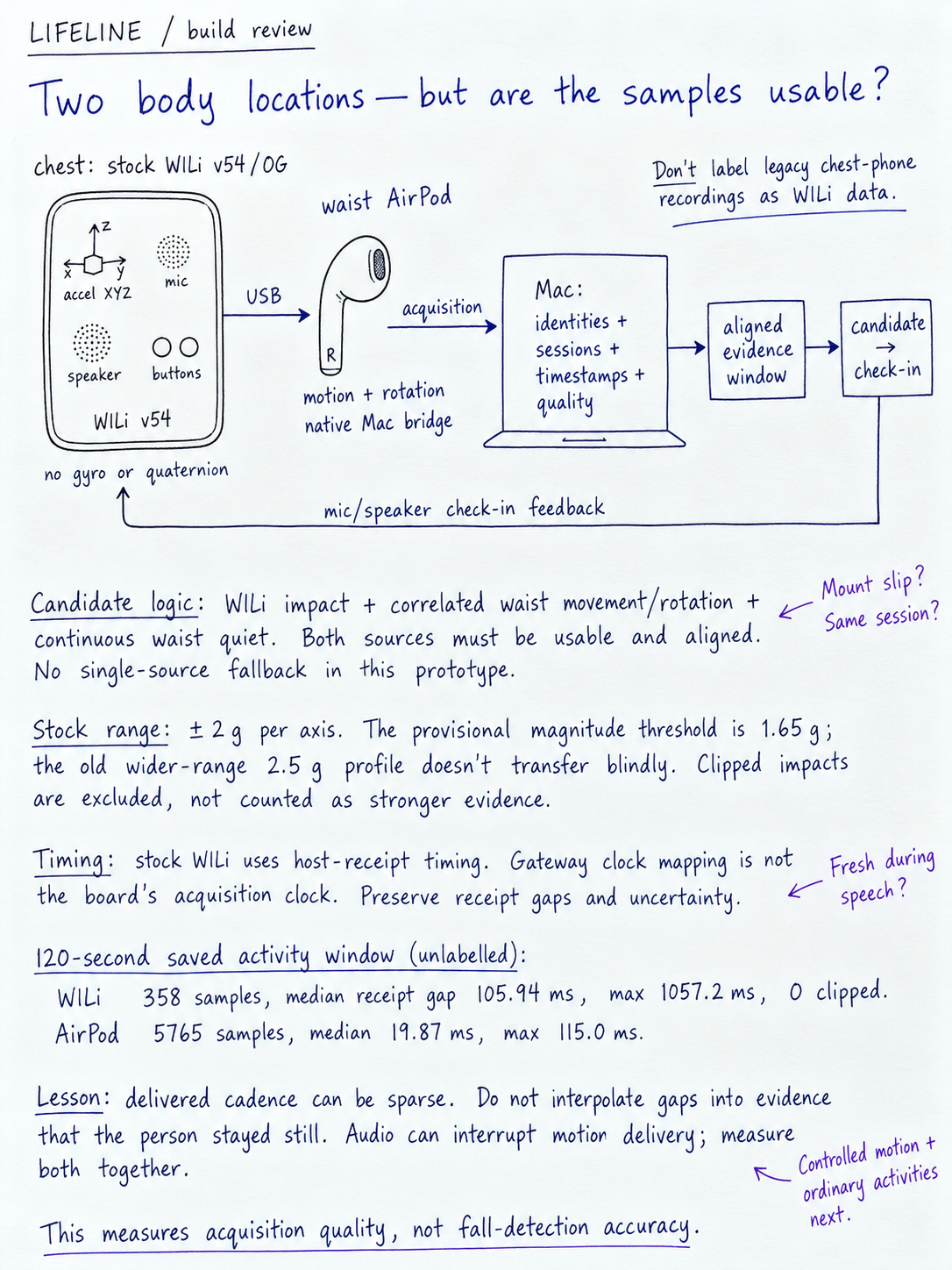
FREE-WILi provides chest acceleration, a microphone, speaker, display, and physical buttons. A left AirPod at the waist supplies a second motion stream through a native Swift/Core Motion app on the Mac. We incorporated working acquisition code from our earlier Kinesthetic project.
The phone remains the familiar communication interface.
One shared care state
A TypeScript and Node.js backend coordinates incidents. SQLite preserves conversations, deadlines, responder ownership, pending actions, and audit history.
We separated observations, decisions, and actions. Explicit policies control escalation and resolution, while the language model helps interpret and communicate context.
Voice and messaging
Photon’s Spectrum API connects patient and care-team conversations to the same incident. Incoming messages are interpreted according to the sender’s role and the current situation.
Whisper transcribes wearable speech. ElevenLabs provides spoken check-ins and patient-directed replies. A local Qwen model supports conversational follow-up and answers grounded in retrieved records.
Clinical context
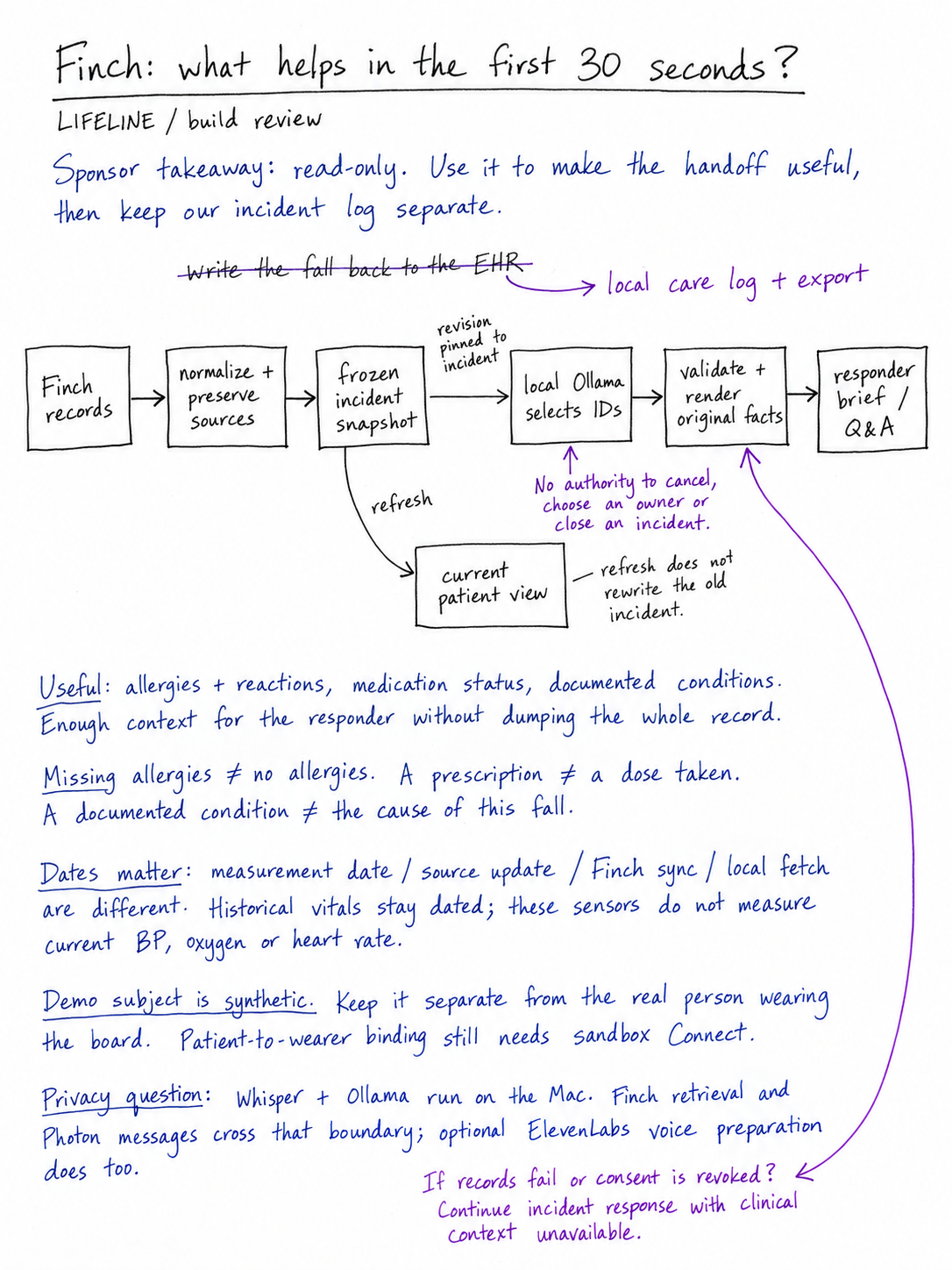
FinchNode supplies read-only synthetic health records. We distinguish current medications from historical prescriptions, patient statements from clinical records, and unavailable measurements from known facts.
New patient reports stay in our own care database, separate from hospital records. This lets the care team connect existing medical context with what the patient is experiencing now.
Care workspace
HTML, CSS, JavaScript, and Three.js bring together motion telemetry, patient status, medical context, and a configured interactive apartment visualization built from a Blender asset.
The workspace helps the care team understand the situation while voice and messaging keep the patient involved.
Challenges we faced
The hardest part was making sensing, speech, messaging, and the physical display behave as one product. Sensor timing, reconnects, audio clarity, transcription failures, screen recovery, and message routing all affected the experience.
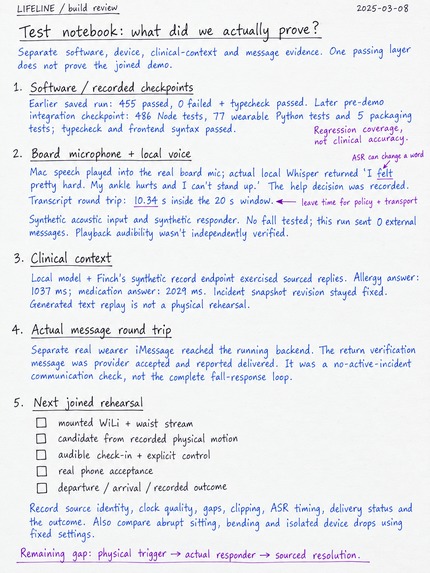
We tuned speech playback for the wearable’s speaker, improved the recording and transcription path, and built recovery behavior for repeated runs.
We also had to define what progress actually means. A delivered alert does not mean someone accepted responsibility. An ambiguous reply does not mean the patient is safe. Missing sensor data does not establish that everything is fine.
Those distinctions shaped the incident controller and the way we preserve state across messages and restarts.
Accomplishments we’re proud of
We connected physical sensing, voice, native messaging, clinical context, and responder ownership into one care loop.
The patient can speak through the wearable. The responder can ask contextual questions from their phone. Their replies return to the same incident, and patient-directed messages can be spoken aloud.
We also extended the product beyond emergencies with daily check-ins, structured symptom reports, and care-team follow-up.
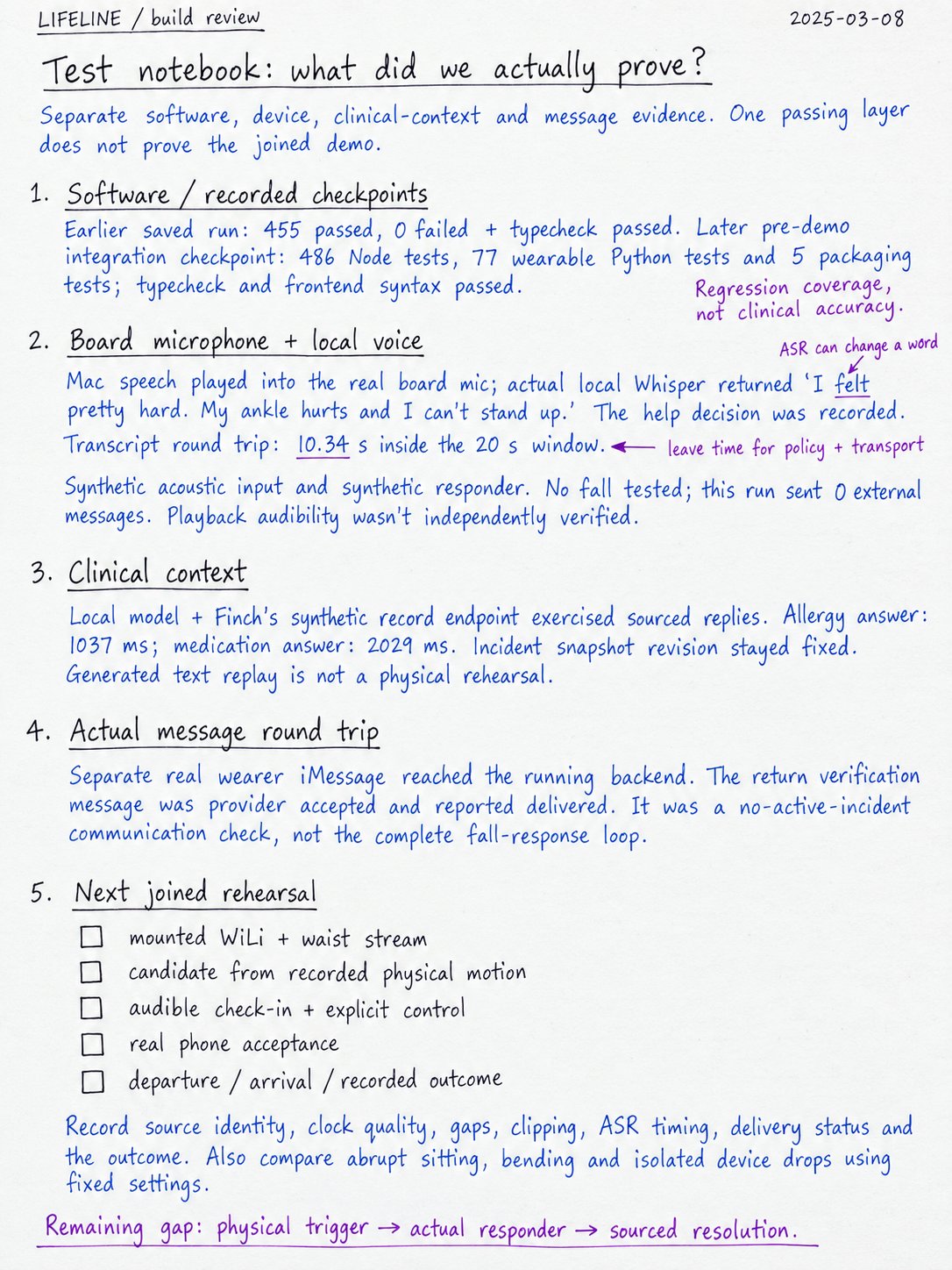
Our tests cover restart recovery, duplicate messages, ambiguous replies, responder speech routing, and patient-report provenance.
What we learned
Different people need different information. A patient may need one clear question or reassurance. A responder needs medical context and a way to act. Both need the same persistent memory.
We learned that read-only health records can still support useful care: bring existing context into the conversation, then preserve new patient reports separately.
The value of the agent is in helping people understand what is happening, take responsibility, and stay connected through the outcome.
What’s next
We want to evaluate LIFELINE with older adults and caregivers, collect broader movement data, and move toward a smaller wireless wearable.
We also plan to expand longitudinal symptom tracking and investigate additional motion patterns. Our current fall and shaking assessments remain prototypes, and the apartment view is configured rather than measured indoor positioning.
The goal is dependable, everyday support that helps people live independently while staying connected to the people who care for them.
Built With
- airpods
- blender
- cloudflare-pages
- core-motion
- css
- elevenlabs
- finchnode
- free-wili
- html
- javascript
- node.js
- notability
- ollama
- photon
- python
- qwen
- spectrum
- sqlite
- swift
- three.js
- typescript
- websockets
- whisper


Log in or sign up for Devpost to join the conversation.