-
-
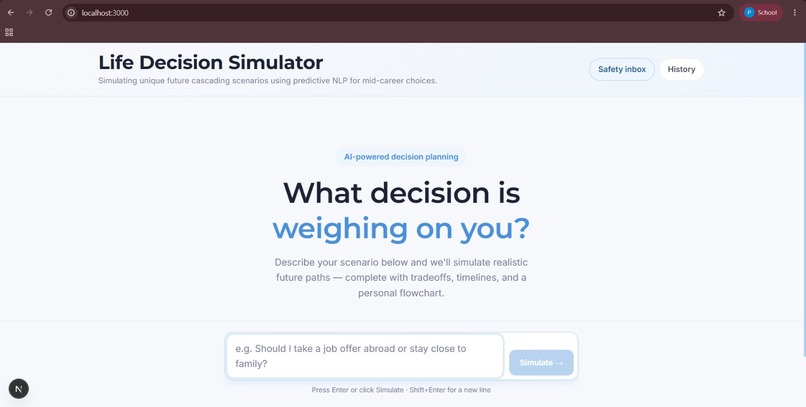
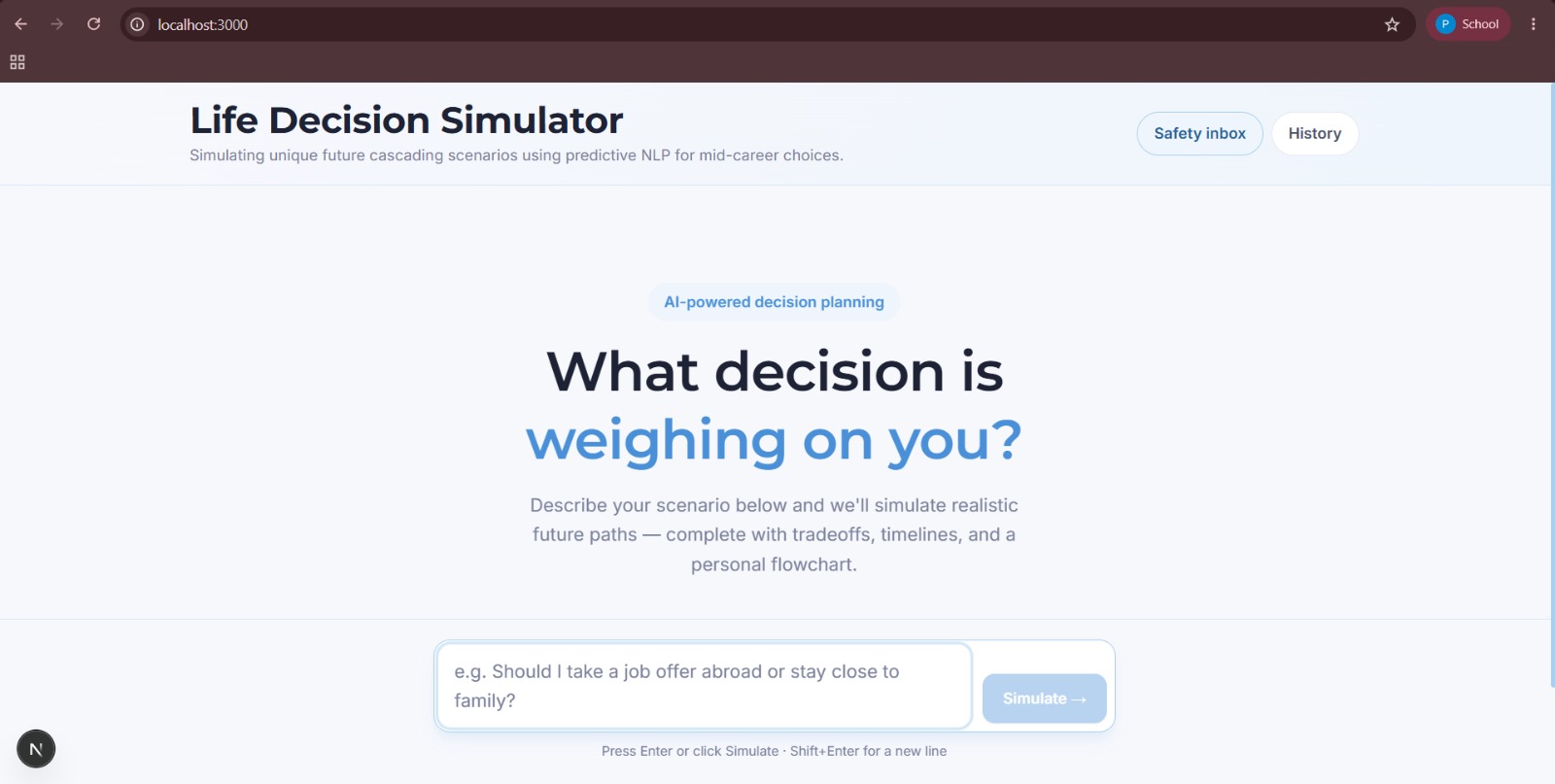
main page
-
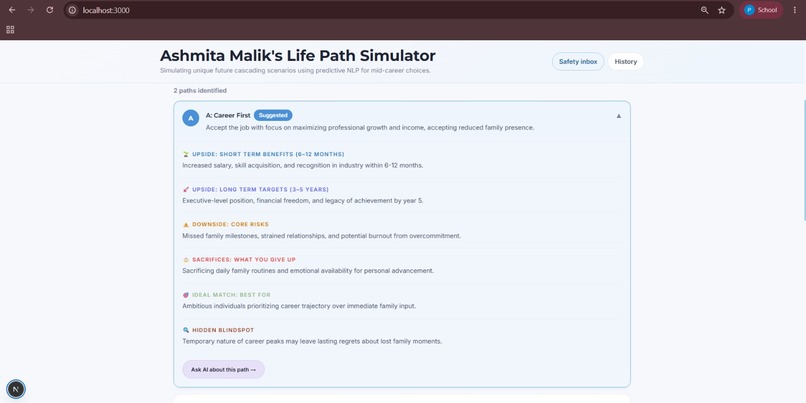
User entry
-

disclaimer
-
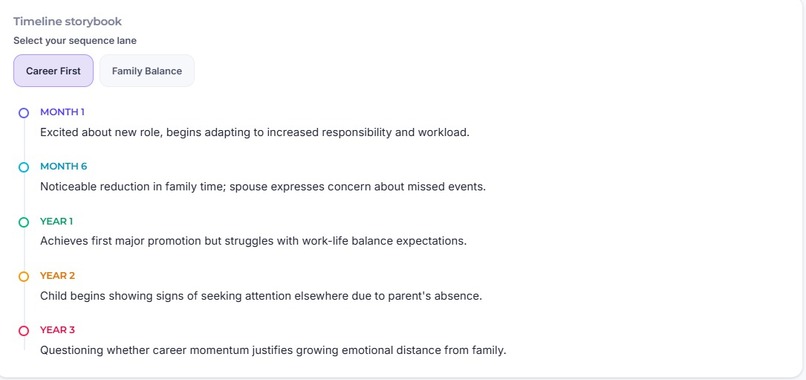
flow chart
-
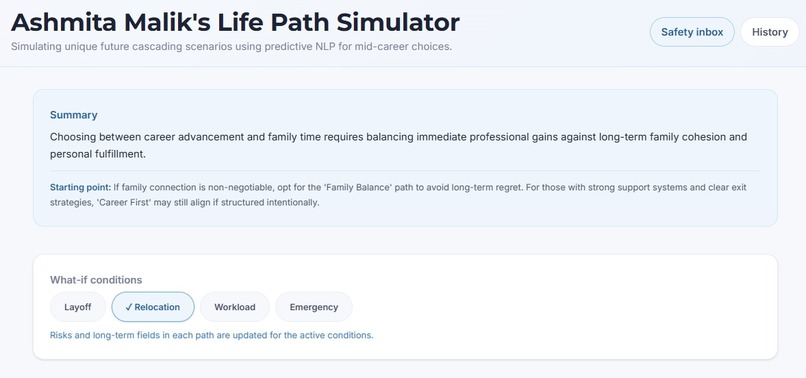
followup choices
-
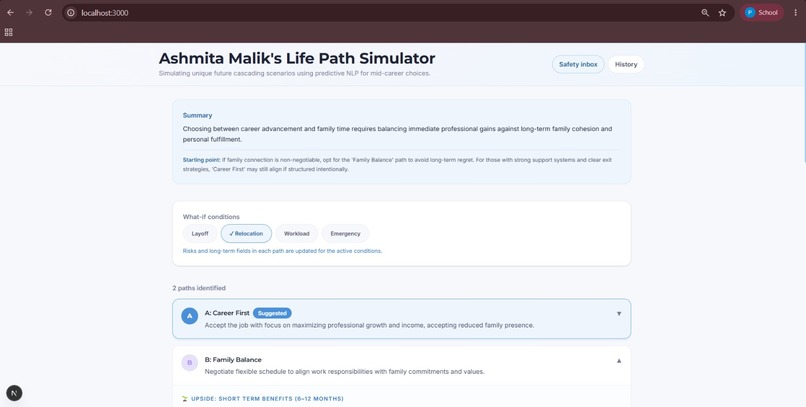
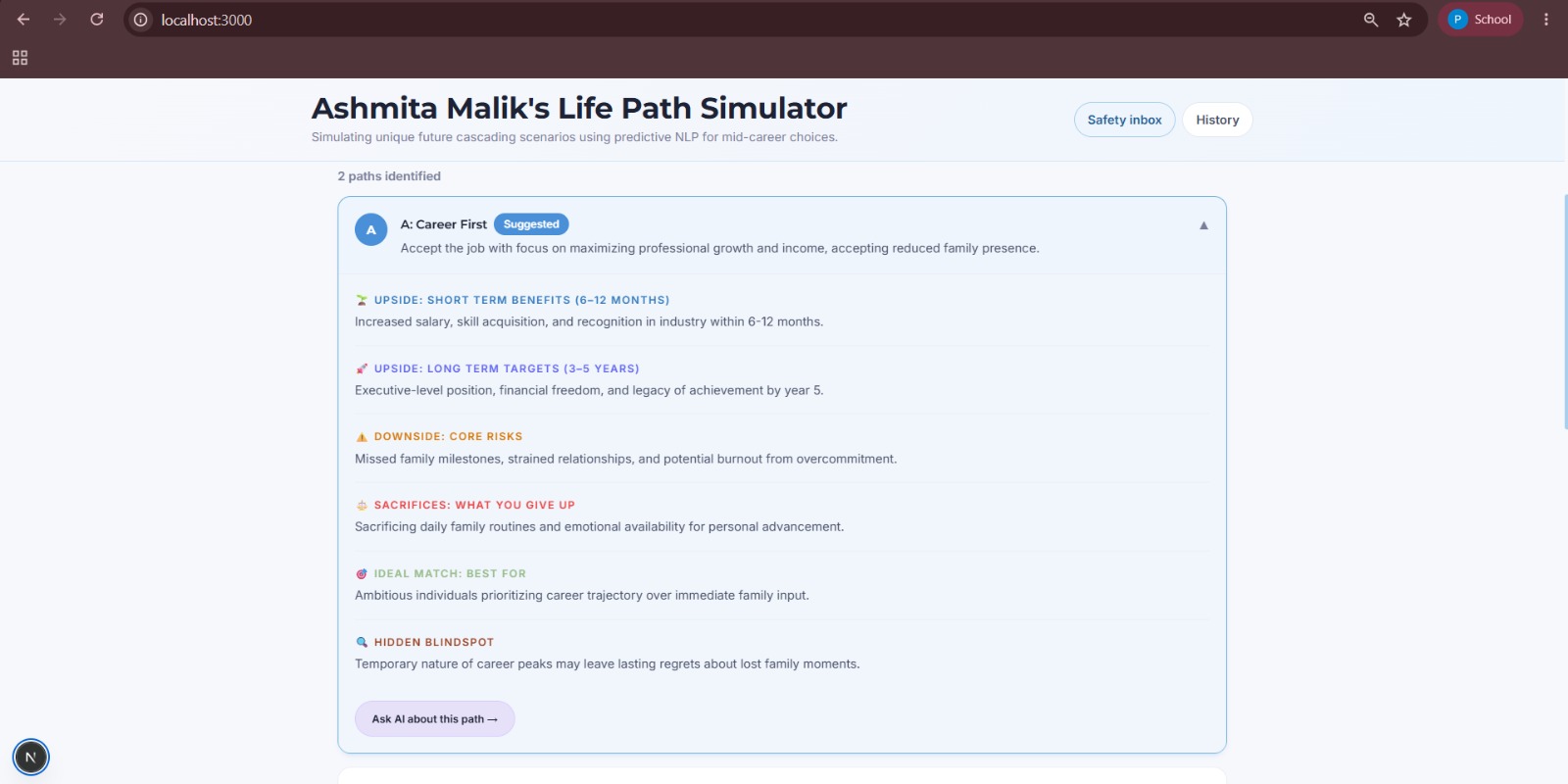
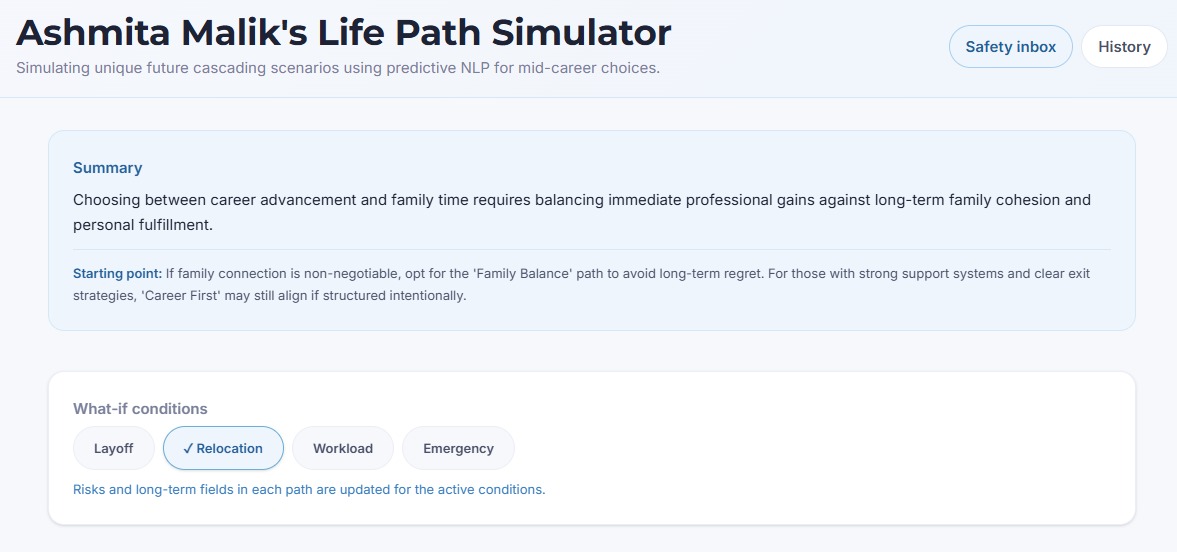
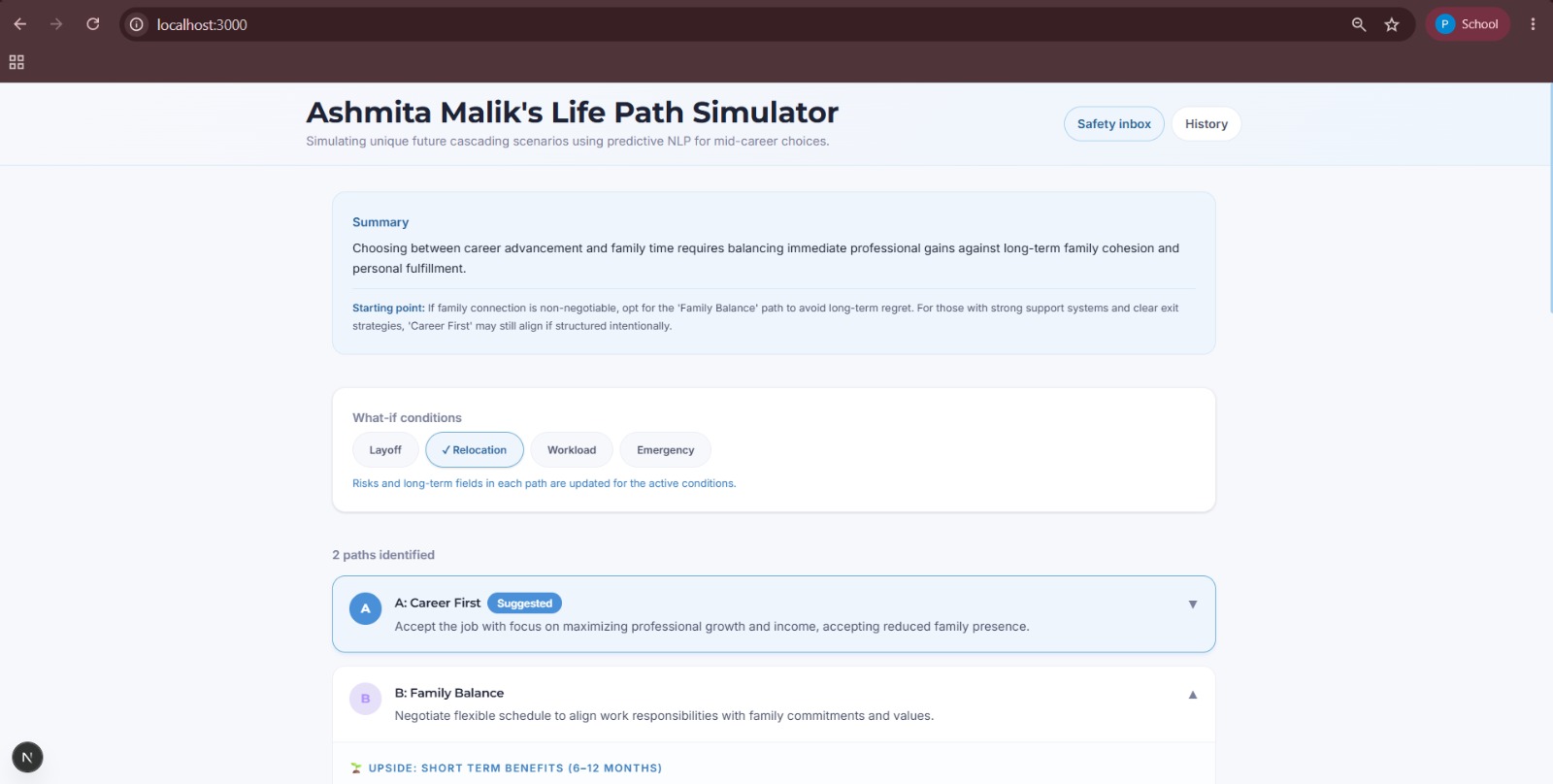
path cards

Inspiration
We've all faced decisions that kept us up at night—should I take that job? Move to a new city? Go back to school? Most people make these life-altering choices with limited information and high anxiety. We wanted to build a tool that lets anyone "test drive" a major life decision and learn it's pros and cons before committing to it.
What it does
LifeFork takes any major life decision—like "Should I do my master's or an internship?"—and instantly simulates multiple future paths.
For each path, it generates:
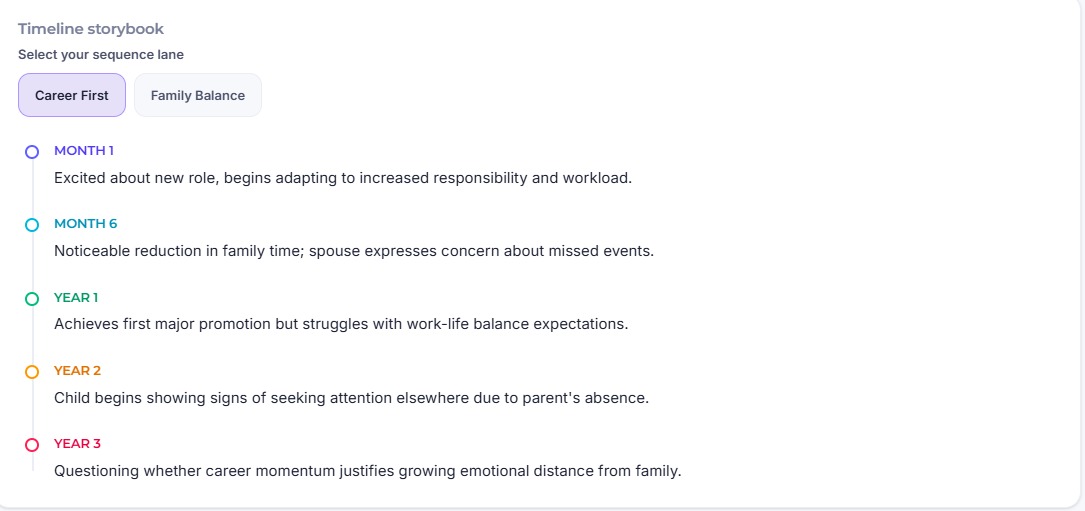
Short-term & long-term outcomes Risks and blind spot alerts, factors that require human judgment and emotional nuance, which AI alone can't fully weigh 1, 2, and 3-year milestones to explore the long-term effects of your decision A tradeoff & opportunity cost matrix, showing what you gain vs. sacrifice per path What-if scenario toggles (Market Downturn, Low Energy, Fast Industry Change, etc.) A balanced AI recommendation that briefs you on what the simulation found
Users can also sign in via magic link to save their decision history, revisit past simulations, and have their full plan emailed to them.
The final screen reminds users:
"This simulation is for reflection only—the final decision is always yours," keeping humans in control.
How we built it
LifeFork is built on Next.js 16 and React 19, with TypeScript throughout and Tailwind CSS 4 for styling. The frontend centers on a step-by-step decision flow: an input stage, an adaptive follow-up question stage that adjusts based on the user's specific scenario, and a results view with a visual path timeline, tradeoff matrix, what-if toggles, and a chat modal for digging deeper into any path. The simulation engine runs through a structured prompt pipeline served via OpenRouter, which takes the user's raw decision and any adaptive follow-up answers, and instructs the model to generate 2–3 distinct paths with short-term outcomes, long-term outcomes, risks, blindspots, and milestone projections per path, then a tradeoff matrix and a balanced recommendation. What-if toggles are dynamically injected into the prompt to re-simulate all paths under different conditions in real time. For persistence and accounts, we used Supabase for magic-link authentication and Postgres storage , decisions and crisis events are saved per user, with a login-gated history page where users can click into any past simulation to expand it. We also built a self-harm safety layer: a two-stage check that first scans for crisis-related keywords, then runs a second AI-based classification pass for ambiguous cases, logging flagged events to a Supabase table that surfaces in an internal admin dashboard for human review. Finally, we integrated Resend so users can email themselves their full decision plan, with the path flowchart embedded inline as an image.
We designed a structured prompt pipeline that:
Takes the user's raw decision as input Asks targeted, adaptive follow-up questions to fill in context the model needs before simulating Instructs the model to generate 2–3 distinct paths Returns short-term, long-term, risks, blindspots, and milestone projections per path Outputs a tradeoff matrix and a balanced recommendation
What-if scenario toggles are dynamically injected into the prompt to re-simulate outcomes under different life conditions in real time. For persistence and accounts, we used Supabase for magic-link authentication and Postgres storage , decisions and crisis events are saved per user, with a login-gated history page where users can click into any past simulation to expand it. We also built a self-harm safety layer: a two-stage check that first scans for crisis-related keywords, then runs a second AI-based classification pass for ambiguous cases, logging flagged events to a Supabase table that surfaces in an internal admin dashboard for human review. Finally, we integrated Resend so users can email themselves their full decision plan, with the path flowchart embedded inline as an image.
Challenges we ran into
Getting AI outputs to feel less generic. The hardest prompt engineering challenge was making the model generate outcomes specific to the user's situation rather than recycled advice. We iterated heavily on prompt structure to force contextual reasoning, and added an adaptive follow-up question step so the model could ask for the missing context it actually needed before generating paths. Structuring unstructured AI output. Getting consistent, parseable outputs across wildly different decision types, without hallucinated or missing fields, took significant prompt refinement and error handling, including fallback logic for malformed responses. Balancing AI confidence with emotional safety. The model sometimes generated outcomes that felt too decisive for sensitive personal decisions. We tuned the tone to be useful but never feel like a verdict, and added explicit AI-limitation disclaimers throughout the UI. Designing the what-if toggle system. Dynamically injecting scenario conditions while keeping output consistent across all paths required careful prompt architecture. Infrastructure gremlins. Beyond prompting, we lost real time to environment issues, a Safari/Turbopack CSS caching bug that took extensive debugging before resolving on its own, and merge conflicts from disconnected Git histories between our two local repos that we had to resolve manually.
Accomplishments that we're proud of
A simulator that feels genuinely personal. Each simulation adapts to the user's exact situation, not a template, partly thanks to the adaptive follow-up question system that tailors what's asked before generating paths. Blindspot alerts that land honestly, not alarmingly. They push back on the user's assumptions in a way that feels like a thoughtful friend, not a lecture. A real safety net, not just a prompt instruction. Our self-harm detection isn't a single keyword check , it's a two-layer system (keyword + AI classification) backed by a database table and an actual admin alert dashboard for human review.
The what-if scenario system:
Toggling real-world conditions and watching all paths re-simulate live was technically satisfying and genuinely useful.
The human-in-the-loop design:
Every screen reinforces that the AI reflects, not decides, getting that balance right was one of the most important parts of building this out.
What we learned
AI is most powerful when it structures thinking, not when it replaces it. The best version of LifeFork isn't one that tells you what to do, it's one that shows you what you hadn't considered. Prompt engineering is product design. How you instruct the model directly shapes the user experience. Tone, structure, and constraints in the prompt matter as much as the UI itself. Emotional safety is a feature. For decisions that carry real weight, how the AI communicates uncertainty is just as important as accuracy. Production details matter even in a hackathon. Wiring up real auth, a real database, and a real email service, instead of mocking them, forced us to think about edge cases (failed logins, missing API keys, malformed AI output) that a pure demo wouldn't have surfaced.
Prompt engineering is product design
How you instruct the model directly shapes the user experience. Tone, structure, and constraints in the prompt matter as much as the UI itself.
Emotional safety is a feature.
For decisions that carry real weight, how the AI communicates uncertainty is just as important as accuracy.
What's next for LifeFork
Expanding to detailed decision tracks for relationships, finances, and health Adding personalization inputs (age, location, risk tolerance) for more tailored simulations A community layer where users share anonymized decision outcomes and real results Partnering with career counselors and therapists to validate simulation accuracy A mobile app for on-the-go decision moments
Built With
- anthropic
- javascript
- next.js
- openrouter
- react
- resend
- supabase
- tailwind
- typescript
- vercel

Log in or sign up for Devpost to join the conversation.