-
-
Project thumbnail
-
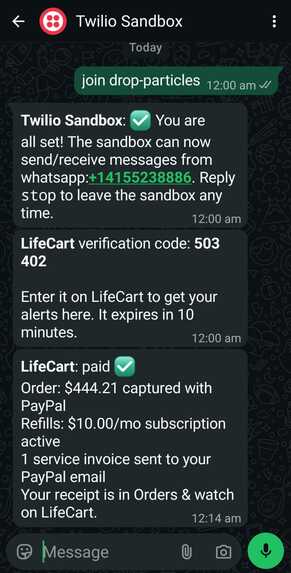
Whatsapp integration via twilio sandbox
Inspiration
Starting something new takes far too long before you can actually start. Getting a puppy, setting up a home office or moving into a new place all begin the same way. First you research what you actually need. Then you hunt for the best prices and look for coupons. Then you go through one website after another, checking what each store is offering.
By the time you're done, you have a dozen tabs open, a rough idea of the budget, and new bills and subscriptions you'll forget to track. We wanted to collapse all of that into one step. You describe what you're starting, an agent does the research, price comparison and coupon hunting for you, and you stay in control of every dollar that's spent.
What it does
- Plans from one sentence. You type what's changing, say it into the mic, or add a photo. LifeCart asks up to 3 tap-to-answer questions, then builds a plan grouped by need (for example "While you're away"). Every item comes with a reason tied to your situation.
- Uses real prices. Products are matched to live listings from Channel3, with 90-day price history, so you can see whether today's price is a good one.
- Puts each item on the right PayPal payment type. One-time buys become Orders, refills like dog food become monthly Subscriptions, and people like a dog walker are paid by Invoice. Items that can wait go on a price watch with a target price.
- Never pays without you. Checkout shows exactly what will be charged, and nothing moves until you approve it on PayPal. Approval links can also come to you on WhatsApp: they work once and expire after 30 minutes.
- Finds coupons when you ask. A Kernel cloud browser searches each store's deals page and coupon sites. A code is shown only if it appears word for word on the page it came from.
- Handles bills. You add bills with their real billing period, pay them through PayPal, and get reminders before they're due.
- Shows where the money went. An AG Grid ledger checked live against PayPal, plus a Bryntum calendar of what's coming up.
- Tracks a monthly budget that resets on the day you choose:
$$\text{left this month} = B - \big(\text{captured orders} + \text{active refills} + \text{paid bills}\big)$$
- Sends daily alerts. Price drops and bills coming due are checked by Render Workflows, one task per user, and arrive as a single WhatsApp message.
How we built it
- App: Next.js 16 (App Router, Cache Components, Server Actions), with Drizzle ORM on Postgres.
- Hosting: everything runs on Render: the web service, Postgres, a Workflows service and a daily cron job, all created from one
render.yamlBlueprint. - AI (Groq):
gpt-oss-120bplans and matches products.gpt-oss-20bruns the safety checks and pulls out coupons.- Qwen reads photos.
- Llama Prompt Guard 2 scores prompt-injection attempts.
- Payments: the PayPal Agent Toolkit handles orders, captures, subscriptions, invoices, refunds and transaction search, all in the PayPal sandbox.
- Agent design: the code decides the order of steps; the model only makes judgement calls inside them. Planning is a fixed pipeline:
draft → search → match → retry → price history → save
For $N$ products, a plan costs at most 3 LLM calls and about $3N$ Channel3 requests, under a 180-second deadline. The model is never given the payment tools, so it can't spend money.
- Guardrails against bad matches: the model's pick is accepted only if its price $p$ is near the typical price $\hat p$:
$$\tfrac{1}{3}\,\hat p \;\le\; p \;\le\; 3\,\hat p$$
Price-watch targets are reset against the real price, $t = 0.85\,p$.
- Security:
- Five layers of input and output checks.
- Sign-in with an emailed code; sessions are stored as hashes.
- Every database query is limited to your own data (tested).
- Each payment step is claimed once, so a double tap can't charge twice.
Challenges we ran into
- A 35 GB dev server. Turbopack was parsing Bryntum's 5 MB trial bundle. Loading the library at runtime instead brought dev memory back under 2.5 GB, and production runs at about 220 MB.
- Moving money safely. Refreshes, double taps and PayPal redirects can each trigger a payment step twice. Every step is now claimed with a conditional database update, and amounts come only from the approved cart, never from the browser or PayPal's redirect.
- The model picking the wrong product, such as a keyboard listed as a monitor. Fixed with a "same kind of product" check, the price band above and one broader retry search.
- Free-tier limits. Groq allows 8,000 tokens per minute. We used short reasoning settings, a token gate that waits when the limit is close, and daily usage caps.
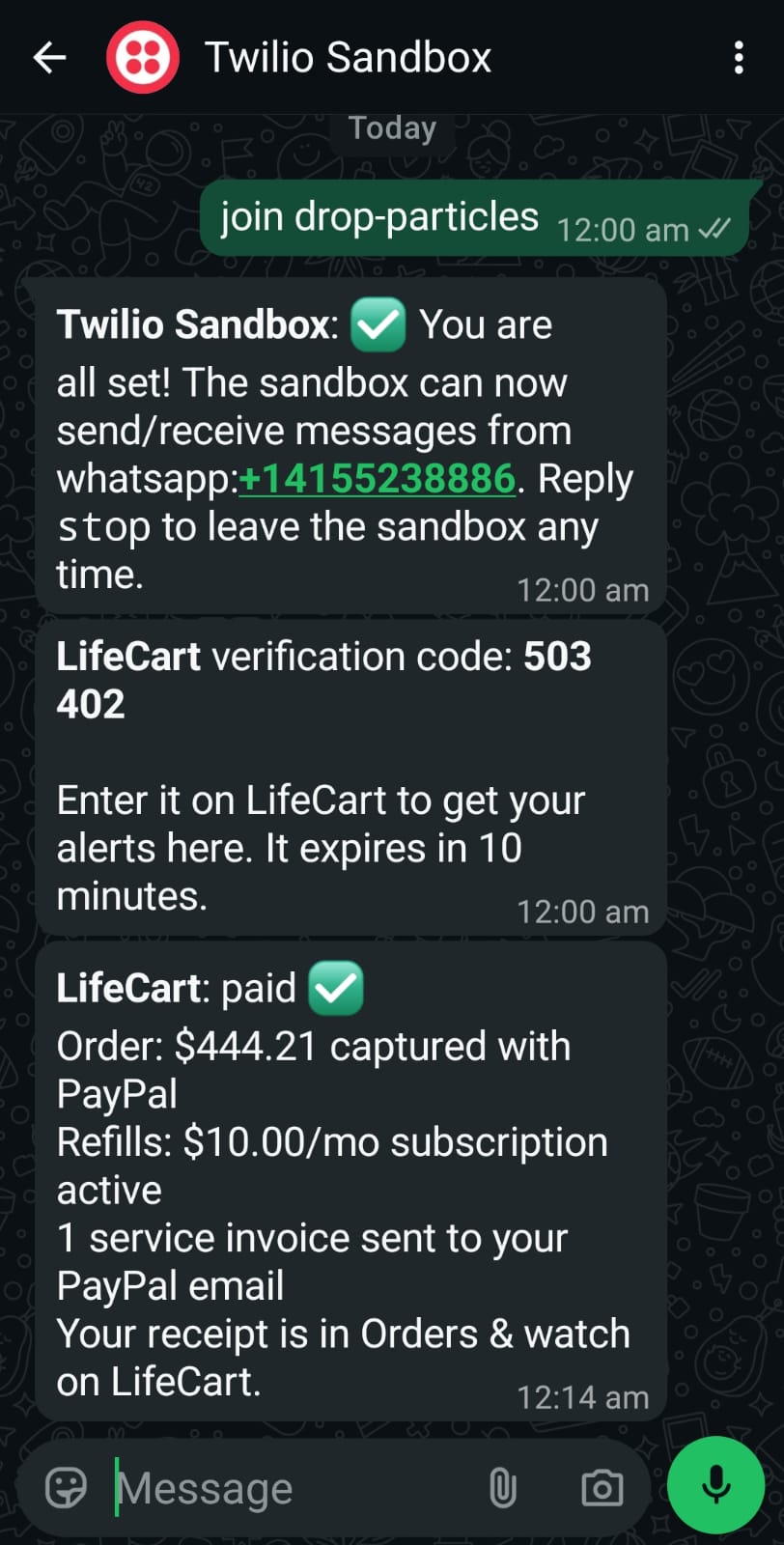
- WhatsApp sign-up. Meta blocked our WhatsApp Business sign-up, so we switched to the Twilio sandbox. We added per-user phone verification and detection of numbers that haven't joined the sandbox.
- Coupon sites hide their codes behind "reveal" buttons. Rather than invent codes, LifeCart says honestly when it found none.
- Planning died when you left the page. We separated the planning run from the live progress stream, so the plan finishes in the background.
Accomplishments that we're proud of
- The whole loop works end to end in the sandbox: one sentence → real listings → PayPal Orders, Subscriptions and Invoices → a ledger checked live against PayPal.
- An agent that plans everything but can't spend a cent without a person approving it.
- Scripted test suites that pass: sign-in 21/21, data isolation between accounts 13/13, guardrails 15/15, features 15/15, and more.
- The whole system deploys from a single Blueprint.
What we learned
- Agents are far more reliable when code owns the order of steps and the model only makes judgement calls.
- With payments, every step has to be safe to retry, and redirect parameters can never be trusted.
- Being honest in the interface builds trust: estimates are labelled, sandbox mode is clear, and "no codes found" beats a made-up code.
- Measure before guessing. On macOS, the usual per-process memory figure hid the real problem.
What's next for LifeCart
- Live PayPal, paying merchants directly instead of through the sandbox.
- A verified WhatsApp Business number, so you can approve a payment by replying.
- Direct store checkout through merchant platforms.
- Shared household budgets.
- Importing bills from email and photos.
- A mobile app.
Built With
- ag-grid
- bryntum
- channel3
- drizzle-orm
- gpt-oss
- groq
- kernel
- llama-prompt-guard
- next.js
- node.js
- paypal
- paypal-agent-toolkit
- playwright
- postgresql
- qwen
- react
- render
- render-workflows
- tailwindcss
- twilio
- typescript
- vercel-ai-sdk
