-
-
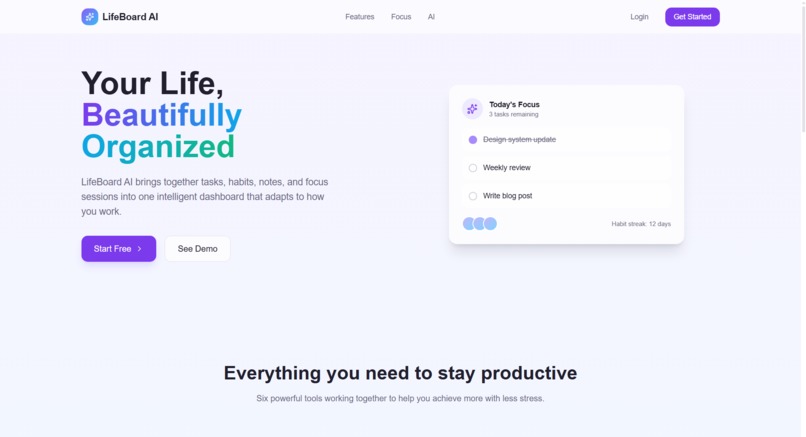
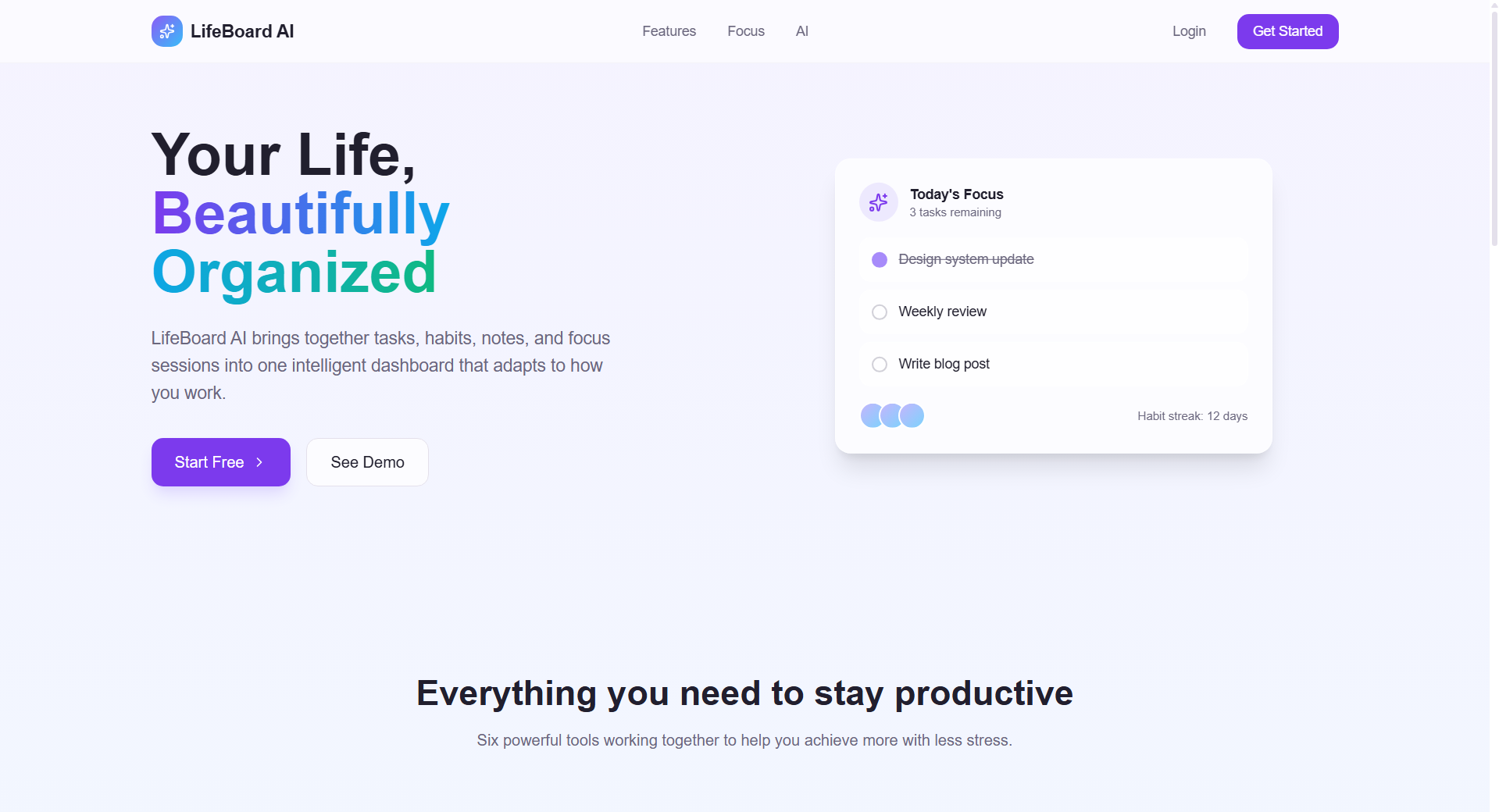
Landing page
-
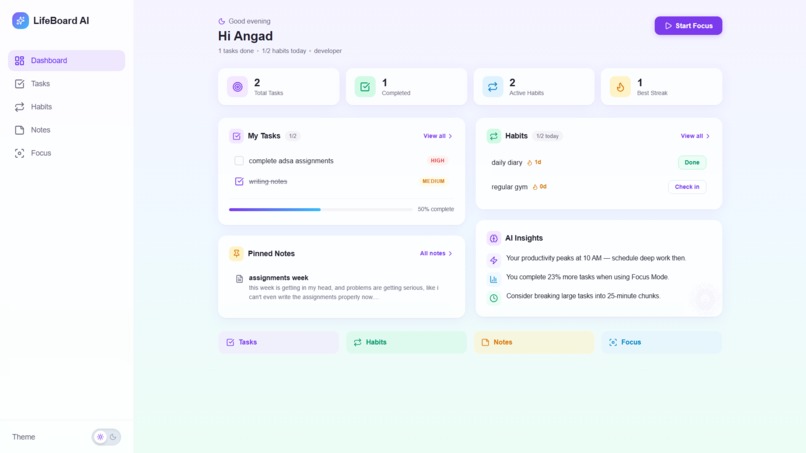
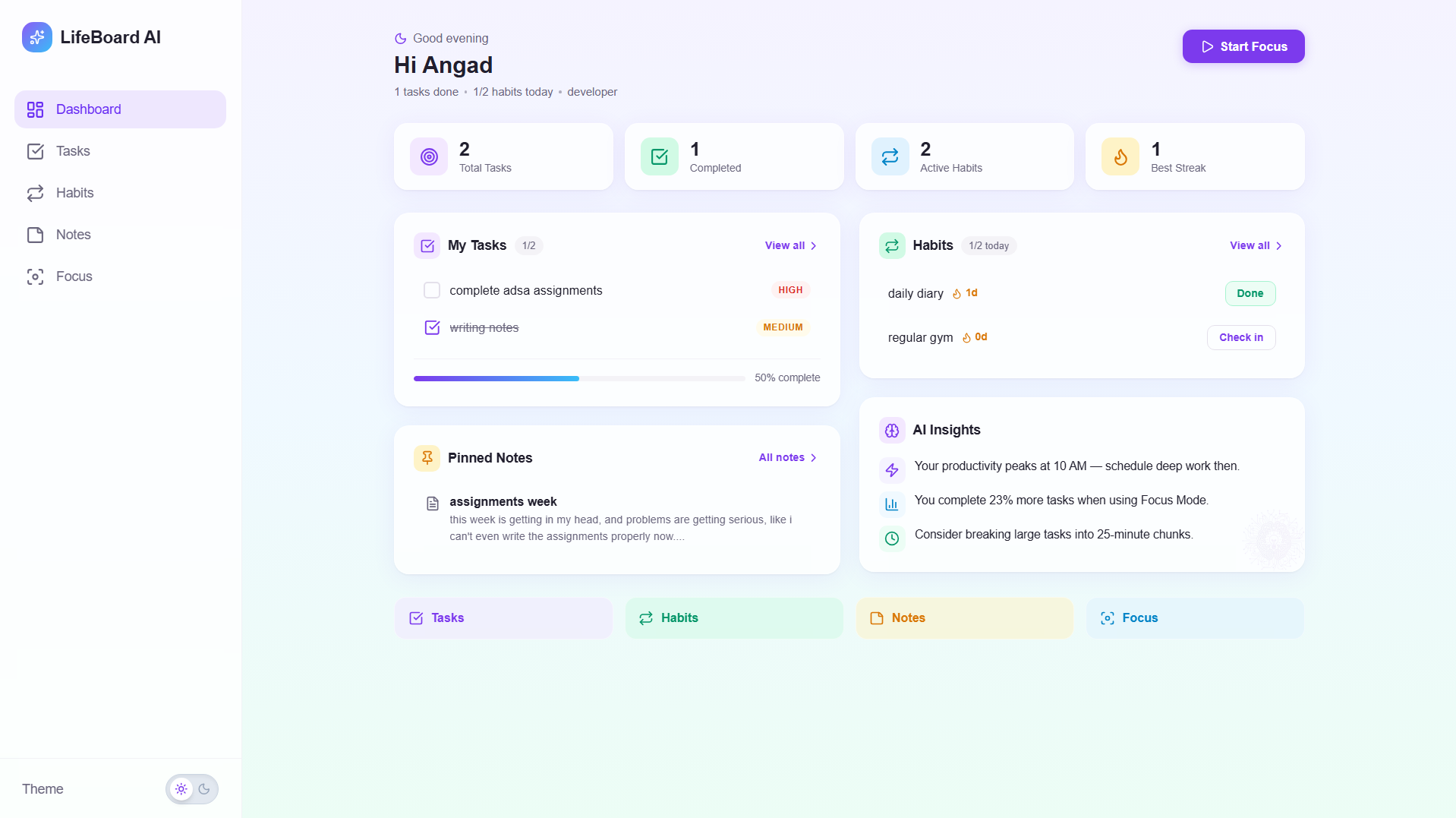
Dashboard (Light Mode)
-
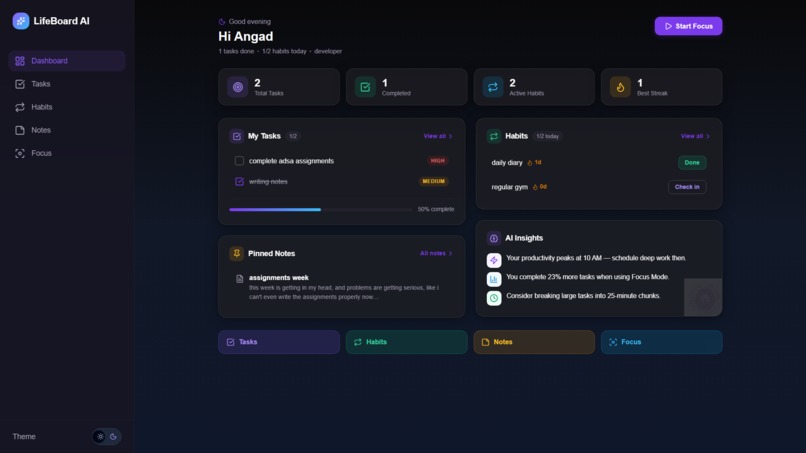
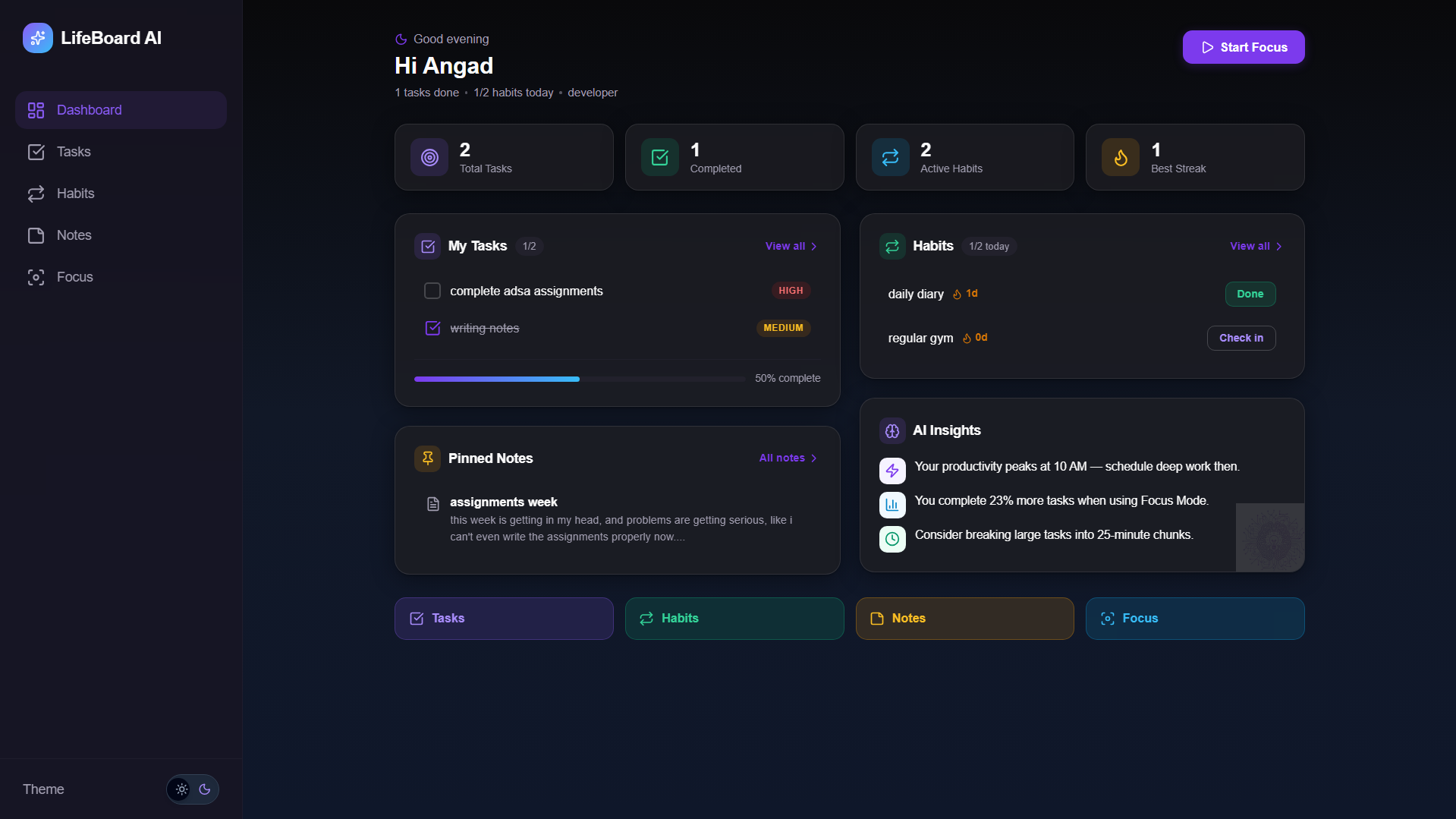
Dashboard (Dark Mode)
-
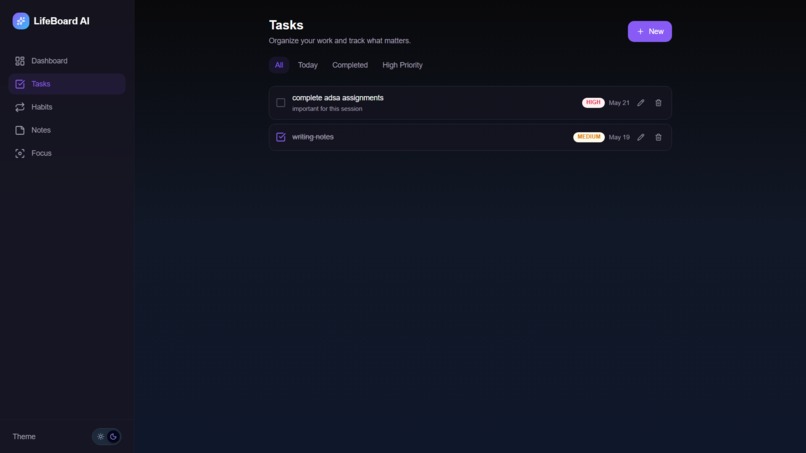
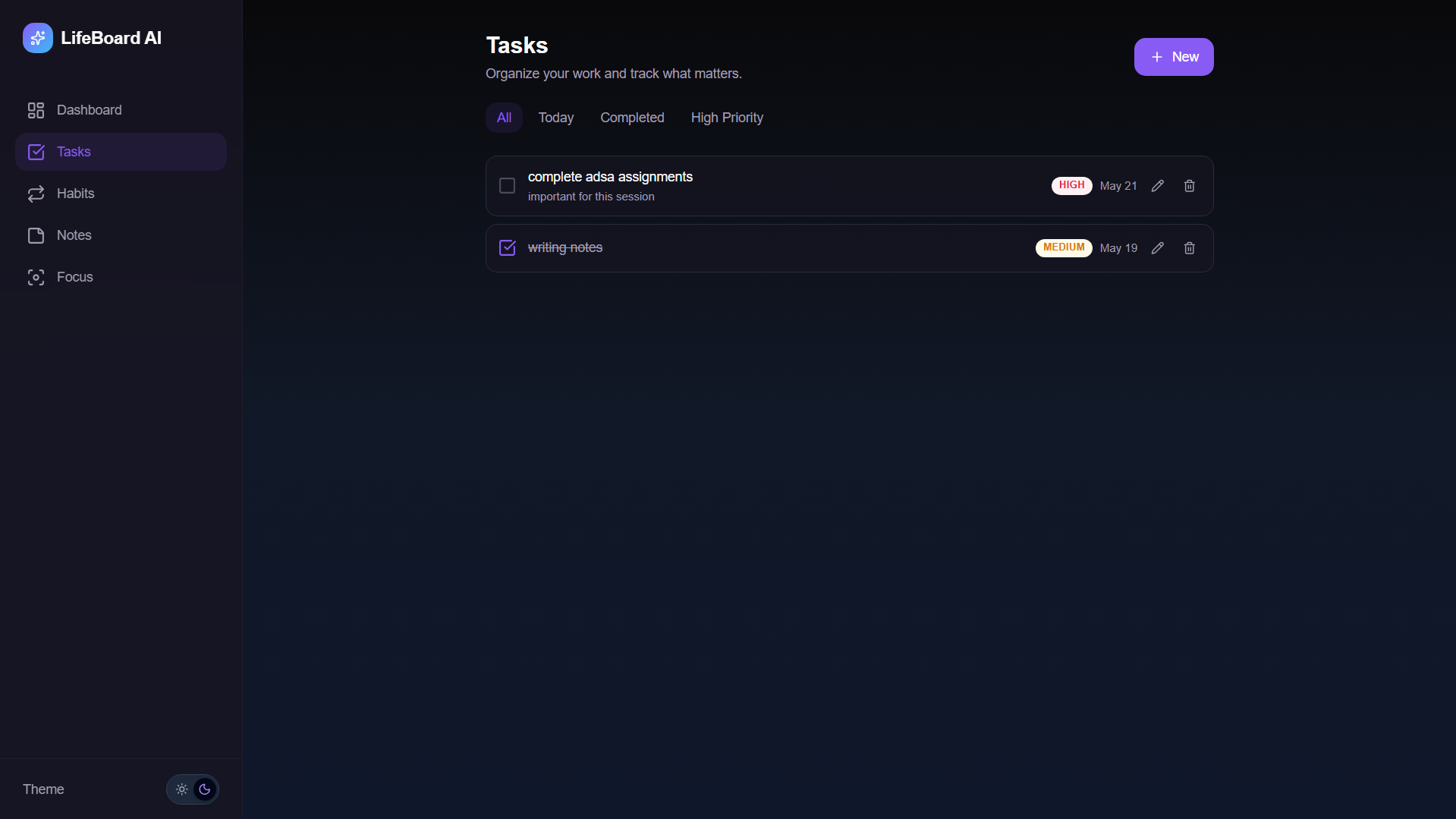
Task page
-
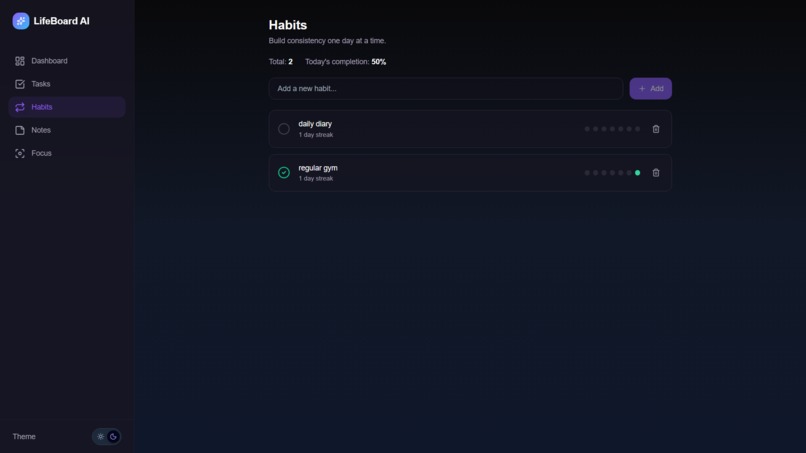
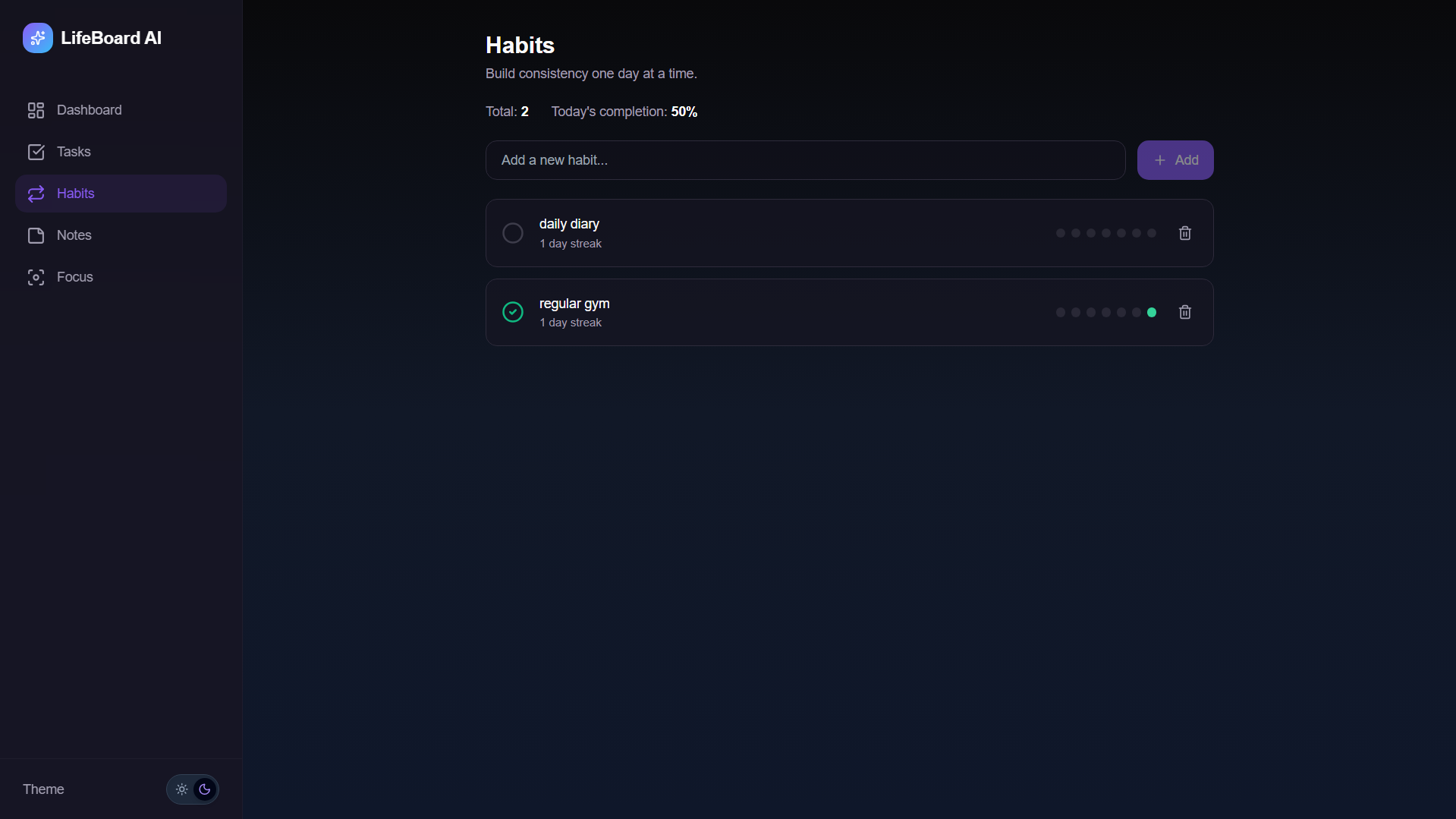
Habit page
-
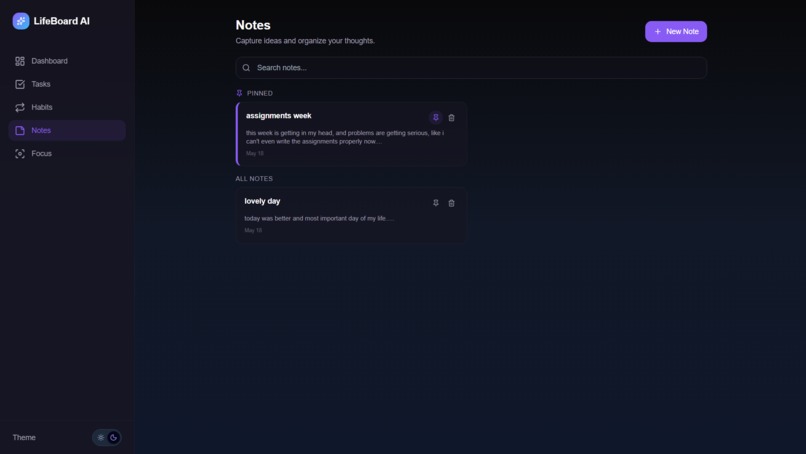
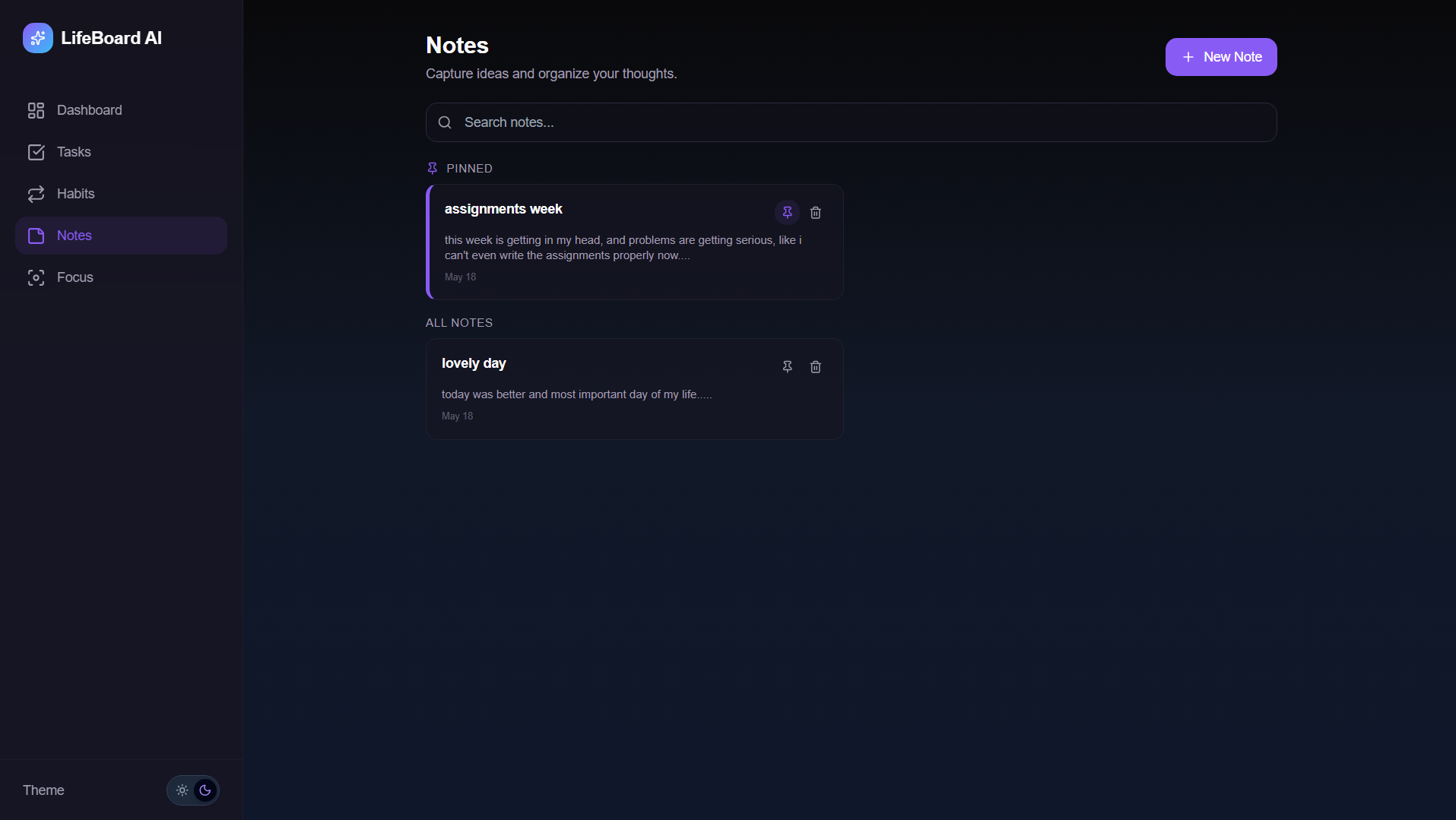
notes page
-
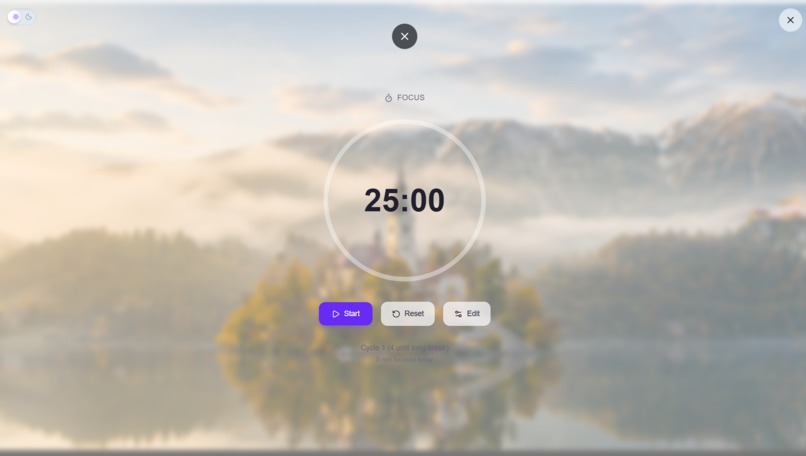
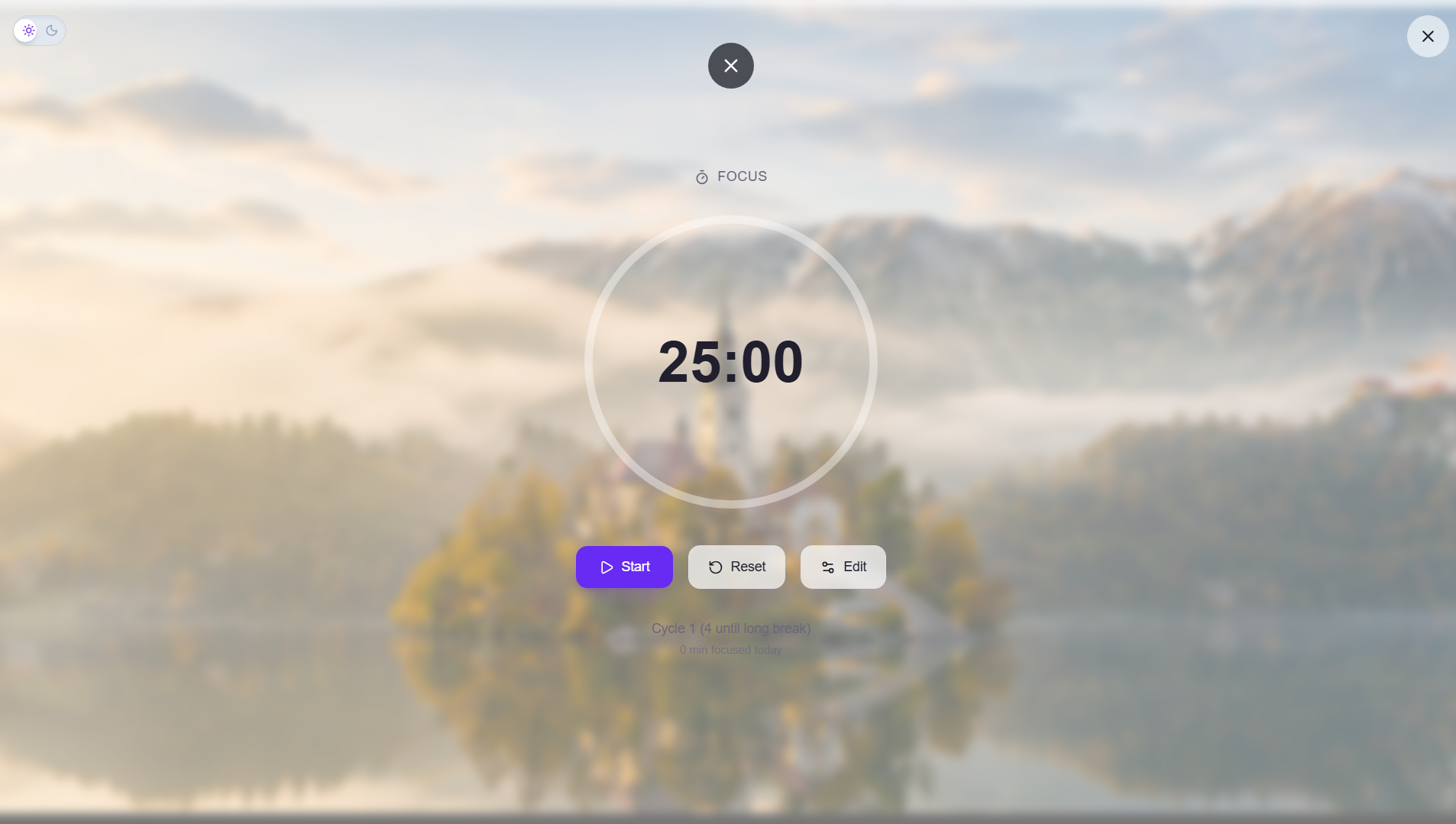
Focus page (Light Mode)
-
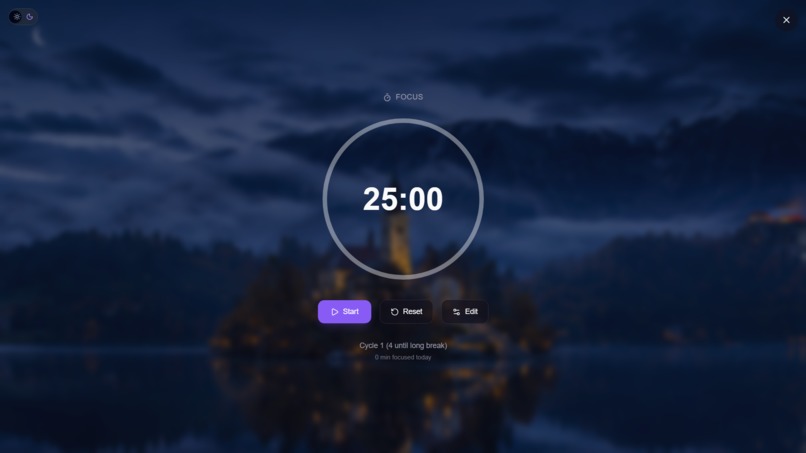
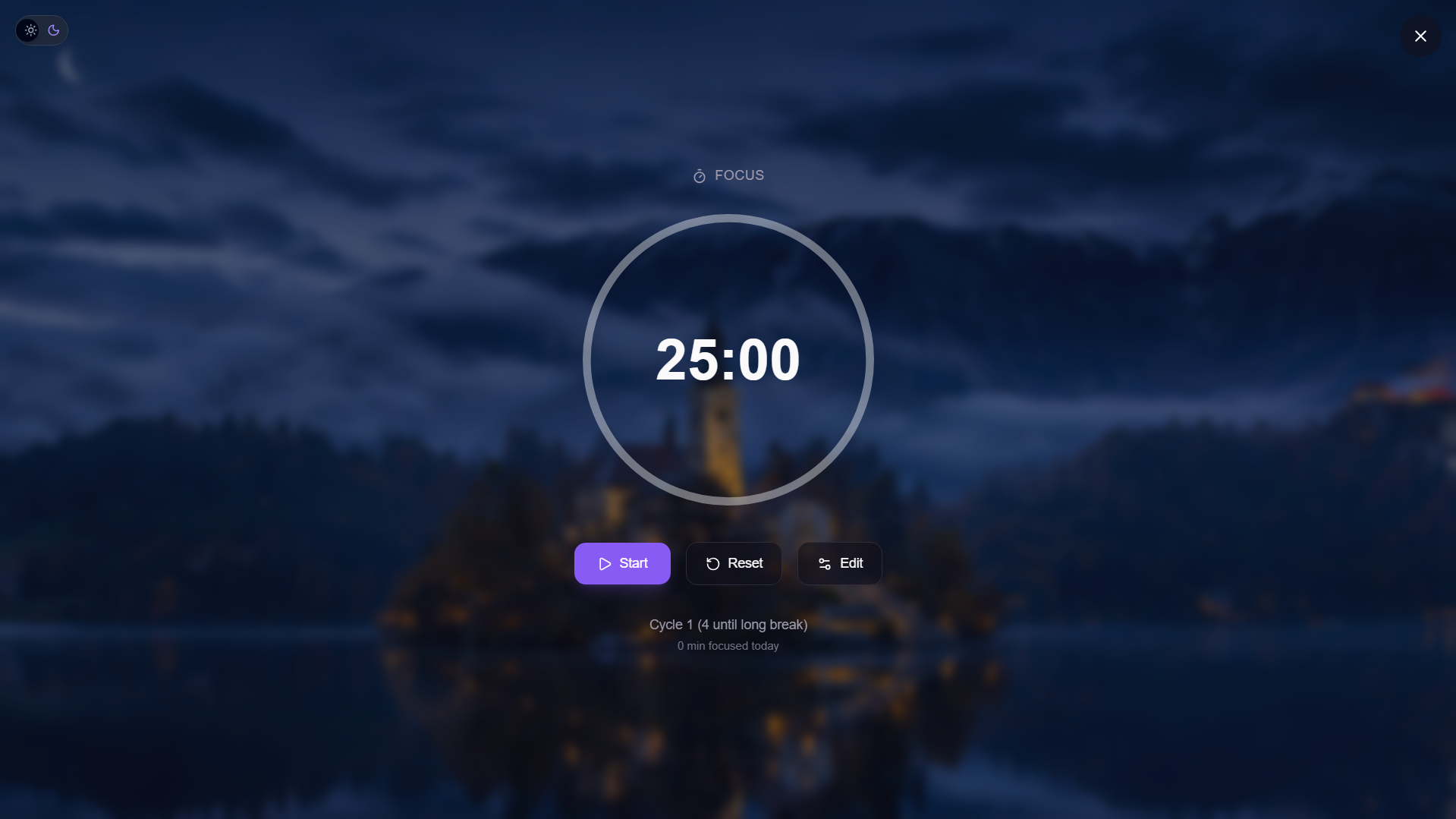
Focus page (Dark Mode)
Inspiration
As a developer, I constantly found myself juggling multiple apps just to stay organized — one for tasks, another for habits, a separate notes app, a timer app, and even spreadsheets for goals. Every context switch killed my focus.
I wanted a single workspace where everything lived together, and more importantly, one that adapted to the way I work instead of forcing me into a static workflow.
That became the core idea behind LifeBoard AI.
What if your productivity workspace actually understood who you are and organized itself around you?
What it does
LifeBoard AI is an adaptive AI-powered productivity dashboard that combines:
- Tasks
- Habits
- Notes
- Focus sessions
- AI insights
into one personalized workspace.
When users sign up, they complete a short onboarding flow where they choose:
- User type (Student, Freelancer, Creator, Developer, General)
- Productivity goals
- Preferred focus style
Based on those selections, the dashboard dynamically rearranges itself.
For example:
- Developers see tasks and focus tools first
- Students see habits and planning widgets first
Main Features
Dashboard
- Time-aware greetings
- Live productivity stats
- Task overview
- Habit streaks
- Pinned notes preview
- AI-generated productivity insights
- Quick access focus shortcut
Task Manager
- Create, edit, delete, and complete tasks
- Priority badges
- Due dates
- Task filtering
- Smooth slide-in drawer animations
- Optimistic UI updates
Habit Tracker
- Daily habit check-ins
- Streak tracking
- 7-day completion history grid
- Daily reset system
- Progress summary
Focus Mode
A full-screen immersive Pomodoro experience featuring:
- Animated SVG countdown ring
- Focus / Break cycles
- Customizable timers
- Session tracking
- Ambient backgrounds based on theme
Notes System
- Quick notes
- Pin/unpin functionality
- Real-time search
- Pinned-first layout
- Slide-up editor drawer
AI Insights
LifeBoard AI uses a Supabase Edge Function to analyze user productivity patterns and generate personalized productivity insights.
If the AI endpoint fails, the app gracefully falls back to predefined insights to ensure the experience never breaks.
Authentication
- Email/password authentication
- Google OAuth
- Protected routes
- Automatic profile creation on signup
How I built it
I built LifeBoard AI solo during this hackathon using:
Frontend
- React 18
- Vite
- TypeScript
- React Router v7
- Tailwind CSS
- Framer Motion
Backend & Database
- Supabase
- PostgreSQL
- Supabase Edge Functions
- Row Level Security (RLS)
UI & Utilities
- shadcn/ui
- Radix UI
- Lucide React
- Sonner
- Recharts
The project structure is feature-organized and scalable, with separate folders for pages, components, hooks, authentication, and database logic.
Challenges I ran into
The biggest challenge was responsiveness.
LifeBoard AI is not just a landing page — it is a full application with:
- Persistent sidebars
- Mobile navigation
- Drawers
- Full-screen focus mode
- SVG animations
- Dynamic layouts
Making everything work smoothly across devices from mobile screens to large desktops required careful responsive design throughout the app.
The most difficult parts were:
- Scaling the focus mode correctly
- Managing overlays and drawers
- Preventing layout shifts on smaller screens
- Keeping the UI smooth while maintaining performance
Accomplishments that I'm proud of
- Built a complete full-stack application solo during the hackathon
- Created an adaptive dashboard that changes layout based on user type
- Successfully implemented timezone-aware habit streak tracking
- Properly secured all database tables with Supabase RLS
- Built an immersive full-screen focus mode experience
- Added graceful AI fallback handling for reliability
What I learned
Through this project I learned:
- How to build adaptive user interfaces driven by real user data
- How to correctly implement Supabase Row Level Security policies
- How to manage daily reset logic for habits
- How much more complex responsive app interfaces are compared to marketing websites
- How important graceful fallbacks are in AI-powered applications
What's next for LifeBoard AI
Planned Features
- Goal tracking system
- Google Calendar integration
- AI-powered smart scheduling
- Productivity analytics dashboard
- Team workspaces
- Mobile app using React Native
LifeBoard AI is designed to become a complete adaptive productivity ecosystem rather than just another task manager.
Built With
- framer-motion
- lucide-react
- postgresql
- radix-ui
- react
- react-hook-form
- react-router-v7
- recharts
- row-level-security
- shadcn/ui
- sonner
- supabase
- supabase-edge-functions
- tailwind-css
- typescript
- vercel
- vite
- zod

Log in or sign up for Devpost to join the conversation.