-
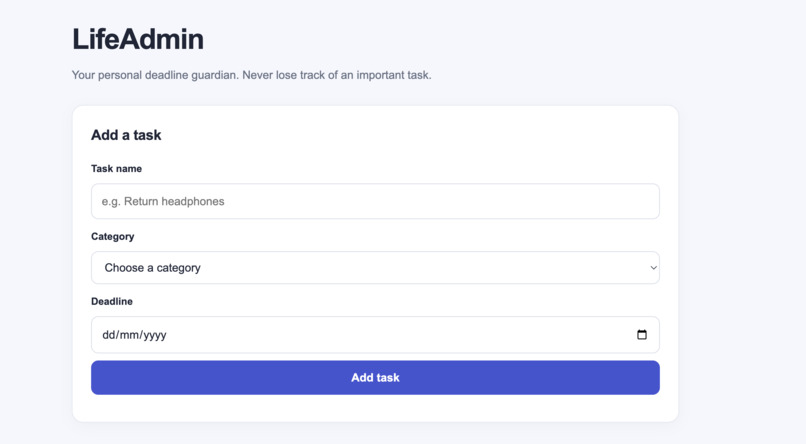
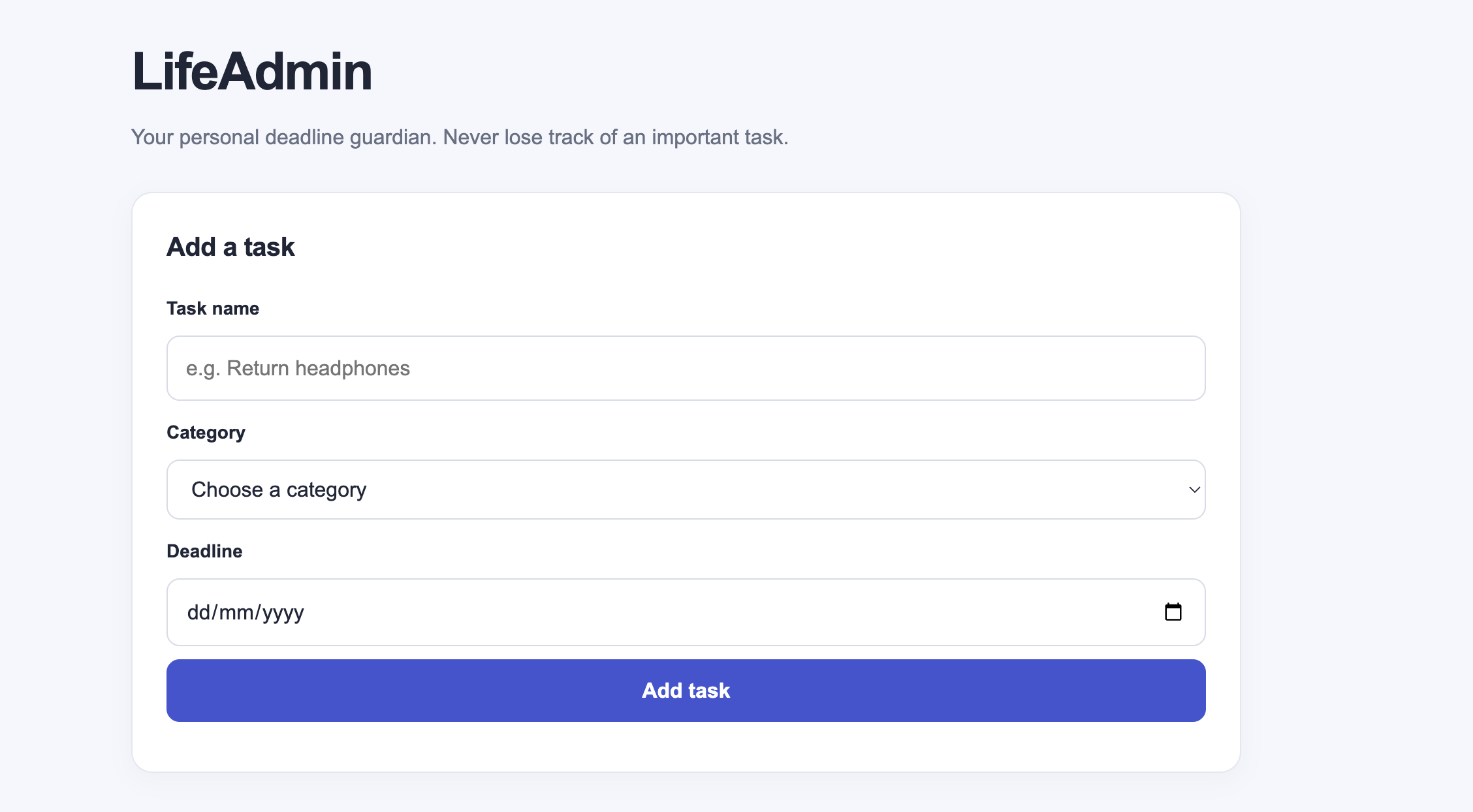
Add a task.
-
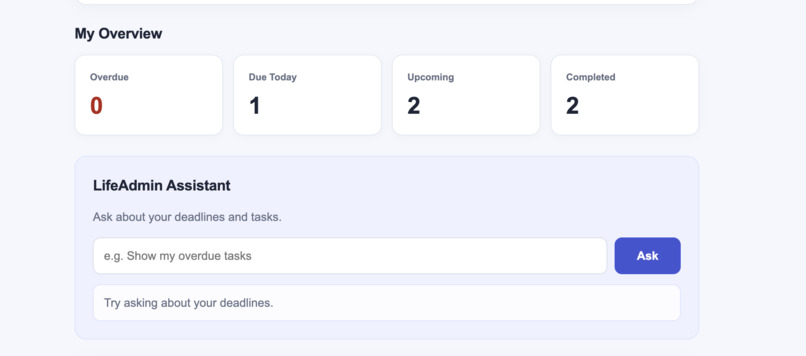
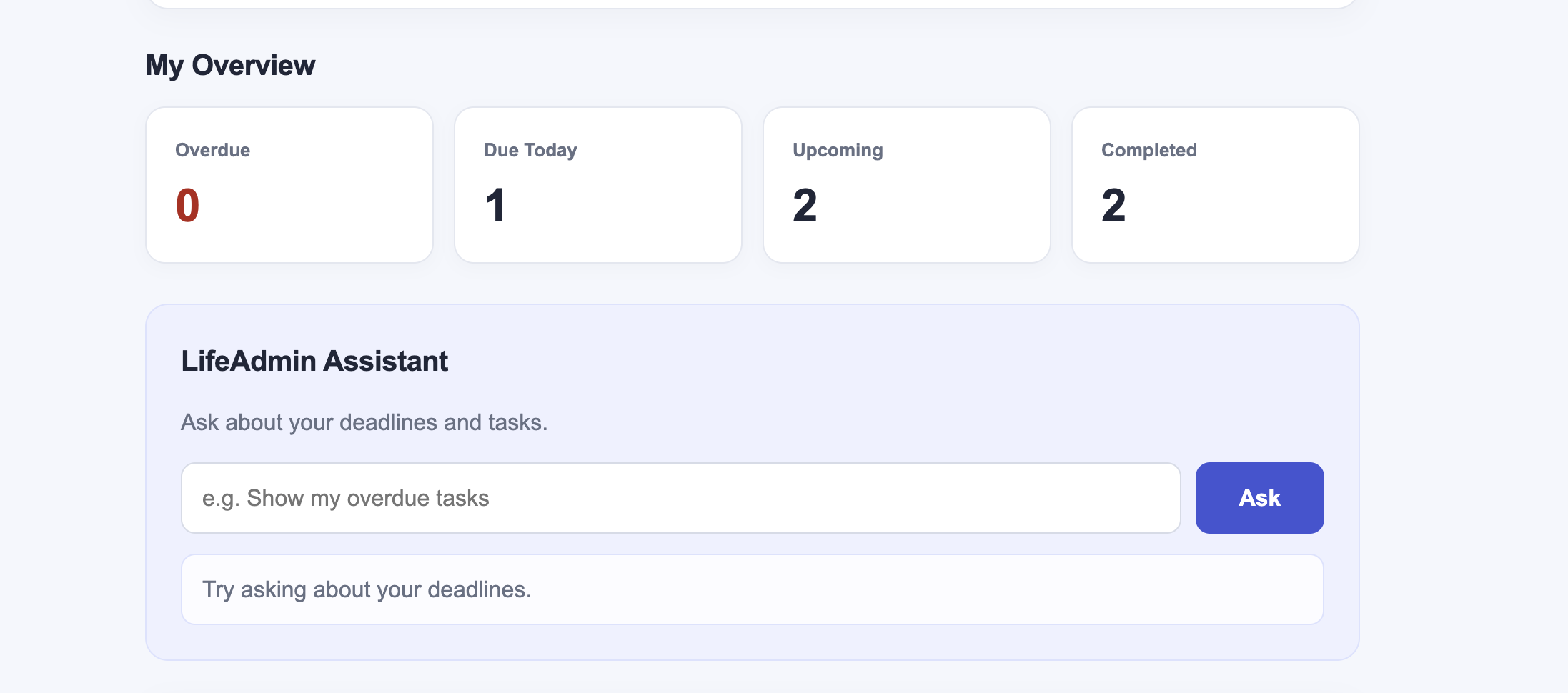
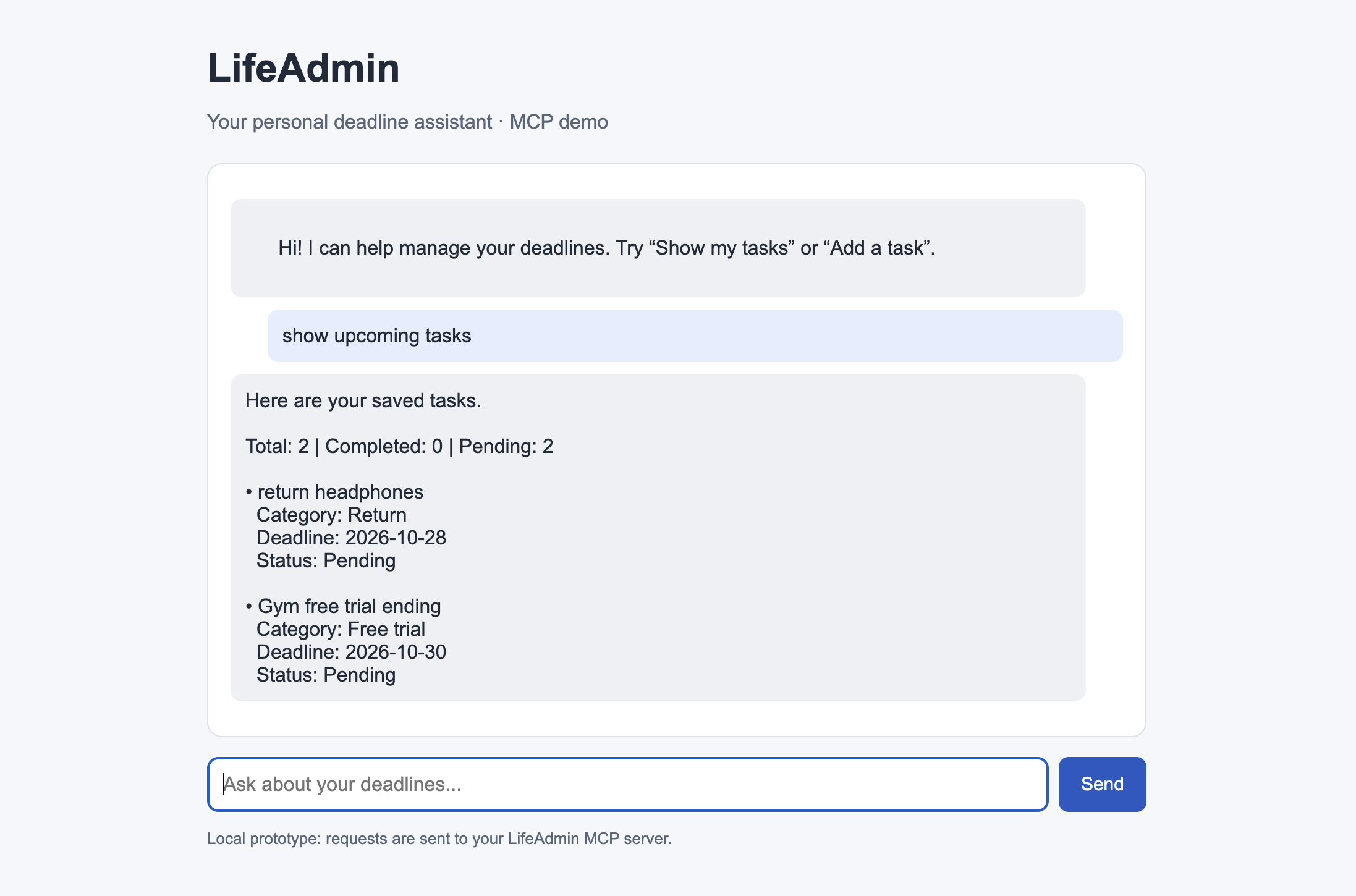
Dashboard and Assistant.
-
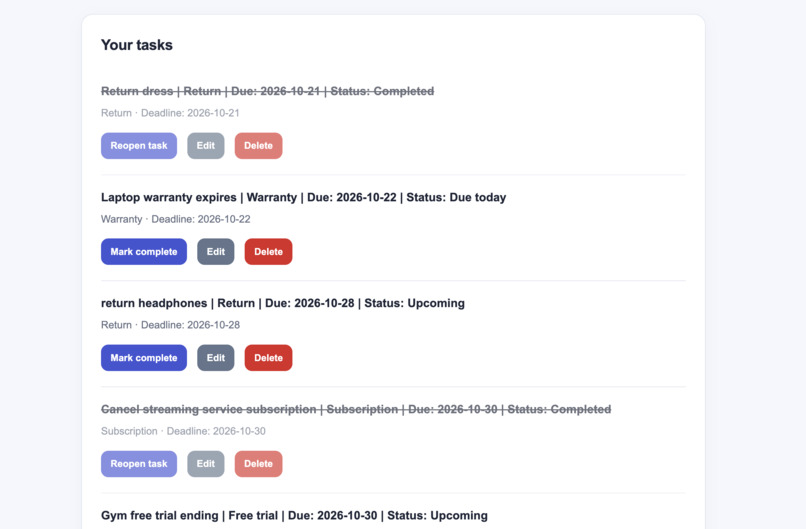
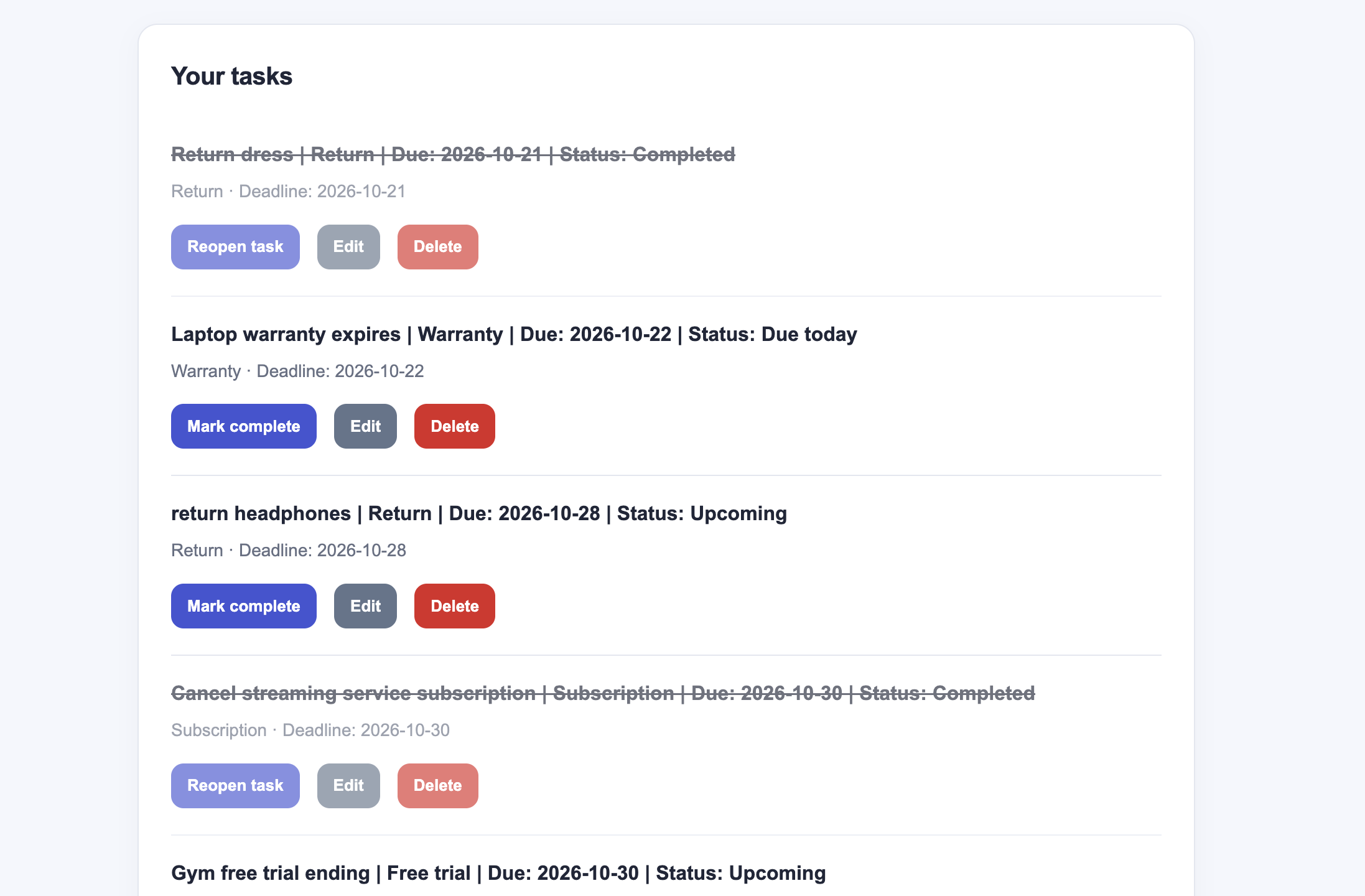
Task list.
-
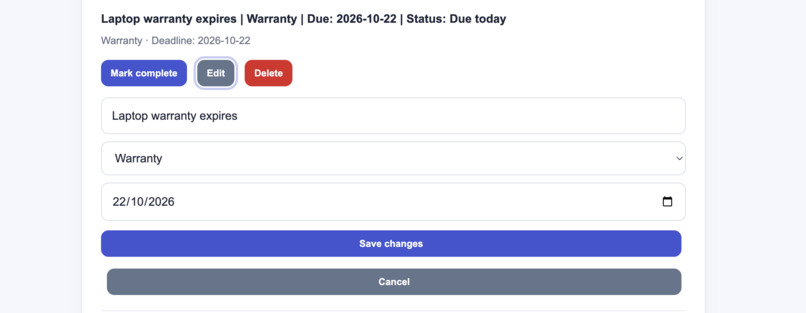
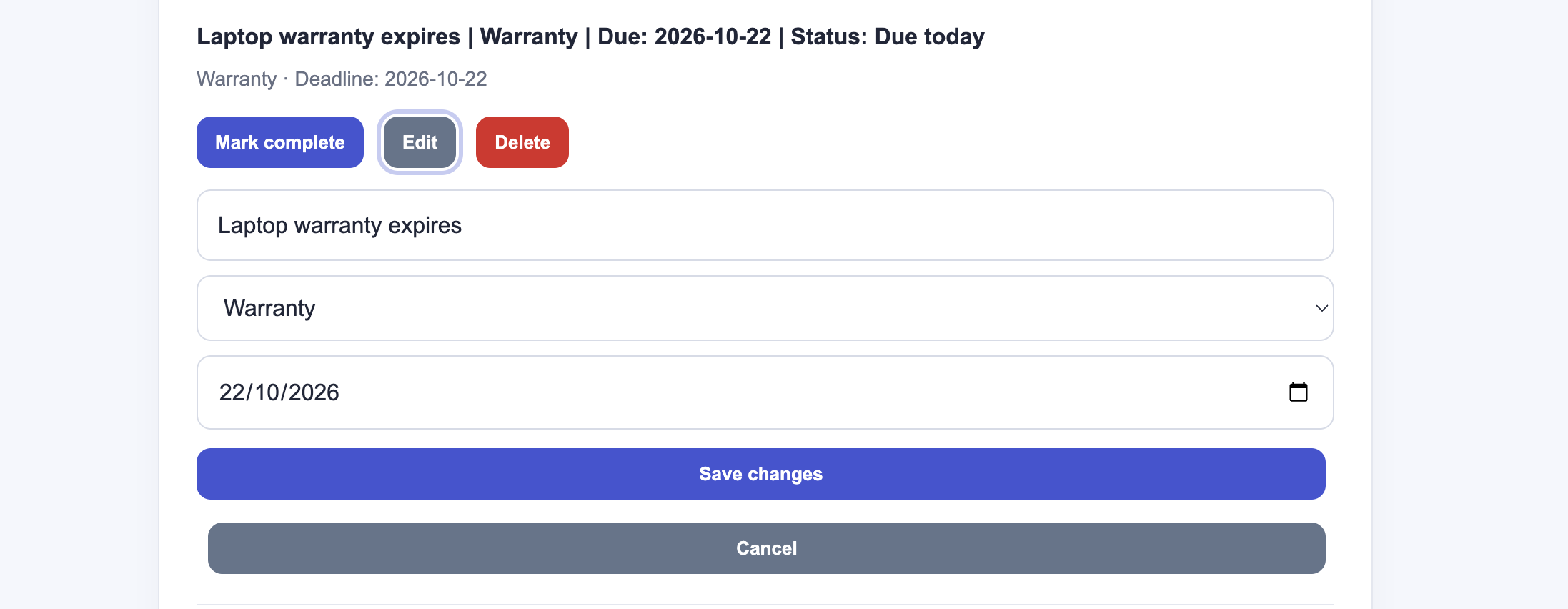
Edit a task.
-
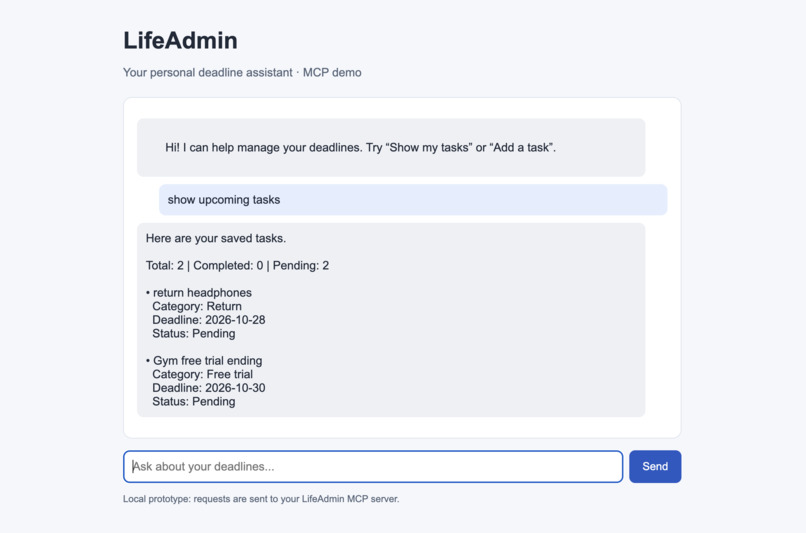
MCP.
Inspiration
Modern life comes with important deadlines: product return windows, warranty expirations, free-trial endings, and subscription renewals. These dates are easy to overlook when they are scattered across emails, receipts, websites, sticky notes and daily to-do lists.
LifeAdmin was inspired by a simple question: What if managing these deadlines was as easy as managing a to-do list? I wanted to build a personal deadline guardian that helps people keep track of important commitments, understand what needs attention, and reduce the mental effort involved in remembering everything.
What it does
LifeAdmin is a personal deadline-management application designed to help users organize time-sensitive responsibilities in one place.
Its key features include:
- Centralized task management: Create tasks for product returns, warranties, free trials, subscriptions, and others.
- Deadline tracking: Assign deadlines to tasks and view them on a single dashboard.
- Task editing and deletion: Update task details when plans change or remove tasks that are no longer relevant.
- Completion tracking: Mark tasks as completed or reopen them when necessary.
- Persistent storage: Save task information in an SQLite database so it remains available after refreshing the page or restarting the application.
- Built-in assistant: Ask questions about overdue tasks, upcoming deadlines, and other task-related information through a rule based assistant.
- Model Context Protocol (MCP) integration: A self-hosted MCP server exposes task-management tools, including
list_tasksandadd_task, allowing compatible MCP clients to interact with LifeAdmin.
Rather than trying to be a complicated productivity platform, LifeAdmin focuses on one practical goal: helping users stay aware of the responsibilities they might otherwise forget.
How I built it
I built LifeAdmin as a lightweight web application using JavaScript and a straightforward backend architecture.
- Frontend: HTML, CSS, and JavaScript power the dashboard, task forms, task-management controls, and built-in assistant interface.
- Backend: Node.js and Express handle HTTP requests and provide API endpoints for creating, retrieving, updating, deleting, and completing tasks.
- Database: SQLite, accessed through
better-sqlite3, provides persistent storage for task information such as titles, categories, deadlines, and completion status. - Assistant: I implemented a rule-based conversational assistant that interprets supported user requests and retrieves relevant task information from the application. This allowed me to demonstrate useful assistant interactions without depending on a paid AI API.
- MCP server: Using the official Model Context Protocol SDK for JavaScript, I built a self-hosted MCP server that communicates over Streamable HTTP. It exposes task-related tools that can be discovered and tested through MCP Inspector.
I tested the application locally, verified the dashboard's API operations, checked that changes persisted across refreshes and server restarts, and tested the MCP tools with a compatible client.
My approach was to prioritize a working end-to-end prototype, validate its core functionality, and keep the architecture understandable.
Challenges I ran into
One of my biggest challenges was making sure the application worked reliably beyond the initial demonstration.
Connecting the frontend and backend: A button can appear to work while its underlying API request fails. During testing, I encountered missing update and delete endpoints that caused HTTP errors. I traced these failures to the backend, implemented the missing routes, and tested the complete operations again.
Maintaining persistent data: I wanted tasks to remain available after refreshing the browser or restarting the server. Integrating SQLite and verifying that changes were actually saved helped me move beyond a temporary, in-memory demonstration.
Making the assistant useful: A conversational interface needs to interpret different ways of asking about the same information. I implemented supported natural-language patterns for queries about overdue tasks, upcoming deadlines, and task creation while keeping the assistant's capabilities clearly defined.
Implementing MCP correctly: Setting up an MCP server involved understanding the protocol, configuring Streamable HTTP transport, exposing tools, and testing their behavior with MCP Inspector. I verified that the tools could list tasks and add new ones, and that MCP-created tasks appeared in the dashboard.
Working with limited resources: As a learning-focused project, LifeAdmin had to remain achievable without relying on paid APIs or complex infrastructure. I concentrated on the core application, local persistence, and a working MCP demonstration rather than adding features I could not thoroughly test.
Accomplishments that I'm proud of
I am happy to have turned a simple everyday problem into a functioning, end-to-end prototype.
- Built a usable dashboard for managing different categories of deadlines.
- Implemented complete task-management operations, including creating, editing, deleting, and completing tasks.
- Verified persistent storage using SQLite.
- Developed a built-in assistant for supported task-related queries.
- Implemented a self-hosted MCP server with working
list_tasksandadd_tasktools. - Tested MCP tool discovery and execution using MCP Inspector.
- Organized the source code and setup instructions in a public GitHub repository so that others can inspect and run the project.
Most importantly, I focused on building and testing the actual functionality rather than stopping at a design or concept.
What I learned
Building LifeAdmin taught me that even a relatively small application requires several components to work together reliably.
I gained practical experience with frontend-backend communication, REST API design, database operations, error handling, and debugging HTTP requests. I also learned why persistence matters and how to verify that application data survives beyond a single session.
Working with the Model Context Protocol introduced me to a way of exposing application capabilities as tools that compatible clients can discover and invoke. Testing the server with MCP Inspector helped me understand the difference between implementing a tool and demonstrating that it actually works at runtime.
I also learned to manage scope carefully. With limited resources, a reliable set of core features is more valuable than a long list of unfinished promises. Testing edge cases, fixing missing endpoints, and verifying the application from a fresh setup were important parts of the development process.
What's next for LifeAdmin
LifeAdmin currently provides the foundation for a more capable personal deadline guardian. There are several directions in which I would like to take it:
- Smarter reminders: Add configurable notifications before return windows, warranty expirations, trial endings, and subscription renewals.
- More natural interactions: Improve the assistant's ability to understand flexible requests and help users manage tasks through conversation.
- Expanded MCP capabilities: Expose additional tools for updating tasks, marking them complete, and retrieving deadline summaries.
- External integrations: Explore ways to capture relevant dates from receipts, confirmation emails, and other sources, with user permission.
- Secure remote access: Deploy the application and MCP server so users and authorized compatible clients can access them beyond a local development environment.
- Improved deadline insights: Introduce clearer prioritization and summaries to help users identify which responsibilities need attention first.
My long-term vision is for LifeAdmin to become a dependable personal assistant for everyday administrative tasks: helping people spend less time remembering deadlines and more time focusing on what matters to them.
Built With
- css
- express.js
- github
- html
- http
- javascript
- mcp
- node.js
- npm
- restapi
- sqlite
- web


Log in or sign up for Devpost to join the conversation.