-
-
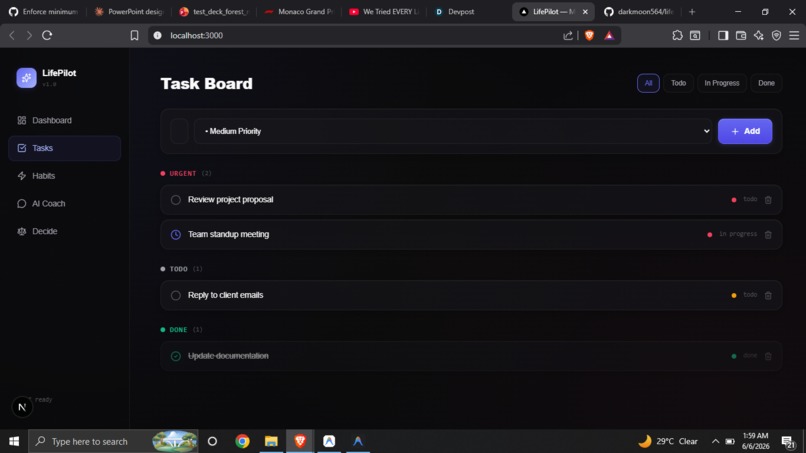
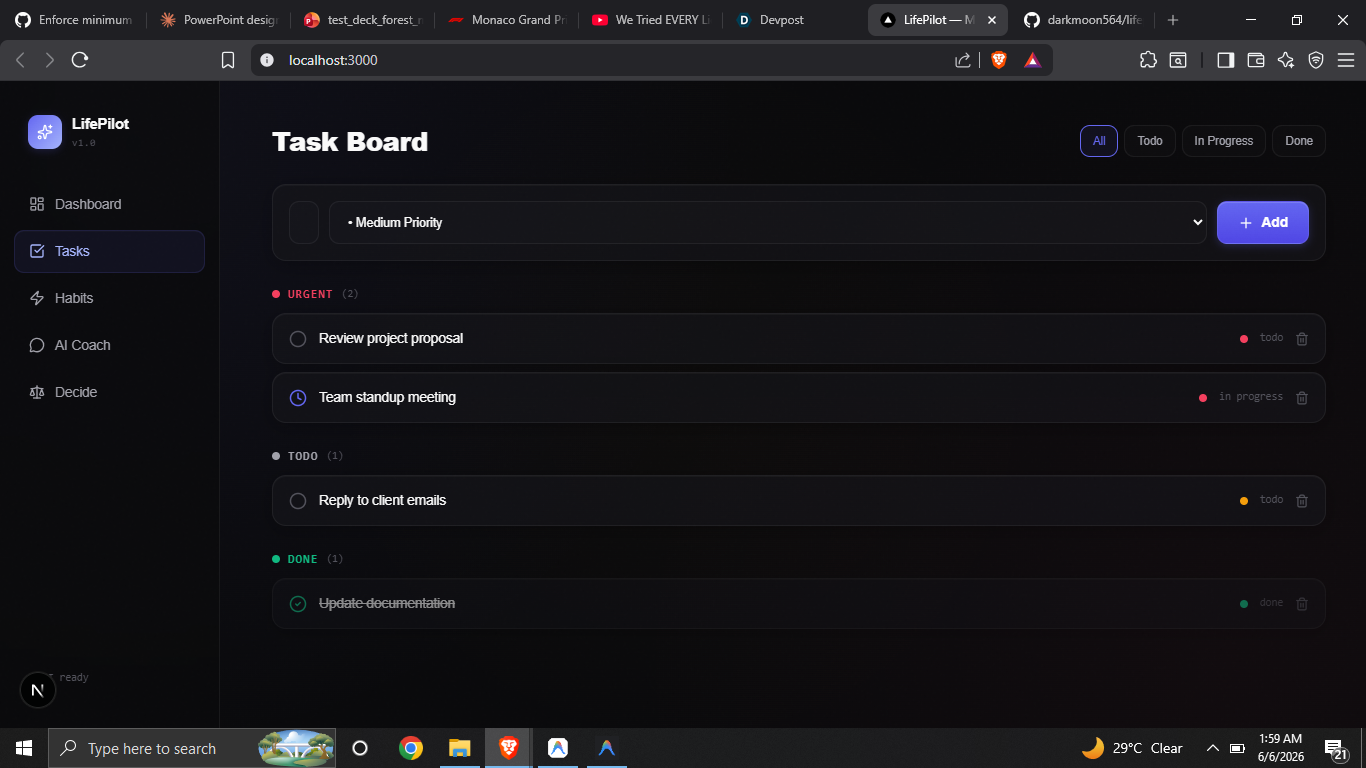
task board where we add tasks and set priority
-
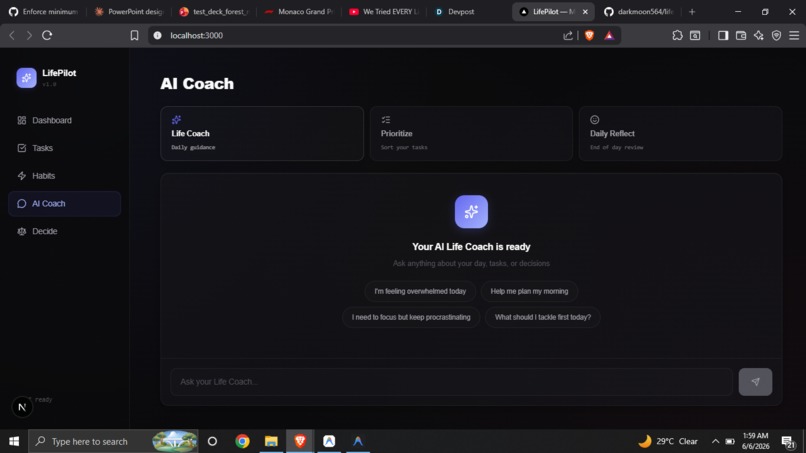
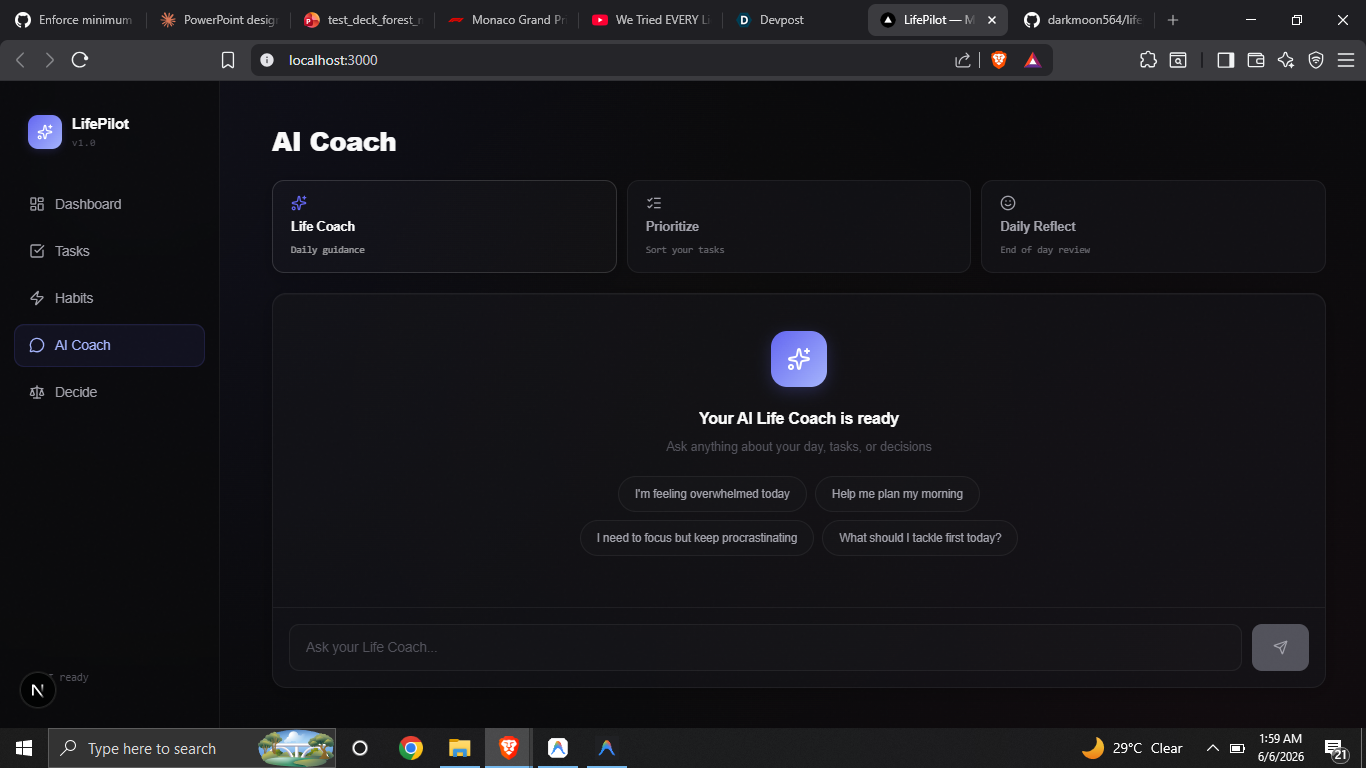
Ai coach which helps us to guide and talk when we need someone to just listen
-
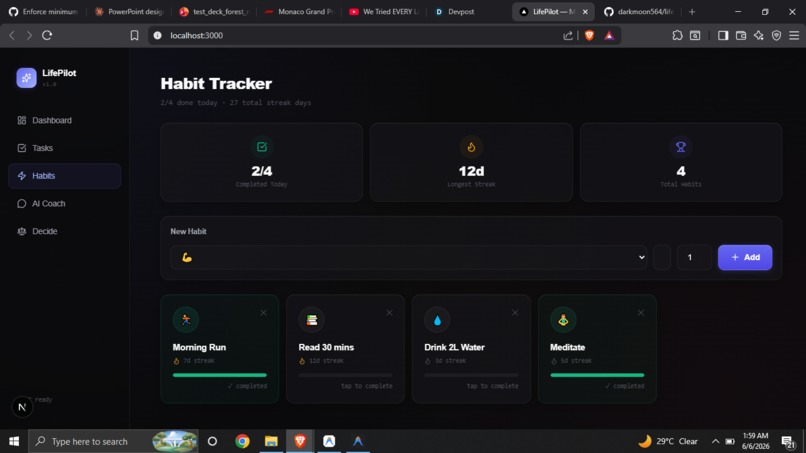
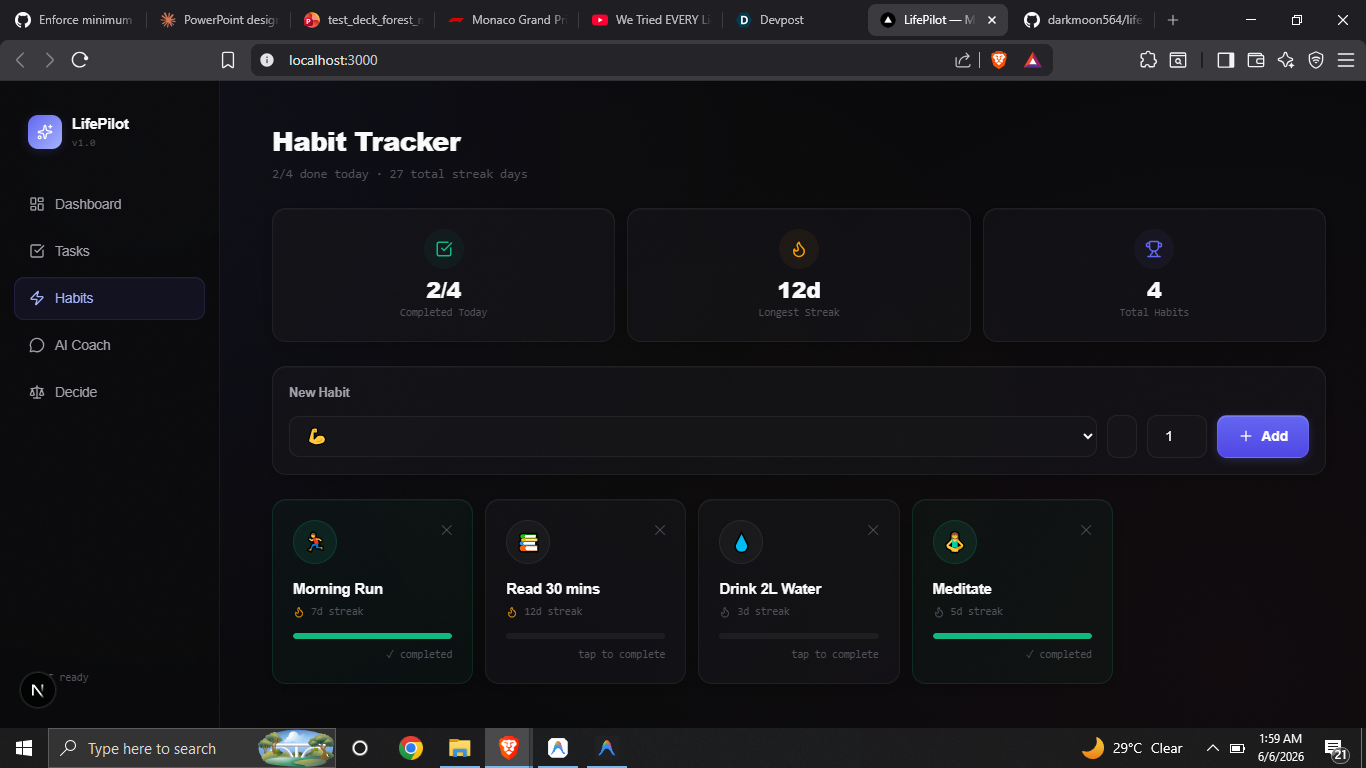
habit tracker where we create daily habits that we need to follow to monitor
-
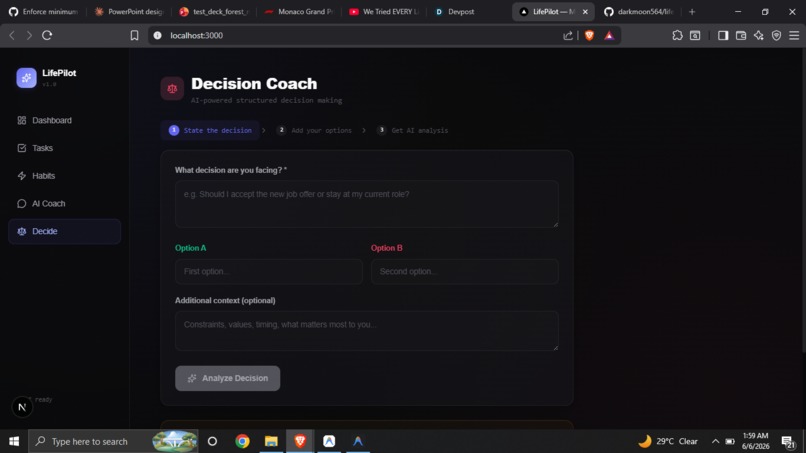
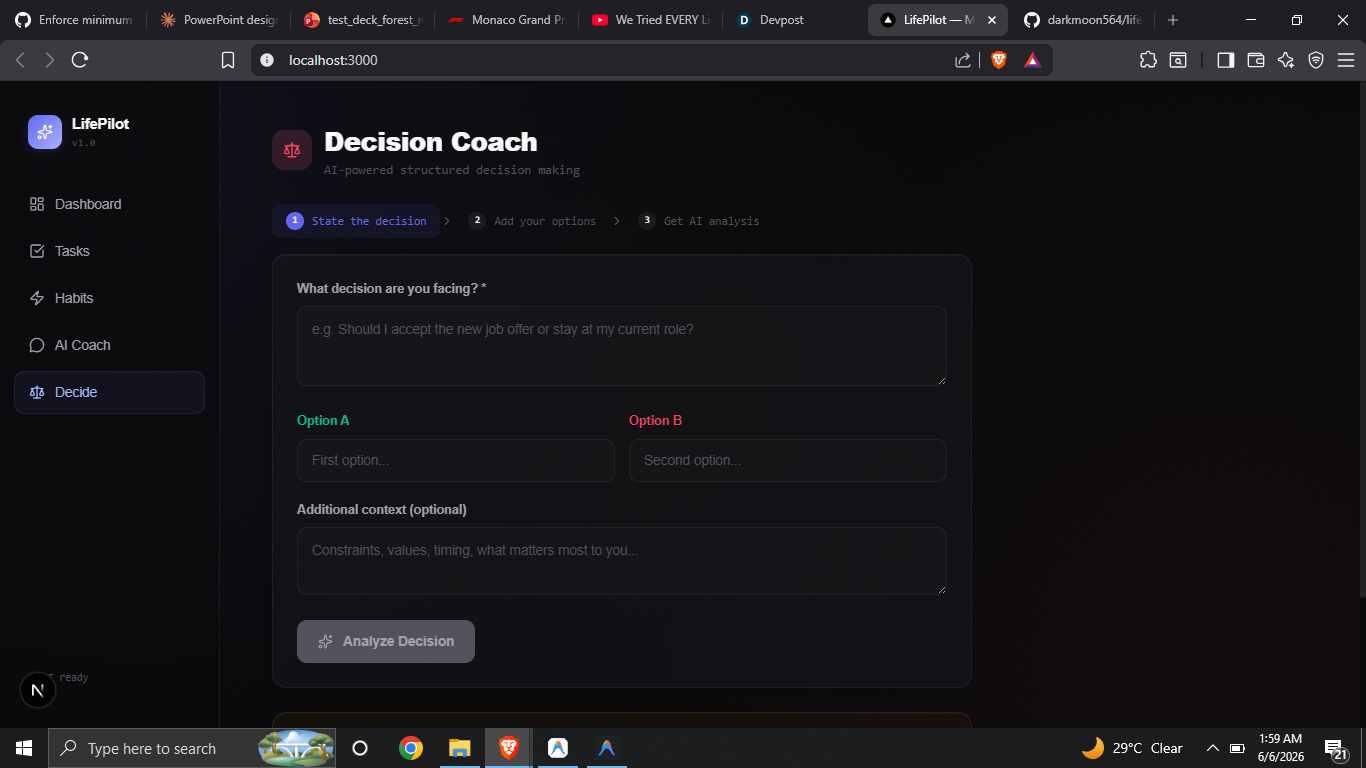
decision coach which helps us to make better choices based on my context and thoughts
-
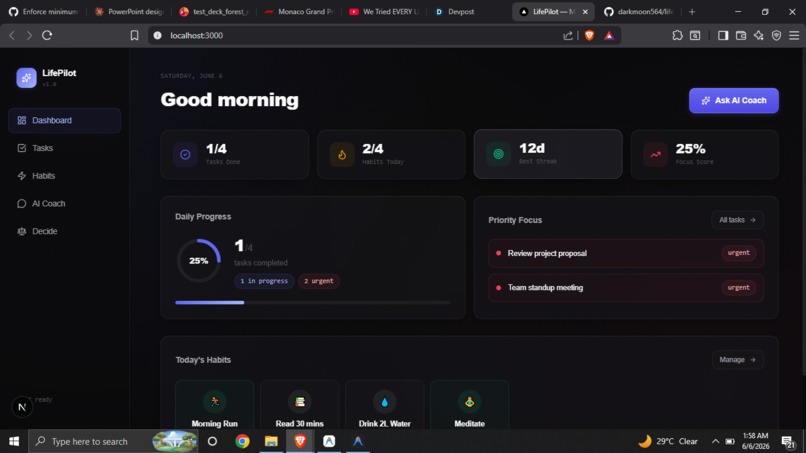
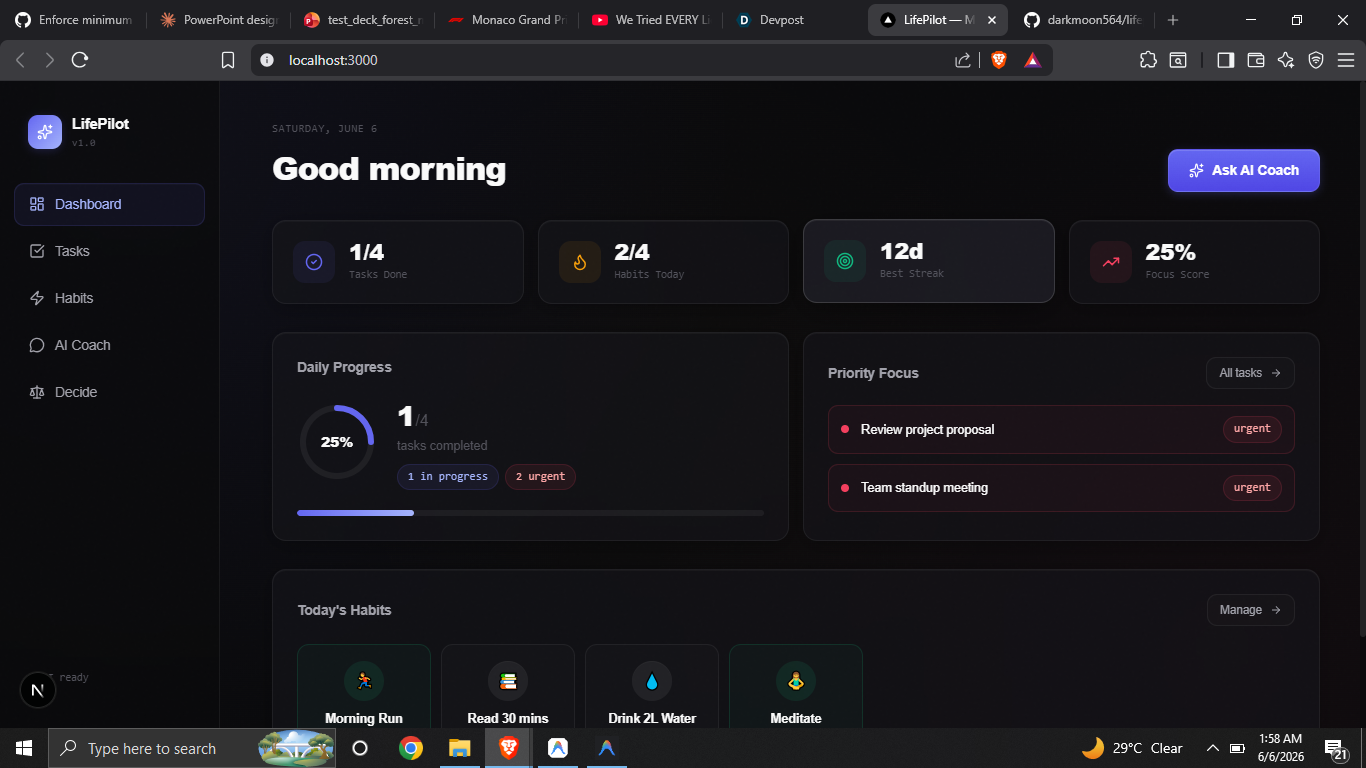
dashboard which contains all the essential details to show at one place
Inspiration
Most of us start our day with a chaotic list of things to do. We open up popular productivity apps, only to get lost in complex setups, nested databases, and endless customization options. Eventually, we spend more time managing our planner than actually getting things done.
We wanted to build something different: a clean, distraction-free daily cockpit that acts as a simple brain dump. A tool that helps you transition from feeling overwhelmed to being focused, without any friction or unnecessary features.
What it does
LifePilot is a minimal daily dashboard designed to keep you clear-headed. It focuses on three core pillars:
- Focus Dashboard: An immediate, high-level view of your day. It tracks your focus score as a percentage of completed tasks: $$\text{Focus Score} = \left( \frac{\text{Completed Tasks}}{\text{Total Tasks}} \right) \times 100\%$$
- Habit Tracker: A clean grid with styled glass badges that lets you check off habits and keep track of daily consistency streaks.
- Structured Guidance: Built-in tools for when you are stuck. The Decision Coach guides you through difficult choices objectively, while the AI Coach acts as an interactive reflection log to help you prioritize.
How we built it
We built LifePilot using a fast, modern frontend stack:
- Next.js 16 and React 19 for dynamic rendering and routing.
- Tailwind CSS & CSS Variables to build a cohesive, custom design system.
- Lucide React for crisp, modern icons to keep the interface feeling professional.
- Framer Motion for smooth micro-animations, making checking off tasks and changing tabs feel satisfying.
Challenges we ran into
One of the biggest hurdles was the design aesthetic. Initially, the app looked like a generic, AI-generated template—complete with bright neon glowing lines, heavy grid overlays, and quirky fonts. It felt cluttered and distracting. We had to spend a lot of time redesigning the stylesheet, fine-tuning custom HSL colors, adjusting typography weights, and wrapping emojis in glass pill shapes to make the interface look organic, mature, and premium.
Another challenge was managing the state sharing between separate components (like tasks, habits, and coach chat logs) in React without making the code messy or causing unnecessary re-renders.
Accomplishments that we're proud of
We are really proud of the final user experience. The cockpit feels cohesive, fast, and completely distraction-free. The progress ring, sidebar navigation, and stat counters all align perfectly. We are also proud that the entire project compiles seamlessly under Next.js Turbopack, providing near-instant hot reloads.
What we learned
We learned that good design is mostly about subtraction. Taking away quirky fonts, heavy background lines, and raw emojis made the dashboard look ten times more professional. We also learned how to effectively combine Tailwind CSS with custom CSS variables to create a unified design system that is incredibly easy to maintain.
What's next for LifePilot
We want to add local database persistence (using IndexedDB or SQLite) so users can save their tasks and habit streaks permanently on their device. We also plan to add a calendar integration, offline support, and a weekly progress history page so users can look back at their reflection logs over time.
Built With
- css
- generativeai
- node.js
- typescript

Log in or sign up for Devpost to join the conversation.