Inspiration
Everyone wants to remember their life. Almost nobody keeps a diary past week two, and the photos we do take sit unseen in a camera roll. The problem was never motivation; it was that remembering takes work.
Your phone already knows where you went, how far you walked, which photos you took, who you were with, and what was on your calendar. Life started from a bigger question than "how do I keep a diary": what if something quietly remembered your life for you, and for the people you love, without anyone having to do anything? A diary that writes itself is the first step. A companion that asks you about your day, and a family that shares its memories safely, is where it is going.
What it does
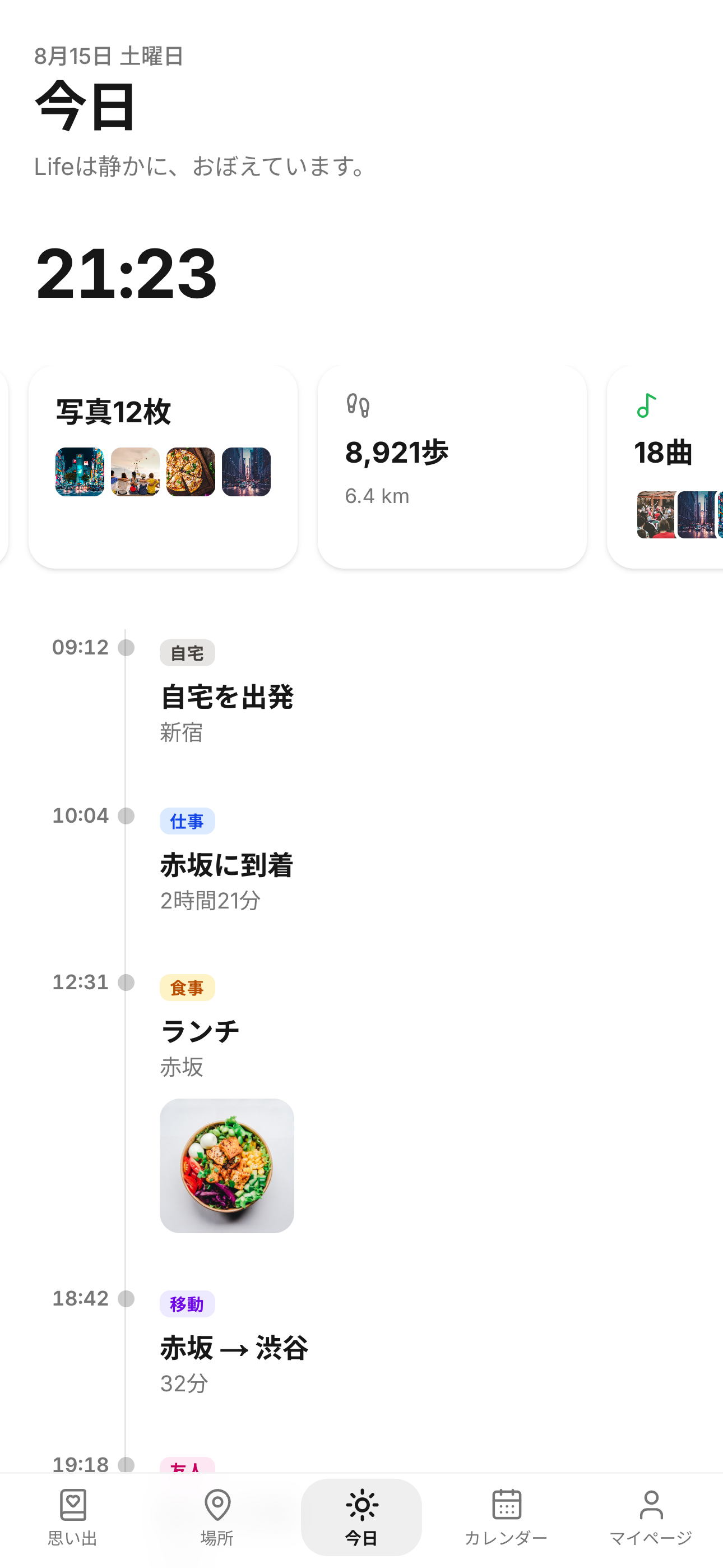
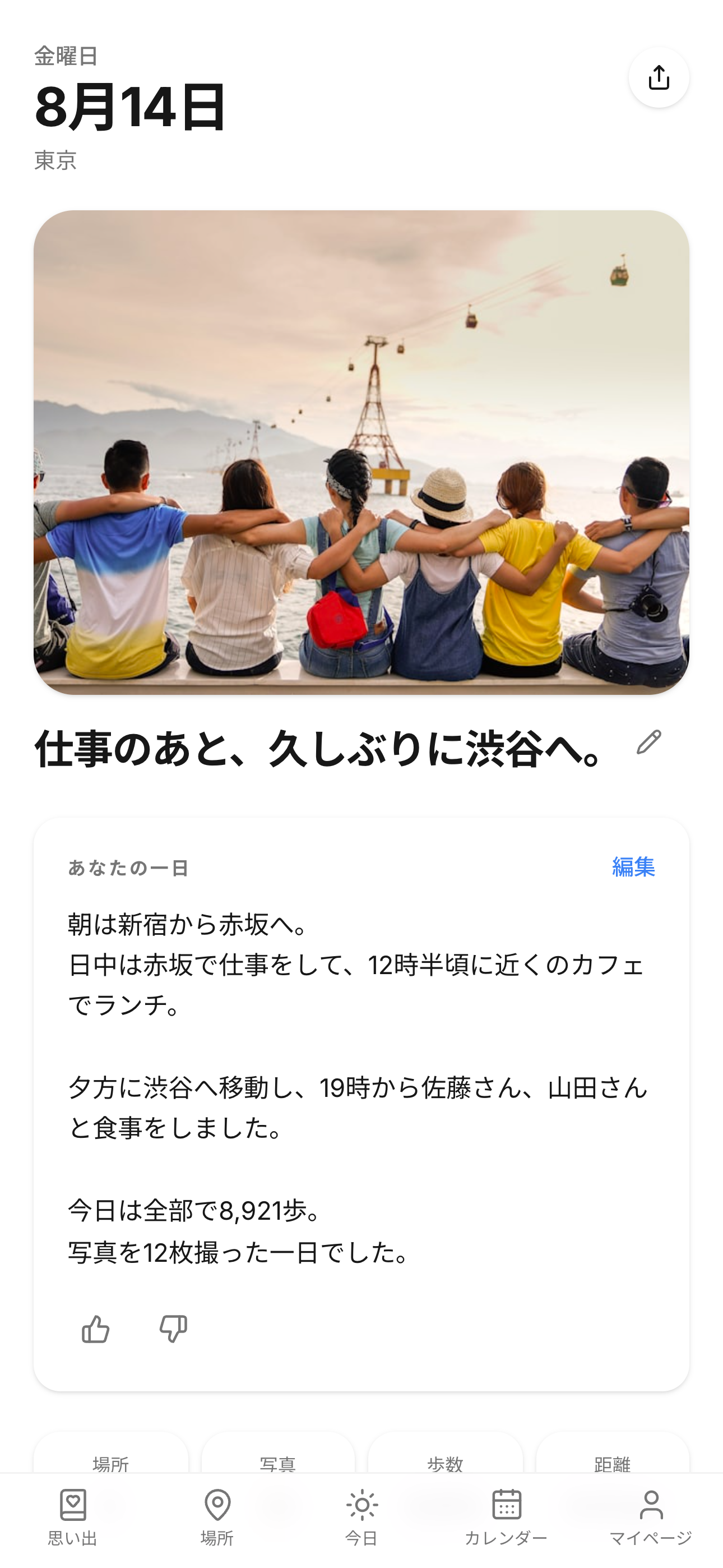
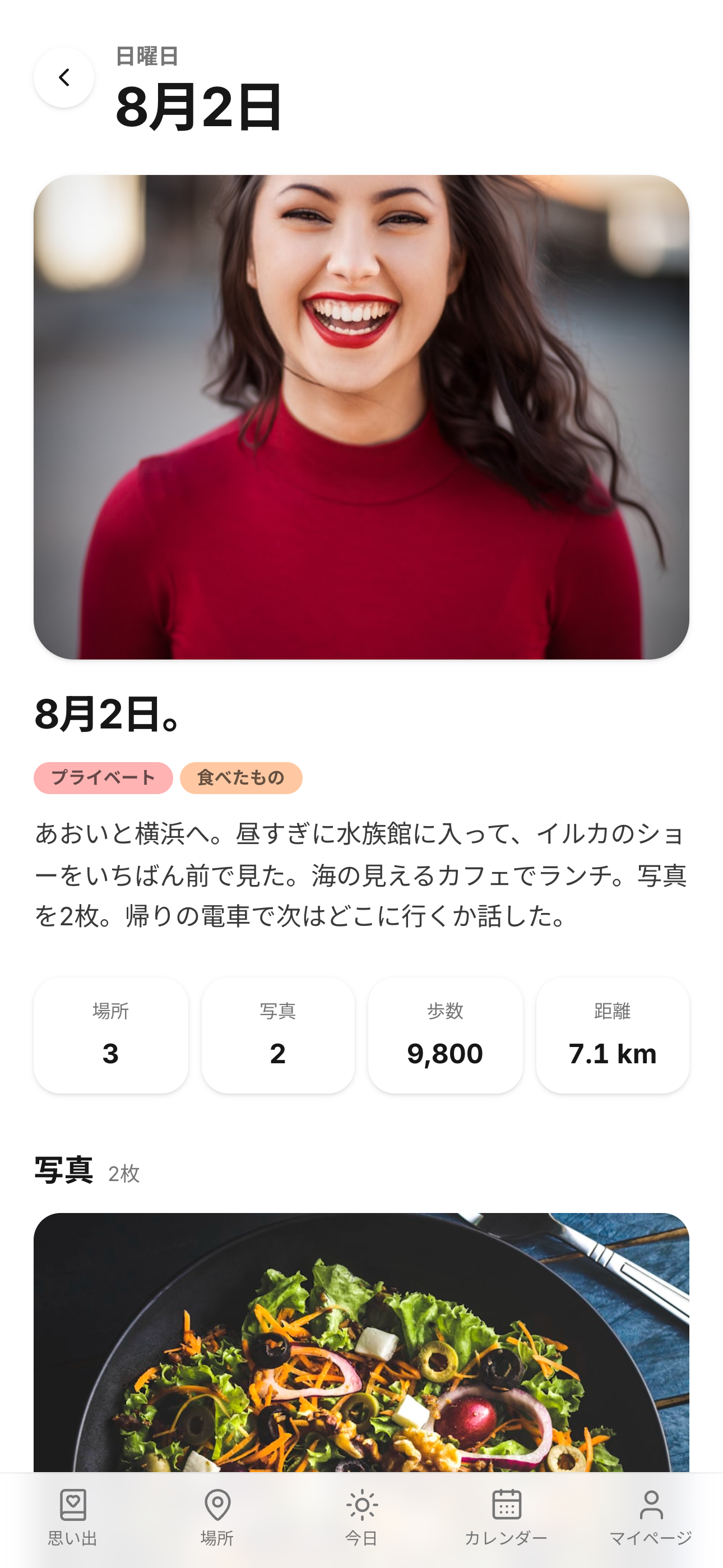
Life turns an ordinary day into a diary entry and, over time, into memories.
- Diary without writing: photos, steps, distance, and the places you visited are assembled into a draft diary for the day. You only add your own words.
- Life Log: with location set to "Always", Life quietly records when you left home and where you spent the day using low-power visit detection, so the diary is ready even on days you never opened the app.
- Memories that pile up on their own: "One year ago today", monthly archives, best shots, and places you keep coming back to are generated from your own photo library.
- Calendar: iPhone and Google calendar events show up inside the diary, and plans made in Life are written back to your calendar.
- For couples: connect with a secret code to share a calendar and anniversaries. One subscription unlocks Premium for both partners.
- Privacy first: photo analysis, location history, health data, and diary generation all happen on-device. The developer cannot see your photos, diary, or movements.
How we built it
Life is a Next.js app shipped as a native iOS app through Capacitor, with a custom Swift bridge for the parts that only native can do: PhotoKit (capture dates, locations, and aspect-correct thumbnail generation), HealthKit (read-only), CoreLocation visit monitoring and geofences, MapKit, and the Vision framework for face-aware photo selection. Couple sharing syncs only plans, anniversaries, nicknames, and Premium status under an anonymous ID via Supabase (Tokyo). Subscriptions run entirely on RevenueCat: one monthly product, one offering, and an entitlement that is mirrored to a partner's account so one purchase covers two people.
The app was built by one person over roughly eight weeks. The entire app, design, code, assets, and tests, was produced through conversation with Claude Code. Not a single line was written by hand; the human role was product decisions, on-device testing, and saying no.
Challenges we ran into
- Thumbnails silently cropped to squares. The bug looked like CSS but lived in the native thumbnail generator (aspectFill with a square target size). Lesson: when aspect ratios look wrong, suspect generation before display.
- RevenueCat initialization hanging forever inside Capacitor. The cause was a Capacitor proxy object that looked like a Promise ("thenable"), so the SDK's await never resolved. Unwrapping it fixed purchases end to end.
- App Review's sandbox receipts made a hidden demo-data picker reappear in production. We now hide it unconditionally in production builds.
- Making "always-on" location acceptable: we use only visit detection, significant-change, and home/work geofences, no background modes, and the feature is off by default with an in-app explanation before enabling.
Accomplishments that we're proud of
- A diary that is genuinely written for you, on-device, with zero servers touching your photos or movements.
- Full Japanese and English UI, including localized place names, dates, and generated diary text.
- Tested on physical devices for the cases that usually break "zero-effort" apps: every permission denied, an empty photo library, a ten-year library, and the full subscription lifecycle (purchase, cancel, expiry, re-lock, restore) in the App Store sandbox.
- One subscription for two people, implemented as a mirrored entitlement.
What we learned
The hardest part of a "zero-effort" app is that every effort you remove from the user lands on you. Every screen had to work for a fresh photo library, a ten-year library, a day with no photos, a day with 300 photos, and a user who never grants a single permission.
What's next for Life
- Conversational diary: instead of a blank page, Life talks to you. It looks at today's material (places, photos, steps, calendar) and asks one or two short questions, then drafts the entry in your own voice from your answers. Over time it learns what matters to you and asks better questions. Opt-in; photos and location never leave the device, only your answers do.
- Family plan: one subscription for the whole household. Parents and kids keep their own diaries and share the memories they choose. For younger children, a family safety check-in (where they are, when they got home) that is age-appropriate, consent-based, and visible to the child, so the family's memory and the family's peace of mind live in the same app.
- Android.
Built With
- capacitor
- core-location
- framer-motion
- healthkit
- leaflet.js
- mapkit
- next.js
- photokit
- playwright
- revenuecat
- supabase
- swift
- typescript
- vision


Log in or sign up for Devpost to join the conversation.