-
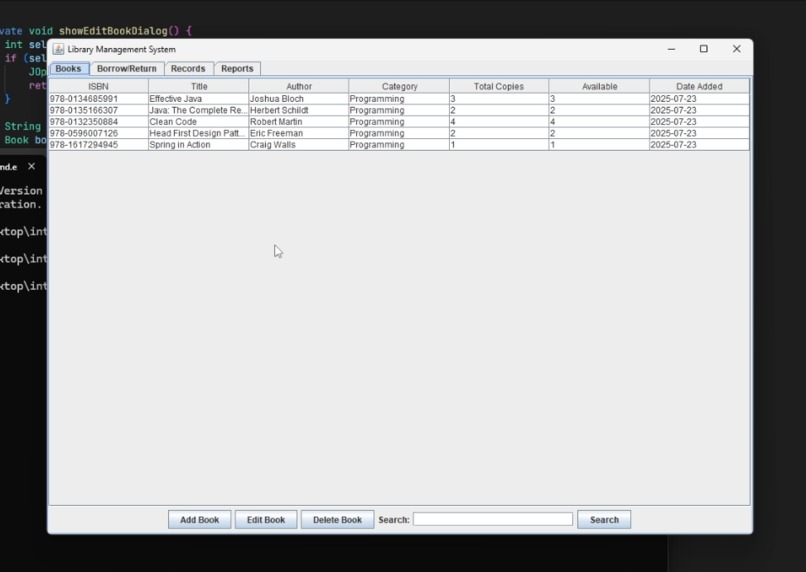
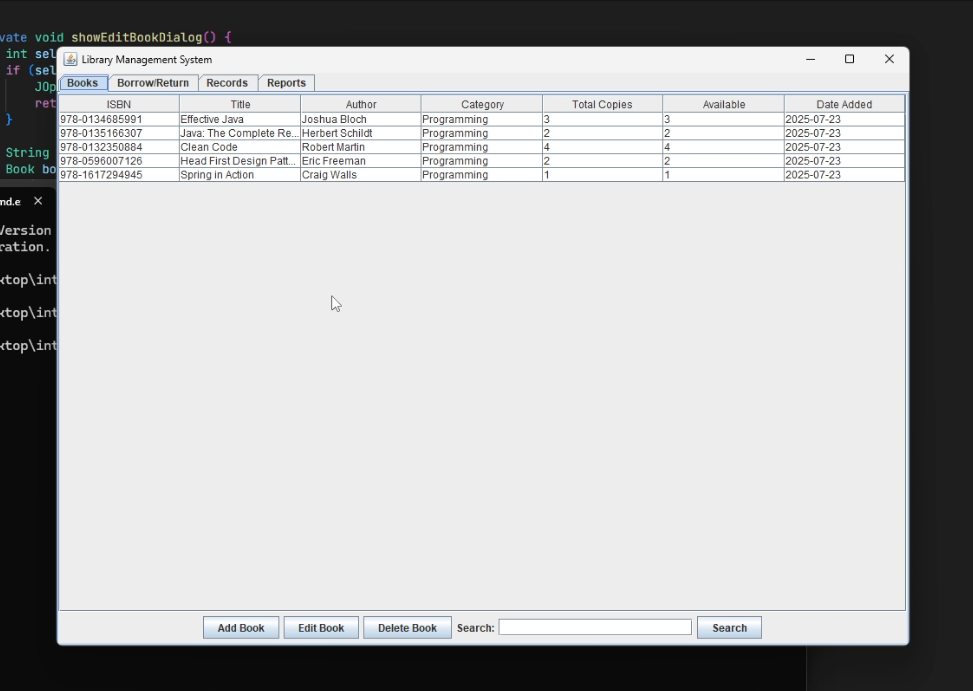
Main Screen
-
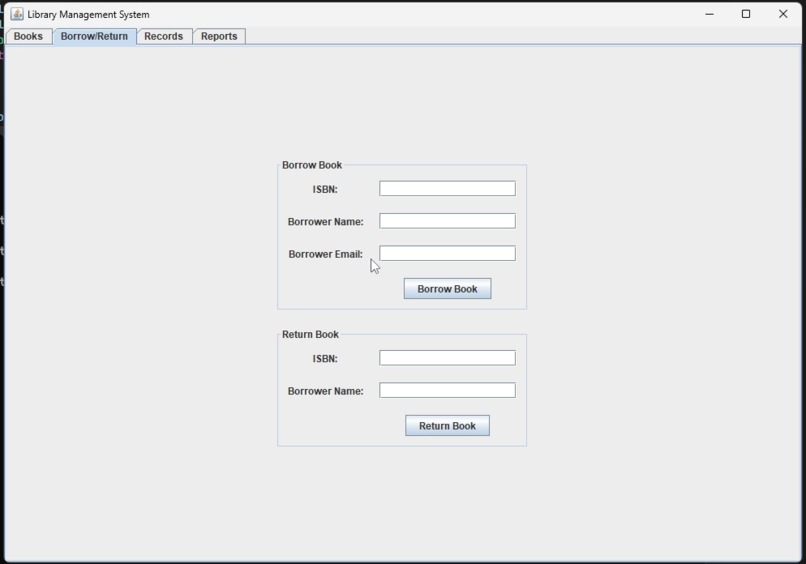
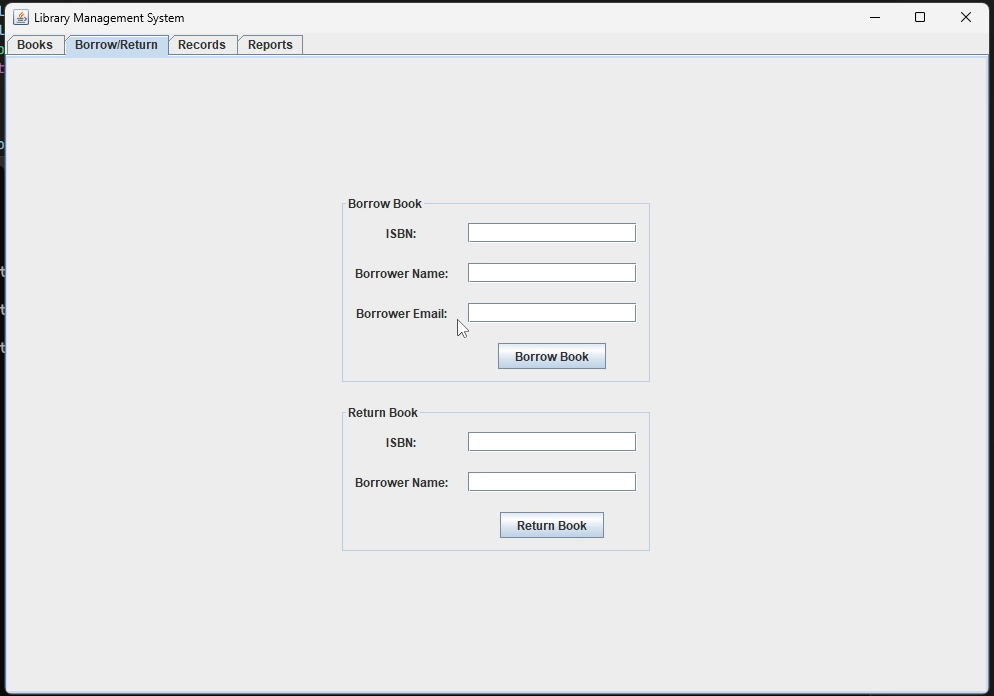
Borrow Screen
-
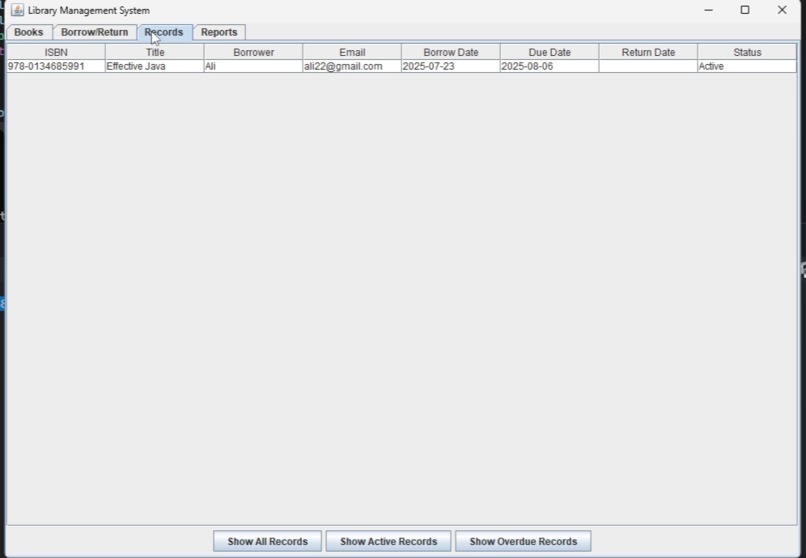
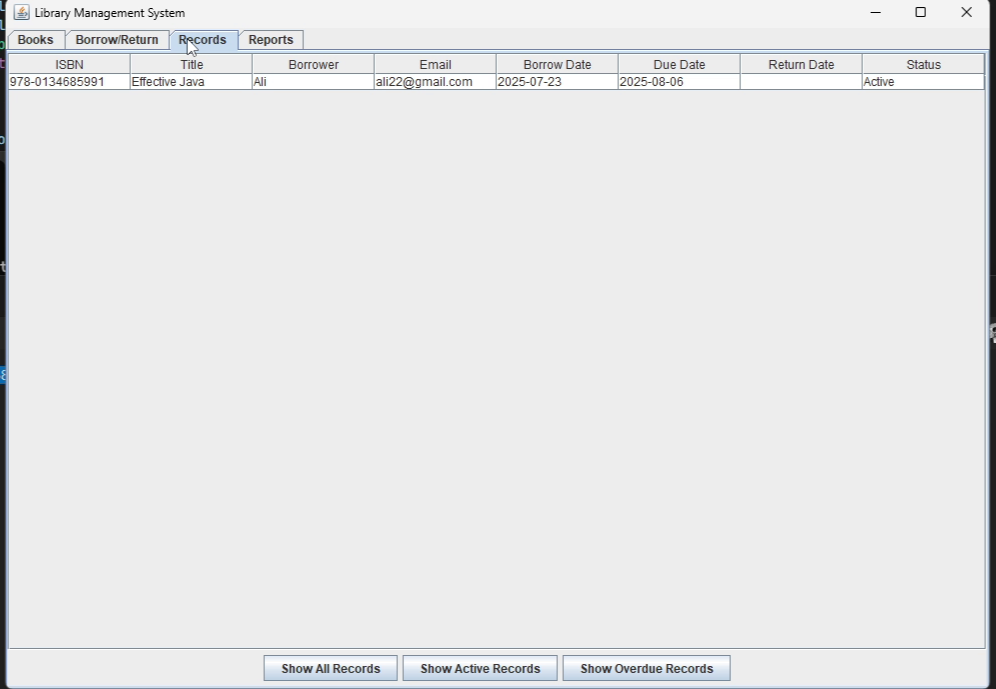
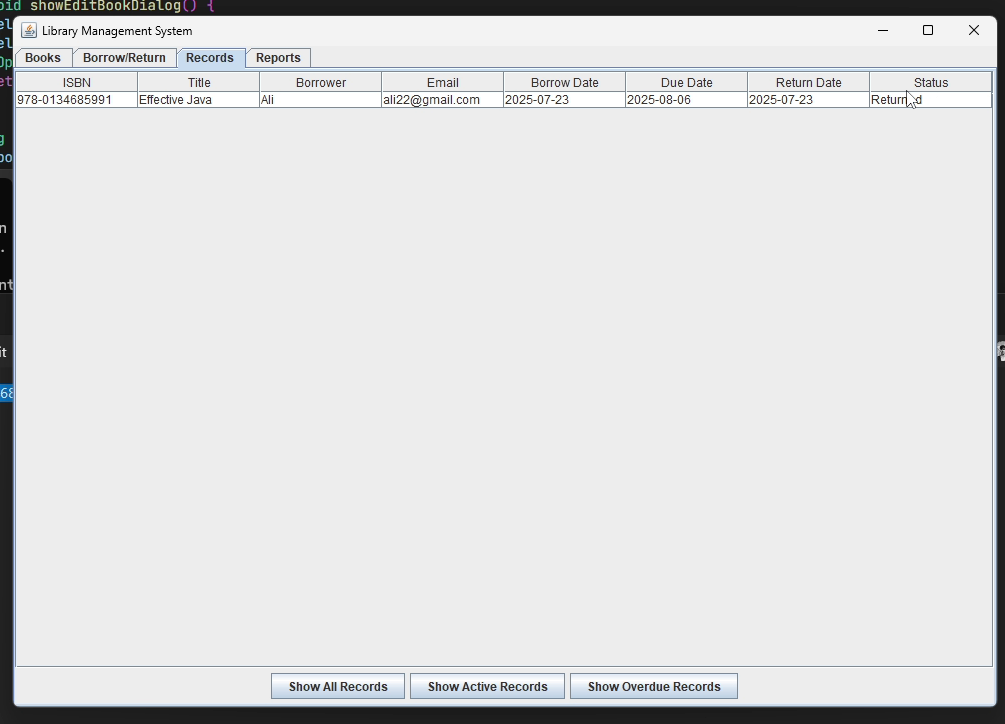
Record Screen
-
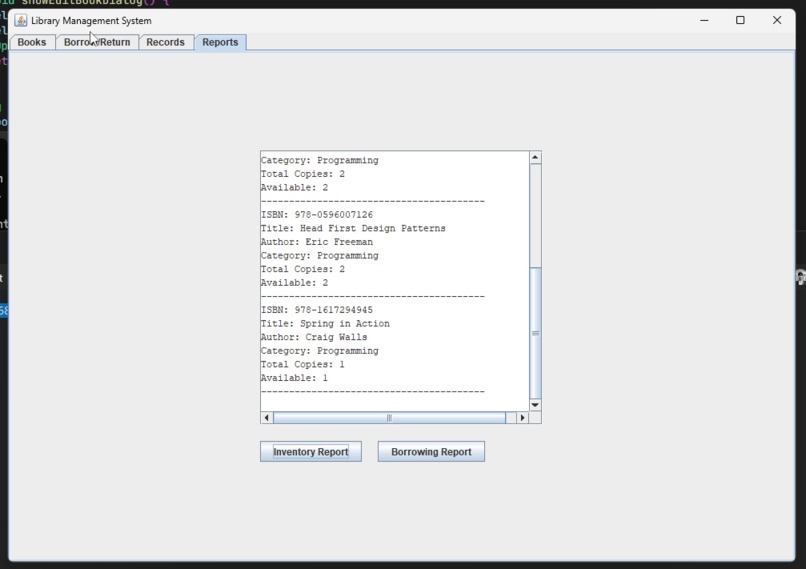
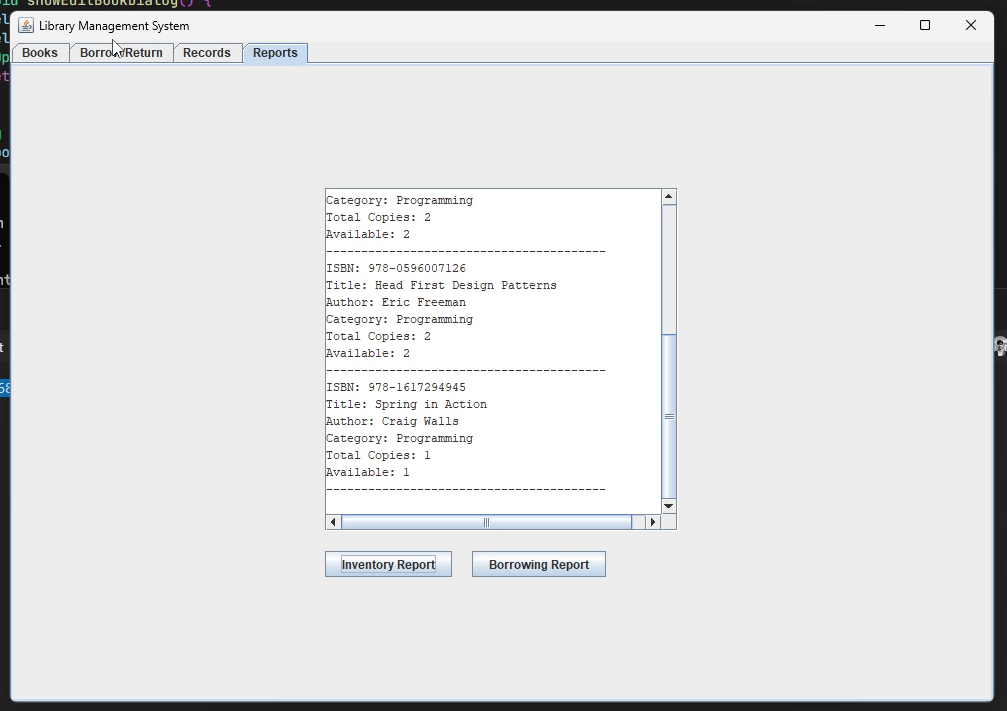
Report Screen
-
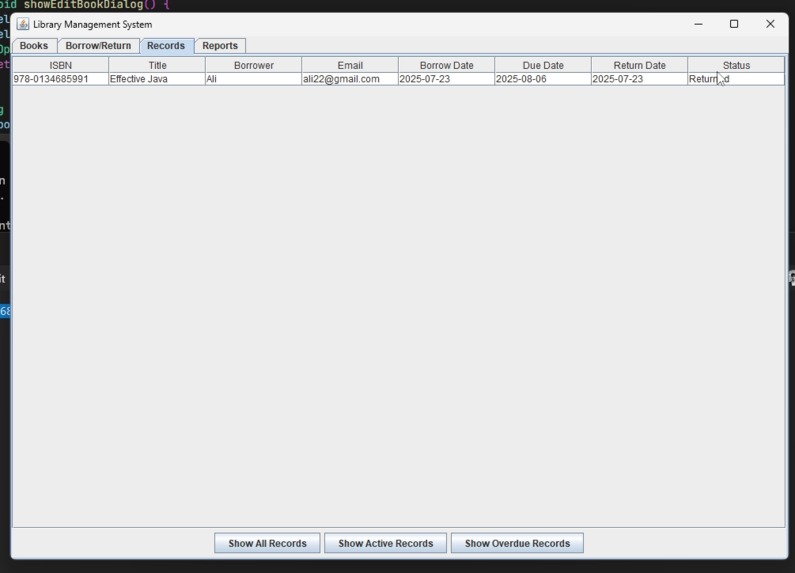
Record Screen After Return
📚 Library Management System


A simple desktop application for managing a library's books and borrowing records. This system is developed in Java using Swing for the graphical user interface. It allows librarians to add, edit, and delete books, as well as manage borrowing and returning books.
📚 Project Overview
This application provides a comprehensive solution for basic library management tasks, including:
- Book Management: Add, edit, delete, and search for books by ISBN, title, author, or category.
- Borrowing & Returning: Record new book loans and process returns.
- Record Keeping: View all, active, and overdue borrowing records.
- Reporting: Generate reports on library inventory and borrowing activity, including overdue books.
🛠 Tech Stack
- Language: Java
- GUI Framework: Swing
- Data Structures:
ArrayListfor storing books and borrow records. - Date & Time:
java.time.LocalDatefor handling dates.
⚙️ Installation
To run this application, you need to have a Java Development Kit (JDK) installed. The project can be compiled and run directly from the command line or an IDE like IntelliJ IDEA or Eclipse.
Command Line
# Compile the Java file
javac LibraryManagementSystem.java

# Run the application
java LibraryManagementSystem
IDE
- Create a new Java project in your IDE.
- Add the
LibraryManagementSystem.javafile to the project's source folder. - Run the
mainmethod in theLibraryManagementSystemclass.
📊 Visuals
| Plot Description | Image |
|---|---|
| Main Screen | |
| Borrow Screen | |
| Record Screen | |
| Report Screen |
🧪 How to Use the Application
The application features a tabbed interface for different functionalities:
Books Tab:
- Add Book: Click "Add Book" to open a dialog for entering book details (ISBN, Title, Author, Category, Copies).
- Edit Book: Select a book from the table and click "Edit Book" to modify its details.
- Delete Book: Select a book and click "Delete Book" to remove it from the library's catalog.
- Search: Use the search bar to find books.
Borrow/Return Tab:
- Borrow Book: Enter the ISBN, borrower's name, and email to record a new loan.
- Return Book: Enter the ISBN and borrower's name to mark a book as returned.
Records Tab:
- View all borrowing records, including returned books.
- Filter records to show only "Active" (currently borrowed) or "Overdue" books.
Reports Tab:
- Inventory Report: Generates a detailed list of all books, their total copies, and available copies.
- Borrowing Report: Provides statistics on total, active, and overdue borrowing records, along with a list of all overdue books.
📁 Project Structure
├── LibraryManagementSystem.java # Main application file
└── README.md                    # Project documentation
👨💻 Author
- Ali Akbar Khan
- Email: [email protected]
- LinkedIn: aliakbar-khan
🔒 License
This project is for educational and personal use. All rights are reserved.
