-
-
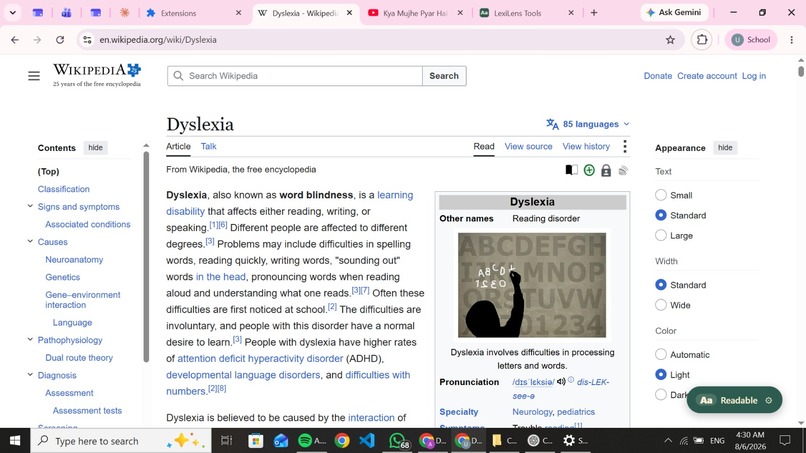
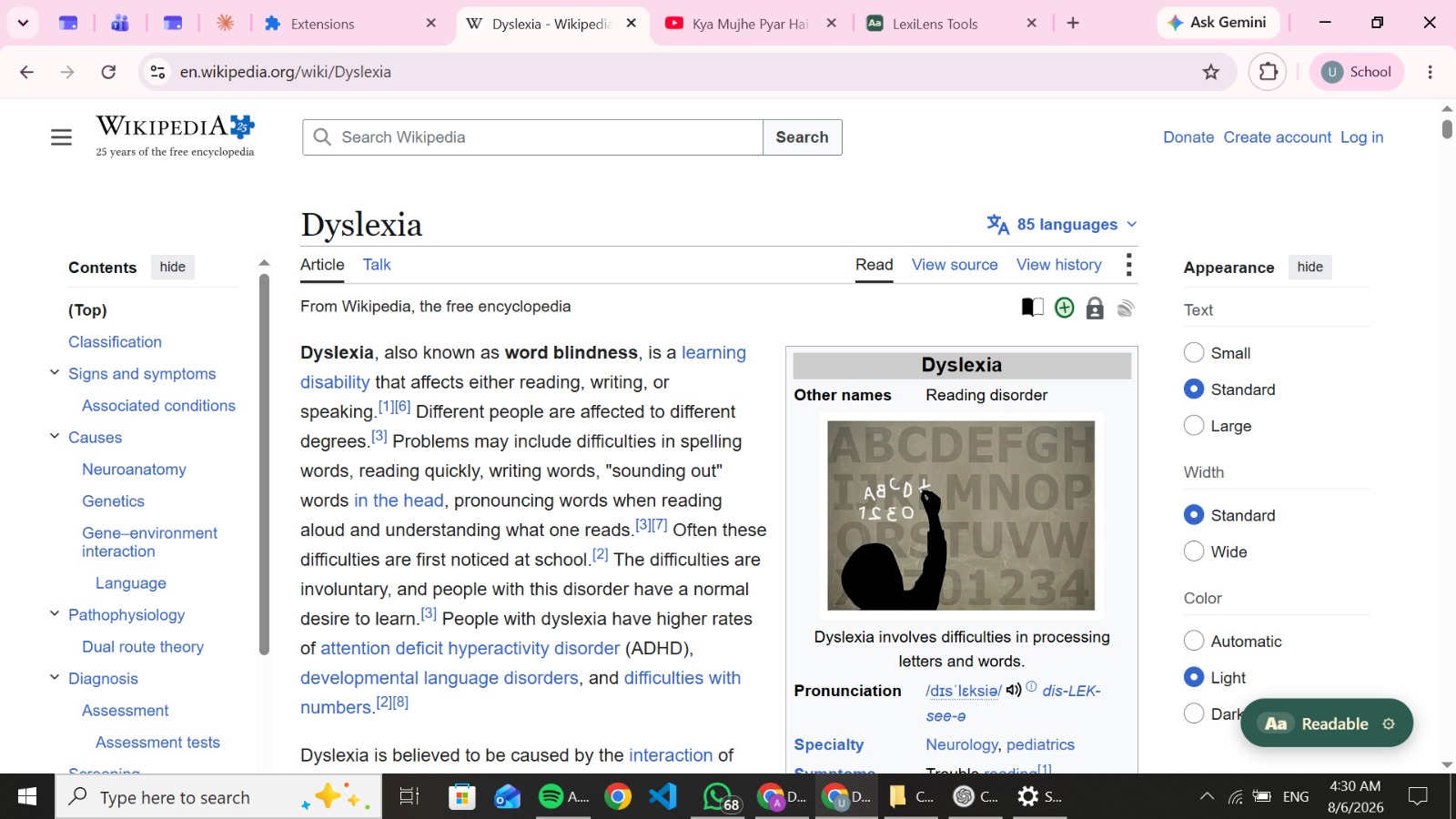
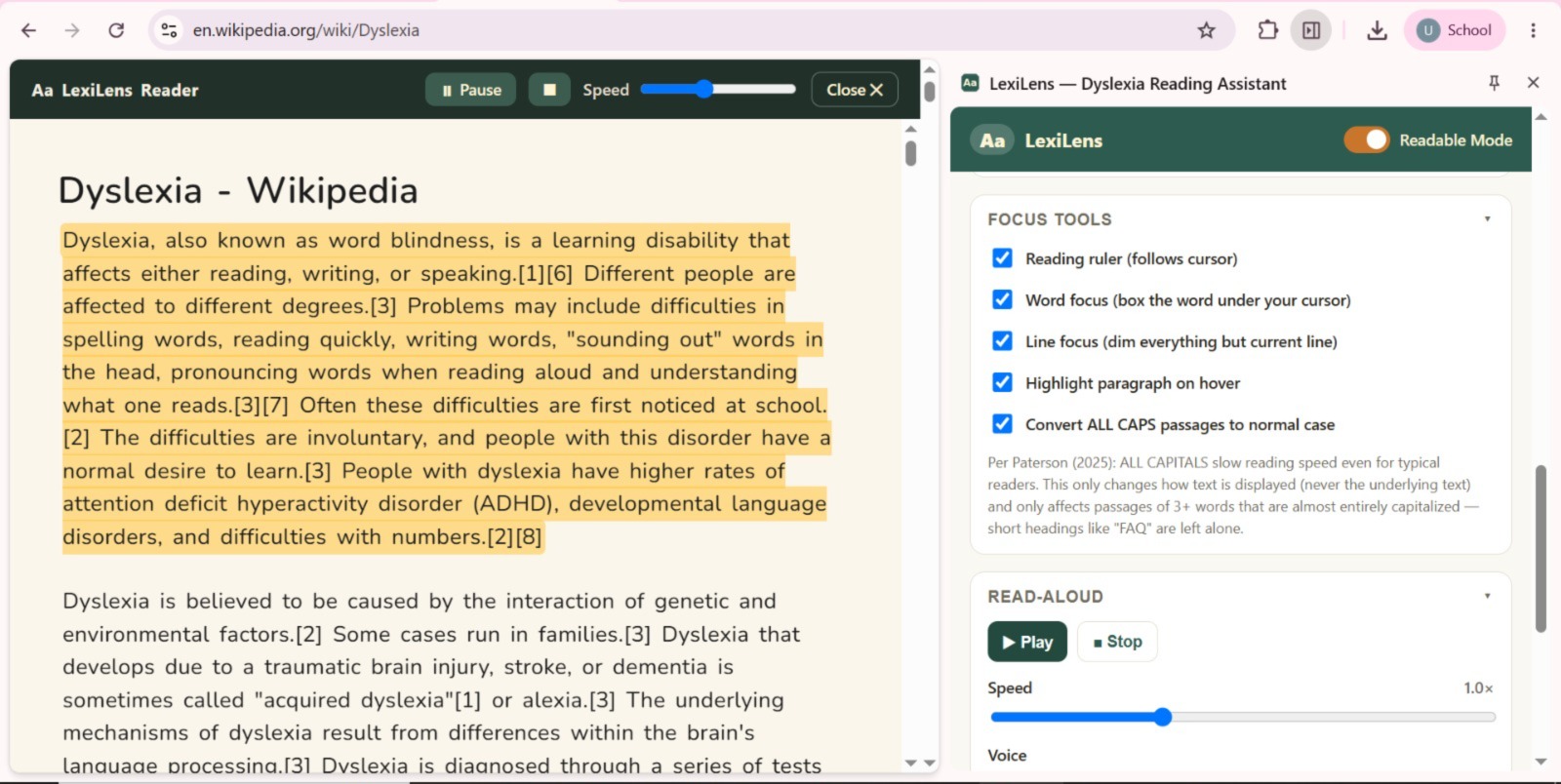
Before lexilens
-
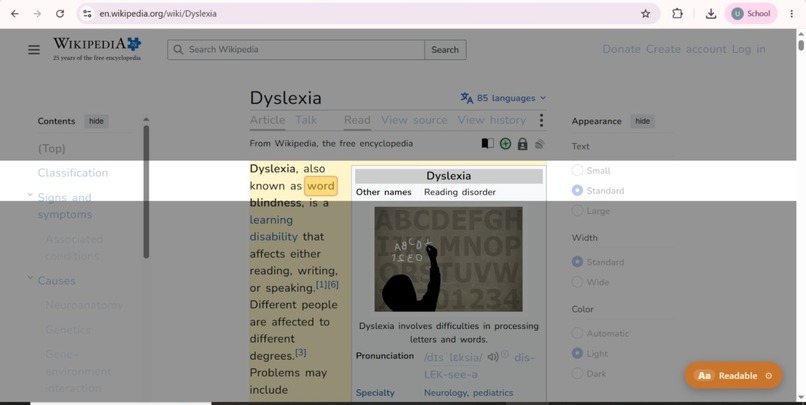
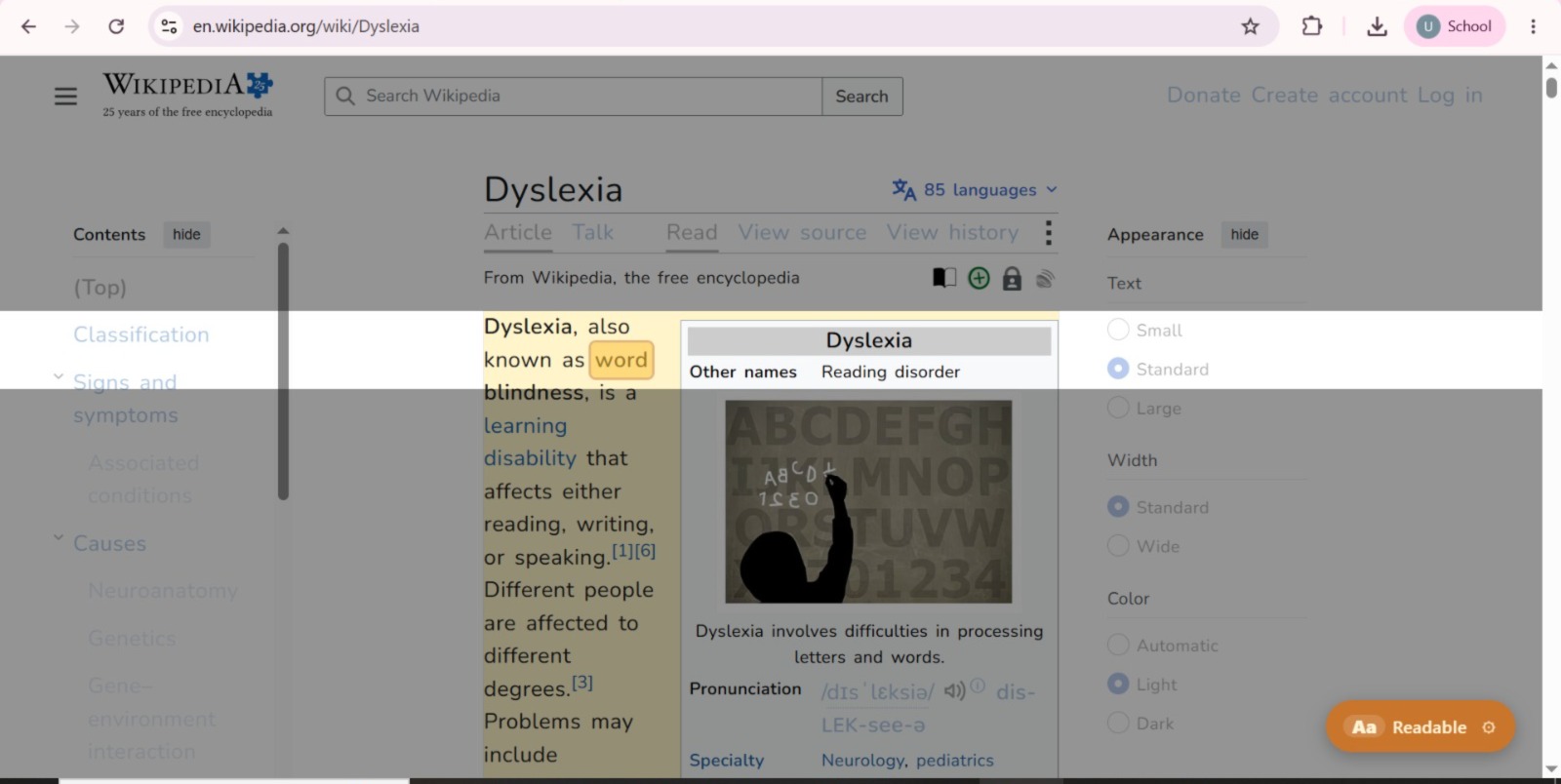
After Lexilens
-
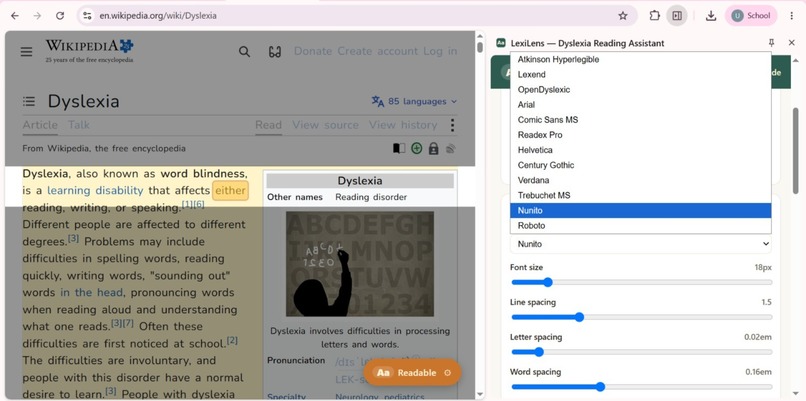
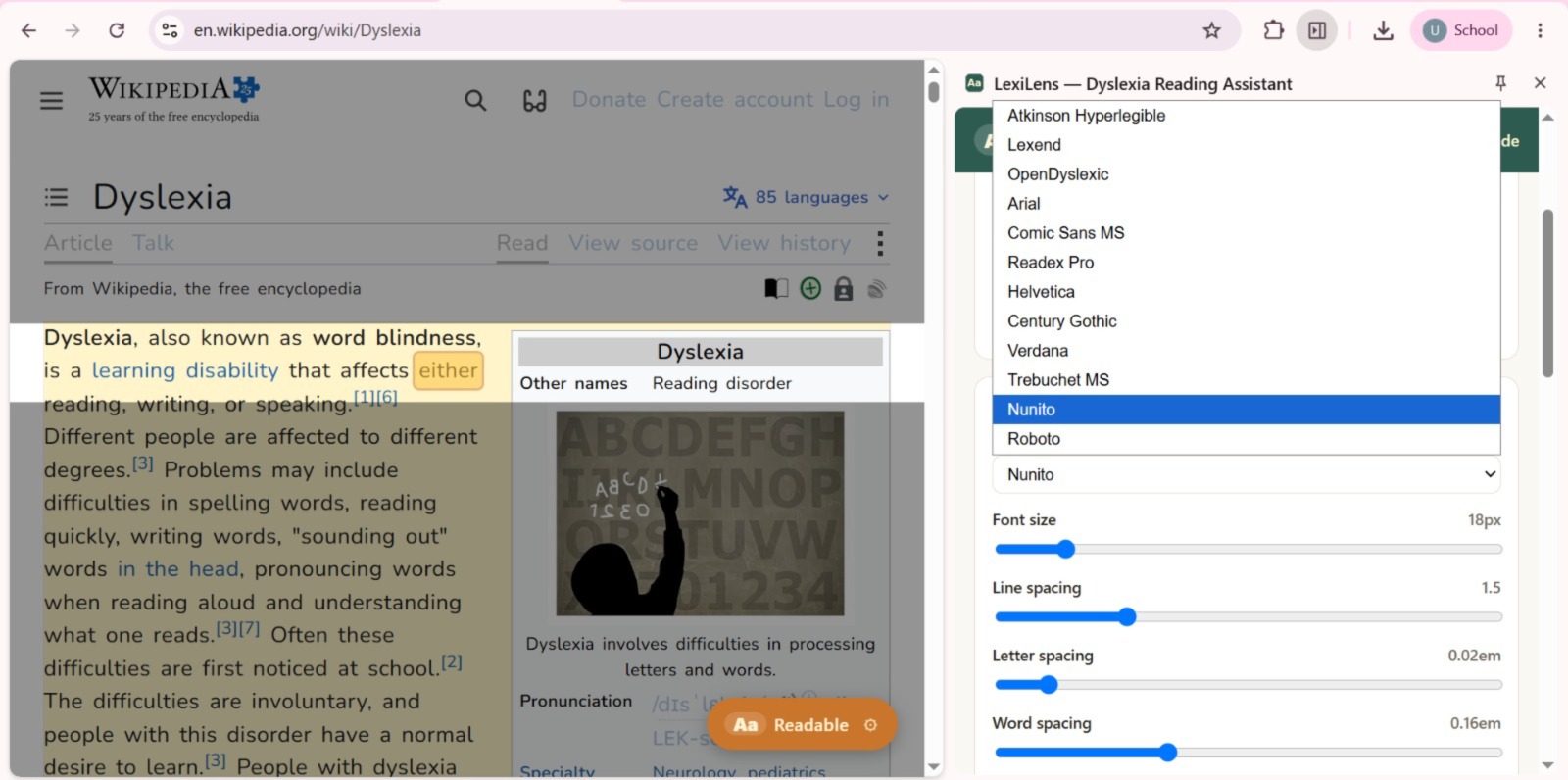
Adjust according to your ease.
-
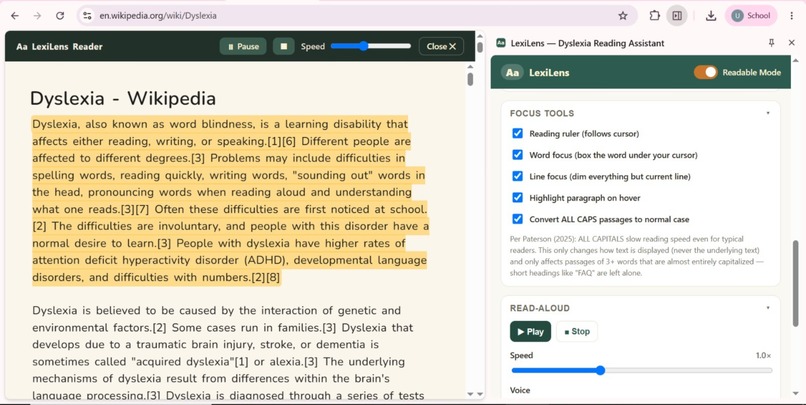
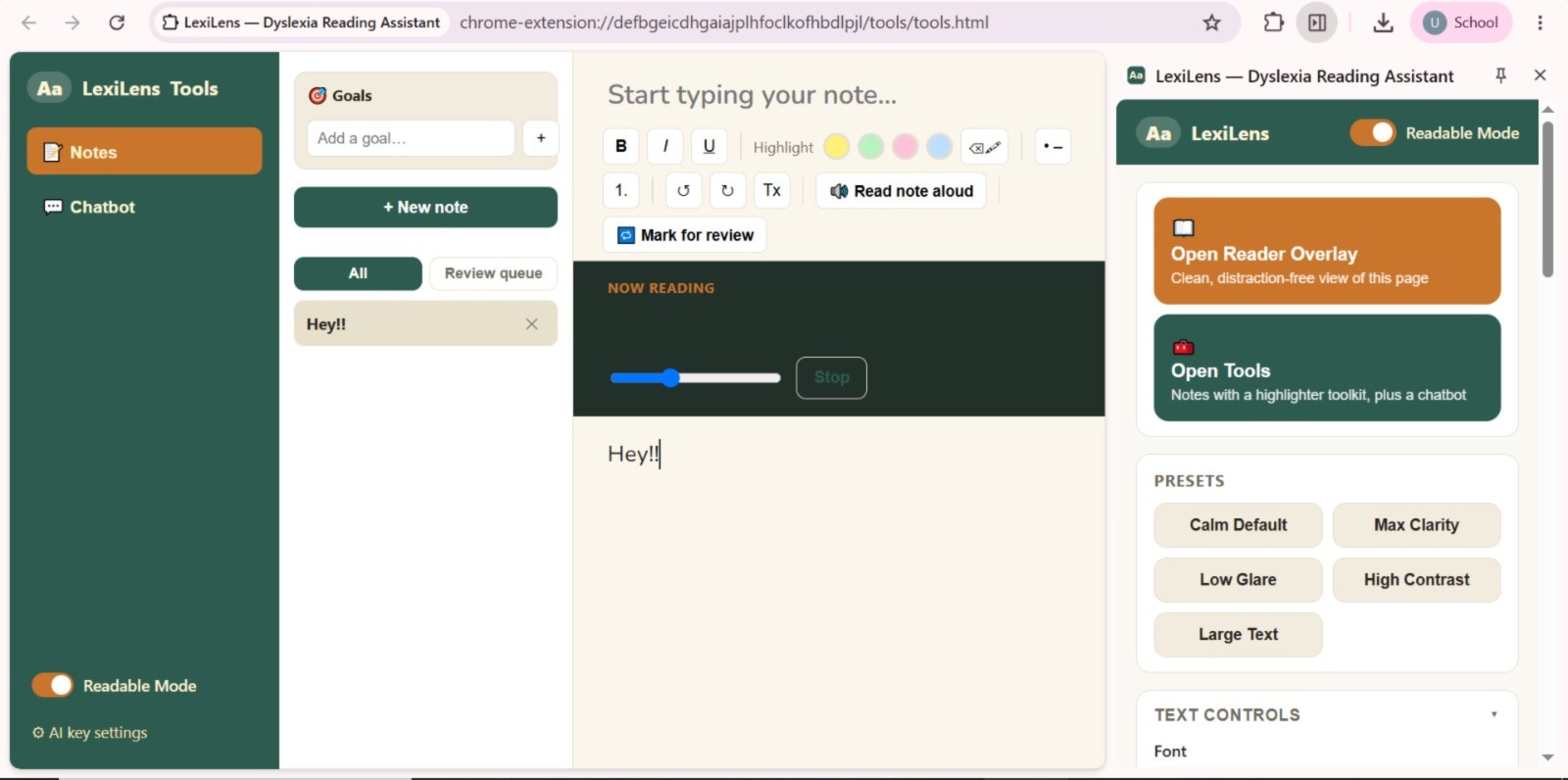
Select Font and read aloud.
-
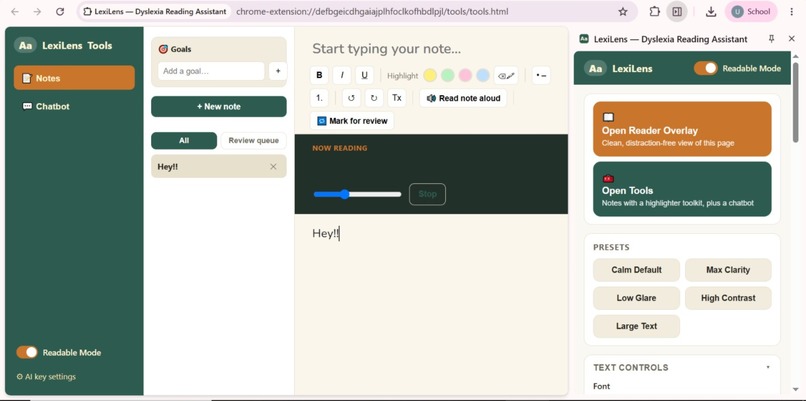
Read, take notes, and chat with AI—all while keeping your personalized LexiLens reading settings.
🌟 Inspiration:
LexiLens was inspired by a struggle that millions of people face every single day online — the modern web is built for a narrow definition of "normal," and dyslexic students are left to fight cluttered pages, dense text, and inconsistent fonts just to read a single article.
For neurodivergent students with dyslexia:
Long, unbroken paragraphs cause visual stress and fatigue. Standard fonts and tight spacing make letters blur or swap Ads, sidebars, and clutter constantly break focus. Every website requires starting the struggle from scratch, with no tool adapting to them. This forces students to:
Reread the same lines over and over Avoid reading-heavy assignments altogether Rely on other people to summarize or explain simple pages Instead of asking dyslexic students to adapt to the web, we asked: what would reading look like if it were designed around them from day one?
✨ Our core vision:
Make every webpage readable, understandable, and stress-free for dyslexic students — with one click.
🎯 Track & Target Users Track: AI for Learners Who Think Differently
Target Users: People with dyslexia who struggle with reading-heavy web content — schoolwork, research, and everyday browsing.
🧠 What it does:
LexiLens is an AI-powered Chrome extension that transforms any reading-heavy webpage into a personalized, distraction-free reading experience for dyslexic students.
The system enables students to:
✔️ Instantly reformat any webpage into a dyslexia-friendly layout ✔️ Use focus tools like a reading ruler, Word focus, Highlight para on hover, Convert ALL CAPS passages to normal case and line-focus mode to reduce visual overload ✔️ Listen to any page with read-aloud and synced sentence highlighting ✔️ Get AI-simplified rewrites of complex text, without losing meaning ✔️ Ask an AI reading assistant to explain, summarize, or quiz them on the page ✔️ Take smart notes side-by-side without ever switching tabs ✔️ Switch between simple presets instead of navigating complex settings ✔️Goals section to list down your daily goals.
🤖 How AI Is Used Meaningfully: AI isn't a bolt-on feature in LexiLens — it's core to how the tool adapts to each student:
AI-powered sentence simplification breaks down complex sentence structures while preserving meaning and technical vocabulary, adjustable via a readability slider. AI reading assistant answers real, in-context questions ("explain this paragraph," "quiz me on this") without the student needing to leave the page or reformulate their confusion into a search query AI-generated summaries and key points ** reduce the cognitive load** of dense pages into digestible takeaways. This directly addresses real-time text reformatting for dyslexia — one of the example use cases under this track — but goes further by pairing reformatting with active comprehension support, not just visual adjustment.
🔄 Reading Workflow:
The system supports one continuous reading loop, not just a one-time style change. Open Page >> Adapt Reading Mode >> Read / Listen >> Ask AI >> Take Notes >> Revise
📌 Current Stage:
LexiLens has moved beyond concept — we've built a working prototype, including:
🧩 A functional Chrome extension (Manifest V3 structure) 🔄 Live content script, service worker, and backend interaction flow 📚 Early working versions of the AI rewrite, chat assistant, multi language support and notes system🎨 UI Design Concepts Minimal, neurodivergent-friendly side panel with simple presets🖥️ Reader Overlay mode for a clean, ad-free reading view Focus tools like reading ruler and line-focus mode 🧱 System Architecture Design Content Script for injecting readability styles and accessibility tools Side Panel for handling messaging, preferences, and AI requests Backend API for securely processing AI rewriting and chat 🔍 Feature Planning Dyslexia-friendly font and spacing customization AI-powered sentence simplification with a readability slider 🔊 Read-aloud with synced highlighting using the Web Speech API Smart Notes with highlight-to-save and AI-generated summaries
🏆 Accomplishments that we're proud of:
✨ Built a working prototype shaped directly by a real dyslexic student's feedback ✨ Designed a clear, scalable extension architecture ✨ Combined accessibility, meaningful AI assistance, and note-taking in one tool ✨ Used AI to support comprehension, not just visual formatting ✨ Stayed accessibility-first at every design decision.
🚀 What's next for LexiLens (A MUST READ) :
🧠 On-device AI mode — run lightweight rewriting and summarization locally, so LexiLens works fully offline and keeps reading data private 🌐 Browser-agnostic expansion — bring LexiLens to Firefox, Edge, and Safari, then beyond the browser into PDFs and e-books 🎧 "Listening Mode" for the whole web — a Spotify-like experience where any article can be queued and read aloud like a podcast 🤝 Community Word Bank — crowdsourced simplifications for tricky words/phrases, verified by students and educators 📊 Reading Confidence Score — track a student's comprehension and reading stamina over time, showing real, visible progress 🏫 School & institution partnerships — pilot LexiLens with schools to support dyslexic students system-wide, not just individually 👥 Expanded user testing — grow beyond our initial user to a wider group of neurodivergent students for broader, more representative feedback
🎯 Final Vision Statement:
LexiLens aims to become the go-to tool that makes the entire internet readable for dyslexic students - turning every webpage into a space designed for them, not against them. This prototype is the first step toward changing how millions of neurodivergent learners experience the web.
Built With
- chromeextensionmanifestv3
- chromestorage
- css
- googlefonts
- html
- javascript
- openai
- webspeechai

Log in or sign up for Devpost to join the conversation.