-
-
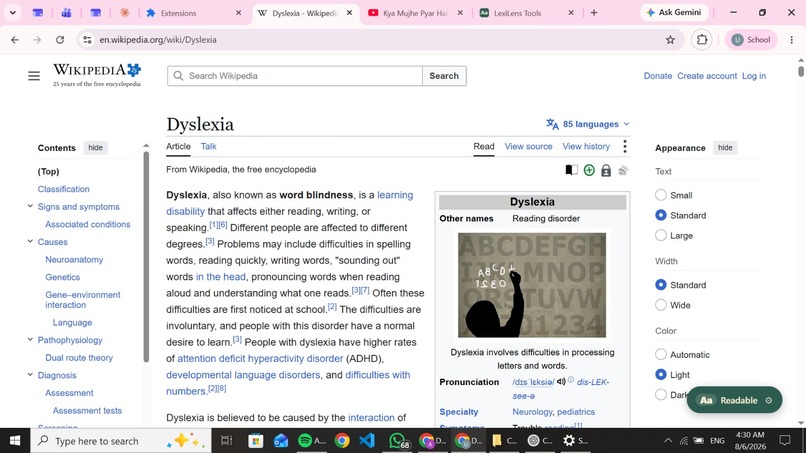
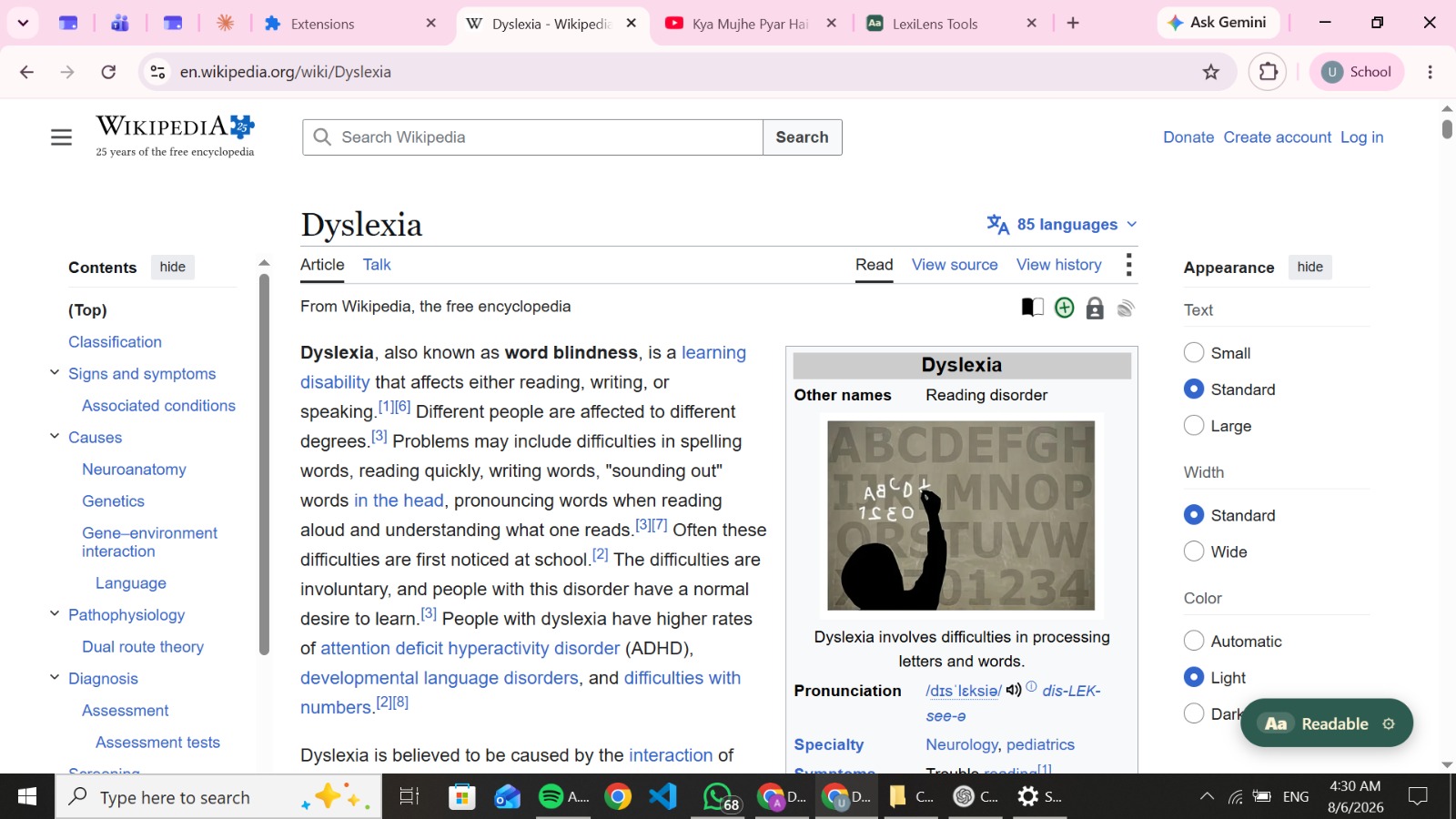
Before Lexilens
-
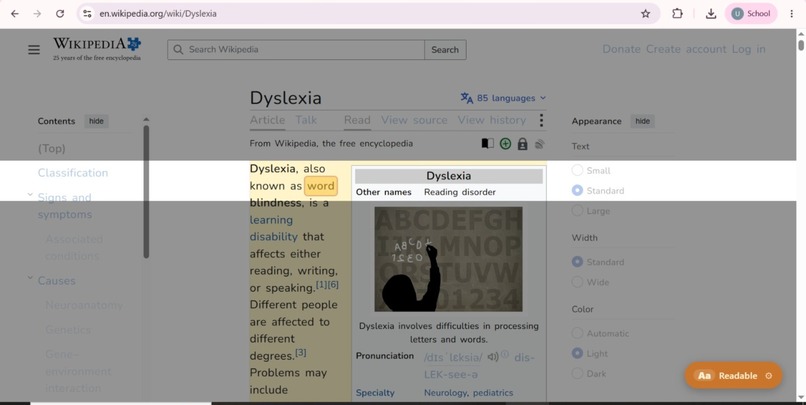
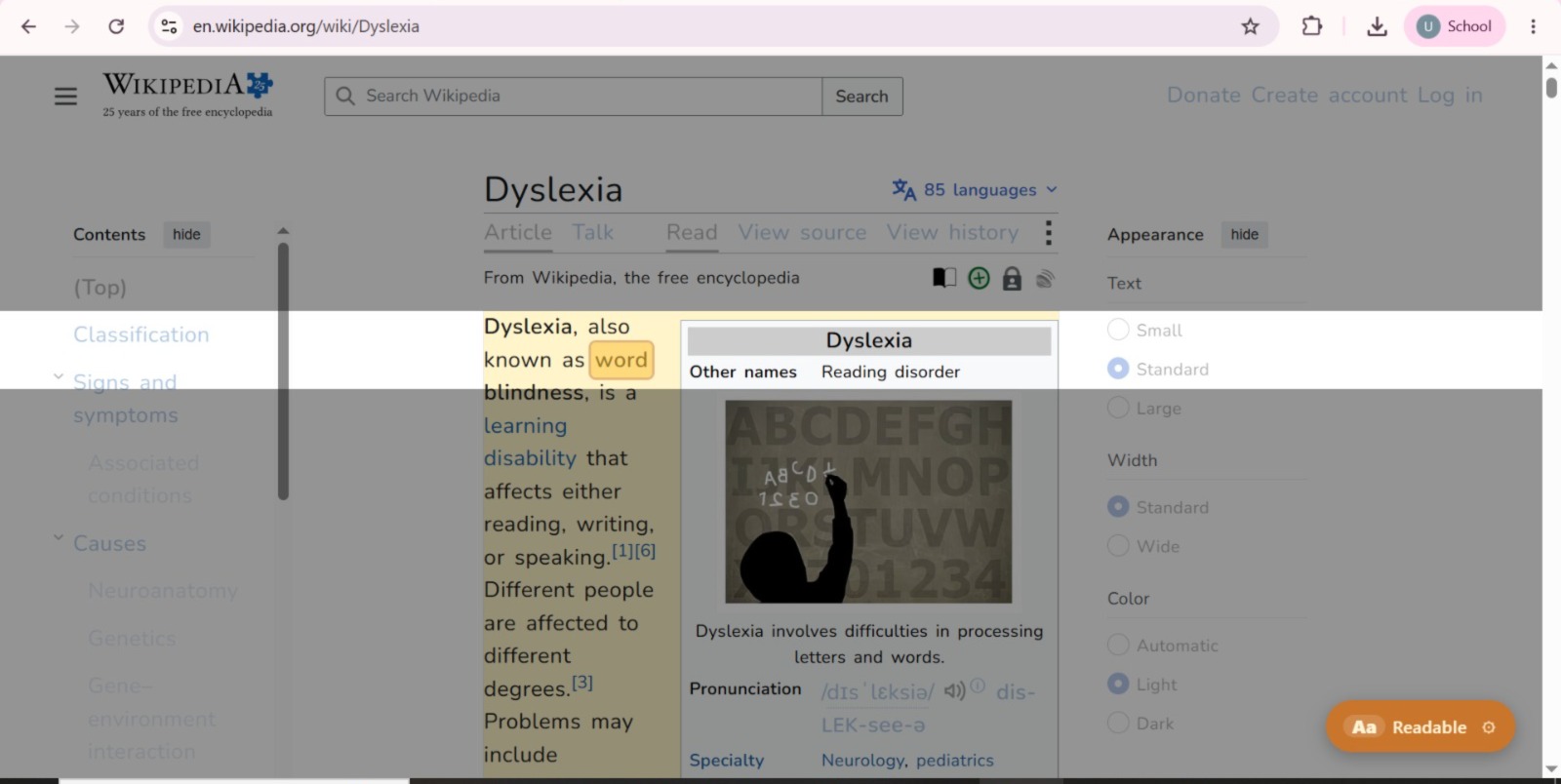
After Lexilens
-
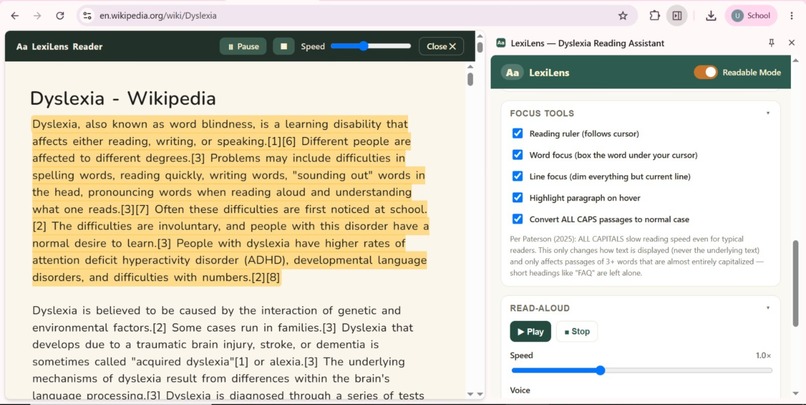
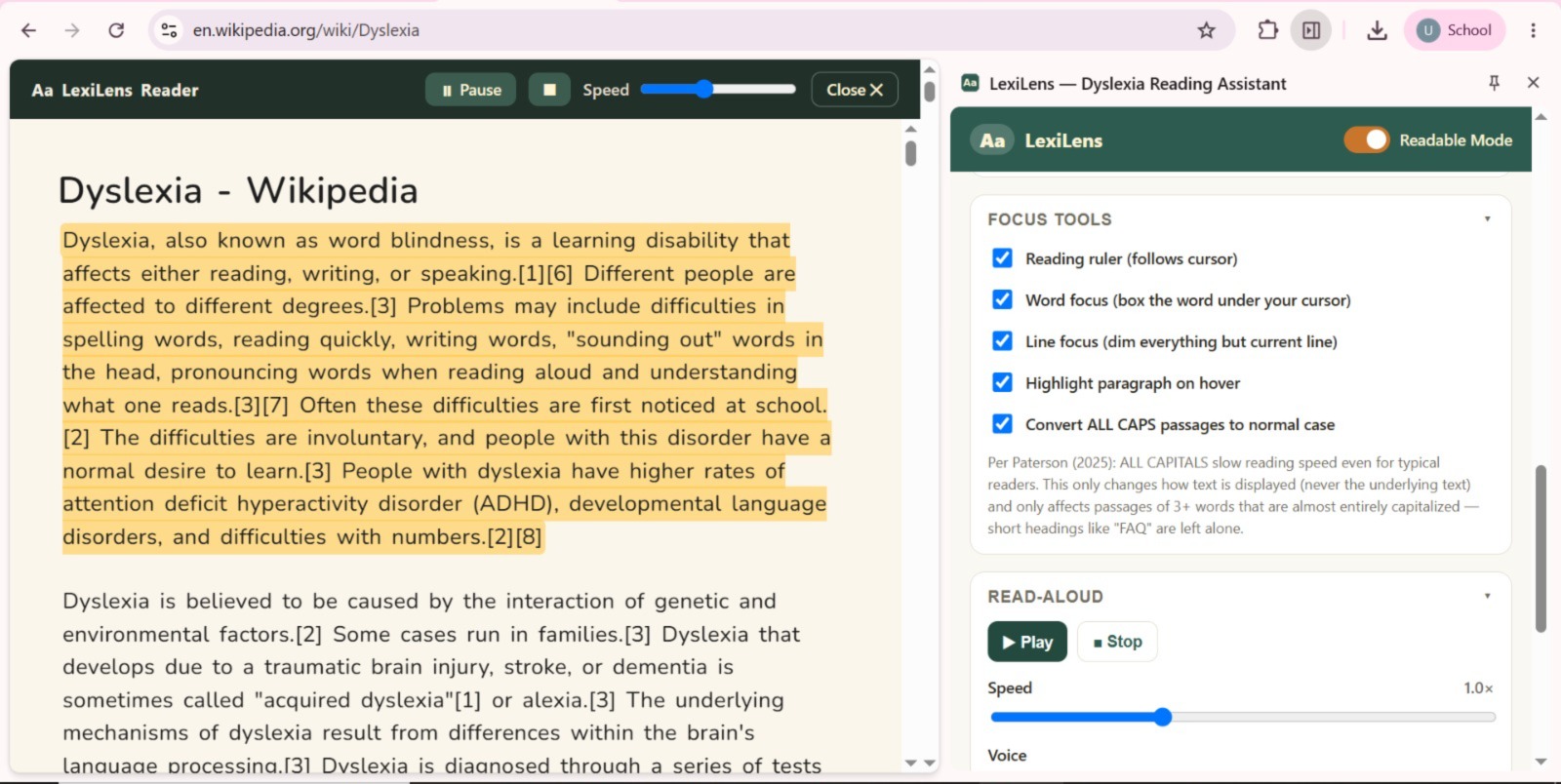
Focus tools and read aloud
-
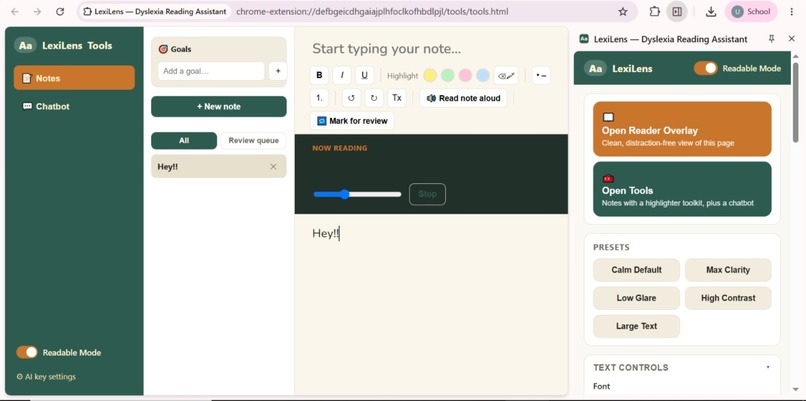
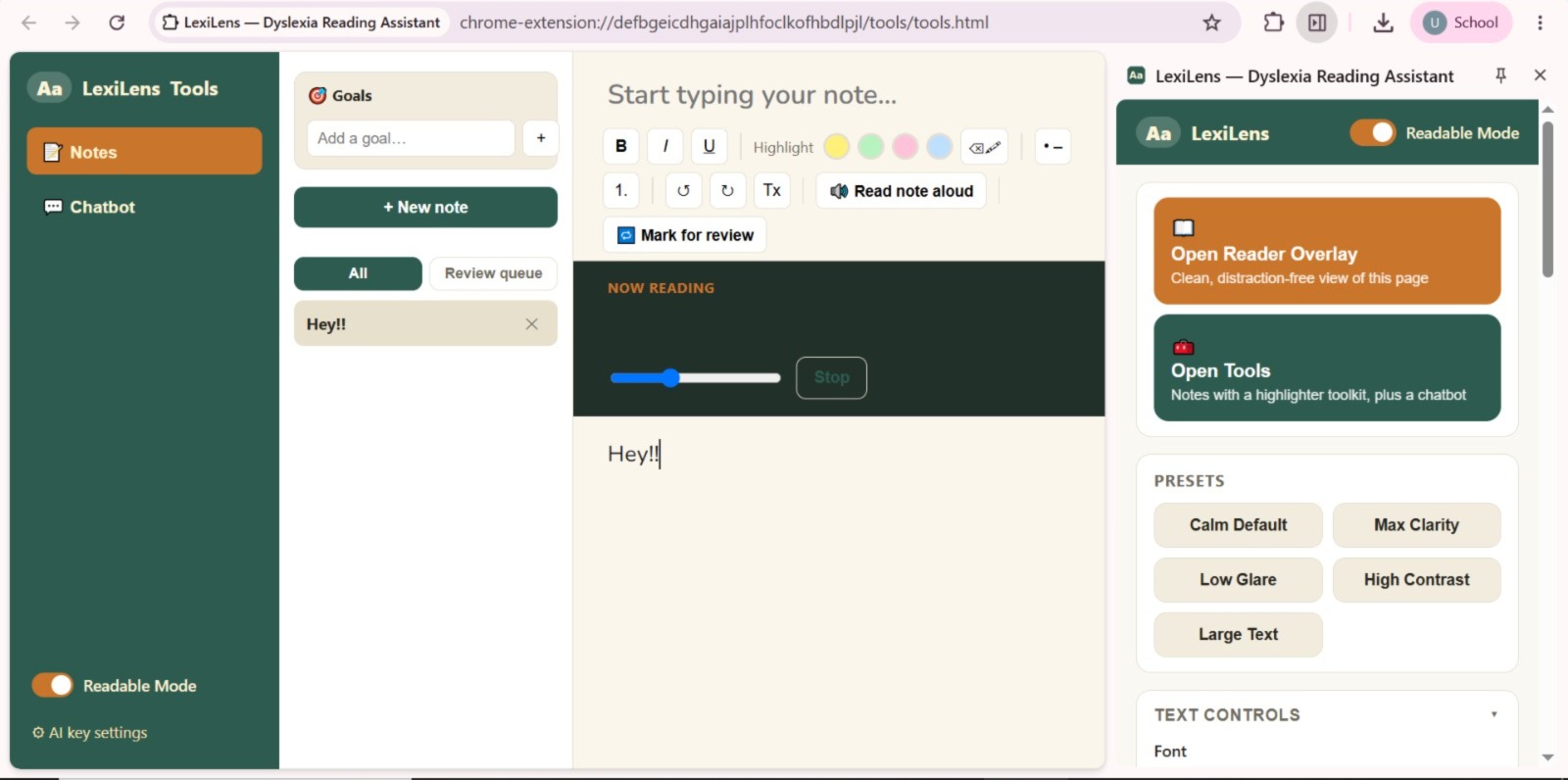
Read, take notes, and chat with AI—all while keeping your personalized LexiLens reading settings.
🌟 Inspiration:
LexiLens started with a local, everyday problem — students at our own school with dyslexia struggle to keep up with reading-heavy schoolwork, not because they aren't capable, but because the web and most digital classroom tools were never designed with them in mind.
In our school and community:
Students read textbooks, articles, and assignments on cluttered, text-dense webpages every day. Dyslexic students specifically struggle with dense paragraphs, inconsistent fonts, and visual clutter. There's no built-in way for a student to adjust a webpage to fit how they read best. Teachers and classmates often don't realize how much extra effort a "normal" reading assignment takes for a dyslexic student. This is a real, local problem — it affects real students in real classrooms, not just an abstract statistic.
✨ Our core vision:
Give dyslexic students in our own community a way to read the same material as everyone else, without extra struggle.
🧠 What it does:
LexiLens is an AI-powered Chrome extension that transforms any reading-heavy webpage into a personalized, distraction-free reading experience — built for students, starting with our own school community.
The extension enables students to:
✔️ Instantly reformat any webpage into a dyslexia-friendly layout (fonts, spacing, color overlays) ✔️ Use focus tools like a reading ruler and line-focus mode to reduce visual overload ✔️ Listen to any page with read-aloud and synced sentence highlighting ✔️ Get AI-simplified rewrites of complex text, without losing meaning ✔️ Ask an AI reading assistant to explain, summarize, or quiz them on the page ✔️ Take smart notes side-by-side without switching tabs ✔️ Switch between simple presets instead of navigating complex settings
🏘️ The Local Need We're Addressing Community affected: Students at our school (and any school) with dyslexia, along with their teachers and classmates.
The problem: Standard classroom and homework websites assume every student reads the same way. There's no accessible, student-controlled way to adapt reading material on the spot — students either struggle silently or fall behind.
How LexiLens helps: It puts control directly in the student's hands, on any website, without needing a teacher, IT department, or special school software to set it up.
🔄 How It Works (Workflow) Open Page >> Adapt Reading Mode >> Read / Listen >> Ask AI >> Take Notes >> Revise
📌 Current Stage:
LexiLens is a working prototype, including:
🧩 A functional Chrome extension (Manifest V3 structure) 🖥️ Working Reader Overlay and side-panel UI 🔄 Live content script, service worker, and backend interaction flow 📚 Early working versions of the AI rewrite, chat assistant, and notes system This isn't just a concept — it runs in a real browser, on real webpages, and can be demoed live.
🛠️ How we built it 🎨 UI Design Minimal, distraction-free side panel with simple presets (Calm Default, Max Clarity, Low Glare, High Contrast, Large Text) Reader Overlay mode for a clean, ad-free reading view Focus tools like reading ruler and line-focus mode 🧱 System Architecture Content Script — injects readability styles and accessibility tools into any webpage Side Panel — user controls and the AI assistant Service Worker — handles messaging, preferences, and AI requests Backend API — securely processes AI rewriting and chat without exposing API keys 🔍 Core Features Built Dyslexia-friendly font and spacing customization AI-powered sentence simplification with a readability slider Read-aloud with synced highlighting using the Web Speech API Smart Notes with highlight-to-save and AI-generated summaries
⚡ Challenges we ran into:
1️⃣ Designing for Real Classroom Use, Not Just Theory It's easy to design an accessibility tool in the abstract. It's harder to design one that actually fits into a student's real school day — fast, simple, and usable without extra setup.
2️⃣ Balancing AI Power with Simplicity We considered many AI-driven features, but realized that dyslexic students specifically need clarity, not complexity. We scaled back to focus on features that directly reduce reading friction.
3️⃣ Making Something We Could Fully Explain Since we used AI tools to help with parts of our build, we made sure to understand every piece of what we shipped — not just copy-paste code — so we could confidently explain our architecture and decisions.
🏆 Accomplishments that we're proud of :
✨ Built a working Chrome extension addressing a real problem in our own community ✨ Combined accessibility, AI assistance, and note-taking into one focused tool ✨ Used AI tools responsibly and transparently, while still owning our core decisions ✨ Designed something a real student could install and use today
📚 What we learned 🧩 Local problems deserve real solutions — a school-level accessibility gap can be addressed with a focused, well-built tool, not just a big institutional fix. 🎯 Simplicity matters more than feature count, especially for users already dealing with cognitive load. 🤝 Using AI well means understanding what you build — not just generating code, but knowing why each decision was made.
🔮 What's next for LexiLens:
🧠 On-device AI mode — run lightweight rewriting and summarization locally, so LexiLens works fully offline and keeps reading data private 🌐 Browser-agnostic expansion — bring LexiLens to Firefox, Edge, and Safari, then beyond the browser into PDFs and e-books 🎧 "Listening Mode" for the whole web — a Spotify-like experience where any article can be queued and read aloud like a podcast 🤝 Community Word Bank — crowdsourced simplifications for tricky words/phrases, verified by students and educators 📊 Reading Confidence Score — track a student's comprehension and reading stamina over time, showing real, visible progress 🏫 School & institution partnerships — pilot LexiLens with schools to support dyslexic students system-wide, not just individually 👥 Expanded user testing — grow beyond our initial user to a wider group of neurodivergent students for broader, more representative feedback
🎯 Final Vision Statement:
LexiLens started as a response to a problem we saw firsthand in our own community. We built it to give dyslexic students the same starting point as everyone else — one webpage at a time.
Built With
- chromeextensionmanifestv3
- css
- googlefonts
- googlestorage
- html
- javascript
- openaiapi
- webspeechapi

Log in or sign up for Devpost to join the conversation.