-
-
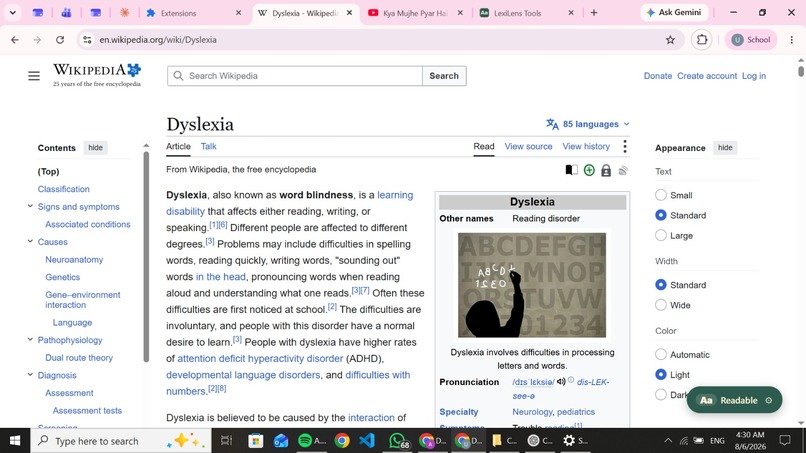
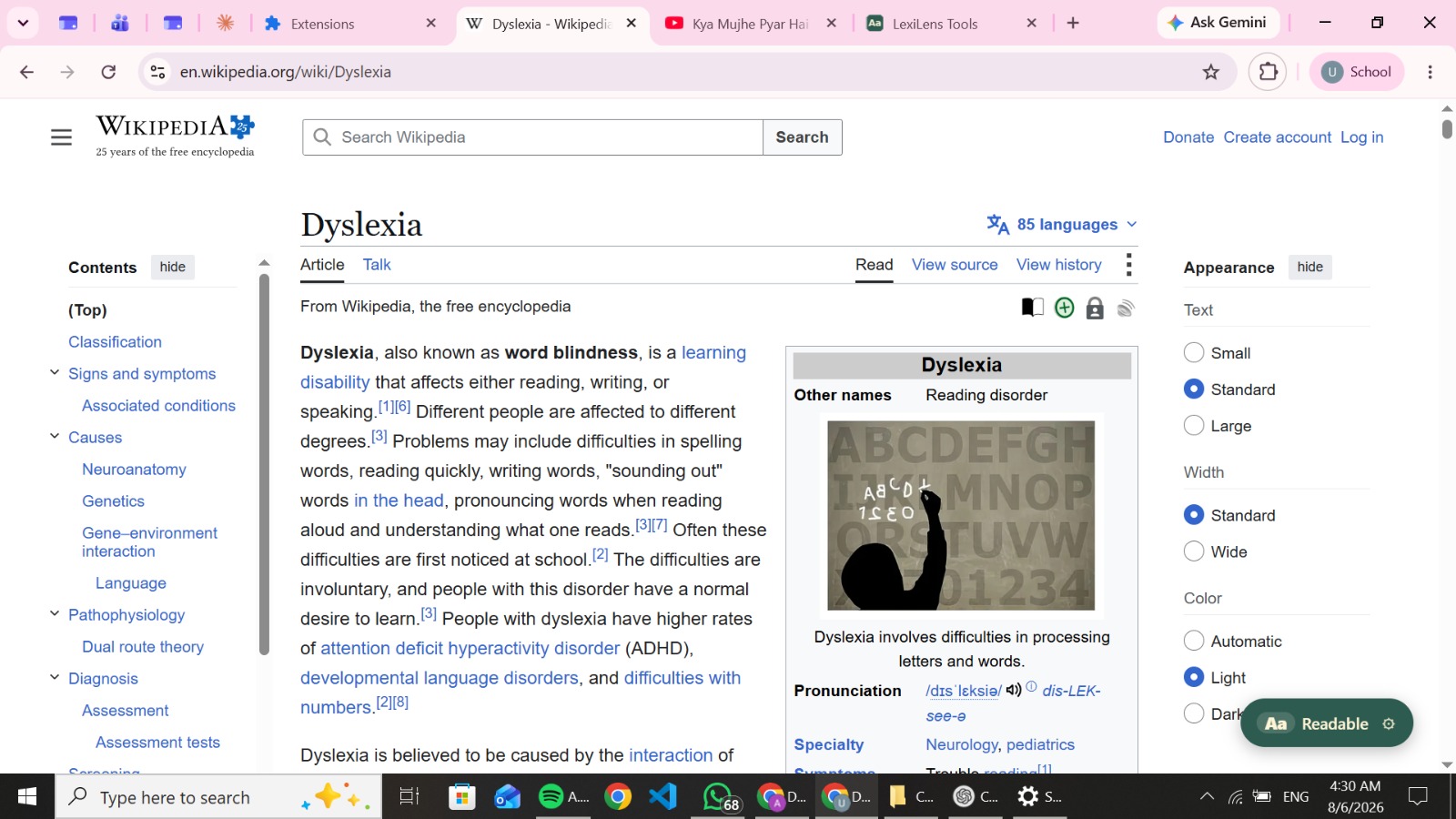
Before Lexilens
-
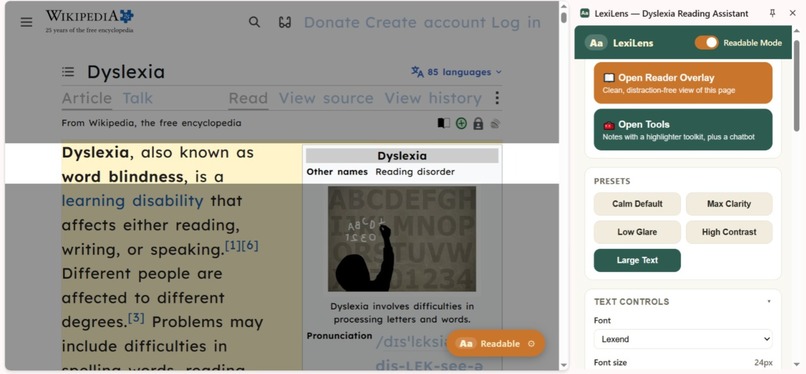
After Lexilens
-
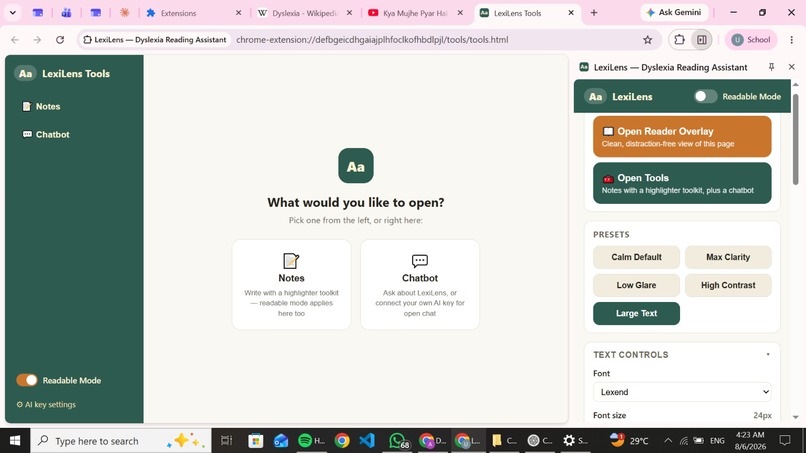
Your accessibility follows you. Whether you read, take notes, or chat with AI, LexiLens keeps the same personalized reading experience.
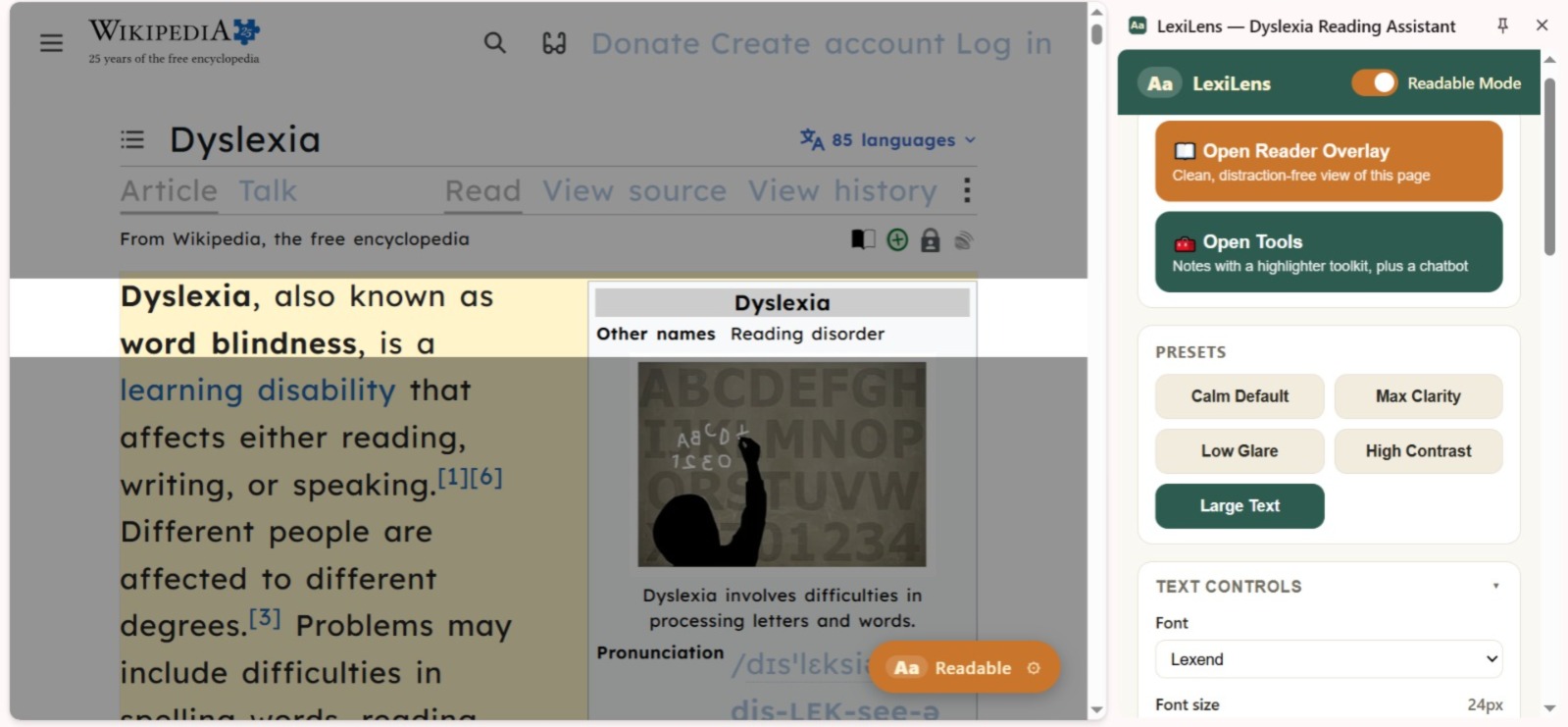
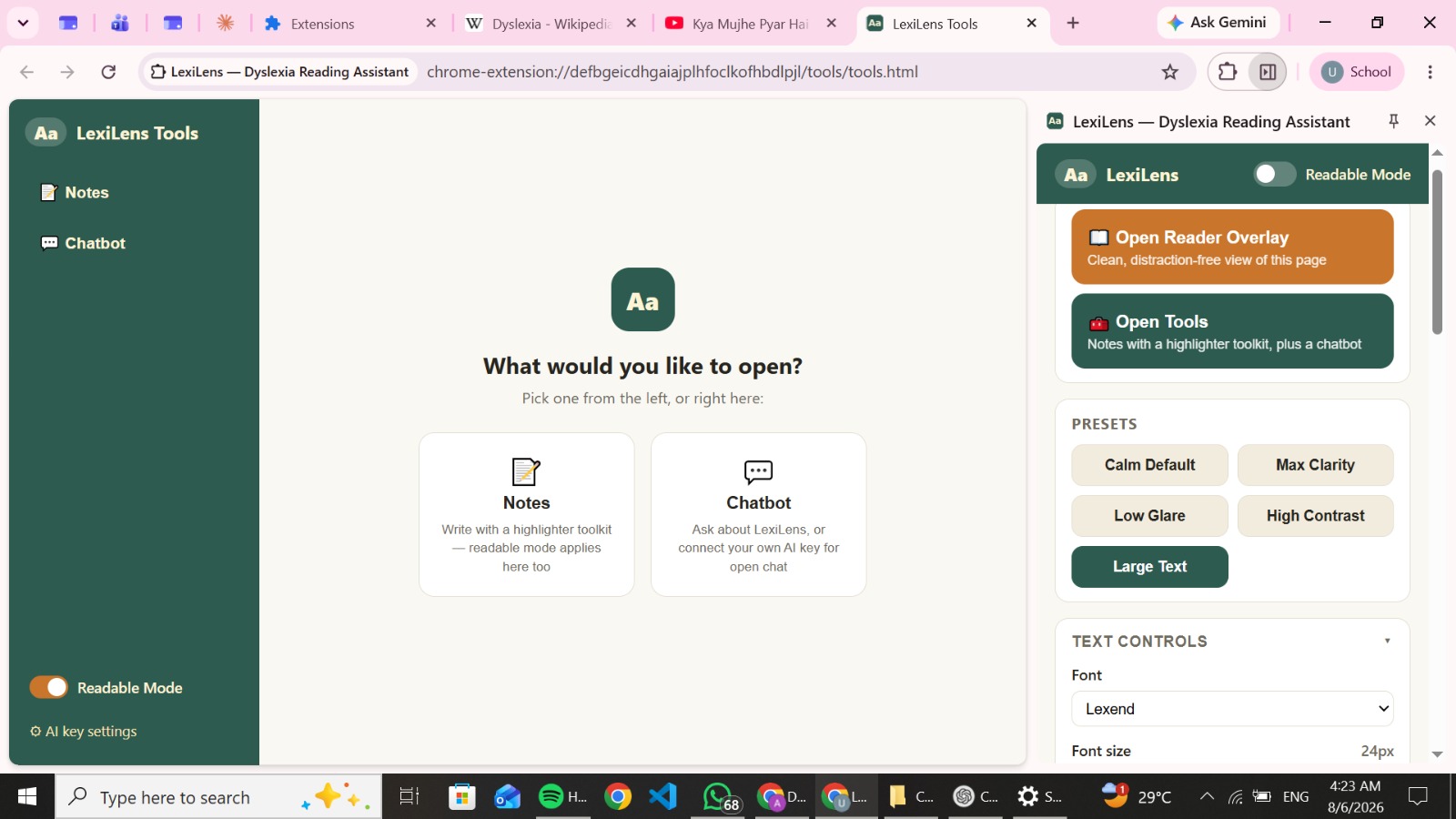
🌟 Inspiration:
LexiLens was inspired by a struggle that millions of people face every single day online — the modern web is built for "average" readers, and people with dyslexia are left to fight cluttered pages, dense text, and inconsistent fonts just to read a single article.
For people with dyslexia:
Long, unbroken paragraphs cause visual stress and fatigue. Standard fonts and tight spacing make letters blur or swap Ads, sidebars, and clutter constantly break focus. Every website requires starting the struggle from scratch. This forces readers to:
Reread the same lines over and over 📑 Avoid reading-heavy content altogether 📑Rely on other people to summarize or explain simple pages 📑We wanted to design a single tool that adapts the entire web to the reader, instead of forcing the reader to adapt to the web.
✨ Our core vision:
Make every webpage readable, understandable, and stress-free for dyslexic readers — with one click.
🧠 What it does:
LexiLens is an AI-powered Chrome extension that transforms any reading-heavy webpage into a personalized, distraction-free reading experience.
The proposed system enables users to:
✔️ Instantly reformat any webpage into a dyslexia-friendly layout ✔️ Use focus tools like a reading ruler and line-focus mode to reduce visual overload ✔️ Listen to any page with read-aloud and synced sentence highlighting ✔️ Get AI-simplified rewrites of complex text, without losing meaning ✔️ Ask an AI reading assistant to explain, summarize, or quiz them on the page ✔️ Take smart notes side-by-side without ever switching tabs ✔️ Switch between simple presets instead of navigating complex settings
🔄 Conceptual Reading Workflow: The system is designed to support one continuous reading loop, not just a one-time style change. Open Page >> Adapt Reading Mode >> Read / Listen >> Ask AI >> Take Notes >> Revise
📌 Current Stage: LexiLens has moved beyond concept — we've built a working prototype, including:
🧩 A functional Chrome extension (Manifest V3 structure) 🖥️ Working Reader Overlay and side-panel UI 🔄 Live content script, service worker, and backend interaction flow 📚 Early working versions of the AI rewrite, chat assistant, and notes system This stage proves the core idea works in a real browser, on real webpages — and sets the foundation for scaling it into a full product.
🛠️ How we built it : At this phase, our work focused on accessibility research, architecture planning, and interface design.
We developed:
🎨 UI Design Concepts: Minimal, neurodivergent-friendly side panel with simple presets Reader Overlay mode for a clean, ad-free reading view Focus tools like reading ruler and line-focus mode ** 🧱 System Architecture Design:** Content Script for injecting readability styles and accessibility tools Side Panel for user controls and the AI assistant Service Worker for handling messaging, preferences, and AI requests Backend API for securely processing AI rewriting and chat 🔍 Feature Planning: Dyslexia-friendly font and spacing customization AI-powered sentence simplification with a readability slider Read-aloud with synced highlighting using the Web Speech API Smart Notes with highlight-to-save and AI-generated summaries Our goal during this phase was to:
Validate that a single extension could realistically combine readability, focus, AI assistance, and note-taking without overwhelming the user.
⚡ Challenges we ran into:
** 1️⃣ Designing Around Sensory Overload**, Not Just Features Planning how much control to give users without overwhelming them was difficult.
We had to carefully design:
Simple presets versus advanced manual controls Visual calmness alongside functional depth A UI that feels supportive, not clinical Ensuring the tool felt calm and usable was just as important as the features themselves.
2️⃣ Balancing AI Power with Simplicity Initially, we considered many AI-driven features. However, we realized dyslexic users specifically need clarity, not complexity.
We refined the system to prioritize:
Core readability transformation Meaningful AI assistance (explain, summarize, simplify) A distraction-free reading core over feature overload
3️⃣ Understanding Real Reader Needs We explored real-world challenges such as:
Why standard "accessibility settings" often fall short for dyslexia Why reading fatigue leads to avoidance of reading altogether Why students specifically need notes and reading tools together, not separately This helped us shape LexiLens around genuine reading behavior, not assumptions.
🏆 Accomplishments that we're proud of :
✨ Designed a clear, scalable extension architecture ✨ Created a unified readability and comprehension workflow ✨ Combined accessibility, AI assistance, and note-taking in one concept ✨ Identified real, everyday struggles faced by dyslexic readers ✨ Built a strong conceptual foundation ready for prototyping.
Most importantly:
We turned "reading shouldn't be this hard" into a structured, buildable system.
📚 What we learned: Working on LexiLens strengthened our understanding of accessibility-first design and system planning.
🧩 Accessibility-First Thinking We learned how to:
Design for sensory and cognitive needs, not just visual preference Prioritize calmness and clarity over feature density Build controls that adapt to the user, not the other way around 🎯 Problem-Oriented Design Instead of adding generic reading features, we focused on solving meaningful problems:
Visual stress from dense, cluttered pages Loss of comprehension in long or complex text Constant tab-switching between reading and note-taking 🔁 Iterative Improvement We learned that strong accessibility tools evolve through:
Simplifying controls Removing unnecessary friction Continuously refining based on real reading behavior
🚀 Whats next for Lexilens (A Must Read):
🧠 On-device AI mode — run lightweight rewriting and summarization locally, so LexiLens works fully offline and keeps reading data private 🌐 Browser-agnostic expansion — bring LexiLens to Firefox, Edge, and Safari, then beyond the browser into PDFs and e-books 🎧 "Listening Mode" for the whole web — a Spotify-like experience where any article can be queued and read aloud like a podcast 🤝 Community Word Bank — crowdsourced simplifications for tricky words/phrases, verified by users and educators 📊 Reading Confidence Score — track a user's comprehension and reading stamina over time, showing real, visible progress 🏫 School & institution partnerships — pilot LexiLens with schools to support dyslexic students system-wide, not just individually
🎯 Final Vision Statement:
LexiLens aims to become the go-to tool that makes the entire internet readable for dyslexic minds — turning every webpage into a space designed for them, not against them. What started as a prototype is the first step toward changing how millions of people experience the web.
Built With
- chrome-extension-v3
- css3
- html5
- javascript
- node.js
- restapi
- webspeechapi

Log in or sign up for Devpost to join the conversation.