Inspiration
Campus Connect was inspired by the idea that having resources is not enough if people cannot actually reach them. In a school, students may need help, guidance, or support, but those supports need to be easy to find and connect to. I wanted to turn that idea into a simple puzzle game about planning, problem-solving, and systems design.
What It Does
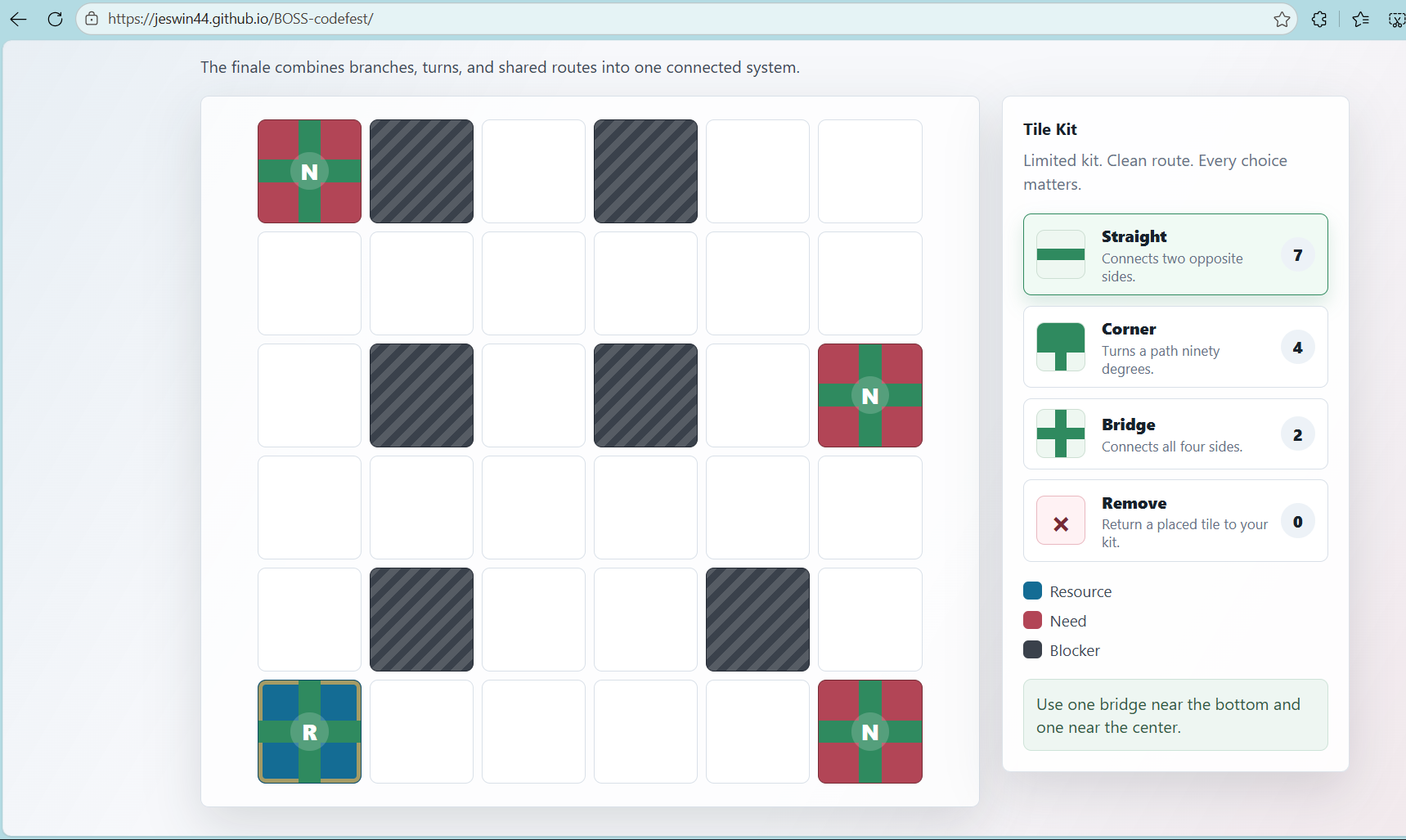
Campus Connect is an interactive puzzle strategy game where players connect student needs to campus resources. Players place, rotate, and remove limited path tiles on a grid while avoiding blockers. Each level gets harder by adding tighter tile limits, multiple needs, shared hubs, and more complex routes.
How I Built It
I built the project as a static web game using HTML, CSS, and JavaScript. The HTML creates the game screens, the CSS handles the layout and visual design, and the JavaScript controls the level data, tile placement, rotation, removing tiles, connection checking, timer, move counter, and win screen.
The levels are stored as data, so the game can be changed for different themes without rewriting the main game logic.
Challenges
One challenge was making the connection logic work correctly. The game has to check whether paths actually connect in the right directions, not just whether tiles are nearby. Another challenge was balancing the levels so they were possible but still interesting. I also had to make the controls clear so players could place, rotate, and remove tiles without confusion.
What I Learned
I learned more about organizing a JavaScript project, using data to create levels, and checking game state after each player action. I also learned how important user experience is in a game, because even a simple puzzle needs clear feedback, readable controls, and a smooth flow.
What's Next
Next, I would like to add more themes, sound effects, animations, and a level editor so players can create their own campus connection puzzles.


Log in or sign up for Devpost to join the conversation.