-
-
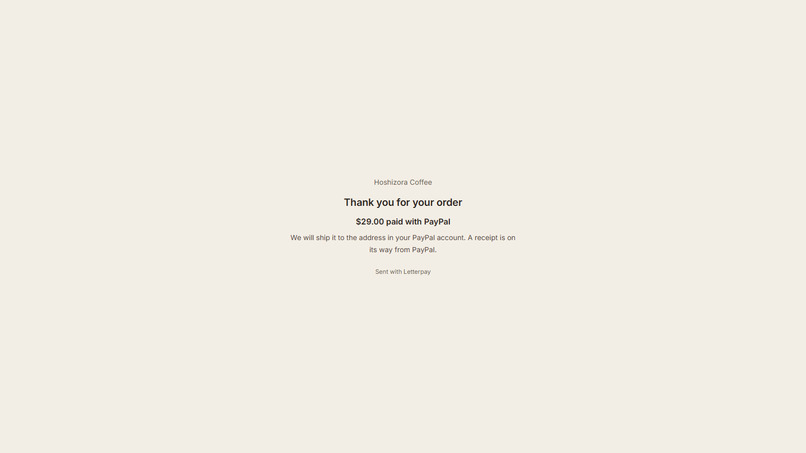
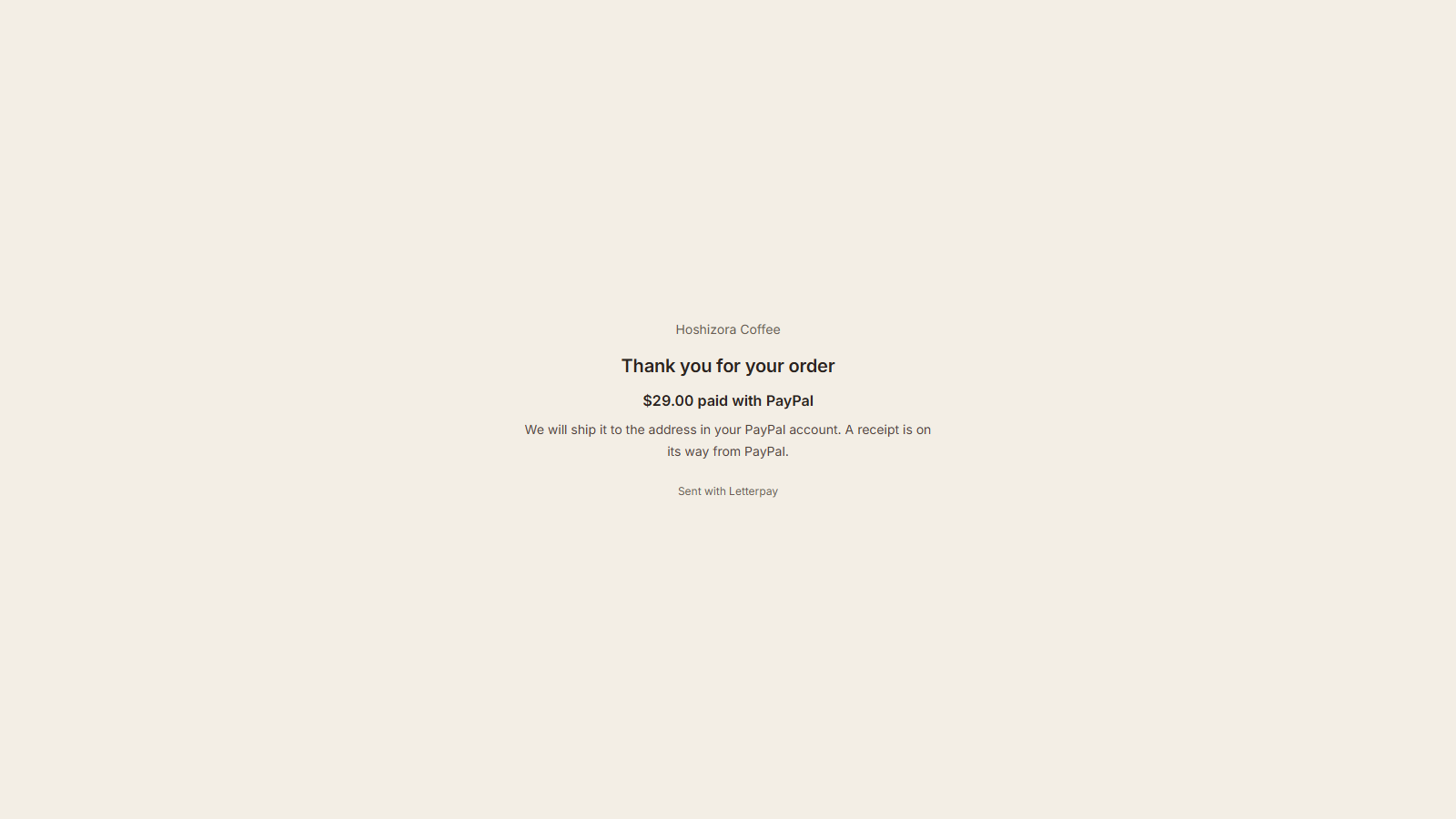
Back from PayPal checkout (sandbox): the total paid, shipping included.
-
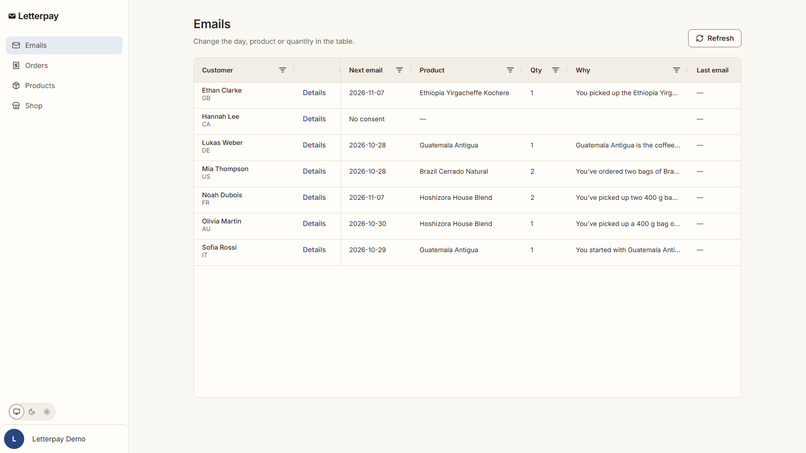
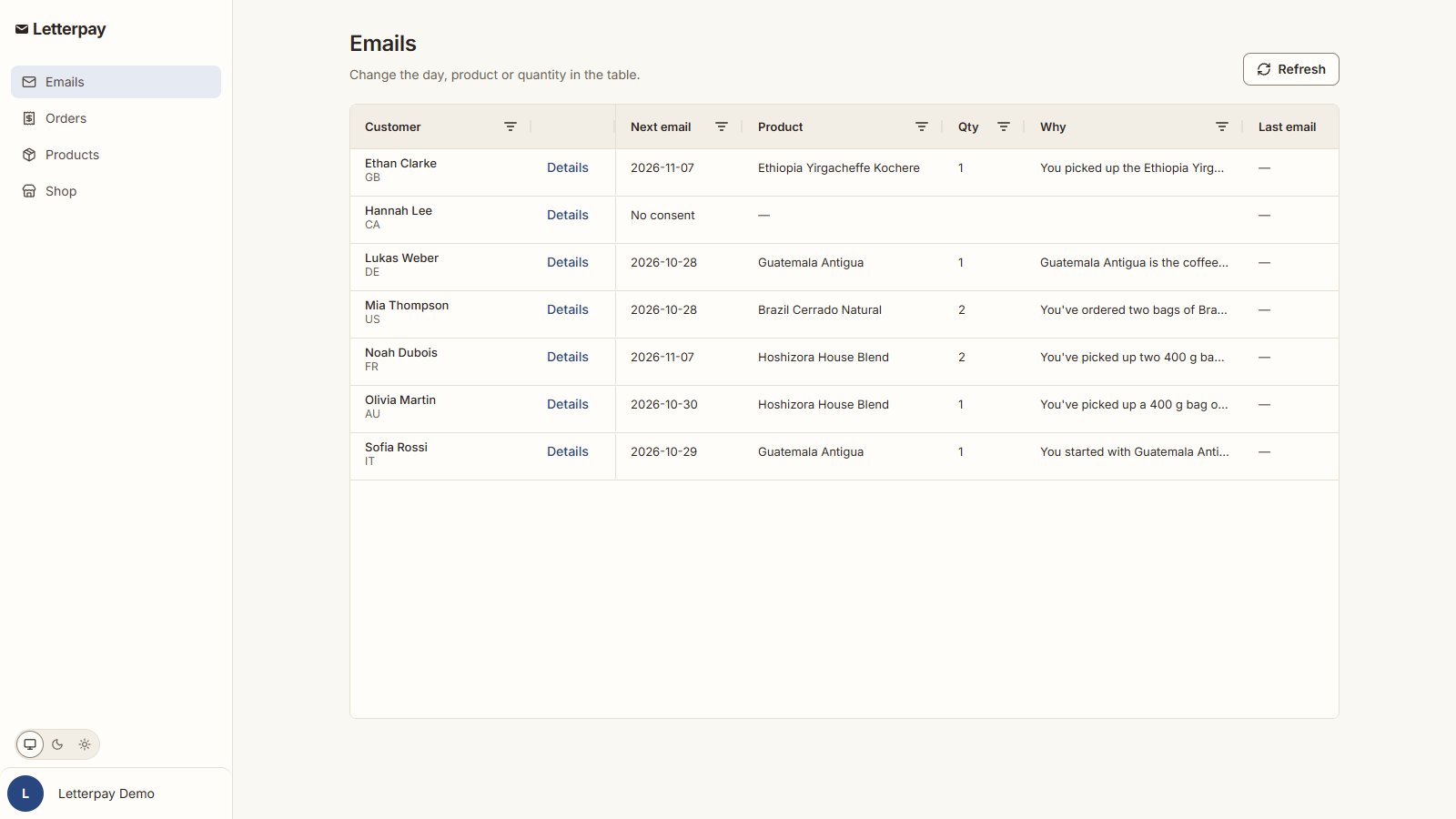
Every customer's next email, planned by Claude: day, product, quantity and why (AG Grid).
-
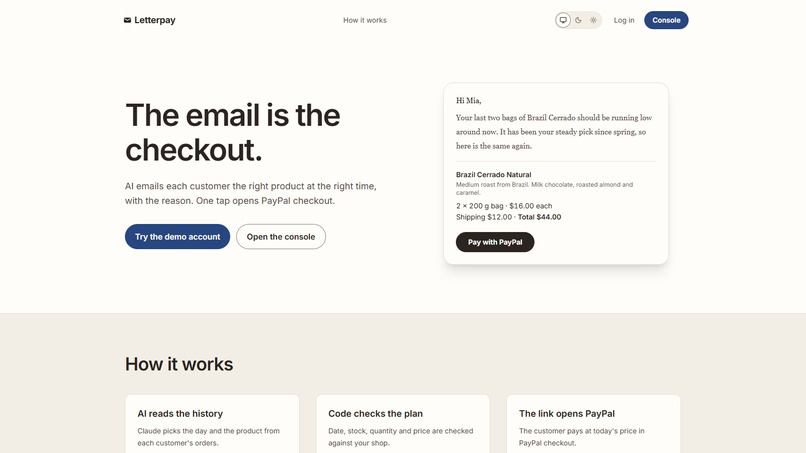
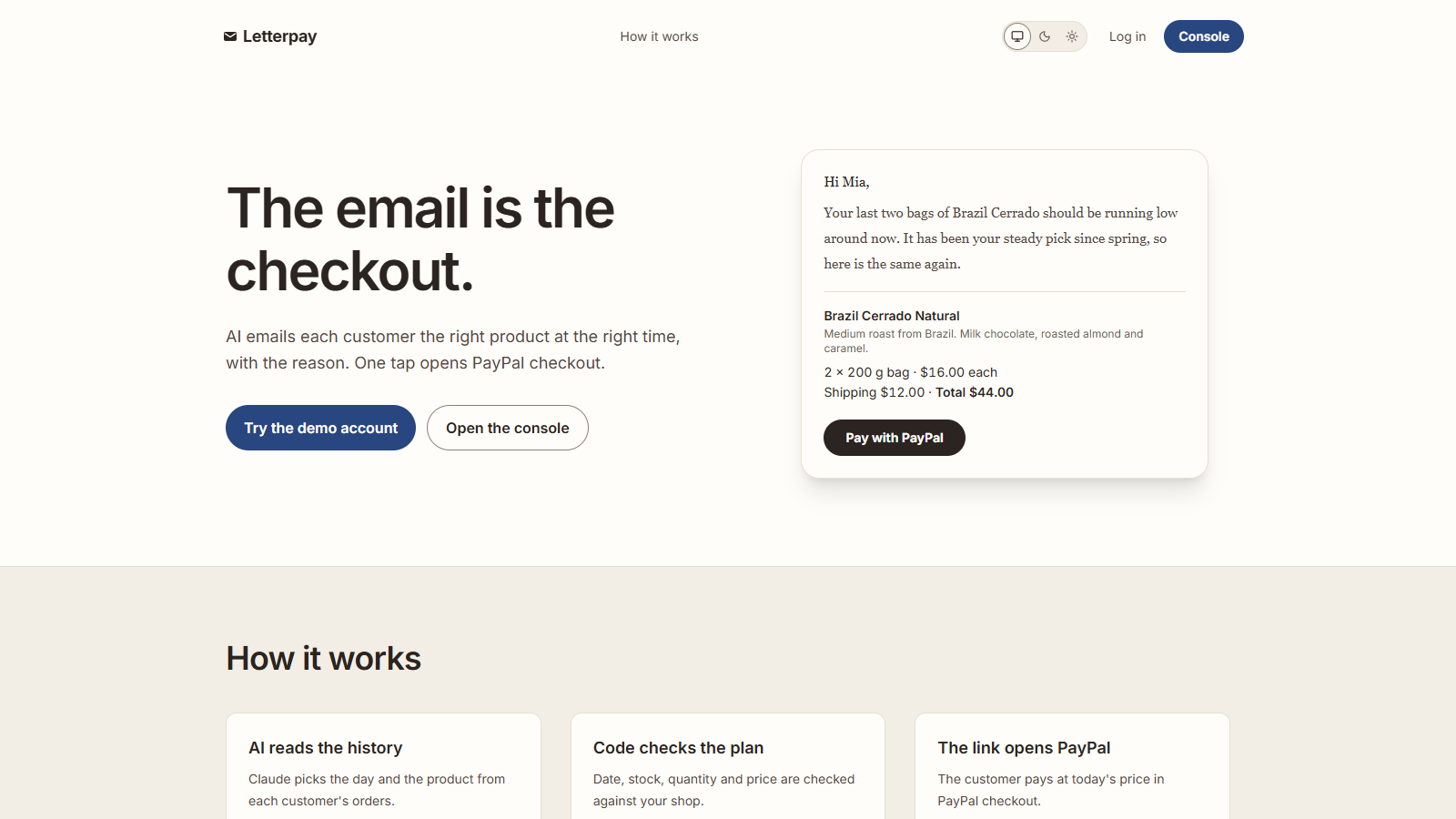
The email is the checkout: AI picks the product and the reason, one tap opens PayPal.
-
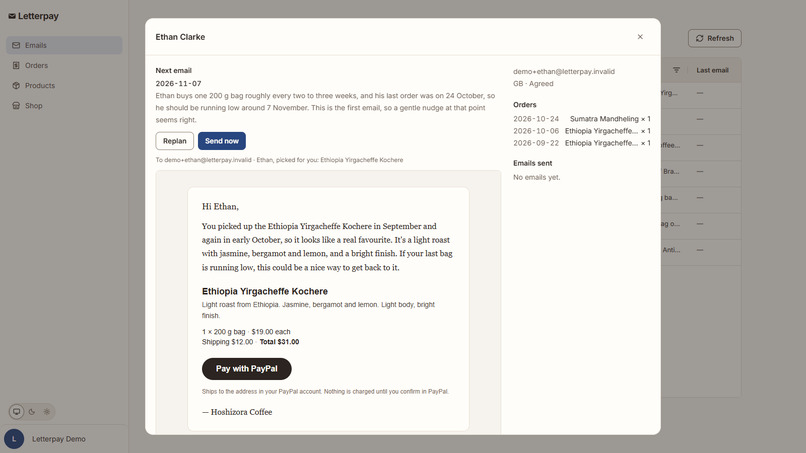
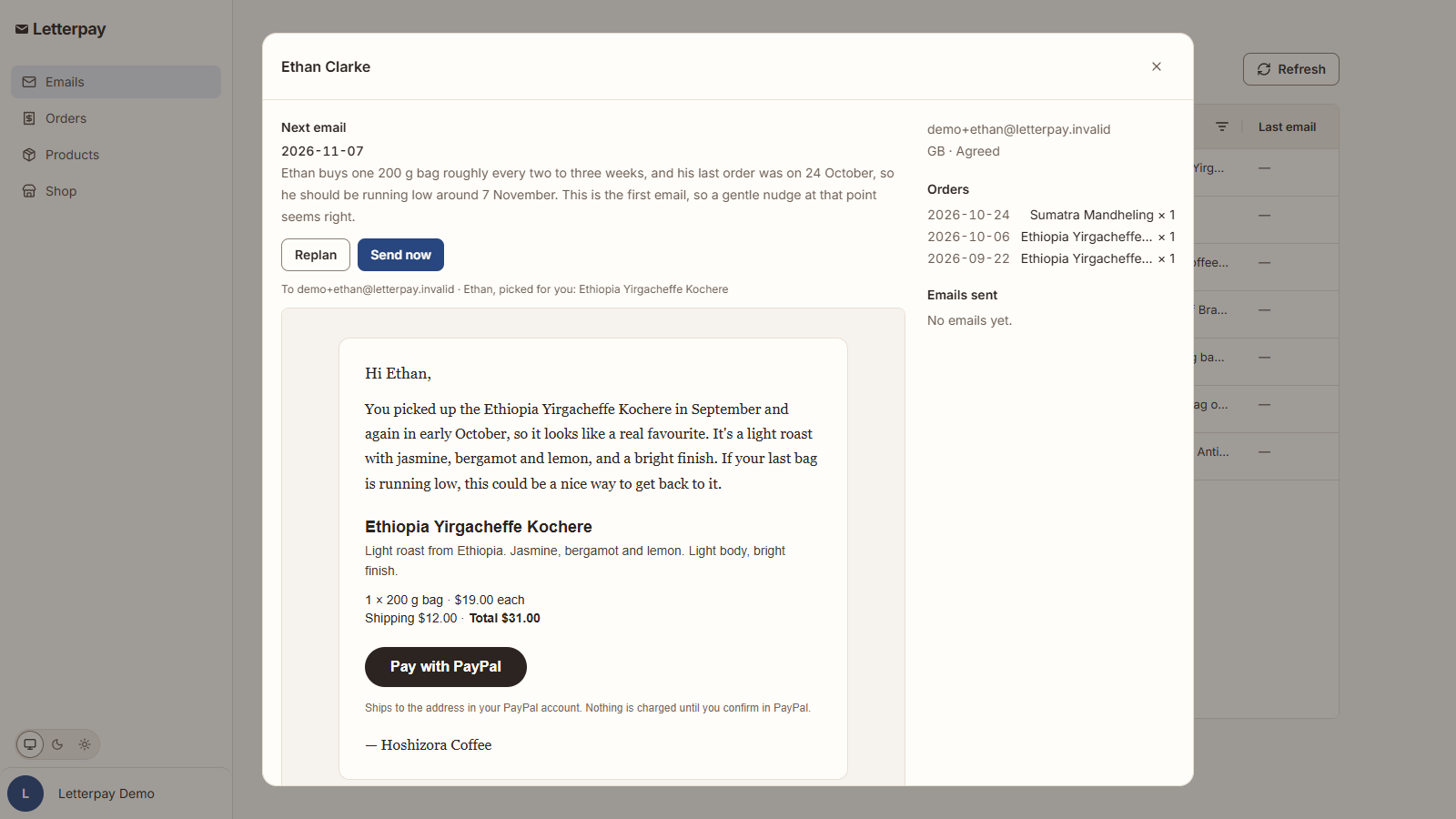
One customer: why this day, and the email written from their order history.
Inspiration
Shops that sell things people run out of, like coffee beans, already know roughly when a regular is due for more. Their reminder emails still send the customer to a store page, a login, a cart and a checkout, and people drop off on the way. I wanted the email itself to be the checkout, and I wanted the timing and the product to be decided per customer instead of by a fixed "every 30 days" rule.
What it does
Letterpay reads each customer's purchase history and lets Claude decide when to write to them, which product to suggest, how many, and why. The email carries a Pay with PayPal button. Opening it creates a PayPal order at today's price and sends the customer straight to PayPal checkout, shipping to the address saved in their PayPal account. There is no store page in between.
After the payment, the order is recorded, stock goes down, and Claude plans that customer's next email.
The shop owner sees every AI decision in one AG Grid table: the next email's day, product, quantity, the reason written to the customer and the reason for the day, plus the result of the last email (sent, opened link, paid). The day, product and quantity are editable in the grid. An edit gets the same checks as the AI's plan, and Claude rewrites the reason for the new choice.
Customers without recorded consent, or who unsubscribed, are never planned or emailed, and every email has one-click unsubscribe.
How I built it
- PayPal Orders v2 (sandbox).
GET /l/:tokenverifies the signed link, creates an order (intent: CAPTURE,shipping_preference: GET_FROM_FILE,user_action: PAY_NOW) and redirects to thepayer-actionURL. On return, Letterpay checks that the order is the one it created for that email, checks stock, captures it and records the purchase. Opening the same link again reuses the unpaid order instead of creating a new one. - Claude (
claude-sonnet-5-5) through the Anthropic TypeScript SDK with structured outputs. For each customer it gets their orders, the emails already sent and what happened to them, and the product list, and returns JSON: the day, the product, the quantity, a reason for the customer and a reason for the shop owner, or a decision to stop writing. - Code checks every plan before it is saved: the date is after today, the product exists and is in stock, the quantity is what the customer usually buys. If a check fails, Claude is asked once more with the reason; if it fails again, nothing is planned.
- Cloudflare Workers (React Router and Hono), D1 with Drizzle, a daily Cron Trigger that sends the emails that are due, and the Workers email binding with
List-Unsubscribeheaders. - AG Grid Community for the console tables.
Challenges
- Creating the order when the link is opened, not when the email is sent, so the price is current and orders never expire unused, and making a reopened link land on the same PayPal order.
- Keeping the AI free to choose (no fixed interval rules) while making sure nothing it decides can produce a wrong price, an out-of-stock product or an email to someone who did not agree.
- Handling the PayPal return page being loaded twice, and stock running out between the email and the payment.
What I learned
With GET_FROM_FILE and PAY_NOW, PayPal checkout can be the whole store: the shop needs no address form and no cart, and the customer confirms one order that was already decided for them.
What's next
Importing real order histories, live PayPal accounts, and sending from each shop's own domain.
Try it
Open https://letterpay.magnificentrue.workers.dev and press Try the demo account (PayPal sandbox). The first sign-in can take about 30 seconds while Claude plans the demo customers' emails. Open a customer with Details and press Send now: the demo does not deliver email, so it shows the email's Pay with PayPal button and a PayPal sandbox buyer to pay with. After paying, the order appears in Orders and Claude plans the customer's next email. The demo shop, Hoshizora Coffee, is fictional.
Built With
- ag-grid
- anthropic
- claude
- cloudflare-d1
- cloudflare-workers
- drizzle
- hono
- paypal
- react-router
- typescript
