-
-
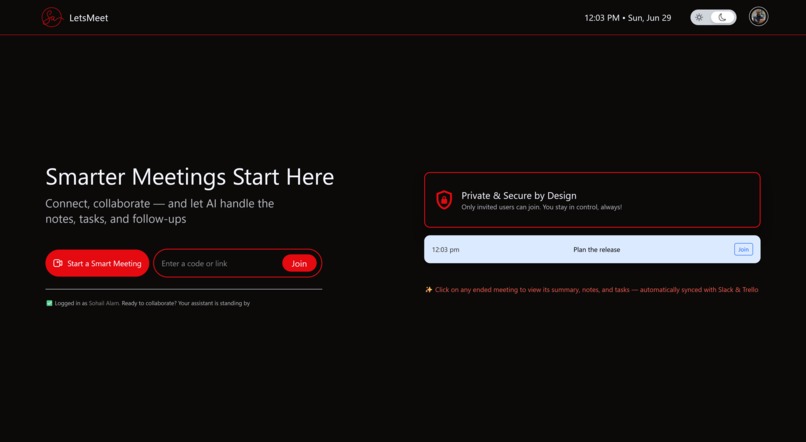
LetsMeet Dashboard
-
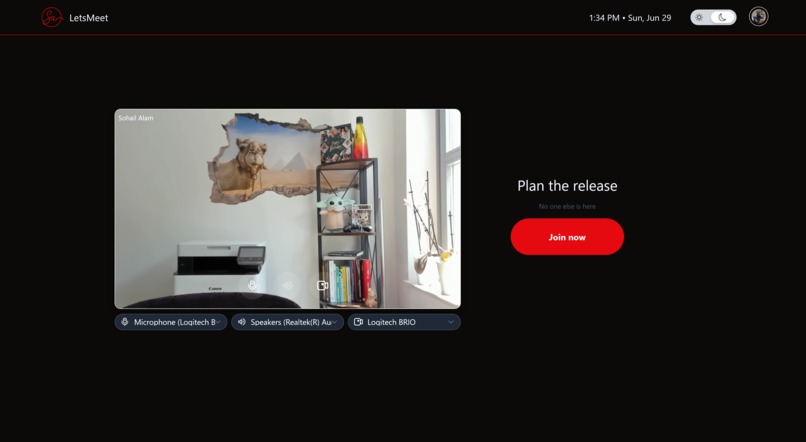
Meeting Joining Area
-
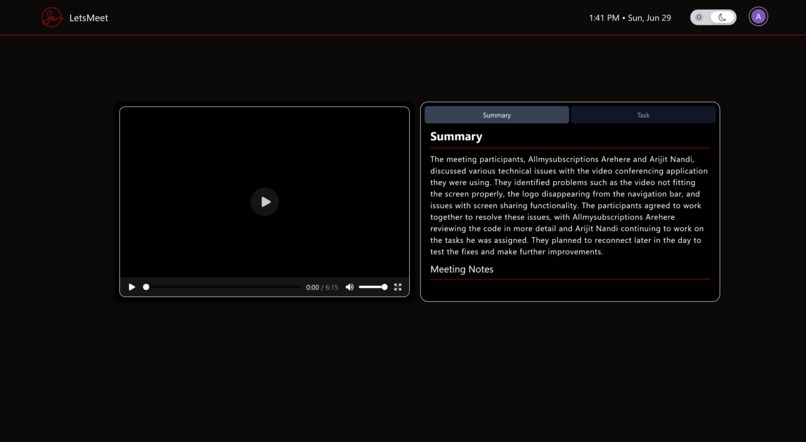
Meeting Summary Notes & Tasks
-
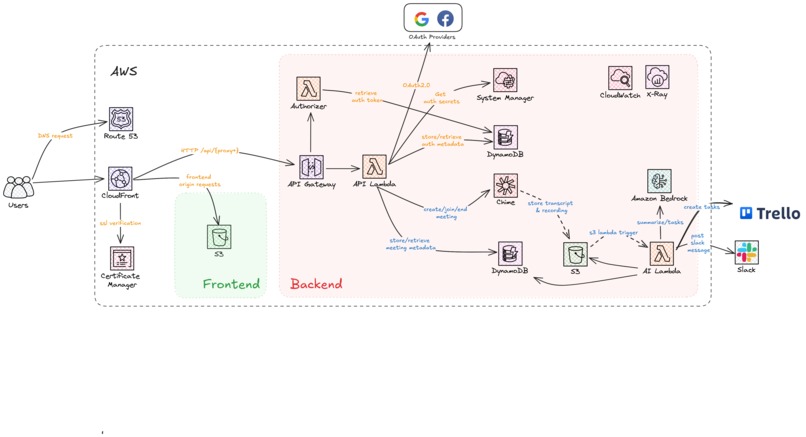
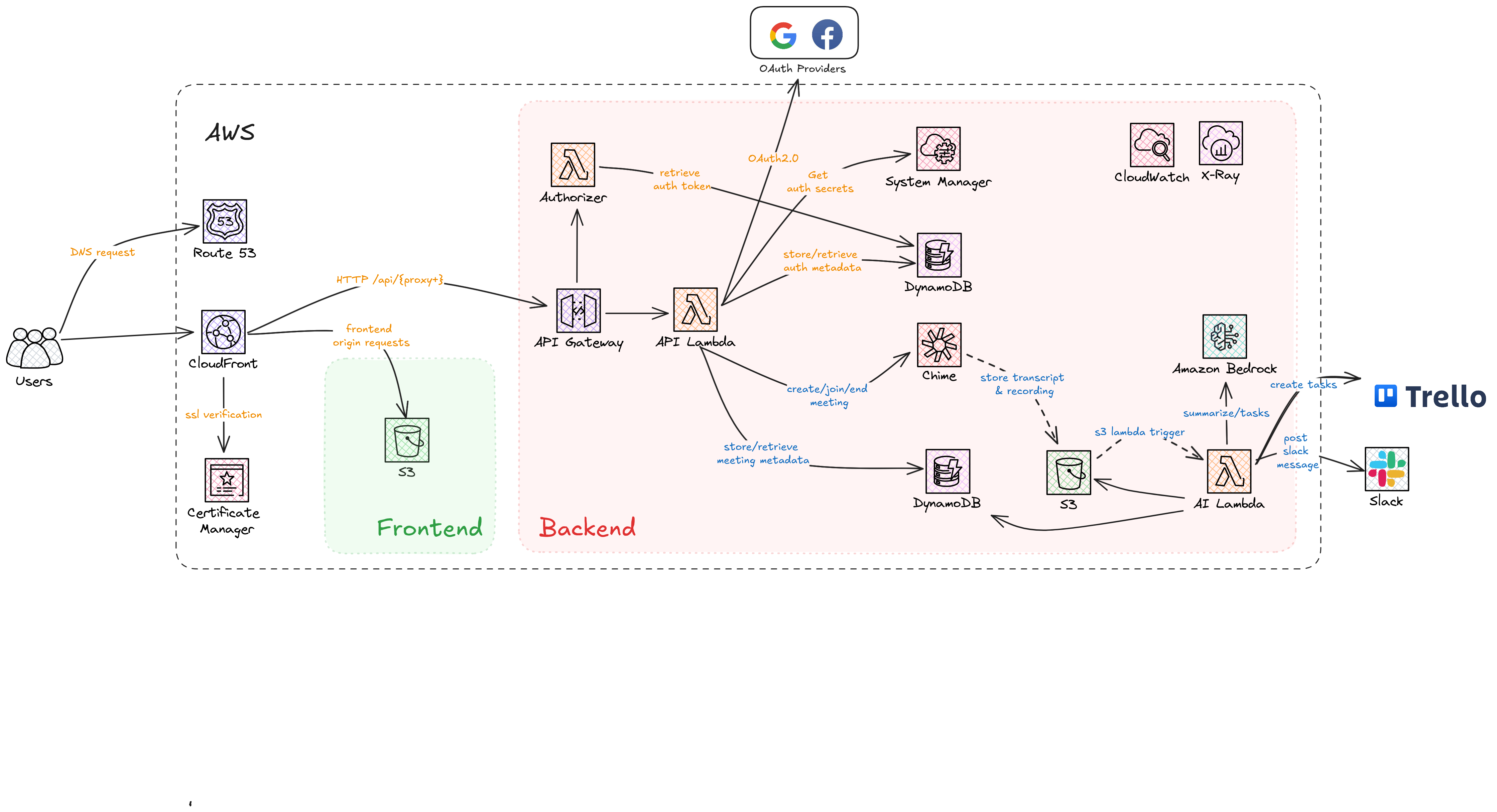
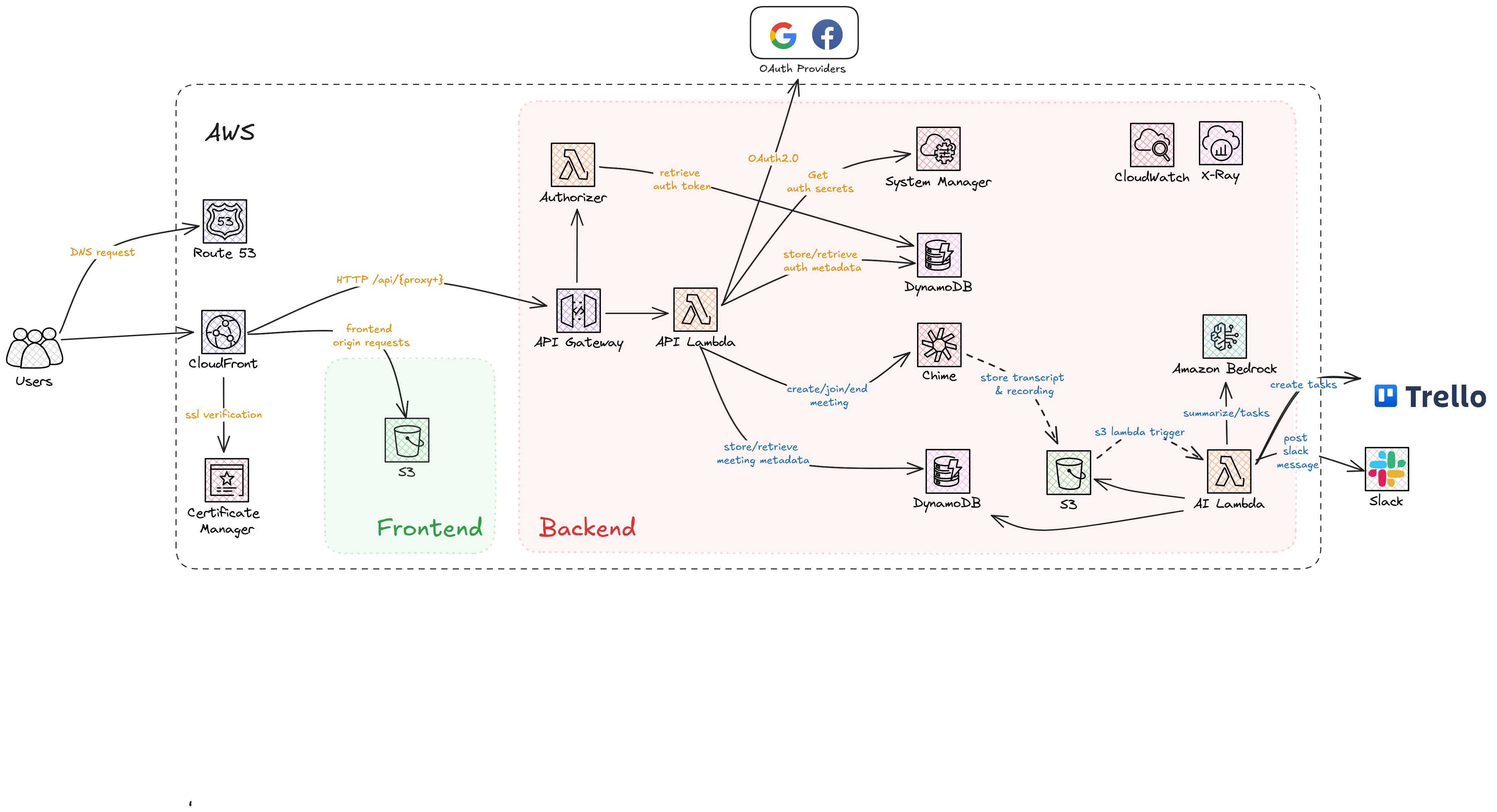
High Level System Design
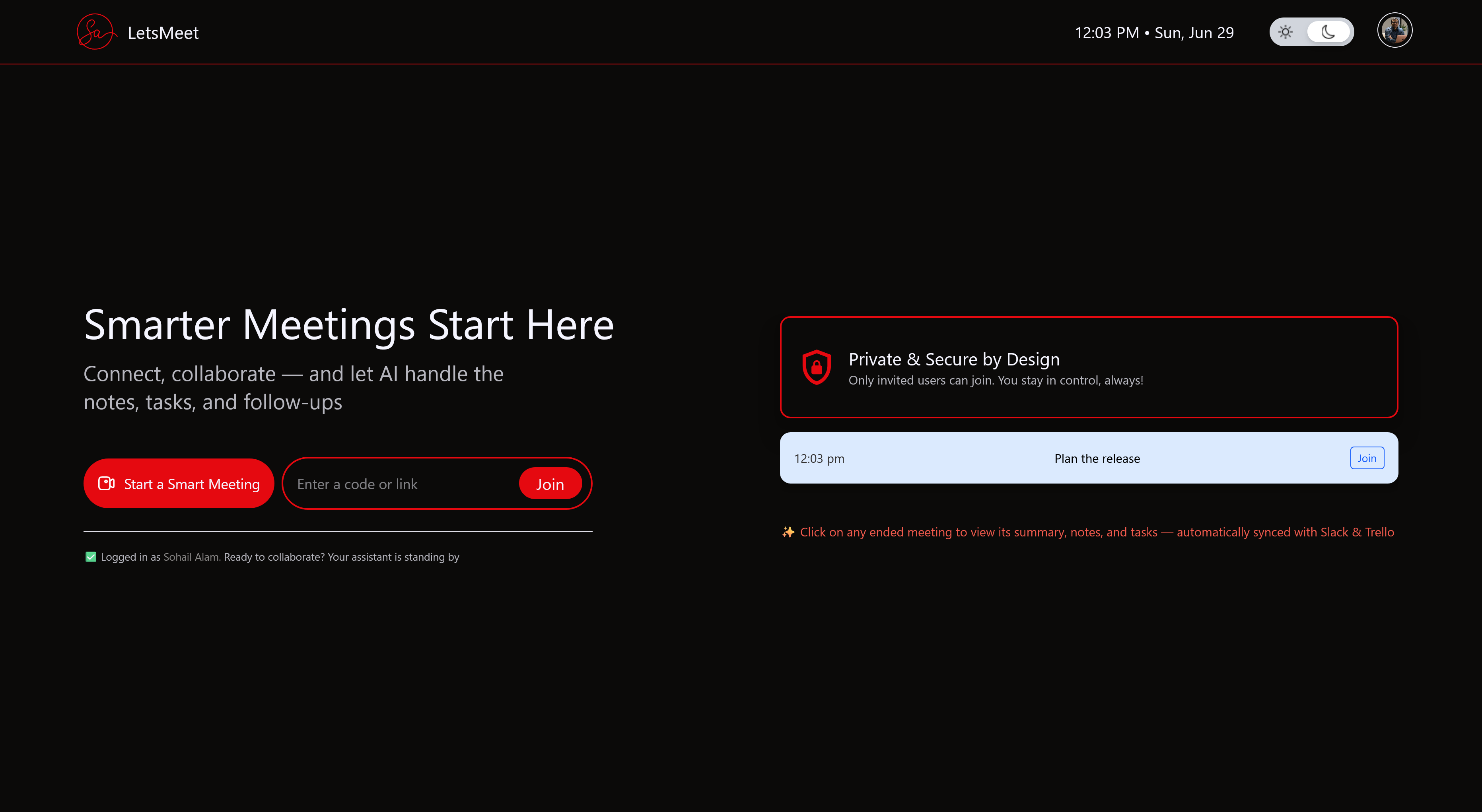
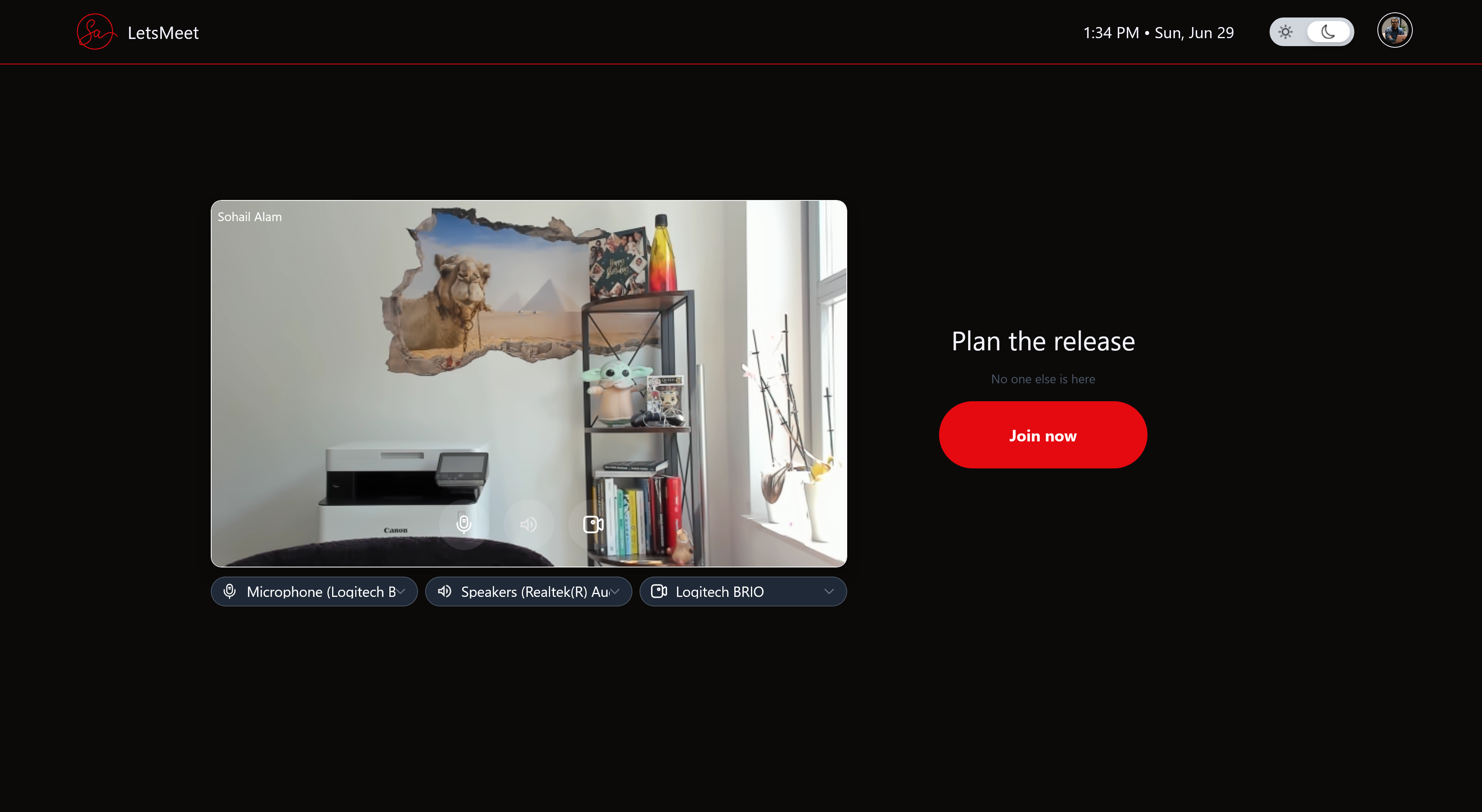
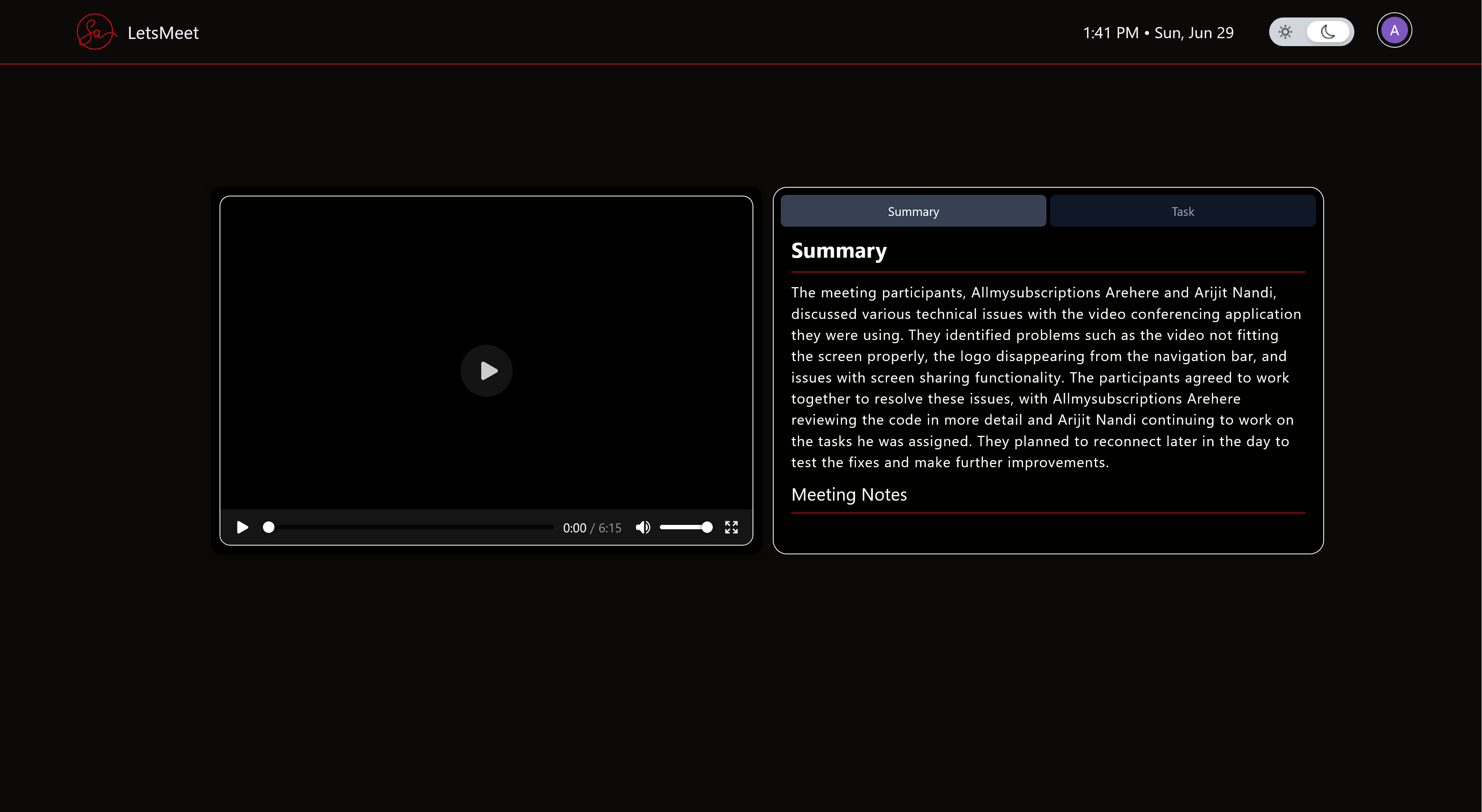
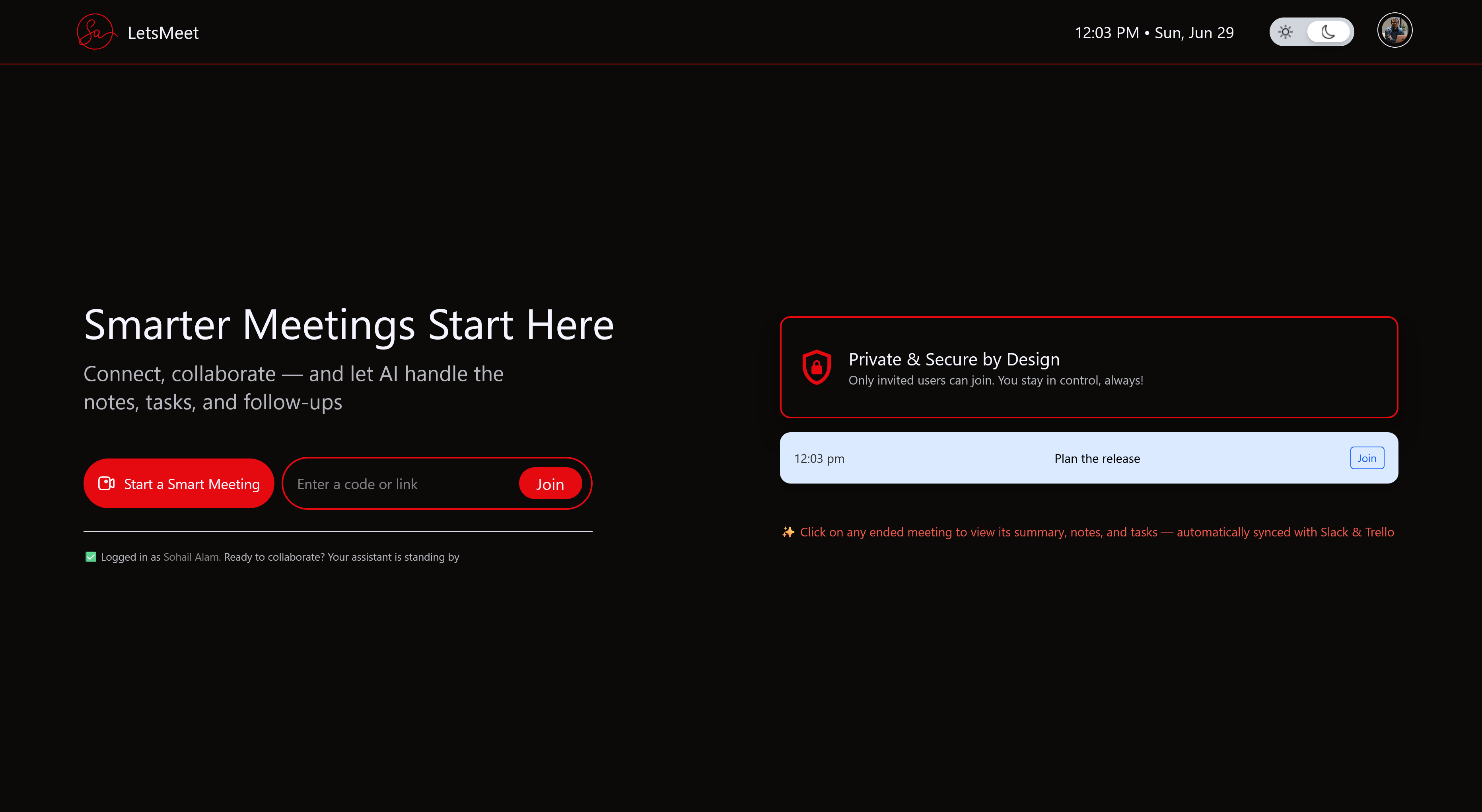
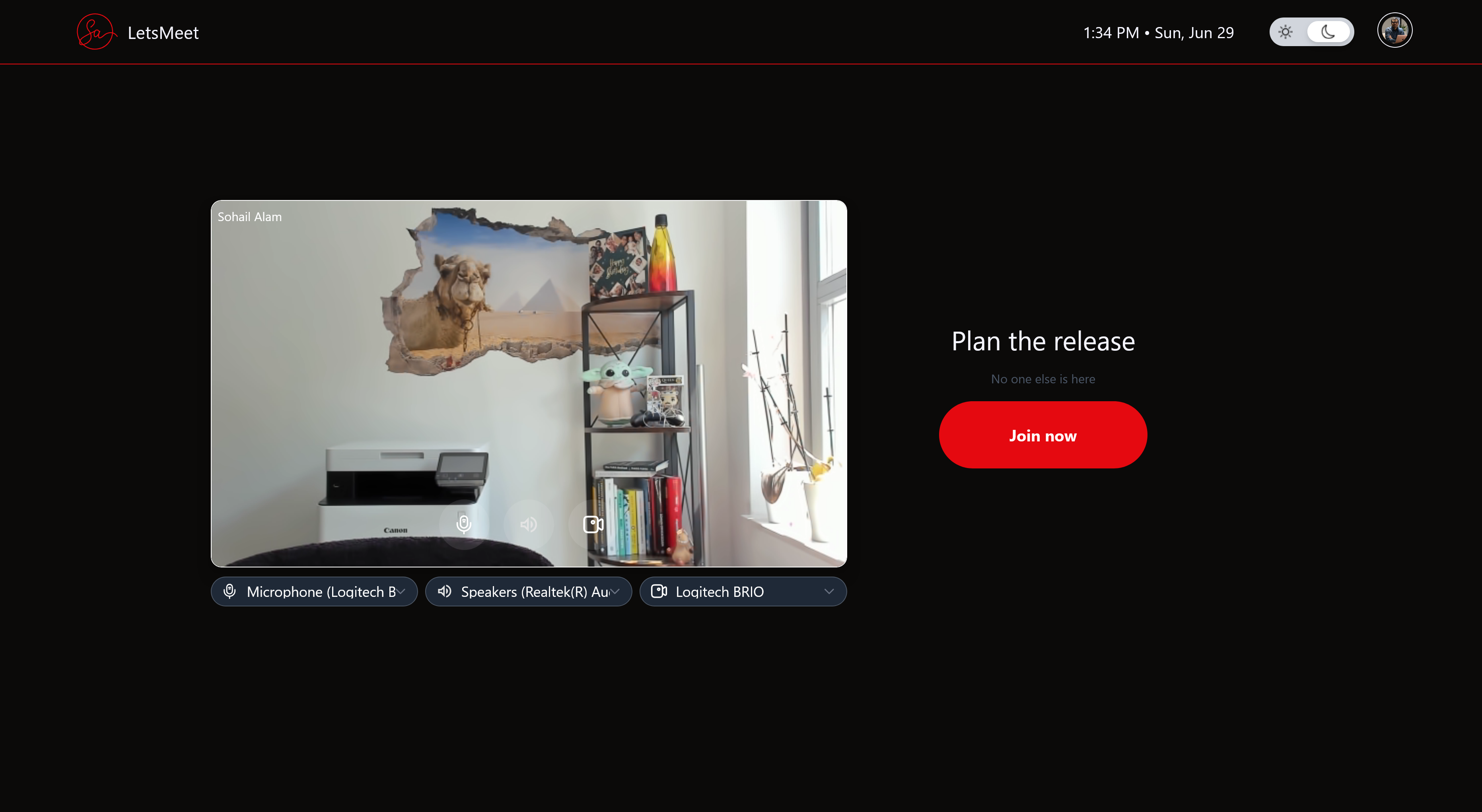
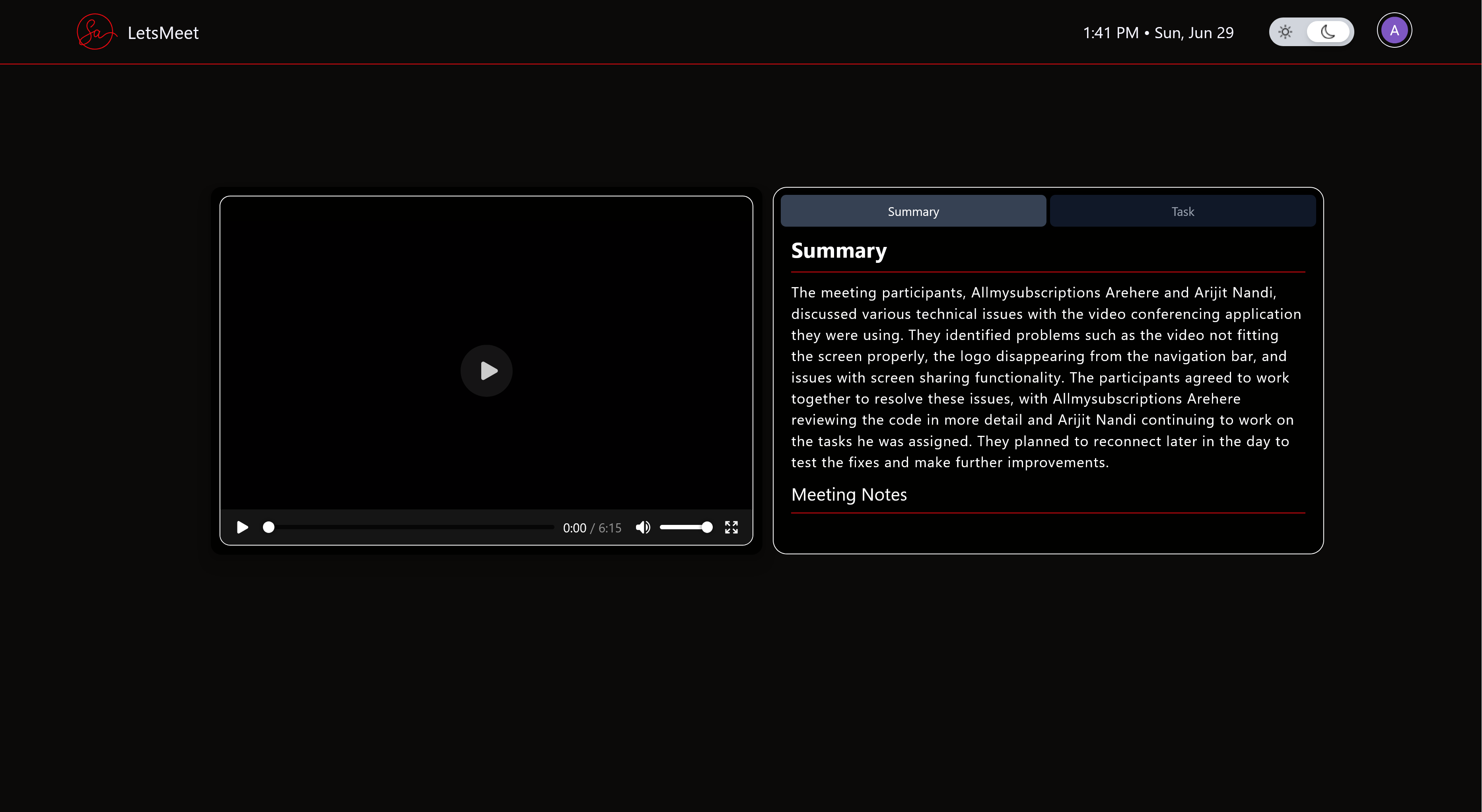
LetsMeet in action: Dashboard, Meeting, and AI-generated Summary
LetsMeet 🚀
"Smarter Meetings Start Here"
Inspiration ✨
Have you ever experienced that sinking feeling when you realize a brilliant idea from last week's meeting has completely vanished? No documentation, no follow-up, just... gone?
That's exactly what happened during a critical product development sprint that sparked the creation of LetsMeet:
The Meeting Paradox:
- Monday: Brilliant ideas flow during a 90-minute strategy session
- Tuesday: Everyone returns to their regular work
- Wednesday: "Wait, who was supposed to research that API integration?"
- Thursday: "Did we decide on the user flow or just discuss options?"
- Friday: "I guess I'll schedule another meeting to figure out what we decided in the last one..."
"The final straw came when our team lost two weeks implementing the wrong feature because the correct requirements were buried somewhere in a meeting recording no one had time to review, and no one took notes of. There had to be a better way."
This productivity drain wasn't just frustrating, it was measurably impacting delivery timelines. LetsMeet was born from the conviction that meetings should automatically translate into progress, not just consume calendar space.
What it does 🛠️
LetsMeet transforms virtual meetings from time-consuming obligations into productivity accelerators through an intelligent layer that works silently alongside participants:
| Feature | Description | Benefit |
|---|---|---|
| 🎥 Automatic Recording | Every meeting is captured without manual intervention | Never lose a valuable moment or insight |
| 🖥️ Multi-user Screen Sharing | Multiple participants can share screens simultaneously | Enhanced collaboration during technical discussions |
| 🤖 AI-Powered Summarization | State of the art Large Language Model (LLM) analyzes transcripts to generate comprehensive summaries and meeting notes | Quick understanding of key points without reviewing entire recordings |
| ✅ Task Extraction | Intelligent parsing of commitments and action items from conversation | Nothing falls through the cracks |
| 🔄 Workflow Integration | Seamless pushing of tasks to Trello and notifications to Slack | Work continues naturally in the tools teams already use |
| 🔍 Centralized Dashboard | All past meetings, recordings, summaries, and tasks in one place | Easy access to institutional knowledge |
The platform doesn't just connect people, it ensures that every conversation drives measurable progress long after everyone logs off.
How we built it 🏗️
High Level System Design
Technology Stack
LetsMeet leverages modern technologies across its entire stack:
Frontend:
- Vue 3 with Composition API for a reactive, component-based UI
- TypeScript for type safety and improved developer experience
- Tailwind CSS for responsive design and consistent styling
- AWS Chime SDK client libraries for WebRTC communication
Backend:
- Java 21 with modern language features for cleaner, more maintainable code
- Quarkus framework for fast startup times and minimal footprint
- RESTful API design with comprehensive OpenAPI documentation
- JWT-based authentication with OAuth 2.0 provider integration
Infrastructure:
- AWS Chime SDK for video conferencing capabilities
- AWS Transcribe for accurate speech-to-text conversion
- S3 for secure storage of recordings and frontend assets
- DynamoDB for flexible, scalable data storage
- Lambda functions for event-driven processing and as API backend
- API Gateway for secure API management with custom Authorizer integration
- CloudFront for global content delivery
- EventBridge for orchestrating the post-meeting workflow
- AWS Bedrock for AI-powered analysis and generation
The Meeting Lifecycle
When users interact with LetsMeet, a sophisticated event chain ensures everything happens seamlessly:
Before the meeting:
- User creates a meeting through our intuitive interface
- System generates unique meeting IDs and access tokens
- User can share join links to colleagues
During the meeting:
- AWS Chime SDK handles real-time audio/video communication
- Multiple participants can share screens simultaneously
- Recording happens automatically in the background
- Chime pipeline records and transcribes the meeting behind the scene
After the meeting ends:
- EventBridge receives Chime events, triggers a Lambda function
- Transcription files are fetched from S3 and lambda invokes AWS Bedrock with model prompts
- AWS Bedrock analyzes the content with our custom prompts
- Generated summary, detail meeting notes, and tasks are stored in DynamoDB
- Tasks are pushed to Trello with appropriate assignments
- Summary, Notes and Tasks are posted to relevant Slack channels
- Users can revisit the meeting to view summary, notes and tasks details on LetsMeet portal
This entire workflow happens without any manual intervention, typically completing within minutes of the meeting's conclusion.
Challenges we ran into 🧗
Building LetsMeet presented several significant technical hurdles that pushed our skills to new heights:
1. Taming WebRTC Complexity
WebRTC is notoriously complex, with challenges including:
- NAT traversal: Establishing peer connections across different networks
- Signaling protocols: Coordinating connection establishment
- Media handling: Managing variable bandwidth and device capabilities
While AWS Chime SDK abstracts many of these complexities, we still encountered edge cases requiring deep understanding of the underlying technology:
"During testing, we discovered that managing simple audio video feed with cross-browser compatibility is notoriously complex. Deeper understanding of the native media device apis is needed to solve various edge cases."
2. Multi-user Screen Sharing
Implementing simultaneous screen sharing from multiple participants proved particularly challenging:
- How do you display multiple shares without overwhelming the UI?
- How do you manage bandwidth constraints when multiple high-resolution screens are being shared?
- How do you provide intuitive controls for users to focus on specific shares?
We solved this through careful UI design and user focus.
3. AI Prompt Engineering for Meeting Context
Getting our AI to understand the nuances of meeting conversations required extensive experimentation:
- Meetings contain tangents, jokes, and informal language
- Commitments are often made indirectly ("I can look into that")
- Context from earlier in the meeting affects later interpretation
Through dozens of iterations, we developed sophisticated prompting techniques that dramatically improved the quality of our summaries and task extraction:
"We discovered that providing the AI with meeting metadata (title, agenda, participants) along with the transcript improved task identification accuracy to over 90%."
4. Authentication Across Multiple Services
Implementing secure, seamless authentication across our platform and integrated services (Slack, Trello) presented significant complexity:
- Different services use different auth flows
- Token management and refresh strategies vary
- Permissions and scopes need careful handling
We developed a unified authentication service that abstracts these differences while maintaining security best practices.
Accomplishments that we're proud of 🏆
Despite the challenges, we've achieved several milestones that bring us pride:
1. Frictionless User Experience
We've created a meeting platform that feels familiar to users of mainstream solutions while adding powerful AI capabilities that work invisibly in the background:
- Zero configuration recording: No buttons to press or settings to adjust
- Automatic task creation: Tasks appear in Trello without any manual steps
- Seamless integrations: Connections to Slack and Trello feel native
2. Sophisticated AI Understanding
Our implementation goes beyond simple keyword spotting to truly understand meeting content:
- Distinguishes between casual mentions and actual commitments
- Recognizes implicit deadlines and priorities
- Identifies decision points even when not explicitly stated
- Maintains context across long conversations
3. End-to-End Automation
The complete workflow from meeting conclusion to tasks appearing in Trello and summaries in Slack happens without any user intervention:
"After using LetsMeet for our sprint planning, I was surprised to see all my action items already organized in our Trello board before I even had a chance to open it. The time savings are incredible." — Early tester feedback
4. Serverless Scalability
We've built a system that:
- Scales automatically with usage
- Has no infrastructure to maintain
- Processes meetings in parallel
- Remains cost-effective even at scale
What we learned 📚
This project has been an incredible learning journey across multiple domains:
Technical Insights
- WebRTC Intricacies: We gained deep understanding of real-time communication protocols and the challenges of building reliable video applications
- Event-Driven Architecture: We learned to model complex workflows as series of events, making the system more resilient and easier to extend
- AI Prompt Engineering: We discovered that the quality of AI outputs depends as much on how you ask as what you ask
- Serverless Patterns: We developed strategies for managing cold starts, optimizing function size, and designing for statelessness
Product Development Lessons
- User Feedback Loops: Early testing revealed that users valued different aspects of the summary than we anticipated
- Integration Depth: We found that shallow integrations with many tools is less valuable than deep integration with a few key platforms
- Onboarding Experience: The importance of a frictionless first-time user experience cannot be overstated
"The most valuable insight was discovering how much the quality of AI-generated content depends on context. By including meeting metadata (participants, purpose, agenda) in our prompts, summary quality improved by over 40%."
What's next for LetsMeet 🔮
LetsMeet is just getting started. Our roadmap includes:
Near-term Enhancements (3 months)
- [ ] Add CI/CD support
- [ ] Core platform stability and performance optimizations
- [ ] Support for non-English meetings and multilingual meetings
- [ ] Custom vocabulary training for improved transcription accuracy
- [ ] Persistent chat functionality before/during/after meetings
- [ ] Meeting analytics dashboard for participation insights
Mid-term Vision (6-12 months)
- [ ] Integration with Microsoft Teams, Asana, and Jira
- [ ] Real-time meeting assistant providing relevant resources
- [ ] Custom AI models fine-tuned for specific organizational contexts
- [ ] Semantic search across all meeting content
Long-term Ambition (1-2 years)
- [ ] Predictive meeting insights and improvement suggestions
- [ ] Knowledge graph connecting related discussions across meetings
- [ ] Autonomous follow-up system for task progress tracking
- [ ] Integration with project management methodologies (Agile, OKRs)
"The future of meetings isn't about better video or clearer audio, it's about ensuring that every conversation leads to meaningful progress. That's the promise of LetsMeet."
Built with AWS | Powered by AI
Built With
- amazon-chime
- amazon-chime-sdk
- amazon-cloudfront-cdn
- amazon-dynamodb
- amazon-web-services
- api-gateway
- bedrock
- eventbridge
- java
- quarkus
- s3
- tailwind
- typescript
- vue

Log in or sign up for Devpost to join the conversation.