-
-

Meet the Team!
-
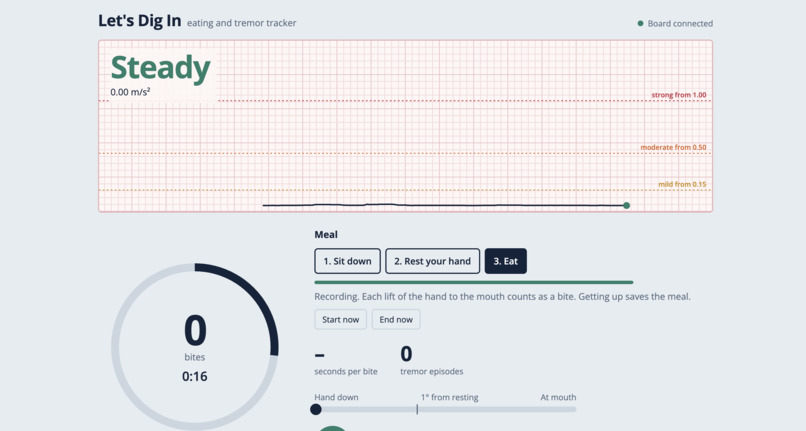
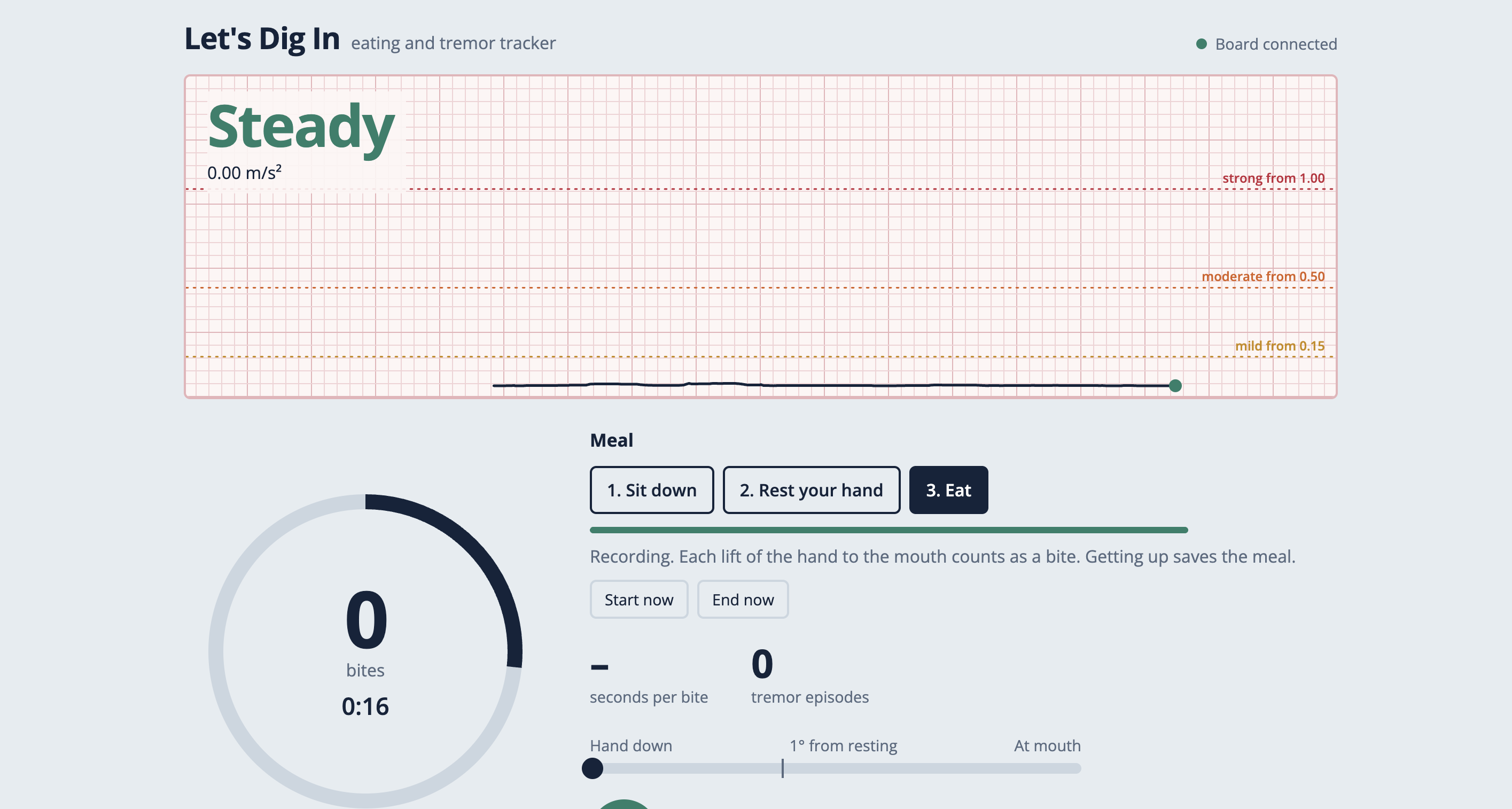
Let's Dig in - Dynamic Graph
-
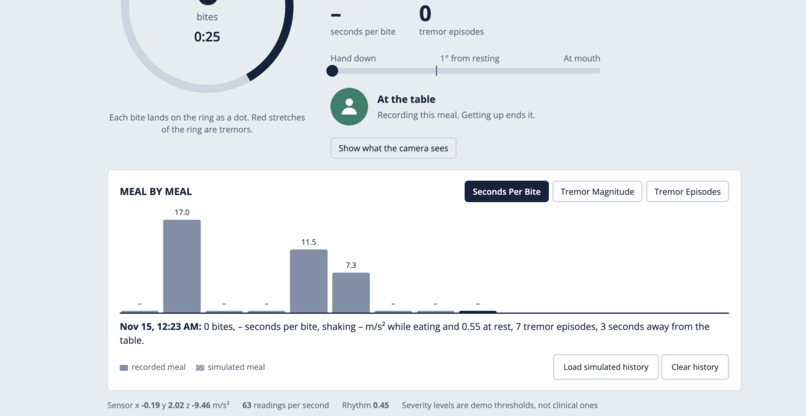
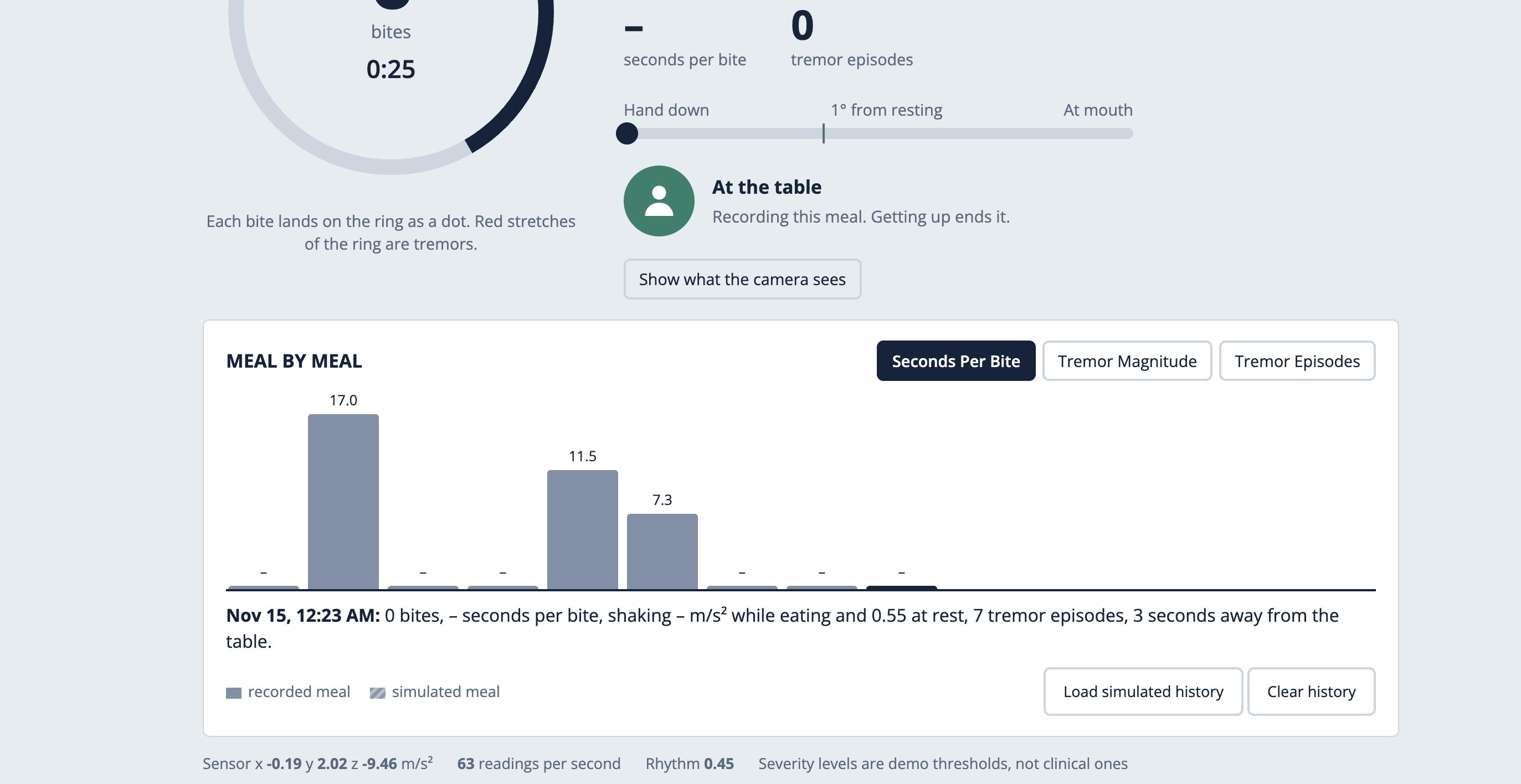
Let's Dig in - Seconds per Bite
-
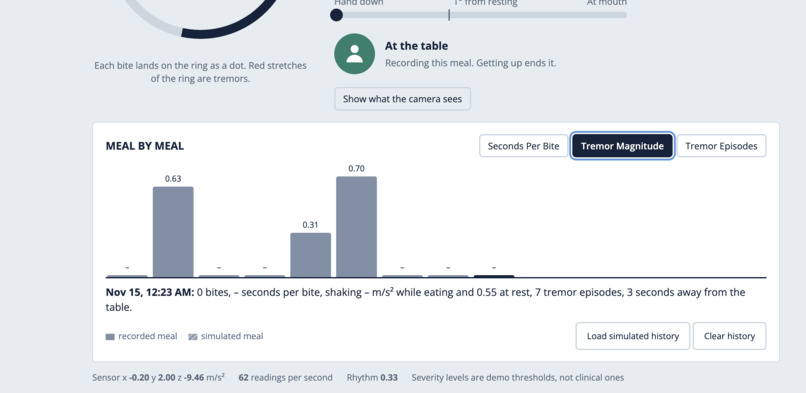
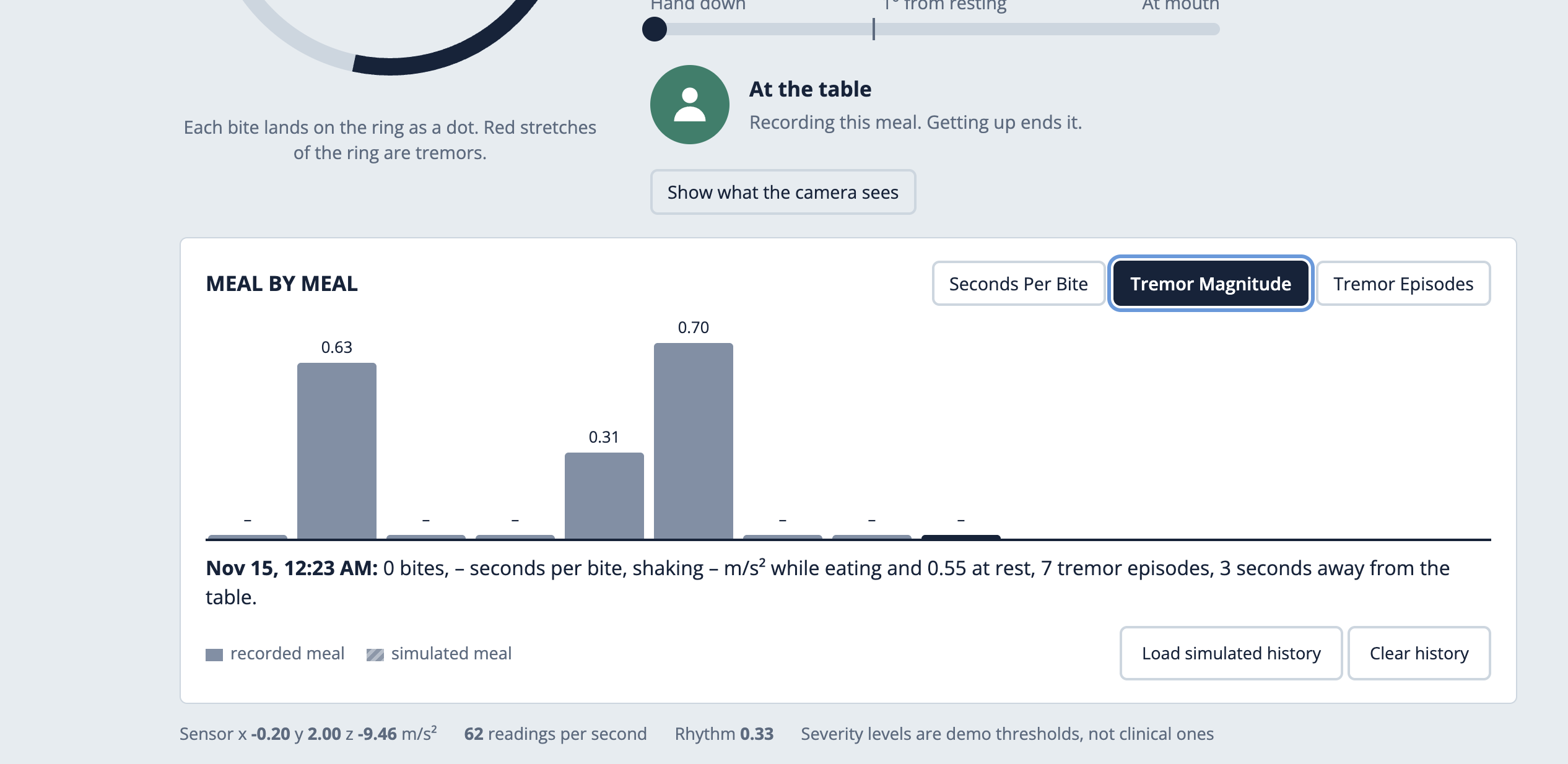
Let's Dig in - Tremor Magnitude
-
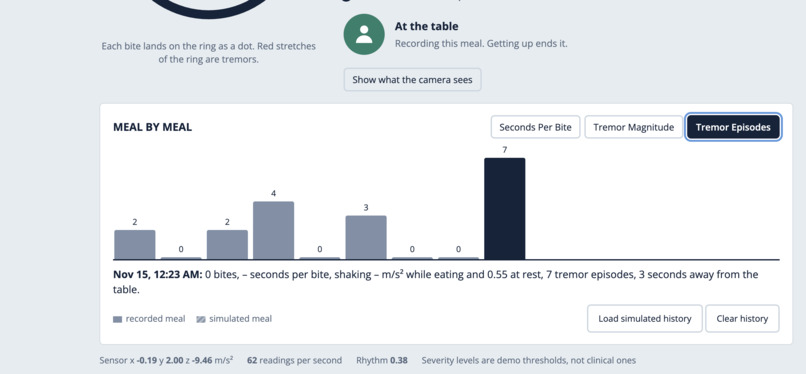
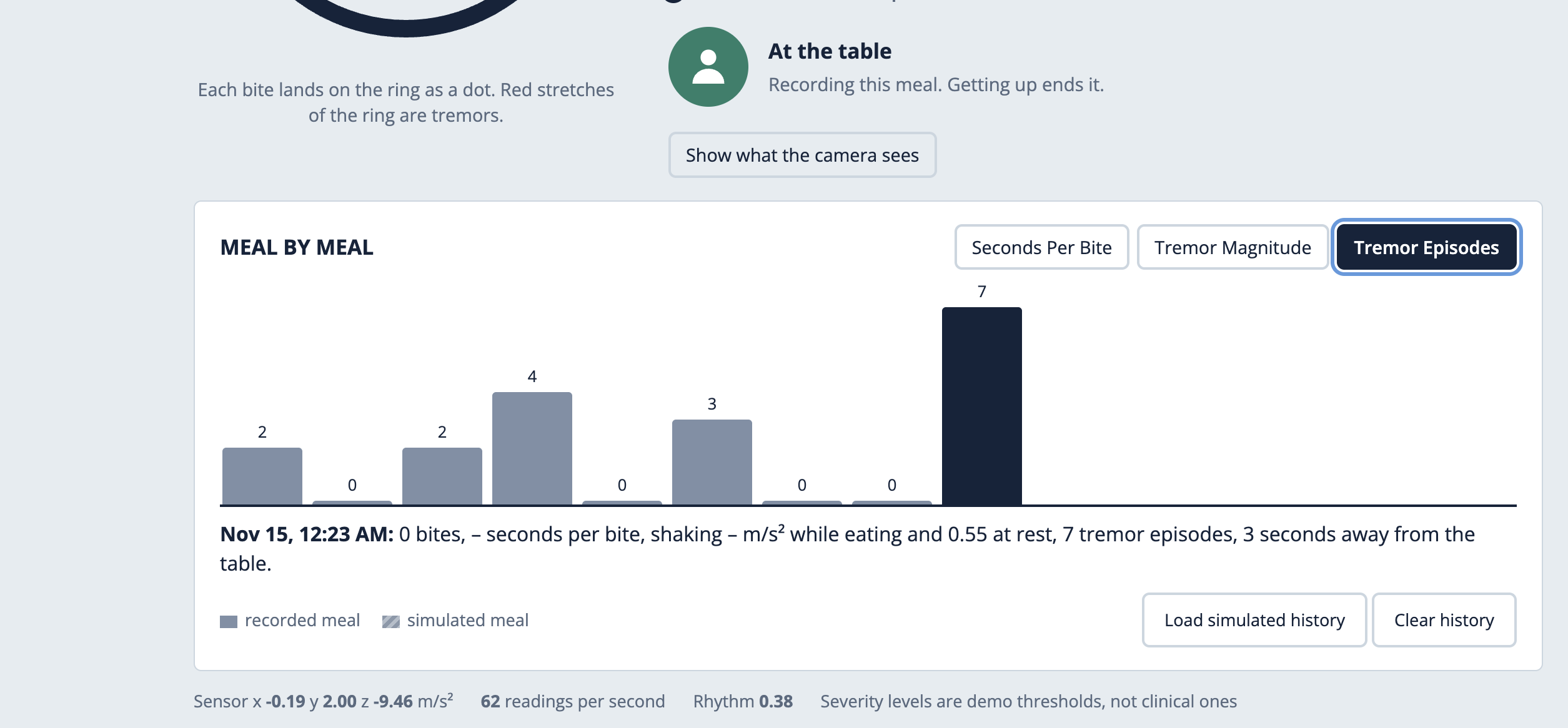
Let's Dig in - Tremor Episodes

Inspiration
The MadHacks theme this year is "Let's Dig In," which is also what you say before a meal. That got us thinking about people who find eating hard. More than 10 million people worldwide live with Parkinson's (Parkinson's Foundation), and hand tremors make everyday tasks like eating slower and more tiring.
A doctor only sees a patient for a few minutes every few months, and tremors change from day to day. One visit can miss the real trend. But everyone eats every day, so we asked: what if every meal was a checkup?
What it does
Let's Dig In is a wrist-worn tracker that measures how someone eats and how much their hand shakes while they do it.
- Starts on its own. A camera sees you sit down, counts down 5 seconds, records your hand's resting position, and starts tracking. When you get up, the meal saves.
- Counts bites. Each time your hand lifts to your mouth, it's counted and placed on a ring that shows the whole meal.
- Detects tremors. It tells rhythmic shaking apart from normal movement. When a tremor starts, the screen pulses red and that stretch of the meal is marked on the ring.
- Checks in. If a tremor lasts more than 5 seconds, the screen asks "Are you okay?"
- Tracks the trend. Every meal is saved with seconds per bite, tremor strength, and number of tremor episodes, then compared to the person's own baseline. A big change raises a flag.
Everything runs on the Arduino. There's no cloud, and no health data leaves the device.
How we built it
- Hardware: an Arduino UNO Q, a Modulino Movement sensor worn on the wrist, and a USB webcam connected through a hub.
- Sensor: the board's microcontroller reads the accelerometer about 60 times a second and passes the readings to the board's Linux side through Arduino's Bridge.
- Tremor detection: Python on the board runs a frequency analysis on the last 1.5 seconds of motion. A tremor is rhythmic, so most of its energy sits at one frequency between 3 and 8 Hz, while ordinary movement is spread across many. We only call it a tremor when the shaking is strong enough and rhythmic for about a second.
- Bite detection: the board tracks how far the wrist has tilted away from its resting position.
- Camera: App Lab's Video Object Detection Brick runs an AI model on the board to see when a person is at the table. That starts and ends each meal.
- Dashboard: the board hosts its own web page with a live tremor trace, the meal ring, and meal-by-meal history. Any phone or laptop on the same network can open it.
Challenges we ran into
- Networking. Campus Wi-Fi blocks devices from seeing each other, so the laptop couldn't find the board. We moved everything to a phone hotspot and had to make the board forget the school network.
- One USB port. The board has a single USB-C port, so adding the camera meant wiring a hub the right way around and switching to wireless development.
- The board's clock. It thought it was 2025, which made secure downloads fail until we set the time by hand.
- Telling tremor from movement. Lifting a hand to eat looks like shaking to a simple detector. Adding the rhythm check fixed most false alarms.
- Camera plans changed. We tried hand tracking with MediaPipe and hit install problems, and the stock object detector mislabeled most objects. We narrowed the camera's job to the one thing it did well: detecting a person.
Accomplishments that we're proud of
- The whole meal is hands-free: sit down, eat, get up, and it's recorded.
- Tremor detection that ignores normal eating movements.
- A dashboard that people can understand at a glance, with a live trace, a ring of bites, and a clear alert.
- All of the sensing, analysis, and AI run on one small board that a lot of us have never used before ever.
What we learned
- How the UNO Q's two processors work together, and how to pass data between a sketch and Python.
- Basic signal processing: how frequency analysis can pick a tremor out of noisy motion data.
- How to use App Lab Bricks to run an AI model on a device.
- That hardware projects are mostly debugging cables, networks, and clocks before any of the fun parts work.
- To cut features that aren't reliable and keep the ones that are.
What's next for Let's Dig In
- Real long-term data. Our trend view uses simulated history today. The next step is testing with real patients over weeks and months.
- Doctor-ready reports. A plain-language summary a patient can share at their next appointment.
- A smaller wearable. Shrinking the wrist unit to something the size of a watch.
- Phone as the camera. Using a phone in place of the webcam so there's less hardware to set up.


