-
-
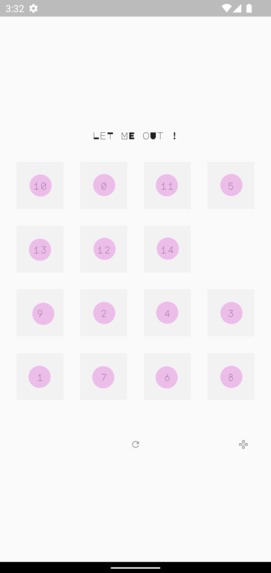
Let Me Out
-
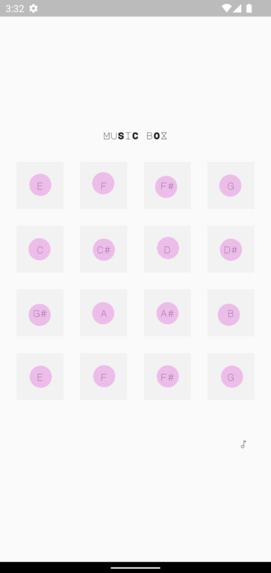
Music Box
Inspiration
I was inspired to challenge myself to create pretty visuals and learn more about animations in Flutter.
Winning prices did not sound too shabby either !
What it does
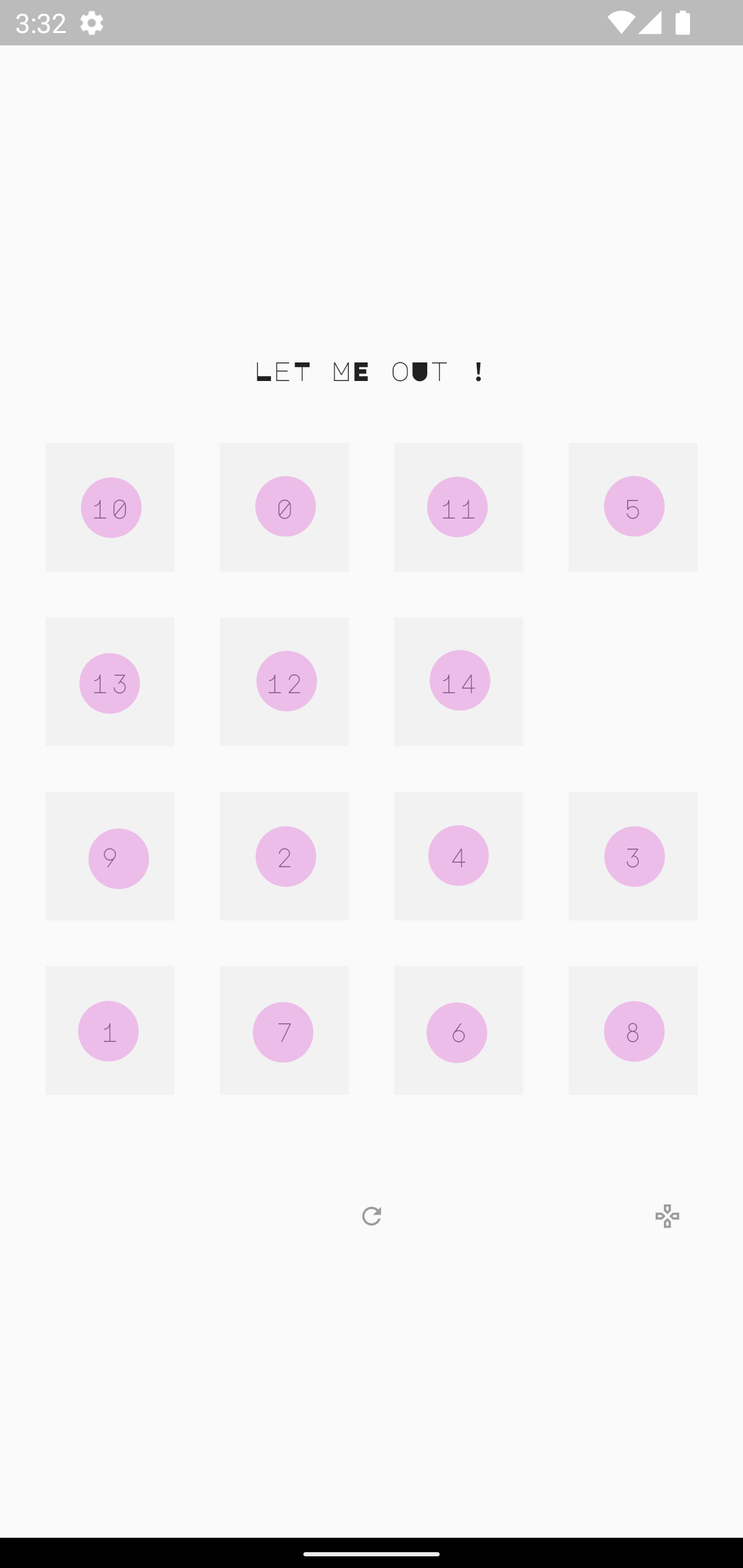
It has the basic sliding puzzle mechanics, but I've also added a new layer of simulated particles and added sounds to each tile.
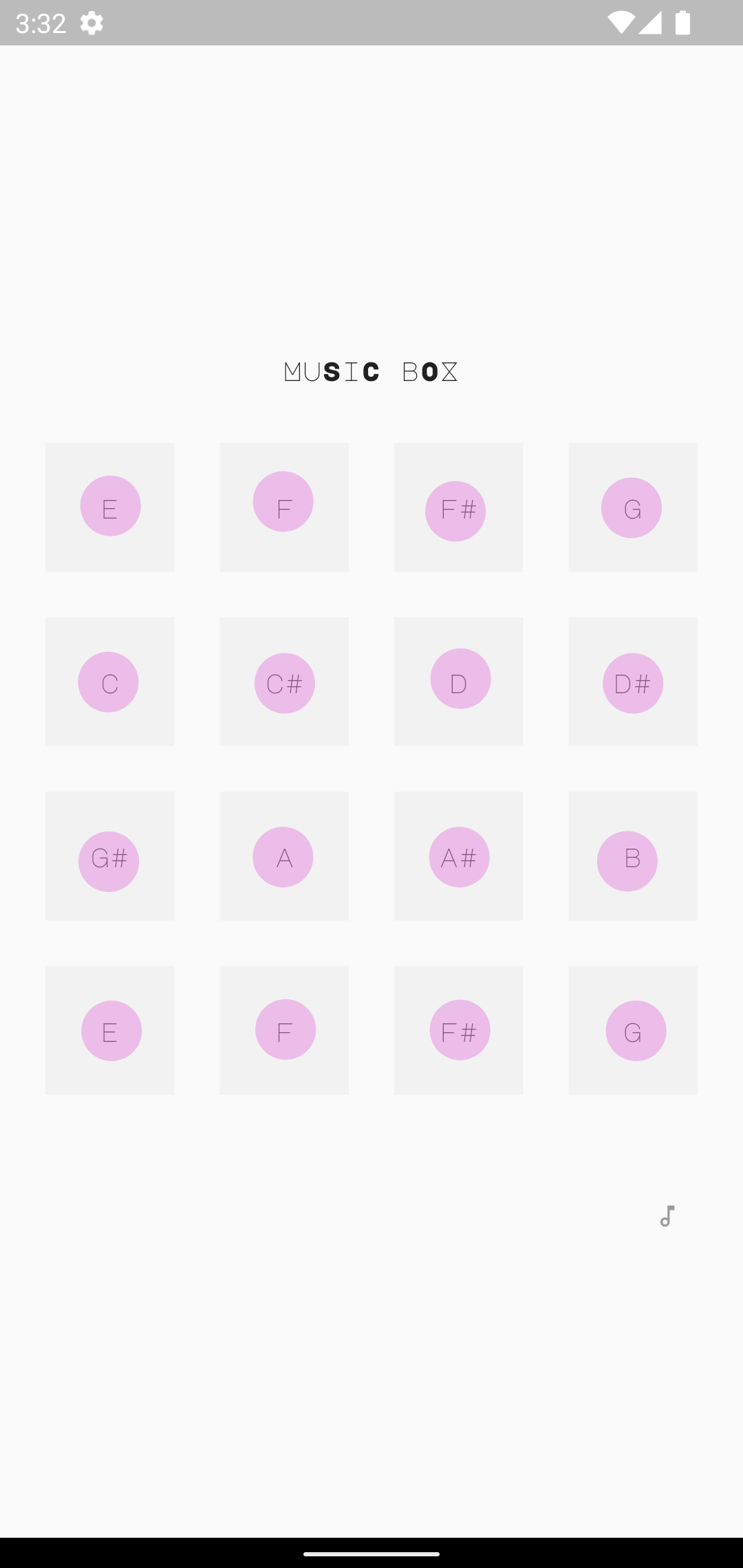
I also added a separate 'sound box' mode, which allows you to play a 4x4 grid of tones.
How we built it
I first tried to build on the original puzzle hack code, but i felt the architecture was a bit constraining and i had to redo a lot so i started again from a new project.
First i made the basic sliding puzzle logic, which was pretty straight forward to get right. I used a ValueNotifer to hold the puzzle state, similar to what I've described in my Medium article Pragmatic State Handling in Flutter.
I knew from the start i wanted to simulate particles, but i also needed the basic puzzle logic. So I ended up adding two layers in a Stack - a grid of buttons for the users to press to move the tiles and another physics layer for the particles
I previously build the package flim for simulating sprites, so i knew i had to use a StatefulWidget with the SingleTickerProviderStateMixin in addition to a CustomPainter, if i wanted to simulate particles effectively and without constraints. I used two physics models, one for the playing state where particles are attracted to the buttons, and one for the solved state where gravity kicks in. I also added some twitchy movement using random vectors to make the particles come alive and made them larger when pressed / hovered.
I'm fan a minimal design approach, like in my other apps, so i ended up with a simple grid of squares and some circular particles inside. Using pink pastel colors for the particles, represented a fresh contrast with the grey squares.
I used to produce beats and noticed the 4x4 grid is similar to the Akai MPC series buttons, so i thought it would be fun to add a sound to each square. I used a M8 tracker to find a synth sound. Played at different notes based on the tile value. It sounds a bit eerie when played in random, as the tiles are shuffled at the start of each new game.
After playing around with these ideas, i kind of felt as the puzzle was telling a story. Of some colorful particles trapped inside grey squares and which was trying to escape. Perhaps parallels can be drawn as to how we sometimes feel stuck. That's why i ended up with the name "Let Me Out".
After the initial implementation i had the idea it would be fun to add a separate music box mode, where you could tap the 4x4 buttons to play some tunes.
Challenges we ran into
There were some issues with drawing large points on iOS, so i made a github issue. I however solved it using canvas.drawCircle instead. I will be updating this issue later with a proper code sample.
There was a bit challenging to get the state changes of the puzzle to update the particle positions, without creating too many state changes and rebuilds. Also sometimes the global keys failed to produce valid positions from the button girds. I think this issues could be revisited later.
There were some issues with supporting all kinds of screens, but i think the current solution works. We use a max grid size and scale it down on lower screens, updating the particle positions as well.
Accomplishments that we're proud of
I feel the overall theme came out pretty nice in the end. I like the simulated particles roaming around, following the buttons as they move.
I also feel the sounds added something new to the puzzle game and in special the music box mode, where you could just play some tunes.
What we learned
Adding sounds to Flutter is something i have not done before, and this was a fun experience. Sound is working on all platforms using soundpool.
I also learned more about animations as i had to read up on the documentation.
I also enjoyed revisiting graphics and simulation programming. I have a Master in 3D programming but i have not been able to use it much lately, so it's fun to get into graphics programming again!
What's next for Let Me Out
I would love to play around more with particle simulations. There are lots of various visuals and physics i could add to the game to make it more visual interesting.
I would also like to revisit the state handling and the animations, perhaps i could use more higher level animation classes.
Thanks for arranging this fun programming competition !
<3
UPDATE: The 'Let Me Out - sliding puzzle' is now available on App Store and Google Play. See "Try it out" links below.


Log in or sign up for Devpost to join the conversation.