-
-
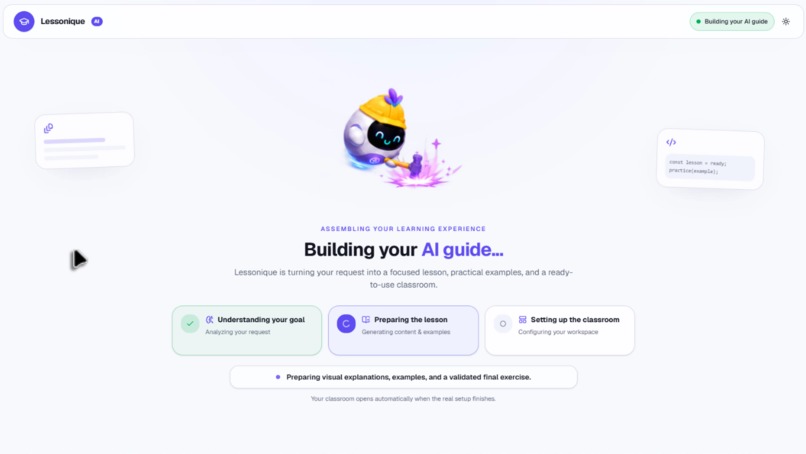
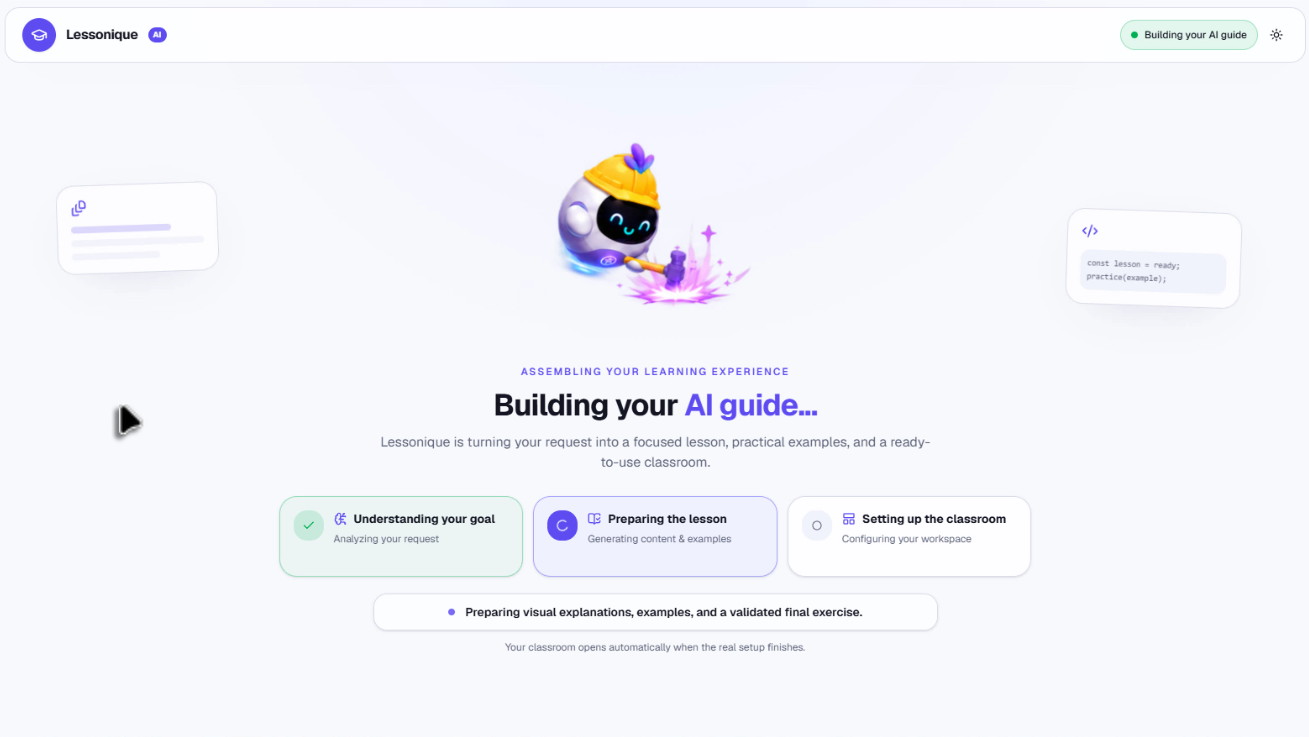
The agent prepares the lesson and configures the learning workspace.
-
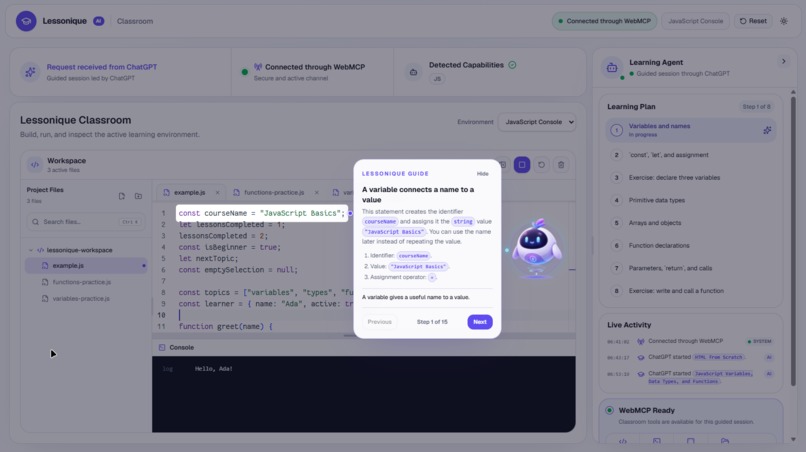
A focused explanation connects a variable declaration to its name and value.
-
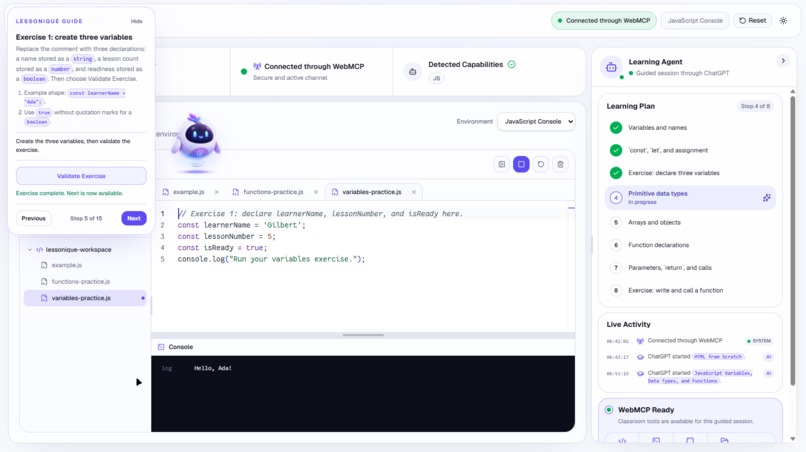
The learner completes a variables exercise and receives validation feedback.
-
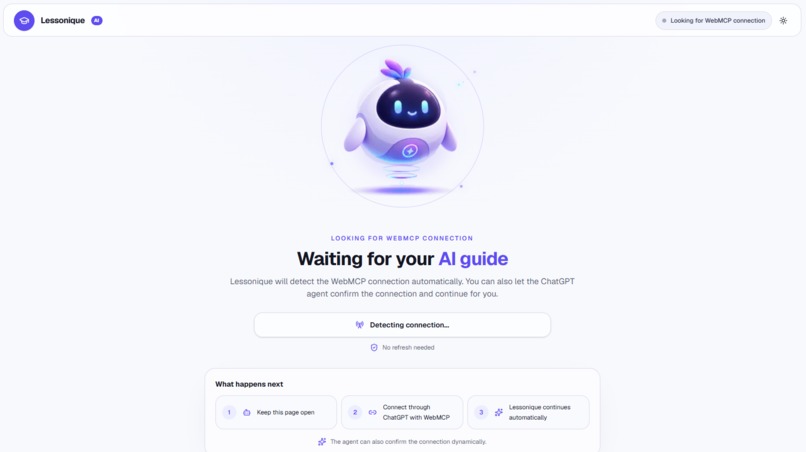
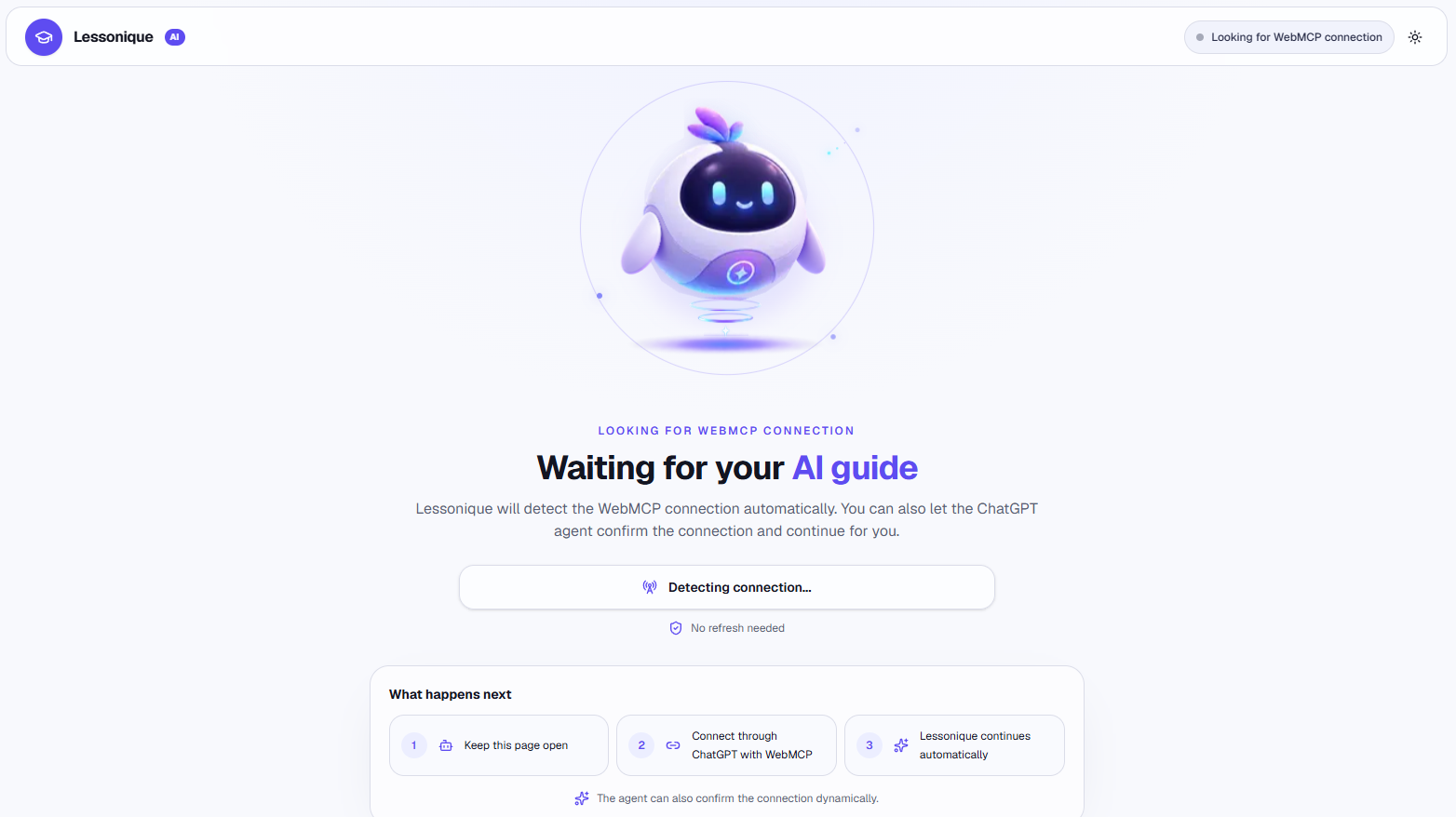
Lessonique waits for a WebMCP connection before opening the classroom.
-
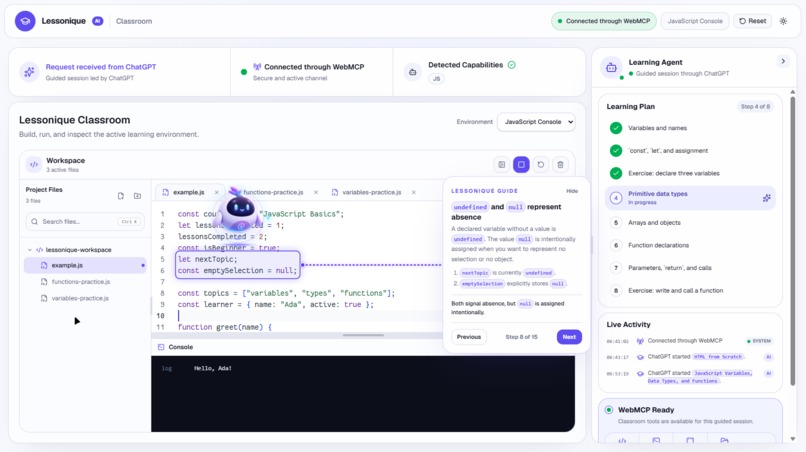
Code highlighting connects undefined and null to concrete examples.
-
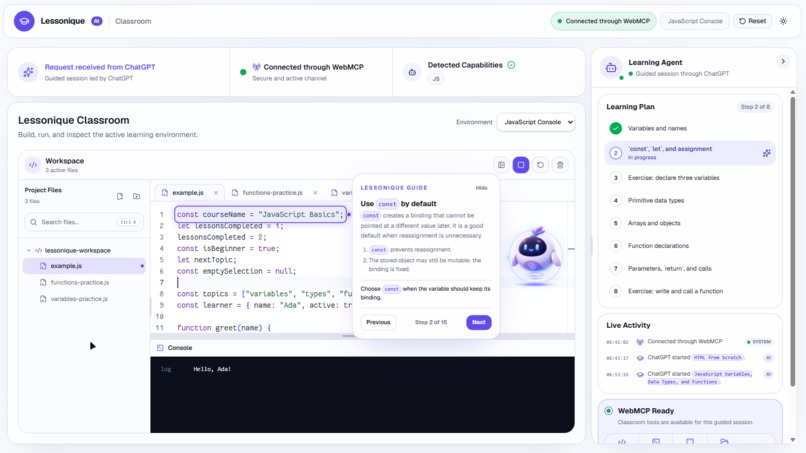
The guide highlights a const declaration while explaining its behavior.
Inspiration
When I first started learning programming, I did not have the kind of guidance I needed. It was difficult to know where to begin, how the concepts connected, or whether I was really understanding what I was doing. Those first steps could feel confusing and frustrating.
Lessonique grew from that experience. I wanted to build the kind of learning companion I wish I had: something that explains a concept, shows exactly where it applies, and gives you a small opportunity to practice before moving on.
The goal is not to let AI do the learning for you. It is to make learning to code feel more approachable, with clear guidance and less frustration.
What Lessonique does
Lessonique is an agent-guided coding classroom for learning HTML, CSS, and vanilla JavaScript. ChatGPT uses WebMCP to turn a learning request into a workspace with examples, a learning plan, visual explanations, and practice exercises.
Instead of reading an explanation in one window and figuring out where it applies in another, the learner can follow the explanation directly in the classroom. The agent guides; the learner practices.
Connect your AI guide
Open Lessonique in a WebMCP-capable client. The application detects the connection, and the agent discovers which classroom tools and learning environments are available. No Lessonique account is required.
From a request to a classroom
Ask to learn a topic from scratch. As the agent prepares the lesson, Lessonique shows the setup stages: understanding the goal, preparing the lesson, and configuring the classroom.
Understand one concept at a time
Lessons break concepts into small explanations with examples. The guide can focus attention on the relevant code while the learning plan keeps the broader topic sequence visible.
In this example, a JavaScript variable is introduced through its name, value, and assignment operator.
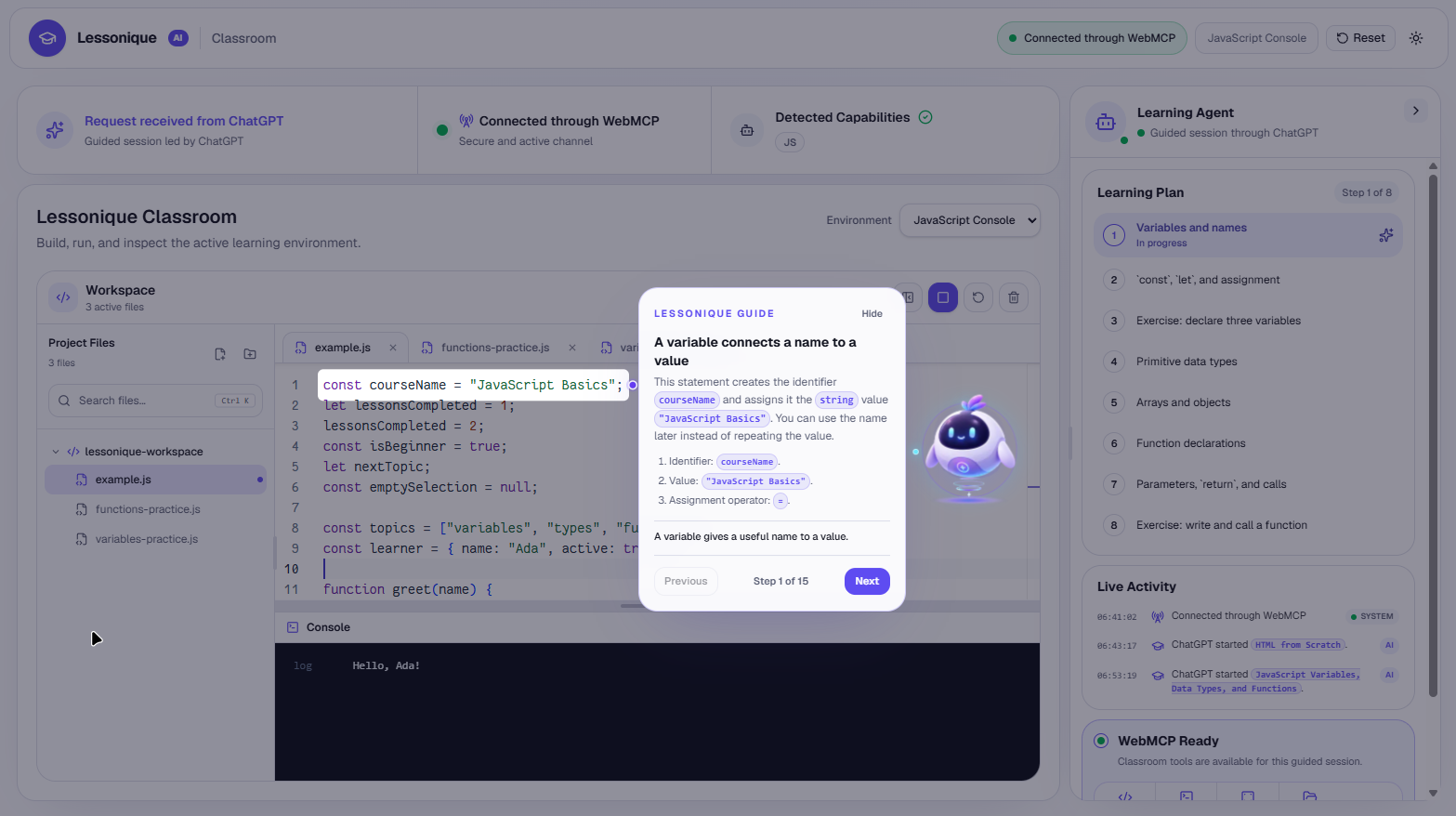
Follow the explanation in the code
The visual guide connects explanations to specific code targets. Here, the learner explores a const declaration and when to use it. Previous and Next controls let them review the lesson at their own pace.
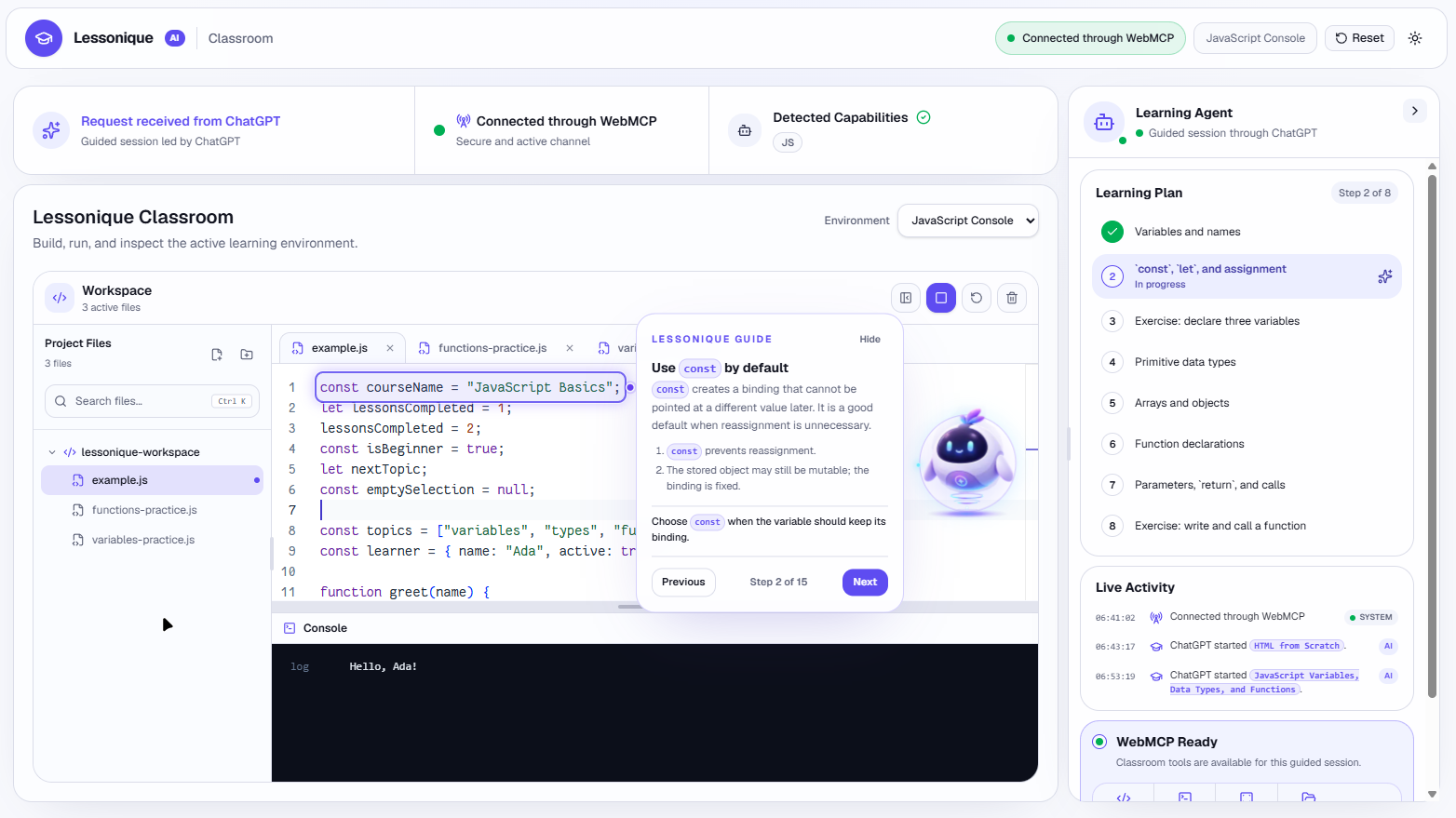
Make abstract ideas concrete
Concepts such as undefined and null are easier to discuss when the learner can see the exact declarations being compared. The companion, highlight, and guide work together to keep that connection visible.
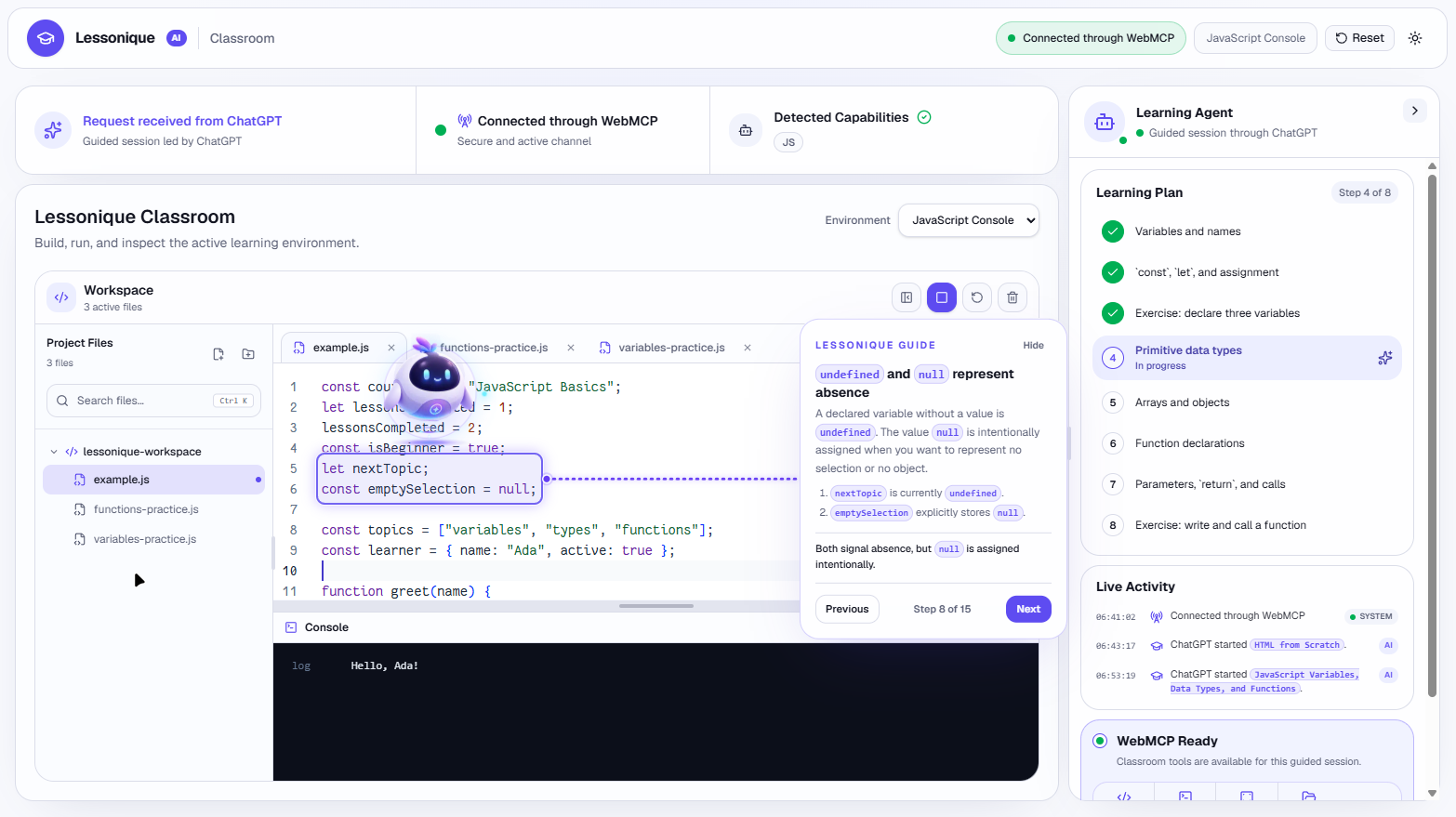
Practice and check your progress
The learner writes code in the editor and validates it against the lesson's declared requirements. The screenshot shows a completed exercise using string, number, and boolean values. Guidance supports the learner without replacing the practice itself.
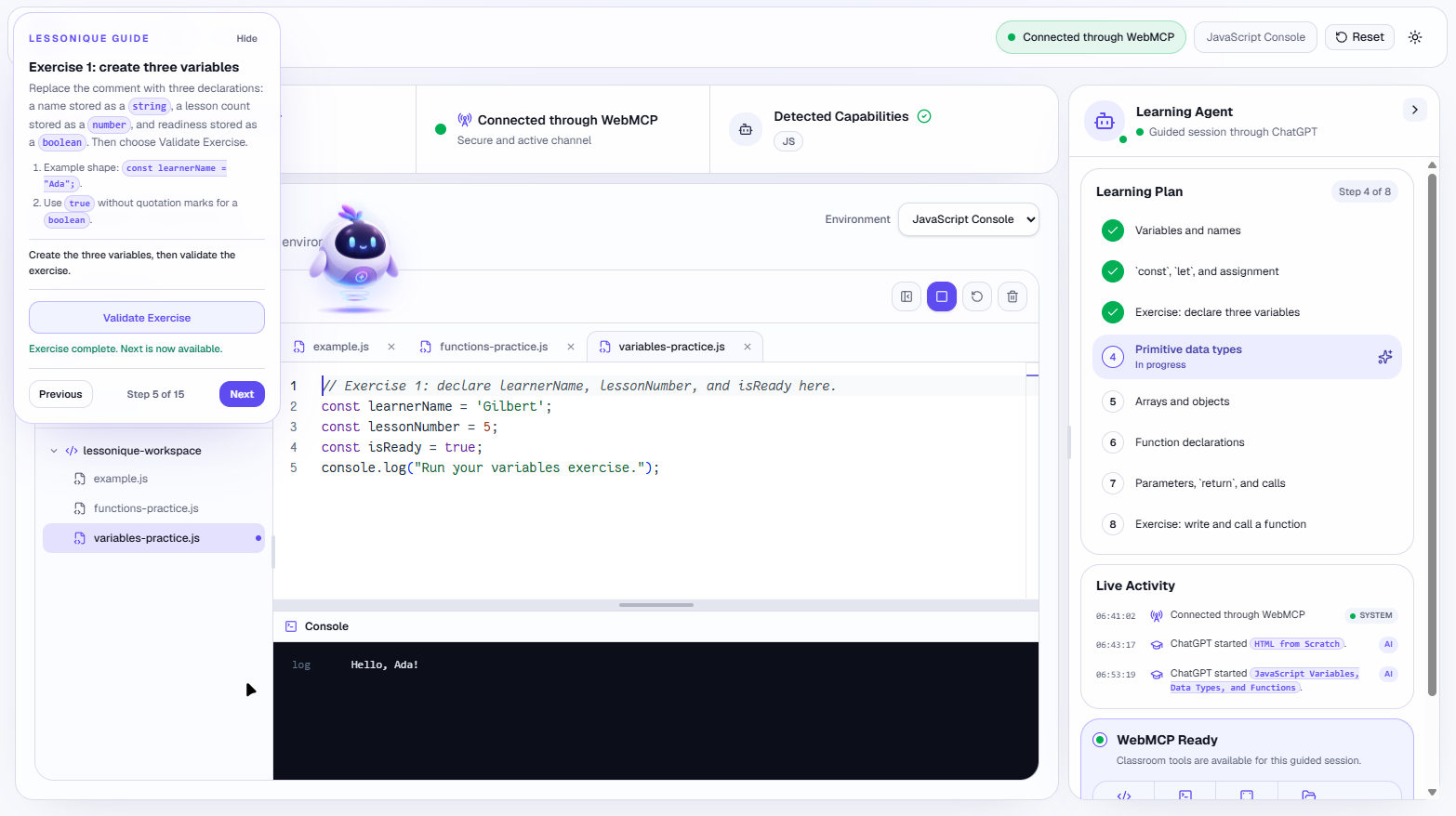
Why WebMCP is essential
A coding classroom needs more than generated explanations. An agent must be able to configure the workspace, present a lesson, point to relevant code, and request meaningful feedback about progress.
Lessonique exposes those operations through 13 structured WebMCP Site Tools registered in the top-level document with document.modelContext.registerTool. The tools use closed schemas, Zod validation, and capability checks. Semantic targets describe what to highlight instead of requiring the agent to supply CSS selectors or screen coordinates.
This lets the human and agent share a coherent learning workflow: ChatGPT coordinates the lesson, Lessonique handles presentation and validation, and the learner controls the exercise code. The agent does not need to reconstruct the classroom through fragile UI automation.
How I built it
Lessonique uses Next.js, React, and TypeScript, with Monaco for editing and Sandpack for the runtime, preview, and console. A provider-neutral core separates the WebMCP tools, lesson orchestration, workspace management, teaching scenes, and validation.
Codex helped implement the specification-driven architecture, debug interactions, build tests, assemble visual assets and sprites, and verify the deployed experience. ChatGPT Create Image produced the source visual references for the companion. Asset provenance and third-party notices are documented in the repository.
ChatGPT is the teaching agent. Lessonique has no built-in chatbot or custom AI backend.
Challenges and what I learned
The difficult part was coordinating the lesson with a changing workspace: keeping visual guidance attached to the right code, handling learner interactions, cleaning up a replaced lesson, and keeping exercise requirements consistent with validation.
This project taught me that an agent-friendly application needs explicit contracts, not unrestricted control. It also reinforced a teaching principle: a clear explanation, a small exercise, and useful feedback belong together.
What I am proud of
Lessonique brings the explanation and the practice into the same experience. WebMCP is part of the teaching workflow, not an extra feature layered onto a chatbot.
The project includes automated unit and browser tests, a development panel for the registered tools, and an open-source MIT-licensed repository with setup instructions and asset provenance.
Try it yourself
Open https://lessonique.com/ in a WebMCP-capable client. The experience was tested with the Codex in-app browser. Ask: "Teach me JavaScript variables, data types, and functions from scratch using the current tab with WebMCP. Build an interactive step-by-step lesson with examples and exercises."
Demo: https://www.youtube.com/watch?v=Jzit0TkxBmM
Source code: https://github.com/GilbertrdzDev/lessonique
What is next
The current release supports HTML, CSS, and vanilla JavaScript. Future work could extend the provider model to additional languages and refine the learning experience based on beginner feedback. Those extensions are not implemented in this release.
Built With
- chatgpt
- codex
- monaco-editor
- next.js
- playwright
- react
- sandpack
- typescript
- vercel
- webmcp
- zod

Log in or sign up for Devpost to join the conversation.