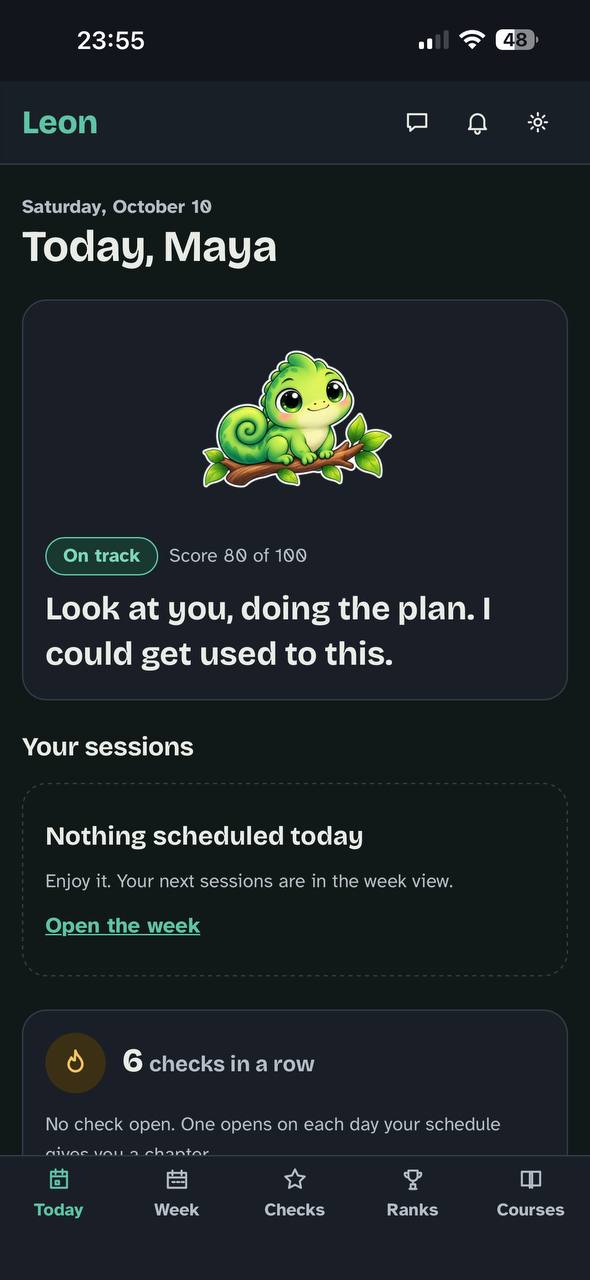
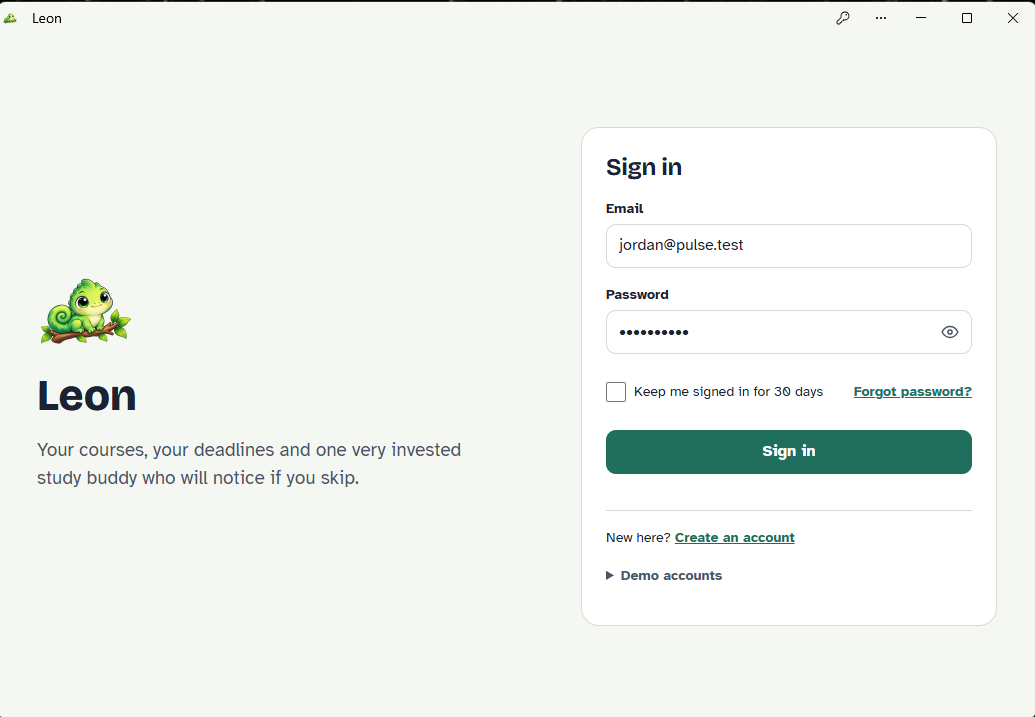
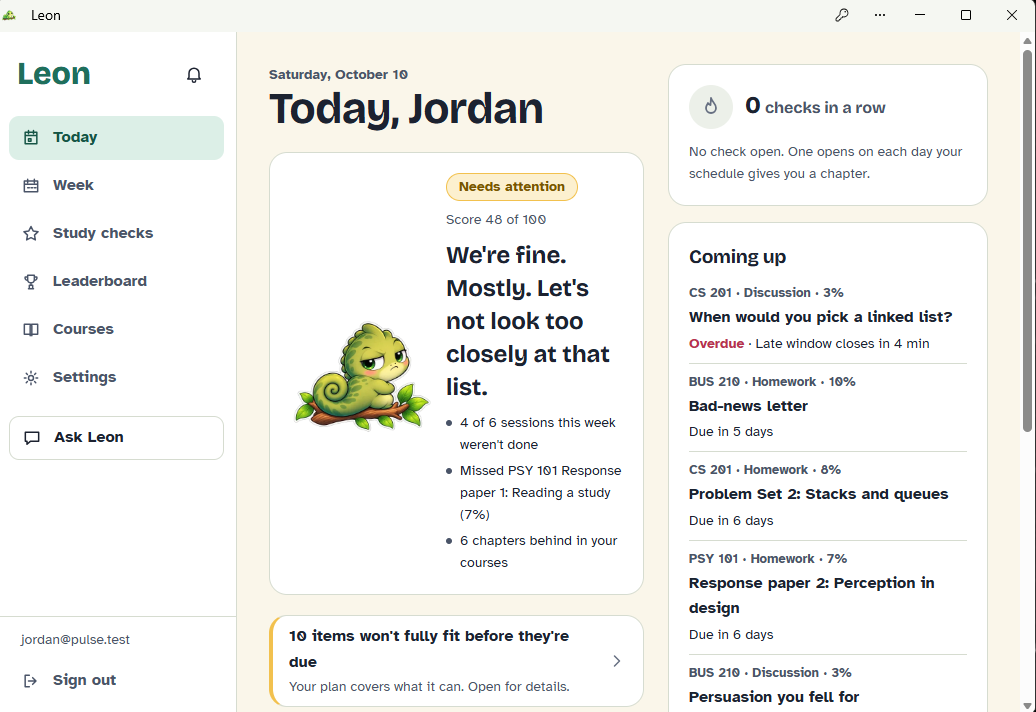
Leon is a study planner with a chameleon who's disappointed in your choices, never in you. It turns every course into a week-by-week plan and gives every student the follow-through support some students get from home.
Inspiration
What if your planner had Duolingo's owl? One of us watched Duolingo's founder, Luis von Ahn, explain in a TED talk how the app keeps people learning: streaks, a mascot with feelings, and reminders with attitude. When learners ignore it for days, Duolingo sends one last message saying the reminders don't seem to be working, so it will stop, and that small dose of guilt brings people back. It works: learners who reach a 7-day streak are 3.6 times more likely to finish their course (Duolingo).
Then we looked at the campus app we use, D2L's Pulse. It knows every deadline, but it never tells you when to do the work, and its polite reminders are easy to swipe away.
That gap matters. 37.6 million working-age Americans started college and left without a degree (National Student Clearinghouse), and a third of enrolled students say they considered stopping out in the last six months, most often because of emotional stress (Lumina–Gallup, 2025). The risk is highest for students who carry college alone:
- First-generation students: 56% finished a degree within six years, compared with 74% of students whose parents had a bachelor's degree (NCES via PNPI).
- Working students: more than 70% of college students work while enrolled, averaging about 30 hours a week (Georgetown CEW).
- Low-income students: at Georgia State, where Hacklanta is held, nearly six in ten undergraduates are on Pell grants (GSU).
Timely nudges work: in a randomized trial at Georgia State, first-generation students who got course texts were 16 points more likely to earn a B or higher (Fordham Institute). Students don't need more information. They need a plan, and a reason to come back to it.
So we gave studying the Duolingo treatment: Pulse's view of every course, Duolingo's streaks, XP and personality, and a planner that turns it all into a schedule. The result is Leon.
What it does
- Plans your week around your free time, class times, daily and weekly limits and deadlines, and says plainly when something won't fit.
- Shows how you're doing. Leon is calm, side-eyeing or melting, with the top three reasons in plain words.
- Reminds with personality, in a voice you can tone down anytime.
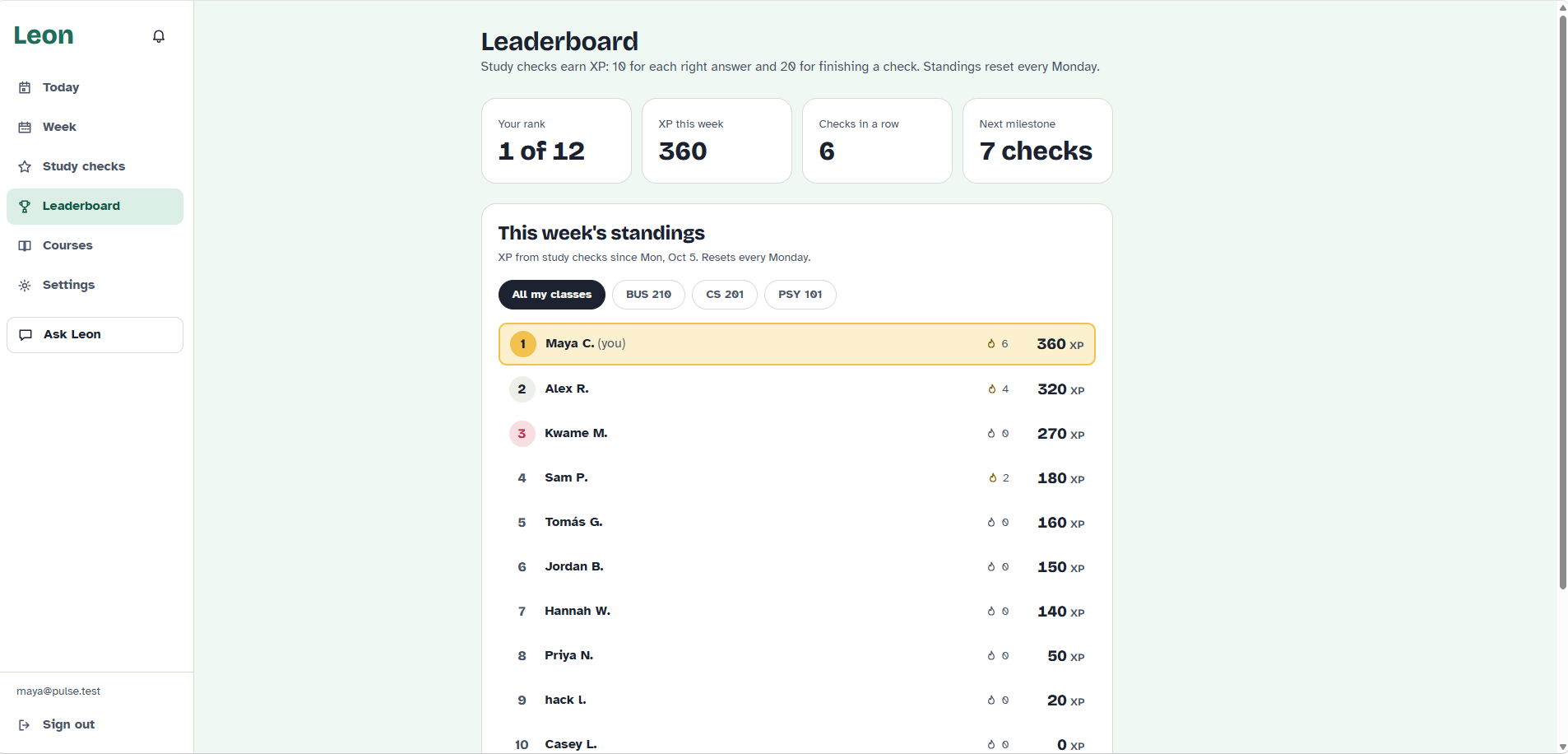
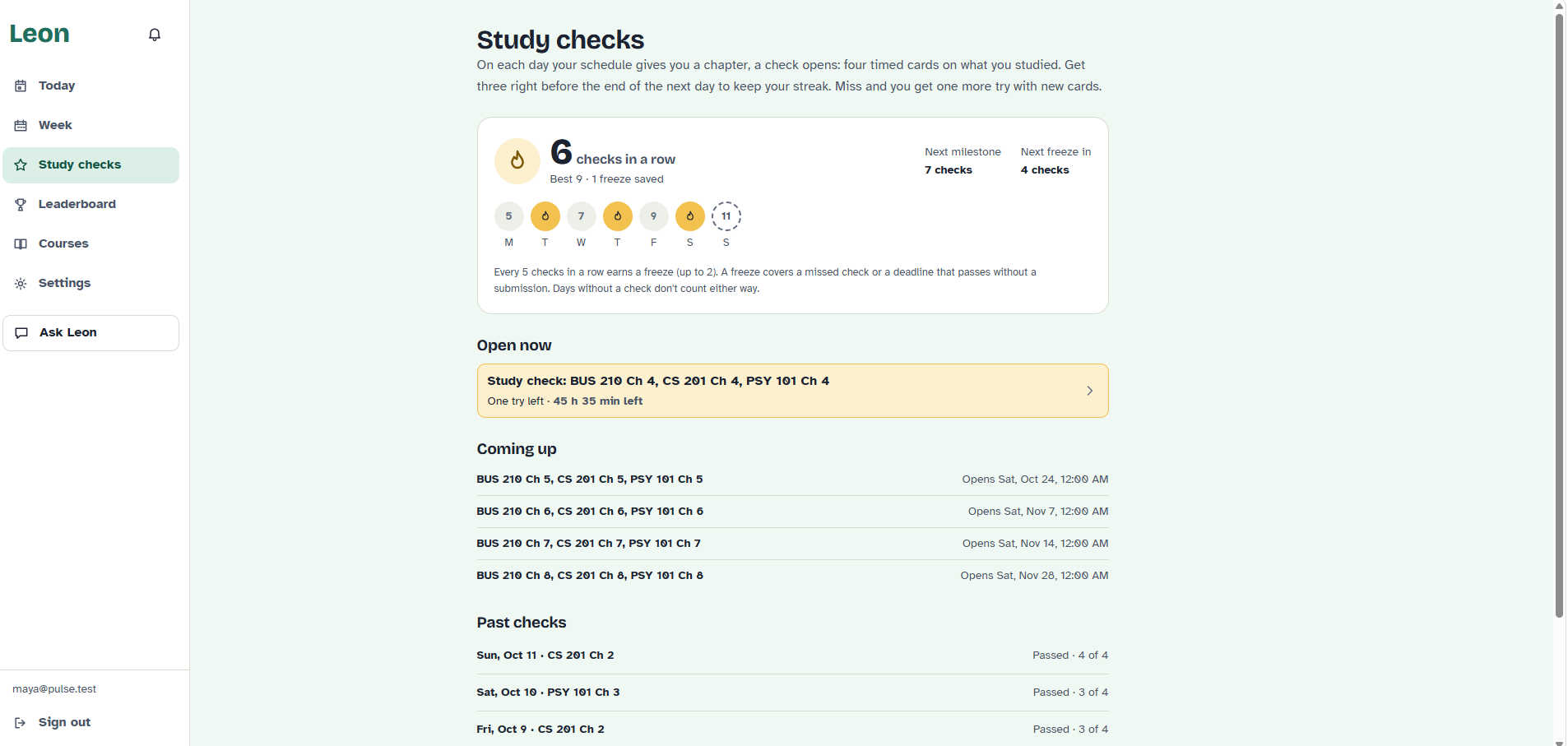
- Checks what you learned. Each planned chapter opens a 3-minute study check; passing keeps your streak and earns XP for a weekly class leaderboard.
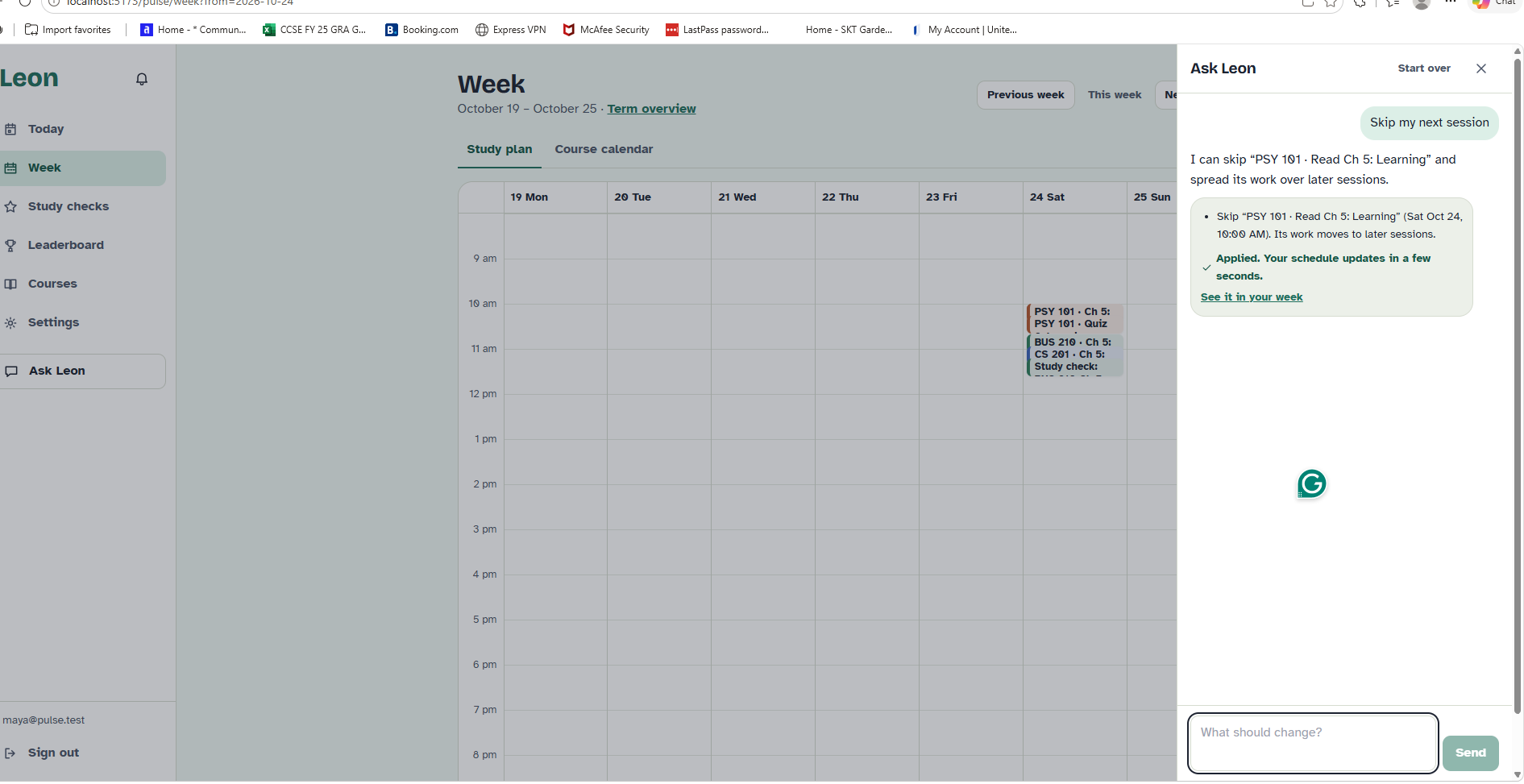
- Adapts. Tell Leon "I'm busy Friday evening" and he proposes a new plan, which applies only when you confirm.
- Connects teachers. In the built-in Learning Hub, teachers post chapters, homework, discussions and quizzes and grant extensions, and every change re-plans the affected students.
- Lives on your phone as an installable app with push notifications on iPhone and Android.
Built for the Social Good track
| Track prompt | How Leon answers it |
|---|---|
| People who get overlooked | First-generation, low-income and working students: the most likely to fall behind and the least likely to have someone at home helping them plan |
| Access | Runs in any browser and installs to an iPhone or Android home screen, with no app store and no new device |
| Safety | Humor guardrails enforced in code, and an automatic switch to a supportive tone when a student is struggling |
| Everyday systems communities run on | The school's LMS: a teacher's new post or extension reaches every affected student's plan right away |
It also fits Cox's 34 by 34 commitment to help 34 million people live more prosperous lives by 2034, where access to lifelong education is one of six pathways (Cox Enterprises). Helping a student finish the course they started is lifelong education at its most practical.
How we built it
Django REST, Celery and PostgreSQL on the back end; React and TypeScript on the front end, shipped as an installable web app with Web Push. Anthropic's Claude API powers the AI steps.
Planning is hybrid. An AI model breaks each course into study tasks, estimates the effort for each and orders them (read the chapter before the homework, post before replying). Then a deterministic solver places every session, so the hard rules always hold:
$$ \text{session}(t) \subseteq \text{free time} \setminus \text{class times}, \qquad \sum_{t \,\in\, \text{day}} \text{effort}(t) \le \text{daily limit}, \qquad \text{end}(t) \le \text{due}(t) - \text{buffer}(t) $$
with the same check for weekly limits. The buffer keeps work from landing at the last minute, \( \text{buffer}(t) = \max\big(12\,\text{h},\ 0.1 \times (\text{due}(t) - \text{now})\big) \), and the solver places the most urgent work first, ranking tasks by grade weight over slack: \( \text{urgency}(t) = w_t / \max(\text{slack}_t,\ 0.5\,\text{h}) \).
Leon's mood is a score, computed on the server from the last week:
$$ S = 100 \times \big(0.4\,A + 0.3\,D + 0.2\,C + 0.1\,K\big) $$
where \( A \) is how many planned sessions were done, \( D \) is deadline health, \( C \) is chapters done against the syllabus, and \( K \) is the study-check streak. Leon turns red below 45 and only recovers at 50, so his mood doesn't flicker.
Study checks are written by the AI from each chapter's text, and every question must quote the passage it came from, or it's thrown out. Every AI step has a tested fallback, so Leon works fully without an AI key.
Challenges we ran into
- Trusting AI output. We validate every plan and question against a schema, and fall back when the model returns something invalid.
- Time itself. Time zones, daylight saving, quiet hours and "due at 11:59 PM" all had to be right. Several of our tests passed all day and failed only in the evening, when New York and UTC are on different dates.
- Push on iPhone. It only works from the installed app, and our first tunnel to the phone served a blank page until we traced it to a stray configuration file.
Accomplishments that we're proud of
- A full product, not a mock-up: an LMS, a planner that re-plans itself, reminders, study checks, a leaderboard and a chat assistant, in one app.
- It never depends on the AI: every AI step has a tested fallback.
- Tested like a real product: 321 backend tests at 94% coverage, 10 end-to-end browser tests, and CI on every push.
What we learned
Let the model do what it's good at (breaking work down, finding the words) and keep every hard rule in plain code. Humor needs rules too: Leon's jokes target the situation, never the student, and struggling students automatically get a supportive tone. And Duolingo was right: a reminder with a voice gets read.
What's next for Leon
Connect to real LMSs through LTI under each school's data agreement, verify teachers by email before they claim a course, and pilot Leon with one class for a semester, measuring on-time submissions and grades against a similar class without it.
Disclosure
All code was written during the official hacking period, from a product spec we wrote at the start of the event. Much of the code, tests and docs were written by Claude Code, an AI coding agent, from that spec, with our team directing, reviewing, testing and merging. Teammates also built the timed quiz, XP leaderboard and teacher dashboard directly. Open-source libraries (backend/requirements.txt, frontend/package.json) and Google Fonts (SIL OFL 1.1) are used under their own licenses. The Leon art was provided by the team, and the 24 course chapters were written for the project; CREDITS.md lists every external asset.
For judges
All accounts are fictional demo accounts with the password pulse-demo. No real student data is used.
| Account | What it shows |
|---|---|
| [email protected] | A student badly behind: Leon melting, three reasons, and what won't fit |
| [email protected] | A student on track: an open study check, a streak, the leaderboard, Ask Leon |
| [email protected] | A student with an extension in CS 201 |
| [email protected] | A brand-new student who starts onboarding |
| [email protected] | The CS 201 teacher: dashboard, posting content, extensions |
| [email protected] | Demo controls: reminder scan, re-plan a student, time travel |
Run it locally: with Docker Desktop running and .env created (README, first step), run docker compose up --build, then in a second terminal docker compose exec web python manage.py seed_demo --sample-content, and open http://localhost:5173. The README has full steps, including without Docker.
Notes: reminders hold during quiet hours (10 PM to 8 AM by default), so use the admin's time travel to see them at night. On iPhone, push works only after Share › Add to Home Screen. The app runs without an AI key using built-in fallbacks.
Built With
- apppytest
- beat
- celery
- ci/cd
- claude
- cloudflare
- docker
- github
- github-jobs
- installable
- postgress
- python
- react
- redis
- typescript
- web


Log in or sign up for Devpost to join the conversation.