Inspiration: I am a computer engineer who, in order to carry out different types of projects both related to computer science and related to the robotics/mechanical field, studies a lot of different topics and I wanted something quick to grasp the most important topics quickly.
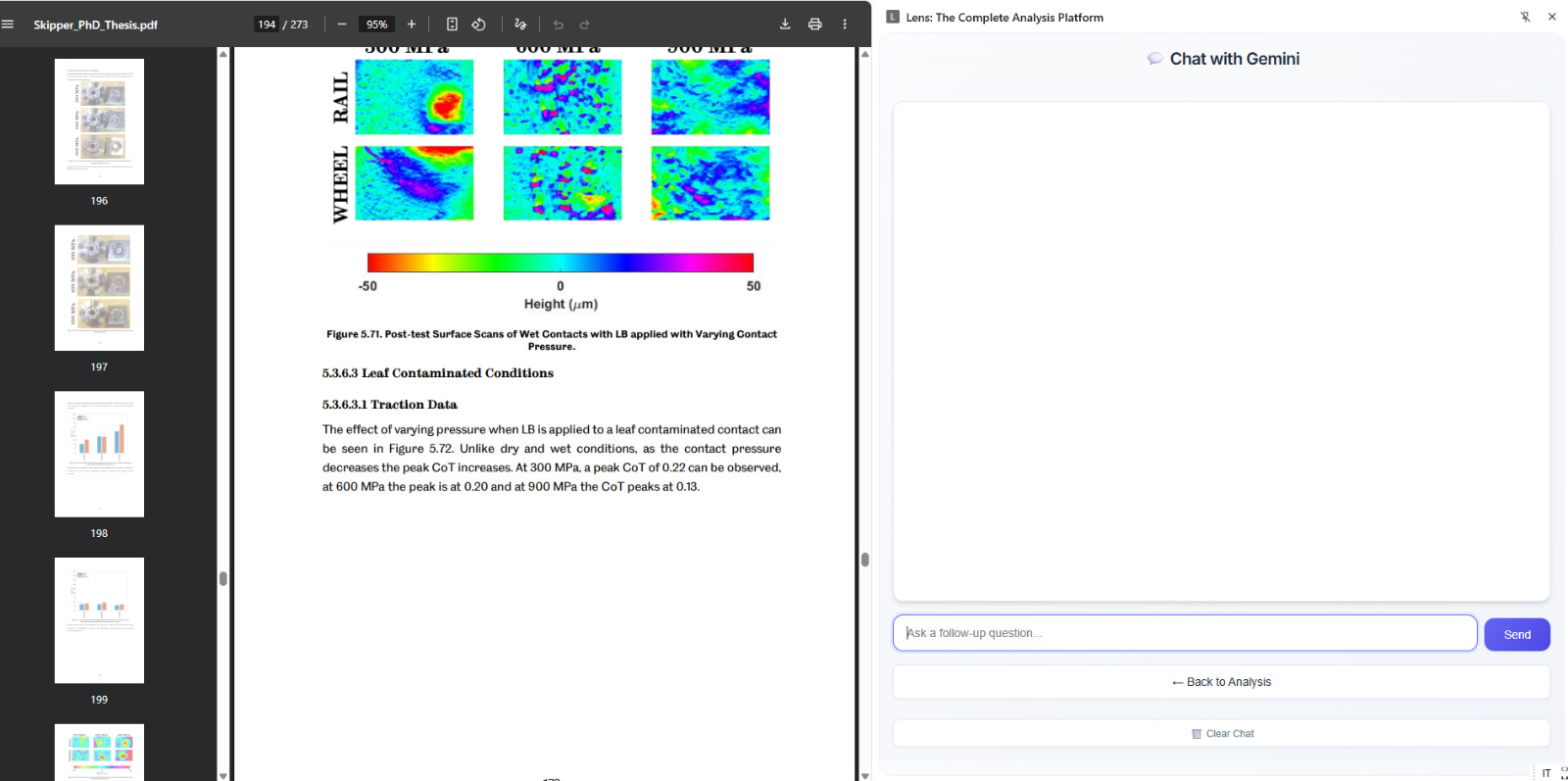
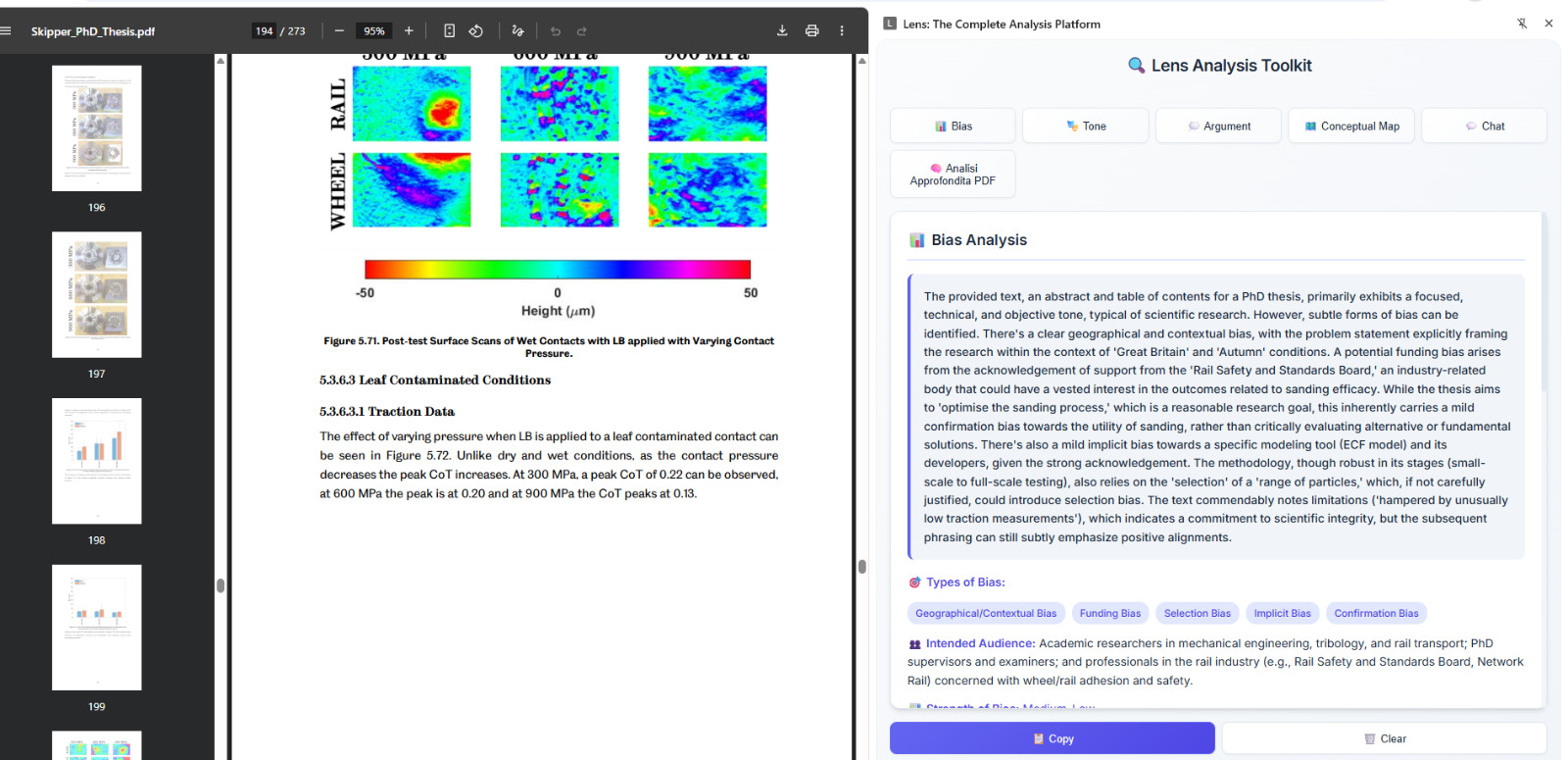
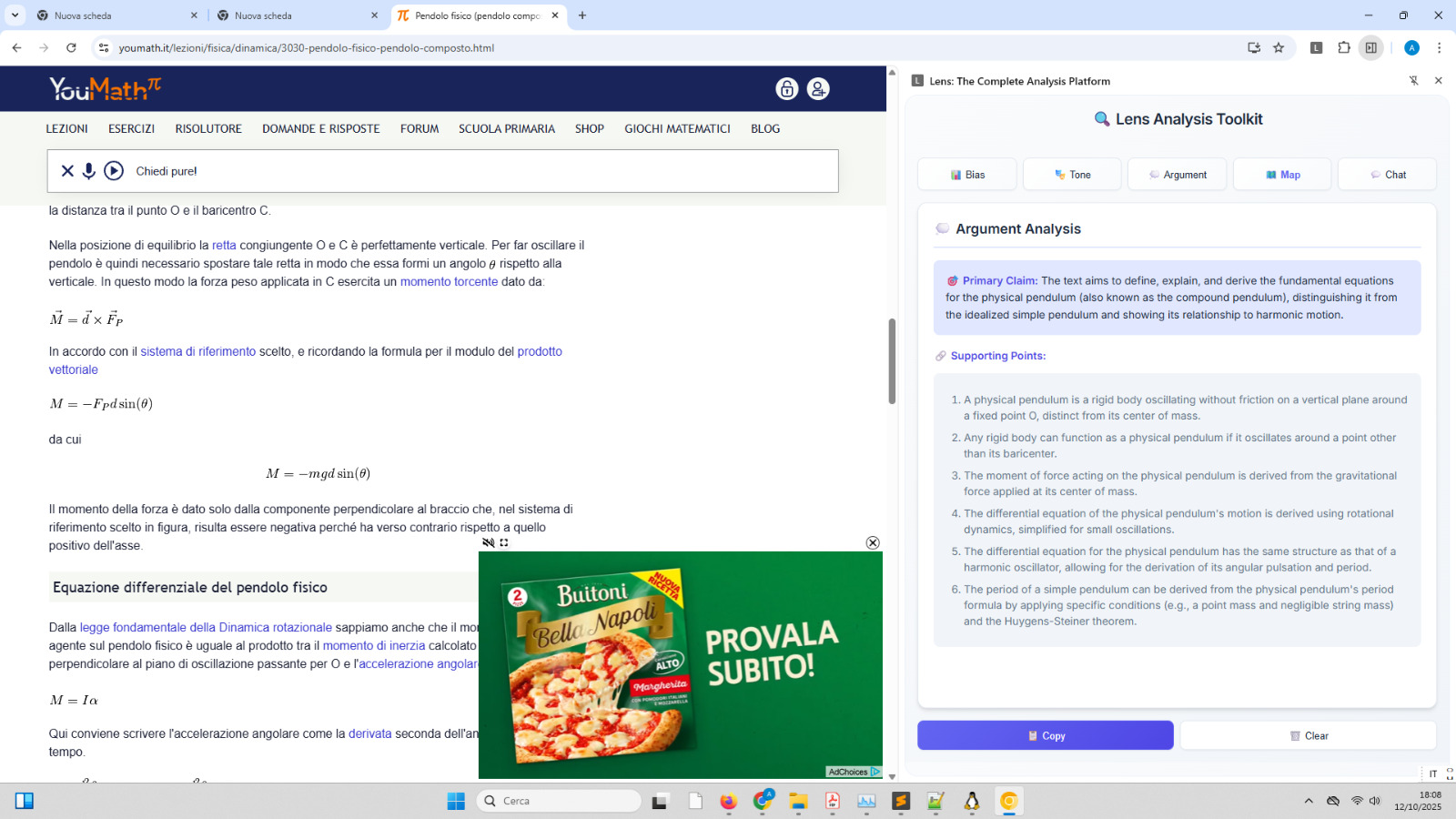
What it does : Lens is a Chrome extension that acts as an AI co-pilot for your browser. It adds a side panel that allows you to:
Analyze Any Webpage: With a single click, you can analyze any article for Bias, Tone, or Argument Structure. It can also generate a Conceptual Map to visualize the main ideas.

Perform In-Depth PDF Analysis: For long PDF documents, Lens has a special "Deep Analysis" mode. It intelligently breaks the document into smaller pieces, analyzes them in parallel, and then assembles a single, comprehensive report.
How we built it : I built this project as a modern Chrome Extension (Manifest V3) from the ground up.
Core Technologies: The foundation is pure HTML, CSS, and JavaScript.

AI Engine: The intelligence comes from the Google Gemini API, specifically using the powerful gemini-2.5-flash o pro model for its advanced reasoning capabilities.

PDF Processing: To handle PDFs, I integrated Mozilla's pdf.js library, which allows the extension to extract text directly in the browser.

Performance: To solve the issue of slow analysis on large documents, I re-architected the logic to use Promise.all, enabling the extension to make multiple API calls concurrently and dramatically reducing wait times.

Chat Logic: The "Chat with your PDF" feature works using a Retrieval-Augmented Generation (RAG) approach. I wrote a system that indexes the document into chunks and then, for each user question, finds the most relevant chunks to provide as context to the AI for an accurate, source-based answer.
Challenges we ran into : I built this project as a modern Chrome Extension (Manifest V3) from the ground up.
Core Technologies: The foundation is pure HTML, CSS, and JavaScript.

AI Engine: The intelligence comes from the Google Gemini API, specifically using the powerful gemini-2.5-flash o pro model for its advanced reasoning capabilities.

PDF Processing: To handle PDFs, I integrated Mozilla's pdf.js library, which allows the extension to extract text directly in the browser.

Performance: To solve the issue of slow analysis on large documents, I re-architected the logic to use Promise.all, enabling the extension to make multiple API calls concurrently and dramatically reducing wait times.

Chat Logic: The "Chat with your PDF" feature works using a Retrieval-Augmented Generation (RAG) approach. I wrote a system that indexes the document into chunks and then, for each user question, finds the most relevant chunks to provide as context to the AI for an accurate, source-based answer.
Accomplishments that we're proud of :I'm pleased to have managed to structure a project like this; I created several versions before having a product that I was somewhat satisfied with. I acknowledge that I used Google Gemini to help me structure the project and to help me with some constructs I wasn't familiar with.
I'm also pleased that it manages to extract the fundamental arguments almost as I intended, and I'm surprised I succeeded.
Like the Mermaird.js library, which I wasn't familiar with, and to help me structure some parts. Since I'm alone, I try to optimize everything I can use as much as possible.
What we learned : Chrome Extension Development: I learned the intricacies of Manifest V3, including its strict security policies and how to manage resources and permissions correctly.
Practical AI Implementation: I learned not just how to call an AI API, but how to engineer prompts for specific tasks (like language detection) and how to build a context-aware chat system (RAG) to ensure factual, source-based responses.
the Mermaid.js library, I learned to structure the code much better with javascript, I saw better how the asynchronous methods work that I had already seen in more depth with c# but I also learned to manage it with javascript
What's next for Lens: don't know, I just wanted to know if I could create an interesting project for this event.
Google Notebook probably already does the same thing, although there are some aspects I don't like, starting with the 200MB file size limit, which is a big limitation, and then how it gives answers.
Anyway, two things I'd like: when I give it a PDF file to read in a language, it can respond in the PDF's language instead of responding in the default language. Also, it should minimize the use of APIs for analysis calls and better structure the information it collects. It should also include a highlighter to mark the most important information (this is very easy, but I have too many projects to work on at the moment and I'm short on time).
Built With
- css
- google-gemini
- google-gemini-api
- html
- javascript
- mermaid.js

Log in or sign up for Devpost to join the conversation.