Inspiration
Our high school girls' FIRST LEGO League team embarked on an inspiring journey to master Python for Spike Prime 3 LEGO Robotics in preparation for their FIRST LEGO League competition. Transitioning from block coding to Python was no small feat — it tested their resilience and determination every step of the way. One student sought help from ChatGPT but the python code did not run, encountered issues with unsupported legacy and third-party libraries.
These young innovators dream of pushing boundaries, engaging with real-world robotics, and transforming their curiosity into meaningful exploration. As their robotics coach, I have had the privilege of witnessing their unwavering passion and commitment to STEM. The goal is to empower them with the tools, guidance, and opportunities they need to learn, explore, and innovate, helping them become confident creators in the world of technology.
These young, passionate learners are in need of an innovative approach to support their STEM education (science, technology, engineering and mathematics) that enables them to engage with tangible objects in the real world, enhancing their experience and igniting their curiosity.
What It Does
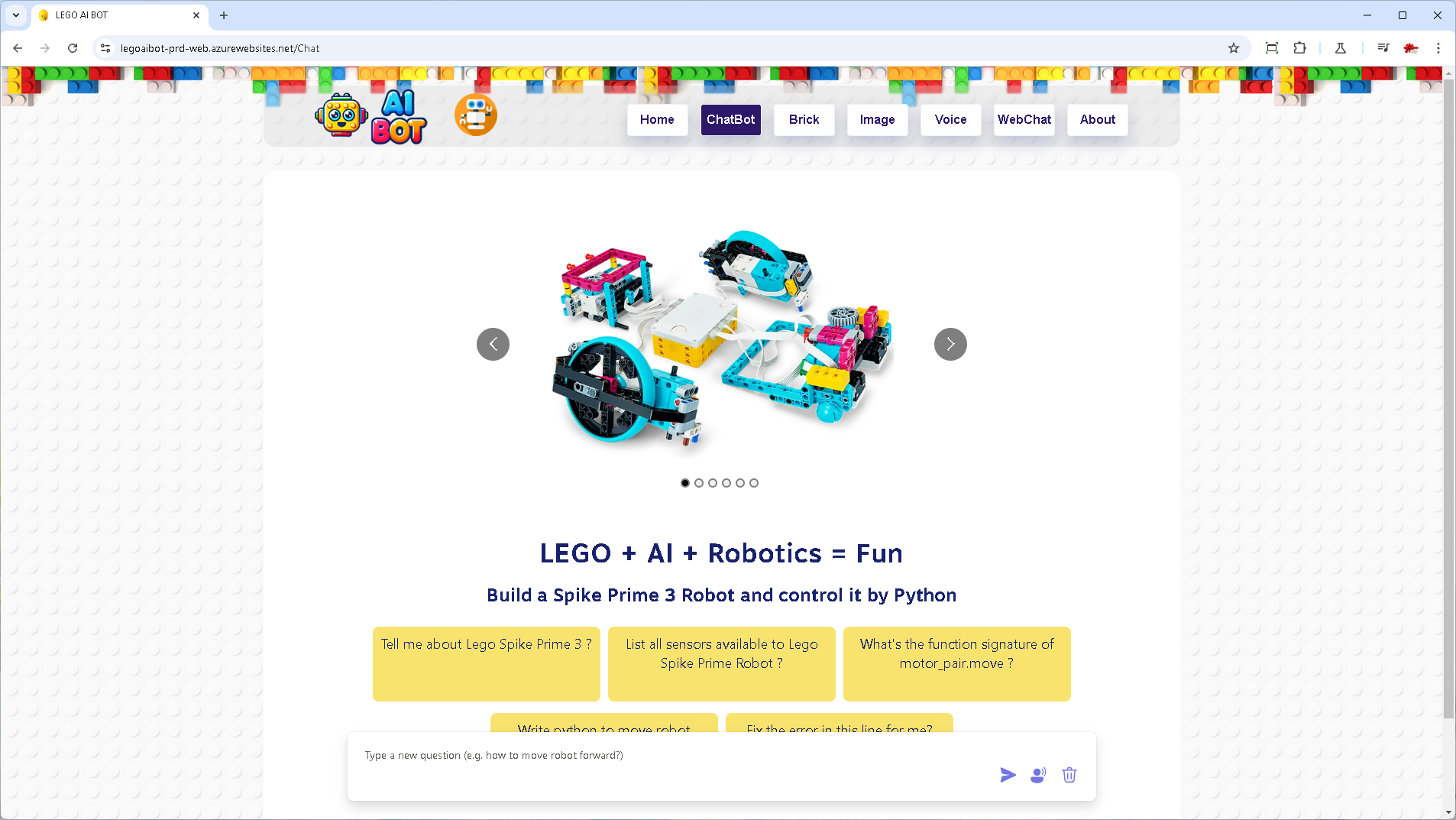
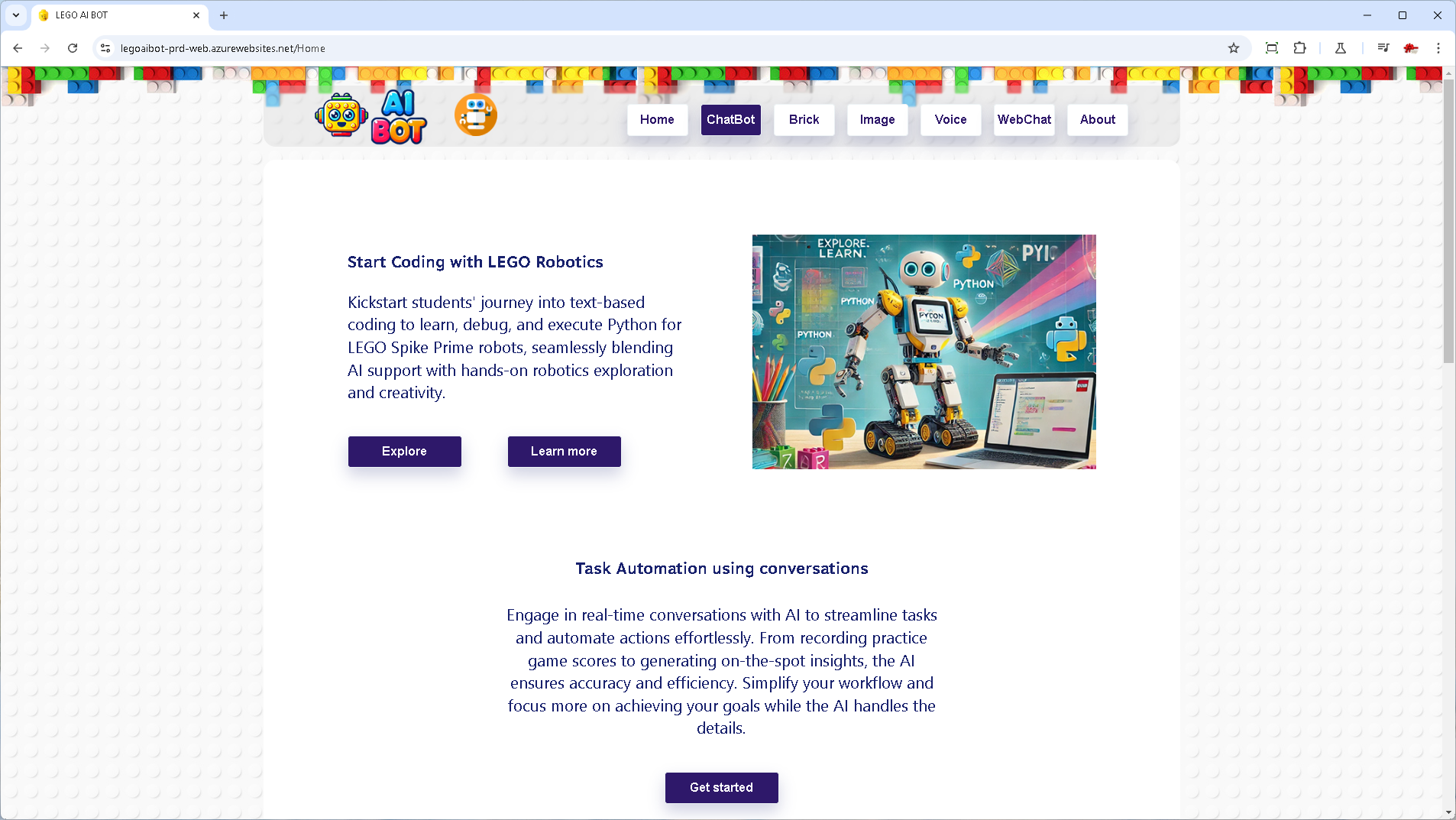
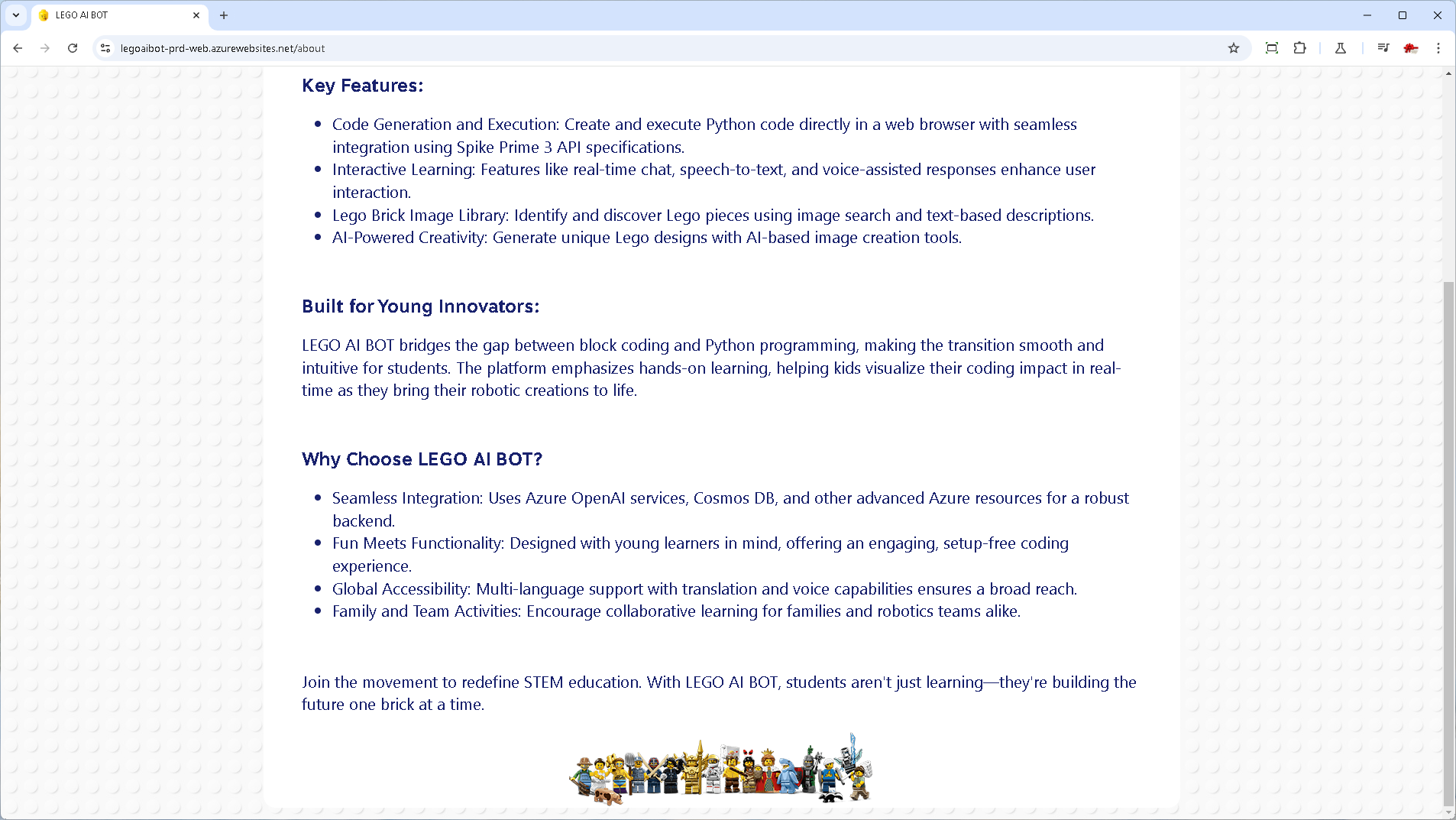
LEGO AI BOT brings together LEGO, AI, and robotics to create an innovative educational app that inspires the next generation of engineers. It helps students learn Python while interacting with their robots in real-time, making coding both fun and impactful.
For Learning & Coding
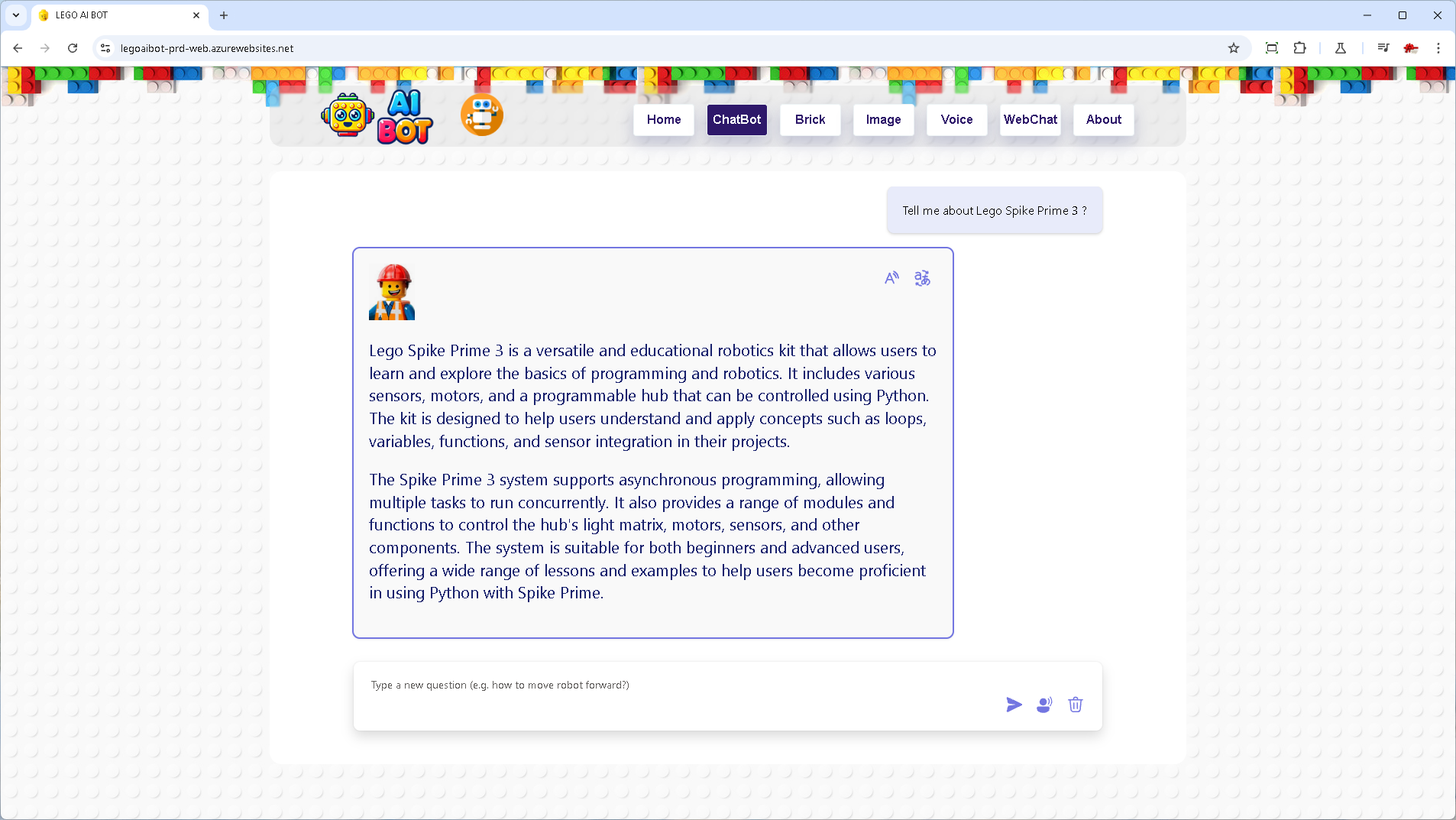
- Knowledge Chatbot: Explore FIRST LEGO League documents and wiki for the competition season.
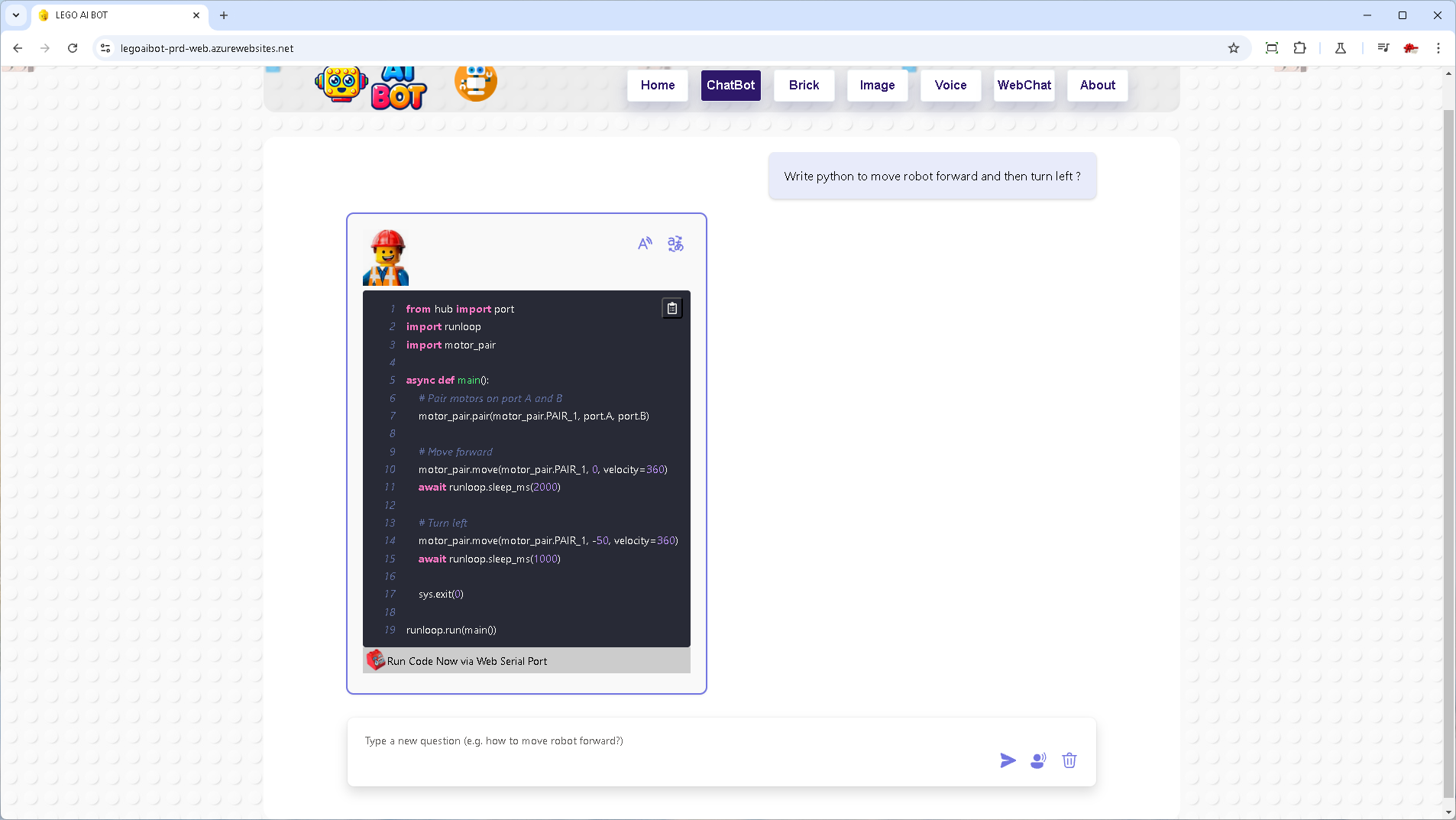
- Coding Chatbot: Learn and develop Python code for robotics with syntax-highlighting.
- Spike Prime API Chatbot: Access knowledge base for Spike Prime Python APIs to better understand and implement robot functionality.
For Robotics Integration
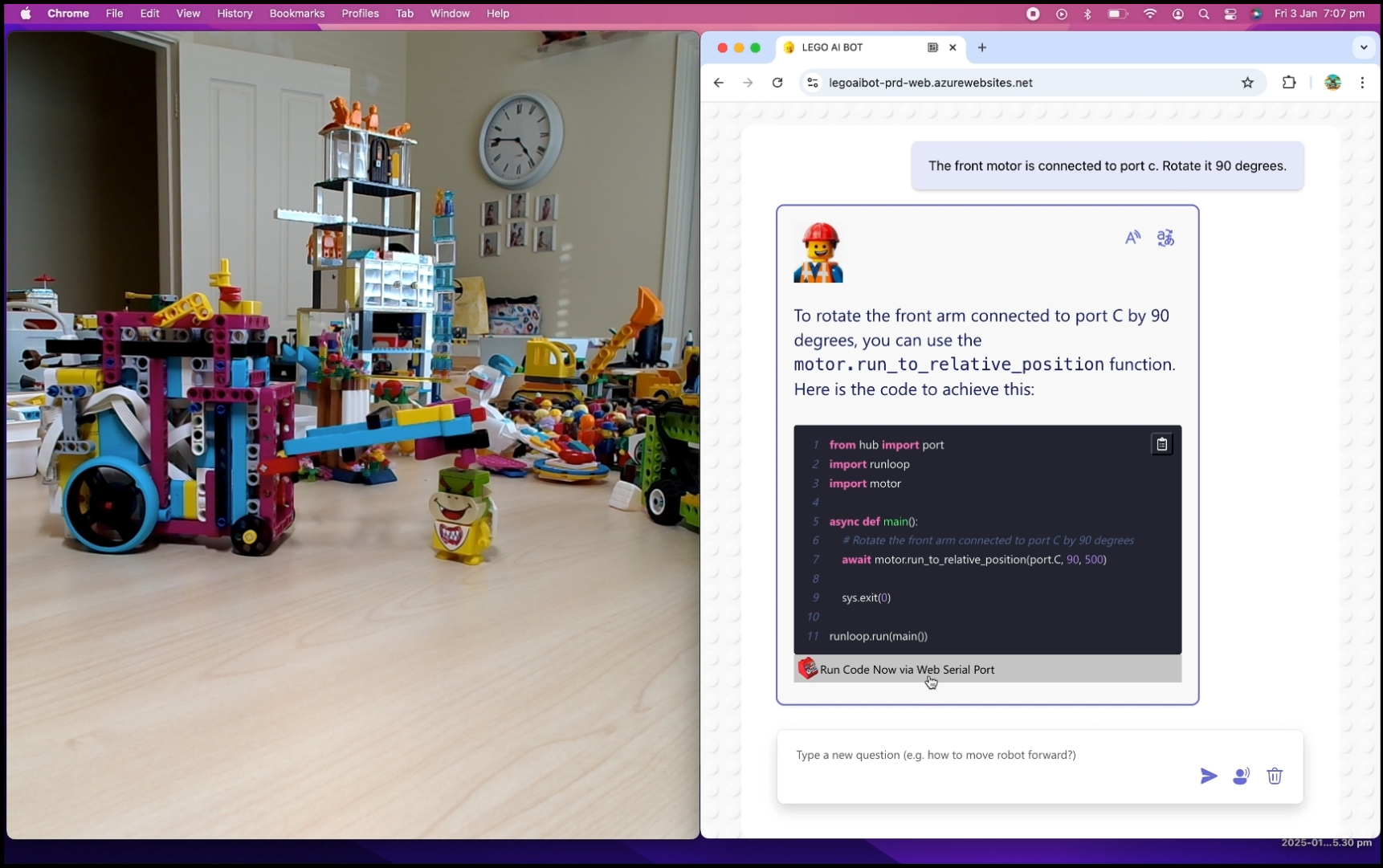
- Spike Prime Integration: Write and execute Python code directly from the web browser for seamless control of the LEGO Spike Prime robot.
- Spike Prime Debugging: View detailed error logs to troubleshoot and refine robotics programs.
- Web Serial Port Integration: Connect directly to LEGO Spike Prime hubs for real-time robot control and feedback.
For LEGO Enthusiasts
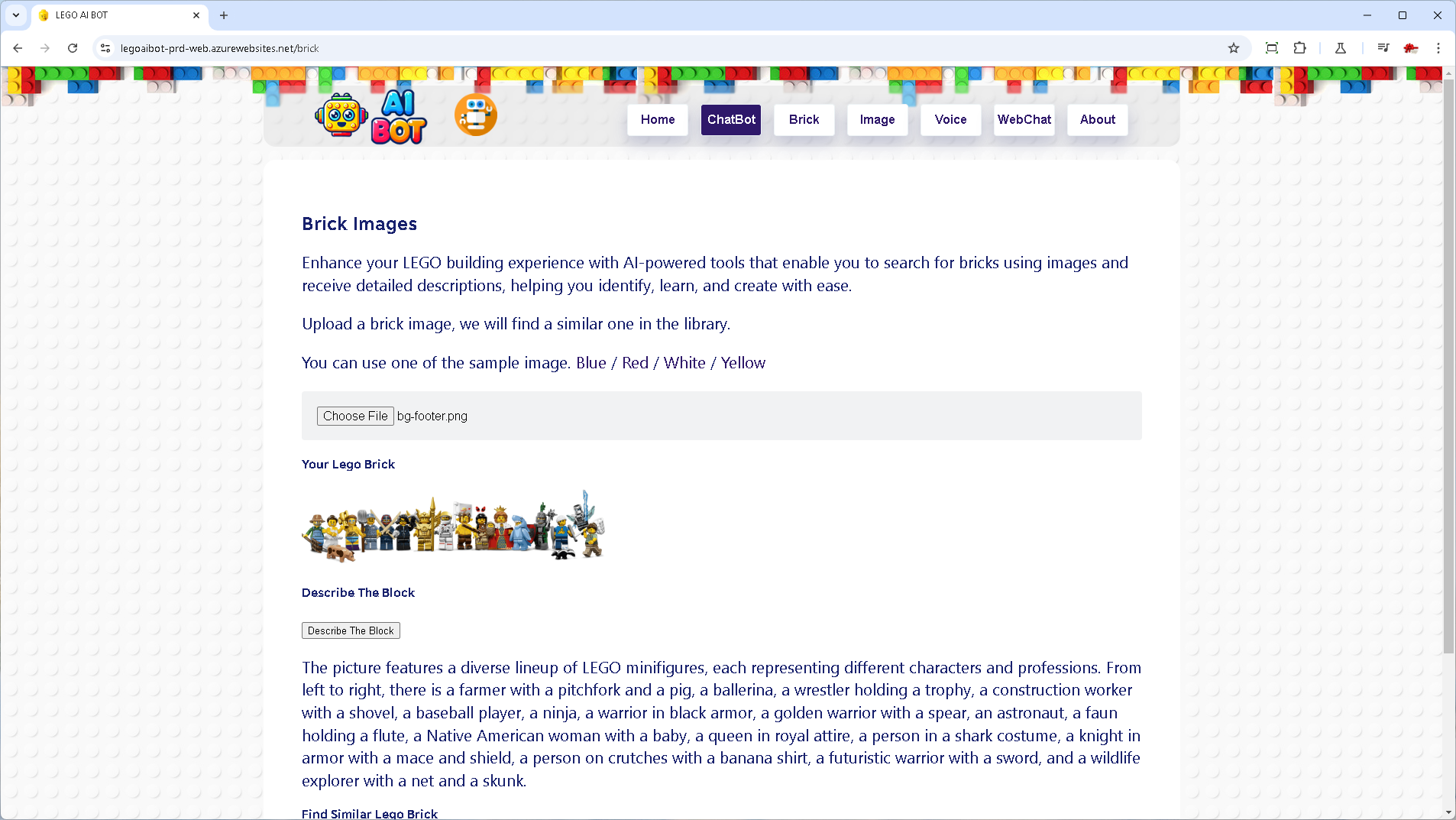
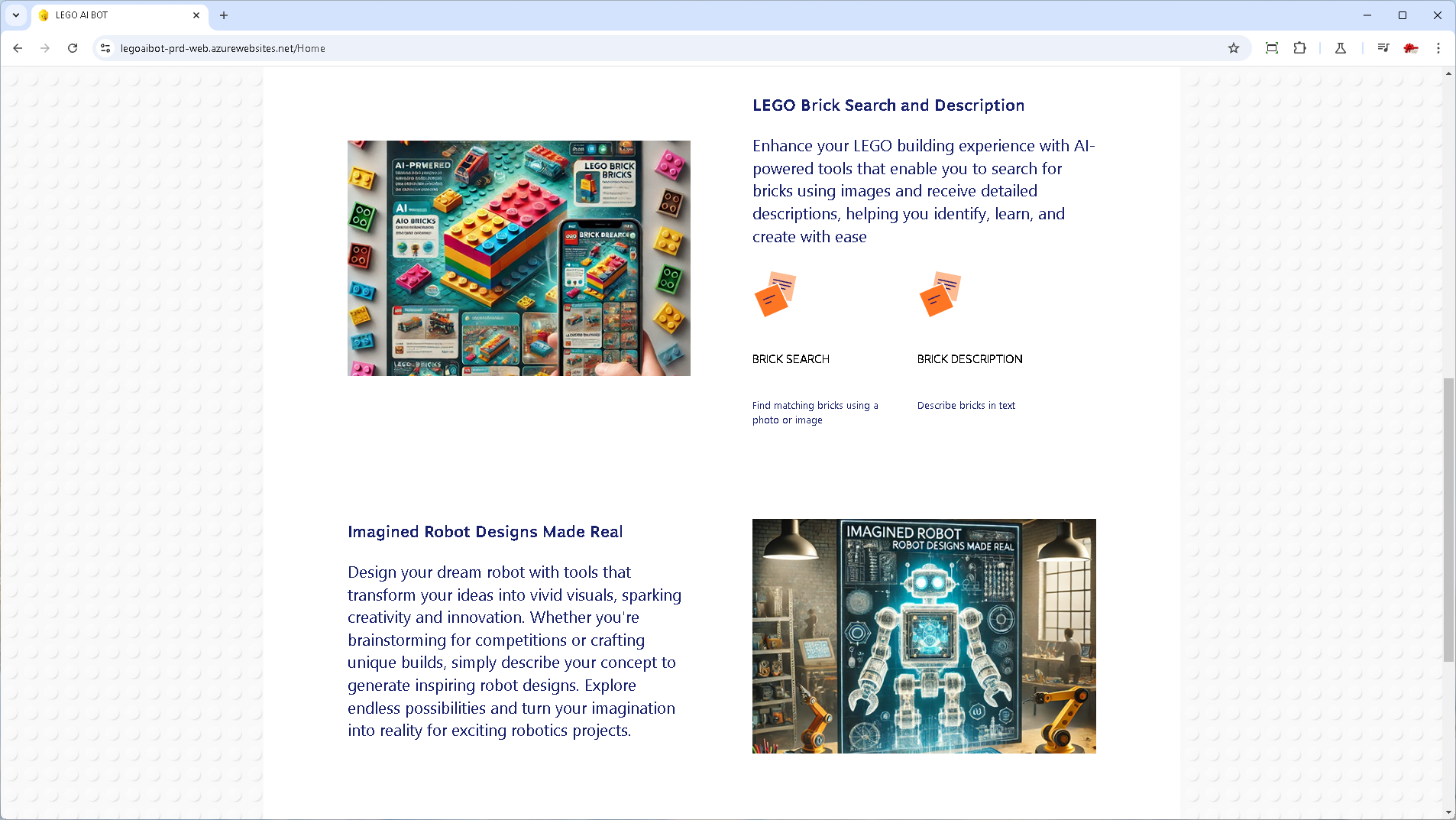
- Brick Identification & Search: Upload an image to find similar LEGO bricks with AI-powered search.
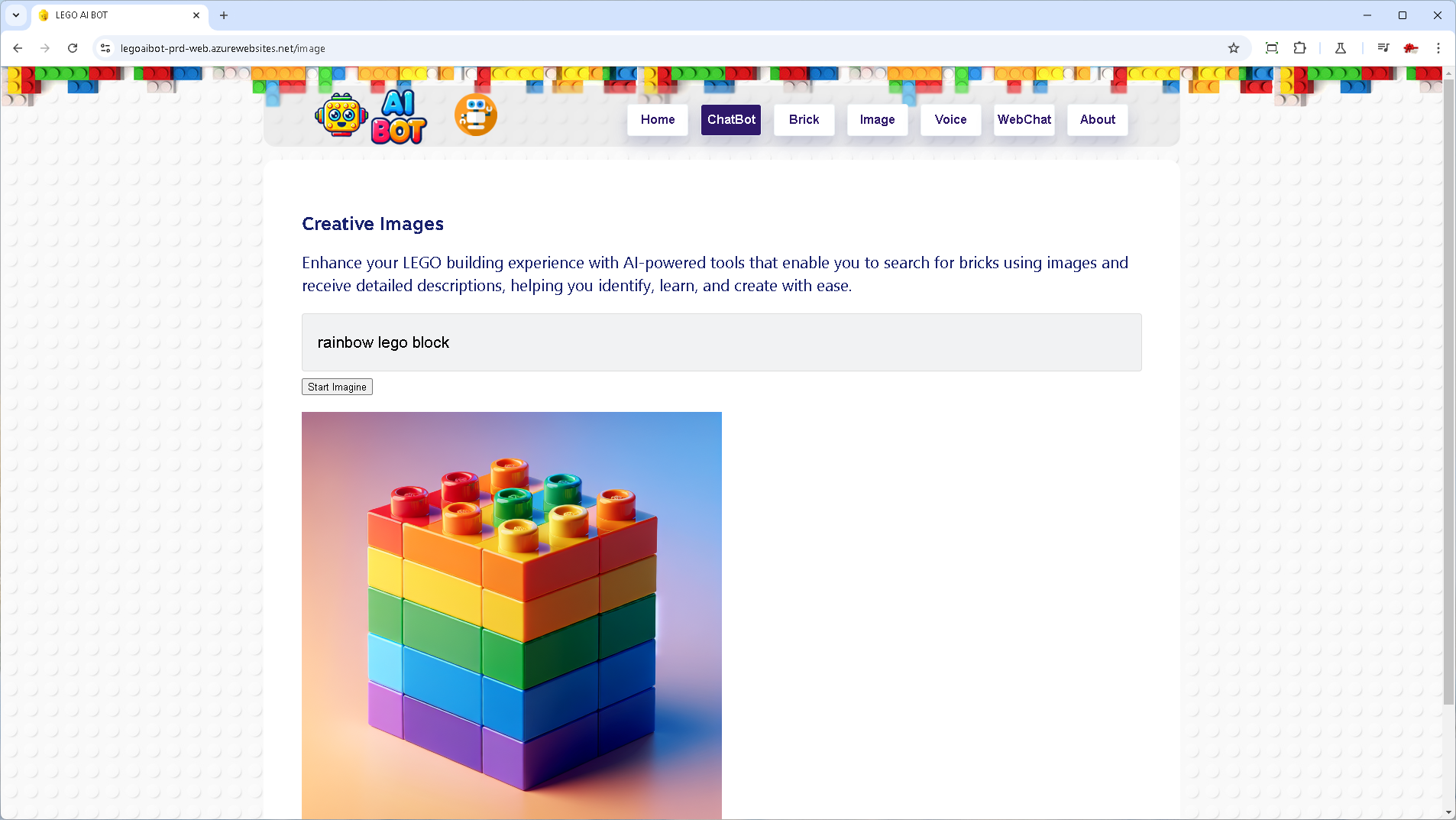
- Image Generation: Get creative ideas for LEGO projects through AI-generated images.
- Image Description: Receive detailed descriptions of uploaded LEGO images to enhance understanding and inspiration.
Interactive Features
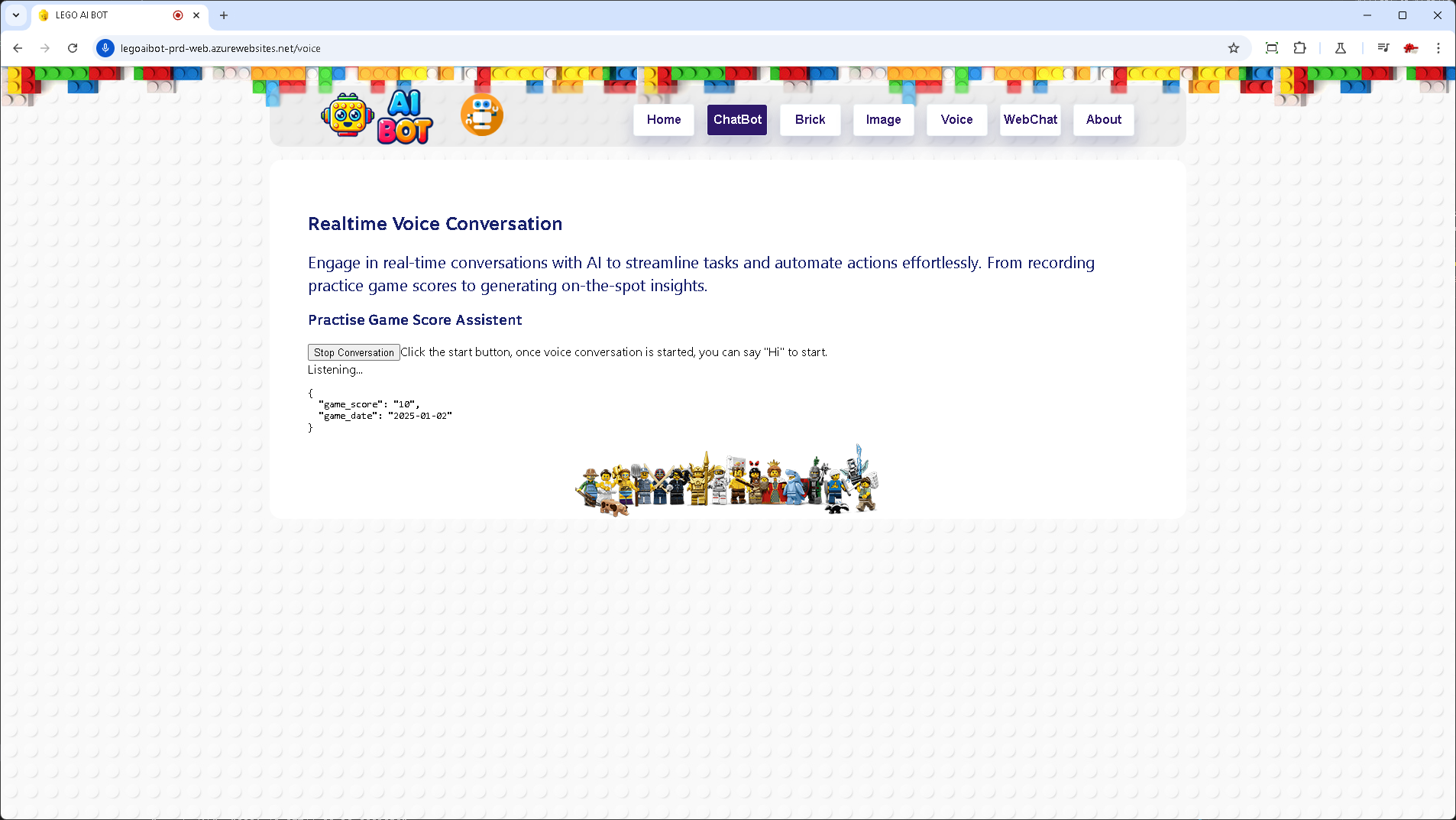
- Real-Time Conversation: Live conversation with a large language model (LLM) to perform tasks.
- Speech Support: Speech to text and text to speech, enabling typing-free interactions.
- Translation: Translate chats into multiple languages.
Safety & Collaboration
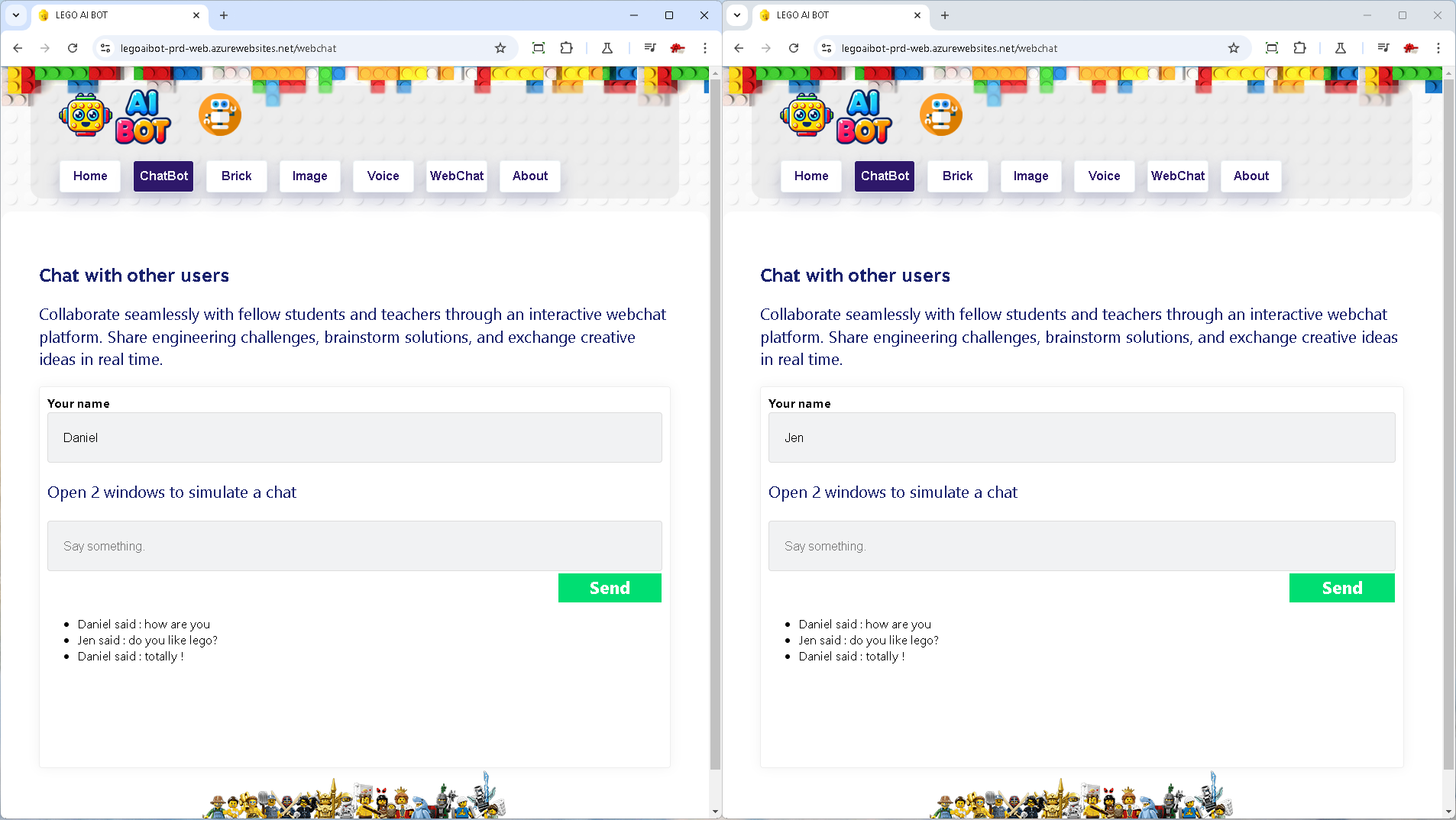
- User Chat: Communicate safely with built-in content safety tools, fostering collaborative.
With these powerful capabilities, LEGO AI BOT transforms coding into a hands-on, engaging, and educational adventure for young learners, blending creativity, robotics, and AI into a fun and effective learning tool.
How We Built It
We started with reviewing feedback from our team and other coaches for the previous version developed in June. To improve it, we spent a few days exploring updates from Microsoft Ignite and GitHub Copilot to understand how AI tools have evolved over the last six months.
This time, GitHub Copilot was a game-changer. It helped us speed up development by generating boilerplate code, fixing bugs, and suggesting improvements. For a single-developer team, this support was invaluable!
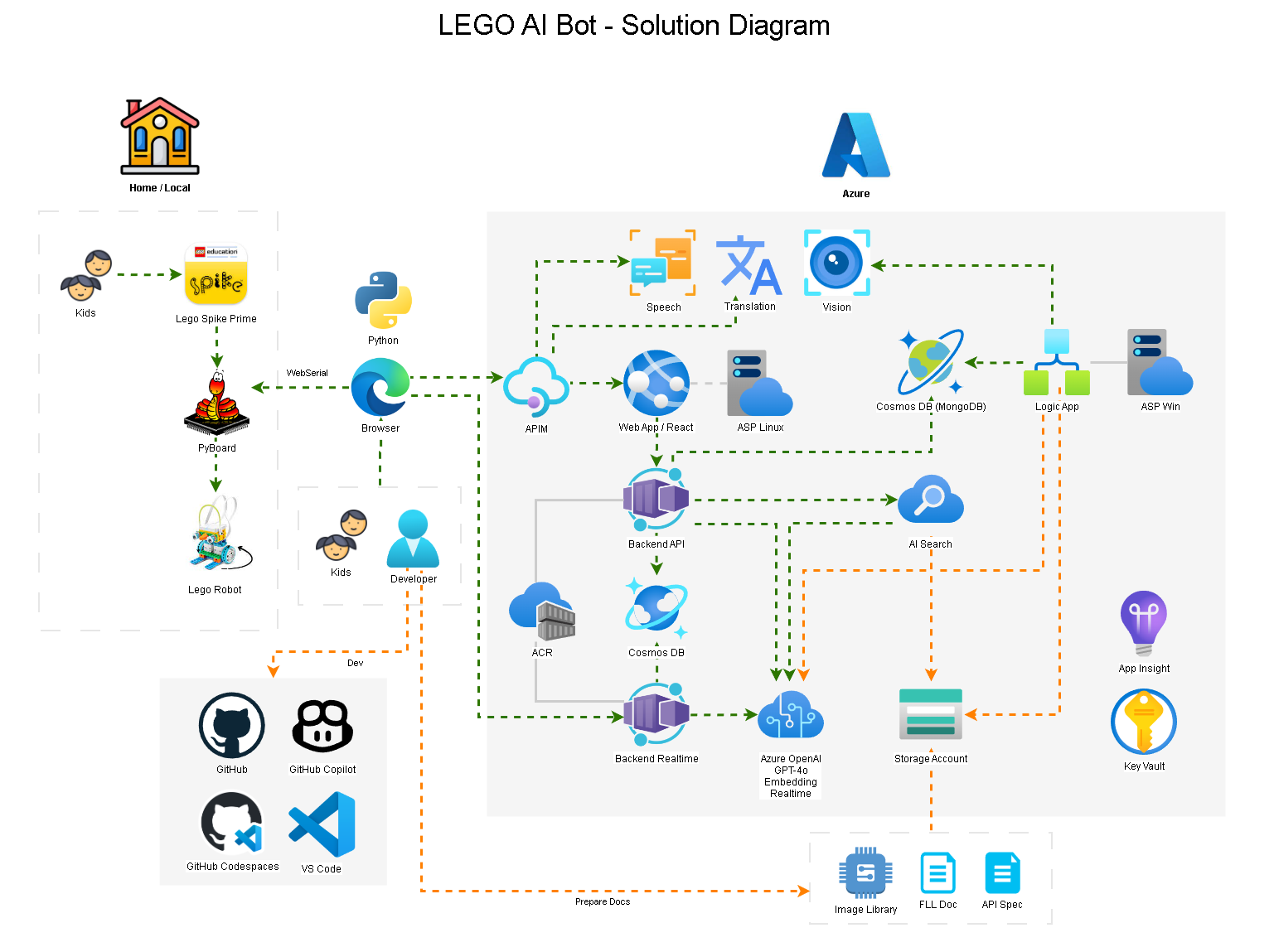
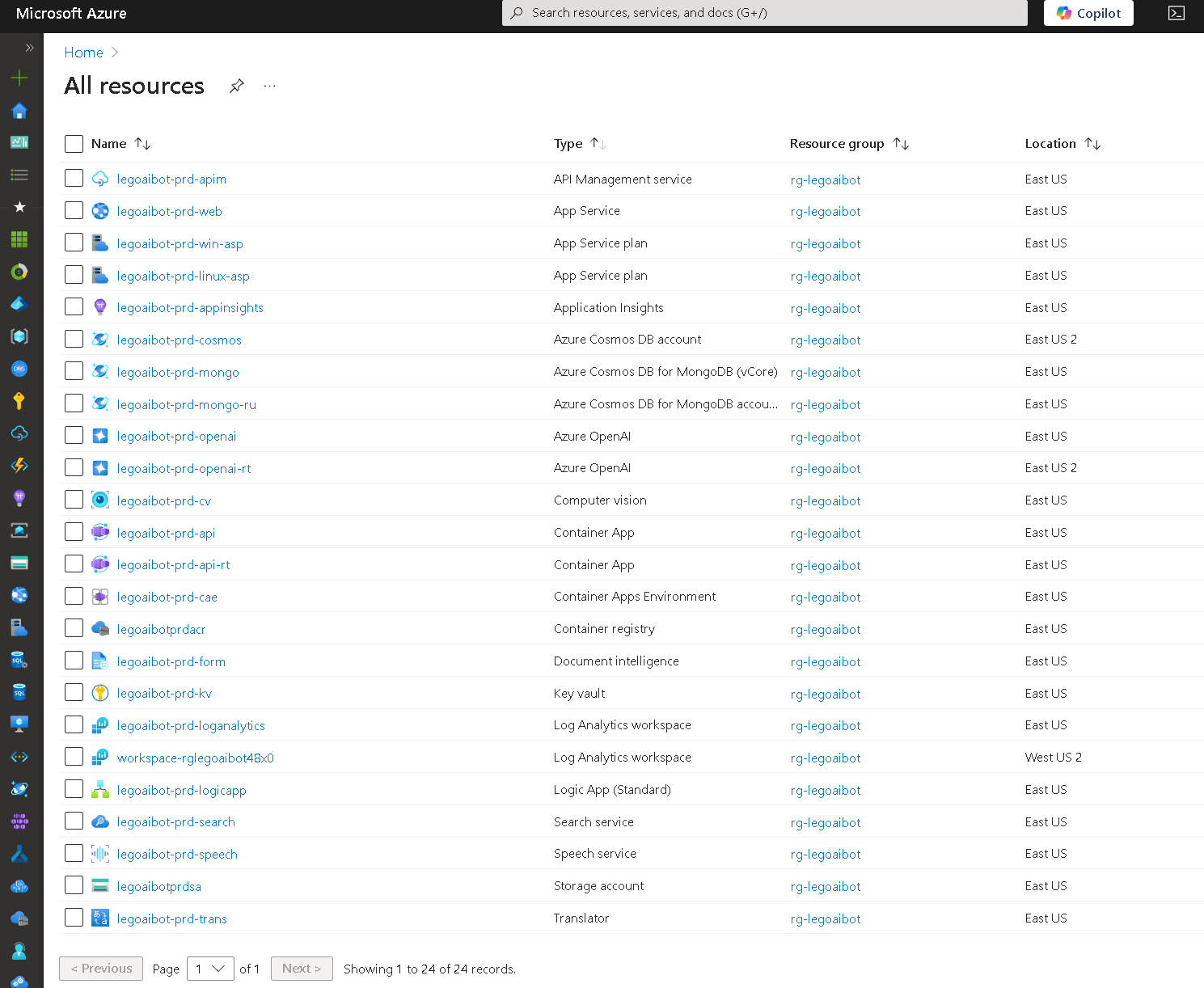
We redesigned and restructure the app this time, incorporating a range of Azure services and AI frameworks to make it more powerful and user-friendly. These services include App Service, Logic App, APIM, Container App, Cosmos DB, ACR, Speech Service, Computer Vision, Translation Service and Azure OpenAI services. Together, these services helped us build an app that is both accessible and engaging for young learners.
Planning
- Gathered feedback from students and coaches.
- Reviewed the wish list from the previous version.
- Prioritized and decided on feasible updates.
- Worked out what copilot can help with time and resource constraints
Design & Architecture
- Frontend: Improve the web UI/UX and added real-time conversation support.
- Backend: Use APIM for orchestration and Container Apps for backend logic.
- Integration: Leveraged Logic Apps for document ingestion and AI search for vector search.
- LLM Features: Integrated RAG and LangChain tools/functions.
- AI Services: Use speech, vision, and translation capabilities.
Development
- Use GitHub Copilot in VS Code and Codespaces throughout the development process:
- Scaffold project structure.
- Use infrastructure as code (IaC) for deployments.
- Generate test cases.
- Create detailed documentation.
- Debug and fix coding issues.
- Refactor and optimize existing code.
- Explain unfamiliar SDKs and concepts.
- Explore other GitHub repositories for reference.
- Built out Azure resources.
- Set up data stores and ingested data.
- Develop backend APIs, orchestration, and integrations.
- API orchestration via APIM and connect them with Azure services.
- Design and implement integration logics.
- Enhance UI/UX.
- Test and reiterate for improvements.
Deployment
- Provisioned resources automatically using IaC tools.
- Deployed app code and APIs with scripts.
- Set up CI/CD for deployment.
- Monitored performance and resolved issues.
Integration
- Managed API endpoints through Azure API Gateway.
- Deployed scalable backend services using Container Apps.
- Automated testing and deployment.
This structured approach, combined with GitHub Copilot and Azure services, helped us create a robust and engaging app that simplifies coding for young learners.
Challenges We Ran Into
Building the LEGO AI BOT came with its own set of challenges. Unlike regular apps, this one doesn't just work on screens—it controls real-world objects. Plus, it's designed for kids, so it had to be both technically precise and super easy to use. The goal was to make it fun, intuitive, and kid-friendly while still being powerful.
- Limited Time and Resources: As a one-person team, time constraints were significant, but the AI coding assistant proved to be an invaluable ally.
- Prompt Engineering: Crafting effective prompts to generate accurate and relevant responses was a constant learning process.
- Building a Specific Knowledge Base: Curating an accurate Spike Prime API knowledge base without relying on legacy or third-party libraries was critical to ensure precision.
- Hardware Integration: Addressing compatibility issues with the web serial port to enable direct robot control through browsers.
- Data Engineering: Prepare and clean up various data sources and ingest them.
- Cost Management: Optimizing expenses associated with AI and cloud services to stay within budget.
- Real-Time Feedback: Ensuring the chatbot could produce executable Python code with minimal errors for a seamless user experience.
- Diverse Technology Stack: Mastering a wide range of technologies, including LangChain, OpenAI, React, Python SDKs, and infrastructure as code (IaC).
- Accurate Code Generation: Developing a chatbot capable of generating Python code that works directly on the robot without manual adjustments.
- Complex Browser Integration: Overcoming challenges in integrating the web serial port for seamless browser-based communication with hardware.
- Code Snippet Libraries: Building a library of Python code snippets for various robot actions to support the language model.
- LLM Development and Refinement: Learning and applying techniques such as RAG (Retrieval-Augmented Generation), LangChain, and OpenAI to enhance the chatbot.
- Advanced Vector Search: text and image vector searches, while addressing challenges in query performance and system consistency.
- Library Compatibility: Managing inconsistencies between Python and Node.js libraries to ensure a smooth development experience.
Accomplishments That We're Proud Of
We achieved remarkable progress, delivering key features and improvements that elevate the app's performance and usability:
- Maximized GitHub Copilot Features: Explored and leveraged GitHub Copilot to accelerate development and boost productivity.
- Extensive Azure Integration: Implemented a diverse range of Azure and AI services to power the app's capabilities.
- Real-Time Interaction and Tools: Enabled seamless real-time conversation support and tools integration.
- Chatbot Knowledge Base: Developed a chatbot that capable of generating and explaining Python code tailored for Spike Prime robots.
- Browser-Based Execution: Direct execution of Python code within a web browser for a streamlined user experience.
- Enhanced Interactivity: Integrated advanced features like speech-to-text, text-to-speech, and real-time chat to improve user engagement.
- Innovative Image Processing: Created tools to identify LEGO bricks from images and generate creative new designs.
- Scalable and Maintainable Infrastructure: Built a robust, scalable architecture leveraging Azure resources to support future growth.
- Integration and Orchestration Layer: Designed a flexible framework to support expansion and seamless integration.
- Refined User Interface: Delivered a polished frontend with a better-structured and more visually appealing app design.
What We Learned
Throughout the development process, we gained below invaluable insights and skills:
- Building Real-World Interaction: Mastered the challenges of integrating hardware with software, enabling control of physical objects through browser APIs via Web Serial Port.
- End-to-End AI App Development: Designed and refined a modern AI application from concept to deployment.
- Accelerating Development with Copilot: Leveraged GitHub Copilot to expedite learning and streamline various coding and development tasks.
- Developing a frontend: Built a robust Single Page Application (SPA) using React and TypeScript.
- Mastering Azure AI Services: Acquired in-depth knowledge of Azure AI services for diverse functionalities.
- Data Scientist Practices: Created a comprehensive knowledge base to enhance language model accuracy and improve chatbot relevance.
- Streamlined Workflow: Implemented efficient development and deployment pipelines to save time and resources.
- Exploring OpenAI with Azure: Integrated LangChain RAG models with Azure OpenAI services (GPT-4o) for better responses.
- Advanced Image Processing: Applied image vector searching using Azure AI Search and Computer Vision for precise results.
- Seamless Speech and Translation Integration: Integrated Azure Speech and Translation Services for enhanced user interaction.
What's Next for LEGO AI BOT
We have confidence in the app and its ability to become a transformative tool for young learners delving into coding and robotics. Here's what's next on our roadmap:
- Incorporate Student Feedback: Collaborate with educators and students to refine and enhance the app based on real-world classroom experiences.
- Wider Adoption and Growth: Strive to reach more students globally, making learning fun and accessible to a larger audience.
- Expanded Code Libraries: Introduce a richer collection of code snippets and templates to simplify complex tasks.
- Advanced Image Recognition: Enhance LEGO brick recognition by integrating 3D models for greater accuracy and usability.
- AI-Powered Strategy Suggestions: Leverage LLMs to generate strategic insights for robot competitions, such as optimized navigation routes.
- Wireless Connectivity: Transition from USB to Bluetooth communication for seamless and convenient operation.
Built With
- appservice
- azure
- azure-ai-search
- azure-ai-services
- azure-apim
- azure-container-registry
- azure-keyvault
- azure-openai
- bicep
- codespaces
- containerapp
- cosmosdb
- dalle
- docker
- embedding
- github-copilot
- gpt-4o
- javascript
- langchain
- logicapp
- node.js
- powershell
- python
- react
- swagger
- typescript
- yaml

Log in or sign up for Devpost to join the conversation.