Inspiration
We wanted to try programming a Lego robot in Python with sensors as a new challenge. We have only worked in the blocks-style programming it is usually programmed with. The Lego robot is fun and quite capable.
What it does
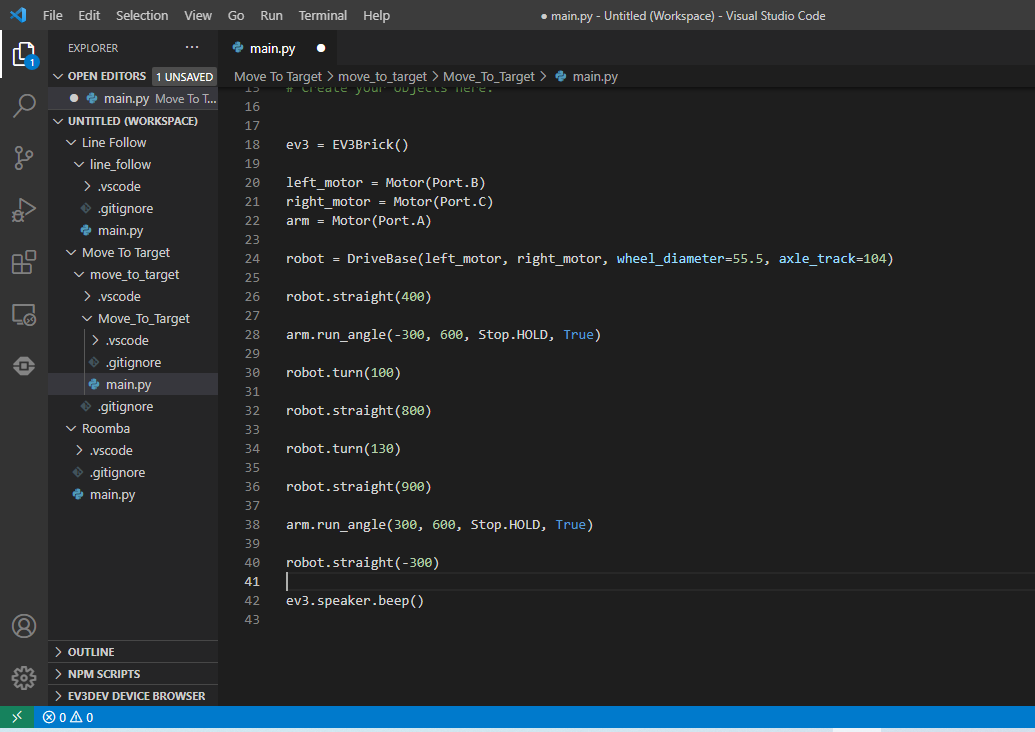
There are three complete programs. The first one programs an infrared sensor that measures distance. When it senses the robot is close to a wall, the robot stops, backs up, turns, and goes in a different direction. We call that our Roomba program. The second program has the robot follow a black line on a mat with a color sensor. The third program is more of a mechanical challenge, directing the robot to move an object (a block) to a desired location.
How we built it
Third-party developers have created some of the Python extensions to add to Visual Studio Code, which is featured on the Lego Education website. We had to install all the software and extensions. Once we started programming, there was some introductory code, but we edited and built from there. We had to do a lot of testing and debugging because the robot often did not behave as expected. (The Lego robot we used had been built into a forklift design before we started the hackathon.)
Challenges we ran into
The first challenge we ran into was incorrectly flashing an SD-card with the software. That deleted contents from a very important flash drive with homework and pictures. Lesson learned to be careful about flashing USB drives. When coding, there are always programming challenges. We have to test our code on the robot, and sometimes it would not move at all as intended. We had to adjust speed, times, and make sure correct functions were being used. It took a long time to work on the "move_to_target" challenge, more than expected, in trying to have our robot precisely capture the block and move it around the field following our constraints. We had hoped to add a few more programs but are happy we finished these three relatively successfully.
Accomplishments that we're proud of
We are thankful to have tried programming a robot in a new language, Python, and it shows sensor technology that we see in things like a Roomba.
What we learned
We do not have much experience using Python, so the whole experience was pretty new. We have worked with robotics but not programming in this language.
What's next for Lego Robot in Python
What's next for us would be to learn how to create a menu to make the programs easier to navigate on the robot interface and maybe combine programs together more seamlessly. We will also share this knowledge with others.
Built With
- python-lego-ev3
- visual-studio-code


Log in or sign up for Devpost to join the conversation.