-
-
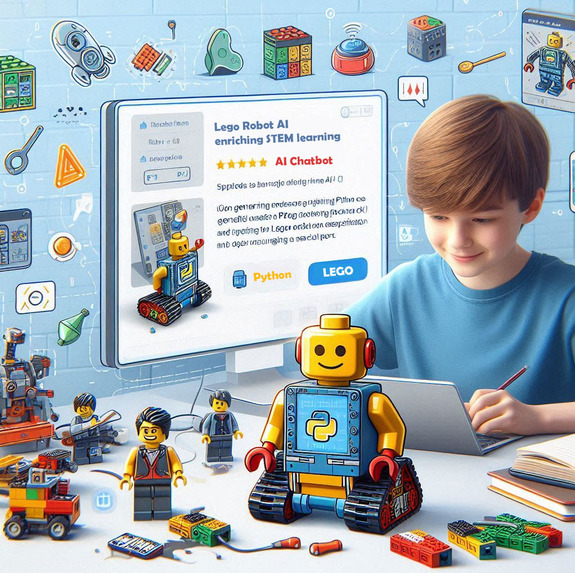
Innovative approach to support STEM education
-
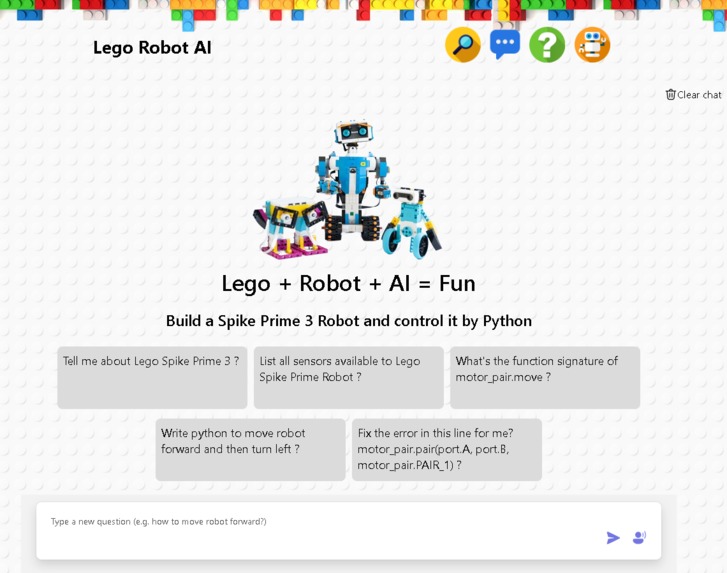
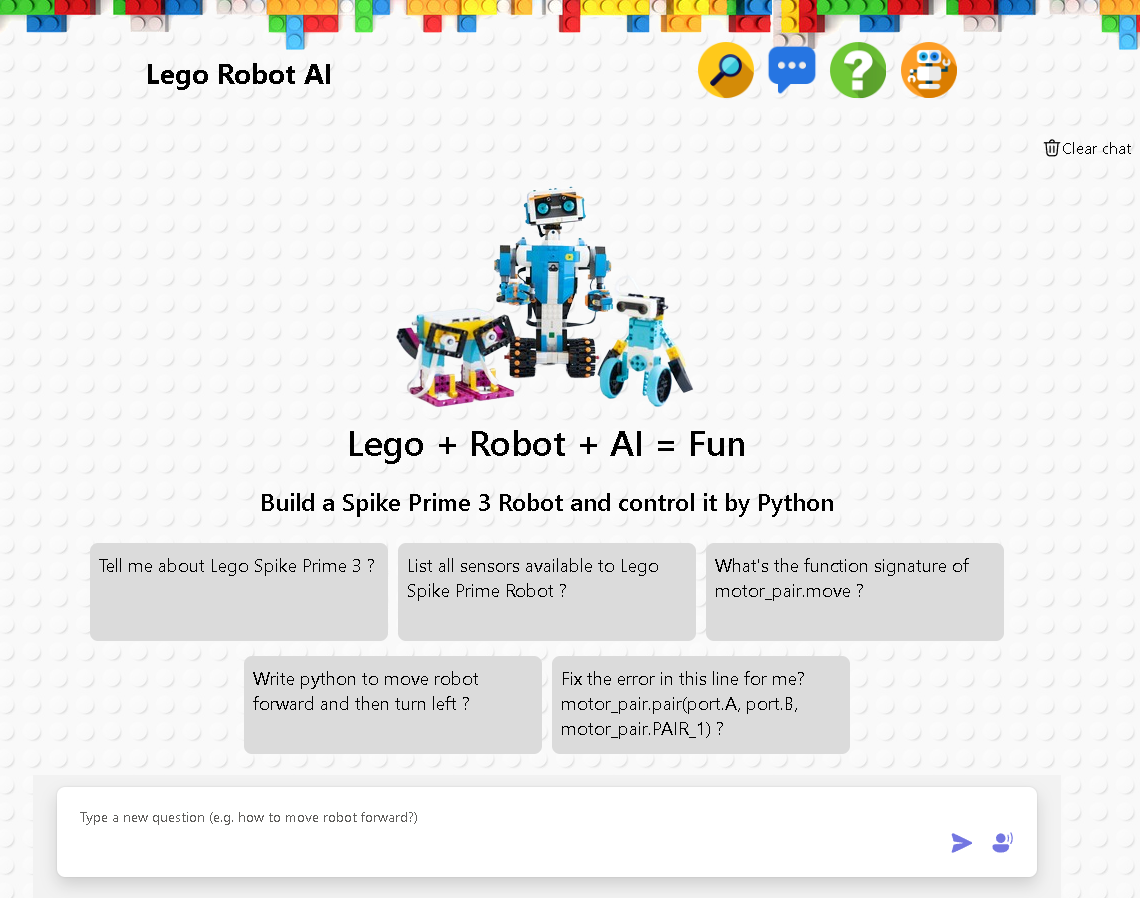
Build a Spike Prime Lego Robot and control it by Python
-
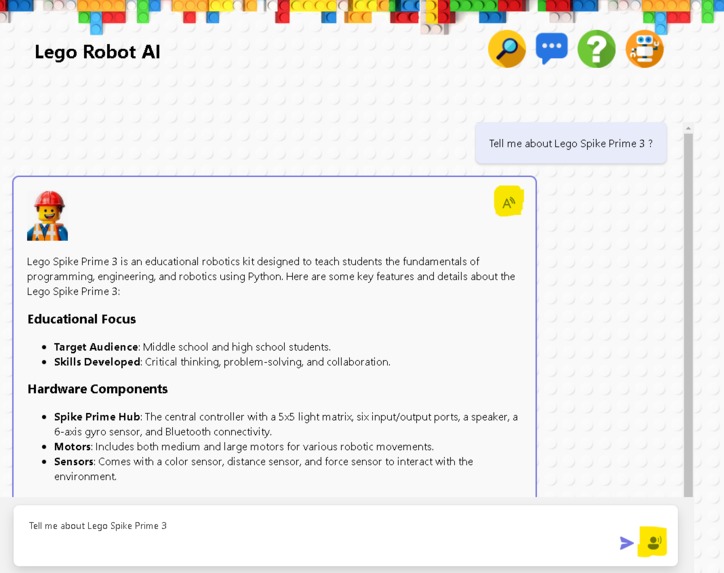
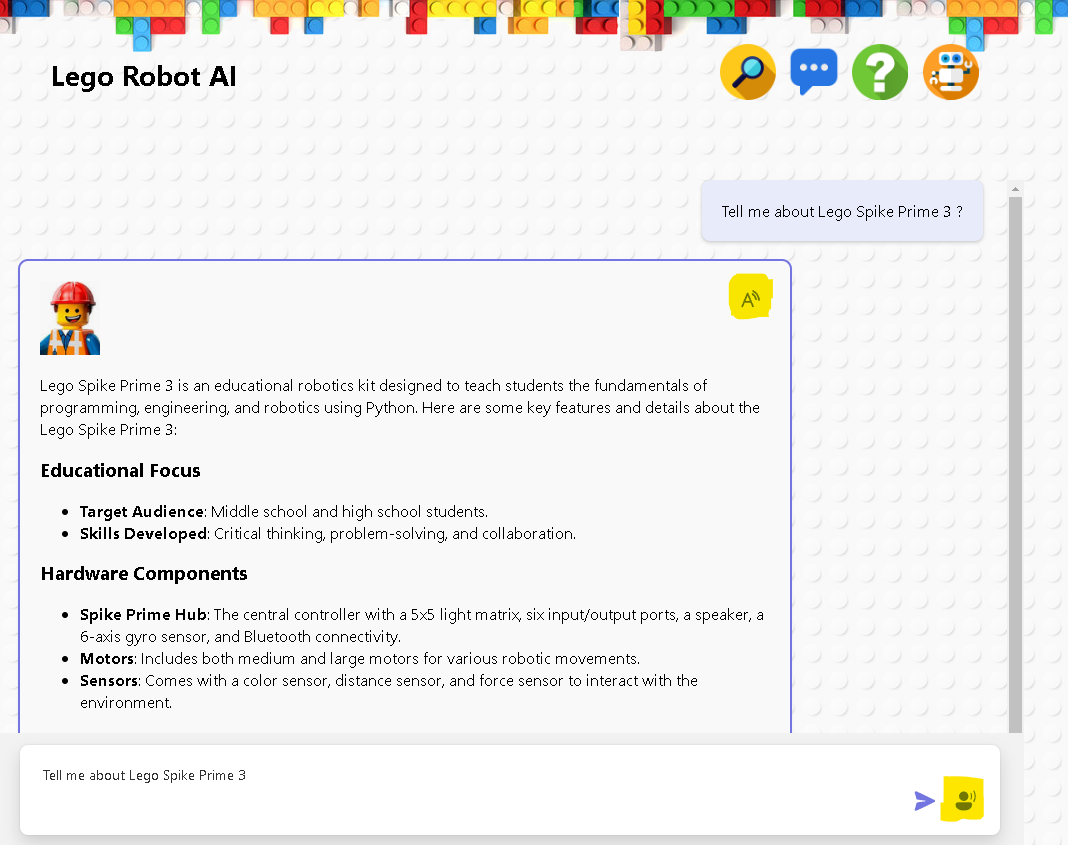
Chatbot function with voice and speech support
-
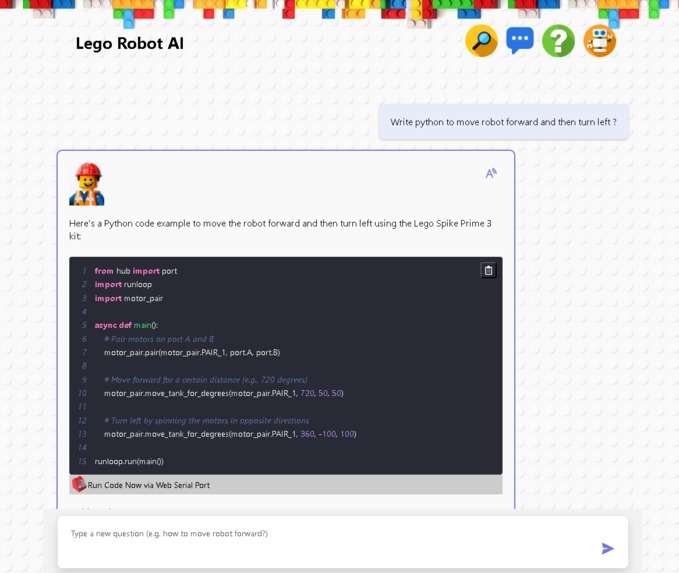
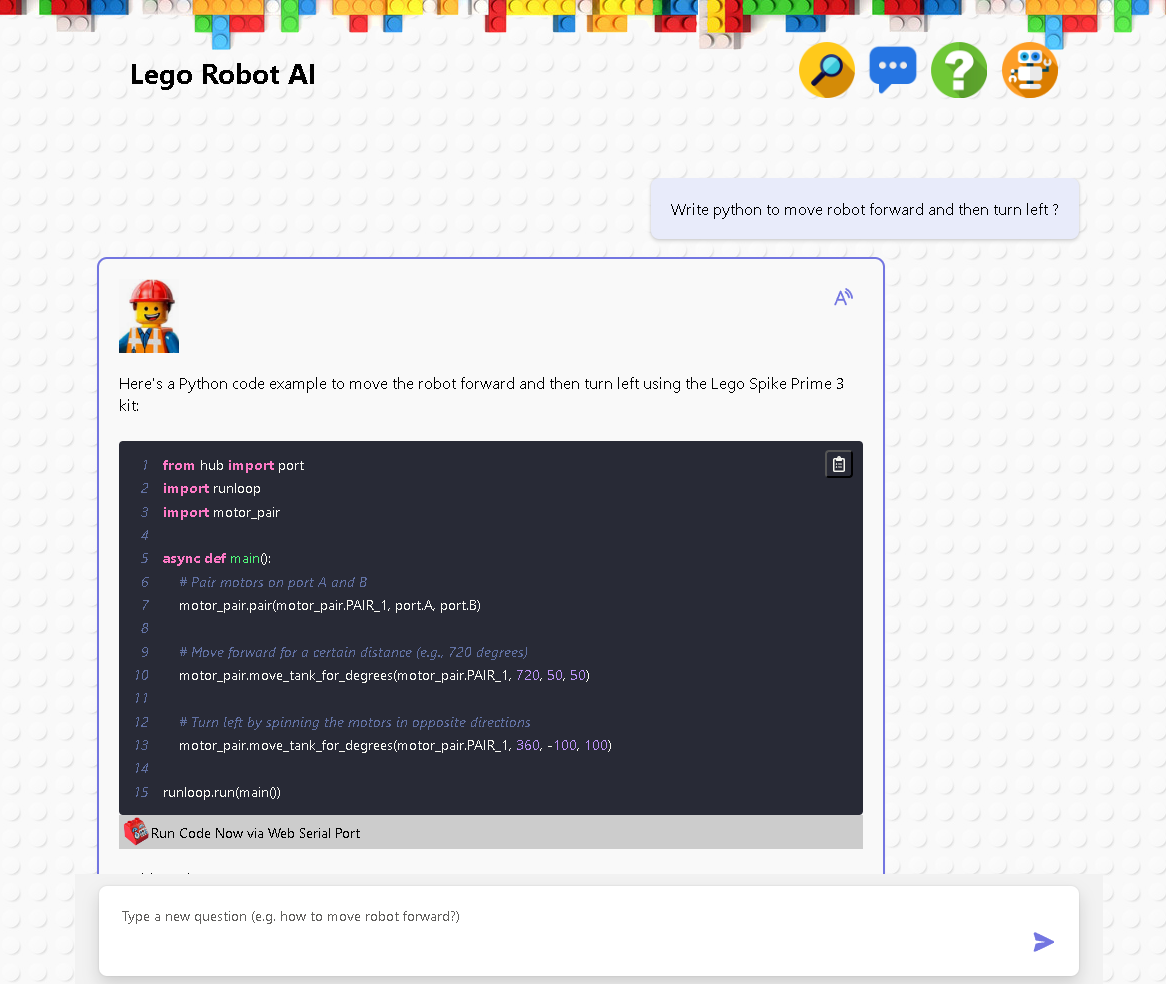
Understand Spike Prime python syntax and API knowledge base
-
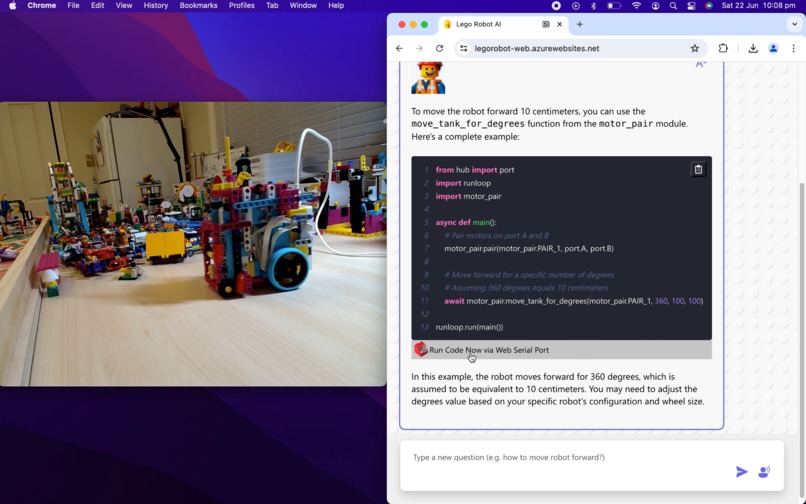
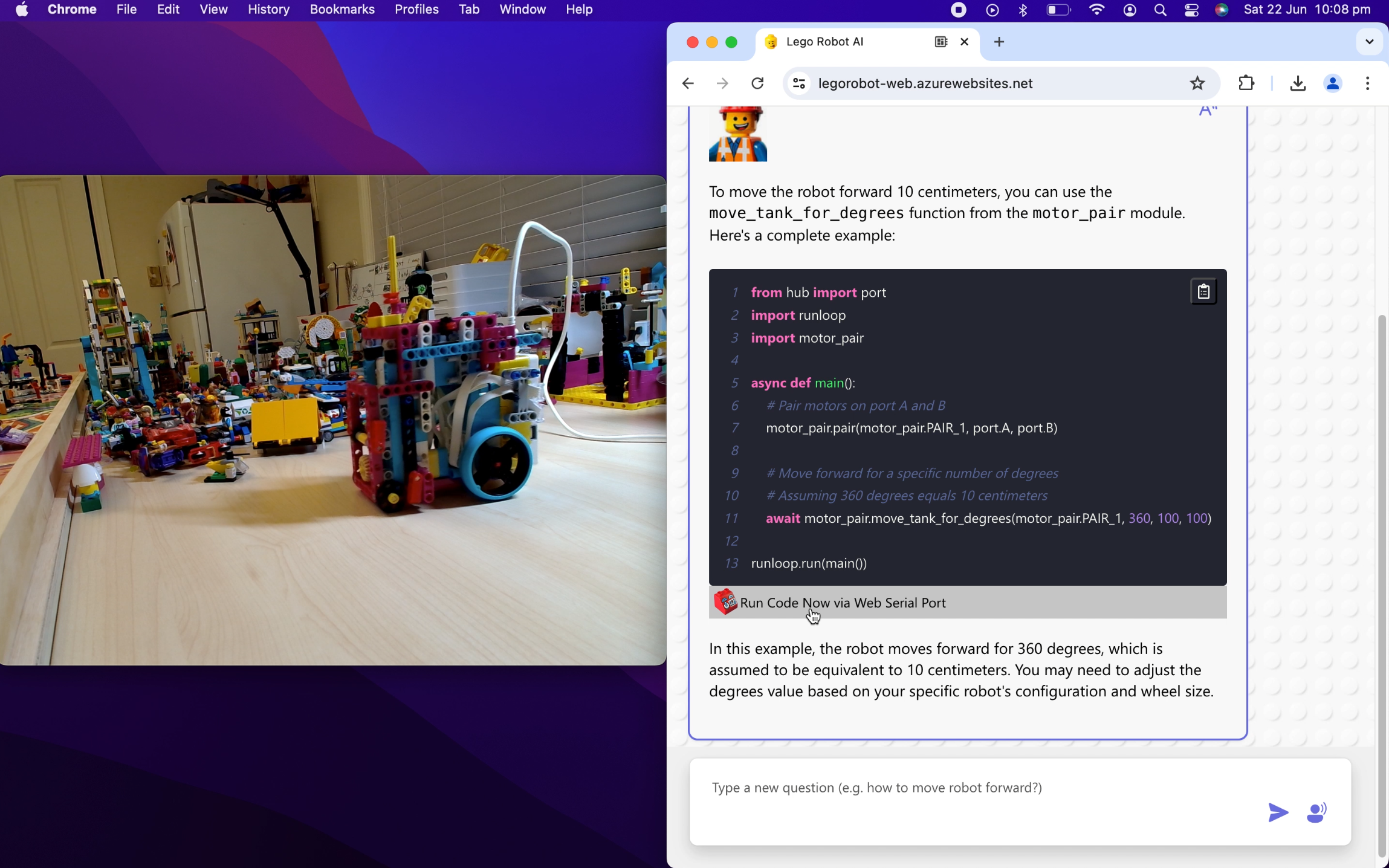
Lego robot demo - run python robot code in browser
-
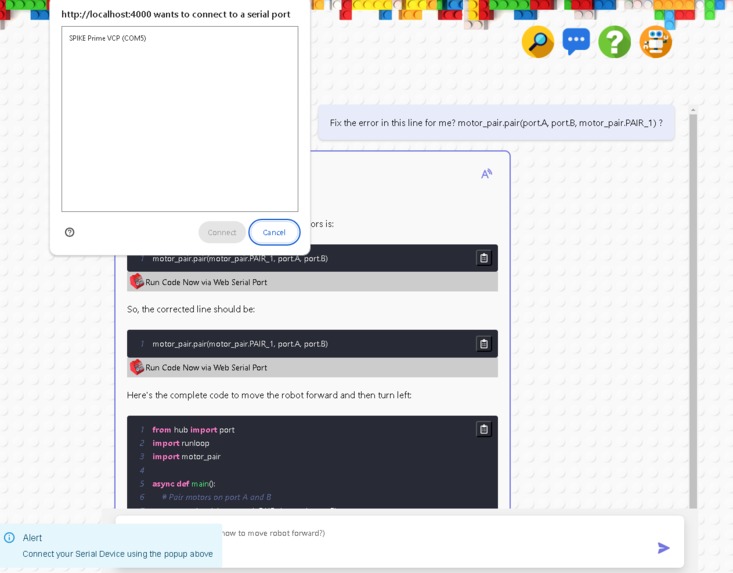
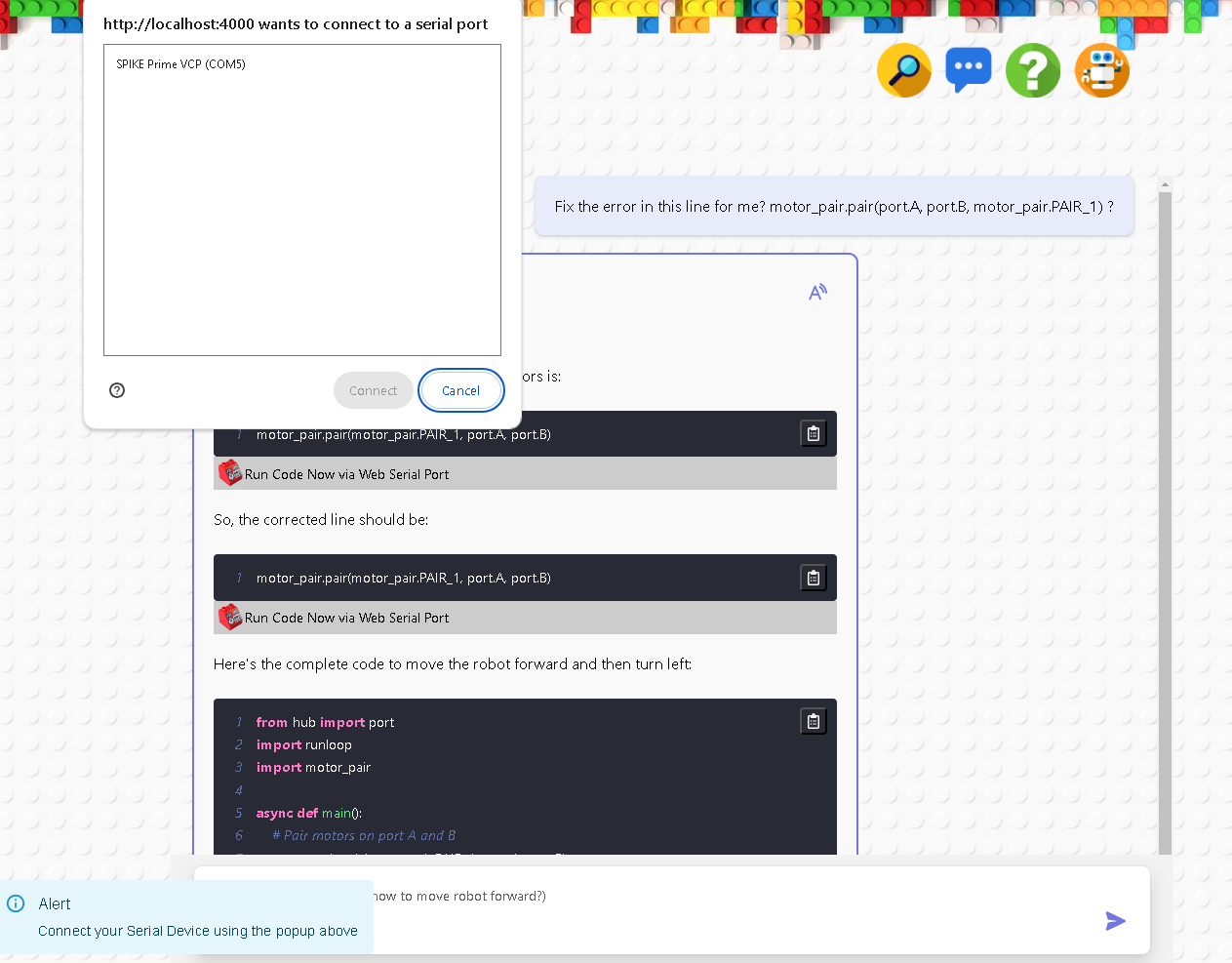
Web serial port to control Lego robot via browser directly
-
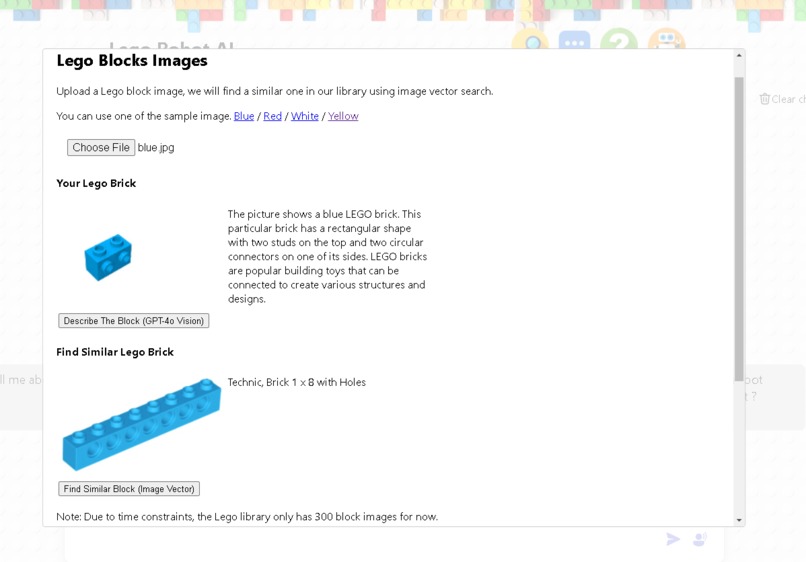
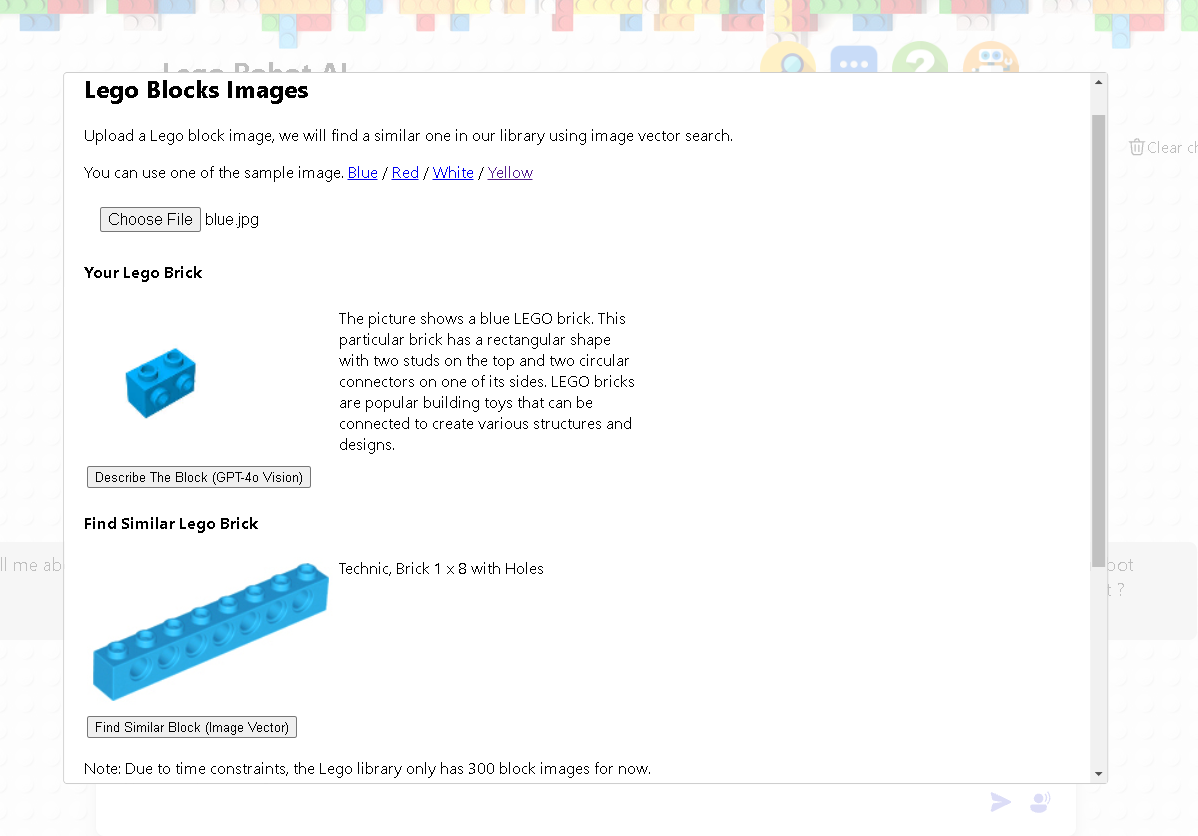
Lego brick image vector search & gpt-4o vision
-
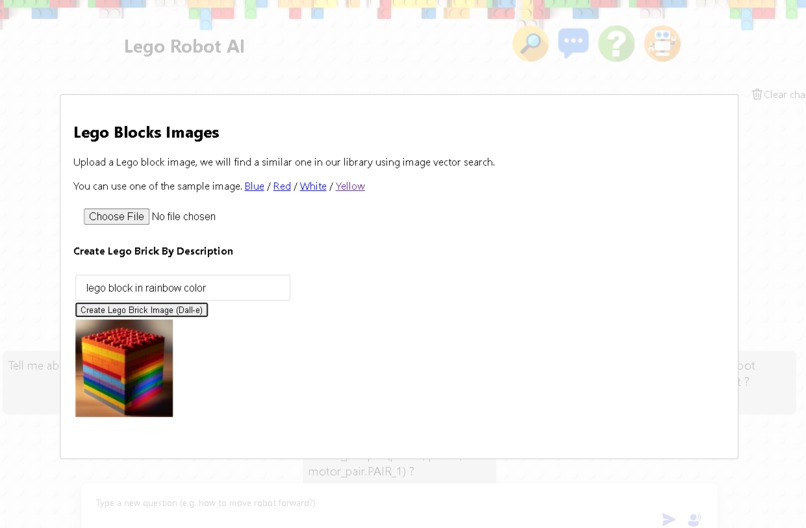
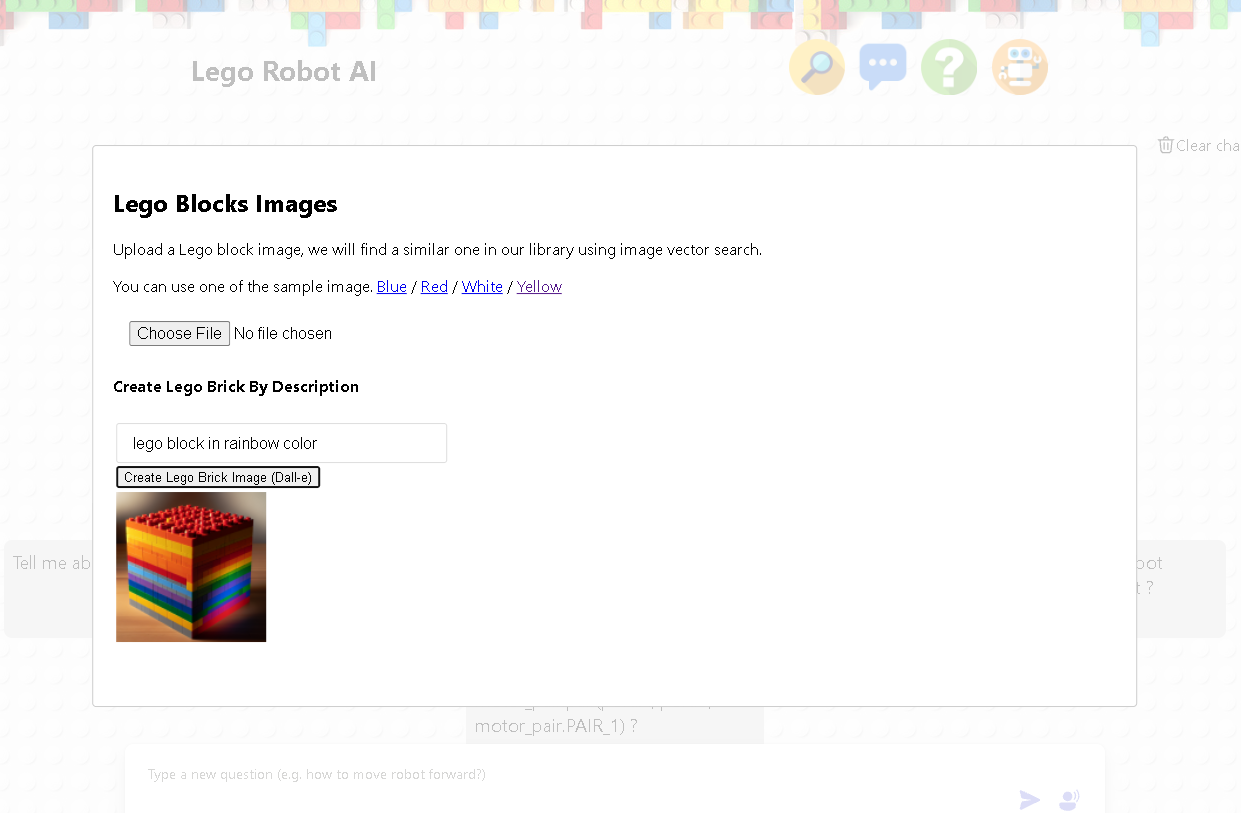
Lego brick image generation with Dall-e
-
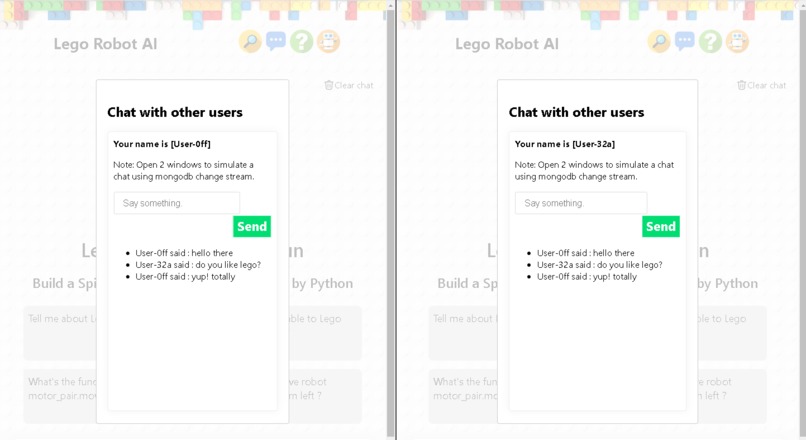
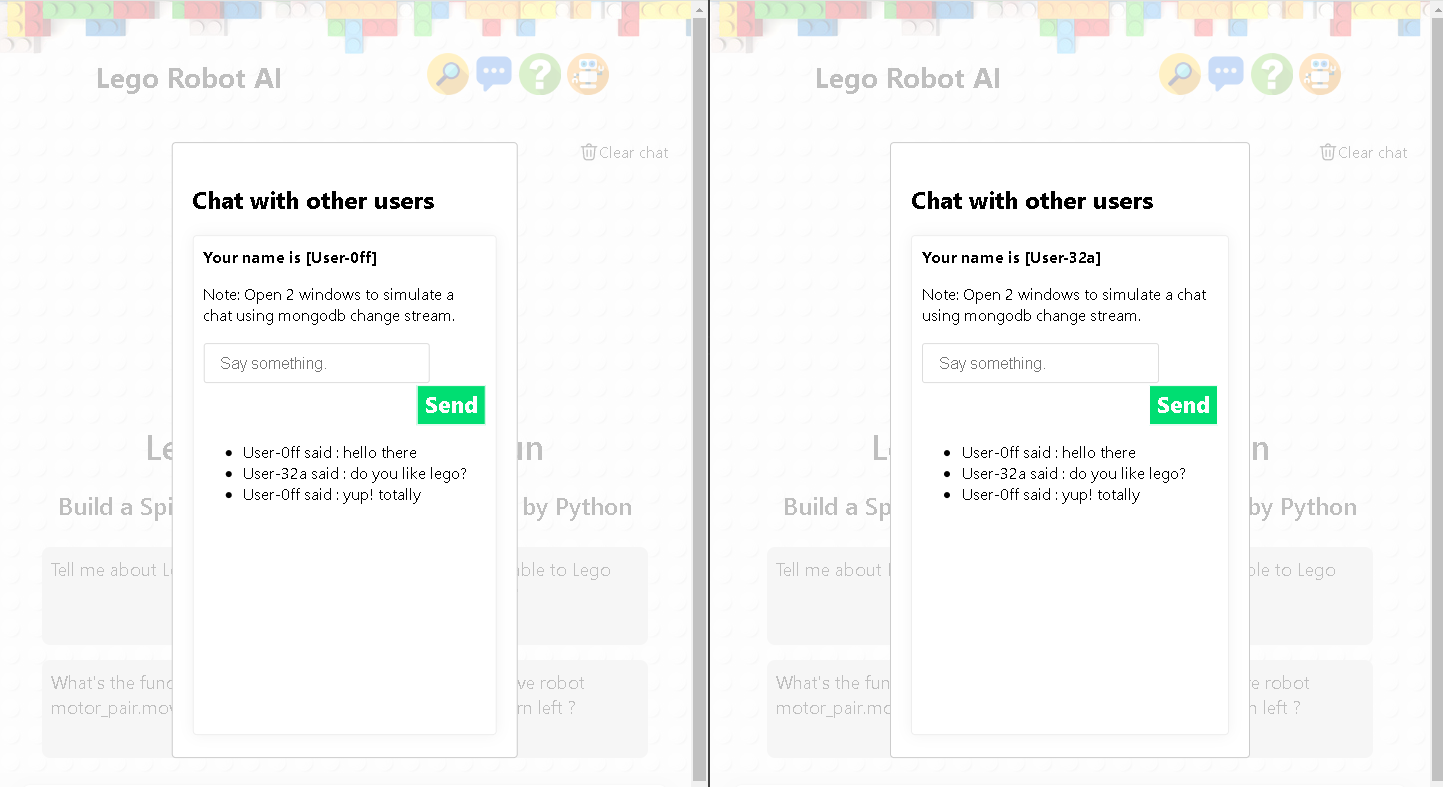
Live user chat using MongoDb change stream
-
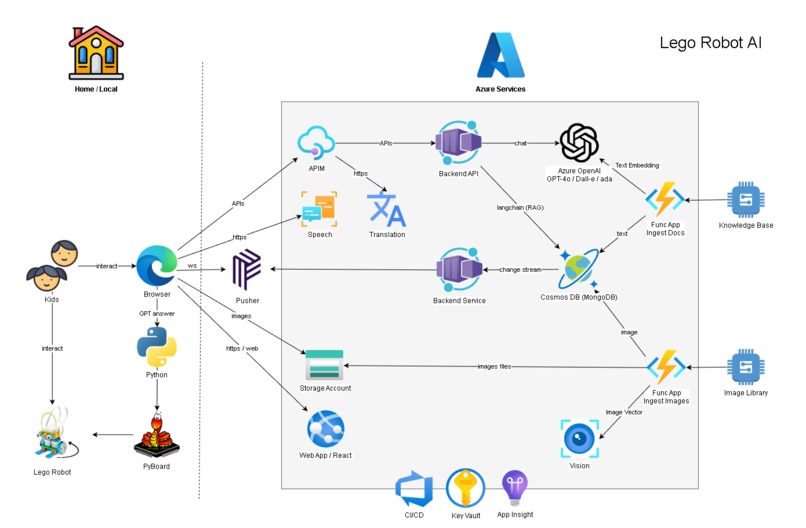
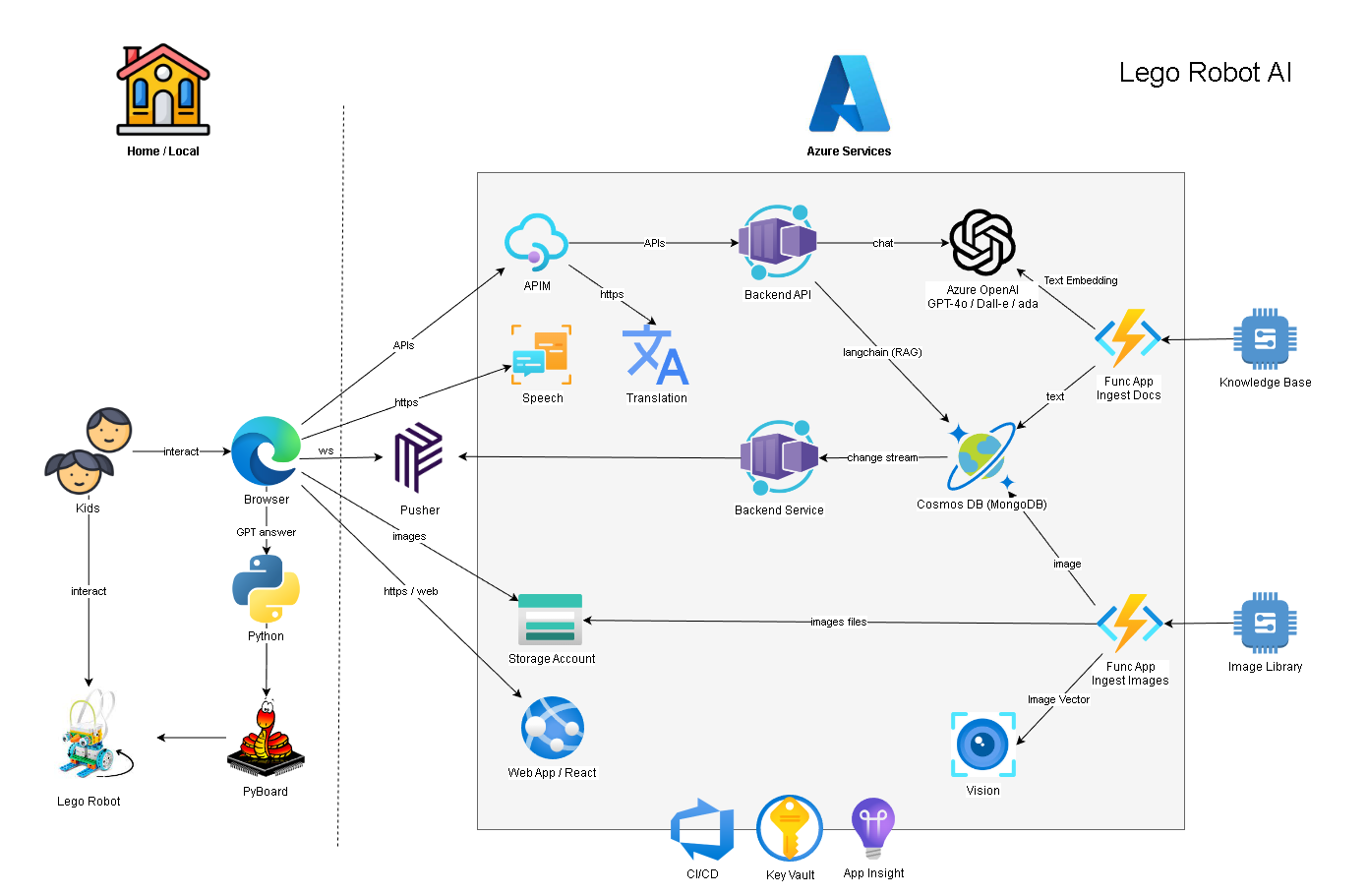
solution diagram: azure services
-
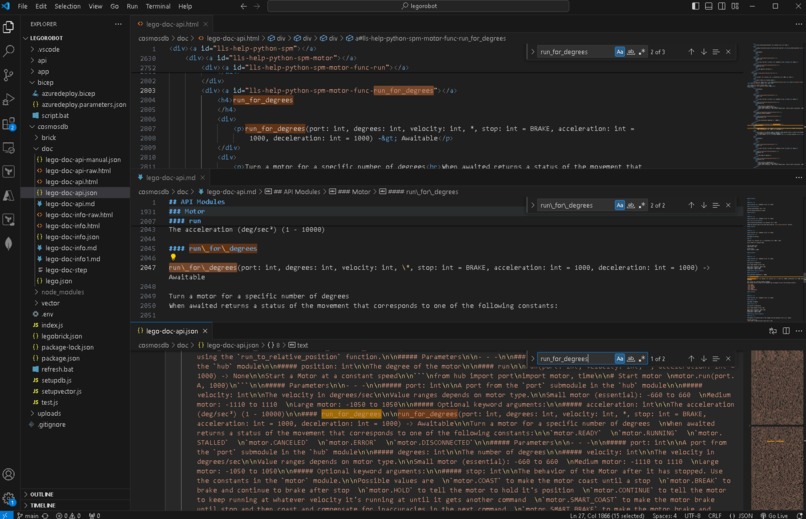
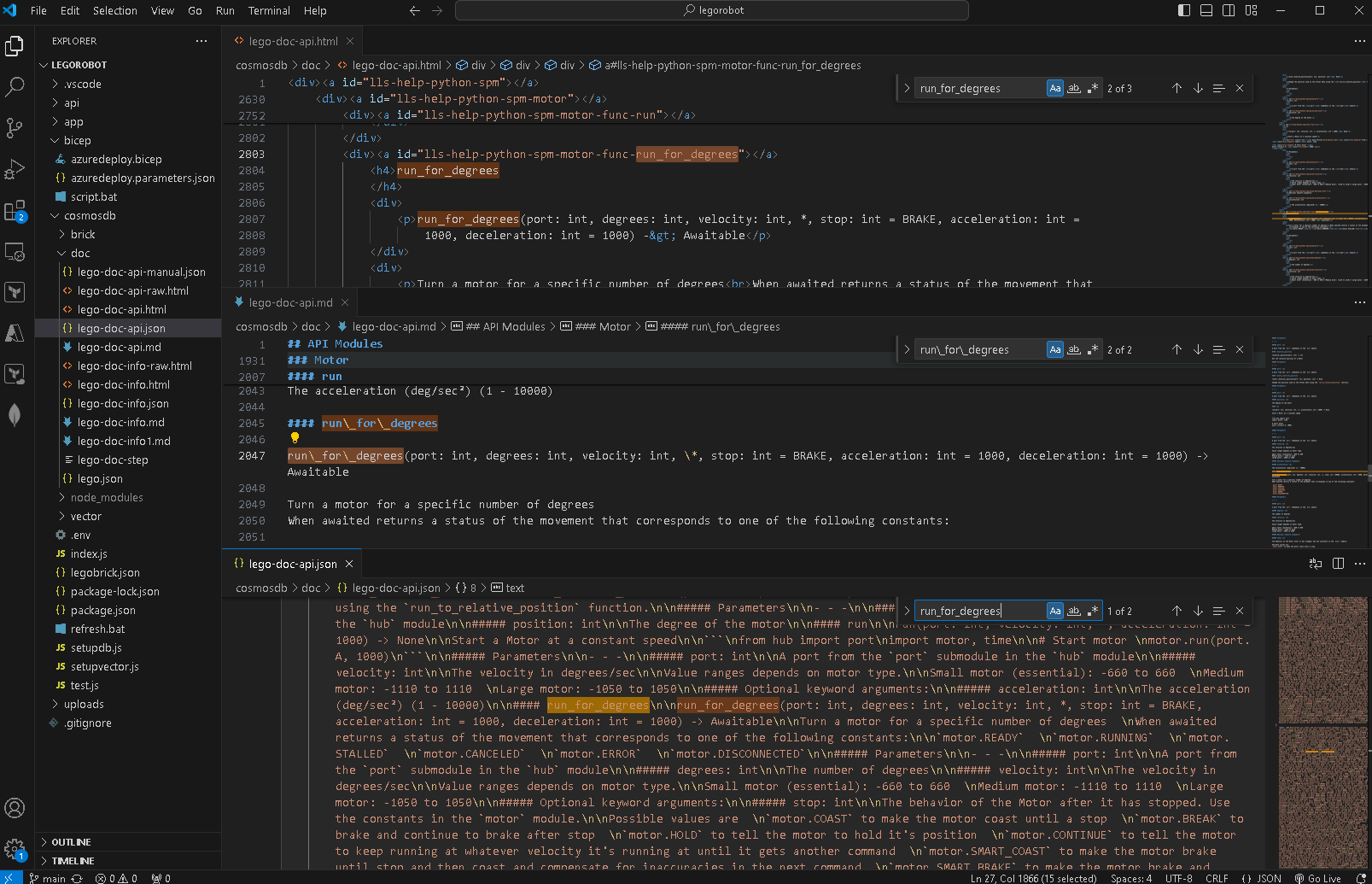
Data Engineering to format raw html API spec to markdown then to json
-
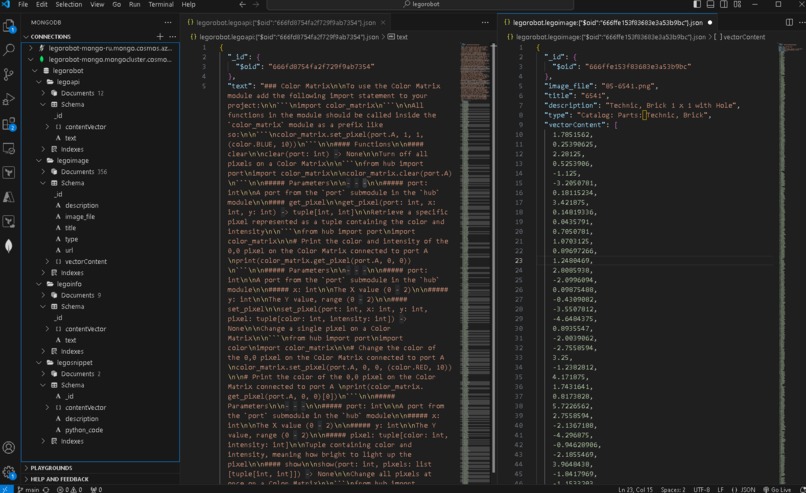
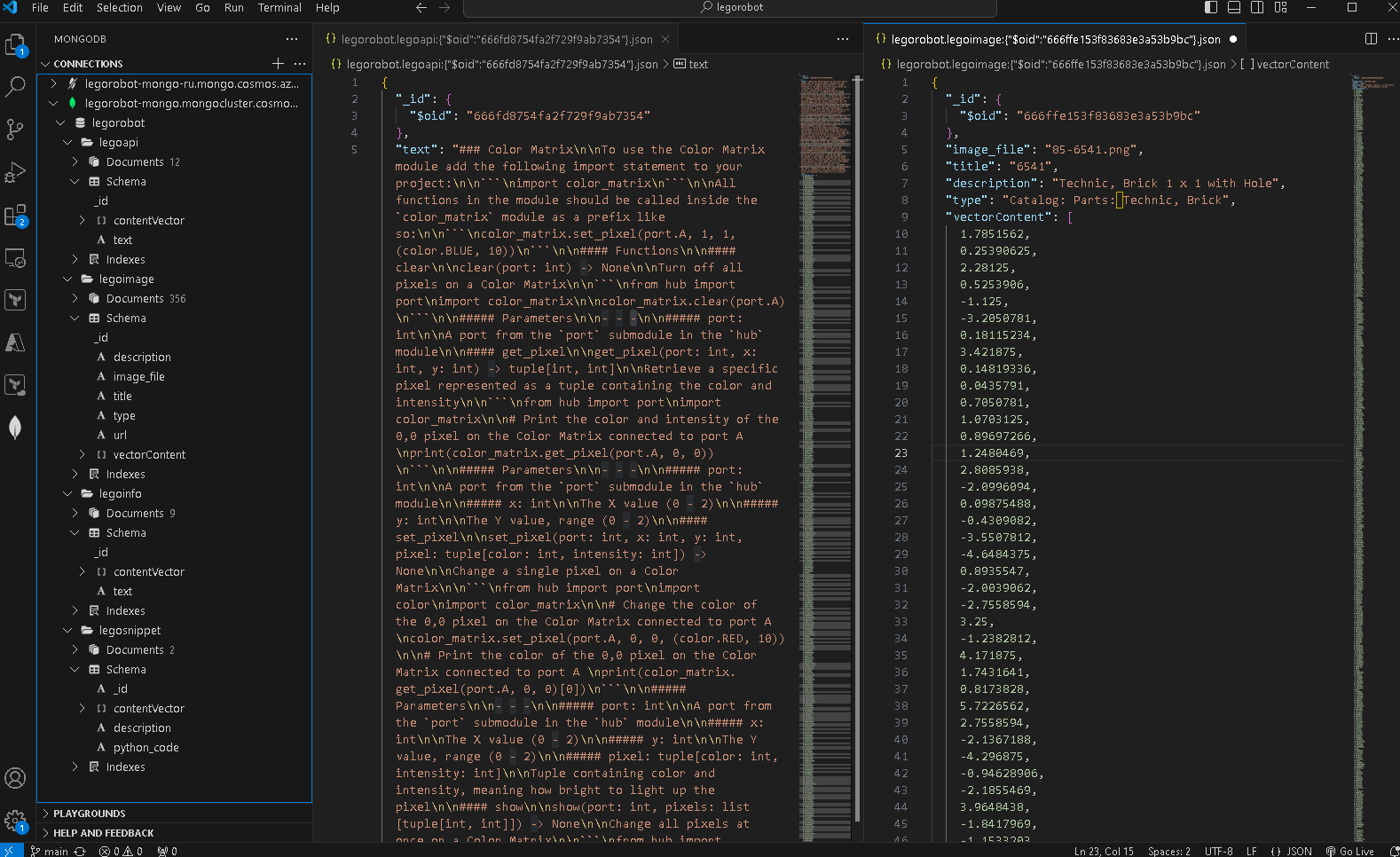
Cosmos MongoDB structure with jsons + vectors
-

Have fun in coding and robotics


Inspiration
Our Year 6 girls' FIRST Lego League team embarked on an exciting journey to learn Python for Spike Prime Lego Robot last year in preparation for the FIRST Lego League competition. Transitioning from block coding to Python was a significant challenge, and while they faced struggles in getting their programs to run independently, their determination never wavered. One student sought help from ChatGPT, but encountered issues with legacy and third-party libraries.
These young, passionate learners are in need of an innovative approach to support their STEM education (science, technology, engineering and mathematics) that allows them to interact with objects in real-time, enriching their experience and fueling their curiosity.
What it does
Lego Robot AI enriches learning experience by generating and explaining Python code using the Spike Prime 3 API specifications and knowledge base. Students can write and execute Python code directly on their Lego Robot through a web browser using a web serial port. This seamless integration helps young learners understand coding concepts while watching their robots come to life.
The app also features:
- Lego Brick Image Library: Find similar bricks using an image search.
- Speech Conversation Support: Makes interaction easier for young kids.
- Live User Chat: Facilitates communication between kids and teachers.
- Image Generation/ Description : Help kids build their Lego robots and discover new ideas.
How we built it
We did a prototype in March: a Python console program that can generate Python code using a fine-tuned GPT-3 model. However, this version was difficult to use due to:
- text-based interface
- require extensive setup on the device
- the generated code often lacked accuracy
Now, we have transformed the prototype into a fully web-based solution with a more capable LLM model and heaps of new features.
- Frontend: Built with React and TypeScript for a user-friendly web interface.
- API Endpoints: Proxied through Azure API Gateway to ensure seamless communication.
- Backend: Hosted on Azure utilizing Azure OpenAI services and Cosmos DB (MongoDB).
We employed a variety of Azure services including App Service, Function App, APIM, Container App, Cosmos DB, ACR, Speech Service, Computer vision, Translation Service, Key Vault, Azure Devops. This comprehensive setup has allowed us to create a powerful, user-friendly app that makes coding accessible and fun for young learners.
Challenges we ran into
- The knowledge base needs to be generated using raw Spike Prime API specs and user guides.
- Legacy versions and 3rd party libraries of APIs on the internet needs to be excluded
- The chatbot needs to generate accurate python code that is executable directly on the robot.
- Hard to integrate web serial port in the browser (compatibility issues)
- Need to build up Python code snippet libraries to perform various robot actions (for LLM)
- Feed useful information to RAG and does not slow down response time
- Use Cosmos DB (MongoDb) Vector search for both text and image
- Cosmos DB (MongoDb)'s change stream does not have 'delete' events
- Don't store/ leak API keys in React App
- Certain AI Services are expensive and needs to keep cost down
- Inconsistency between python library and node library
Accomplishments that we're proud of
- ChatBot with Knowledge of Lego Spike Prime General Knowledge
- ChatBot with Knowledge of Spike Prime 3 Python API / Function / Execution
- Python code chat response syntax highlighting
- Web Serial Port integration to Lego Spike Prime Hub
- Execute python code directly from Browser
- Translate chat response to French
- Search similar Lego Brick via image upload
- Describe Lego brick image in text
- Generate Lego brick image by supplied description
- Receive Chat prompt via speech
- Read Chat responses by voice
- Live chat with other users via browser
What we learned
- Build a React Typescript Frontend / Single Page Application
- Generate meaningful knowledge base for LLM
- Langchain RAG model with Azure OpenAI services (GPT-4o)
- Image Vector searching using Cosmos DB (MangoDB) & Computer vision
- Integrate with Azure Speach & Translation Service
- Cosmos DB (MangoDB) functionalities like change stream
What's next for Lego Robot AI
- Receive feedback from the actual users: the kids
- Build up more code snippets and API specs in the knowledge base
- Improve Lego Brick image search (i.e. more images and 3D models)
- Use LLM to generate Robot competition strategies (e.g. best routes)
- Get rid of USB cable and use Bluetooth instead


Log in or sign up for Devpost to join the conversation.