-
-
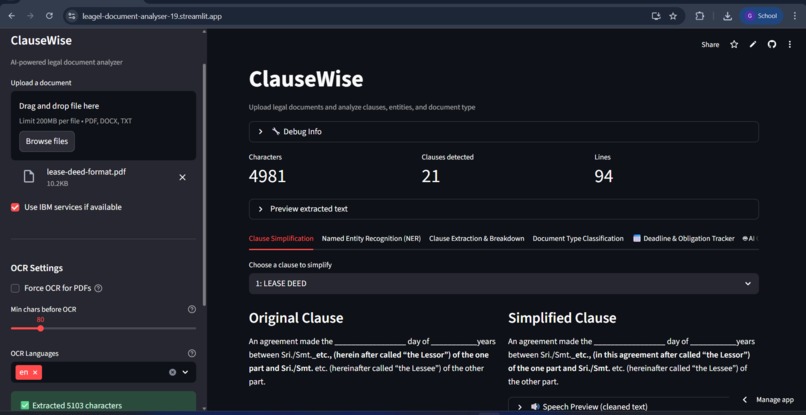
Home page
-
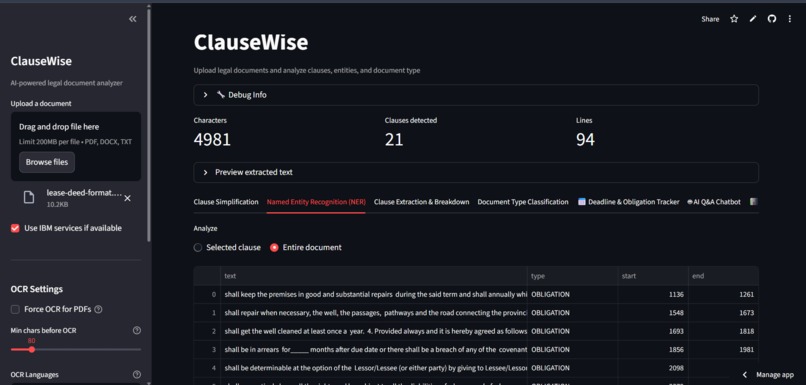
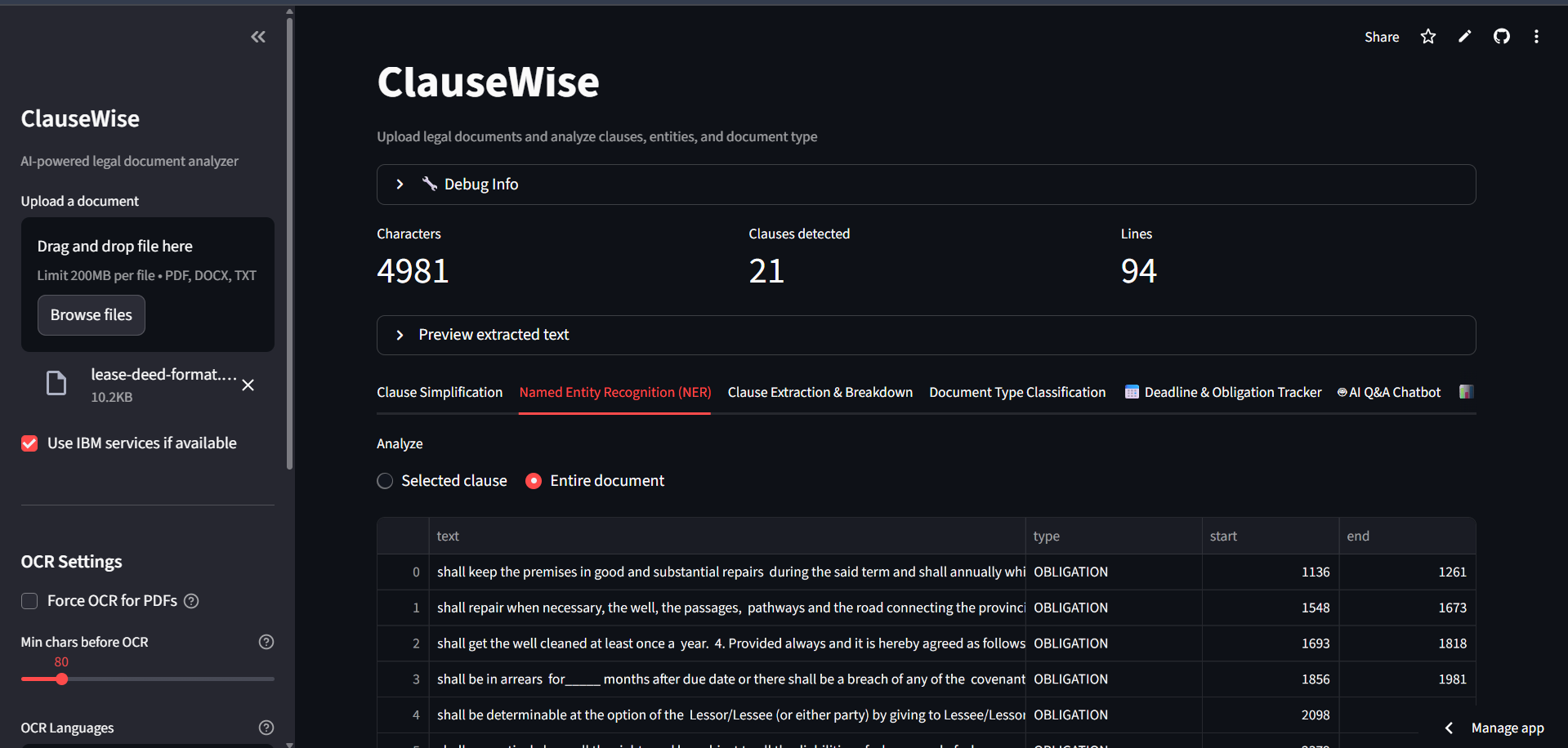
Named Entity Recognizer
-
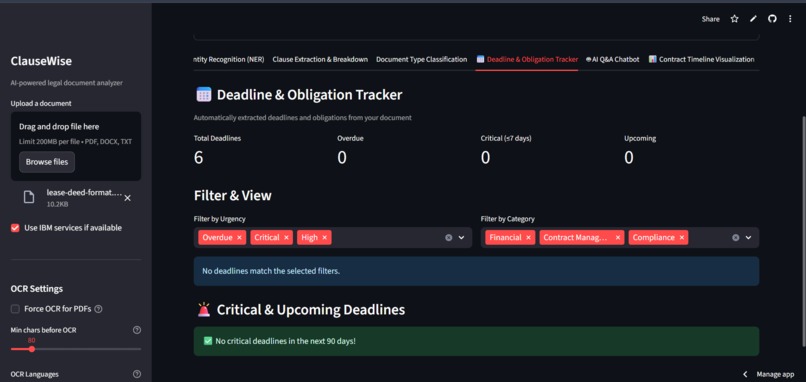
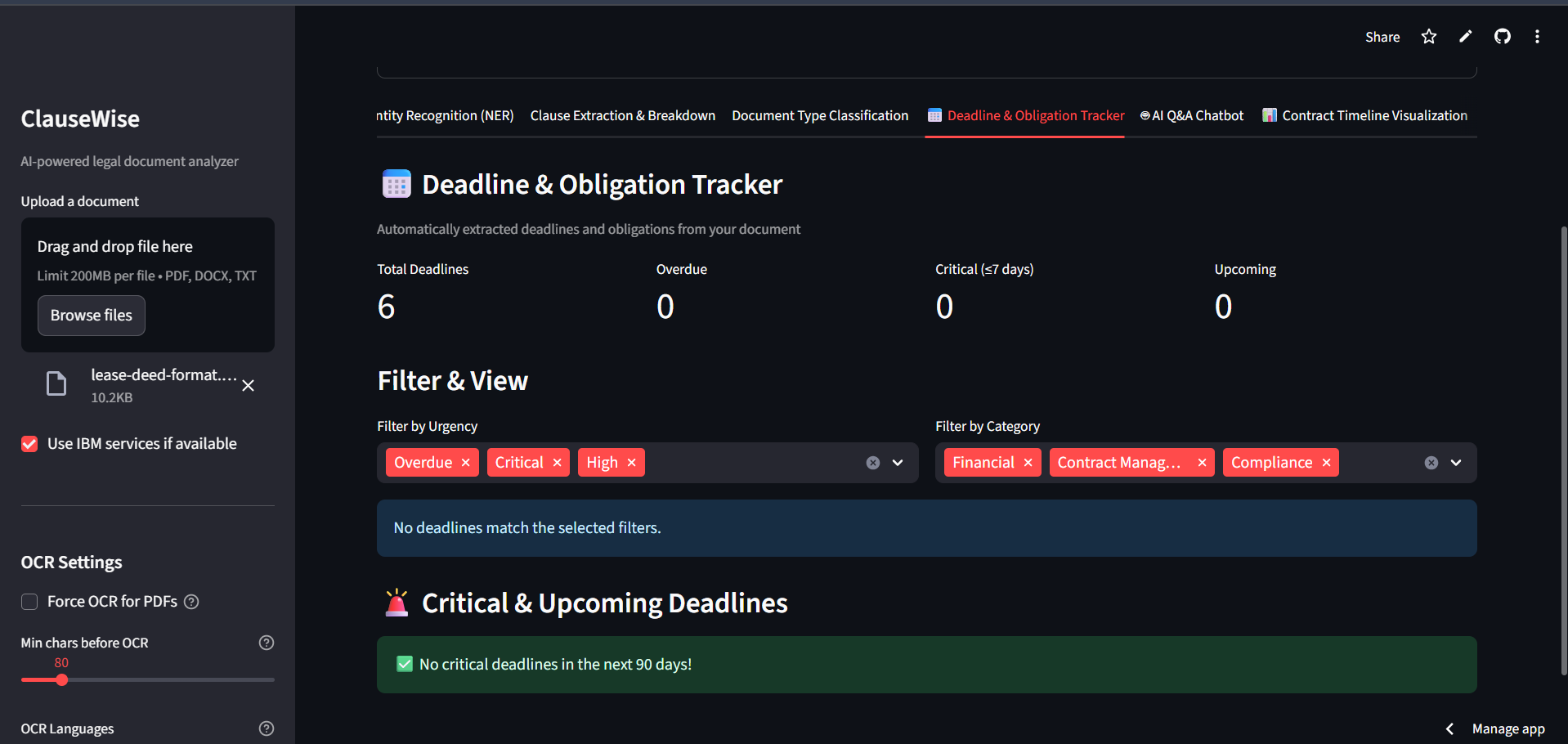
DeadLine Obligation Tracker
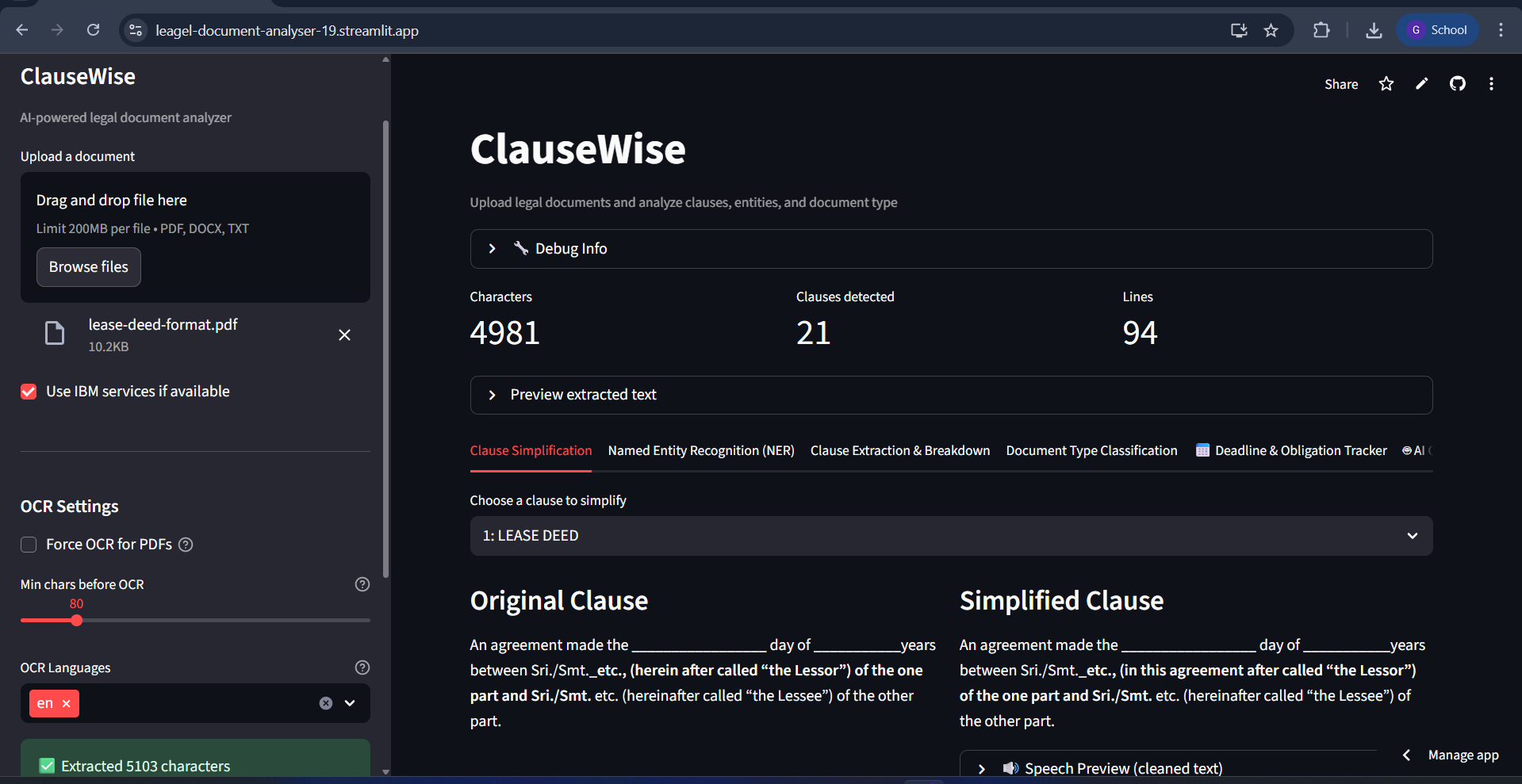
ClauseWise - AI Legal Document Analyzer 🚀 COMPLETED FEATURES
- Multi-Format Document Upload
- Document Text Extraction
- Clause Segmentation & Breakdown
- Named Entity Recognition (NER)
- Clause Simplification
- Document Type Classification
- AI Q&A ChatBot
- Lease Timeline Visualization-CSV Download
- Text-to-Speech (TTS)
- DOCX Export & Reprocessing
- IBM AI Integration
- Multi-Format Document Upload Supported: PDF, DOCX, TXT Flow: File → Text Extraction → Processing Pipeline
Document Text Extraction PDF: Selectable text + OCR fallback DOCX: Direct paragraph extraction TXT: UTF-8/Latin-1 encoding support Flow: Upload → Extract → Clean → Store
Clause Segmentation & Breakdown Method: Regex patterns + heading detection Fallback: Paragraph-based segmentation Output: {id, title, text} for each clause Flow: Clean text → Pattern matching → Clause list
Named Entity Recognition (NER) Entities: Parties, Dates, Money, Obligations, Emails, URLs Methods: IBM Granite + spaCy (fallback) Flow: Text → Entity extraction → DataFrame display
Clause Simplification Methods: IBM Granite (primary) + Heuristic rules (fallback) Rules: Legal → Plain language conversion Flow: Clause text → AI processing → Simplified output
Document Type Classification Types: NDA, Lease, Employment Agreement, Service Agreement Methods: IBM Granite + Heuristic rules Flow: Document text → Classification → Confidence score
Lease Timeline Visualization Features: Start date, Term, End date extraction Flow: Lease detection → Date parsing → Timeline information
Text-to-Speech (TTS) Engine: pyttsx3 (local) Usage: Play simplified clauses Flow: Text → Audio synthesis → WAV playback
DOCX Export & Reprocessing Export: Full text + Clause-structured Reprocess: Upload exported DOCX → Re-analyze Flow: Extract → Export → Upload → Reprocess
OCR Cleanup Pipeline Features: De-hyphenation, Line merging, Noise removal Methods: Regex + Pattern matching Flow: Raw OCR → Cleanup → Structured text
IBM AI Integration Watson NLU: Entity extraction + Classification Granite: Text generation + Zero-shot classification Fallback: Local models when IBM unavailable
TECHNICAL FLOW
UPLOAD → File validation & type detection
EXTRACT → Text extraction (native + OCR)
CLEAN → Text preprocessing & normalization
SEGMENT → Clause detection & breakdown
ANALYZE → NER, classification, simplification
VISUALIZE → Timeline diagrams (lease docs)
EXPORT → DOCX generation & reprocessing 📋 USAGE INSTRUCTIONS For Scanned PDFs: Upload PDF in sidebar Enable "Force OCR" checkbox Select languages (e.g., English + Tamil) Lower "Min chars" to 20-50 Wait for OCR processing Check "Preview extracted text" For Text-based PDFs: Upload PDF Keep OCR settings default Text extracted automatically 🚨 TROUBLESHOOTING "No text extracted" Error: Check "🔧 Debug Info" expander Verify OCR engines are available Enable "Force OCR" in sidebar Lower "Min chars" threshold
Built With
- acclerate
- huggingface-hub
- ibm-watson
- nltk
- pillow
- pymupdf
- python
- python-docx
- streamlit
- transformer

Log in or sign up for Devpost to join the conversation.