-
-
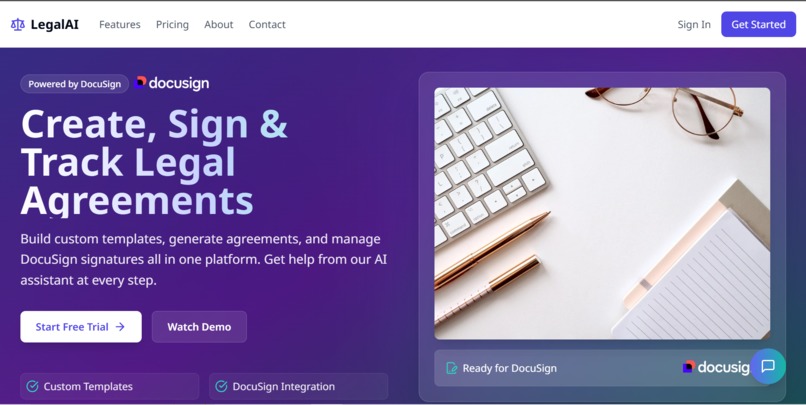
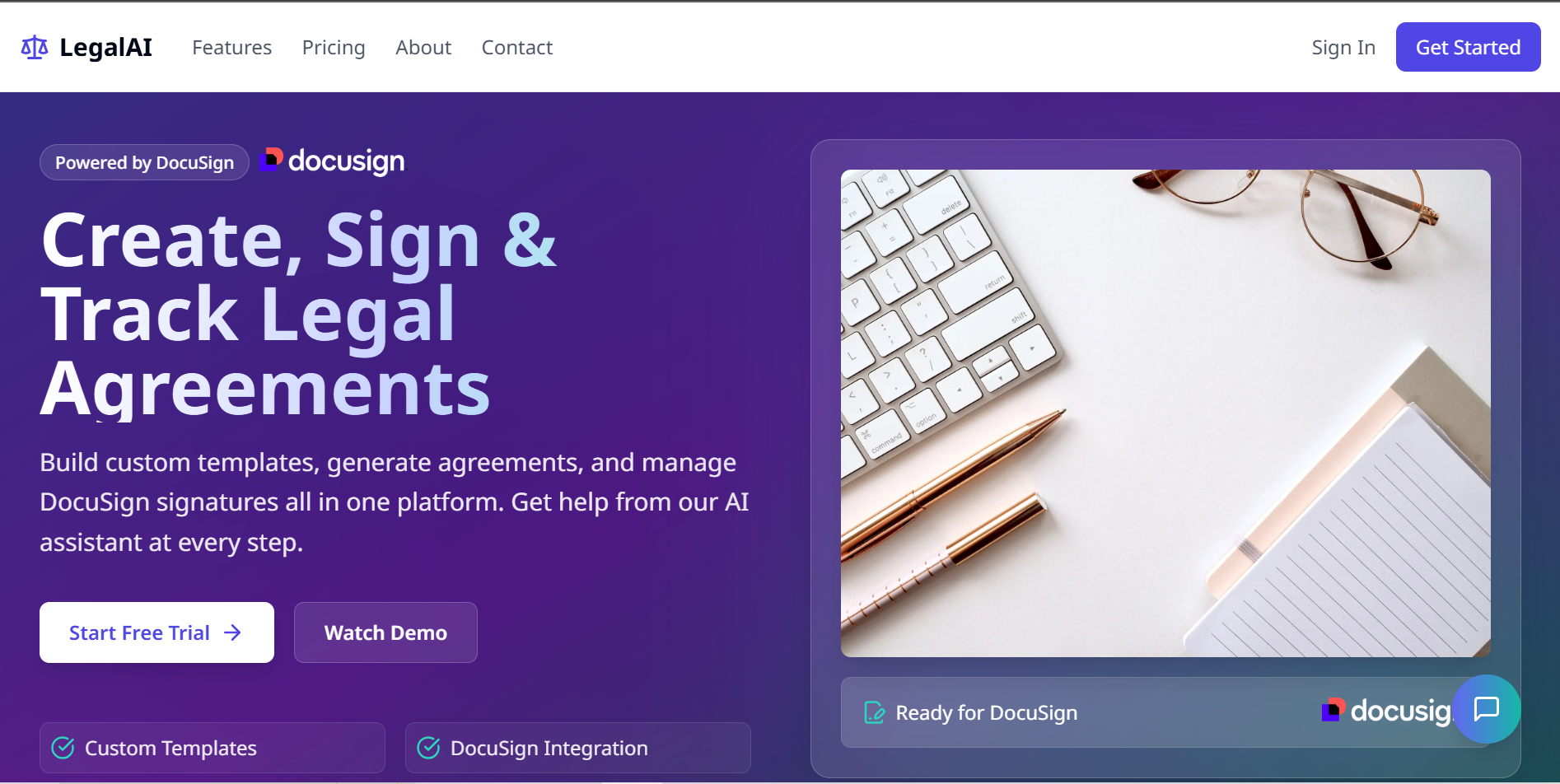
landing page
-
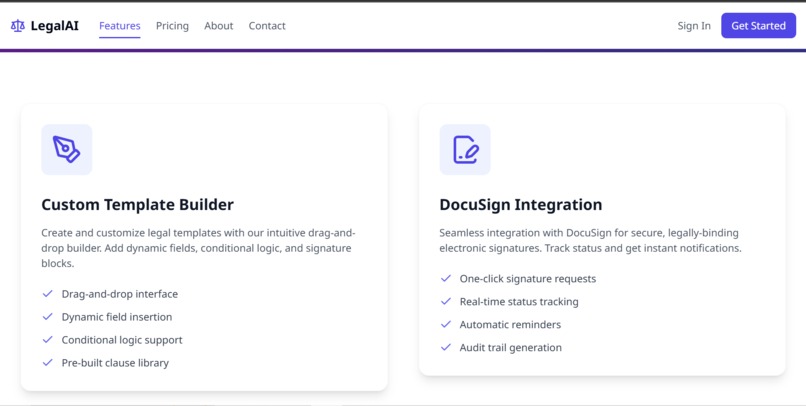
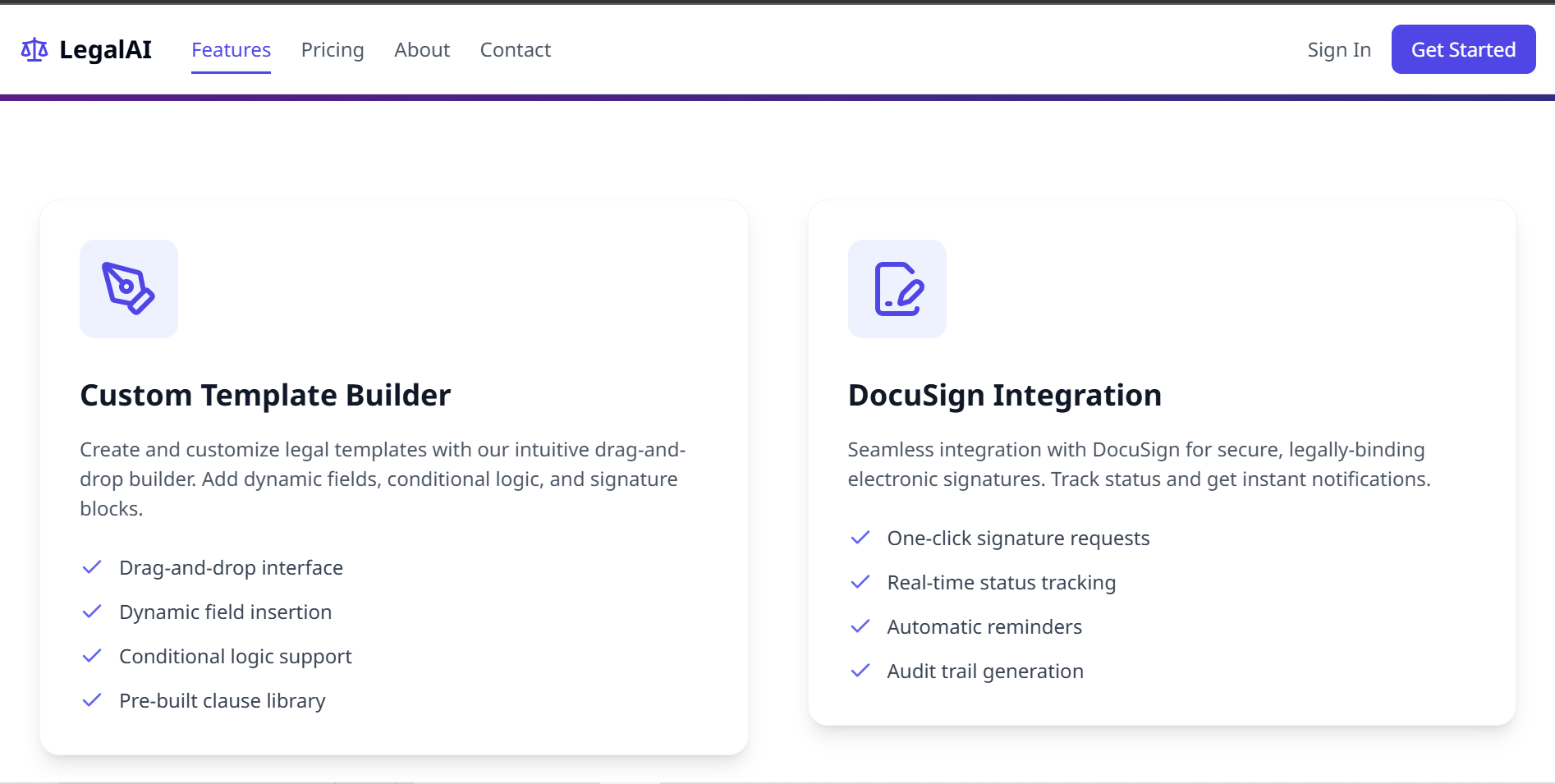
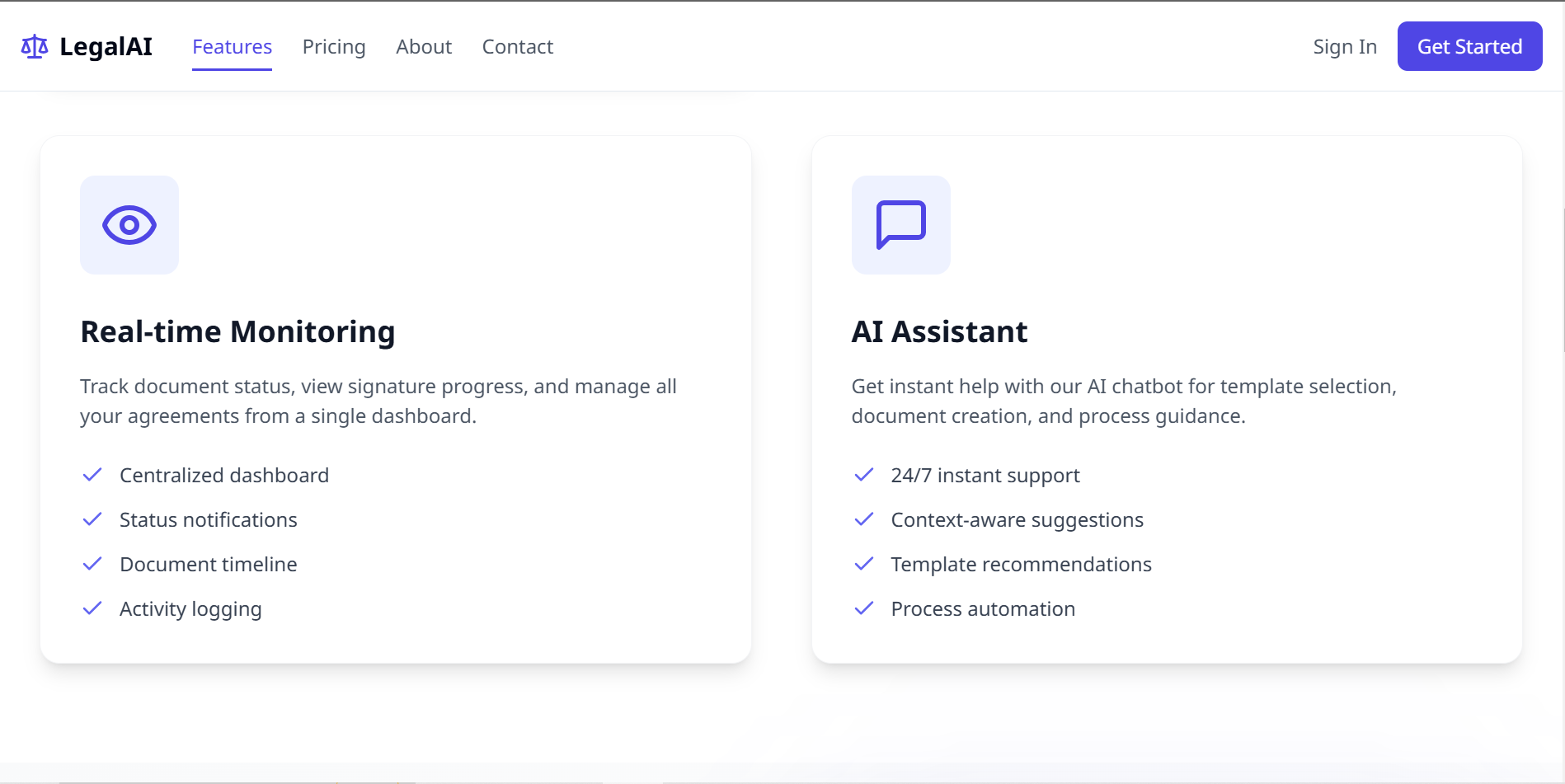
Features page
-
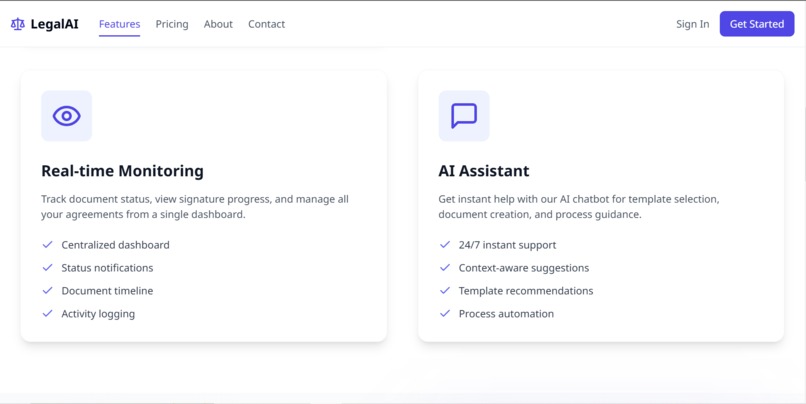
Features page
-
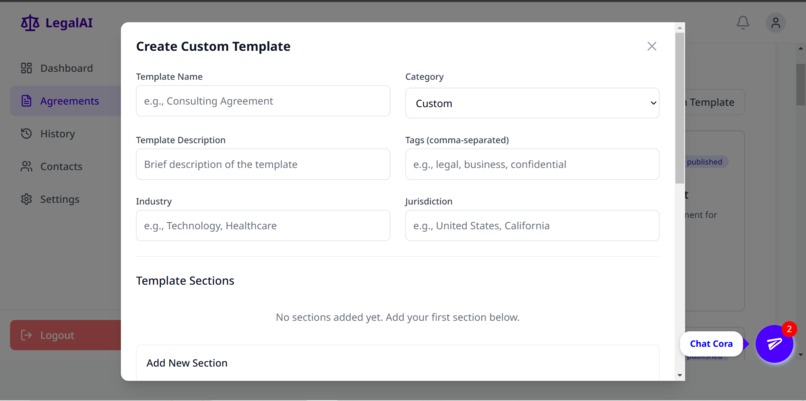
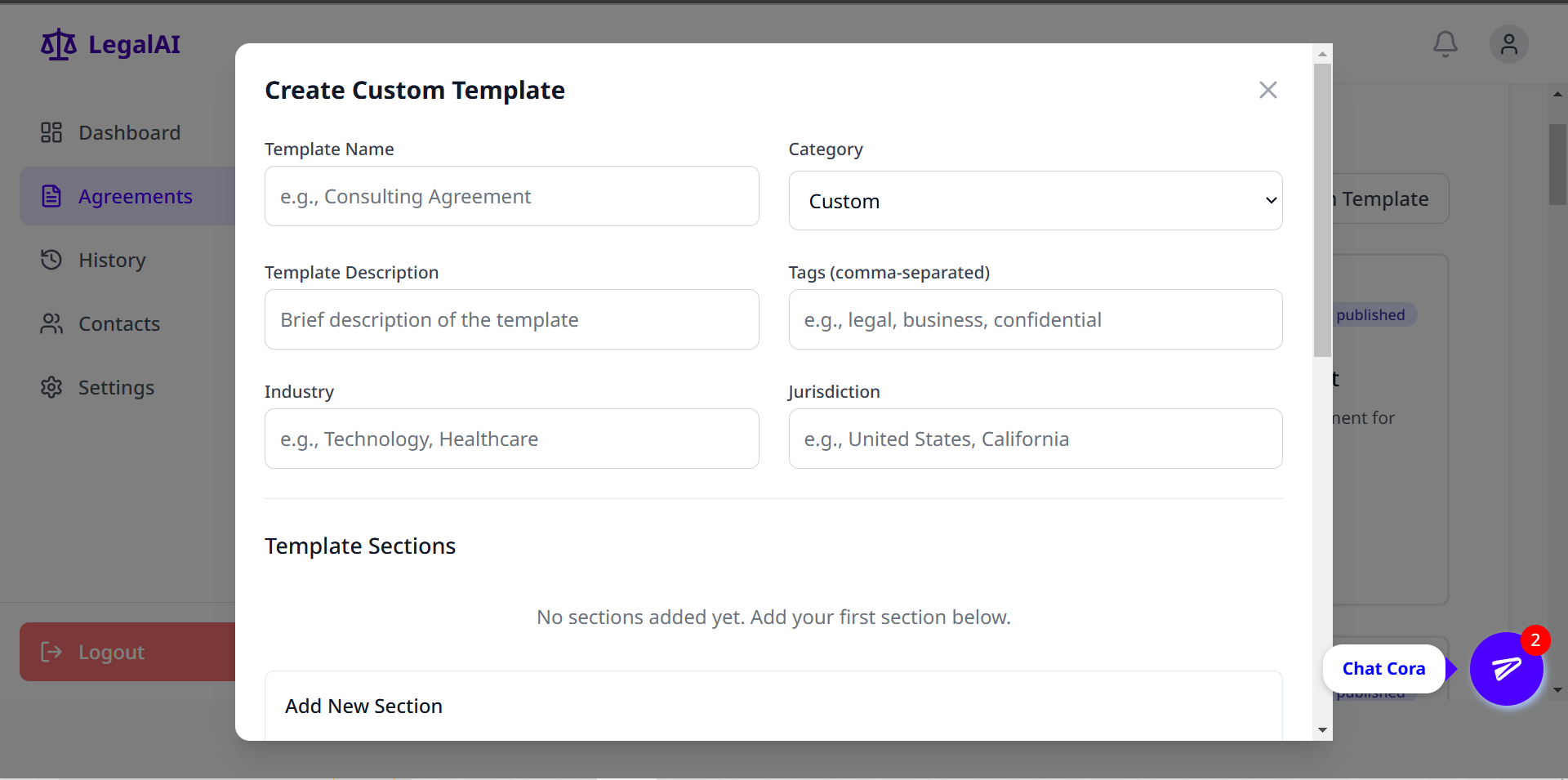
Customise your templates
-
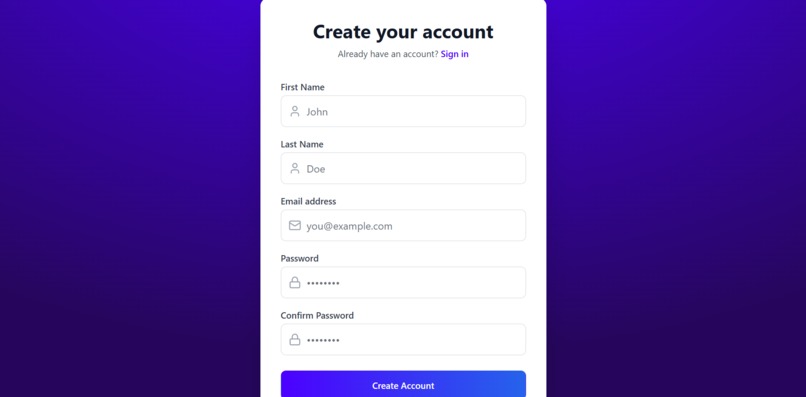
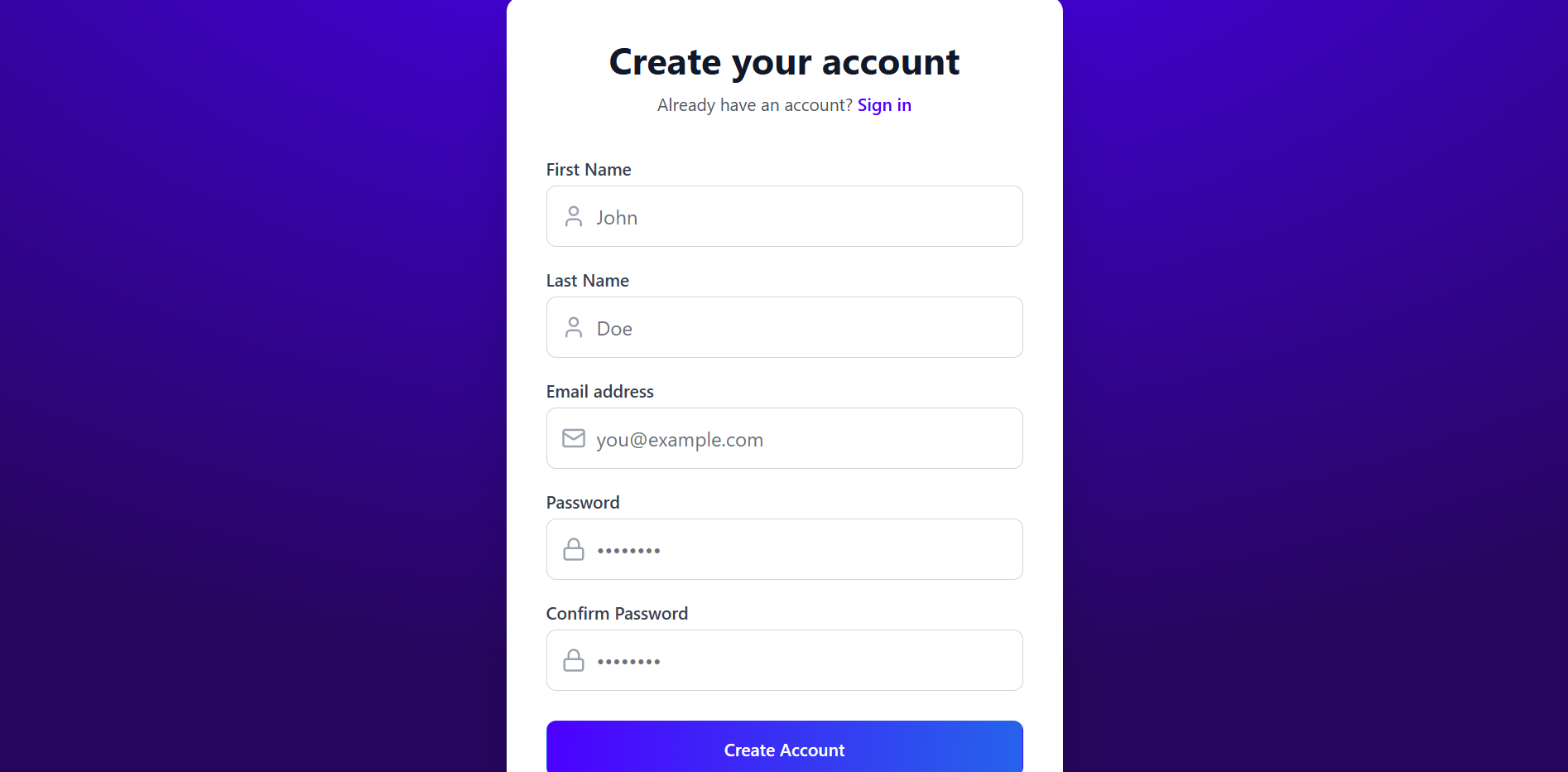
Sign up
-
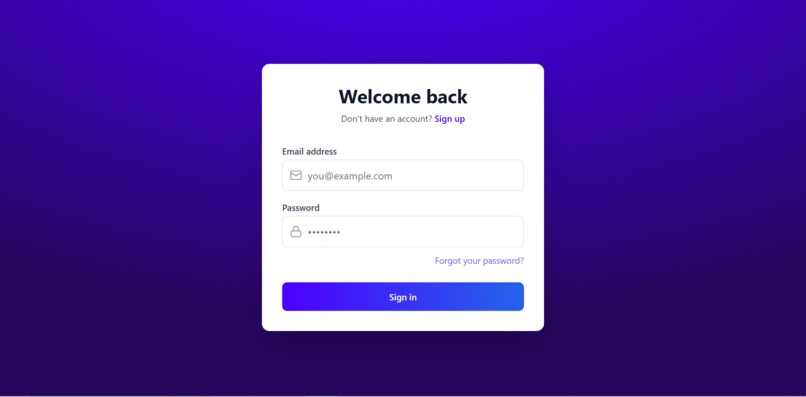
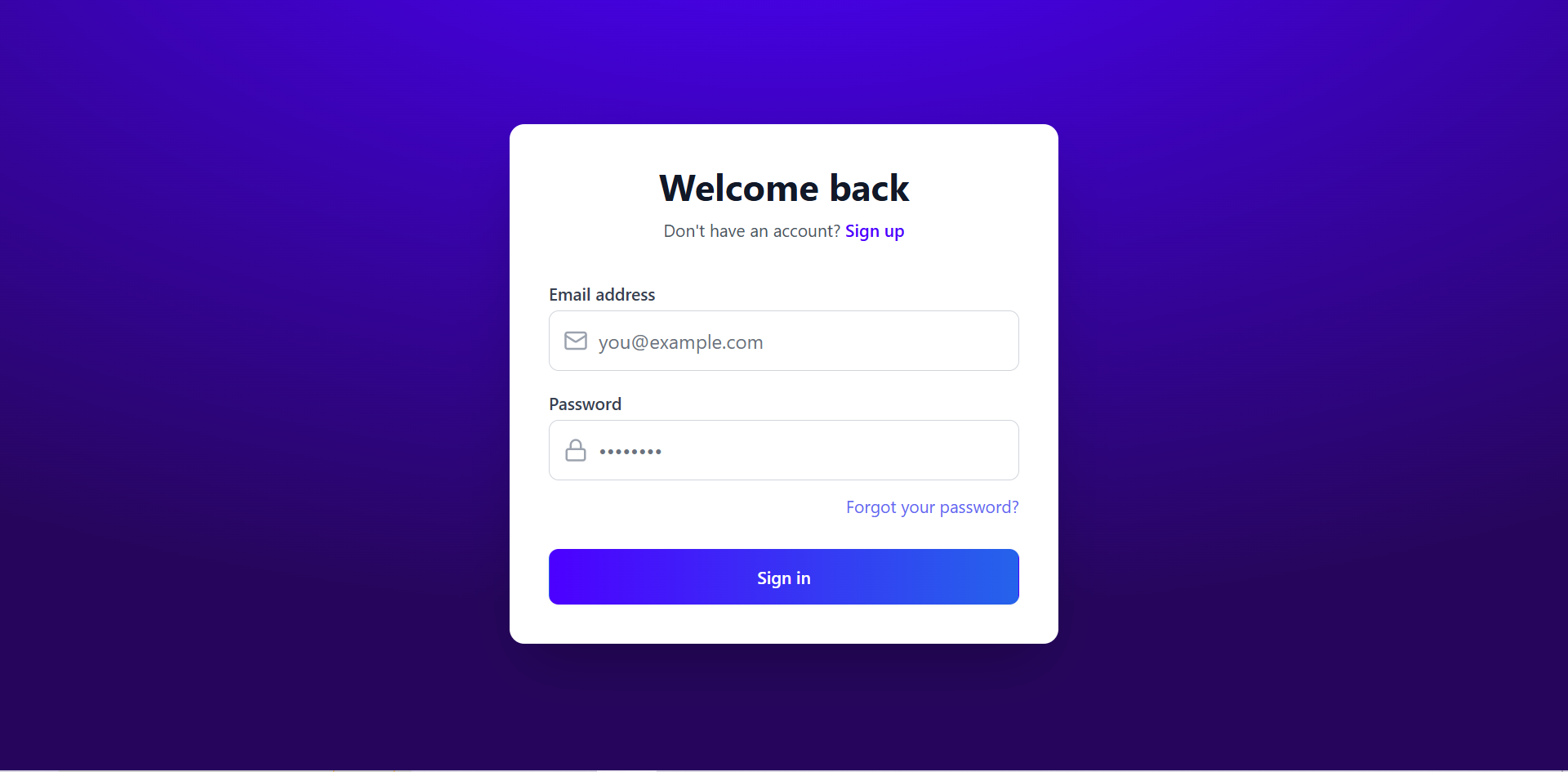
sign in
-
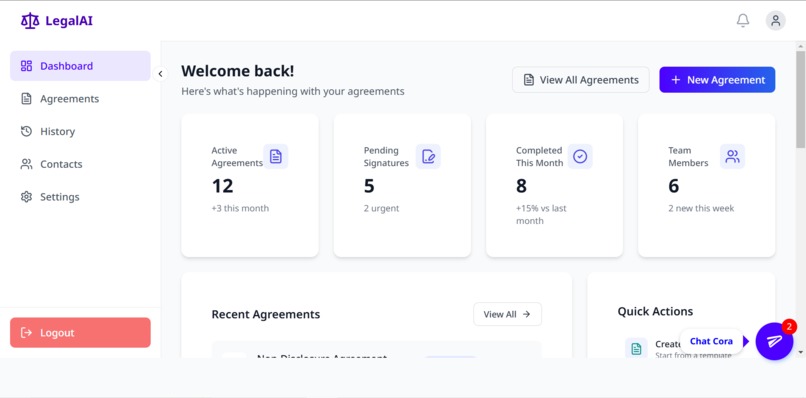
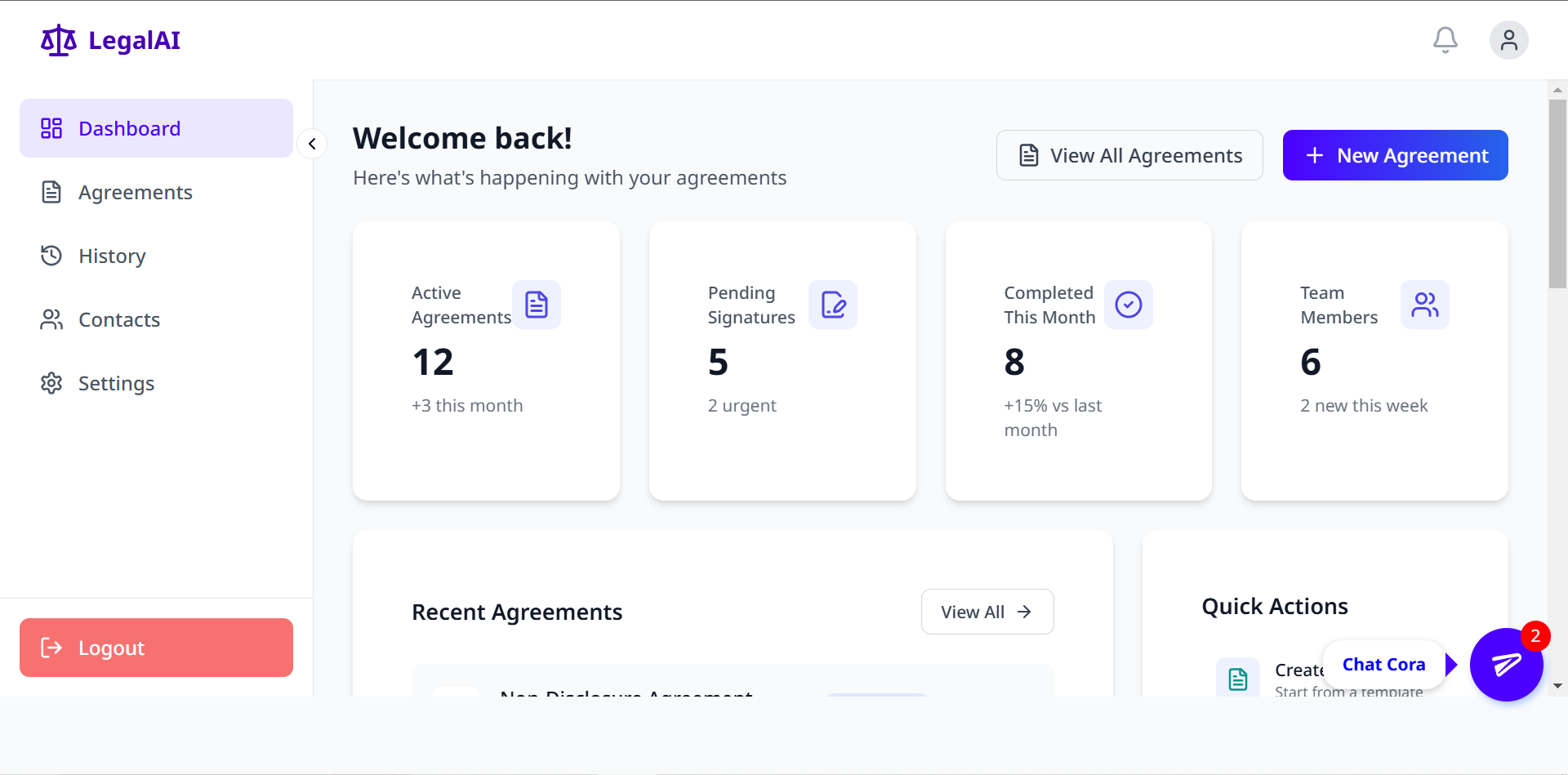
Dashboard
-
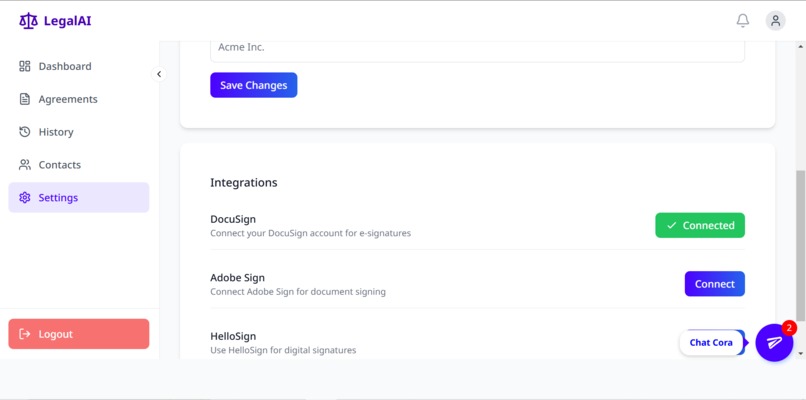
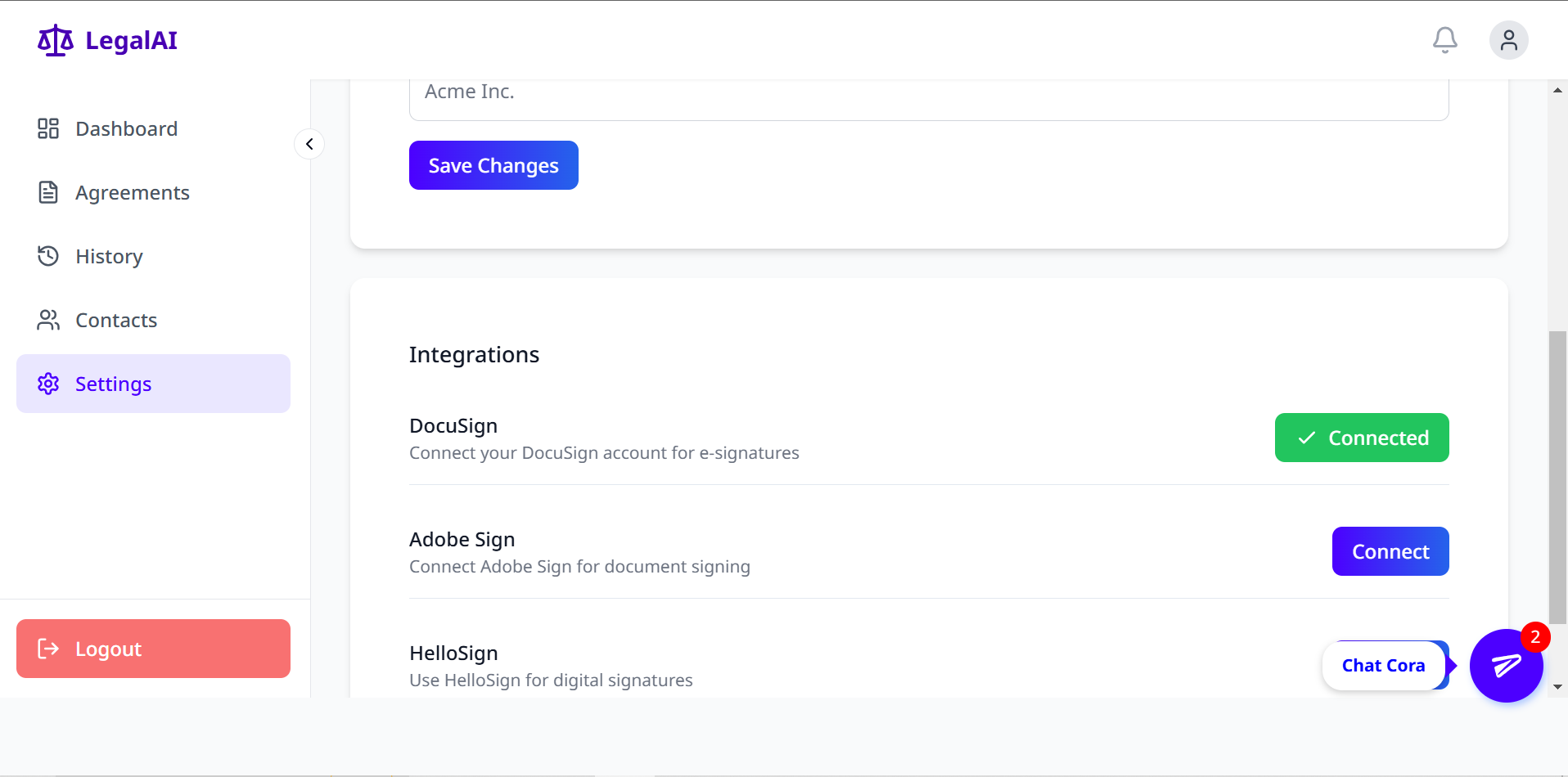
Settings page
-
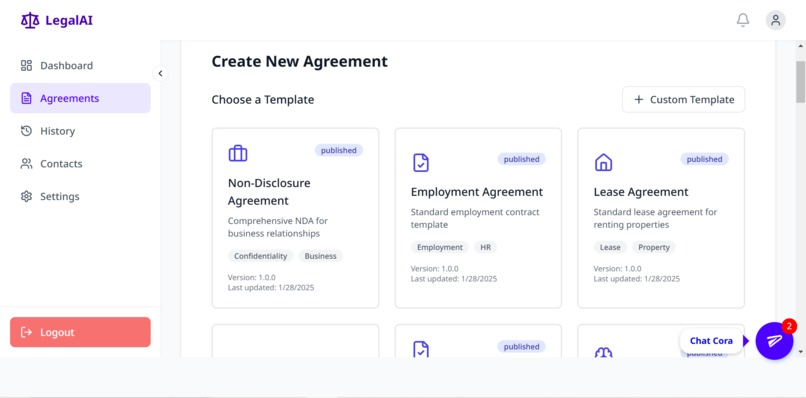
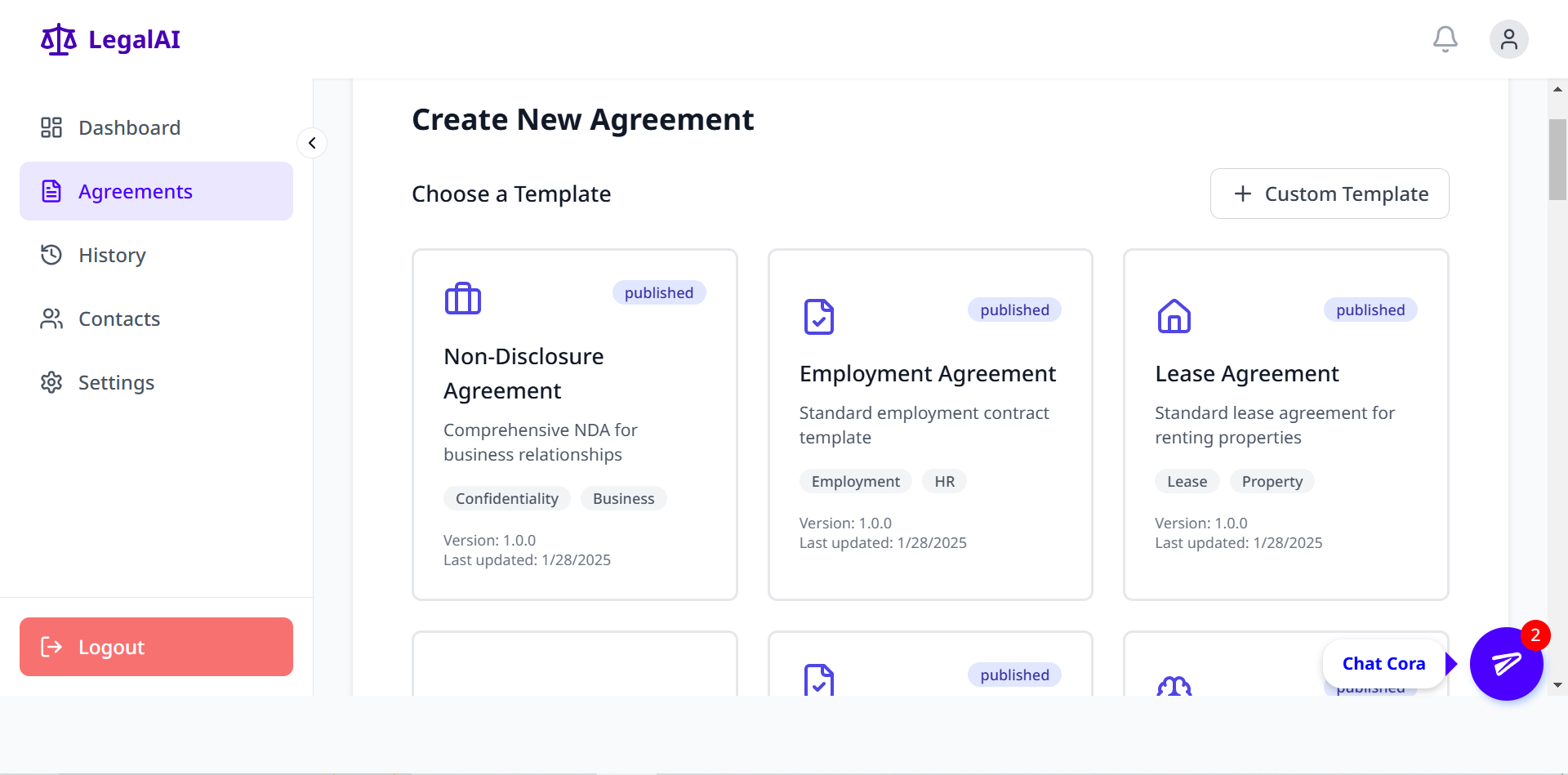
Templates
-
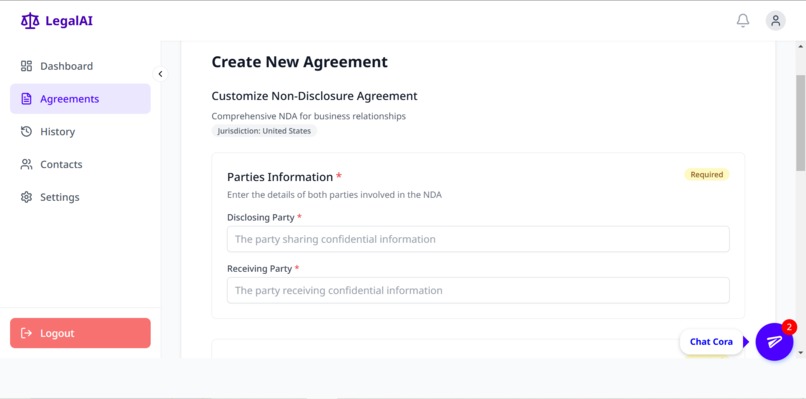
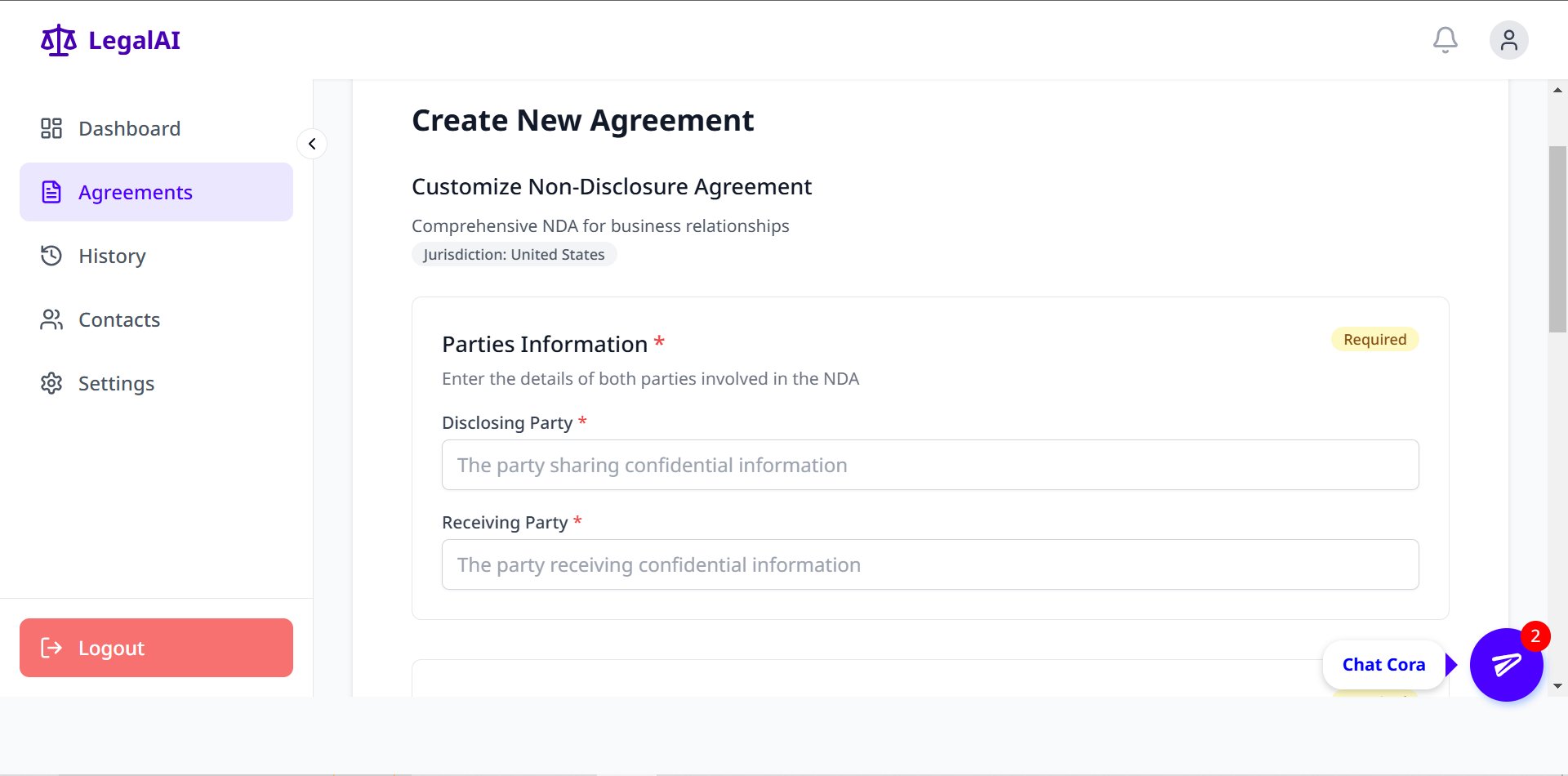
Agreements creation
Problem Statement
The process of creating and managing legal agreements has long been a significant challenge, especially for legal practitioners and small businesses. Despite advancements in technology, inefficiencies and barriers still plague these workflows, making it difficult to ensure accuracy, compliance, and seamless execution. Let’s explore the problems in detail:
Challenges Faced by Legal Practitioners
Time-Consuming Drafting Process:
Drafting legal agreements often involves manually customizing templates for individual cases. Legal professionals spend hours revising and editing documents to ensure they align with client needs while adhering to legal standards. This repetitive process consumes valuable time that could be better spent on strategic or advisory tasks.Complexity in Managing Multiple Templates:
Legal practitioners often deal with a wide range of agreement types, from NDAs to contracts, leases, and more. Maintaining and updating multiple templates can be cumbersome, leading to errors or outdated clauses that might compromise the legal soundness of agreements.Tracking and Signing Bottlenecks:
Agreements are rarely static; they go through several rounds of review, negotiation, and signing. Coordinating these stages manually—especially in cases with multiple parties—can lead to delays, missed signatures, or lost documents.Pressure to Maintain Accuracy and Compliance:
The legal landscape is dynamic, with laws and regulations evolving frequently. Ensuring agreements are always legally sound and compliant with jurisdictional requirements adds another layer of complexity. Even minor oversights can lead to disputes or liabilities.
Challenges Faced by Small Businesses and Individuals
Limited Access to Legal Expertise:
Small businesses and individuals often lack the resources to hire legal experts for drafting agreements. This leaves them reliant on generic templates, which may not fully address their specific needs or comply with local laws.High Costs of Legal Assistance:
Engaging lawyers to draft custom agreements can be prohibitively expensive for startups, freelancers, or small enterprises operating on tight budgets.Inadequate Tools for Agreement Management:
Most small businesses rely on a patchwork of manual processes, such as emailing drafts back and forth or printing and scanning documents for signatures. These outdated methods are inefficient, error-prone, and hard to scale as the business grows.Difficulty in Tracking Signing Processes:
Managing the execution of agreements—ensuring all parties have signed, storing the signed versions securely, and retrieving them when needed—is a logistical challenge. Small businesses often lack dedicated tools to streamline these tasks, leading to disorganization and missed deadlines.
Specific Issues with the Signing Process
Traditional Paper-Based Workflows:
Relying on physical signatures often results in delays caused by logistical constraints, such as printing, mailing, and scanning. Physical documents are also prone to damage, loss, or unauthorized access.Fragmented Digital Solutions:
While digital signing tools like DocuSign exist, integrating them seamlessly into agreement workflows requires technical expertise and effort. Small businesses and legal practitioners often find themselves switching between multiple tools, disrupting their workflow.Lack of Transparency in Status Tracking:
Without real-time visibility into the signing process, users often have to follow up with signatories manually, leading to frustration and inefficiency.
The Solution: LegalAI
LegalAI provides a comprehensive, end-to-end platform that addresses all these challenges, offering users an intuitive, efficient, and legally sound way to create, manage, and sign agreements. The solution is built to serve both legal practitioners and small businesses, leveraging cutting-edge technology to simplify processes and reduce manual effort.
Key Features in Detail
- Predefined Templates
- **For Legal Practitioners**:
    LegalAI offers a library of legally vetted templates covering a wide range of use cases—NDAs, service agreements, employment contracts, partnership deeds, and more. Practitioners can also create and save their custom templates, complete with placeholders for dynamic fields such as client details, dates, and terms.
    This ensures standardization while enabling quick customization for specific clients.

- **For Small Businesses**:
    Small businesses gain access to professionally designed templates, eliminating the need for expensive legal consultations. Templates are categorized based on common use cases, allowing users to quickly find and use the one that fits their needs.
- AI-Powered Agreement Generation
- The platform leverages AI to automate the drafting process. Users fill out simple, intuitive forms to provide key details (e.g., party names, dates, clauses), and the AI dynamically generates a complete, legally sound agreement based on the selected template.
- For legal practitioners, this reduces time spent on repetitive drafting tasks, allowing them to focus on higher-value work.
- For small businesses, the AI acts as a virtual legal assistant, providing confidence in the accuracy and professionalism of the agreements.
- Seamless Integration with DocuSign
- LegalAI integrates directly with DocuSign to provide a smooth digital signing experience. Once an agreement is ready, users can send it to multiple recipients for signatures in just a few clicks.
- The platform handles all technical aspects of the integration, ensuring a hassle-free experience for users.
- Real-Time Status Tracking
- Users can monitor the progress of each agreement, with real-time updates on whether it has been sent, viewed, signed, or rejected.
- Automated reminders can be sent to signatories who haven’t yet signed, reducing delays and ensuring timely completion of agreements.
- Centralized Storage and Management
- All agreements—drafted, signed, or in progress—are stored securely in the platform’s database.
- Users can easily search, preview, and retrieve agreements, ensuring quick access when needed.
- For legal practitioners, this acts as a digital library of past agreements, enabling easy reuse or reference.
- User Roles and Permissions
- The platform supports multiple user roles, ensuring that only authorized individuals can access or edit specific agreements.
- This is particularly beneficial for small businesses with teams, allowing them to collaborate on agreements securely.
- Automation of Repetitive Tasks
- Routine tasks like updating templates, formatting agreements, and sending reminders are fully automated, saving users valuable time and reducing the risk of human error.
Why LegalAI is a Game-Changer
- Empowering Legal Practitioners:
- Dramatically reduces the time and effort needed to draft and manage agreements.
- Ensures accuracy and compliance through standardized, AI-powered templates.
- Provides an efficient way to track and manage client agreements, enhancing productivity and client satisfaction.
- Leveling the Playing Field for Small Businesses:
- Offers affordable access to professional-grade agreements, removing the dependency on expensive legal consultations.
- Simplifies the entire lifecycle of an agreement, from drafting to signing and storage.
- Helps businesses stay organized and compliant, even without a dedicated legal team.
Technical Implementation of LegalAI
The technical architecture of LegalAI revolves around a clean separation of concerns between the backend, powered by NestJS, and the frontend, built with Next.js. We leveraged cutting-edge AI and agent-building tools, such as Gemini as our generative model and LangGraph, to ensure efficient, accurate, and scalable functionalities. Below, we detail the implementation process step by step.
Backend Implementation (NestJS)
1. Template Management
We designed a robust structure for managing agreement templates in the backend.
Template Schema:
- The templates are defined using a schema-based approach, ensuring consistency and flexibility.
- Each template contains placeholders for dynamic fields like party names, dates, terms, and other customizable content.
- This structure allows users to either:
- Use predefined templates, crafted to cater to common legal needs like NDAs, contracts, or service agreements.
- Create custom templates, tailored to specific use cases.
Template Customization:
- The schema includes options for adding clauses, rearranging sections, or introducing custom terms.
- Validation logic ensures that all required fields are present before the template is saved or used.
2. AI-Powered Agreement Generation
Using Gemini as the generative model:
- When a user fills out a form on the frontend, the data is sent to the backend.
- The backend processes this data, maps it to the selected template, and passes it to Gemini.
- Gemini generates the content of the agreement by populating the placeholders with the user-provided data.
- The content is formatted into a structured HTML document, ensuring clarity and professional presentation.
3. DocuSign Integration
We integrated DocuSign to manage the digital signing process:
OAuth Authentication:
- The backend authenticates with DocuSign using OAuth2.
- Users connect their DocuSign accounts through this process, enabling seamless token-based interactions.
Signature Flow:
- Once the agreement is generated, the backend communicates with DocuSign’s API to send the agreement to the specified signers.
- The backend tracks the status of the document (e.g., pending, signed, completed).
4. Database Management
- Agreements, templates, and signing statuses are stored in a relational database.
- This database ensures efficient retrieval of agreements for review, editing, or auditing purposes.
- Users’ templates and custom configurations are also securely stored, ensuring persistence and availability.
5. Agent Building with LangGraph
- LangGraph is used to create intelligent agents that assist in:
- Dynamic Content Validation: Ensuring the agreements meet specific legal standards.
- User Assistance: Suggesting clauses or modifications based on the agreement type.
Frontend Implementation (Next.js)
1. User-Friendly Interface
- The frontend was designed to make the agreement creation process simple and intuitive, with a focus on clean design and usability.
- Template Selection:
- Users can browse predefined templates or create their own using the template builder interface.
- Templates are displayed in a categorized manner for easy navigation.
2. Forms for Agreement Creation
- The forms are dynamically generated based on the template schema.
- Users fill in the necessary details (e.g., parties involved, specific terms, dates).
- Validation is built into the forms to ensure completeness and accuracy before submission.
3. Real-Time Preview
- Once the form data is submitted, the backend generates the agreement and sends it back as a formatted HTML document.
- The frontend renders this document in real time, allowing the user to preview the agreement.
4. Sending Agreements for Signature
- After previewing the agreement, users can send it for signature directly from the frontend.
- The interface includes options to add or remove signers, set signing order, and track signing progress.
Process Workflow
- Template Management:
- Backend provides predefined templates based on a schema.
- Users can select or customize templates via the frontend.
- Form Submission:
- Users fill out the agreement creation forms on the frontend.
- Data is sent to the backend, where it is processed and passed to the AI model (Gemini).
- Agreement Generation:
- AI generates the agreement content and formats it into HTML.
- The formatted content is returned to the frontend for preview.
- DocuSign Integration:
- Once approved, the agreement is sent to the signers via DocuSign.
- Backend tracks signing progress and updates the database accordingly.
- Storage and Management:
- All agreements, whether in draft, signed, or in progress, are securely stored in the backend.
- Users can view and manage their agreements from the frontend dashboard.
Tech Stack Overview
Backend:
- NestJS: For building a modular and scalable API.
- Gemini: As the generative model for AI-powered agreement drafting.
- LangGraph: For creating intelligent agents and enhancing user interactions.
- Database: A mongo database for storing templates, agreements, and user data.
Frontend:
- Next.js: For a responsive and interactive user experience.
- React: For component-based UI development.
Integration:
- DocuSign: For seamless digital signing. ### How We Used DocuSign in LegalAI
DocuSign is the backbone of our signature workflow, enabling users to seamlessly send agreements for electronic signatures and track the signing process. Here's a detailed breakdown of how DocuSign was integrated into LegalAI:
1. DocuSign Authentication and Setup
OAuth 2.0 Authentication:
- We implemented DocuSign’s OAuth 2.0 Authorization Code Grant flow to securely authenticate users.
- When a user connects their DocuSign account to LegalAI, they are redirected to DocuSign’s authorization page. Once authenticated, an access token is obtained and stored securely for interacting with the DocuSign API.
- Tokens are refreshed automatically when they expire, ensuring uninterrupted service.
DocuSign Developer Account:
- We used DocuSign’s sandbox environment during development for testing and debugging.
- API keys, account IDs, and other configuration details were set up in the backend to enable seamless communication with DocuSign’s services.
2. Sending Agreements for Signature
The process of sending agreements for signature is a core feature of LegalAI. Here’s how it works:
- Agreement Preparation:
- Once the user fills out a template and the AI generates the agreement content, it is converted into a structured **HTML file**.
- This HTML file is stored in the database and is rendered as a preview in the frontend for final user review.
- Sending the Agreement:
- When the user clicks "Send for Signature," the agreement and signer details are sent to the backend.
- The backend constructs a **DocuSign envelope**, which includes:
    - **Document Content**: The HTML agreement is converted into a **PDF document** using a rendering service.
    - **Signer Information**: The recipient’s name, email, and signature order are defined.
    - **Tabs (Signature Fields)**: Signature, date, and other fields are dynamically placed within the document based on the agreement’s structure.
- Calling DocuSign’s API:
- The backend sends the envelope data to the DocuSign API, triggering an email notification to the signers.
- The envelope is created in **"sent" status**, meaning it is immediately sent to the recipients for signing.
3. Real-Time Status Tracking
Webhook Integration:
- To keep users updated on the signing progress, we integrated DocuSign’s Connect Webhooks.
- A webhook endpoint in the backend listens for events such as:
- Envelope sent
- Document viewed
- Document signed
- Envelope completed
- These updates are reflected in the frontend in real-time, allowing users to track the status of their agreements.
Error Handling:
- If an envelope fails to send (e.g., invalid signer email), the error is logged, and the user is notified with actionable feedback.
4. Signing Process
Signer Experience:
- Signers receive an email from DocuSign containing a secure link to the document.
- They can review the agreement, complete any required fields, and electronically sign it using DocuSign’s intuitive interface.
Multi-Signer Support:
- If there are multiple signers, the document is routed sequentially or simultaneously, based on the signing order defined during envelope creation.
5. Document Retrieval and Storage
Retrieving Signed Documents:
- Once all signers have completed the process, the fully executed document is retrieved from DocuSign via the API.
- The signed document is stored securely in the database, with links available for users to download or share.
Audit Trail:
- DocuSign provides a detailed audit trail for each document, including timestamps for when the document was sent, viewed, and signed.
- This audit trail is accessible to users for legal and compliance purposes.
6. Customization and Flexibility
Dynamic Field Placement:
- DocuSign’s template tabs feature allowed us to dynamically place signature fields, dates, and other interactive elements based on the agreement’s structure.
- This ensured that agreements looked professional and met the legal requirements for signatures.
Predefined Templates:
- For users who repeatedly use similar agreements, we enabled the use of predefined DocuSign templates.
- These templates simplify the process by pre-setting common fields and signer roles, saving time and reducing errors.
7. Transition from Sandbox to Production
Environment Testing:
- During development, all API interactions were tested in DocuSign’s sandbox environment, where fake signers and documents were used to simulate real scenarios.
- Once testing was complete, the application was transitioned to the production environment, with real user accounts and live documents.
Challenges Faced During Development
Building LegalAI wasn’t without its hurdles. The key challenges revolved around DocuSign integration, template creation and management, and ensuring a smooth user experience across the platform. Below, we discuss these challenges in detail:
1. DocuSign Integration
DocuSign integration proved to be one of the most complex and time-consuming parts of the project.
Understanding the Documentation:
- DocuSign’s API is powerful but intricate, requiring developers to navigate through extensive documentation.
- Challenges included identifying the correct endpoints for features like sending documents, handling webhook callbacks, and tracking signature statuses.
OAuth Implementation:
- DocuSign’s OAuth2 flow required precise implementation to securely authenticate users.
- Managing token expiration and refresh cycles added complexity, especially to ensure uninterrupted user sessions.
Error Handling:
- Interpreting API errors and debugging failed requests (e.g., missing fields in payloads, invalid configurations) was tedious.
- Edge cases like invalid signer emails or failed delivery due to external network issues had to be handled gracefully.
Testing Environment:
- DocuSign’s sandbox environment was different from production, requiring adjustments during the transition.
- Ensuring compatibility and proper behavior in both environments needed additional time and testing.
2. Setting Up a Robust Template Creation System
Templates are the backbone of LegalAI, and creating a system that is both flexible and user-friendly presented several challenges.
Designing a Template Schema:
- Building a schema that could accommodate diverse agreement types, ranging from NDAs to complex service agreements, required extensive brainstorming and planning.
- Ensuring the schema allowed for dynamic placeholders (e.g., [Party Name], [Date]) while maintaining clarity was tricky.
Customizability:
- Balancing the need for predefined templates with the ability for users to create highly customized ones was challenging.
- We had to ensure that custom templates still adhered to the structural integrity required for AI generation and DocuSign compatibility.
Dynamic Form Mapping:
- Mapping the backend template schema to frontend forms dynamically required careful coordination between both ends.
- Ensuring that forms rendered correctly, validated user inputs, and sent data back in a structured format added to the complexity.
Error-Prone Scenarios:
- Users often made mistakes while creating custom templates, such as missing required placeholders or using unsupported formatting.
- We had to introduce validations and error messages to guide users in building valid templates.
3. AI-Driven Agreement Generation
While using Gemini for AI-powered agreement drafting was a powerful solution, there were challenges:
Ensuring Contextual Accuracy:
- The AI needed to understand the nuances of legal language and populate templates with accurate, contextually appropriate text.
- Fine-tuning the model to balance legal precision with readability was an iterative process.
Formatting as HTML:
- Generating the agreements as HTML files required careful attention to layout, styling, and rendering consistency across devices.
- Ensuring proper rendering in both the preview (frontend) and DocuSign output added to the complexity.
4. Balancing Usability and Complexity
User Interface Challenges:
- Designing an intuitive interface for creating and managing templates was not straightforward.
- We had to cater to both legal practitioners (who needed advanced customization) and small businesses (who wanted simplicity).
- Providing clear feedback during form submission, previewing, and signature flow required additional effort.
Real-Time Validation and Feedback:
- Ensuring real-time validation of inputs on the frontend (e.g., missing fields, invalid signer emails) while maintaining performance was challenging.
- Synchronizing validation logic between the frontend and backend was crucial to avoid discrepancies.
How We Overcame These Challenges
- DocuSign Integration:
- We created a modular service in the backend specifically for DocuSign interactions, handling authentication, API requests, and error management in isolation.
- Regular testing with DocuSign’s sandbox environment helped iron out issues before transitioning to production.
- Template Creation System:
- The template schema was designed iteratively, with feedback from real users and stakeholders.
- Frontend forms were built dynamically based on the schema, ensuring scalability and ease of customization.
- Robust validations were implemented both on the frontend (for user convenience) and backend (to ensure data integrity).
- AI-Driven Agreement Generation:
- We fine-tuned **Gemini** for legal-specific contexts, training it on a dataset of agreements to ensure precision.
- A separate layer was added to post-process the AI-generated content, converting it into a clean HTML format with consistent styling.
- User Experience Improvements:
- Extensive user testing helped us identify pain points in the interface, leading to iterative design improvements.
- Tooltips, real-time feedback, and error messages were added to guide users through the process seamlessly.
Future of LegalAI: Expanding Horizons
The journey of LegalAI doesn’t stop with what has been achieved so far. Our vision is to create an even more robust, versatile, and user-friendly platform that continues to empower legal practitioners and small businesses. Here’s what the future holds:
1. Better Templates and Enhanced Template Management
Expanded Template Library:
- We plan to introduce a broader range of templates tailored to various industries, including real estate, healthcare, finance, and technology.
- These templates will cater to specific use cases like NDAs, lease agreements, partnership contracts, and more.
Custom Template Suggestions:
- AI will analyze user behavior and agreement history to suggest improvements to templates or recommend new ones.
Interactive Template Building:
- Users will have access to an upgraded template creation system that allows for drag-and-drop fields, conditional logic, and dynamic placeholders.
- This will enable greater customization while ensuring legal compliance.
2. More HTML Templates and Formatting Options
HTML Template Variations:
- Additional professionally designed HTML templates will be introduced, offering users more options for branding and styling their agreements.
Advanced Styling Features:
- Users will be able to customize fonts, colors, headers, and footers directly within the platform, allowing agreements to better reflect their brand identity.
Template Previews in Real-Time:
- Improvements in the preview system will allow users to see real-time updates to their agreements as they modify templates.
3. Enhanced Document Download Options
Download as PDF:
- While users can currently view and send agreements, future updates will include options to download agreements as polished PDF files with embedded digital signatures.
- This will cater to users who prefer physical copies or offline storage.
Multi-Format Downloads:
- Additional formats such as Word documents (
.docx) and plain text (.txt) will be supported to give users flexibility in editing and sharing.
- Additional formats such as Word documents (
4. Improvements to the Chatbot
Smarter Assistance:
- The integrated chatbot will be upgraded to handle more complex queries and offer personalized guidance for creating agreements.
- It will walk users through filling out forms, suggest legal terms, and ensure critical clauses are not overlooked.
Legal Insights:
- The chatbot will leverage natural language processing (NLP) to provide users with insights into legal terms, helping them better understand the agreements they are creating.
Conversational Agreement Generation:
- Users will be able to describe the type of agreement they need, and the chatbot will generate a suitable document by interacting conversationally.
5. AI-Driven Features
Clause Recommendations:
- AI will analyze existing agreements and suggest relevant clauses based on the user’s industry, jurisdiction, and specific requirements.
Risk Assessment:
- AI will review generated agreements and flag potential risks or missing elements, helping users ensure their contracts are airtight.
Multilingual Support:
- The platform will support agreement generation in multiple languages, catering to international users.
6. Scalability and User Experience
User Roles and Permissions:
- Future updates will include enhanced user management features, allowing teams to collaborate on agreements with defined roles and permissions (e.g., editor, reviewer, approver).
Mobile App Integration:
- A mobile application will be developed to make agreement creation and signing accessible anytime, anywhere.
Integration with Other Platforms:
- LegalAI will integrate with popular tools like Microsoft 365, Google Workspace, and CRMs such as Salesforce to streamline workflows.
7. Advanced Analytics and Tracking
Agreement Insights:
- Users will have access to analytics on their agreements, such as how long signers take to complete them and which sections are frequently edited.
Workflow Optimization:
- Analytics will help users identify bottlenecks in their agreement processes and suggest improvements.
8. Compliance and Security Enhancements
Jurisdiction-Specific Templates:
- Templates will be updated to include clauses that meet the legal requirements of specific regions, ensuring compliance with local laws.
Blockchain-Backed Auditing:
- Agreements will include blockchain-based audit trails for tamper-proof records of document creation, signing, and modification.
The future of LegalAI is one of constant innovation, making legal processes faster, easier, and more accessible for everyone.
Built With
- docusign
- gemini
- javascript
- nestjs
- nextjs
- react
- typescript


Log in or sign up for Devpost to join the conversation.