-
-
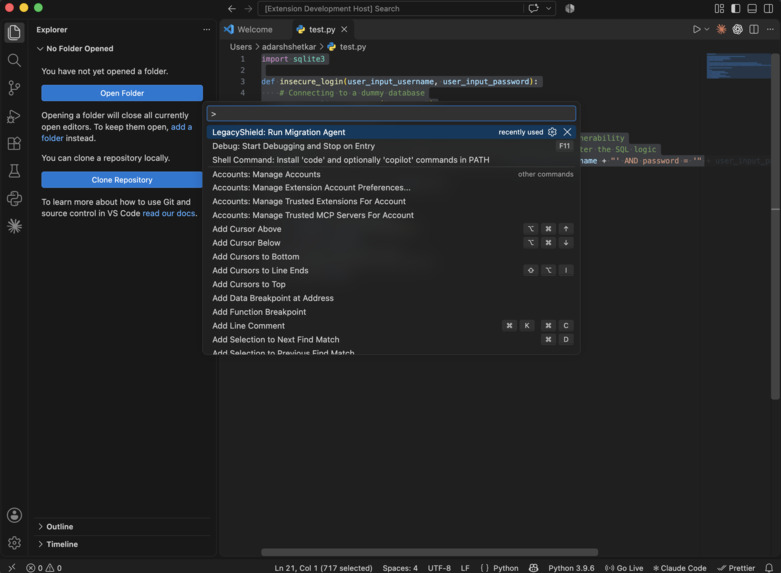
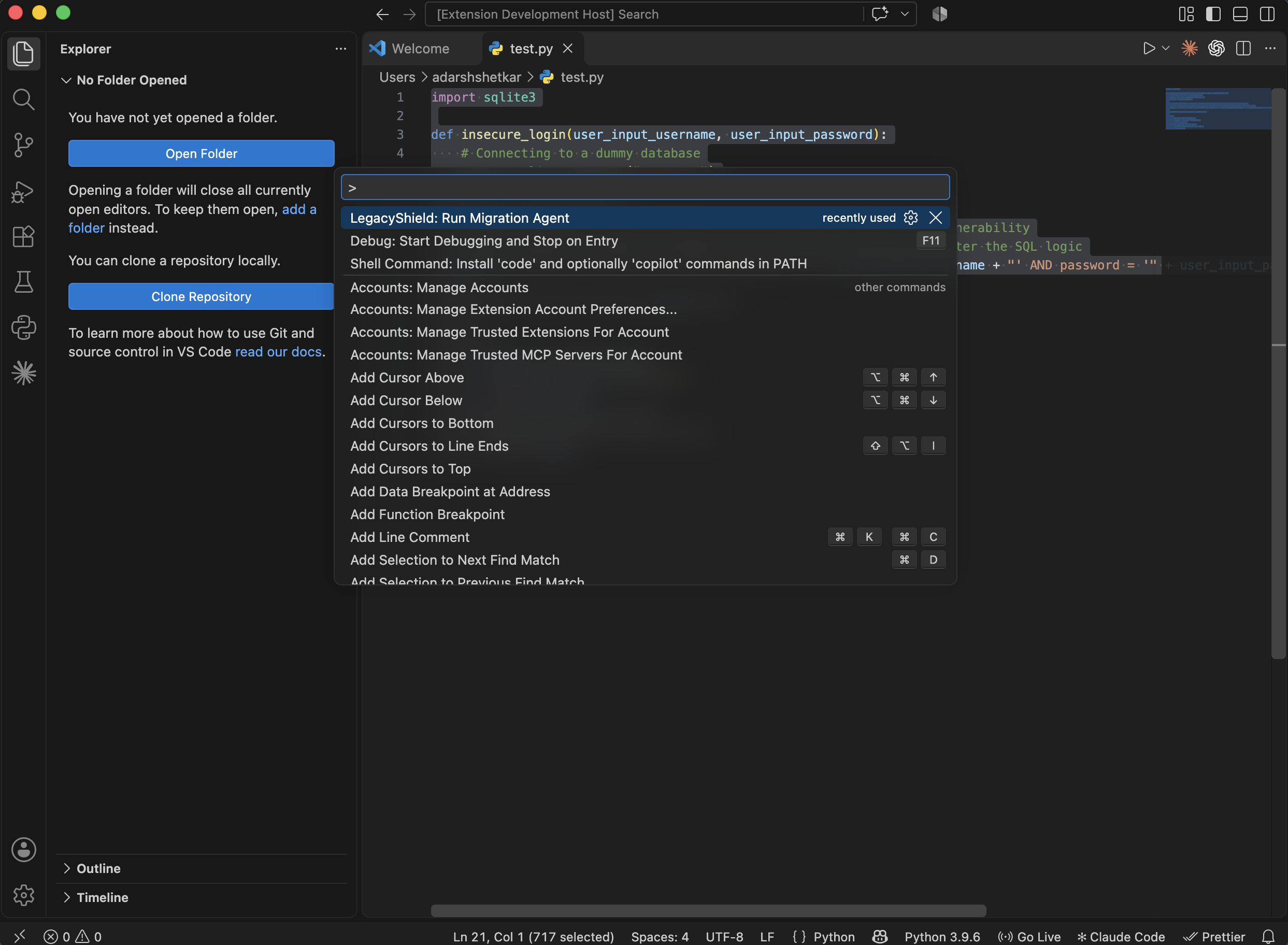
Select the Agent
-
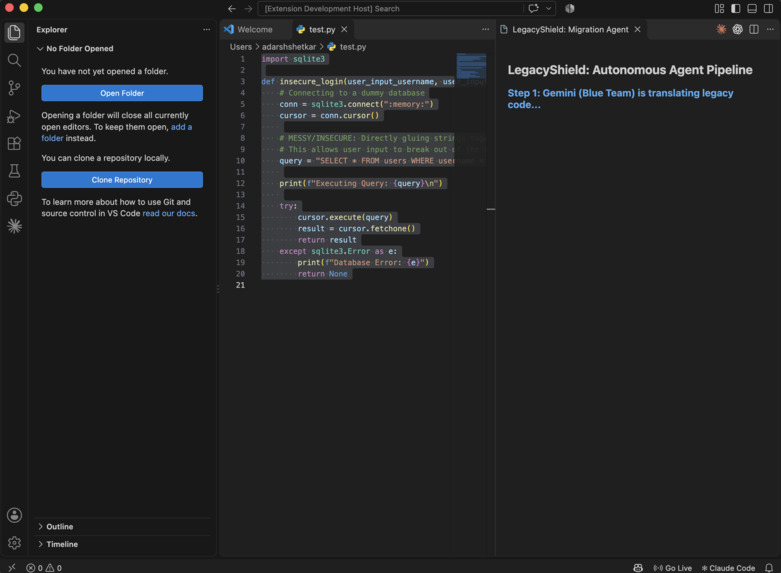
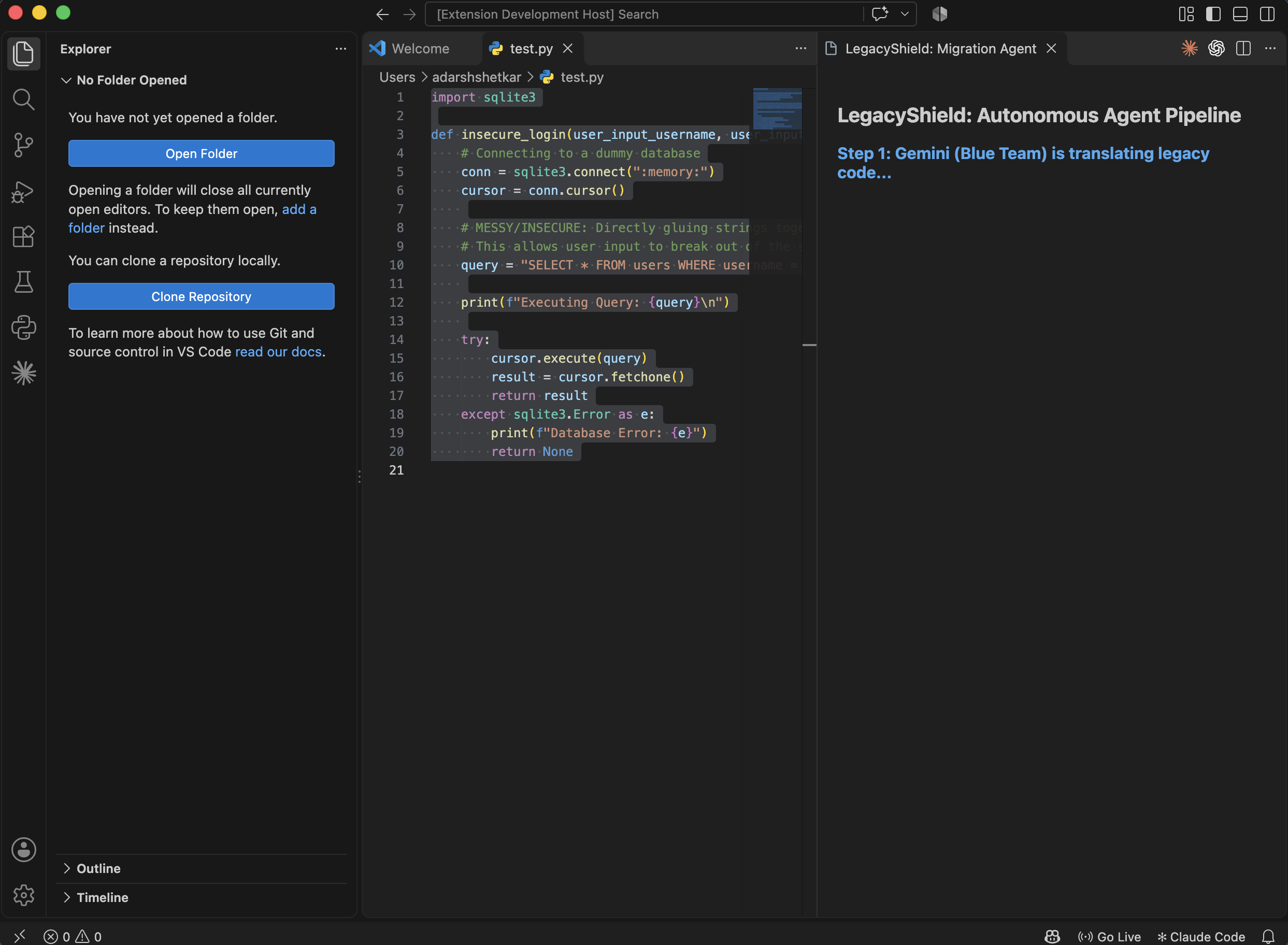
Step 1: Gemini (Blue Team) is translating legacy code
-
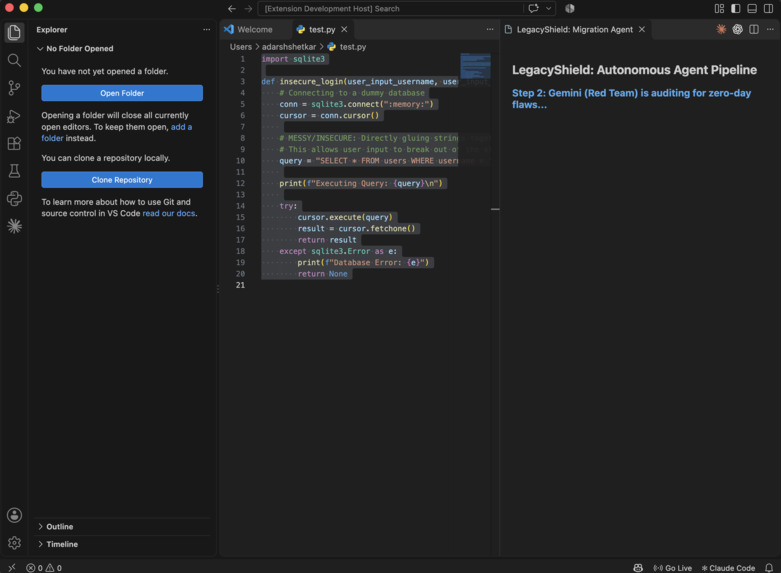
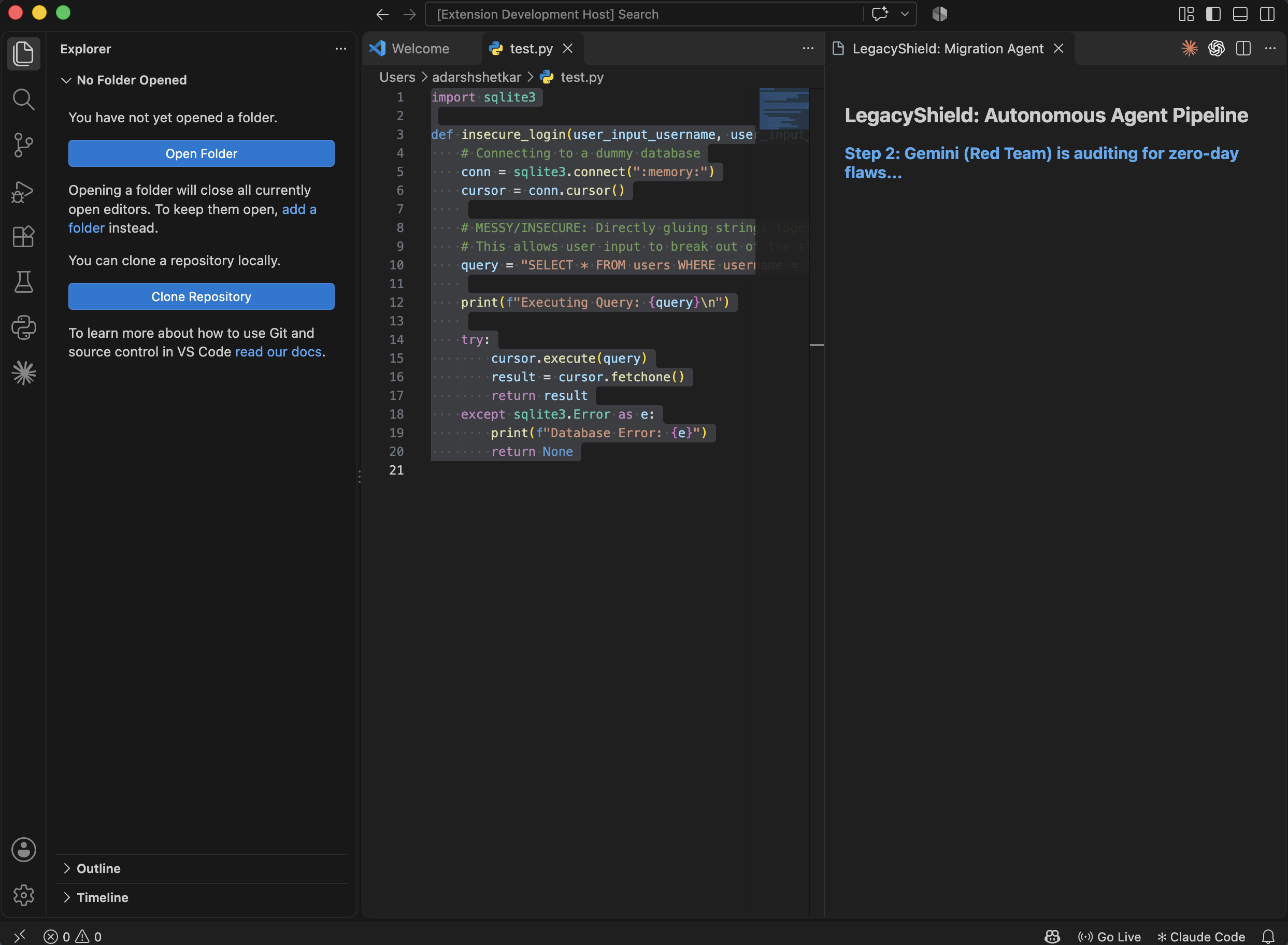
Step 2: Gemini (Red Team) is auditing for zero-day flaws
-
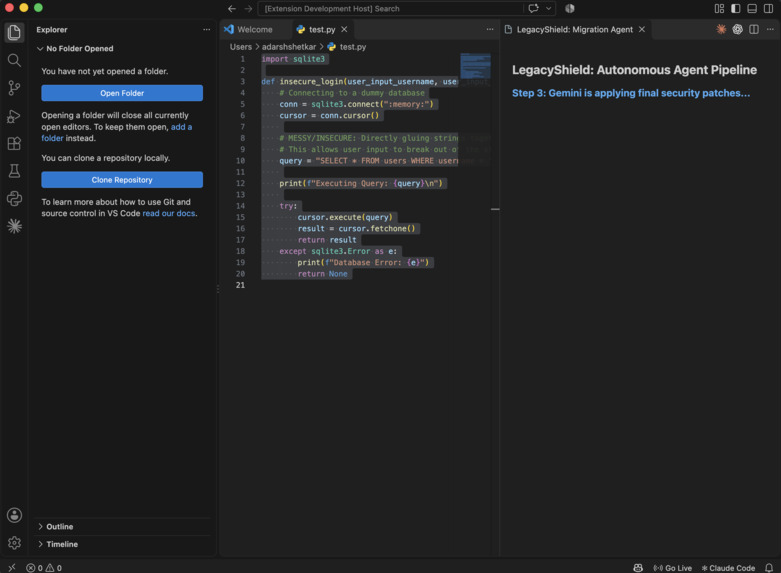
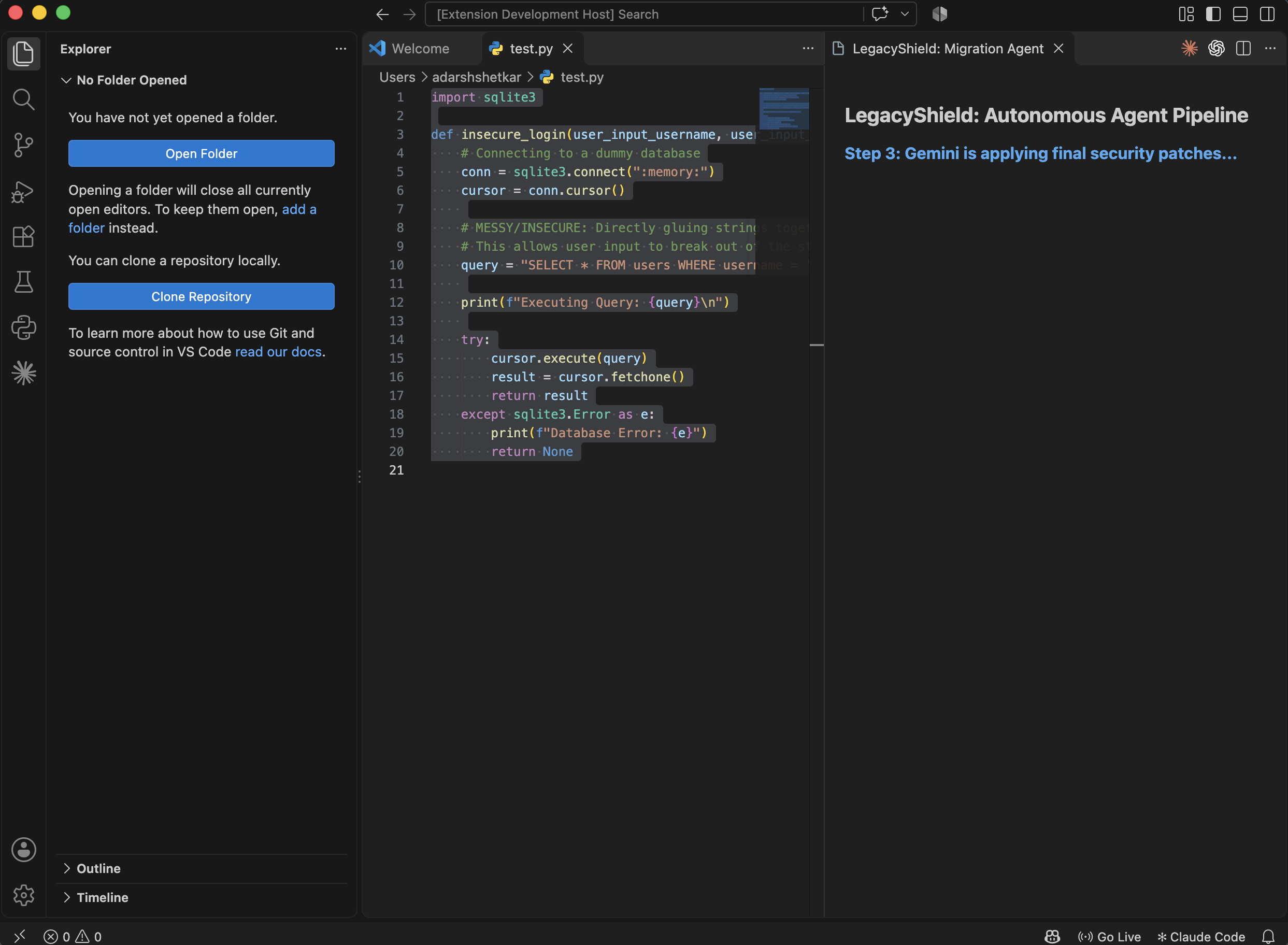
Step 3: Gemini is applying final security patches
-
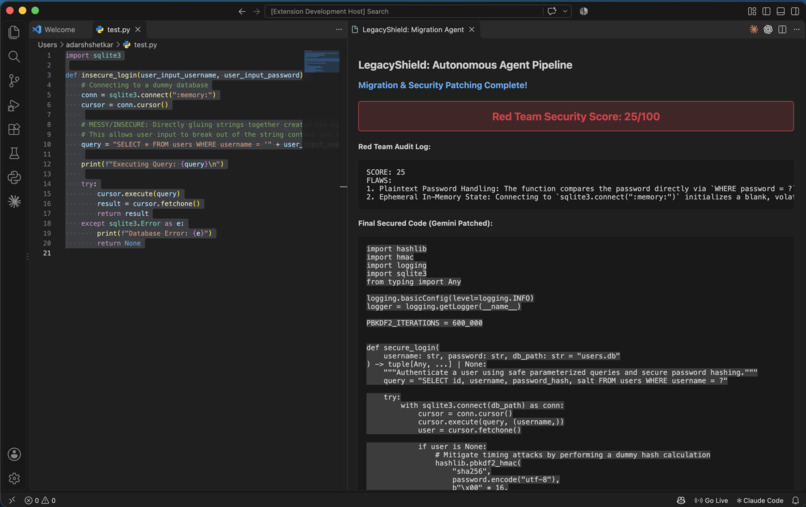
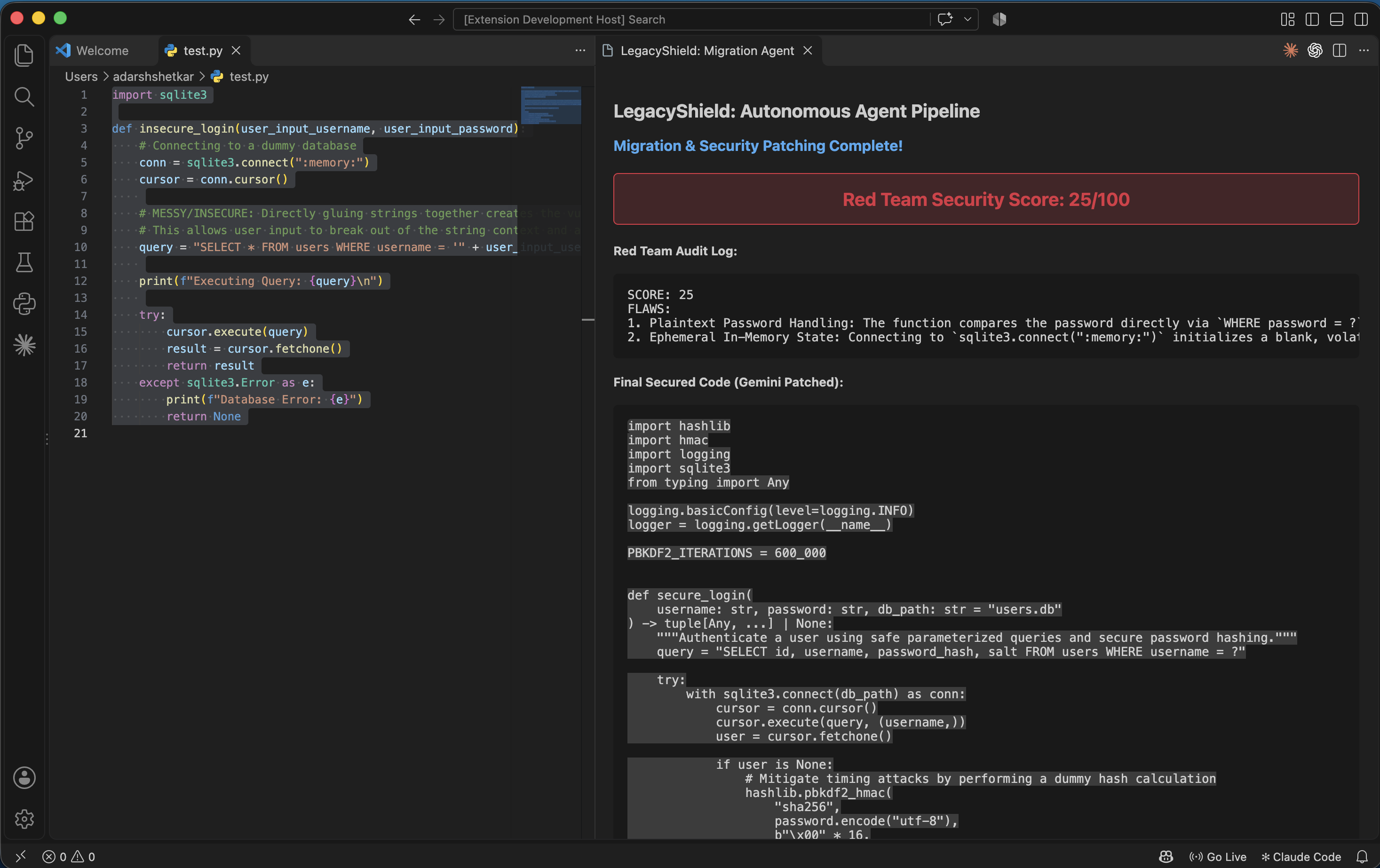
Migration & Security Patching Complete!
Inspiration
The recent "PHP2Shell" crisis (CVE-2026-109618 and CVE-2026-109619) exposed millions of legacy installations to remote code execution, proving that unpatched legacy software is a massive financial and security liability. From experience building enterprise application architecture at JPMorgan Chase, migrating legacy code is rarely just about updating syntax—it is a critical security mandate where a single unchecked string can result in a catastrophic data breach. This inspired LegacyShield: a tool to automate the modernization and security hardening of outdated enterprise codebases without leaving the developer environment.
What it does
LegacyShield is an autonomous, multi-agent AI pipeline integrated directly into a developer's IDE as a native VS Code extension. Instead of acting as a simple code-completion chatbot, it functions as a contextual security pipeline. When a developer highlights outdated or insecure code, LegacyShield triggers an autonomous "Red Team versus Blue Team" debate loop. It modernizes the syntax, aggressively audits the new code for zero-day vulnerabilities, scores the security posture, and applies a final patch, displaying the entire debate and final secure code in a visual dashboard.
How we built it
We built the extension using TypeScript and the VS Code Extension API. The core intelligence is powered entirely by the Google Gemini API (gemini-3.8-flash), taking advantage of its speed to run a three-step autonomous agent chain in seconds:
- Blue Team (Modernization): Gemini translates the legacy code into modern, secure Python/C++.
- Red Team (Security Audit): The newly generated code is fed back to a second Gemini agent instructed to act as a ruthless attacker. It hunts for vulnerabilities (like SQL injection or memory leaks) and returns a raw security score out of 100.
- Blue Team (Final Patch): If the Red Team flags flaws, the Blue Team agent executes a final pass to apply specific security patches (like
argon2hashing or parameterized queries). The results are rendered in a custom VS Code Webview using HTML/CSS.
Challenges we ran into
Integrating modern ESM-only AI SDKs into the CommonJS architecture of VS Code extensions required dynamic imports and asynchronous module loading. Additionally, we initially architected a dual-model system but ran into API billing and access constraints midway through the hackathon. We had to pivot rapidly, successfully re-engineering our prompt chain to force Gemini to adopt opposing adversarial personas, ensuring the Red Team audit remained highly critical of the Blue Team's output.
Accomplishments that we're proud of
We are proud of moving beyond a standard web-based AI chat wrapper to build a native, context-aware developer tool. Successfully chaining LLM calls so the model critiques and fixes its own work autonomously—and rendering that adversarial debate in a clean, color-coded IDE dashboard—results in a highly practical enterprise tool.
What we learned
We learned how to architect VS Code extensions from scratch, including registering commands, handling editor context, and passing messages between the extension host and a Webview UI. We also heavily refined our prompt engineering techniques to force the LLM into strict, adversarial roles without hallucinating or breaking the output formatting needed for the UI dashboard.
What's next for LegacyShield
The next step is scaling LegacyShield from single-file snippets to repository-wide migrations. We plan to integrate it directly into CI/CD pipelines (like GitHub Actions) so that pull requests containing legacy patterns are automatically intercepted, audited by the Red Team agent, and returned with a fully modernized, secure Blue Team patch ready for review.
Built With
- automation
- autonomous-agents
- code-modernization
- css
- cybersecurity
- developer-tools
- gemini
- gemini-api
- generative-ai
- html
- node.js
- typescript
- vscode-api

Log in or sign up for Devpost to join the conversation.