-
-
-
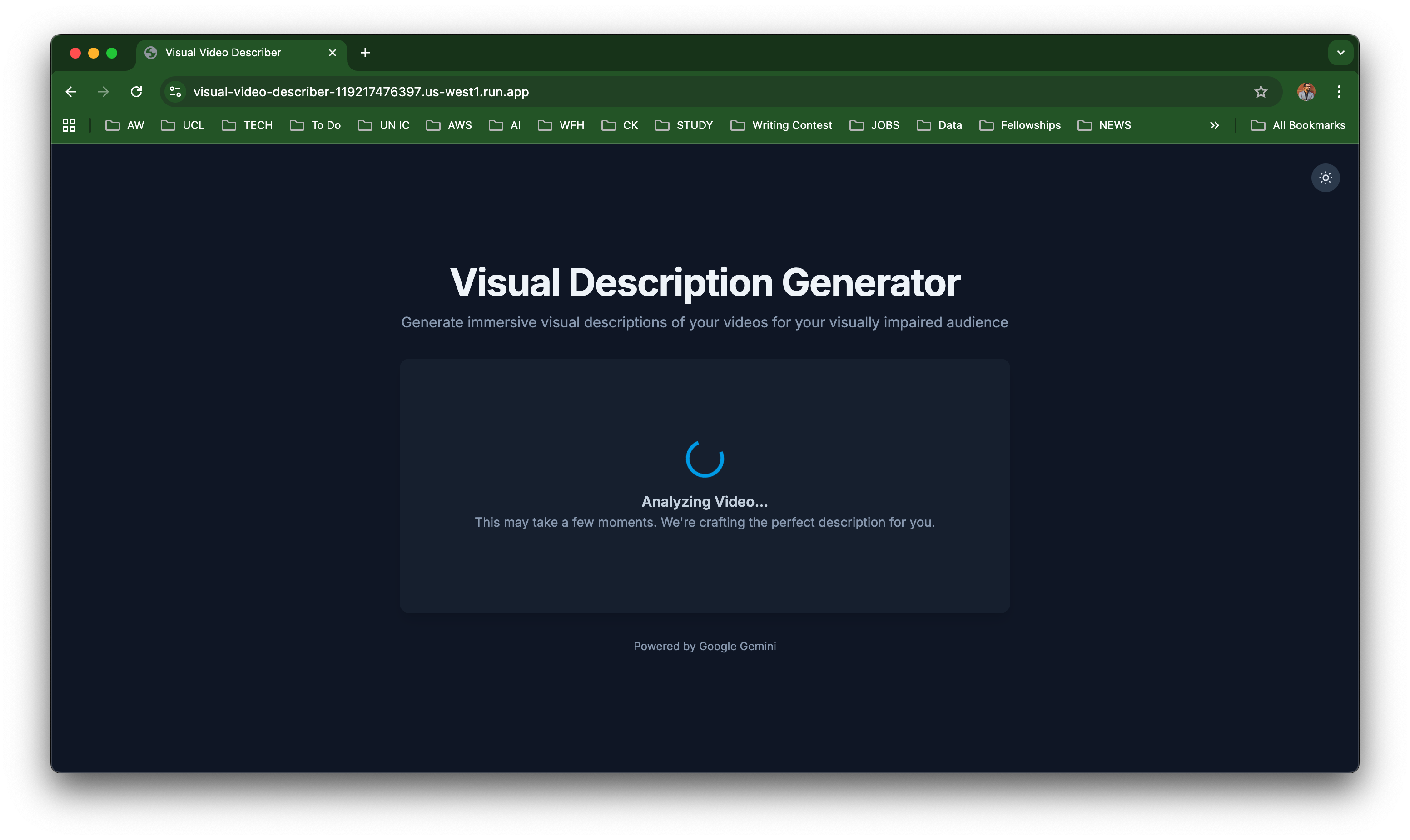
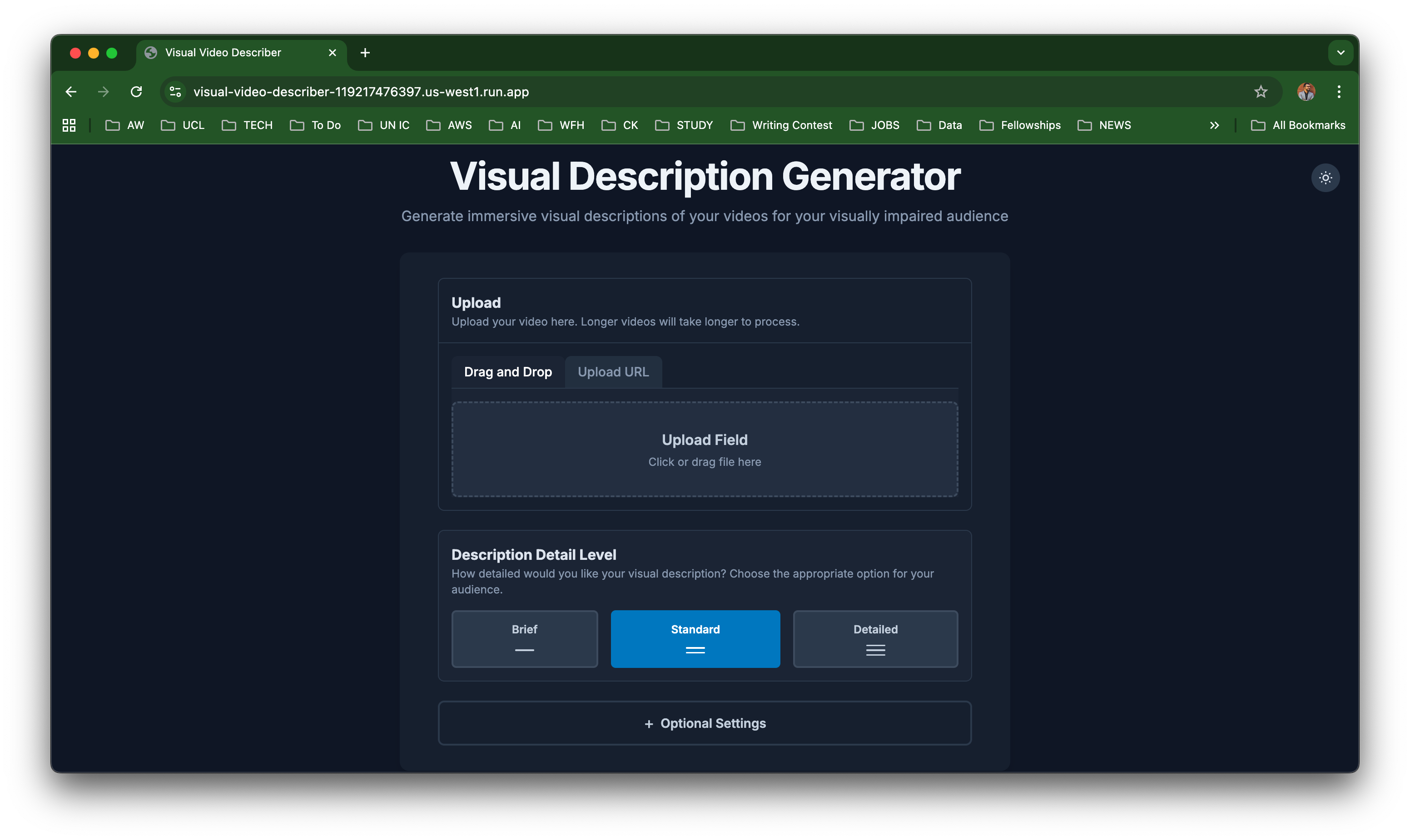
Upload Video
-
-
-
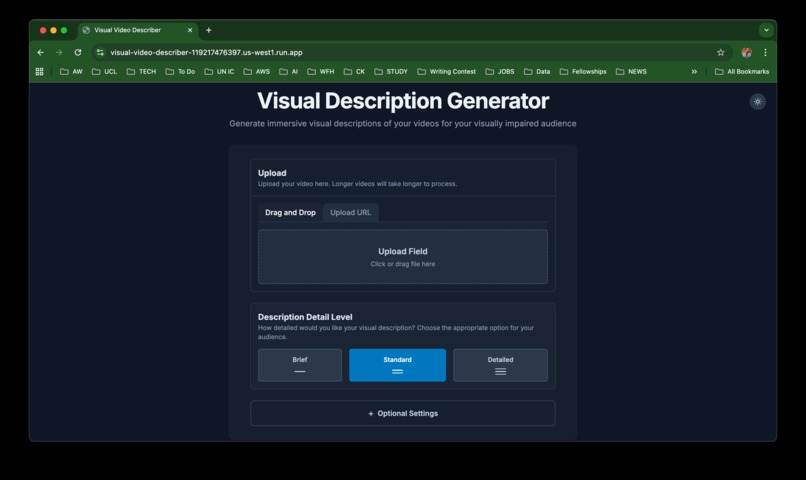
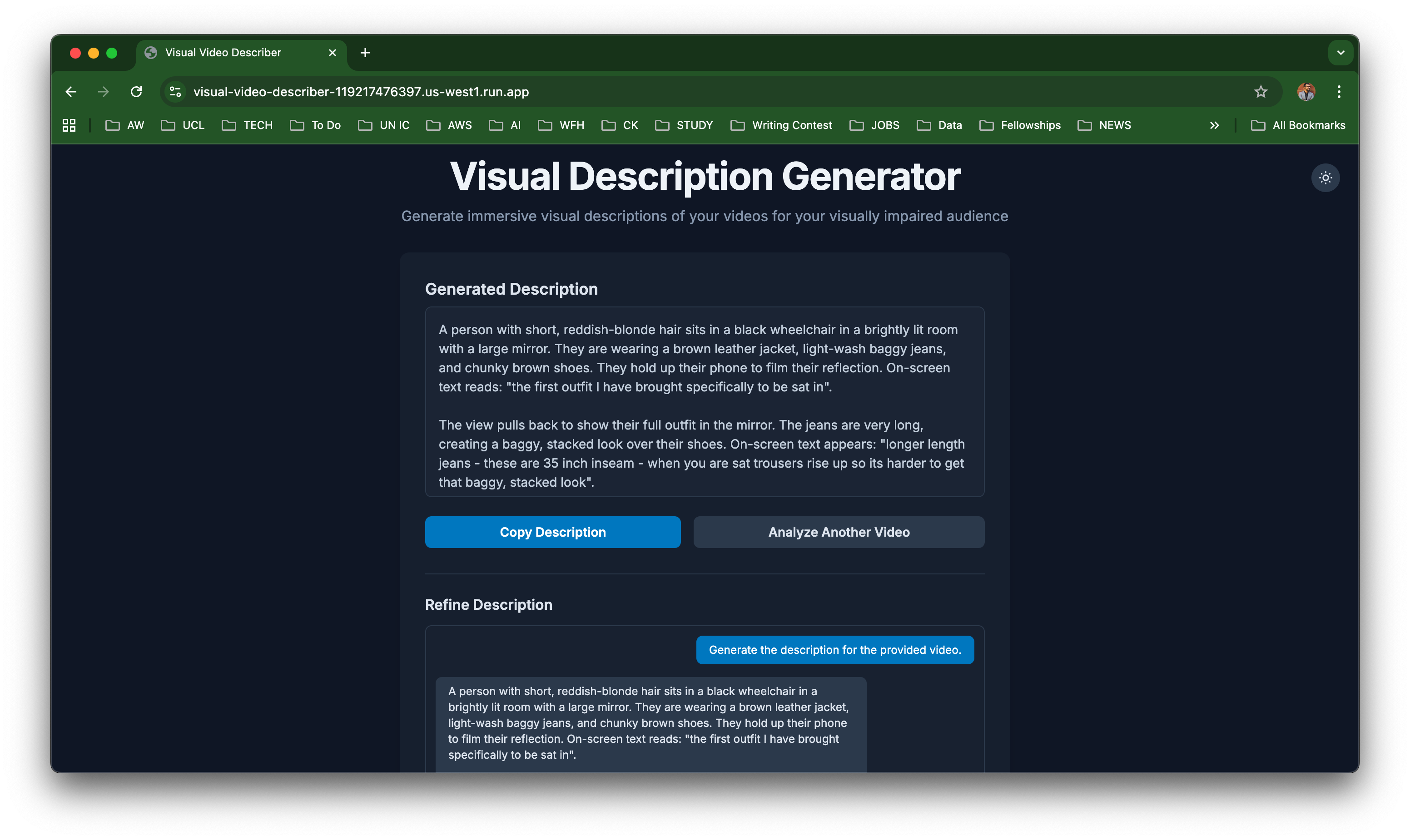
Homepage
-
-
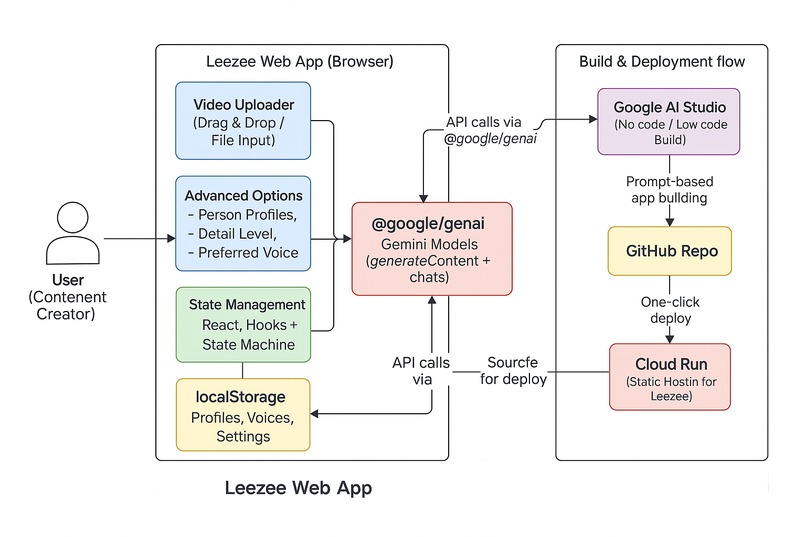
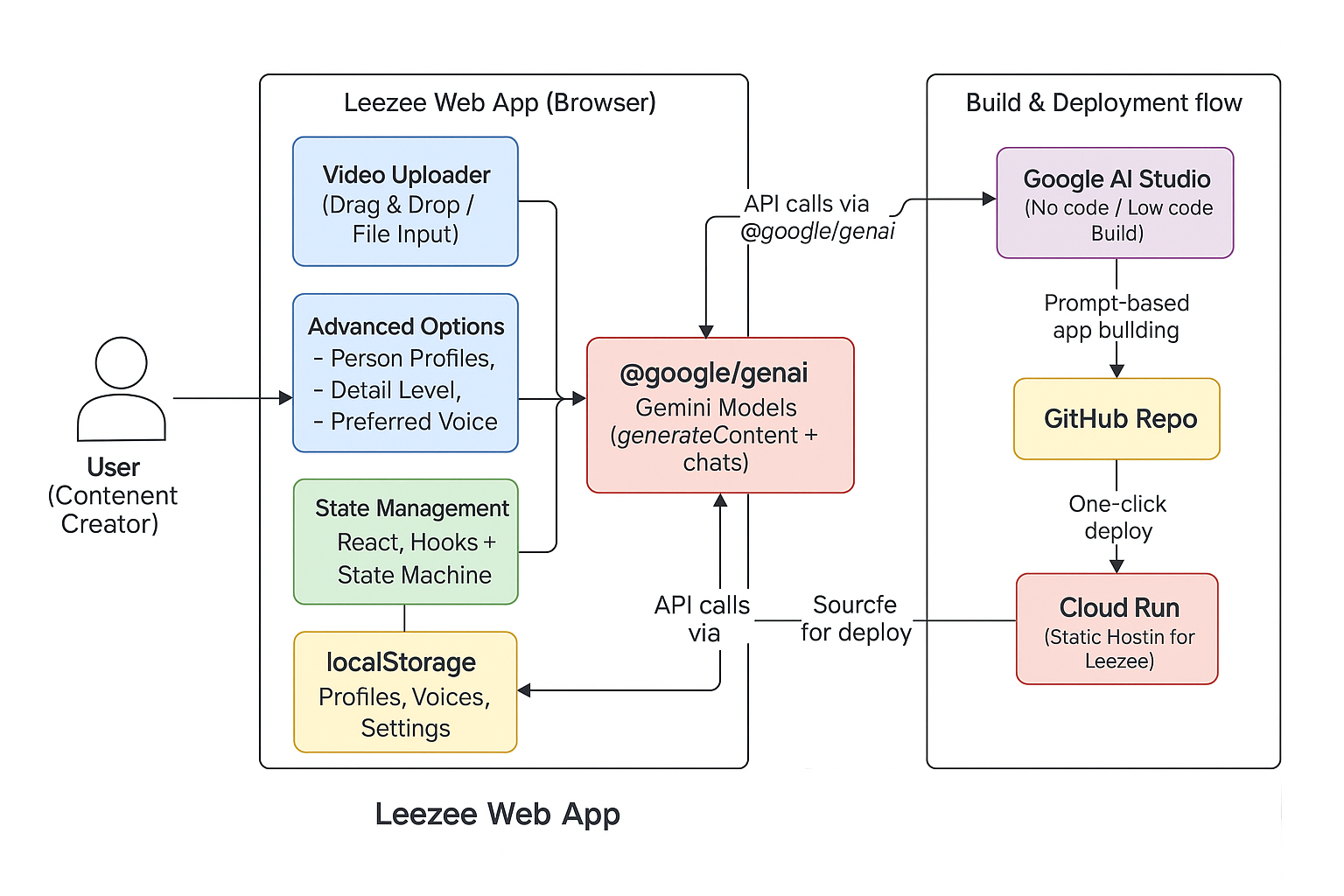
Architecture
-
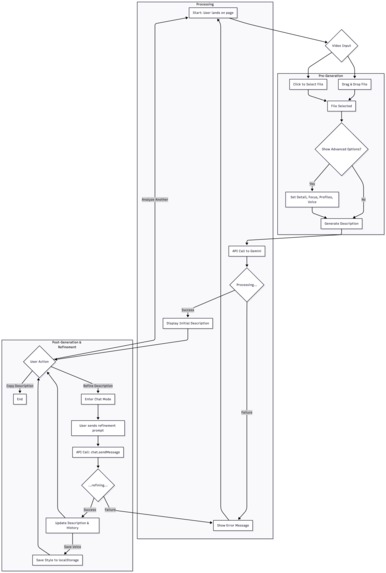
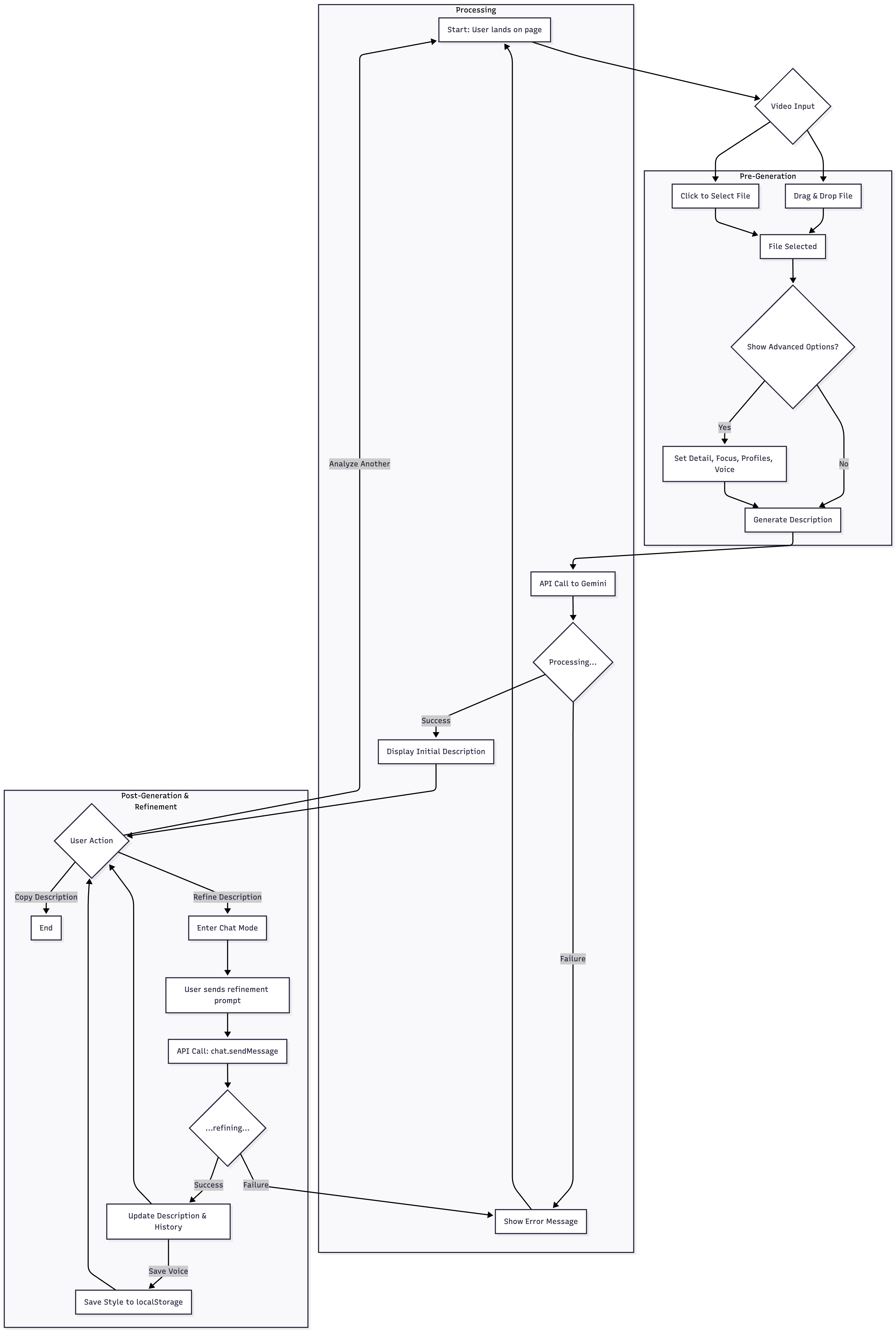
Flow Diagram
Leezee
Empowering content creators with AI-generated visual descriptions - lifting the burden of inaccessibility from the blind and visually impaired community.
Inspiration
As a content creator living with a disability, it is important to me that my videos are accessible to everyone - including the blind and visually impaired community. I do this by providing visual descriptions in all my videos. However, many people do not, or are not able to provide this access.
I wanted to build something that could make video content more inclusive - using AI-powered visual analysis that effortlessly crafts visual descriptions for content creators, ultimately lifting the burden of inaccessibility for blind and visually impaired audiences.
However, I didn’t come from a web development background. So I reached out to a close friend — a techie amputee — who introduced me to Google AI Studio. Which made everything possible.
For the first time, I could bring my idea to life without writing code — transforming a project idea into a creative tool that others can use to make their content more accessible and increase their viewer base.
The Concept
What it does
Leezee is an AI-powered web application that helps users generate rich, human-like descriptions for videos — entirely in the browser.
It works in three simple stages:
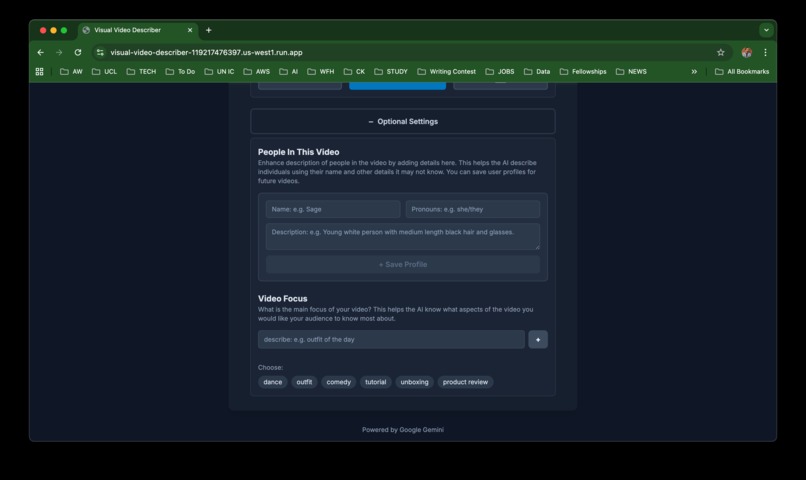
Upload a Video: Users can drag and drop or select any video file directly in the app.
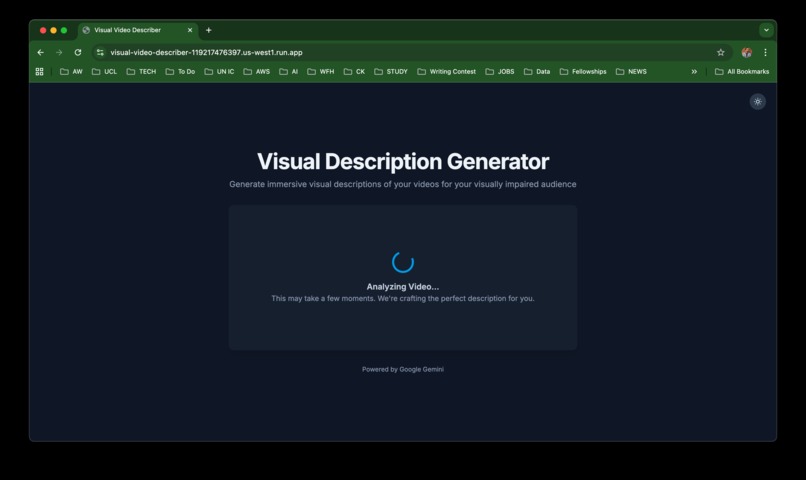
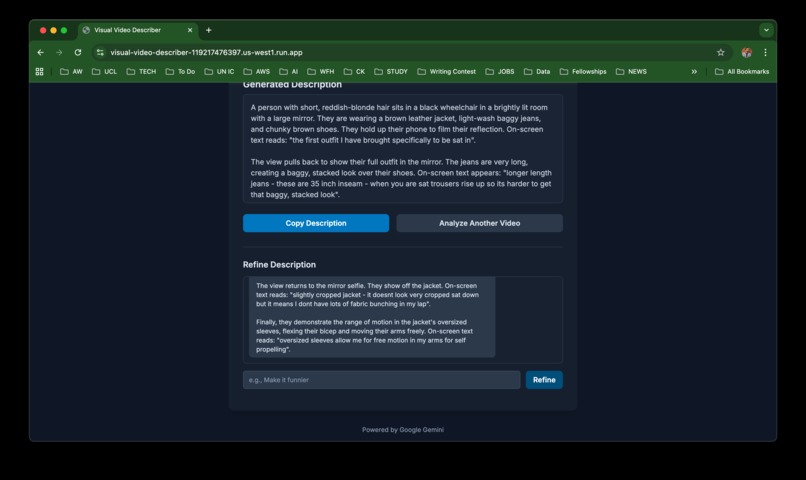
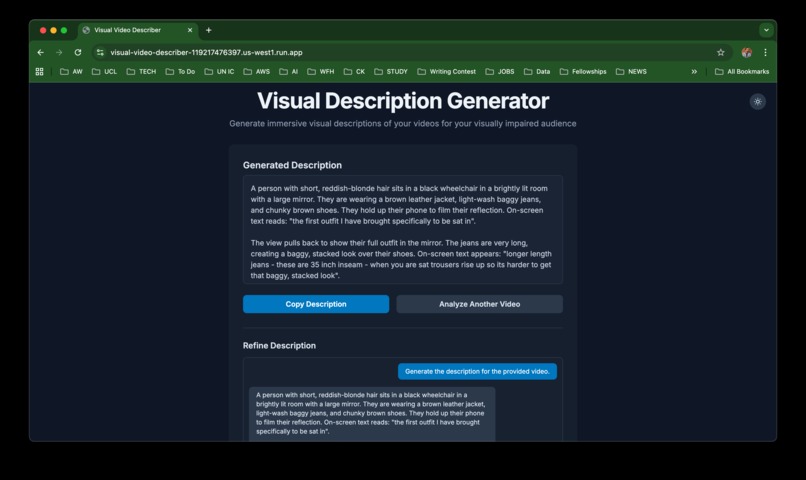
Generate Descriptions: Leezee uses the Google Gemini API to analyze the video and produce an initial descriptive narration — capturing scenes, actions, and emotional tone.
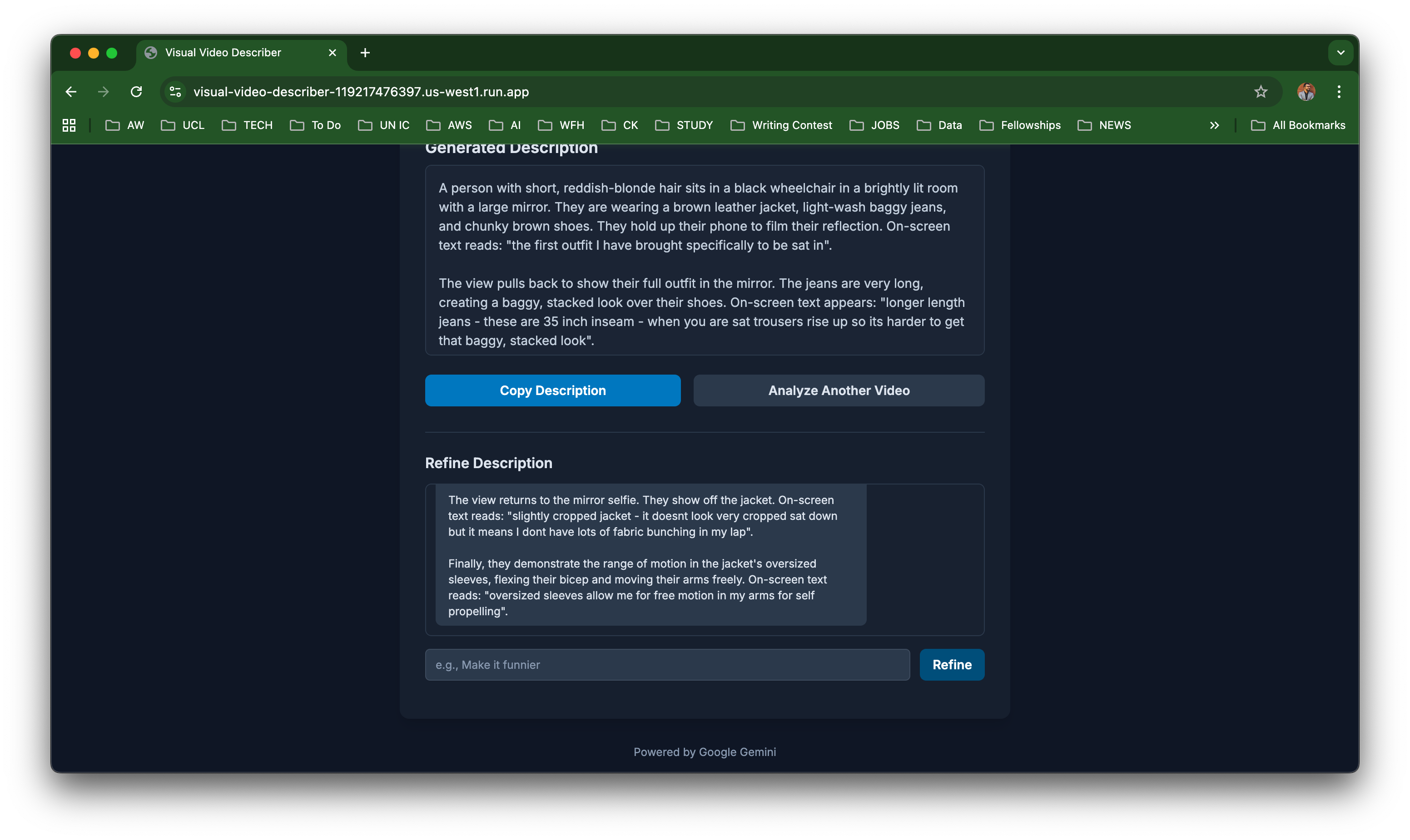
Refine with AI Chat: Instead of a one-time output, Leezee introduces an interactive chat-based refinement system. Users can talk to the AI to tweak tone, shorten or expand sections, or make the description more creative or professional — all in real time.
The app also includes advanced personalization features:
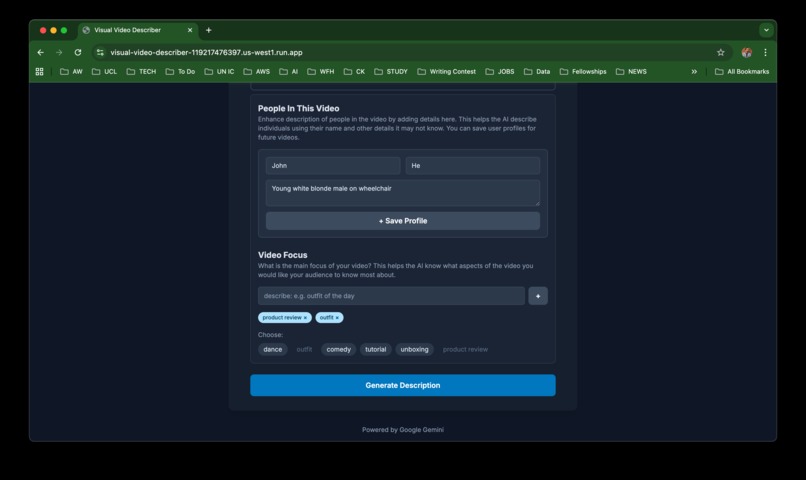
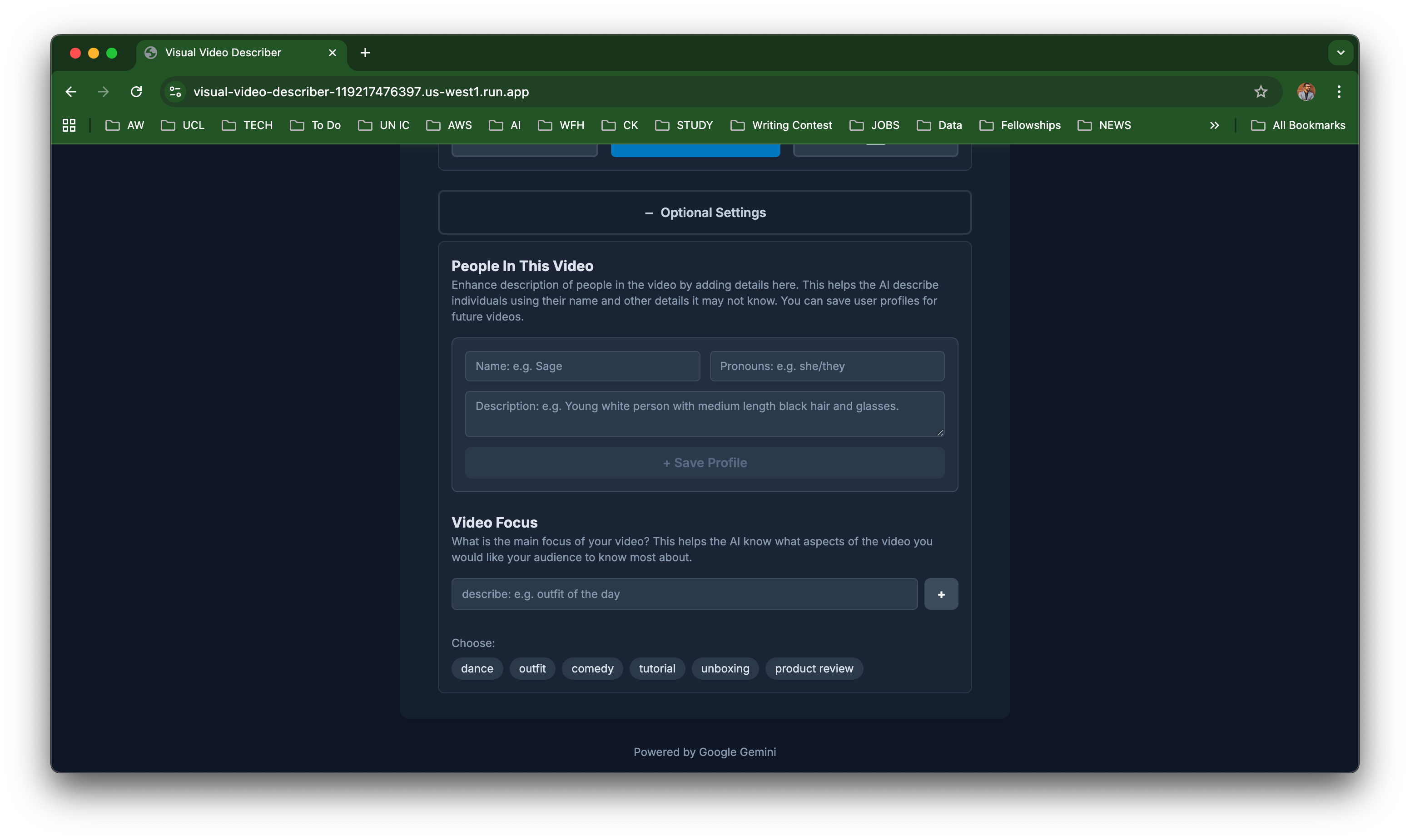
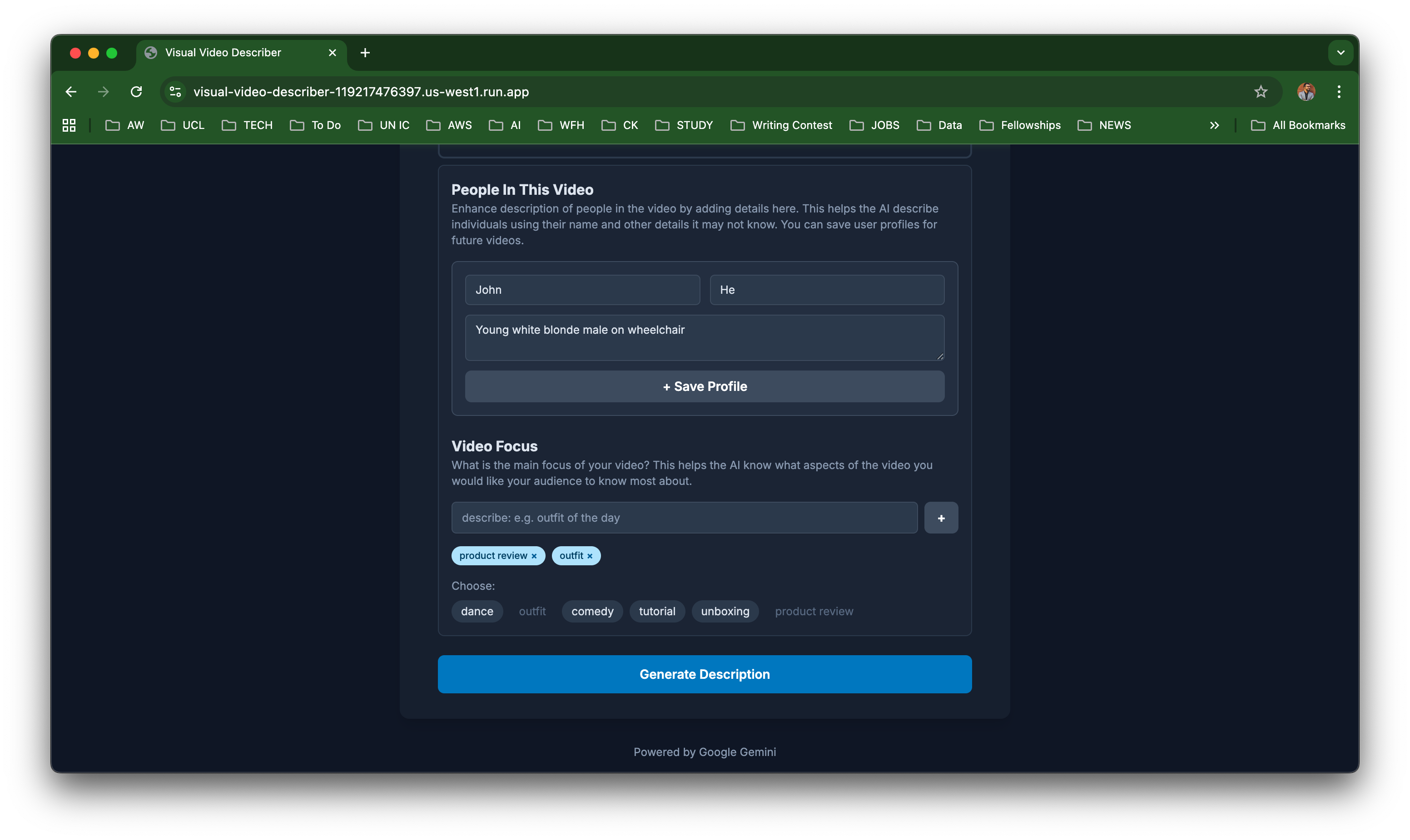
- Person Profiles: Add and save names, pronouns, or background details of people appearing in videos.
- Detail Level: Choose whether descriptions are Brief, Average, or Detailed.
- Video Focus: Guide the AI to focus on specific elements (like props, lighting, or background).
Everything runs locally in the browser, with settings stored in localStorage — no servers, no sign-ups, and no data sharing.
How We Built It
The Spark: The idea for Leezee was born out of a challenge I have seen many disabled content creators struggle with, they want to provide visual access, but have their own access issues which prevent them from writing visual descriptions themselves.
Collaborative Brainstorming: I discussed this idea with my tech-savvy friend — a fellow creator and amputee — who encouraged me to explore Google AI Studio as a no-code path to bring my vision to life.
Sketching the Concept: I started by creating lo-fi wireframe sketches on my iPad to visualize the app’s layout and user flow — from uploading a video to refining the description through chat.
Entering the “Magic Wand” — Google AI Studio: Using Google AI Studio’s Build feature, I fed the AI with my sketches and a detailed, step-by-step prompt. I began by asking it to plan a roadmap and changelog, which we then refined through iterative conversations.
Seamless Development: Within AI Studio, I could automatically generate, preview, and adjust the frontend — all guided by conversational prompts instead of traditional code editing.
Effortless Integration and Deployment: In just a few clicks, Google AI Studio pushed the generated project to my GitHub repository and deployed it to Google Cloud Run — without me needing to handle any backend setup or DevOps configurations.
From Idea to Reality — in Just Few Hours: Amazingly, the app went live in under three hours from the moment the idea was born — a true testament to how accessible and empowering AI-assisted development can be.
Technology Behind the Magic
Leezee combines creativity, accessibility, and modern AI capabilities — all built on a lightweight, frontend-only architecture that runs entirely in the browser.
Core Architecture
| Layer | Technology | Purpose |
|---|---|---|
| Frontend Framework | React + Vite | Fast, modular interface built using modern component-based design. |
| Language | TypeScript | Adds type safety and clarity to every part of the codebase. |
| Styling | Tailwind CSS | Provides clean, responsive, and accessible UI styling. |
| AI Integration | Google Gemini API via @google/genai |
Powers the video analysis and chat-based refinement workflow. |
| State Management | React Hooks + Custom State Machine | Handles UI states like idle, processing, and refining with precision. |
| Storage | Browser localStorage | Persists profiles, saved voices, and preferences without a backend. |
| Deployment | Google Cloud Run (via Google AI Studio) | Enables seamless one-click deployment from the AI Studio interface. |
Intelligent Workflow
- Video Analysis: Gemini API analyzes the uploaded video and generates a detailed first draft of the description.
- Chat Refinement: The app transitions to an iterative AI chat mode, where users refine tone, structure, or length interactively.
- Personalization: Saved “Voices” and “Profiles” ensure consistent descriptive style across multiple videos.
- Local-First Design: Everything runs in-browser, ensuring privacy and speed with zero backend dependencies.
Why This Stack
This combination was chosen to make AI creativity accessible to everyone, even non-technical users. By leveraging Google AI Studio’s low-code environment and Gemini’s multimodal intelligence, Leezee delivers a powerful and inclusive creative tool — lightweight to run, easy to maintain, and simple to use
Challenges We Faced & What We Learned
1. How to talk to the AI
One of the first hurdles was understanding how to talk to the AI. Many of the features were designed through back-to-back conversations, where a single idea had to be broken into multiple prompts. Keeping context aligned, avoiding contradictions, and ensuring each step built on the last took patience and iteration. We learned that good prompting is less about “magic words” and more about structured thinking.
2. Managing AI Model Behavior
The AI didn’t always behave as expected. At times it generated layouts or components that didn’t fully match the design intent, or mixed styles in ways that felt inconsistent. This reinforced the need to review everything carefully and guide the model with very explicit constraints.
3. The Light/Dark Mode Struggle
A frustrating challenge was Light and Dark Mode. Even with clear instructions, the AI-generated code didn’t implement theme switching correctly. The toggles looked right in the UI, but the behavior wasn’t wired properly under the hood.
4. Debugging Without a Strong Coding Background
When things broke, especially with theming and layout, finding the real issue in the code wasn’t easy. The codebase generated by AI was clean but dense, and searching manually for the bug (or mismatched class, missing provider, or misplaced state logic) quickly became overwhelming. In the end, I had to reach out to my techie friend, who helped trace the problem. That experience highlighted both the power and the gap of no-code/low-code AI builds: you can launch fast, but understanding how things work still matters.
5. Accessibility Meets Creativity
Balancing accessibility, clarity, and creative storytelling was an ongoing challenge. We didn’t just want functional descriptions; we wanted meaningful, emotionally aware narratives that could genuinely support blind and visually impaired audiences. That required thoughtful iteration, not just AI output.
What We Learned
- AI can get you 80% of the way fast, but the last 20% (debugging, polishing, theming) often needs human eyes.
- Prompting is product design. Breaking ideas into small, connected prompts is a real skill.
- Having a technical collaborator is invaluable when AI-generated code needs deeper fixes.
- Accessibility is not a good-to-have feature that you can plugin anytime; it has to be part of the idea and the entire workflow from day one.
Accomplishments That We’re Proud Of
My First App Ever Leezee marks my very first complete application — built from concept to deployment using AI tools. Turning an idea into a working product without traditional coding was a deeply rewarding experience.
A Noble Contribution Toward Accessibility Innovation This project is more than just technology — it’s a small but meaningful step toward making digital media more inclusive for everyone, especially for the blind and visually impaired community.
Seeing an Idea Come to Life I had carried this idea for a long time, but watching it take shape — from sketches to a live app — was a truly joyful and emotional moment. It reminded me that accessibility and creativity can go hand in hand when powered by purpose and AI.
What’s Next for Leezee
Leezee began as an experiment — a personal idea transformed into a working prototype in just a few hours. But this is only the beginning. Next on the roadmap:
Light & Dark Mode: Implement a fully functional theme switcher that ensures smooth, accessible transitions between light and dark modes.
Process Longer Videos: Extend Leezee’s capabilities to handle longer video files efficiently, allowing creators to analyze full-length content with consistent detail and accuracy.
Integration with Mainstream Video Platforms: Explore ways to integrate Leezee directly into popular platforms like YouTube, enabling seamless caption and description generation within existing creator workflows.
Multilingual Output: Add language translation support so users can generate and export video descriptions in multiple languages — making accessibility truly global.
Built With
- gemini
- googleaistudio
- typescript

Log in or sign up for Devpost to join the conversation.