-
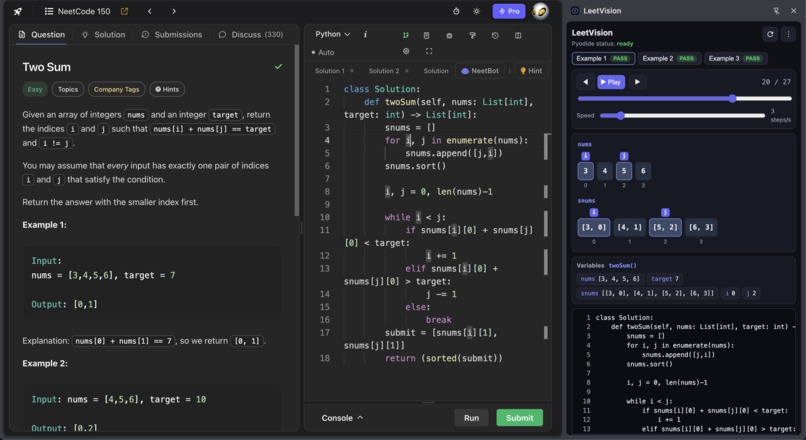
LeetVision on NeetCode
-
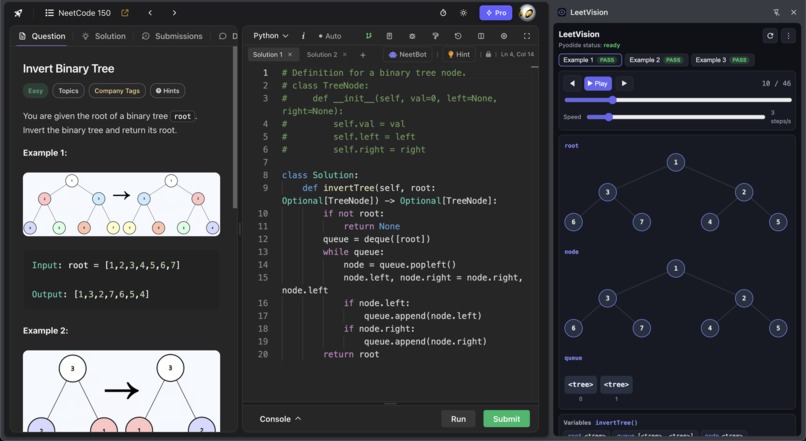
Graph visualization
Inspiration
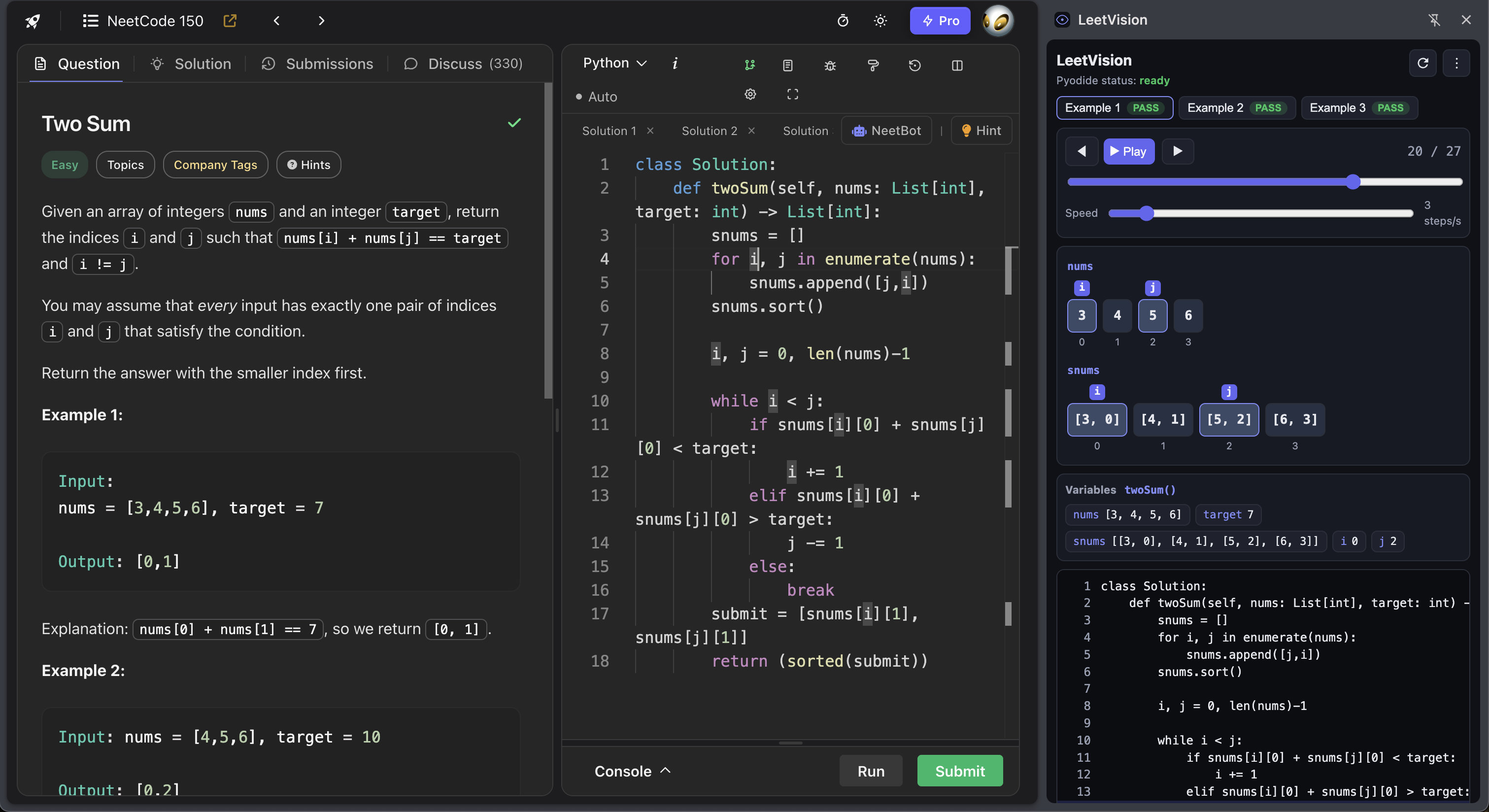
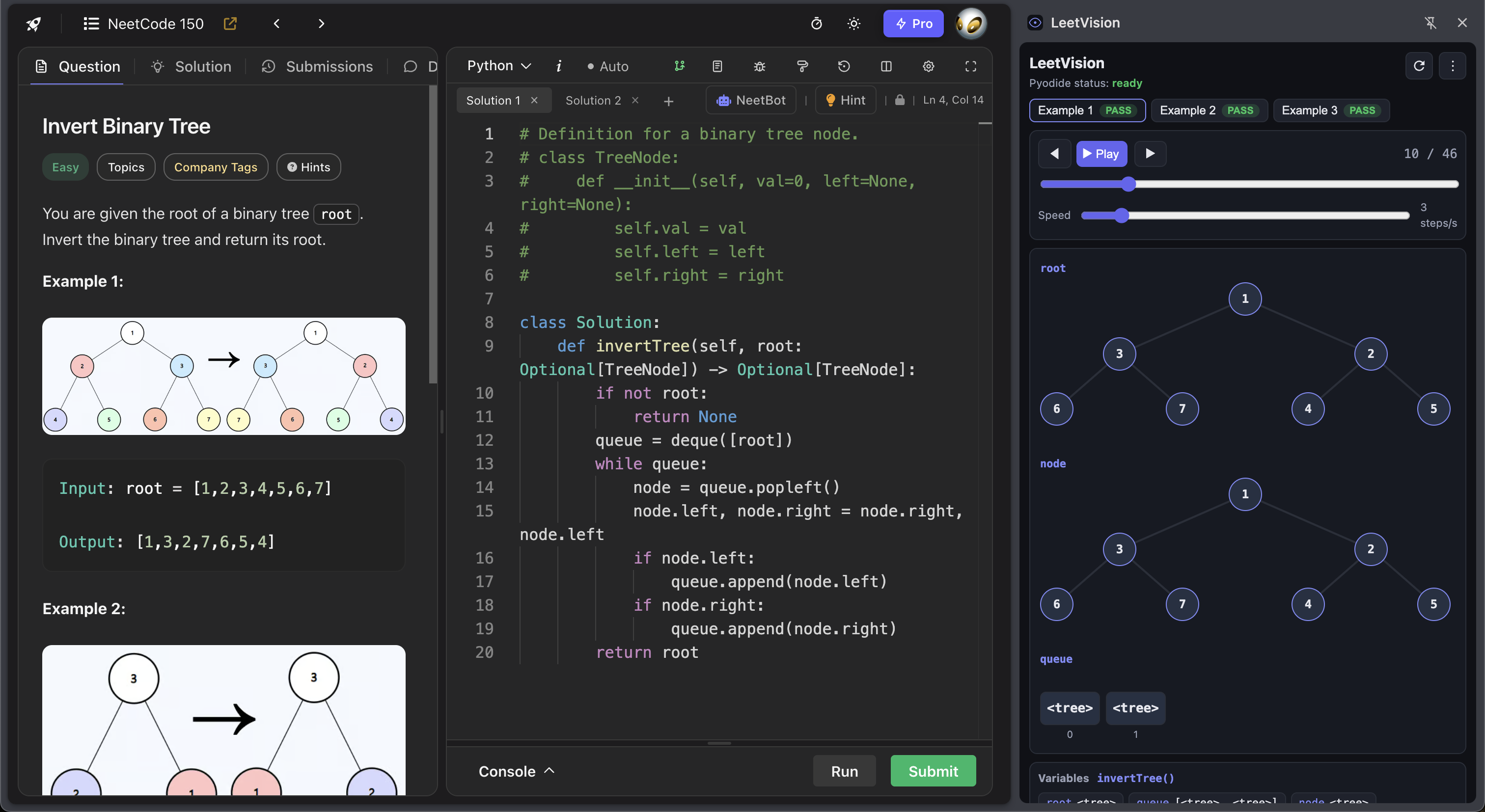
LeetCode is a notorious struggle for CS students like us — we wanted to build a tool that helps programmers actually understand the code they write and the algorithms they implement, not just whether a submission passed or failed. Watching someone "get" a solution usually means walking through the code by hand: tracing pointers, redrawing a tree, rewriting a hashmap on paper. Static solutions and final answers skip that middle step. We wanted debugger-style clarity — stepping through execution line by line, and representing them graphically — without leaving the problem page or setting up a local environment.
What it does
LeetVision is a Chrome side-panel extension that turns your open LeetCode / NeetCode Python solution into a step-by-step visualization.
- Auto-scrapes your editor code and visible example test cases from the page
- Runs everything client-side (no backend) with a bundled Pyodide runtime
- Traces execution line-by-line and animates structures as they change: arrays, two pointers, hashmaps, sets, strings/sliding windows, linked lists, and binary trees
- Lets you play, pause, and scrub through the run, with pass/fail against the scraped expected output
Open a problem → open the panel → watch the algorithm move.
Currently pending Chrome Web Store approval — in the meantime it can be loaded as an unpacked extension for local testing/demo.
How we built it
- Chrome MV3 side panel (React + Framer Motion) docked next to the coding tab
- Site adapters for NeetCode (primary) and LeetCode, plus a page-world bridge to read Monaco / CodeMirror editor models
- Pyodide (Python → WASM) bundled at build time so MV3 CSP still allows execution
- A
sys.settracetracer that snapshots locals each step, serializes lists/dicts/trees/linked lists, and feeds the visualizer - Coercion + comparison logic so LeetCode-style inputs (
root = […],head = […]) and outputs (trees, any-order groups, cycles, encode/decode roundtrips) behave like the platform
Challenges we ran into
- MV3 CSP blocking remote scripts → had to ship Pyodide inside the extension package
- Isolated worlds → content scripts can't see the editor; we needed a main-world page bridge
- DOM churn on LeetCode/NeetCode → scrape by example text patterns and layered fallbacks, not brittle class names
- Making traces teachable → recursive frames going empty, trees vs. arrays, linked-list cycle indices, hashmap visualization, builtin preloads (
deque,defaultdict, …) without requiring imports
Accomplishments that we're proud of
- A full scrape → run → visualize loop with zero backend
- Visualizations that cover the bread-and-butter interview patterns (arrays, maps, lists, trees)
- Auto-refresh when you switch problems, plus a clean toolbar (refresh + ⋮) that stays out of the way
- Real end-to-end verification on problems like Two Sum, Valid Palindrome, Reverse Linked List, Invert Tree, and Group Anagrams
What we learned
- Client-side Python in the browser is powerful if you design for CSP and packaging from day one
- Scraping coding sites is less about perfect selectors and more about defensive adapters and escape hatches (debug mode)
- A good visualizer isn't just pretty nodes — it's serialization, coercion, and comparison matching how humans read LeetCode examples
What's next for LeetVision
- Publish on the Chrome Web Store once review clears
- Stronger LeetCode coverage and more problem types
- Richer "why this step" callouts alongside the animation
- AI powered hint option
- Optional shareable traces / replay links
- Broader language support beyond Python (longer-term)
Built With
- chrome
- manifestv3
- motion.dev
- node.js
- pyodide
- python
- react
- typescript
- webassembly

Log in or sign up for Devpost to join the conversation.