-
How it looks
About the Project
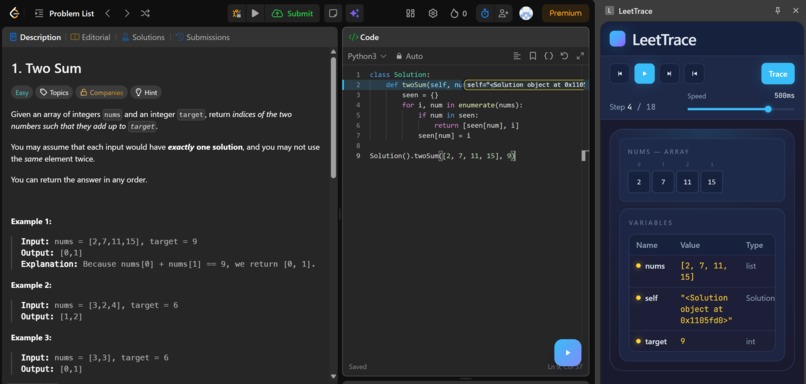
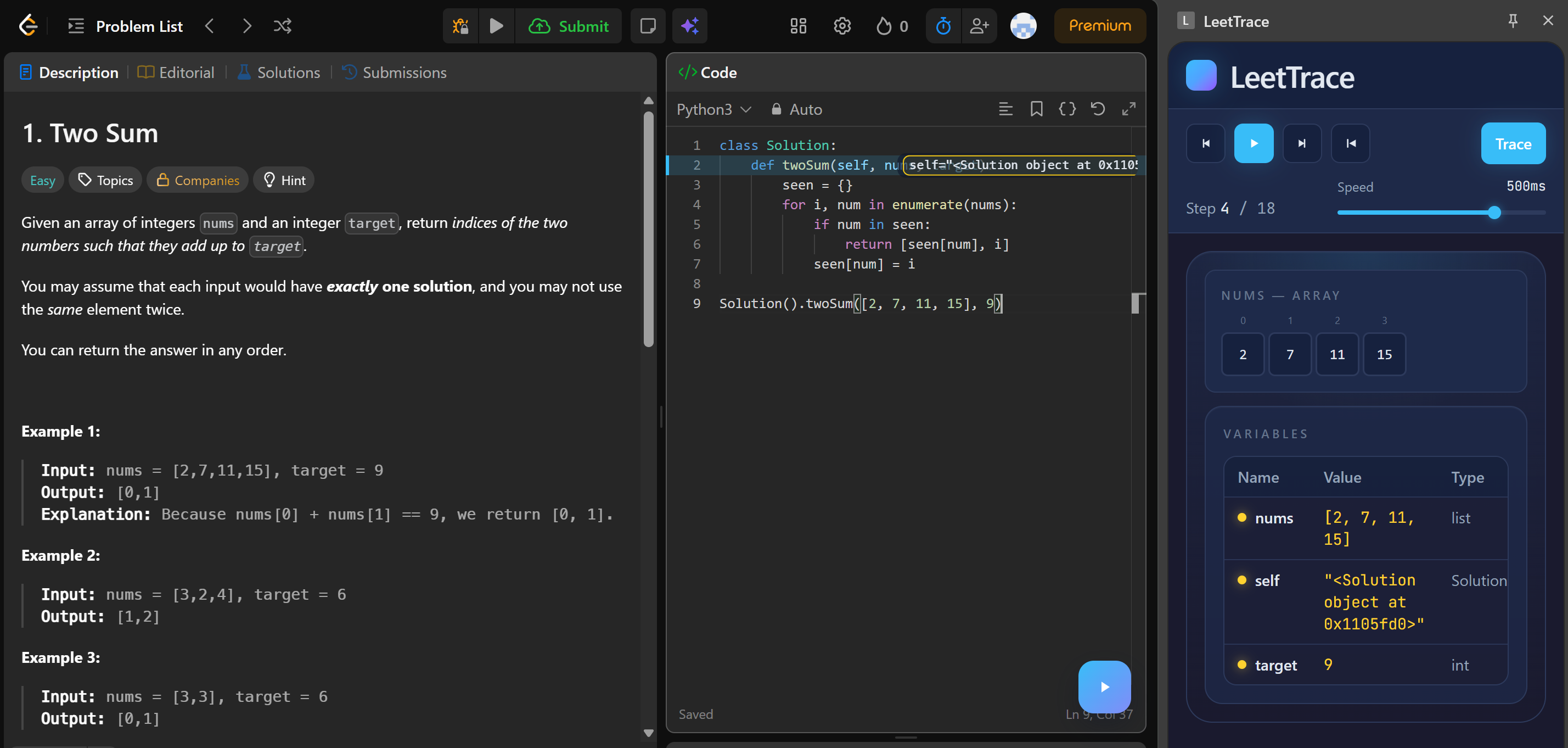
LeetTrace is a Chrome extension that helps learners understand algorithm execution directly on LeetCode. Instead of mentally simulating code or switching to external visualizers, users can trace their Python solution step by step and see how arrays, hash maps, linked lists, and trees evolve over time. The goal was simple: make runtime behavior visible where coding already happens.
What Inspired Us
We were inspired by a common pain point in DSA practice: writing code is one challenge, but understanding why it works or fails is often harder. During interview prep, we noticed that many mistakes come from invisible state changes such as pointer movement, off-by-one boundaries, and unexpected variable updates. We wanted a tool that could turn abstract execution into something concrete and visual, without forcing students to leave LeetCode.
How We Built It
We designed LeetTrace as a three-part browser extension system:
A content layer on the LeetCode page to read editor code, inject a trace button, and display inline context A background execution layer that runs Python inside the browser using Pyodide and captures runtime snapshots line by line A side panel interface built with React to render visualizations, controls, and variable inspection Our development flow focused on a shared snapshot contract between components. Once that contract was stable, each part could be developed and tested independently. The side panel consumed snapshot data and supported step-by-step replay with controls for play, pause, next, previous, and speed.
Reflection
LeetTrace started as a debugging aid, but it became a learning interface for algorithm thinking. The project taught us how to connect low-level execution details with high-level understanding, and how good tooling can reduce cognitive load during problem solving. Our biggest takeaway is that students should not have to imagine runtime state from scratch; they should be able to see it, step through it, and learn faster with confidence.


Log in or sign up for Devpost to join the conversation.