-

this is the face of my bot line... vaxi dog
-
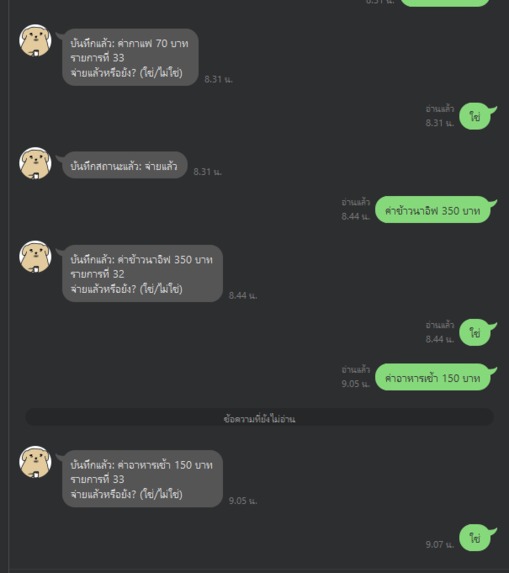
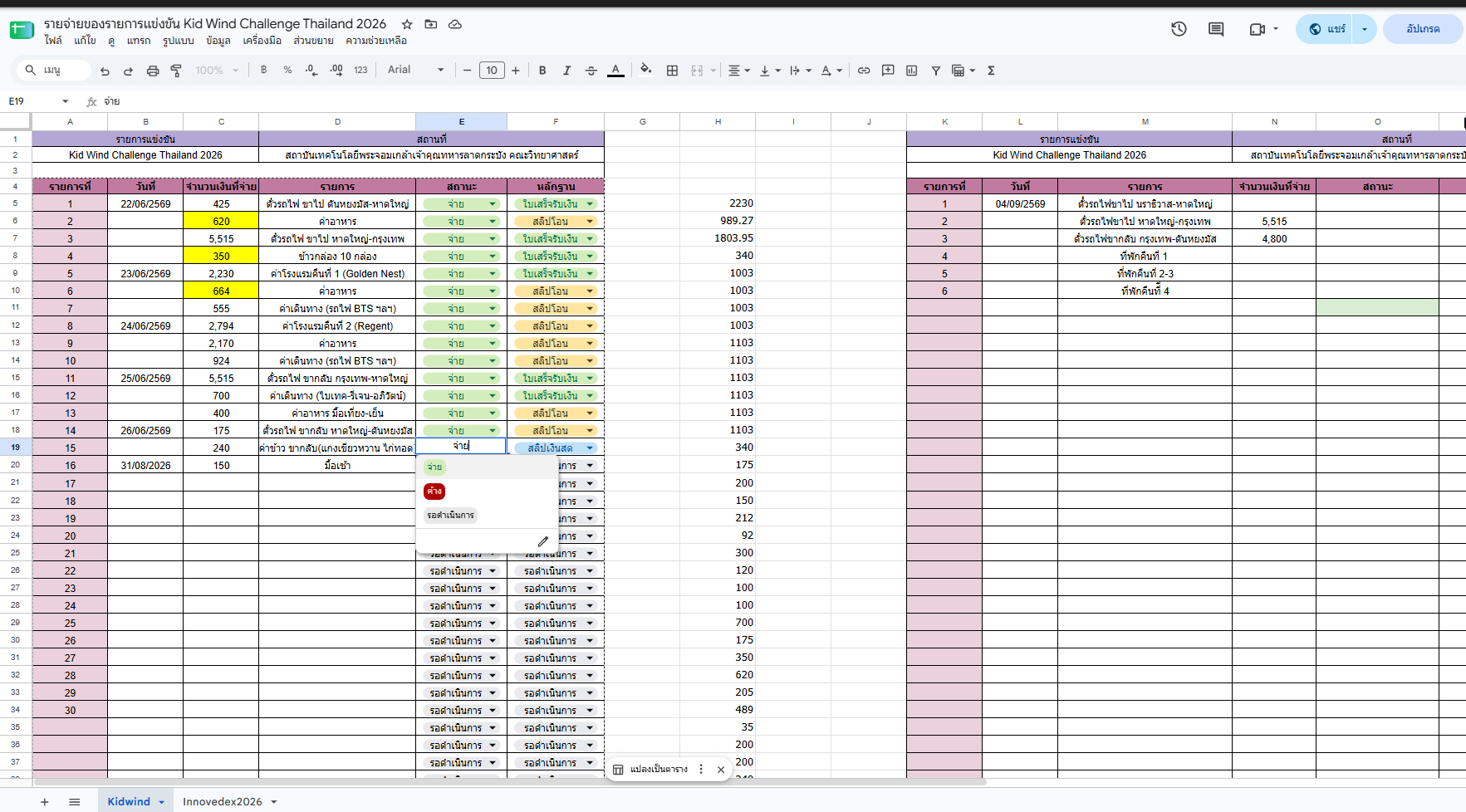
this is the input to make the line bot works
-
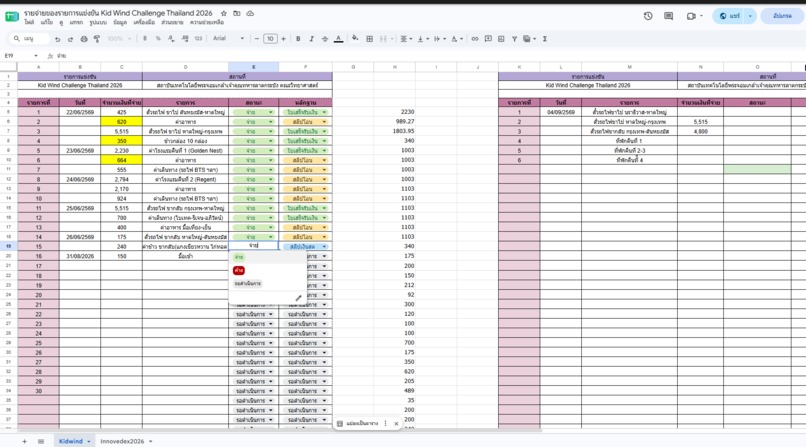
but it still works soo
-
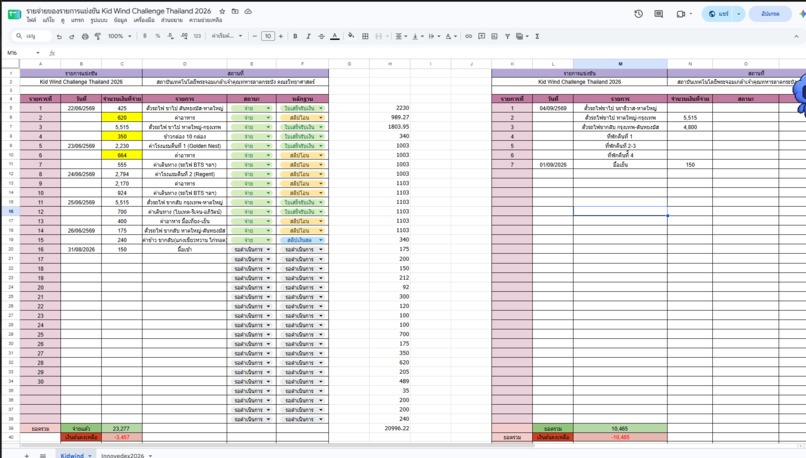
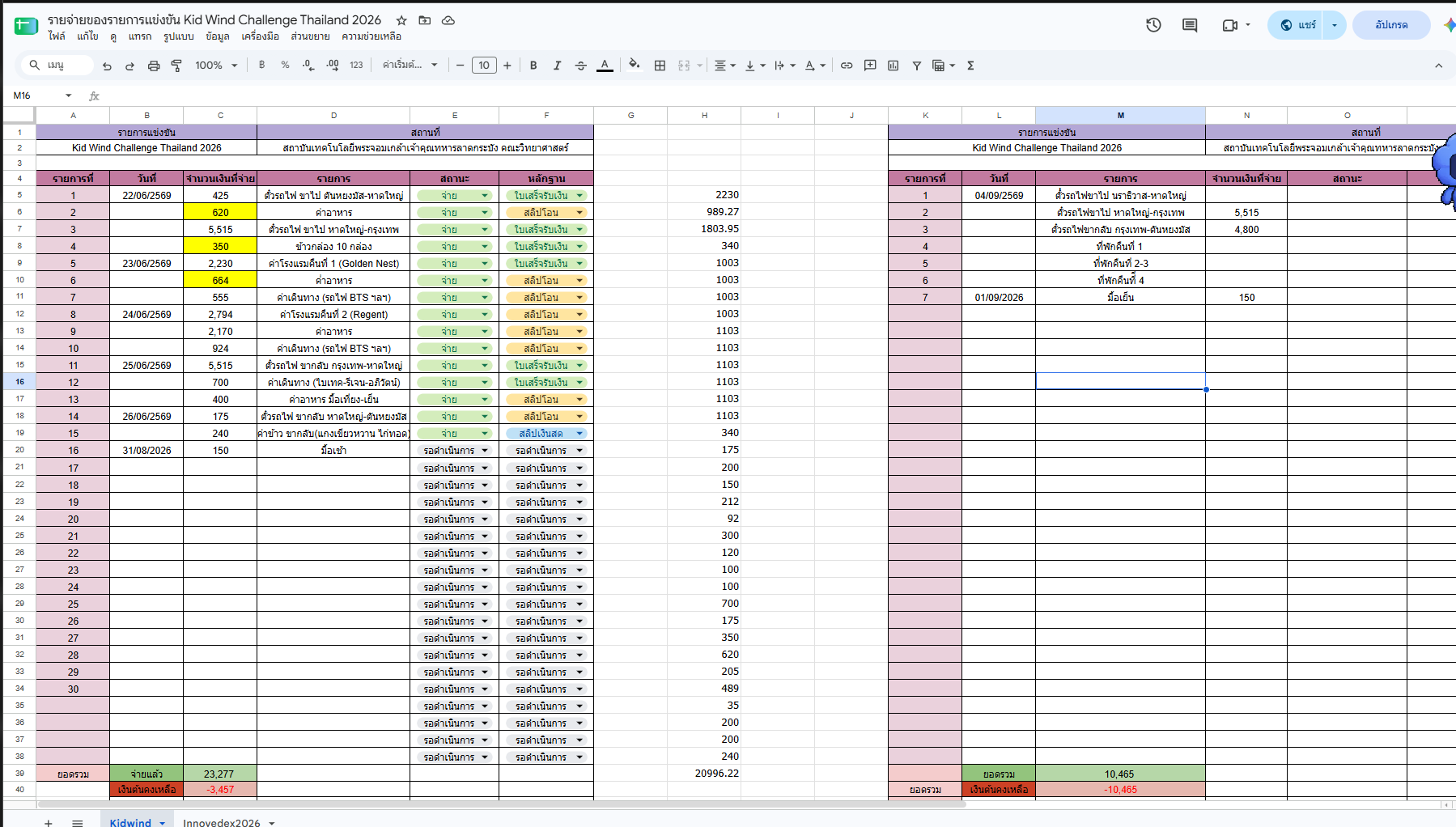
and this is the output..more like testing

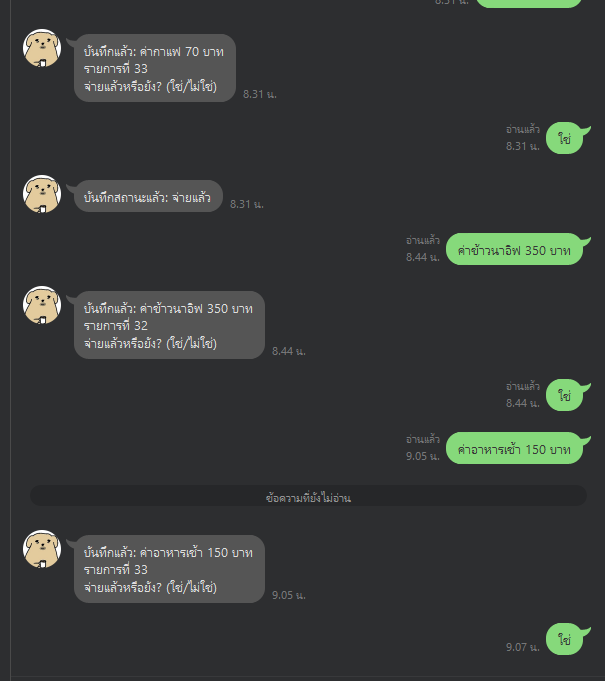
Inspiration
Tracking trip expenses by hand is genuinely annoying — tapping through spreadsheet columns, picking dropdowns, typing amounts one field at a time, every single purchase, all day, on a trip where you're already busy. I wanted to just type an expense the way I'd text a friend — "7am breakfast 150 baht" — and have it land correctly in a spreadsheet without me touching a single cell.
What it does
LedgerLine is a LINE bot that parses natural-language expense messages and logs them into a structured Google Sheet automatically. It detects whether an entry belongs to a new day or the same day as the last entry (so the date column only gets filled once per day, matching how I actually track trip spending), extracts the amount and a description, and writes it to the correct row and columns.
How we built it
- LINE Messaging API + Flask handle the webhook — receiving a text message and replying back through the bot
- An LLM parses the raw message into structured fields (time, description, amount)
- Google Sheets API finds the next empty row and writes the parsed data, applying same-day vs. new-day logic for the date column
- Render hosts the server persistently, so the bot stays live during the trip without needing a laptop running
Challenges we ran into
- Getting LINE's webhook signature verification working correctly required understanding how the Channel Secret and Channel Access Token are used differently (one verifies incoming requests, the other authorizes outgoing replies)
- Designing the same-day/new-day date logic to match an existing manual spreadsheet format, rather than a generic schema
- Deciding what an agent should decide autonomously (e.g. inferring a Thai expense category) versus what it should always ask the user to confirm (e.g. payment status), instead of guessing and getting it wrong
What's next
- Photo-based receipt classification: send a photo of a receipt or transfer slip and have the bot auto-detect which type it is and update the sheet's evidence field
- Multi-turn state tracking, so the bot remembers an entry is "waiting on a receipt" across separate messages
- Opening it up for classmates/teachers to use on the same trip, with per-user logging EOF cat /h
