-
-

App Icon
-
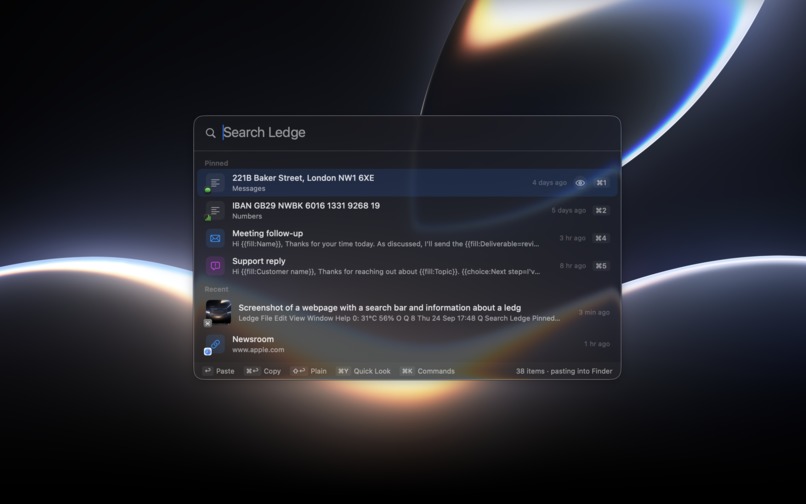
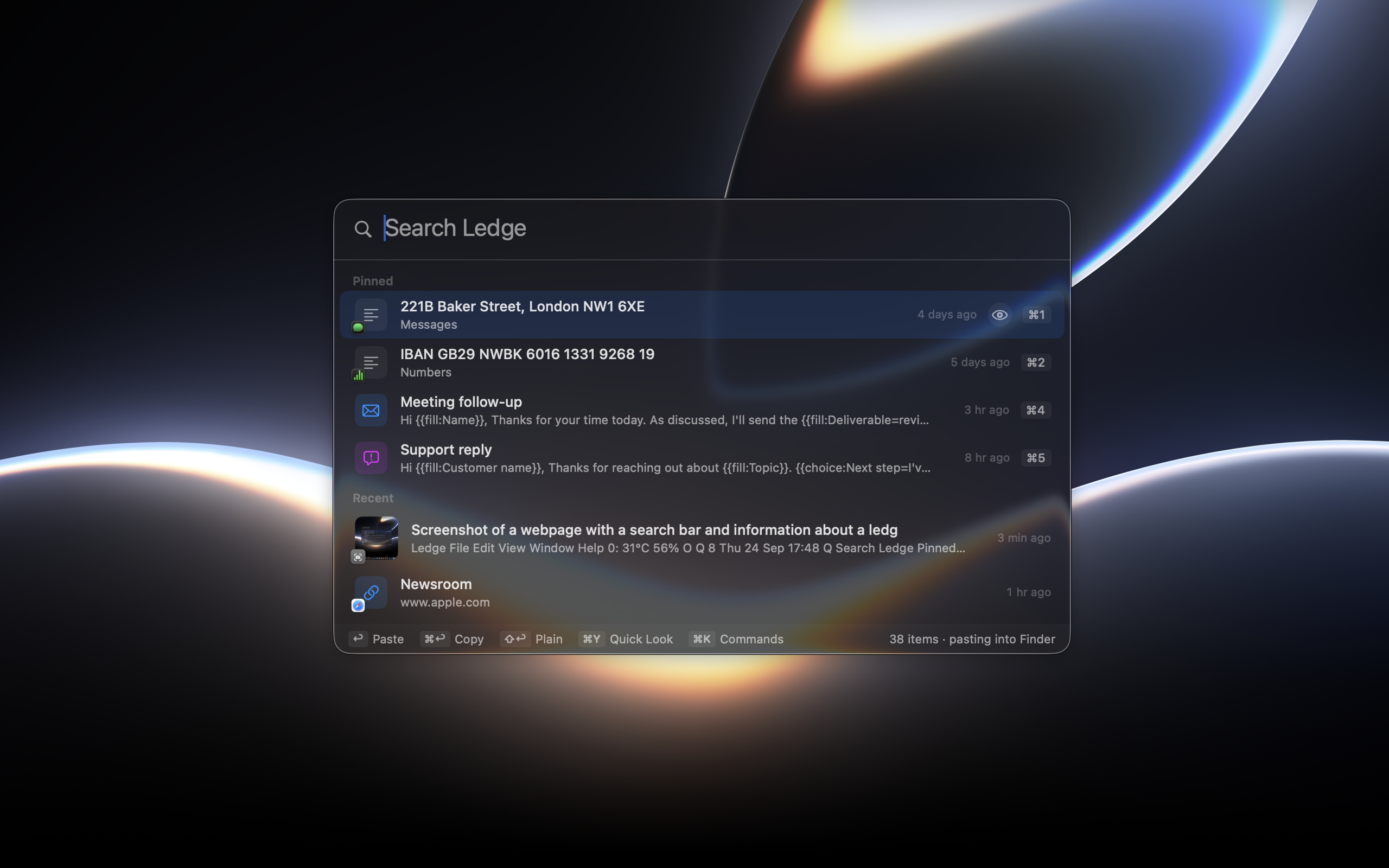
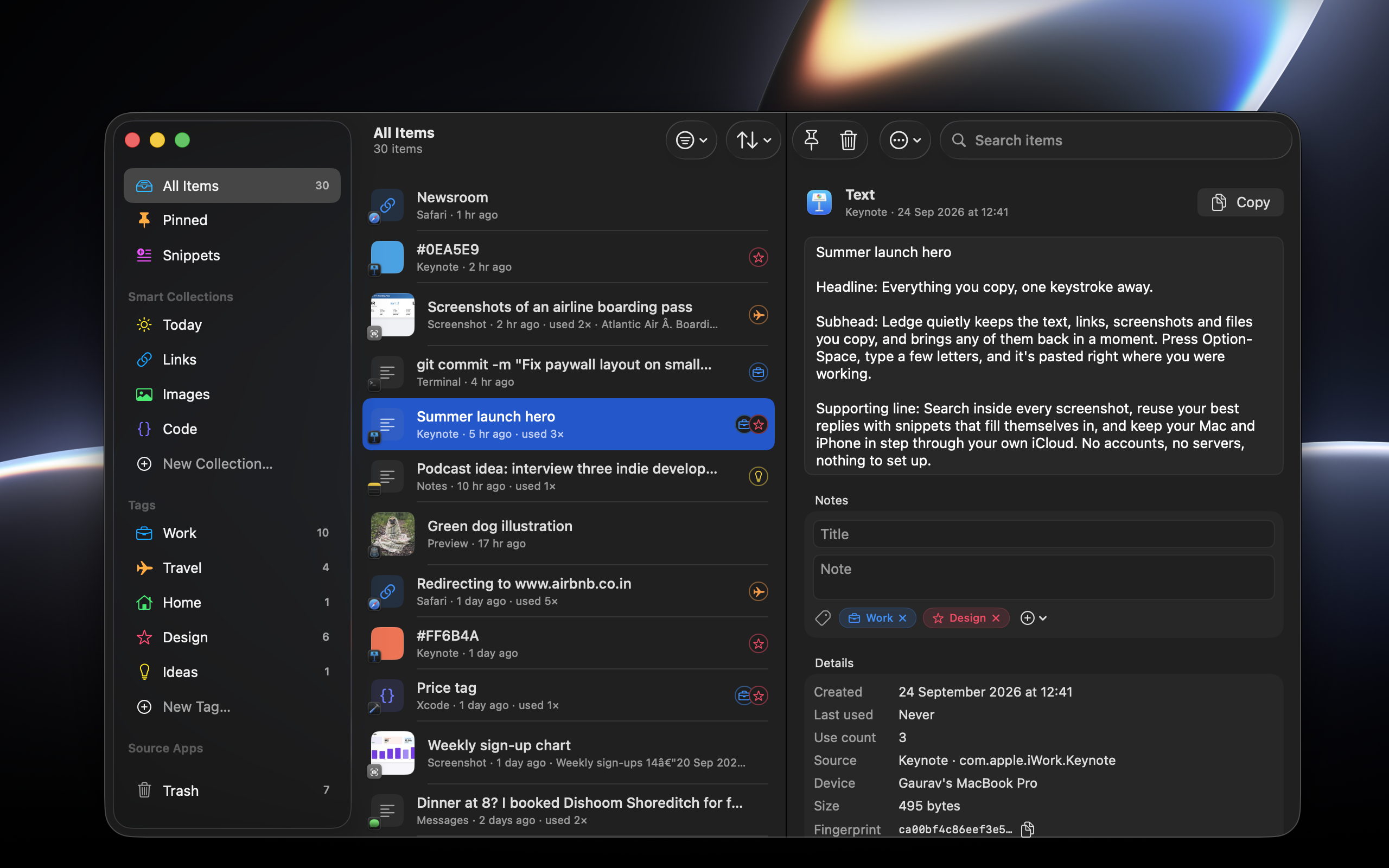
Ledge Panel Mac
-
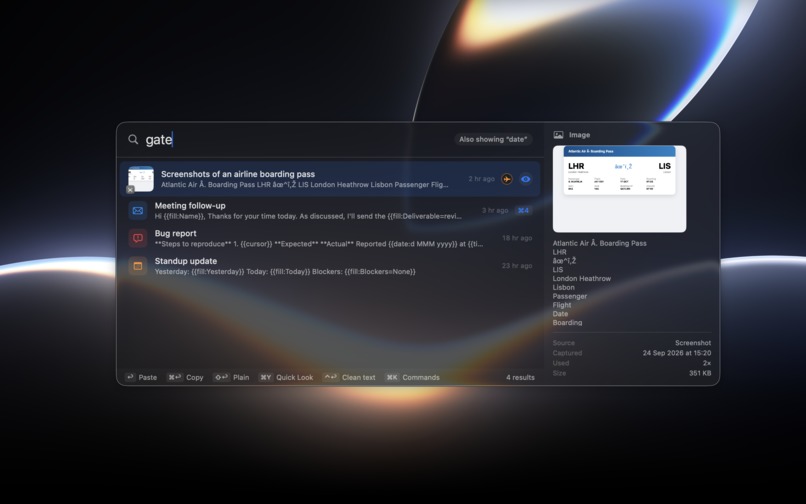
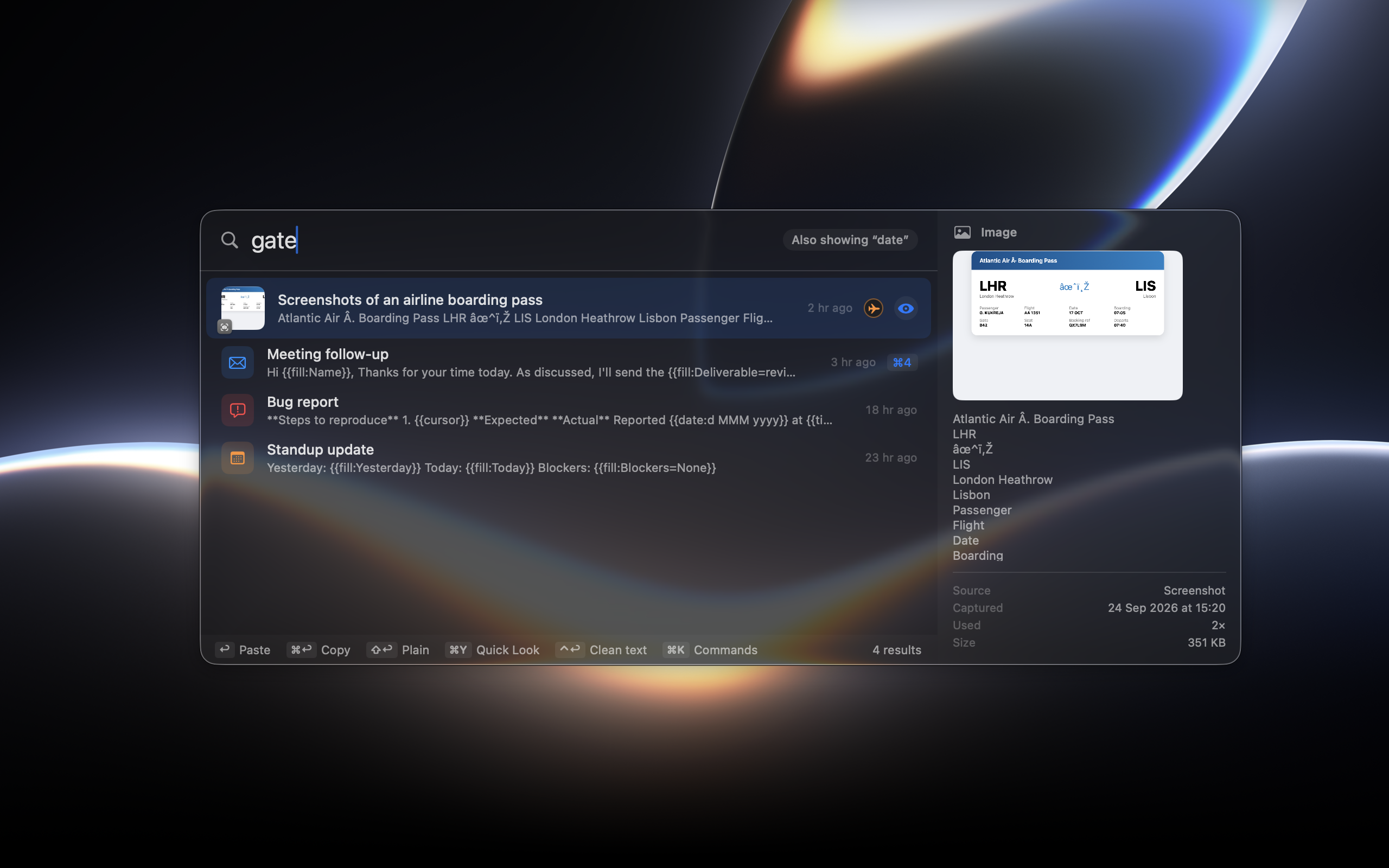
search text inside image
-
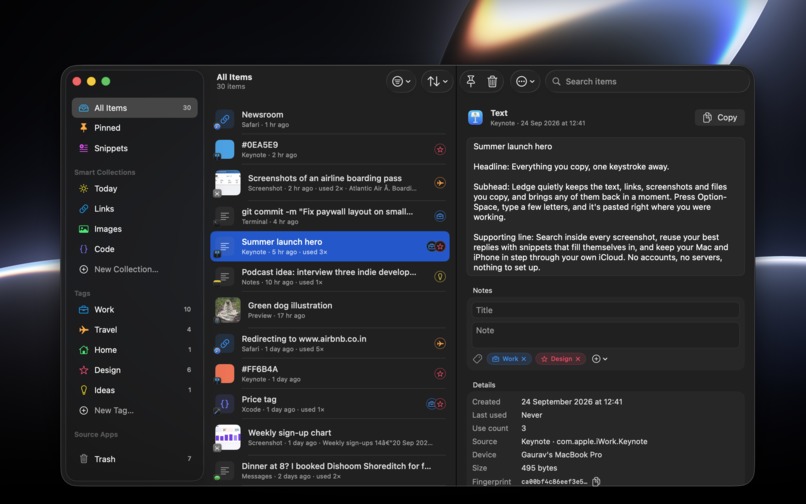
Ledge Library
-
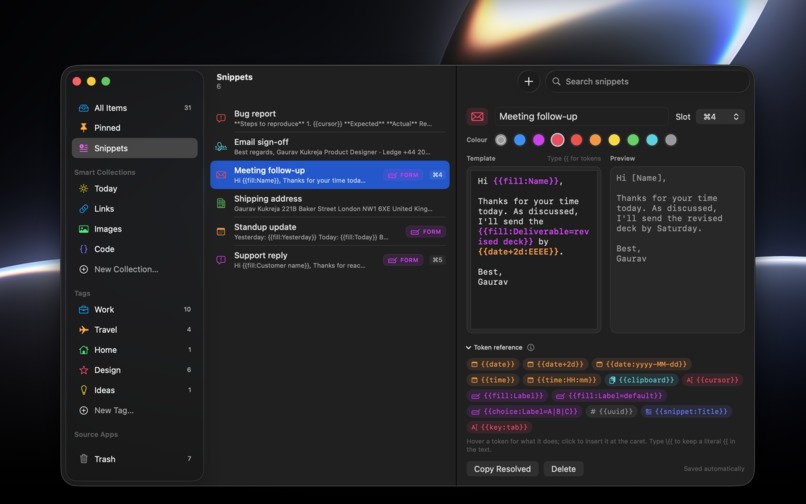
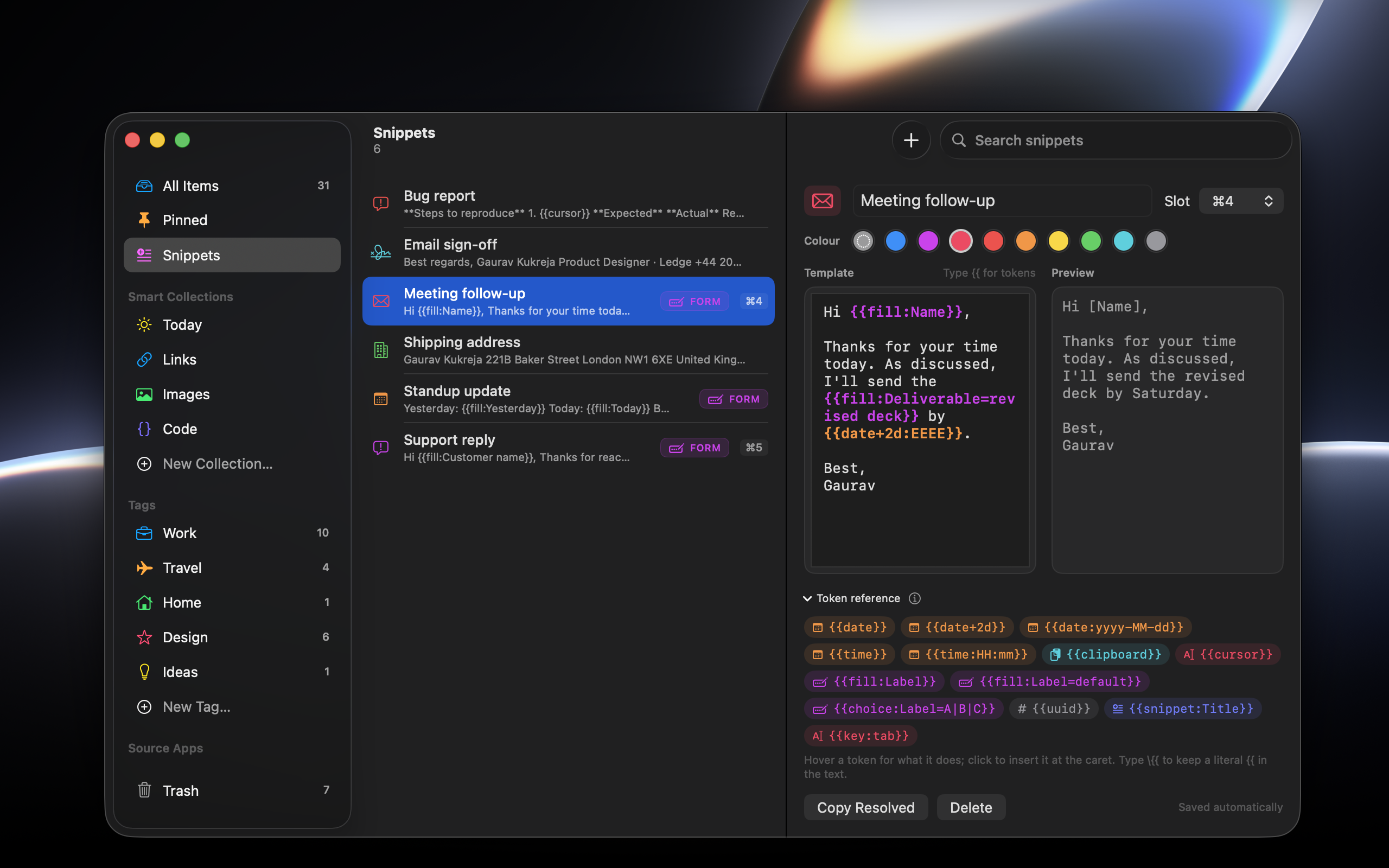
Custom Snippets
-
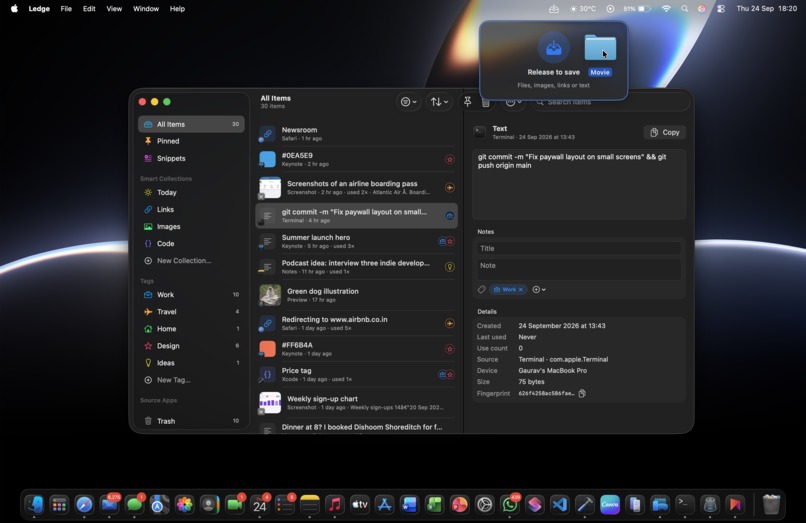
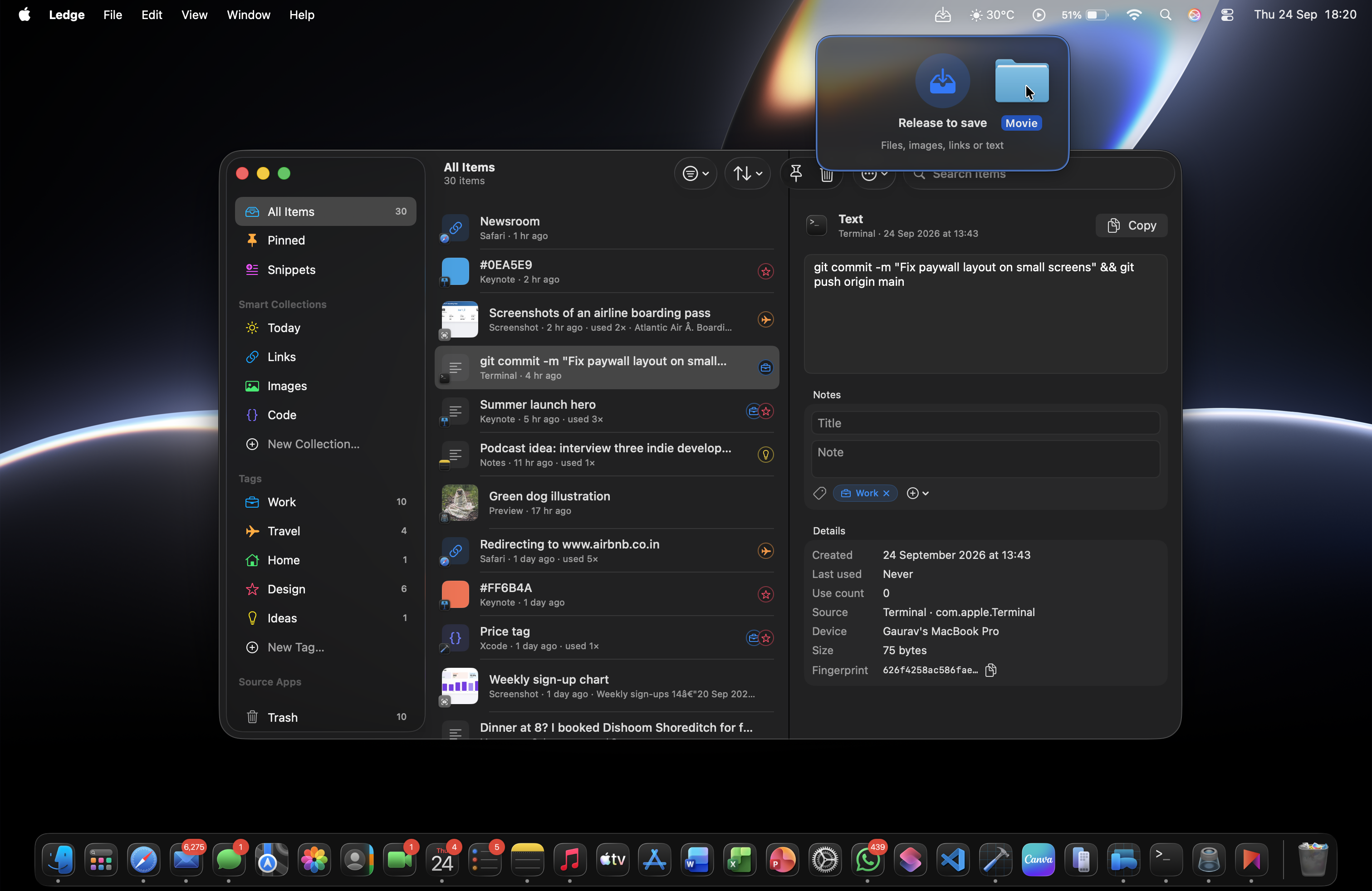
Menu Bar tray for drag and drop
-
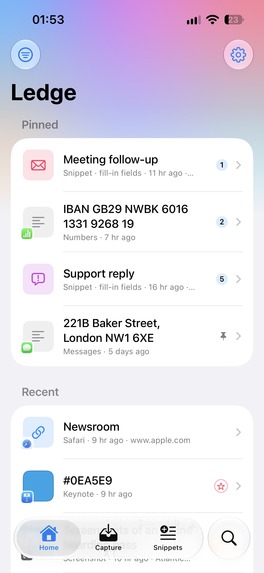
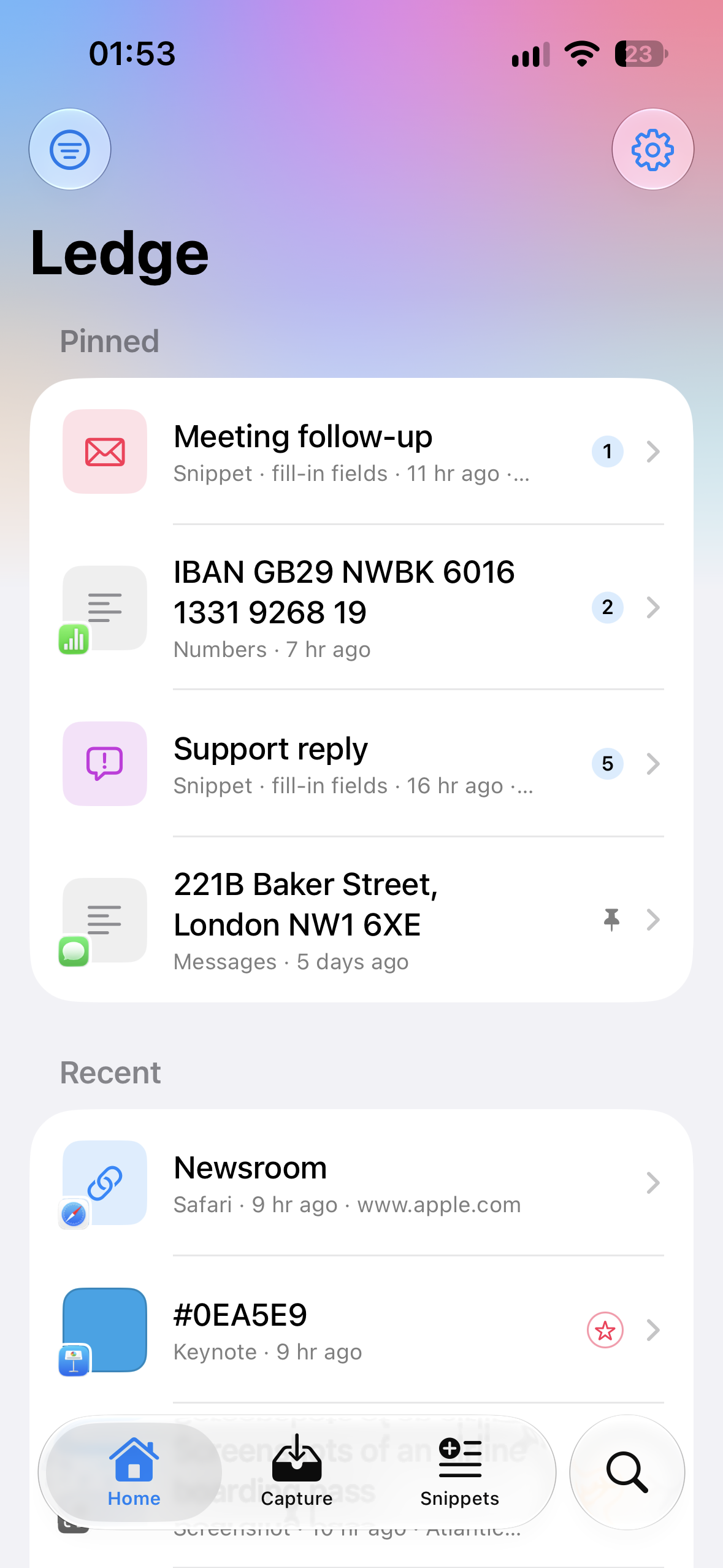
iOS app Homescreen
-
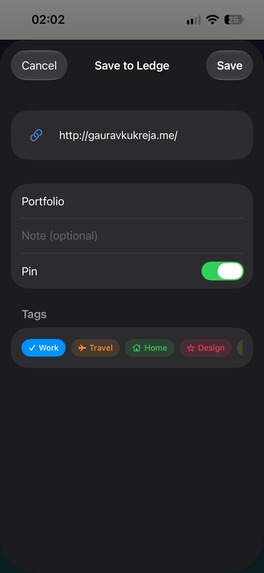
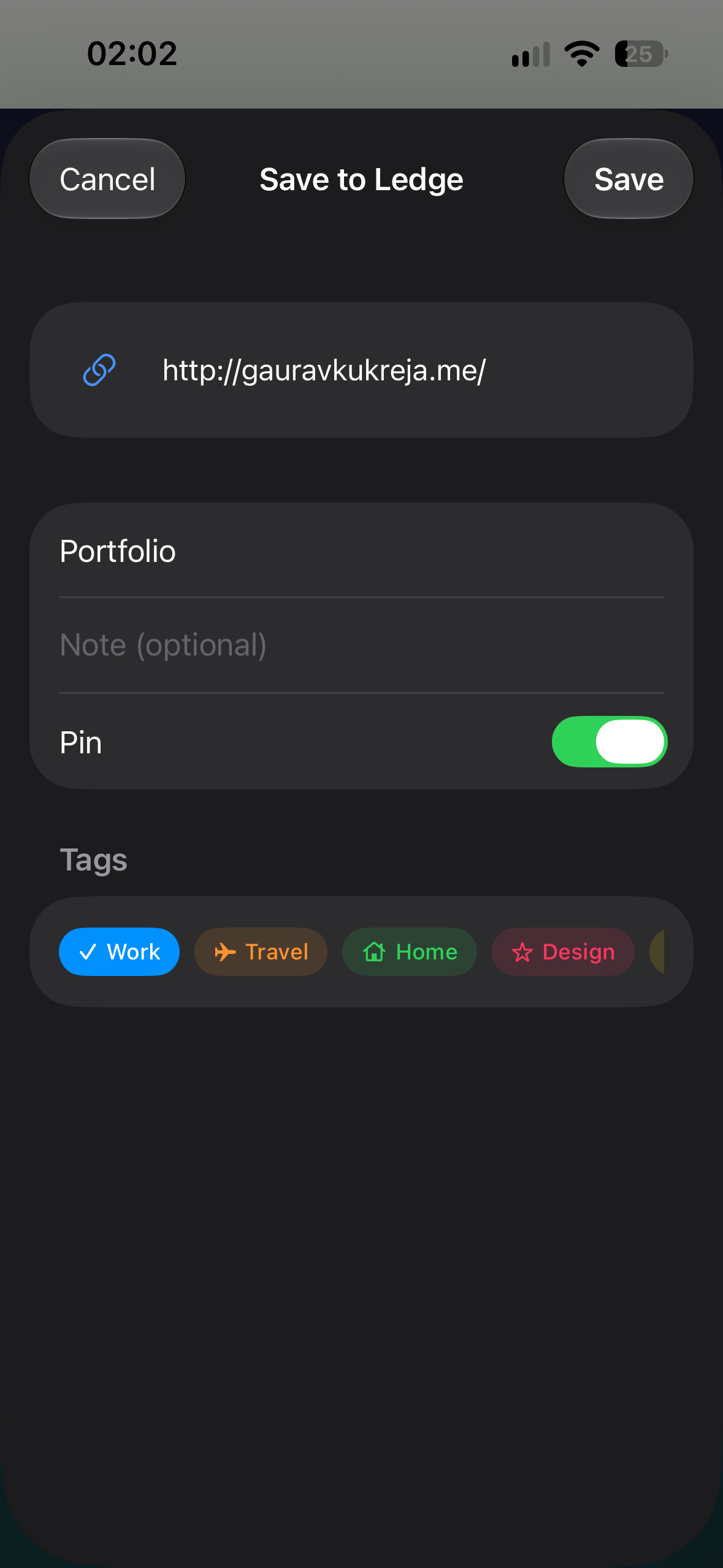
iOS app sharesheet
-
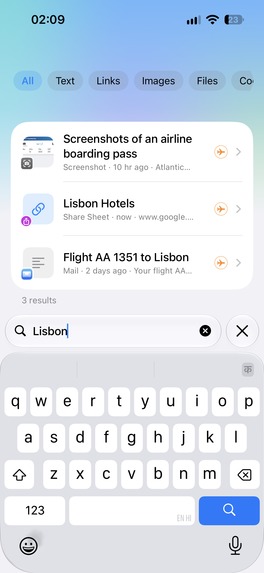
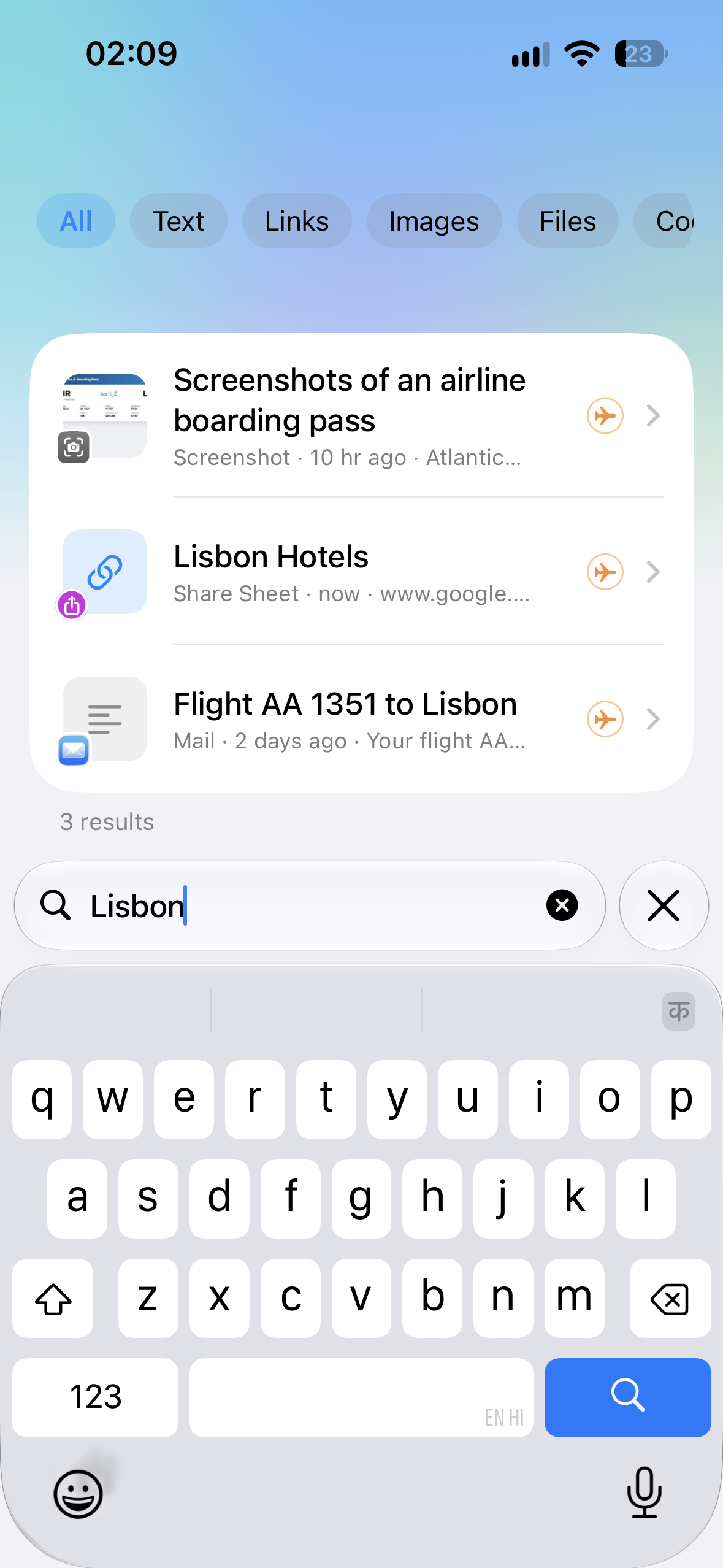
iOS app search (equally powerful as mac)
-
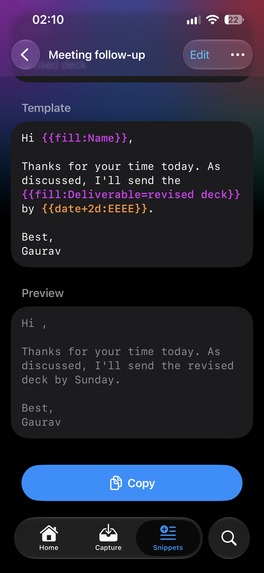
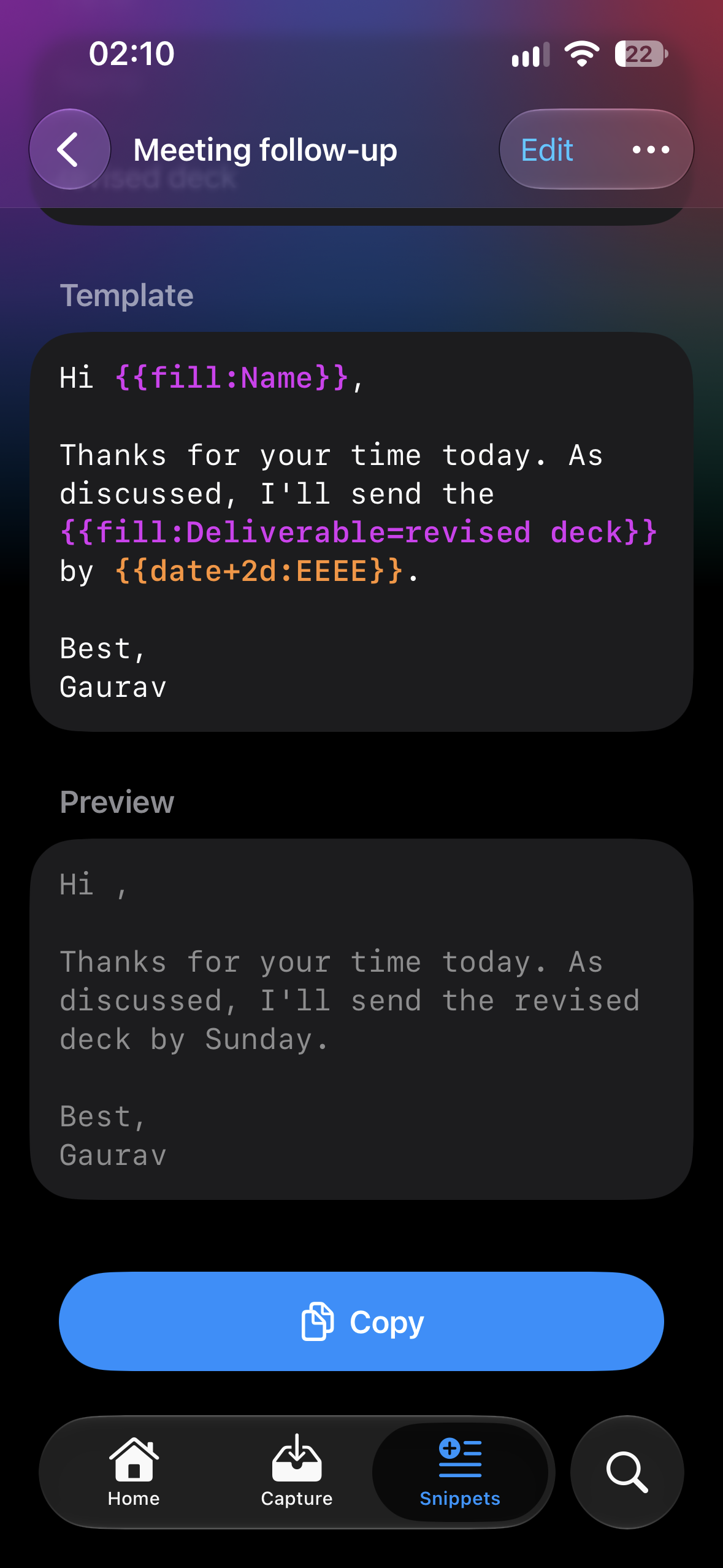
snippets on iOS app
-
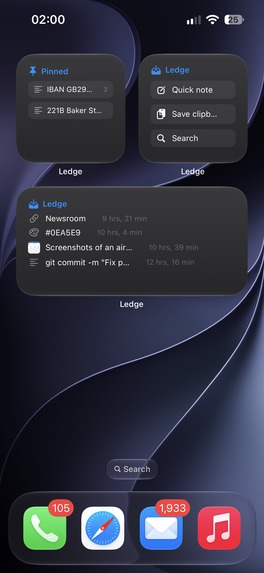
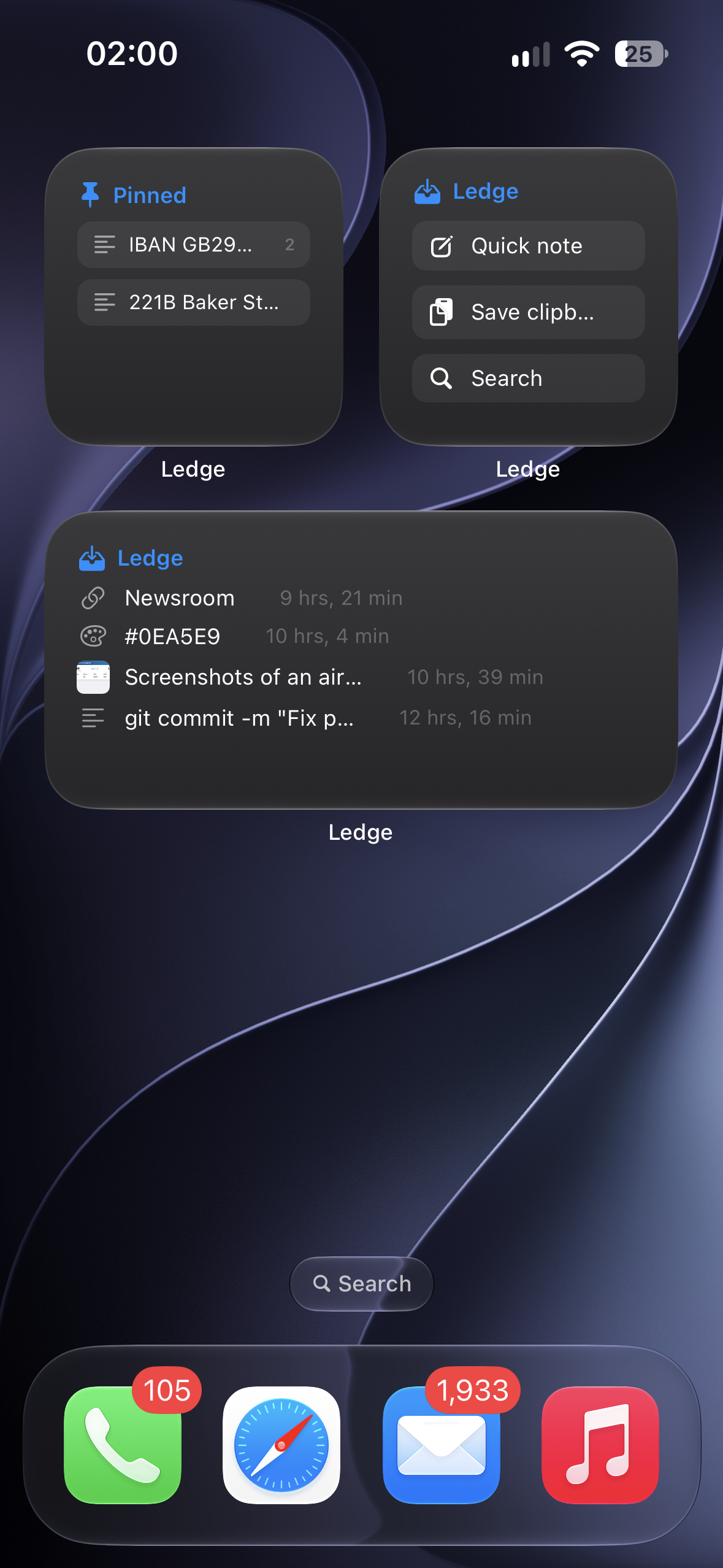
iOS widgets

Where this started
My app development journey really took off with the Swift Student Challenge 2025. I was named a Distinguished Winner, and I got to present my app to Tim Cook in person, something only 11 students around the world got to do. Getting to show something I'd built to him completely changed how seriously I took building apps. I came back from that wanting to ship real things that real people use every day, not just projects. Ledge is the result of that push.
Inspiration
I copy stuff all day. Links, an account number for an invoice, a line from a doc, a screenshot of something I need later. And every single time I copy something new, the old thing is just gone. it's not only about having a clipboard history, but also the ease of finding stuff, anytime - anywhere.
I kept losing things I'd just copied. I'd go hunting through tabs and chats for a link I had in my clipboard ten minutes ago. So I wanted something that just remembers everything, finds it in a second, and pastes it back where I was working.
The other thing I cared about was privacy. A clipboard sees passwords, bank details, private messages. I didn't want any of that going to a server, including mine. So from day one the rule was: no accounts, no backend, nothing leaves your devices except through your own iCloud.
What it does
Ledge is a clipboard and snippet manager for Mac, with a companion iPhone app.
- Press ⌥Space from any app, type a few letters and hit Return. It pastes right where you were.
- It reads the text inside screenshots and images, so searching "gate" finds the boarding pass I screenshotted.
- Snippets fill themselves in: names, today's date, the clipboard, where the cursor lands.
- Halo: hold ⌥ and click, and your pinned items show up in a ring right at the pointer.
- Drop files or images on the menu bar icon to save them.
- Suggested titles, tags and smart collections, all made on device with Apple Intelligence.
- The iPhone app saves from the share sheet, the camera or widgets, and everything syncs through your own iCloud.
- Password managers and confidential content are never captured.
How I built it
Everything is native Swift. SwiftUI for most of the UI, AppKit for the Mac panel and Halo, and SwiftData with CloudKit for storage and sync. There's a shared Swift package with all the search, parsing and snippet logic, so both apps use the same core.
- Vision does the text recognition on images.
- Foundation Models (Apple Intelligence) generates titles and tags and understands searches like "that link from Safari last week".
- NaturalLanguage handles search by meaning.
- App Intents and WidgetKit power Shortcuts, Control Center and widgets.
For monetisation I used RevenueCat with StoreKit: monthly, yearly with a 3-day trial, and a Lifetime option, with one purchase unlocking both Mac and iPhone (Universal Purchase). Since there are no accounts, I store the RevenueCat app user ID in iCloud key-value storage. That way your Pro purchase follows your Apple account across devices without me running a login system. I also added offer codes, so I could give judges and friends free access.
Challenges I ran into
The Mac App Store sandbox. This was the big one. A clipboard manager wants to do a lot of things the sandbox doesn't love.
- Reading other apps through the Accessibility API just fails in a sandboxed build, even when the user has given permission. It worked perfectly in my dev builds, and I only found out once I tested the real sandboxed app.
- Global mouse monitors and event taps don't get delivered either, so for Halo I had to poll the mouse and modifier state myself to detect the gesture.
- Pasting for you only uses
CGRequestPostEventAccess, the one permission that's allowed in the sandbox. The app still fully works without it.
App Review stuff I didn't expect.
- My first upload got rejected automatically because my Shortcuts descriptions used words like "Siri" and "Mac".
- App Store Connect then wanted iPad screenshots, so I made the iPhone app iPhone-only.
- And the name "Ledge" was already taken on the store, so I had to work around that too.
Small UX things that took forever. Hover selection in the panel felt jittery, so I removed it. Spell correction was replacing exact matches, which made results feel wrong. And recents had to stay purely by time, or it started feeling unpredictable. Those details were a big part of making it feel calm instead of clever.
What I learned
- How much the sandbox changes what's possible, and that you need to test the actual sandboxed build early, not at the end.
- How StoreKit, Universal Purchase and RevenueCat fit together, and how to do purchases across devices without building accounts.
- CloudKit and SwiftData sync, including deploying the schema to production (which I almost forgot).
- That on-device AI with Foundation Models is genuinely usable now. You can add smart features without sending anyone's data anywhere.
What's next
Ledge is live on the Mac App Store and the App Store. Next I want to add more snippet power, better sharing between the Mac and iPhone (like sending something straight to the other device), and to listen to what early users actually reach for every day.

Log in or sign up for Devpost to join the conversation.