Inspiration
My neighbor has a felt letter board on his door where people can insert little plastic letters to write wholesome and not wholesome messages.
What it does
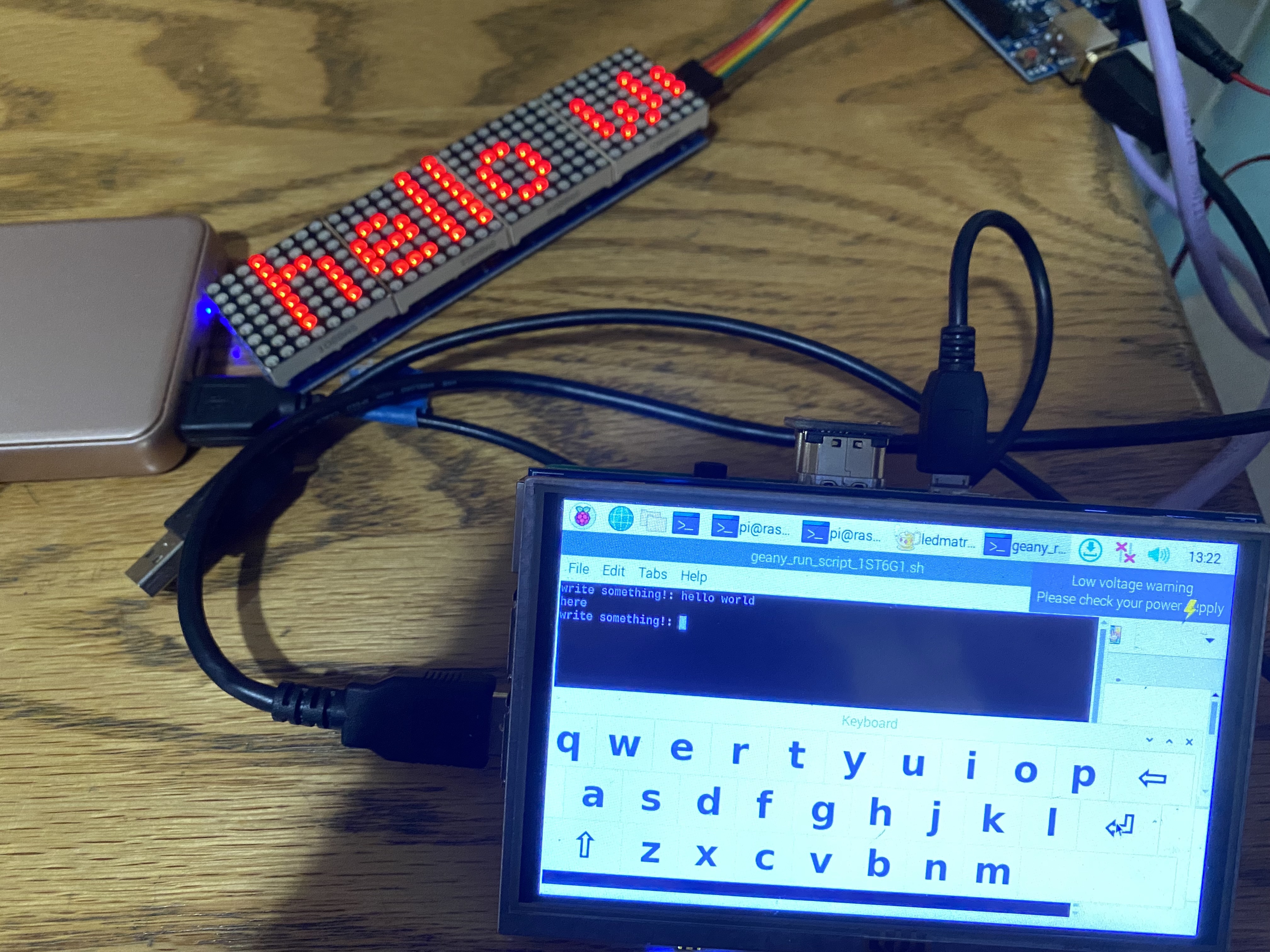
type in a message on the touchscreen and watch it show up on the message board!
How we built it
I programmed the Arduino using the MD Parola library for text effects and wrote a Python program on the Raspberry Pi to allow for text input. LCD-show was used to allow for touchscreen abilities and Matchbox-Keyboard was used for the on screen keyboard.
Challenges we ran into
I struggled with accessing the internet for at least 6 hours straight. I thought the problem was with the Raspberry Pi's configurations, so I scoured through forum after forum and changed who knows how many configuration files. I also rebooted the OS several times thinking that I messed up the configurations. It turns out that MIT makes you register your device prior to allowing for Ethernet access.
Accomplishments that we're proud of
This was my first time using a Raspberry Pi! (and my second time programming an Arduino). A lot of the difficulties I encountered was from lack of experience working with these devices, but I'm happy with what I got out of the troubleshooting experience. I also had no idea what physical accessories were needed for the Raspberry Pi like an ethernet cable and an usb keyboard, but my (nocturnal) hallmates were so generous to lend me them in the middle of the night.
What we learned
I learned about communication between devices, configuration files, programming in C, multiplexing, and Internet connections. I'm pretty experienced with terminal commands, but debugging made me learn more. My background is in writing research code that never leaves the confines of the IDE, so it was nice learning about hardware and communication.
What's next for LED Message Board
code an internet hosted site to allow people to put up messages :)
Built With
- arduino
- c
- lcd-show
- matchbox-keyboard
- md-parola
- python
- raspberry-pi

Log in or sign up for Devpost to join the conversation.