-
-
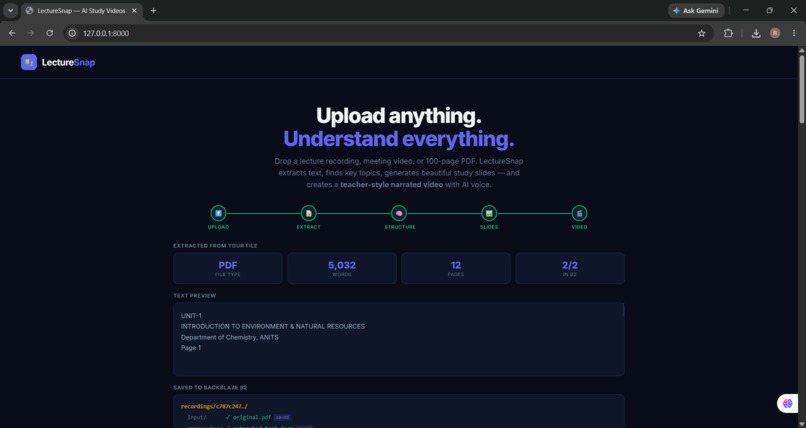
Stage 1 — Text Extraction
-
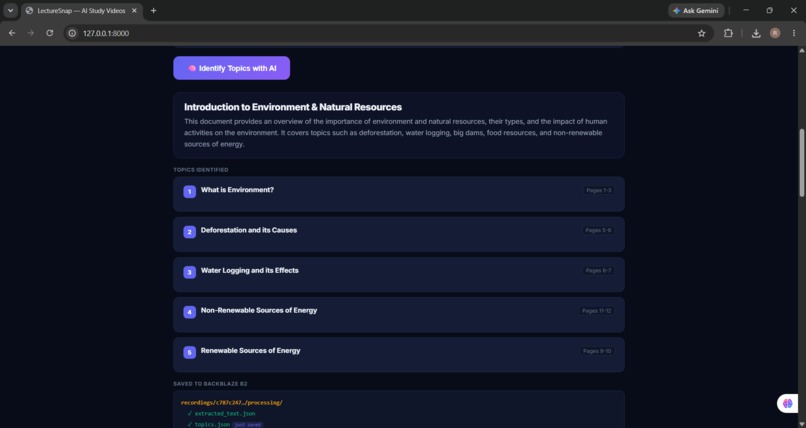
Stage 2 — AI Structuring
-
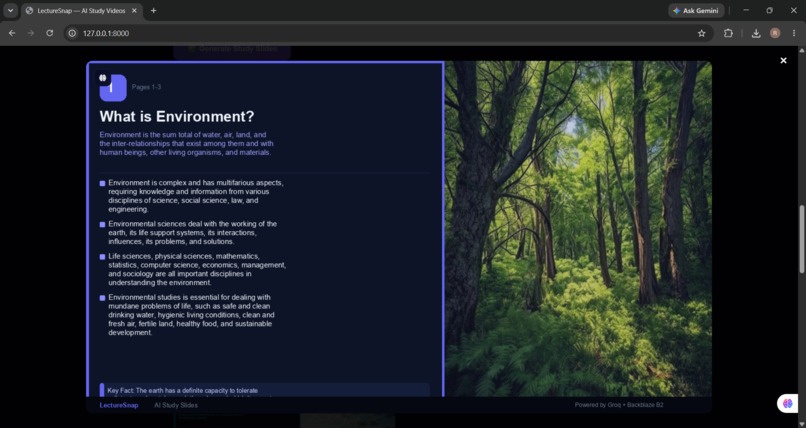
Stage 3 — Slide Generation
-
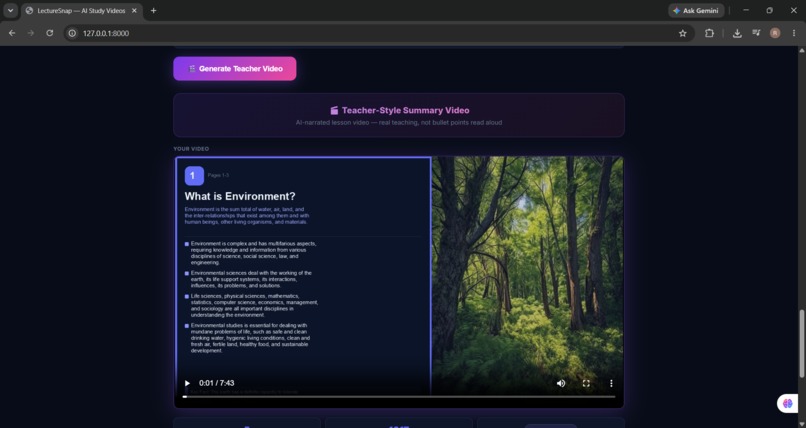
Stage 4 — Teacher Video
📚 LectureSnap – AI-Powered Study Video Generator
What Inspired Me
Every student knows this feeling. You sit through a one-hour lecture, the professor records it, and you walk out thinking you'll watch it again before the exam. You never do. The recording sits on your phone, the PDF sits in your downloads folder, and exam day arrives with half the content still locked inside files you never properly used.
I kept seeing this happen around me — students struggling not because they weren't smart enough, but because the format of learning material made it hard to actually learn from. A wall of text, an hour of audio, a 100-page PDF — none of these formats teach. They store information. There's a massive difference.
That's what inspired LectureSnap. I wanted to build something that takes any lecture material and turns it into something that actually teaches you — the way a good teacher would.
What it does
LectureSnap converts educational content into interactive study resources using AI.
The application can:
- Upload lecture PDFs, notes, or recordings
- Extract text from documents
- Identify the most important topics using an LLM
- Generate visually appealing study slides
- Create AI-generated teacher-style narration
- Produce an educational video that students can review before exams
The goal is to reduce study time while improving understanding and retention.
What I Built
LectureSnap is a four-stage AI pipeline that transforms any PDF, lecture recording, or meeting video into a complete study kit automatically.
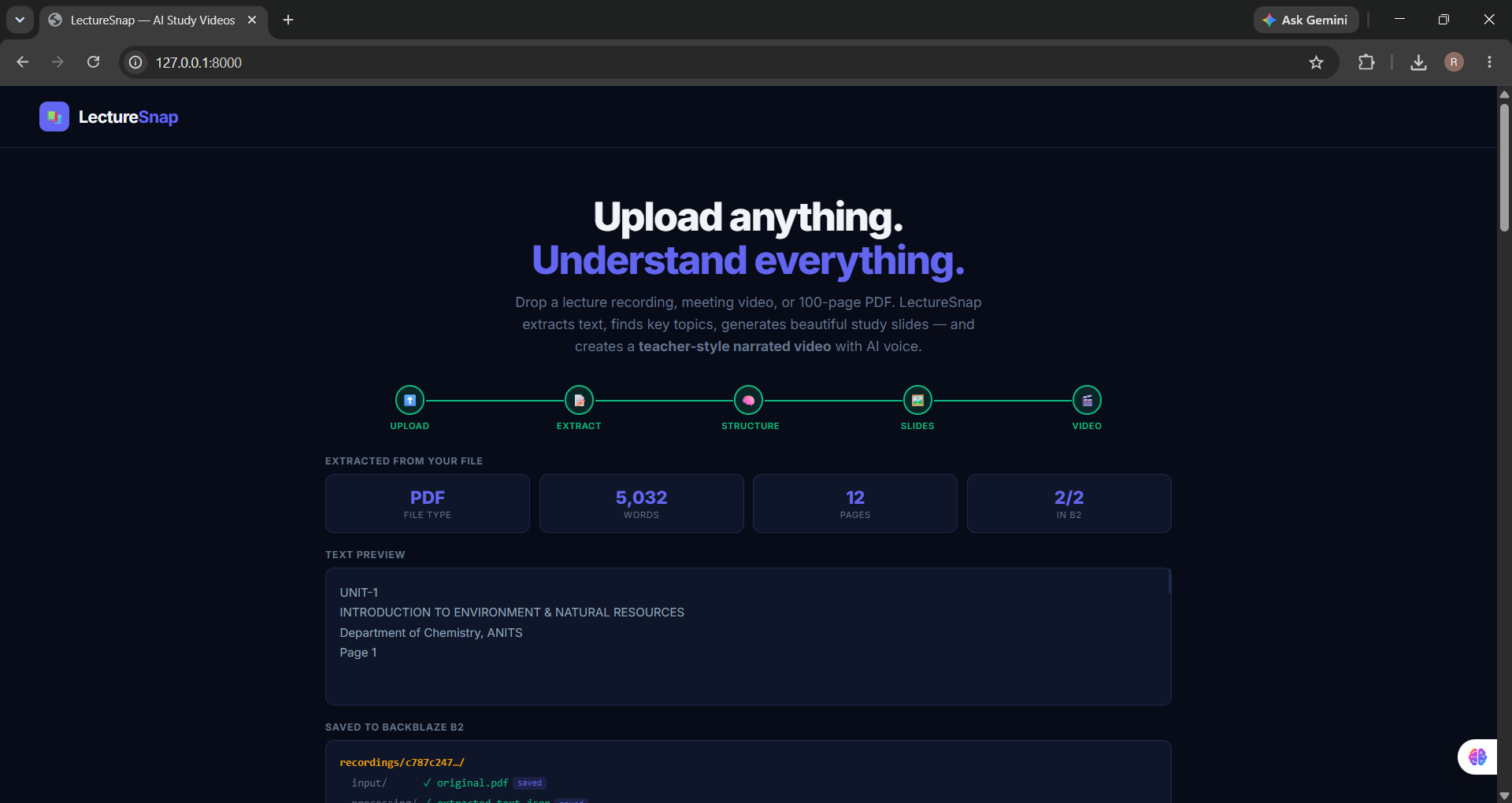
Stage 1 — Extract Upload any file. PDFs are processed with PyMuPDF, which extracts every word from every page with page-level structure. Audio and video files go through OpenAI Whisper for timestamped transcription. Everything is uploaded to Backblaze B2 immediately — the original file and the extracted text JSON, organised per session.
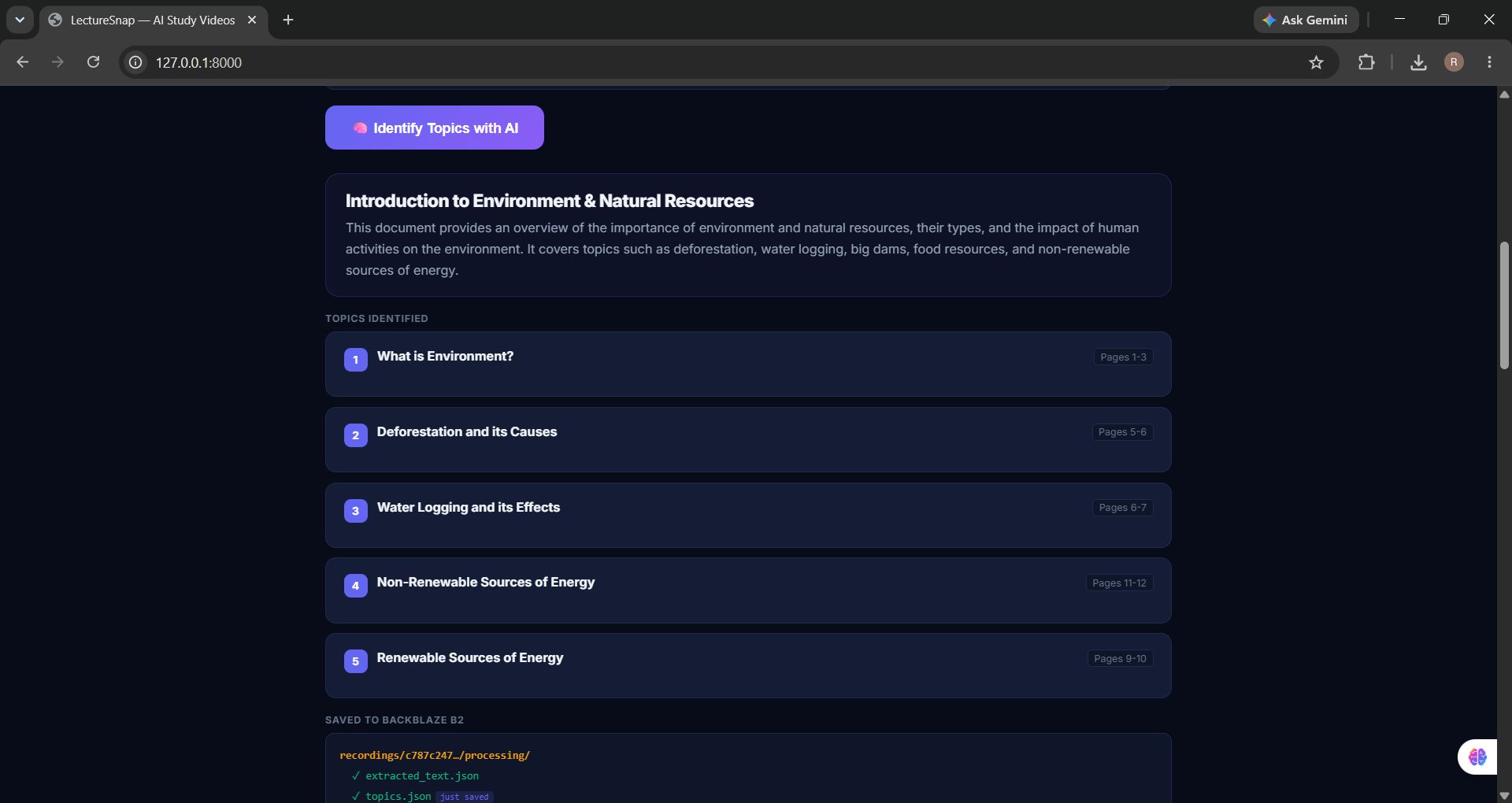
Stage 2 — Structure The extracted text goes to Groq's Llama 3.1 model with a carefully designed prompt that makes it act like an expert teacher rather than a summariser. It identifies the 4–5 most important topics, writes a concept explanation for each in simple language, generates 4 detailed key points, picks a memorable key fact with a real number or example, and selects a specific image keyword for photography search. Everything saved as topics.json to B2.
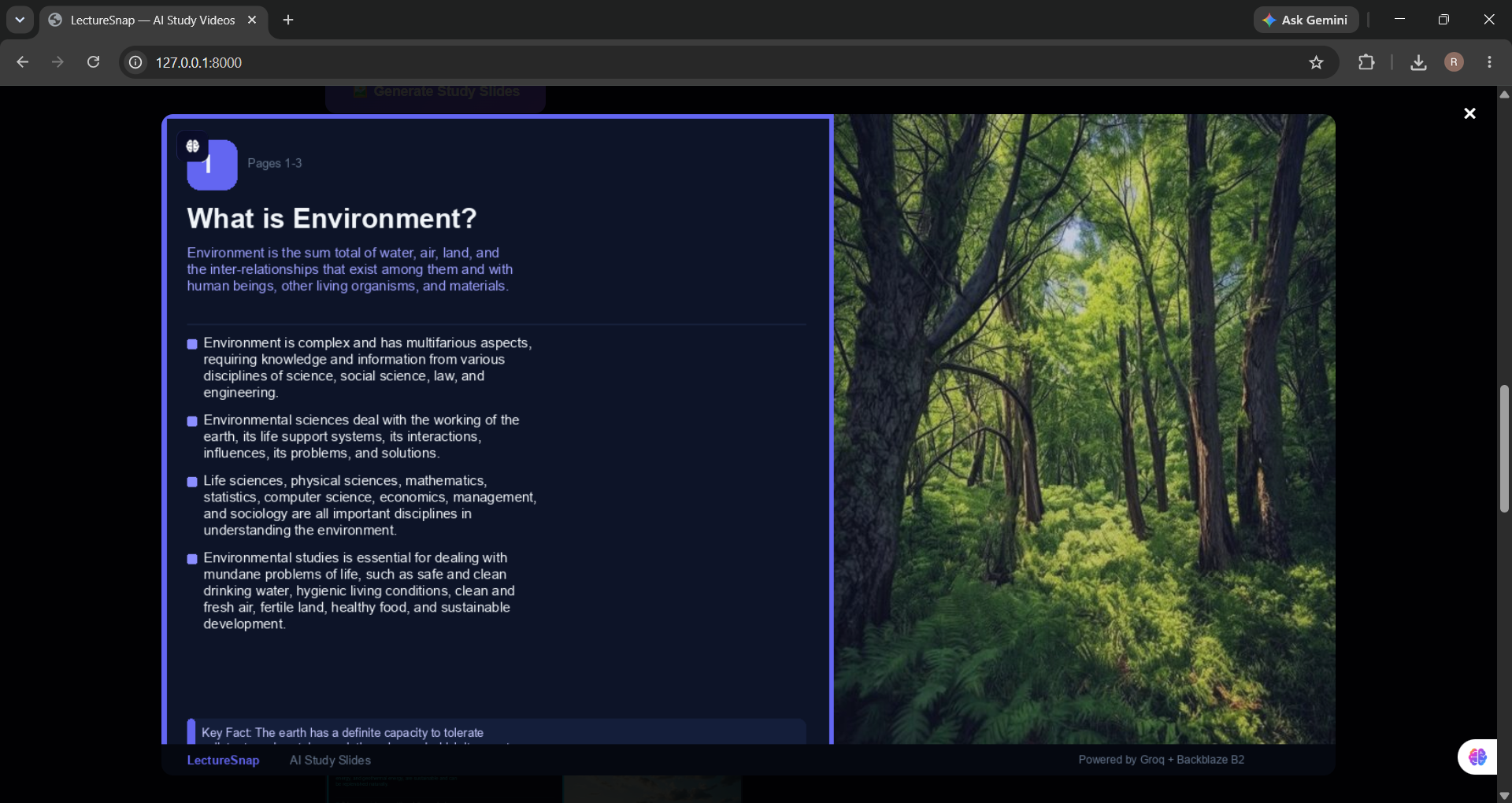
Stage 3 — Slide Generation For each topic, LectureSnap fetches a photorealistic image from Pollinations.ai using the flux-realism model with the topic-specific keyword. Pillow builds a 1280×720 professional slide — topic number badge, title, concept explanation, four key points, a highlighted key fact box, and the photograph. Each slide is saved as PNG to Backblaze B2 with a manifest JSON for the session.
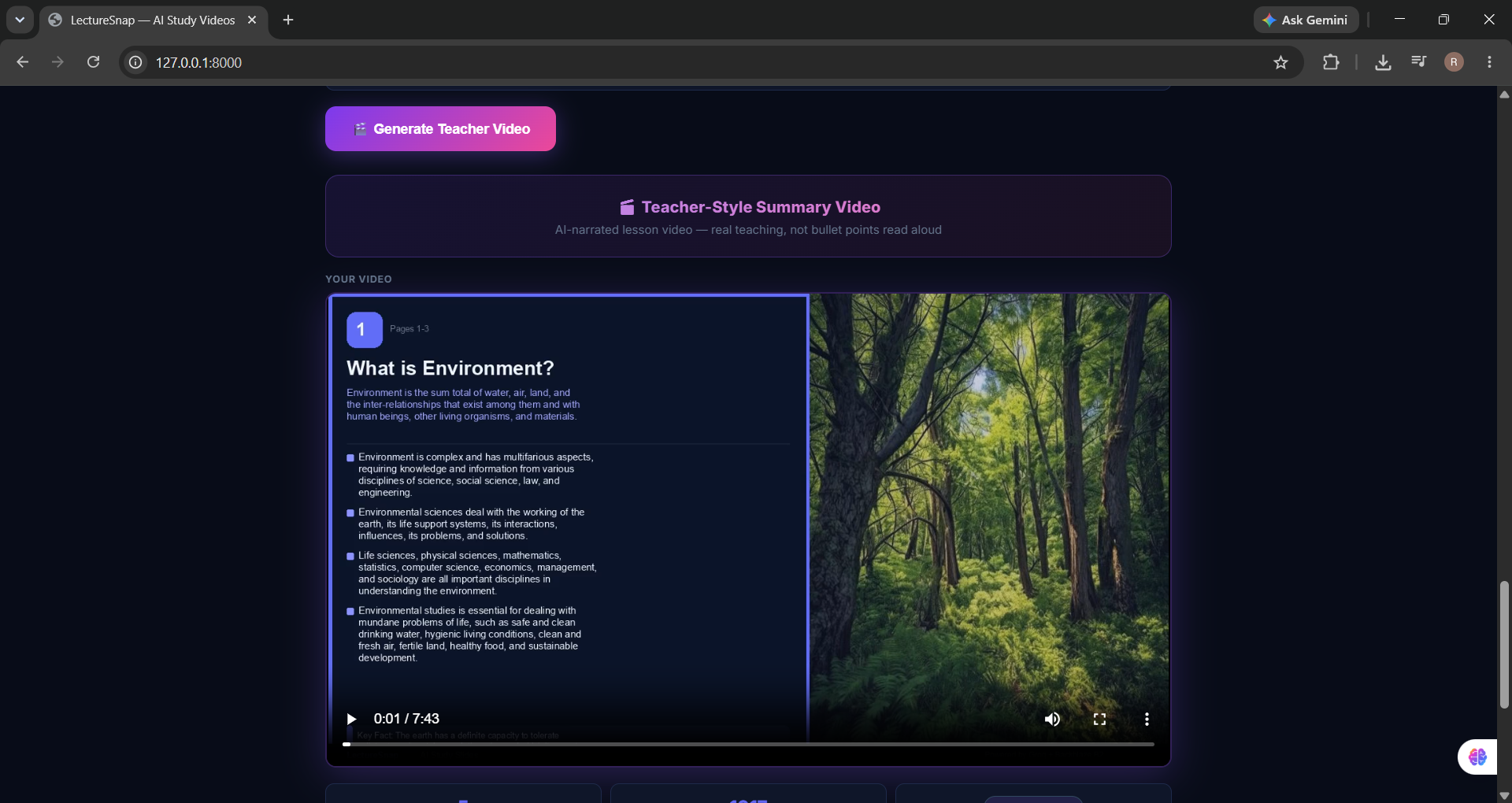
Stage 4 — Teacher Video This is the heart of the project. Groq writes a spoken teaching script — not bullet points read aloud, but actual classroom teaching. Each topic opens with a relatable real-world hook ("Think about the last time you sat under a tree on a hot day..."), uses an analogy to connect the concept to something familiar, explains it in simple conversational language, and drops in the key fact naturally. Microsoft's edge-tts neural voice (en-US-JennyNeural, rate +20%) converts the script to audio. ffmpeg assembles the slides and narration into a complete MP4 with fade transitions. The script, narration MP3, and final video are all uploaded to Backblaze B2.
The Pipeline
Upload (PDF / Video / Audio) ↓ PyMuPDF / Whisper → extracted_text.json → B2 ↓ Groq Llama 3.1 → topics.json → B2 ↓ Pollinations.ai → slide_01..N.png → B2 ↓ Groq + edge-tts → narration.mp3 → B2 ↓ ffmpeg → teacher_video.mp4 → B2
Every intermediate output is saved. A student can return to any session, download any file, or regenerate a single slide without reprocessing everything.
Challenges we ran into
Building an end-to-end AI pipeline required integrating multiple independent services.
Some of the main challenges included:
- Processing large PDFs efficiently
- Generating structured educational content from long documents
- Designing visually consistent study slides
- Synchronizing AI narration with generated slides
- Managing cloud storage for generated assets
- Handling deployment differences between local development and cloud hosting
Accomplishments that we're proud of
- Built a complete AI-powered educational content pipeline
- Automatically converts long documents into concise study material
- Generates professional-looking slides without manual editing
- Produces teacher-style explanations using AI
- Successfully integrated multiple AI services into a single workflow
What we learned
Through this project we learned:
- Building scalable FastAPI applications
- Prompt engineering for educational content generation
- AI workflow orchestration
- Cloud deployment
- Storage management with Backblaze B2
- Video generation using FFmpeg
- Integrating multiple AI APIs into one application
What's next for LectureSnap
Future improvements include:
- Multi-language support
- Interactive quizzes generated from lectures
- Flashcard generation
- Personalized study plans
- Voice selection and multiple narration styles
- Mobile application
- Learning analytics and progress tracking
- LMS integration for schools and universities
Built With
- ai
- api
- assistant
- b2
- backblaze
- document
- edtech
- education
- fastapi
- ffmpeg
- generative
- groq
- llm
- openai
- processing
- pymupdf
- python
- render
- rest
- speech-to-text
- study
- text-to-speech

Log in or sign up for Devpost to join the conversation.