-
-
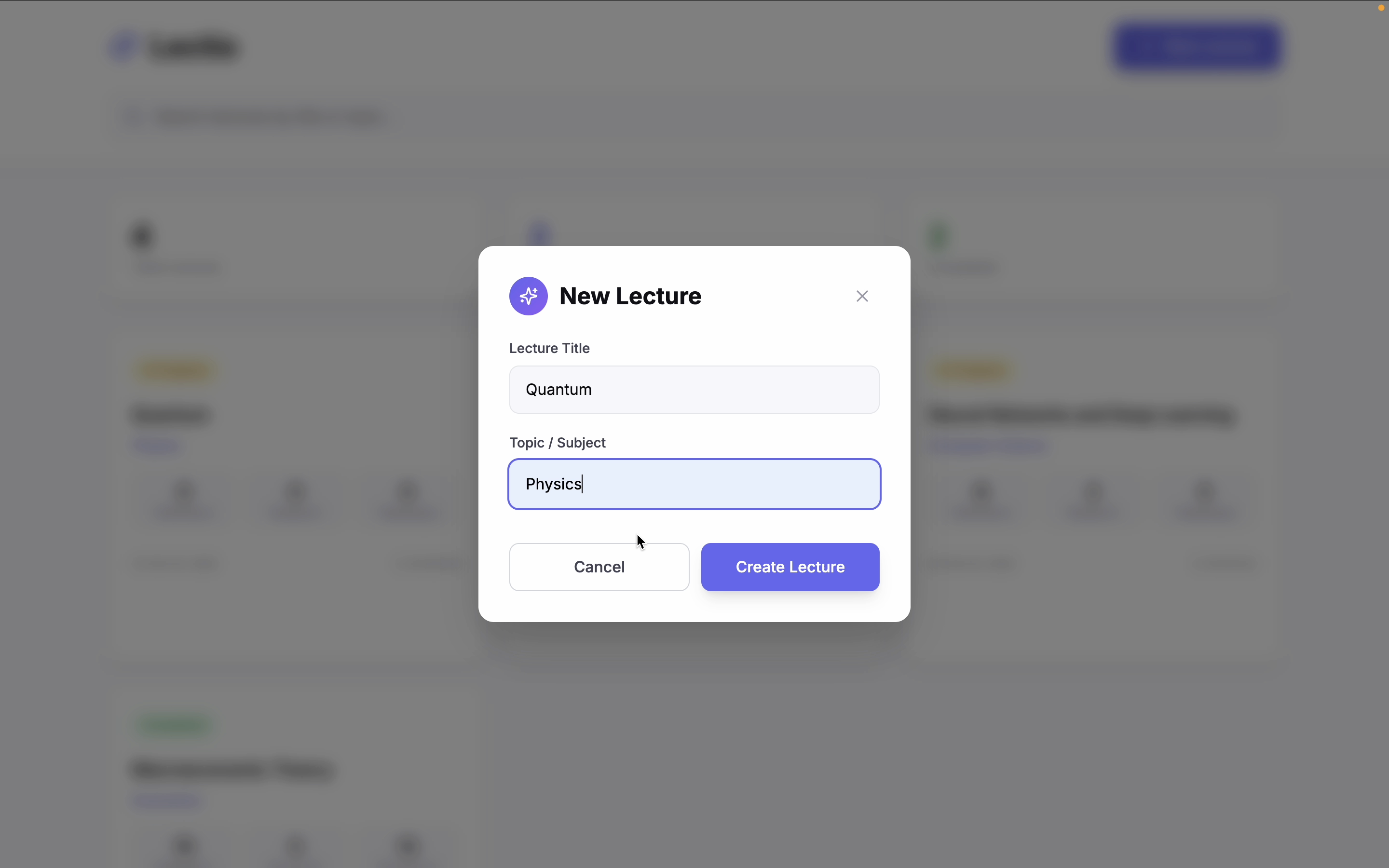
Starting Screen
-
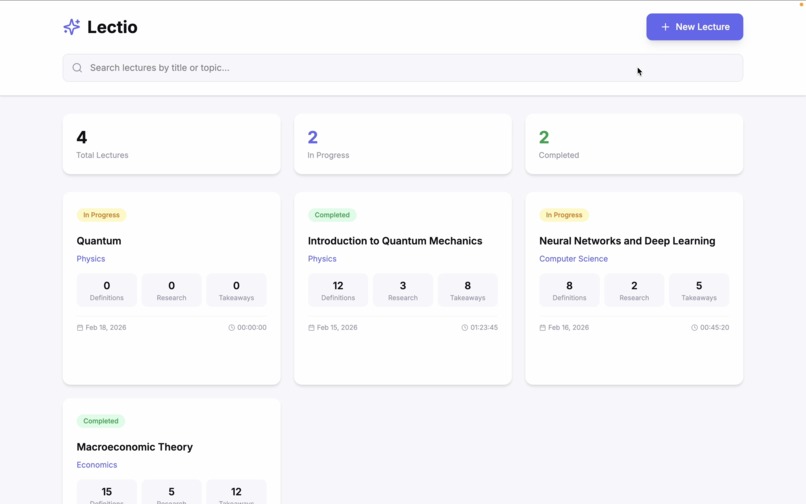
Dashboard
-
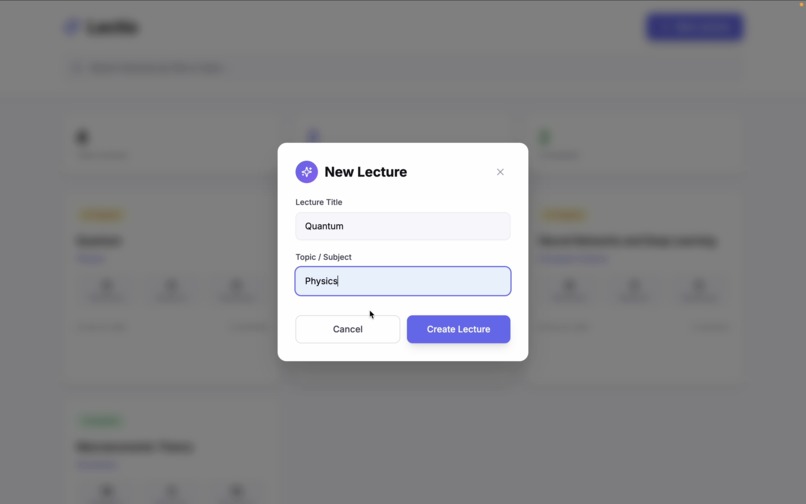
Start new lecture
-
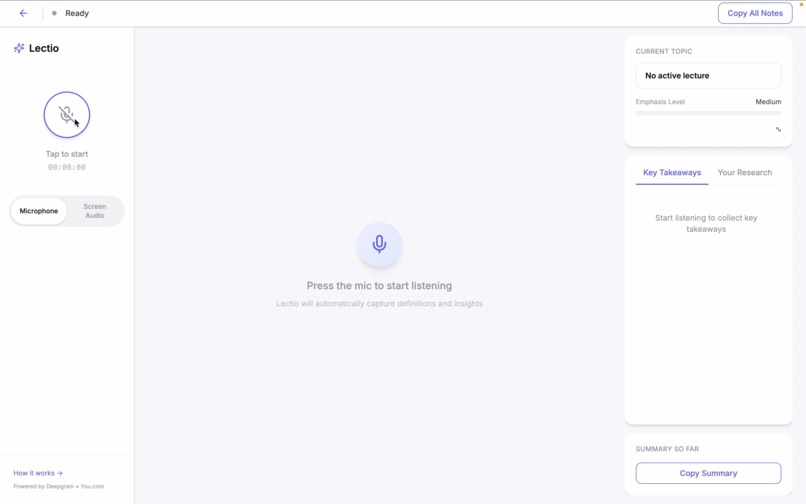
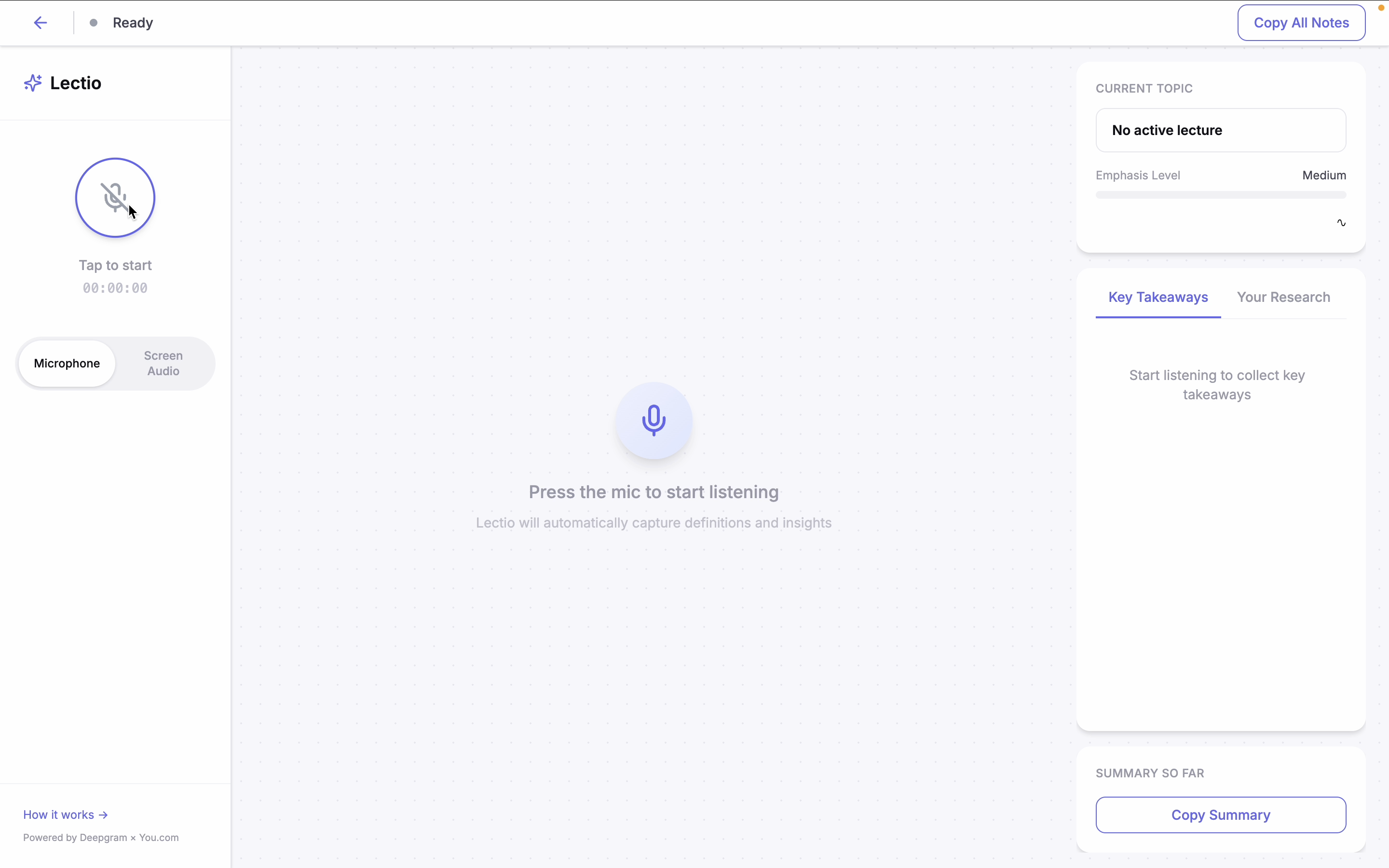
Ready to start listening
-
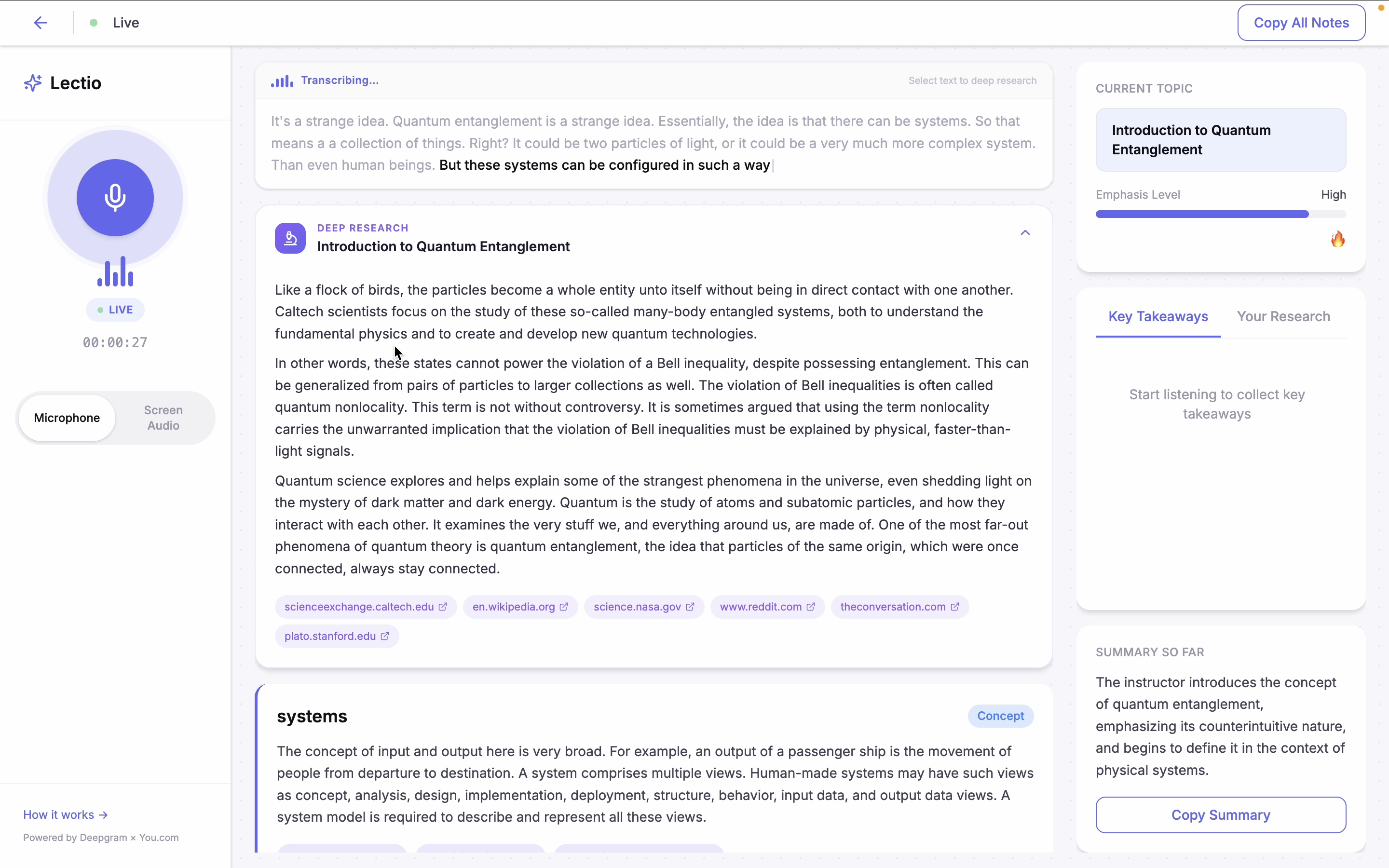
Live extraction and deep research
-
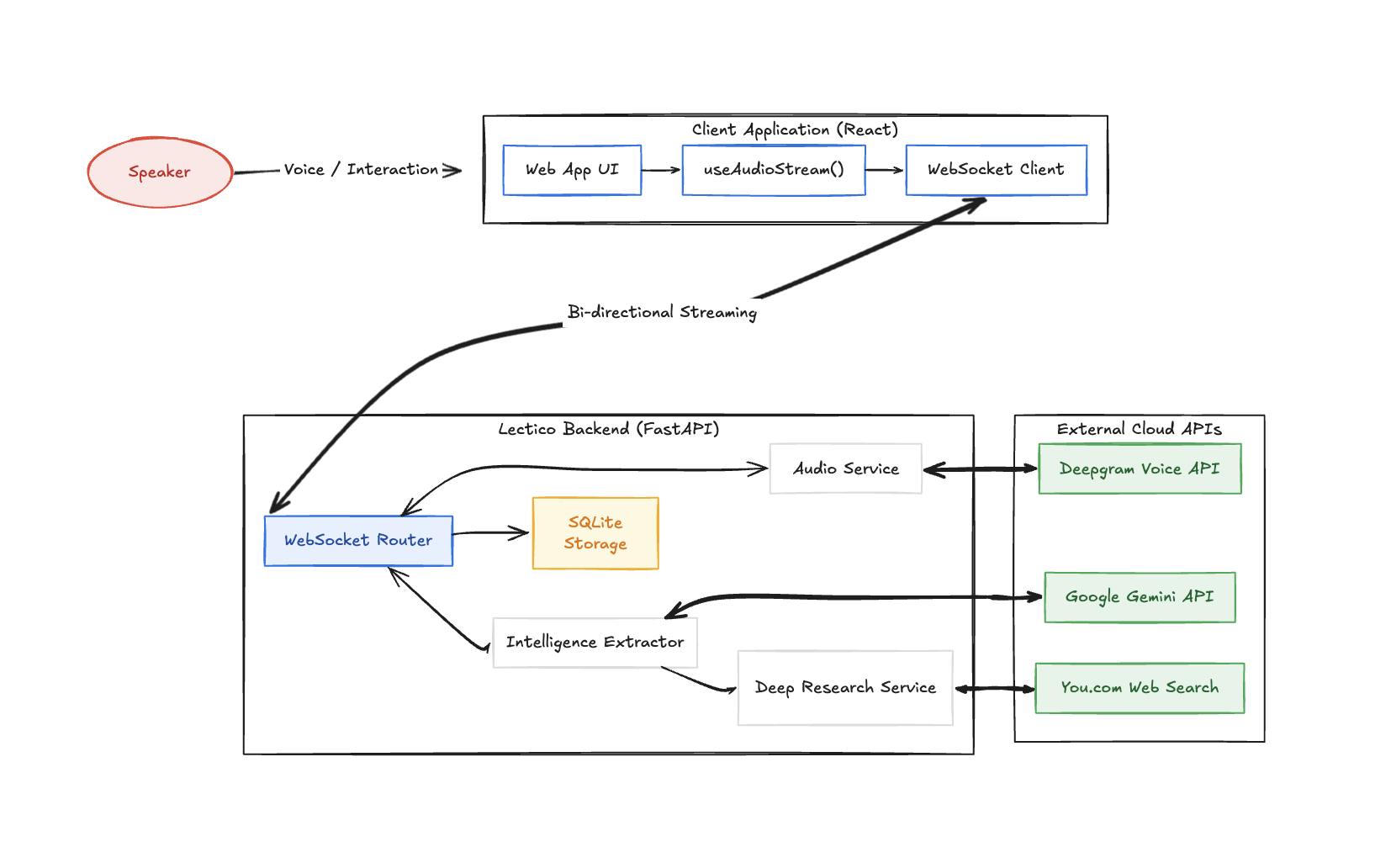
System Design Document
Inspiration
Curiosity is the most powerful driver of learning. But it only works if you act on it fast enough.
In lectures, that window is tiny. A professor drops a term you half-recognize. A concept comes up that connects to something you read once but can't fully place. In that moment you have two choices: stop and Google it and lose the thread of the lecture, or let it go and tell yourself you'll look it up later. Most of the time, later never comes.
That gap is where learning gets lost. Not because students aren't curious but because the friction of acting on that curiosity is too high. Lectures move fast and there is no pause button on a professor.
We wanted to build something that catches those moments automatically, so curiosity actually turns into knowledge instead of disappearing the moment class moves on. This is something we personally wanted to exist. We built Lectio because we kept losing threads in lectures and wanted something that would quietly fill in the gaps without requiring us to do anything.
What It Does
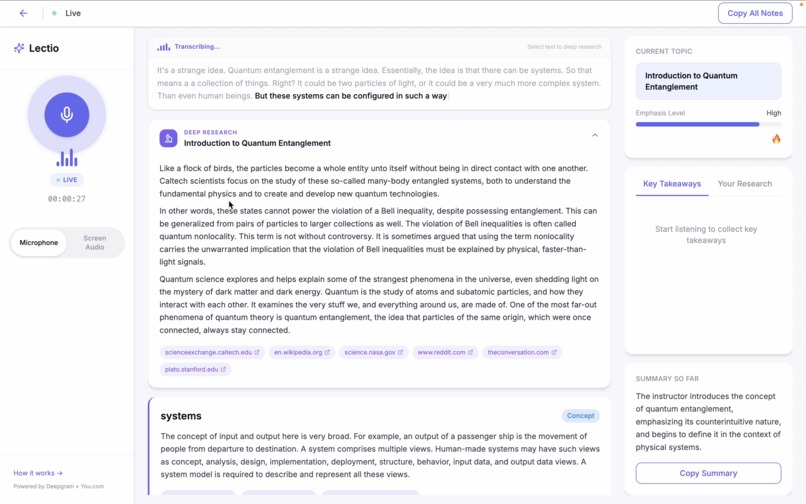
Lectio listens to your lecture alongside you. As terms and concepts come up in the audio, it automatically looks them up in real time and shows definitions and cited sources in a clean sidebar panel.
If something comes up that you want to understand more deeply, you can highlight any part of the live transcript and trigger a full research dive. Lectio pulls from multiple live web sources, synthesizes the information, and returns a proper explanation with citations.
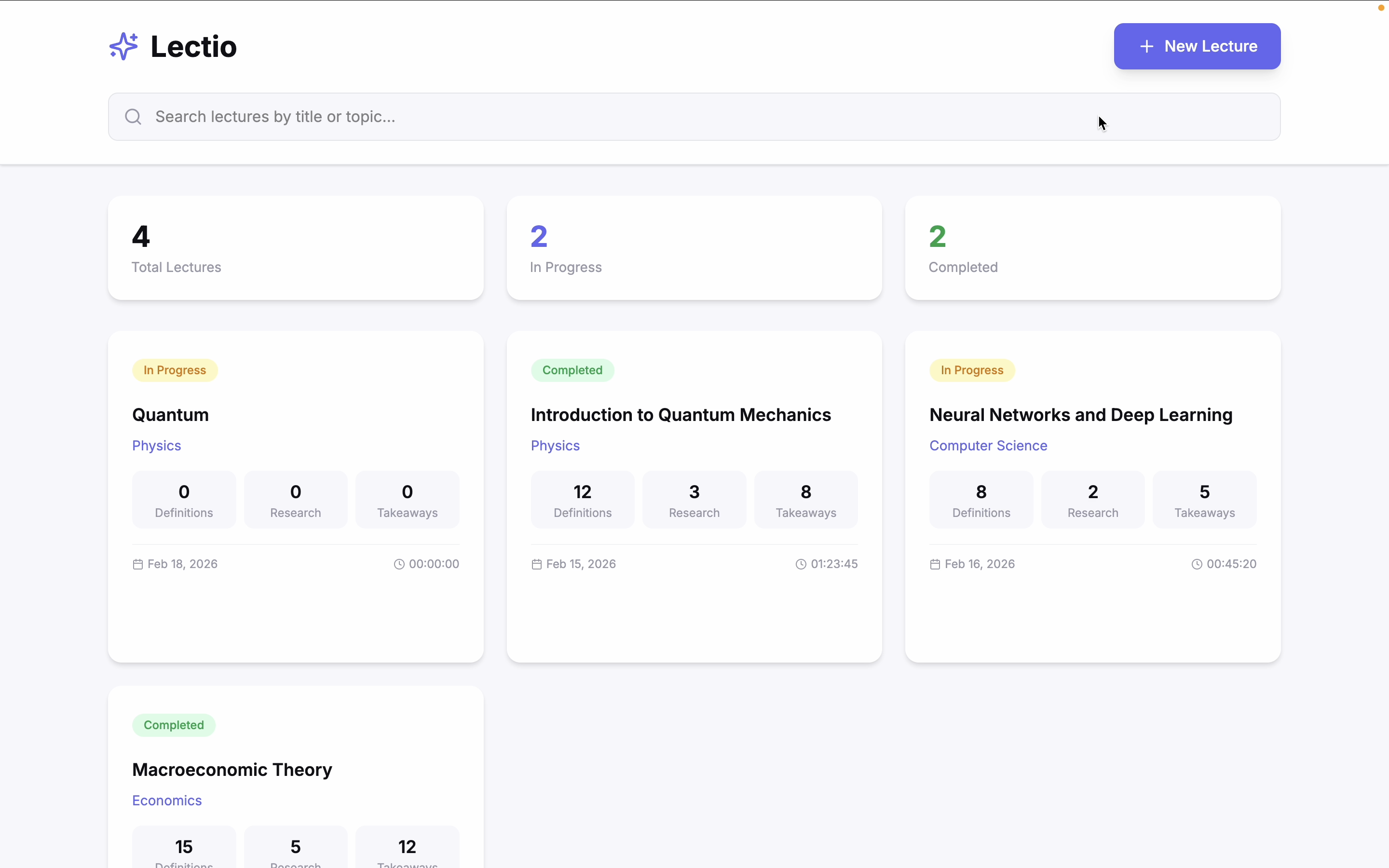
Throughout the session, Lectio tracks key takeaways, detects the current topic, and maintains a rolling summary of everything covered. When the lecture ends, you can export your full notes as a Markdown file including every term, definition, deep research result, and summary from the session.
Nothing is made up from model memory. Every piece of information comes from live web data with a source attached.
How We Built It
We started in Figma Make. Before writing any code we described the app in plain language and used Figma Make to generate the initial screens, layout, and user flow. This gave us a working clickable prototype covering five screens before we touched the frontend.
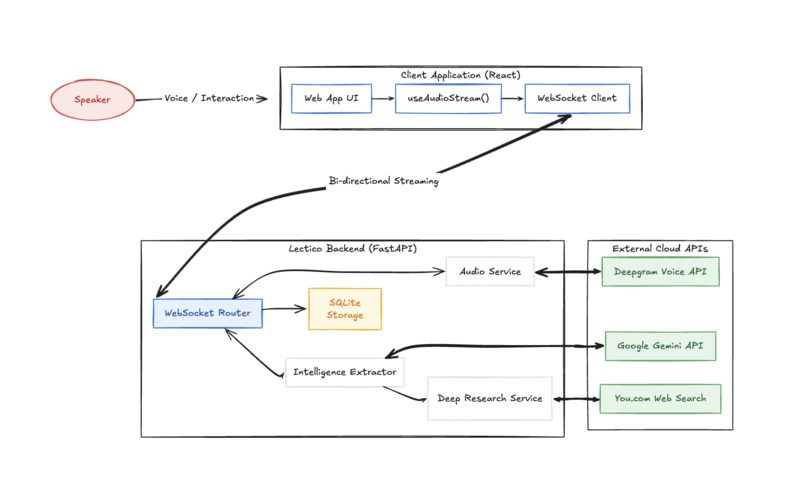
The backend is built with FastAPI and runs on Python. Audio from the browser streams over a WebSocket to the backend, which forwards it in real time to Deepgram's Nova-2 streaming model. Deepgram fires back partial and confirmed transcripts as the lecturer speaks.
Every confirmed sentence triggers a parallel pipeline. Gemini 3.0 Flash reads the sentence and extracts two or three key terms. Those terms go to You.com's search API in parallel, and the results come back as definition cards with citations. A per-session cache prevents the same term from being looked up twice.
Every sixty seconds, Gemini reads the full transcript buffer and rewrites the rolling summary. Deep research queries run as a separate side channel so they never block the live pipeline.
The frontend is built with Vite and React. All real-time updates flow through the WebSocket. The database is SQLite stored as a local file, keeping the setup simple and self-contained. We used Kilo Code as our coding assistant throughout the build to move fast across a complex async system.
Challenges We Ran Into
The hardest part was managing the WebSocket while live audio is streaming and multiple async tasks are running at the same time. If one task blocks, the whole pipeline falls behind. Getting the Deepgram connection, the term extraction, and the You.com searches to all run truly in parallel without stepping on each other took significant work.
Text selection on a live transcript was also tricky. The transcript bar updates constantly as new words come in, which means a standard selection gets wiped out on re-render. We had to freeze the transcript into a static snapshot on mousedown and resume live updates only after the user completed their selection.
We also had to be careful about how much we send to Gemini on every utterance. Running inference on every sentence is expensive and slow if not handled carefully. Tuning the prompt to return compact structured JSON and batching intelligently kept latency low enough to feel real time.
Accomplishments That We Are Proud Of
The end-to-end latency from spoken word to definition card on screen is around two seconds. That is fast enough that definitions appear while the professor is still on the same concept.
The deep research feature genuinely works well. Highlighting a phrase, seeing the skeleton card appear immediately, and then watching a properly synthesized multi-source answer populate a few seconds later feels like a real product interaction rather than a demo.
The export output is clean and actually useful. A full lecture session exports as a readable Markdown document with the summary, all terms and definitions, deep research results, and numbered citations. You end up with study notes you did not have to write.
We are also proud that every layer of the stack is doing real work. Figma Make shaped the product vision. Deepgram handles the audio intelligence. You.com grounds every result in live web data. Gemini runs the inference pipeline. Kilo Code helped us ship it all in a hackathon window.
What We Learned
Building a real-time audio pipeline is a different class of problem from building a regular API. Latency compounds. A 500ms delay at each stage adds up to something that feels broken. We learned to think about the pipeline in terms of parallel lanes rather than sequential steps.
We also learned that grounding AI outputs in live search results changes the product fundamentally. When every definition has a source link attached, it stops feeling like a chatbot and starts feeling like a research tool. The citation is not just a feature. It is what makes the output trustworthy.
On the product side, the most important design decision was keeping the UI out of the way. The lecture is the main event. Lectio is the sidebar. Every design choice was about making information available without demanding attention.
What's Next for Lectio
The most requested feature from early testers is support for uploaded audio and video files, not just live microphone input. A student should be able to drop in a recorded lecture and get the same experience.
We also want to add a quiz mode that generates questions from the session's key concepts at the end of a lecture, turning passive notes into active review.
Longer term, the per-lecture data becomes more valuable over time. A student using Lectio across a full semester builds a personal knowledge graph of every concept they encountered, how often it came up, and how deeply they researched it. That opens up possibilities for spaced repetition, concept mapping, and personalized review that we are genuinely excited to explore.
Built With
- deepgram
- figma
- kilo
- python
- react
- sqlite
- typescript
- uvicorn
- vite
- you.com

Log in or sign up for Devpost to join the conversation.